-
Error w hair morph
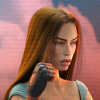
I bought this beautiful hair a few ds ago: https://www.daz3d.com/fe-princess-whiskers-updo-hair-for-genesis-9 , just made my first render with it, love it very much
 . I have an error with it though, the morph:
 - Bangs Curly does NOT work. I hope this can be fixed somehow, I downloaded through DIM as I always do. I see the pick w that morph and I love it SO much, looks so cute, so if it can be fixed that would be great. Do I need to open a ticket for it? seams to me like this can't be happening to just me, so hopefully a mod can report it to Daz? reply so I know if I need to open a ticket, I'm in a dark place in my life now, so I would prefer to just reporting it in this thread. Thanks in advance for help w this. If the problem is at my end - how could I have f..d up just downloading through DIM? I didn't do anything else w the files.
Edit: I am using it on G8.1, but I loaded it without having G8.1 selected, the parented it to her head, so that could not have caused the error I think.
Issue with some poses after creating a new face morphYes, you have to fix it by creating an eJCM corrective morph, and Base resolution just will do. As per the 3rd screenshot you attached, you just need to further drag down the middle part of the upper eyelid with Grab brush in Blender.
Then update the corrective morph with MLP. In Property Hierarchy, set Eyes Closed as its 1st Stage Controller, set the character's head morph as its 2nd Stage Controller.
Issue with some poses after creating a new face morphHi! I realized that I have an issue with the Eyes Closed pose on my character. When I activate the Eyes Closed pose to 100%, the eyes are not completly closed:
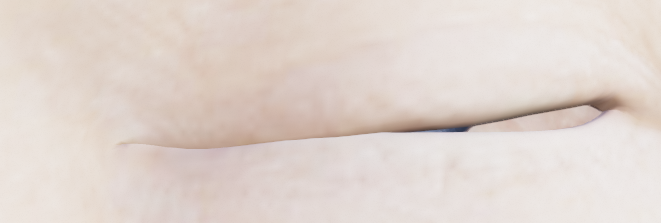
Since I already ajusted the rigging to the shape, I guess I have to create a corrective morph, so I tried to fix it in Blender, and on the Base resolution mesh, the issue seems to be fixed:
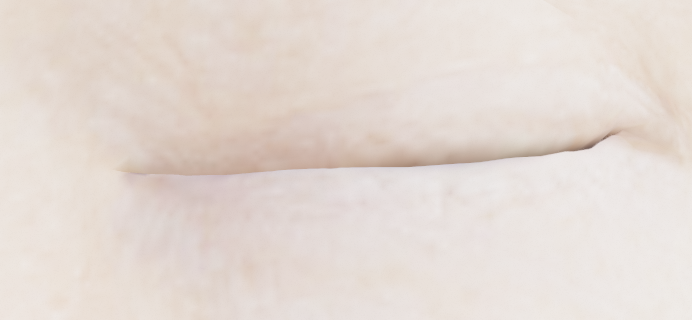
But in high resolution, the eye is still not completely closed:
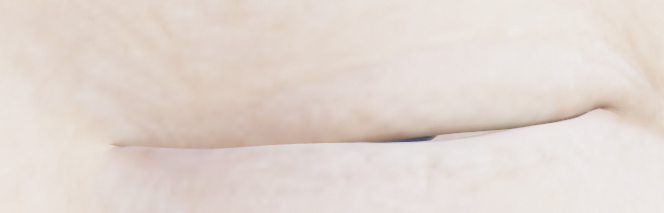
Since I can't fix it directly on the high resolution mesh, I wonder what I should do... How to fix an issue on the high resolution, that I can't see on the base resolution?
Hoping that it could help, I tried to subdivide the base resolution mesh, to fix the eye closed on the subdivided mesh and after that, to unsubdivide the mesh, but when I came back to DS, the eyes are still not completly close... Isn't there any way to work directly on the DS high resolution mesh to create a corrective morph? Or maybe a corrective morph wouldn't be the best solution here?
Tank you in advance!
No more "Young adult" shapes available for core figures...why???kyoto kid said:
...for young adult and teen females having a separate breast morph utility helps a lot as I've noticed the base adult female characters load in fairly well (in some cases "over") "endowed" (evne ones that appear more slender in the promos). . I have several including Zev0's Breast Control, Soto's Breast Utilities, and SF-Designs Girls for G8F (the latter which has individual beast adjustments).
Oh yes, many models come pretty well endowed. And there's plenty of products available to, uh, highlight that fact, too.
Luckily, it's all easily changable with all the products you listed, and many more!
[Released] Turbo Loader Booster Utilities [Commercial]Submitted an update (affects all Turbo Loader products)
v1.6
- Fixed RSTurboLoaderFunctions unit to handle Genesis 9 era morph files that reference morphs WITHOUT a path. Updated GetMorphsFromJSON function to handle Genesis 9 era output morphs that do NOT include the relative path anymore. Uses the file's relative path (i.e., the included morphs "should" be in the same directory) as that works for all tests conducted in 2024/09.
- Fixed an infinite loop on some morph files by fixing the GetMorphsFromJSON function to not include current morph in list of morphs.
- Added FindAllJSONPropertyMatches function override so that it can handle patterns
[Released] Hat Check for Genesis 9 [Commercial]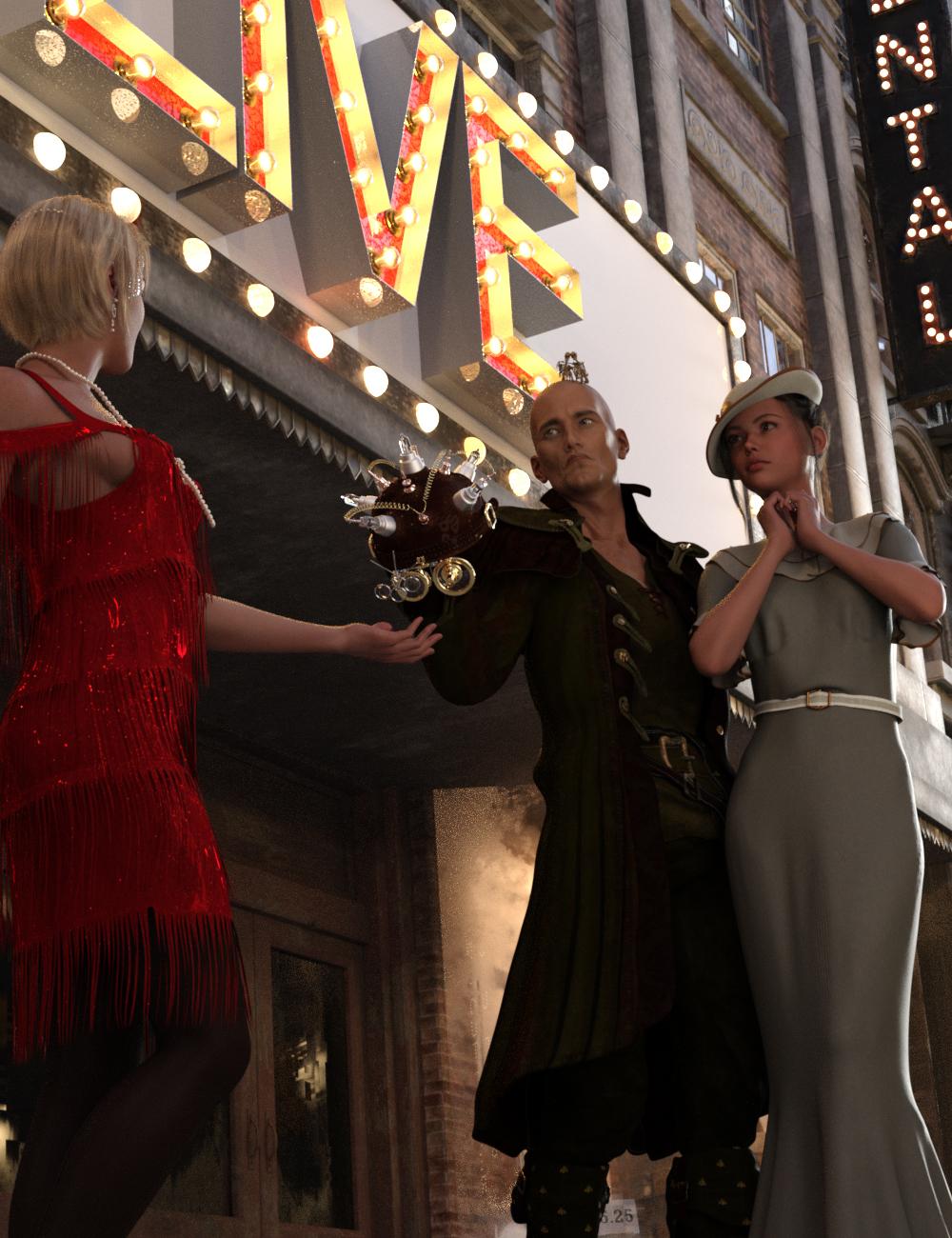 Quickly and easily create hair morphs to use your hair with different hats and caps, even sunglasses and hairbands! Hat Check works by using a sphere, cylinder or cube to define an Effect Volume which you position over the hair. Any hair vertices inside (or outside depending on the options) the Effect Volume will then be pulled close to the head of the figure. Any hair vertex outside the Effect Volume, but within the feathering distance, will be pulled partially towards the head of the figure.
Hat Check creates 2 morphs for the hair based on the label of the "hat": one using the label name (e.g., "RS Fleur Hat") that controls all hair vertices inside the Effect Volume, and one using the label name plus "feather" (e.g., "RS Fleur Hat Feather") for all the vertices at the edge of the Effect Volume.
- Quickly create hair morphs
- Includes 2 scripts for creating hair morphs
- Use Effect Volumes (Cube, Ellipsoid, or Cylinder) to specify the hair vertices to morph
- Use Selected Vertices to specify the hair vertices to morph
- Morphs can be saved separately or as part of the scene file
Morphs created by Hat Check are a Merchant Resource, which you can distribute with your Hair product.
Tutorial
 [SOLVED] Make toes of the socks follow toe spread (and vice versa)
If you're rerigging using the transfer utility use Genesis 9 as the donor instead of one of the templates - that will keep the toe bones. The bodysuit and footwear will remove the toe bones because shoes look weird if they move with individual toe bones :)
[SOLVED] Make toes of the socks follow toe spread (and vice versa)Richard Haseltine said:
Toes Spread isn't a morph, I think, it is a pose control driving the toe bones. It may be that th socks don't have the separate toe bones (depending on which figure this is) and so can't match the adjustment to th base figure.
Noted. Yes of course, it is indeed a pose control.
The figure is G8 or G8.1. One of the example product would be TFS Socks. (Time for school socks)
[SOLVED] Make toes of the socks follow toe spread (and vice versa)Dolce Saito said:
Some of the socks I have, despite looking exactly how I want, doesn't follow toe spread morph. That causes them to poke through shoes, etc... How can I make them follow it?
The reason is just because there's no weight on the corresponding toe bones of the socks...e.g. if you select the joint node of Big Toe1, switch to Node Weight Brush tool, you'll find no weight map on it (ss1). If you add a weight map and some weight, you'll find it work (ss2), but it's cumbersome ...
Then it's simple to fix the issue: just re-rig the socks to the figure with Transfer Utility. Then it'll work. (ss 3 ~ 4)
And vice versa; Especially on a retro-fitted clothing (like g9 shoes to g8), they follow the toe spread, but I don't want them to follow that particular morph.
The reason is the same. To fix it, just do it reversely: remove the weight maps on toe bones (ss 5 ~ 6)
Any help would be appreciated. Thanks.
Can g9 character mio head morph be applied to g8 body?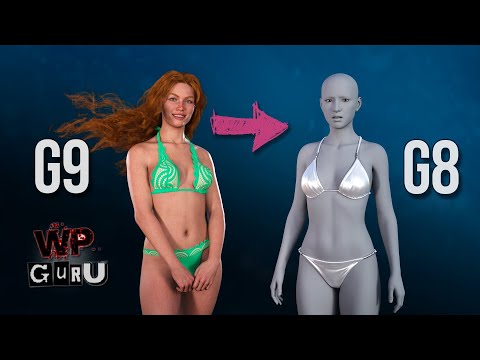
I tried the method shown in the link above
But English is not my first language
So I think I tried the wrong way
Are there any other solutions?
[SOLVED] Make toes of the socks follow toe spread (and vice versa)Toes Spread isn't a morph, I think, it is a pose control driving the toe bones. It may be that th socks don't have the separate toe bones (depending on which figure this is) and so can't match the adjustment to th base figure.
[SOLVED] Make toes of the socks follow toe spread (and vice versa)Some of the socks I have, despite looking exactly how I want, doesn't follow toe spread morph. That causes them to poke through shoes, etc... How can I make them follow it?
And vice versa; Especially on a retro-fitted clothing (like g9 shoes to g8), they follow the toe spread, but I don't want them to follow that particular morph.
Any help would be appreciated. Thanks.
Transfer UtilityHello everyone,
I'm making custom clothing for my character, and no matter what I do with the transfer utility and even shaping, I can't get the clothing to fight right on the Genesis 9 model. I had sculpting the clothing within Blender, but for some reason coming from Blender, the clothing disappears so I had to export from Houdini. But it acts weird. The waist and some chest gets pulled into the model, other parts get blown up. I don't know what to select for it to properly move with the model. The model itself is shaped, so I don't know if that's the case.
Anyone have suggestions?
-----Neil
Exploding head....You would really need a new mesh for that, you can't break a model with a morph so there isn't a direct way to do it. You'd also probably need to model some of the inside of the head, depending on viewing angle. I suspect this is the kind of thing better handled by editing the image(s) after rendering.
Head Morph Resource 3 is a MR?While the description has stuff implying it might be, there's no indication of what the usage terms might be, so I would personally assume it might as well not be. (It doesn't say there's any permission to transfer them to other bases, and trying to sell G1 characters would be a joke these days).Face transfer skin colourI have bought https://www.daz3d.com/face-transfer-unlimited it was on sale and I got a good deal. I hadn't used it, but before I bought it, I tried with two Asian faces. I liked the shaping and unique skin blemishes that make the face look like the person. The issue I have is the skins came out very red like they had a VERY severe case of sun burn. The plug in also didn't allow for hair being on the subject photo forehead and gave very undesirable results.
I tried to use skin builder 8 to lighten the skin, but that builds a new skin and loses the distinctive facial details that make a character "real".
Any suggestions on how to get a realistic skin colour using Face Transfer?
Face Transfer - Saving the whole figureWhen you "Save" in Face transfer, free with Studio, it saves as a scene subset with all your additional morphs, clothes, hair etc. It save to ...My DAZ 3D Library\Scene Subsets\Face Transfer
Head Morph Resource 3 is a MR?Crios said:
This is a Merchant Resource?
https://www.daz3d.com/genesis-head-morph-resource-kit-3
Because is an upgrade from a Merchant REsource for V4, so i've thinked that is a Merchat Resource too.
According to the description I get that impression too.
My custom morph gets destroyed when posing (G8/8.1M)lilweep said:
mewtwo4ever said:
crosswind said:
Select the figure, go to menu : Edit > Figure > Rigging > Adjust Rigging to Shape...
Thanks a massive huge bunch! I didn't know this feature! By the way I might think there is a kind of glitch with the G8M base model, or maybe just the Development kit one. Cause when I rotate the head to look up, in the back, the base of the head and the shoulders get a pronounced dip. I can't tell exactly why...
Well thats an issue in your G8M model not the G8M model. The devload and g8m presets are using the same morphs etc, so both will be affected the same. You can check which morphs are being activated and causing the issue by going to Paramaters tab and clicking Show Hidden Properties and then looking at Currenlty Used.
You will likely have a hidden morph that is being activated when rotating the head. You can dial out each morph to try to locate the offending morph.
It's not clear from your post if this is with a fresh load of the G8M or if this is a consequence of your morph you added.a
Apologizes for lack of detail, yes, is a fresh model, in fact it's a dev model I loaded to do my morphs, so fully fresh and from the dev kit folder.
No more "Young adult" shapes available for core figures...why???...for young adult and teen females having a separate breast morph utility helps a lot as I've noticed the base adult female characters load in fairly well (in some cases "over") "endowed" (evne ones that appear more slender in the promos). . I have several including Zev0's Breast Control, Soto's Breast Utilities, and SF-Designs Girls for G8F (the latter which has individual beast adjustments).
Daz 3D is part of

Connect
DAZ Productions, Inc.
7533 S Center View Ct #4664
West Jordan, UT 84084Licensing Agreement | Terms of Service | Privacy Policy | EULA
© 2026 Daz Productions Inc. All Rights Reserved. - Bangs Curly does NOT work. I hope this can be fixed somehow, I downloaded through DIM as I always do. I see the pick w that morph and I love it SO much, looks so cute, so if it can be fixed that would be great. Do I need to open a ticket for it? seams to me like this can't be happening to just me, so hopefully a mod can report it to Daz? reply so I know if I need to open a ticket, I'm in a dark place in my life now, so I would prefer to just reporting it in this thread. Thanks in advance for help w this