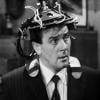
-
Celebrity Look-a-Likes for 3D figures Part 2
Huh. Looks like you’re right. It’s also based on Olympia’s textures, but I could upload the head morph if anyone wants it.
Using ZBrush Core and DazYou are right-clicking on the figure, not on the morph (in the Parameters pane).
I'm not sure what you mean by saving the character - don't use File>Save as>Support Assets>Figure Prop Asset.
What's up with the Black Leather Jacket?One more thing: I assumed that since we're fitting this to a figure with the transfer utility that we could fit it to any of the more recent ones. Nope. I tested it on Genesis 1, 2 and 3. Even if you put the figure in the A pose, it does this wonky thing:

You have to fit it to G8F first. If you SY's backwards compatibility clones (G8 to G3, G3 to G1), you can autofit to G3. Valzheimer has clones for G3 to G2. Transfer utiility didn't even see the V3 I tried it on. I guess it doesn't work on the older weight mapped figures.

It should be possible if you pose the figure and then bake joint rotations (Joint Editor right-click menu), then transfer, then bend the rigged item back to the T pose and bake its joint rotations.
Ollie 8?I succumbed to the temptations also after seeing such interesting morph blends with Ollie. I bought only the base character today. Here is my first attempt and mixing Ollie and other morphs. I call it Brothers Reunion.

How cool!
Transfer Genesis 8 Characters to Genesis 3Okay. This might seem like a strange thing to talk about, but here goes. I get that Genesis 8 is the next big thing. And there is a lot to be said about it. However, there's also a lot to be said about the Genesis 3 models. They're still very good in my opinion. And I also have a greater number of resources for Genesis 3 than I do for Genesis 8. There are things such as Centaur 7, as well as Anneka Demon. Not to mention all of the morphs that I've been able to transfer to Genesis 3 via Genesis Generations. Also...some of the bends for Genesis 8 just don't seem quite right to me.
So while I have seen some tutorials about transferring Genesis 3 morphs to Genesis 8, what if I wanted to do the reverse? Any suggestions?
What's up with the Black Leather Jacket?and here are my objs for those who want to practice using the transfer utility

are for genesis 3 male but you can refit to others after
the original and Zremeshed as seen on left (yes I have Zbrush but suck at it) and my extruded cowl scarf (you may want to set its smoothing collision to the top not G3M)
import with Carrara preset chosen
https://www.daz3d.com/forums/uploads/FileUpload/5c/b69a816f5ee91fe0f4c77d4cfed4f4.zip
https://www.daz3d.com/forums/uploads/FileUpload/c4/1b9b6c0fef7142f34b240a236cd745.zip
https://www.daz3d.com/forums/uploads/FileUpload/c4/1b9b6c0fef7142f34b240a236cd745.zipfree to redistribute and use how you wish
shared so you can practice before buying that unrigged jacket!!!
Ollie 8?Amazing work all! I for one said, ahh no also on first look. Then I saw the Golem type morph and that made me think more. Then all your renders and mixing has got me 95% percent ready to hit purchase.
 What's up with the Black Leather Jacket?
Now the leather jacket seems to have lost it's discount...
Yep, no intro discount. It's showing full price.

I was tempted to get it to see if I could figure out how to rig it and then post the tutorial for others. But no way am I paying $20 for a product that I have to rig myself and that I may not be able to even figure out how to. I really hope that "rig it yourself" products aren't going to become common here. It was super disappointing to me to find that jacket isn't actually usable out of the box. I don't know anything about rigging clothing and I'm sure I'm not the only one. :(
Sheesh! This hobby takes up too much of my time as it is... If I had to rig my own clothing, the hobby would probably have to go.
Some clothing items like T-shirts, some shorts and pants need no or almost no extra work other than the transfer utility. I can tell just by having made a lot of clothing for use in Daz that this particular item is going to need post-transfer work to make it usable. The Daz transfer utility should really be thought of as a tool that does 90% of the work of rigging clothing for you, you still need to do the remaining 10% manually to make an outfit that looks good when you pose the figure. Depending on the outfit that remaining 10% can take a long while, especially for the novice user. This item is going to need a fair bit of work post-transfer in the neck area to prevent that high collar from doing all sorts of weird distortions when you pose the figure. For an advanced user such as myself it's not a difficult task to finish an item like that off but for a novice it's going to be a bit of a hassel.
Whoever made the item is obviously a skilled user and I'm perplexed why they didn't take the time to finish it off properly for Daz users rather than expecting the end user to do the work for them. It really wouldn't take an advanced user all that long to do it properly.
Ollie 8?I succumbed to the temptations also after seeing such interesting morph blends with Ollie. I bought only the base character today. Here is my first attempt and mixing Ollie and other morphs. I call it Brothers Reunion.
Do You Have the Time - Carrara Challenge #39 WiPs ThreadGet your stinking paws off me you dang dirty ape!
Its a mad house, a mad house!
Start with Brash.
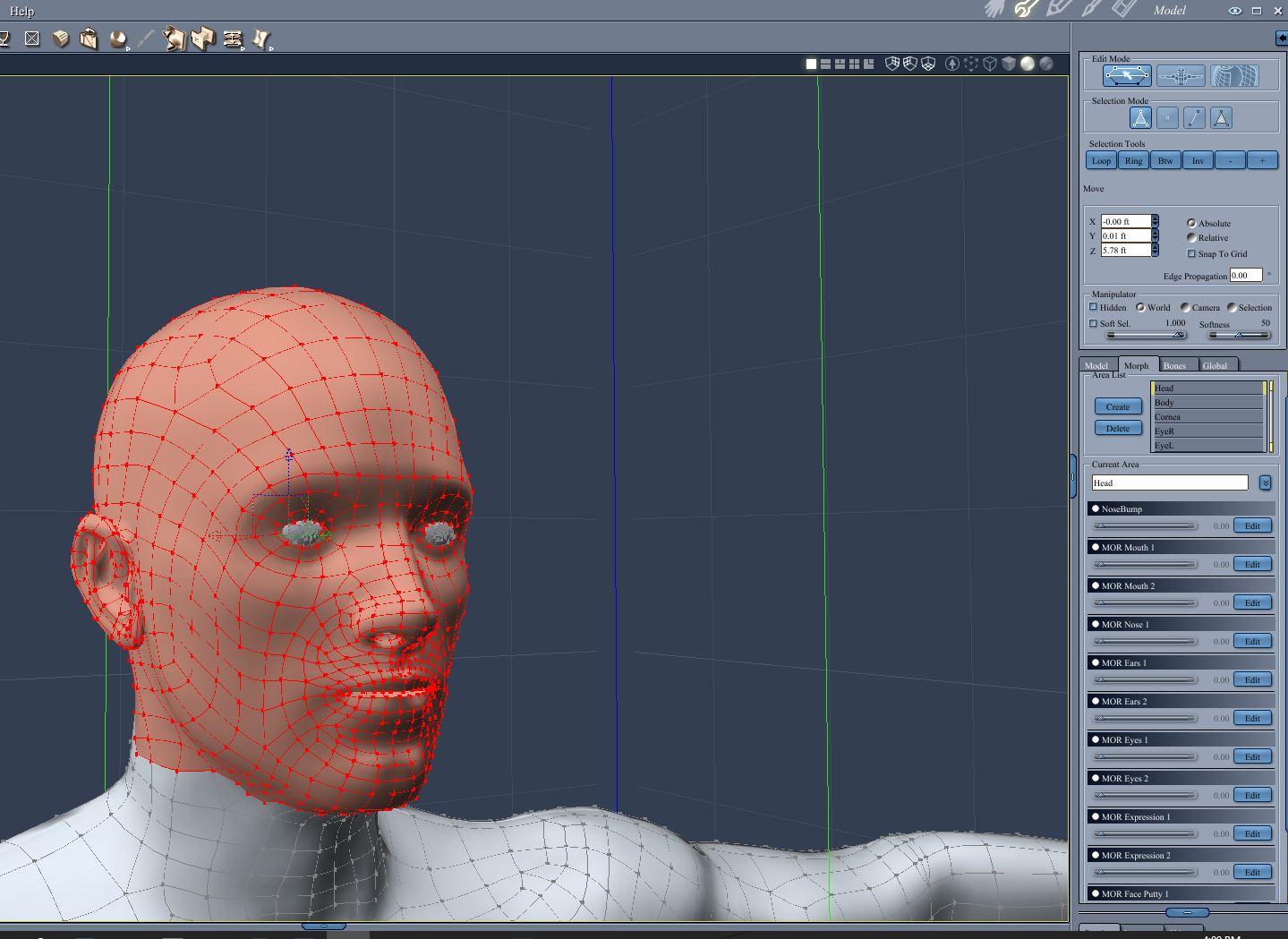
Create a morph sort of, almost, nearly, (OK, nothing like) the original Roddy Macdowell makeup.
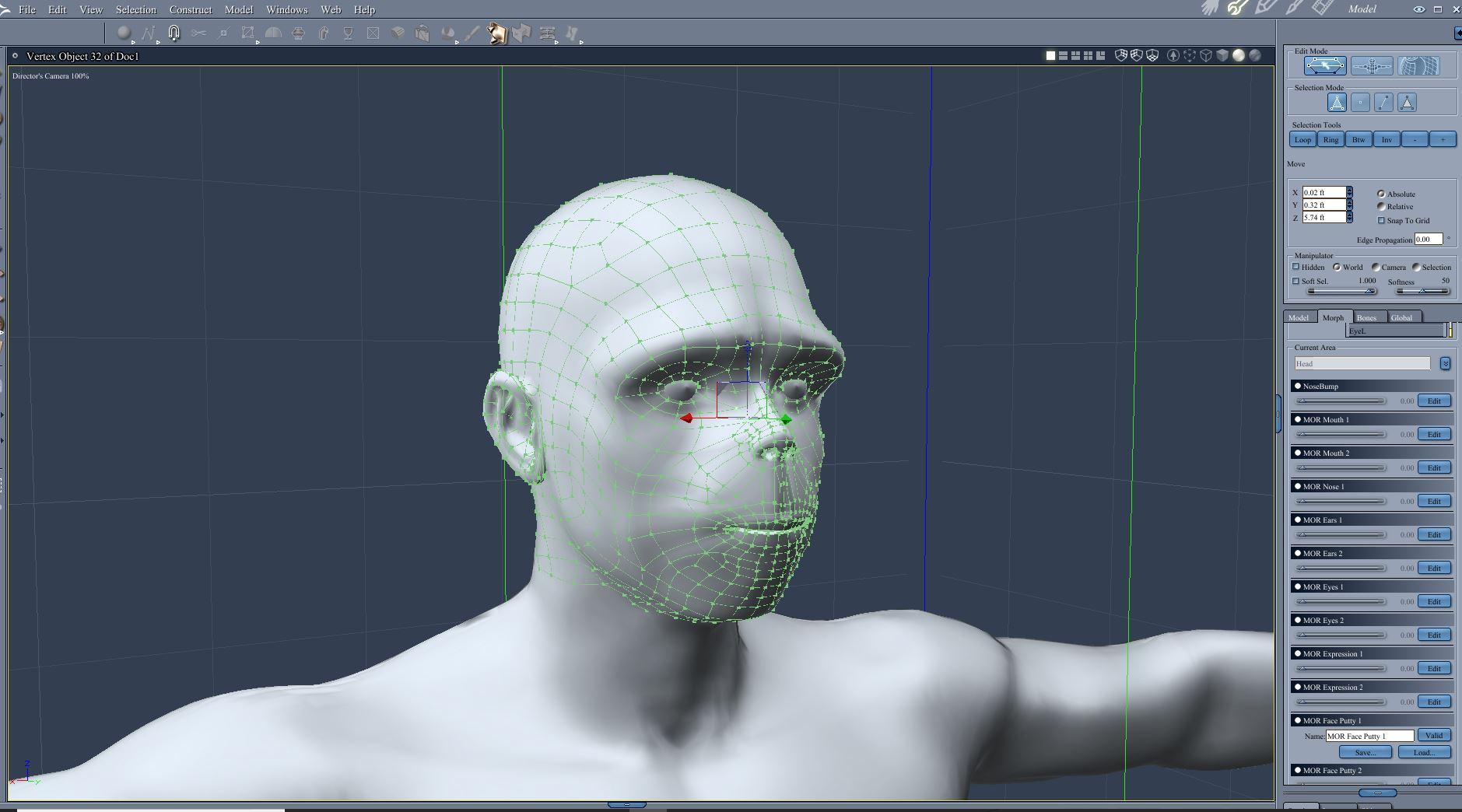
Create a hair group.
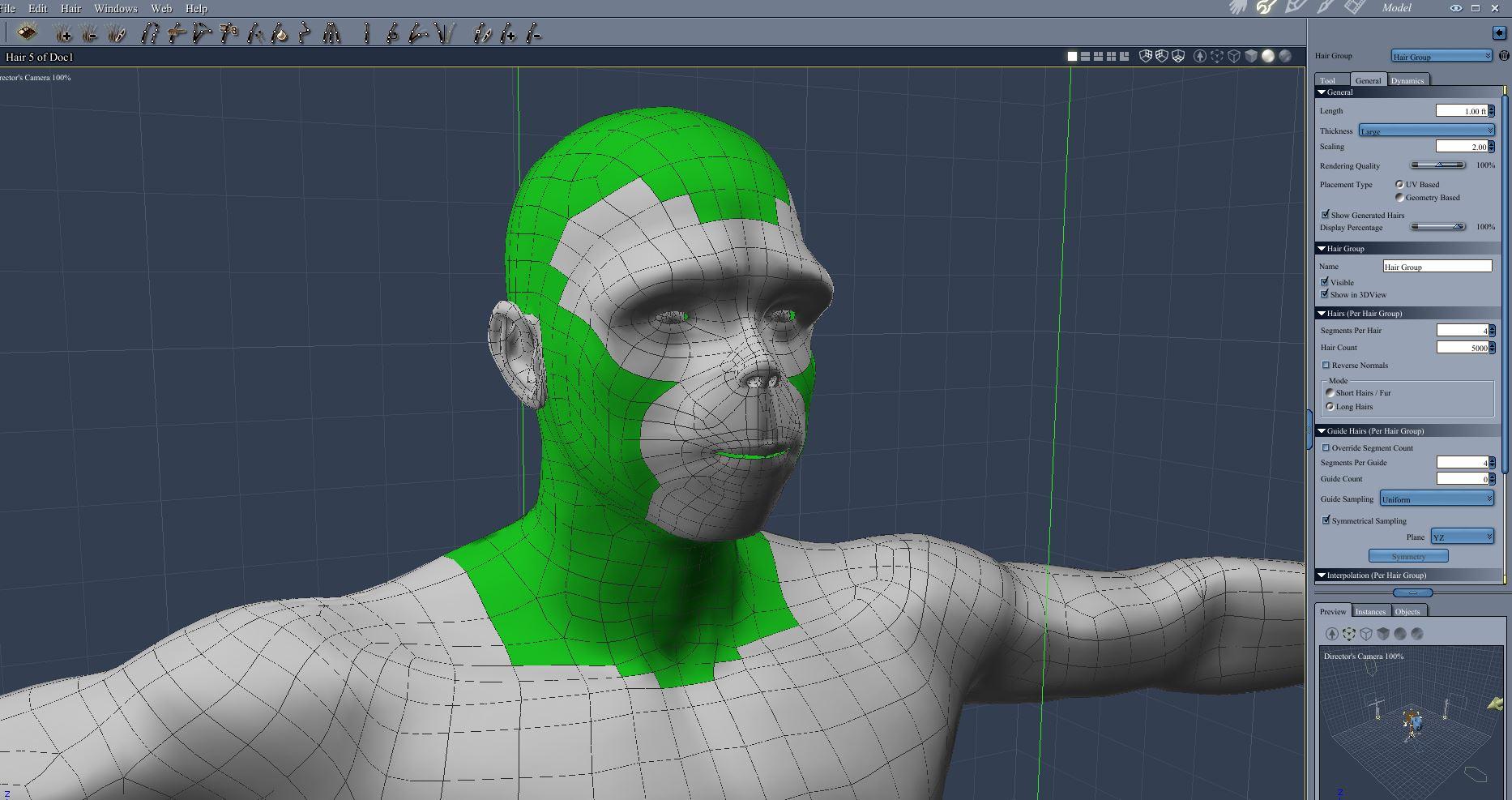
Test Render
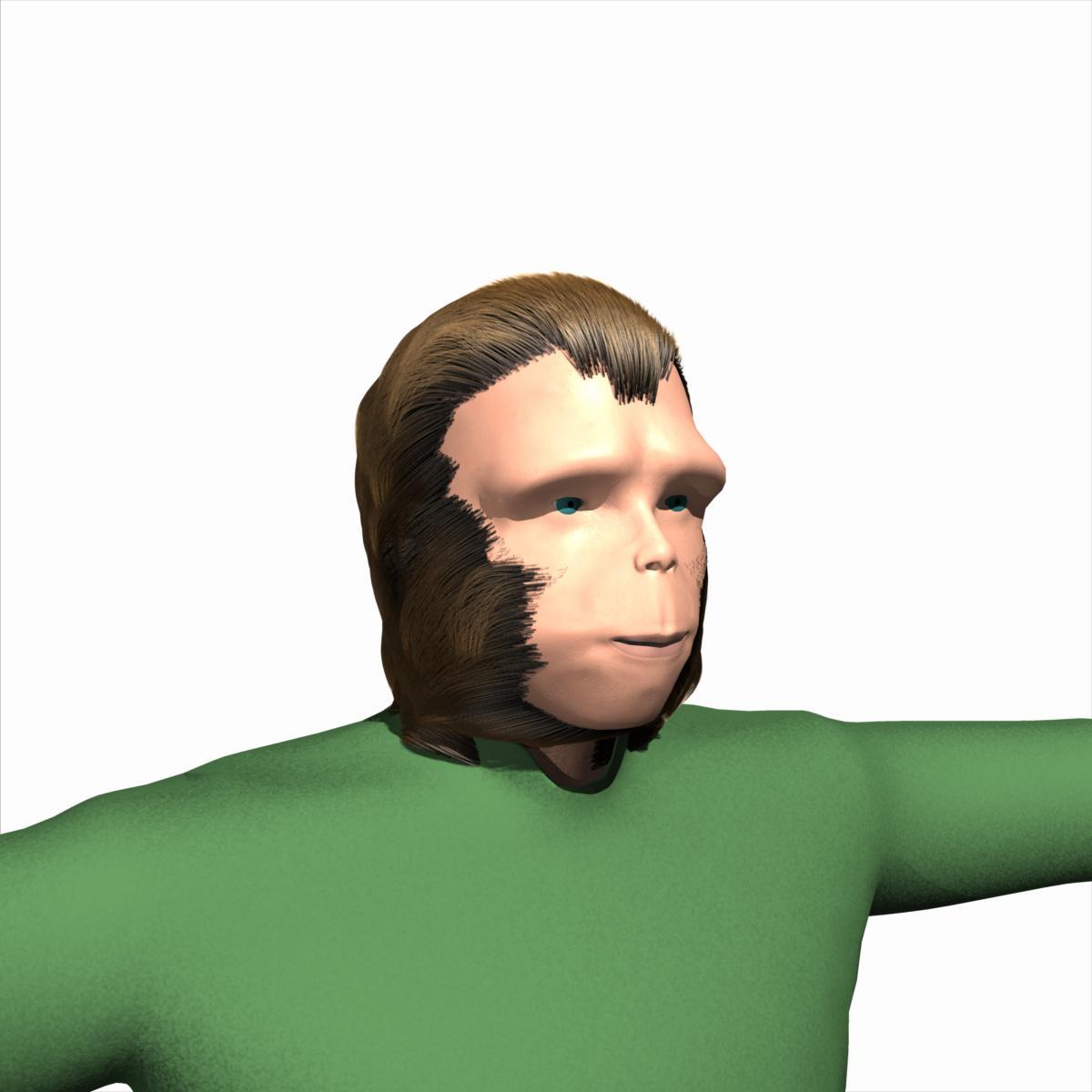 Using ZBrush Core and Daz
I can get as far as "right-click on your morph and select ERC Freeze" but that is not an option offered as I see it. Zeroing the figure, incidentally, does not put it back at original zero, but the new zero created as the morph installs, which happens to be to the right of centre. I'm not clear how to set 'just the moprh (at 100%) and the rigging adjustments active' incidentally. I did manage to get the figure to morph and change stance once, but when I removed the morph (as you do) the figure distorted! Then I couldn't get it to reform. Now it simply will not play ball even if I start from scratch with a new figure.
I can apparently do it some of the time if I zero the pose of the figure before each morph and then do the adjust rigging thing, but that seems a lot of work.To add insult to injury, I saved the character when I did get it right, but then when I tried to reload it, all I had was the standard original figure without the new morphing options in parameters. I tried saving it as property and shape too. Not going to help me if I have to adjust everything every time.
One thought - am I adjusting rigging for object or figure?What's up with the Black Leather Jacket?One more thing: I assumed that since we're fitting this to a figure with the transfer utility that we could fit it to any of the more recent ones. Nope. I tested it on Genesis 1, 2 and 3. Even if you put the figure in the A pose, it does this wonky thing:
You have to fit it to G8F first. If you SY's backwards compatibility clones (G8 to G3, G3 to G1), you can autofit to G3. Valzheimer has clones for G3 to G2. Transfer utiility didn't even see the V3 I tried it on. I guess it doesn't work on the older weight mapped figures.
What's up with the Black Leather Jacket?I bought this and was able to sort of rig it using ther transfer utility.
If you imported the .obj version, it is very small. You would need to scale it up about x10000 to get the approximate correct size. If you import the FBX version it comes in much better.
Because of the wide and high neck the collar gets affected by the head and neck movement way too much, so I will need to look at that. Also the low poly count means there is all kind of stretching if you raise the arms. Still an interesting item to play with. It appears to have been made with Zbrush.
Thanks for posting that. I had imported the OBJ. I deleted that and imported the FBX. It shows up fine with all the surfaces. I followed the above instructions with the transfer utility and it looks fine. I had to scale it up to 105% on Celestia and also added a smoothing modifier.
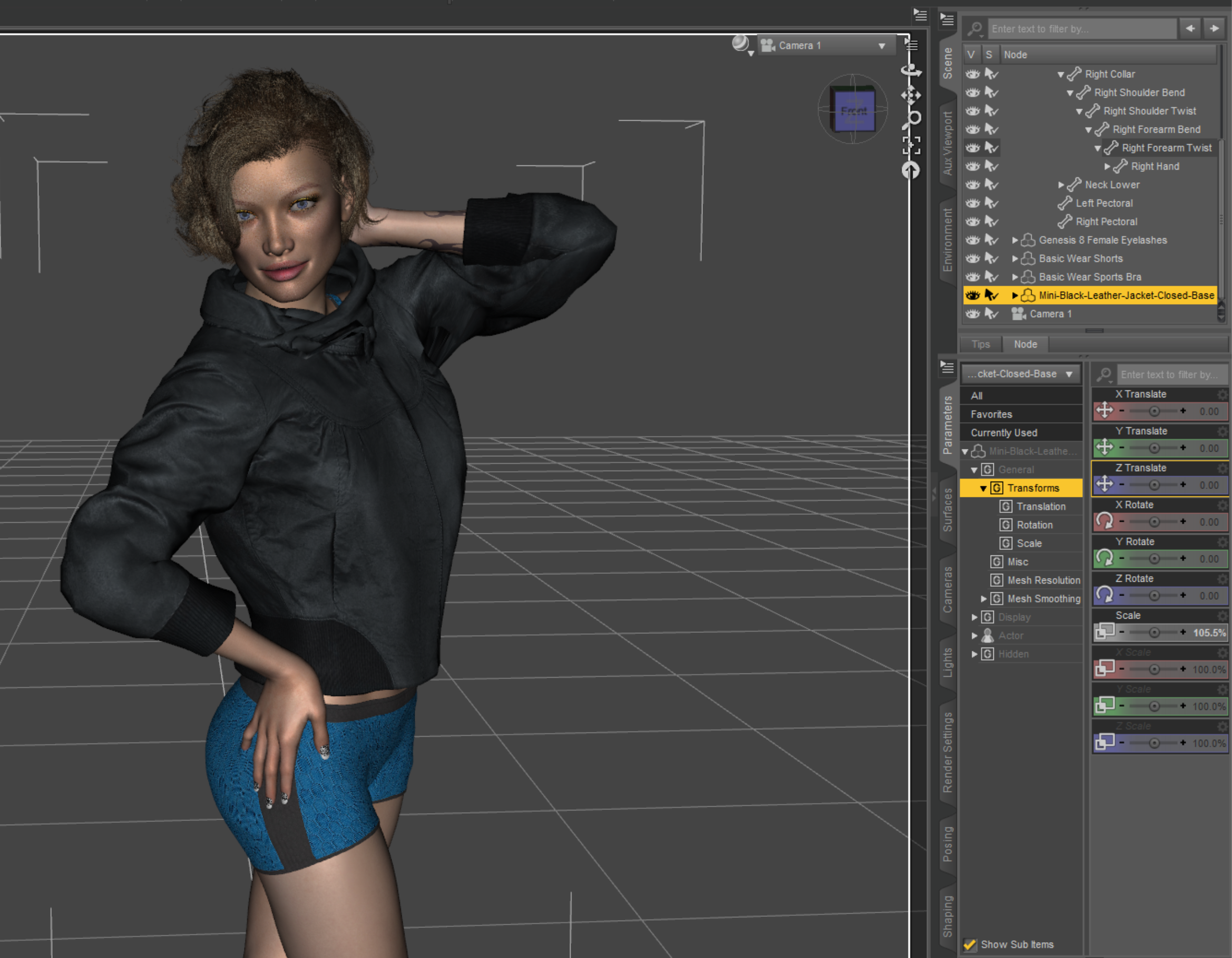 What's up with the Black Leather Jacket?
I bought this and was able to sort of rig it using ther transfer utility.
If you imported the .obj version, it is very small. You would need to scale it up about x10000 to get the approximate correct size. If you import the FBX version it comes in much better.
Because of the wide and high neck the collar gets affected by the head and neck movement way too much, so I will need to look at that. Also the low poly count means there is all kind of stretching if you raise the arms. Still an interesting item to play with. It appears to have been made with Zbrush.
What's up with the Black Leather Jacket?Basic rig might be easy for those that know how to do it.. but for those of us that don't have a clue.. it's really not. And like Griffin I sure as h*** hope this is a one time thing only.
After importing the item, load Genesis 8 Female (or the intended target).
You need the Transfer Utility, which is accessible in a couple of ways, one such:
Edit > Object > Transfer Utility
Source dropdown: Genesis 8 Female.
Destination: the item you imported (such as the jacket).
Leave everything as default will give a basic rig.
Edit: Click Accept
If you want to save the item for reuse, you can save as a subset, but probably better to save as a scene/prop asset
File > Save As > Support Asset > Figure/Prop Asset
Edit2
Unparent/Unfit before saving, just in case (no idea of what, as no clue if trying to save when fitted/parented can cause issues).
Thanks for the instructions. I've never rigged anything but eventually want to make clothes, so I better learn how. I bought it this morning, totally disregarding the "FBX." I thought it was a prefix for a vendor, like so many they use these days. It was early in the morning and I wasn't fully awake. Got some good deals though, so I'll give it a whirl.
hi does anyone know if this jacket would work in daz studiohi i cant do this when i use the transfer utility on the jacket the jacket goes above the genesis 8 female head is there a specific way you have to do this
Slightly OT - (Rumor) Nvidia GTX-11 series launch imminent?That doesn't change the fact that NVidia is advertising NVLinked GP100 and GV100 cards as being able to hold even larger scenes for rendering (specifically) than the 24 GB Quadro P6000. Note that I linked NVidia's own .pdfs on this subject.
They do note that the software needs to be able to support NVLink, hence my comment r.e. whether it was worth a given company's time and resources to actually implement this feature for just one, and as of this week two, cards...
So it boils down to: Either everyone else has it wrong, and rendering software companies simply aren't bothering, or Nvidia is lying about being able to combine the memory to hold larger scenes using NVLink with these two cards..
And on that note:
Apparently, The Chaos Group's V-Ray is able to use this capability...
https://www.chaosgroup.com/blog/v-ray-gpu-benchmarks-on-top-of-the-line-nvidia-gpus
In the above link, they cite an example where they use a scene where the geometry alone wouldn't fit into a single 16 GB card (GP100), and ended up with 26 GB of scene split between the two cards...
It's mentioned earlier on in the article that HBM2 makes this memory configuration quite feasable, due to HBM2's suitability for this sort of thing r.e. transfer rates across the NVLink..
Of course, at roughly $7,000 a card, I'm not surprised that we aren't seeing a lot of real world usage as of yet, although the GP100 has been around for a bit now...
L'Adair's WIPsJust foolin' around with some new toys…
I started with Giuseppe and mixed in a bit of Ollie 8, spun a few dials, and finally added the HD morph at 100%. I also modified the material settings for the eyes and the teeth. I'm really happy with the way he turned out.
Guess I need to do something with him…
Please allow me to stick my neck out and give you my 2 cents;) Very nice looking character, everything is spot on, expression, hair, brows, lighting, perfect! You did a great job on the eyes and teeth, but the skin is kind of waxy IMO.
Thank you, Sven.
And I have to agree with you on the skin. That's Ollie's materials "out-of-the-box." I started out to contribute something to the Ollie thread, and I rendered a head shot and full-body shot with both Ollie's mats and Giuseppe's for the Ollie 8? thread in The Commons. Then I added the HD to one with Ollie's mats, and I really liked what it added to his face, so much so I published it in my gallery.
However, when I use this character in a "real" render, I'll either use other skin materials, or tweak these. (I need to tweak Ollie's materials at some point, as this is a really nice, lighter skin to use with blondes and redheads.).
@Novica, Thank you. Though what kept me from the checkout was the next image using this character. Working on one with Giuseppe's mats, and I'm going to do an actual scene with him.
@DarwinsMishap, "this guy" had a really good base to start with.
 I think he may be Giuseppe's long lost cousin on the Irish side, about three times removed.
@Noswen, Thank you.
@Saphirewild, Thank you.
Novica & Forum Members Tips & Product Reviews Pt 10Just a heads up - the FBX Black Leather Jacket in today's new releases is not setup for use in Daz Studio! It is not rigged for Genesis characters and there are no Material files to apply. It is a file that you have to import, rig with transfer utility, and apply images to surfaces yourself. The promo renders aren't even done in Daz Studio. All this info is in the product listing on the store page, so they are not pulling the wool over anyone's eyes, but you'd better read it and know what it is, before purchasing. When Daz Studio wasn't listed as compatible software, that caught my attention and made me read the rest of it. I didn't buy it. I would imagine a lot of returns on this one.
L'Adair's WIPsJust foolin' around with some new toys…
I started with Giuseppe and mixed in a bit of Ollie 8, spun a few dials, and finally added the HD morph at 100%. I also modified the material settings for the eyes and the teeth. I'm really happy with the way he turned out.
Guess I need to do something with him…
Please allow me to stick my neck out and give you my 2 cents;) Very nice looking character, everything is spot on, expression, hair, brows, lighting, perfect! You did a great job on the eyes and teeth, but the skin is kind of waxy IMO.
Daz 3D is part of

Connect
DAZ Productions, Inc.
7533 S Center View Ct #4664
West Jordan, UT 84084Licensing Agreement | Terms of Service | Privacy Policy | EULA
© 2026 Daz Productions Inc. All Rights Reserved.