-
How can I combine two Meshes to One and maintain their weight?
woyodo said:
crosswind said:
Right, why do you want do do so ?
Technically, yes, you can weld the boots as an OBJ and re-rig it to the figure, however, the defininatio of their surfaces, face groups will be broken. Then you have no way to copy weight map from the original separate boot to the welded boots since they're already different in terms of geometry. And you'll lose all morphs on them as well, yada yada ~~
So... that'll be almost a rework ~~
I want to export them as a single object so that I can import it to ue5 with materials not separately.
If I import them one by one, it's not as optimized as I wish.
If so, that'll be much easier:
- Select both boot, export them to OBJ file via File > Export... (ss1)
- Import OBJ file, rig it to G8F with Transfer Utility via Edit > Object > Transfer Utility (ss2)
- Select the boots, import OBJ with Morph Loader Pro via Edit > Object > Morph Loader Pro , as a fixbase morph, and dial it. (ss 3 ~ 4)
- Switch to Geometry Editor, combine surface with suffix "R" to the original surface one by one (ss 5 ~ 8)
- Change Node Name to HBoots6R_29201 or HBoots6L_29201 via Edit > Object > Scene Identification... Then load a material preset to test (ss 9 ~ 10)
- You don't need to tweak Weight at all ! Just bend boots to check distortion, fix them if you want to (with external software like blender) then simply importing fixed mesh to update one or two pJCMs will do (ss 11 ~ 12)
Finally, save the figure asset with your Vendor Name and export to UE with Daz to Unreal bridge for testing.
[Fisio SB addOn released] Fisio: Physics Simulatorillmiimusic said:
Alberto said:
mazinkaiserzero said:
Hellboy said:
Hi.
I'll be that person...
Will this work to properly animate breasts or male anatomical elements?
Thanks.
Came here to ask this, so I'll second it.
I already bought it and have been trying to do a simple animation with a G8F figure moving up and down, I'm using springs with the active facets only option to select only the mesh for the breasts. Sadly, they deflate completely. I tried using the skin young presets and same results. I did notice increasing density helps a bit in keeping the shape but then gravity affects them even worse. Also, the selected mesh now doesn't seem to follow the figure at all. Turning off the gravity stops the breasts from deflating but then the breasts just stayed in the same place while the figure moved up and down. Then I tried doing a collision with a rigid body and I just couldn't get any bouncing back effect, it almost just feels like a regular dforce sim.
So I'd like to ask if you could show how to do it like in the nose press promo picture and if this can actually be used for bouncy animations with figures (and how)
Thanks!
Use Shell instead of Spring. There are some presets for the Fisio Materials (in Smart Content - Props - Fisio SB - Materials (they're not surface material for renders, but properties preset applicable to the Fisio Materials.
If you use Spring, use the Stiffness of the Spring property to control the stiffness.
You can't animate with keyframes the Soft bodies, but you can transform the simulation into morphs and then disable the soft body (or unsign it as a soft body) to use the morphs.
The soft bodies and the rigid bodies can collide, but when using the Non Smooth contacts System type, the objects tend to stick. What are the settings of the bodies and the system you used?
How do I transform the simulation into morphs?
Click on the button Create a morph... in the Pane, and select the initial and last frame for the calculation of the transformation.
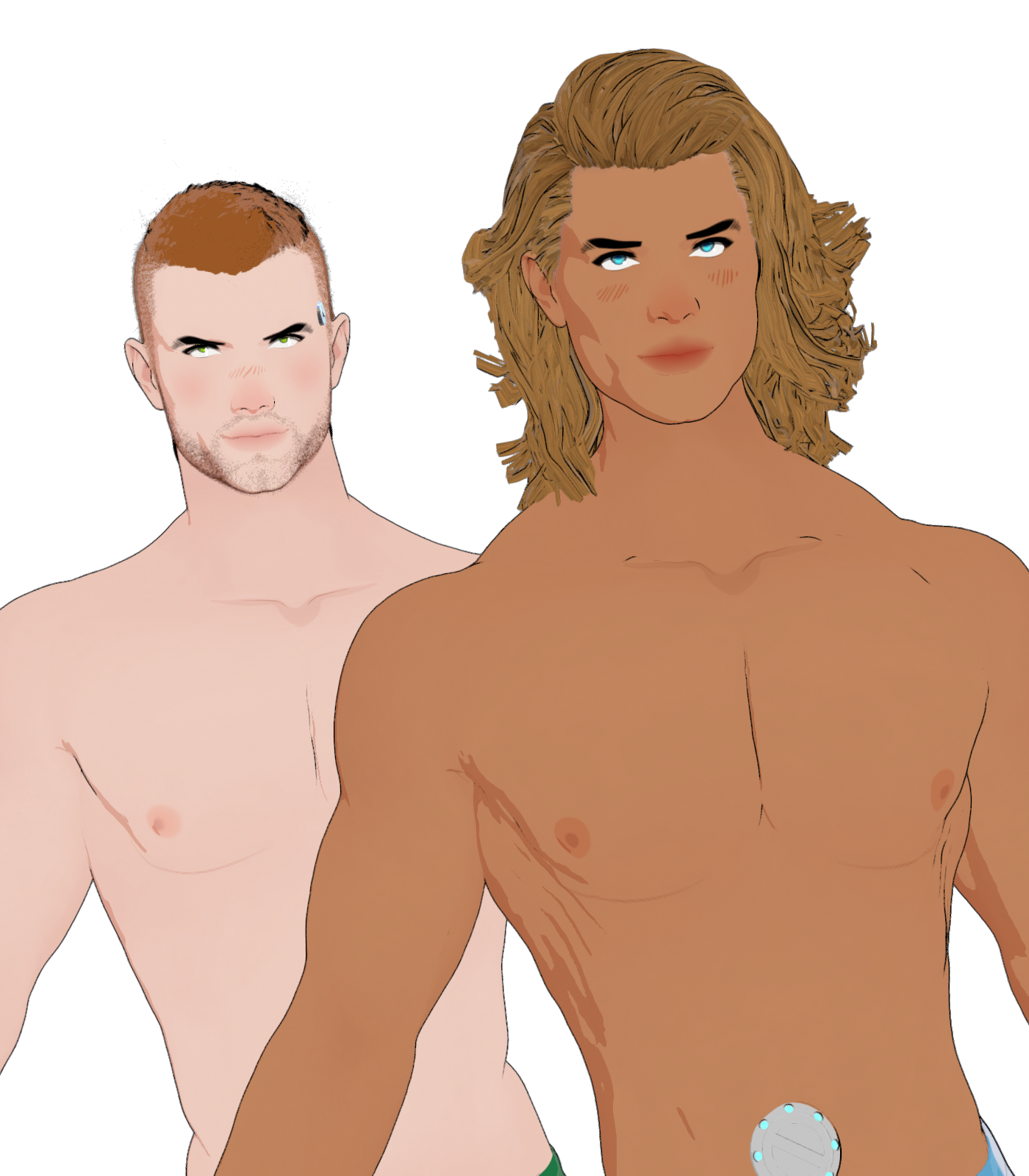
SereneNight’s Sci-Fi Fun Thread 3For those looking for a way to add better Pecs, SickleYield has a free morph set on ShareCg which includes a 'pecs together' morph. This morph gave the guy some visible pecs which I think worked well.
 [Released] Mopat: Motion Path Animation Plugin
RexRed said:
I had to uninstall Typi3d fonts and Mopath because it makes Daz crash when I try and use Figure Converter and/or Transfer Character Shapes.
It seems that even when not being used Typi3d and Mopath are using resources that Figure Converter needs to run.
And then there is the issue that on my machine when it try and convert the path to keyframes Daz Crashes. (It worked like once and won't work again.)
I would like to have these programs installed in Daz (and use them) but I use Figure Converter a lot and not being able to convert paths to keyframes negates the usefulness of Mopath.
Typi3d works very well except for it being incompatible with Figure Converter.
I wonder if it is my version of C++ it would be nice to have some response to these inquiries. Thank you.
I assume updates are coming.

It's difficult to me to know what are the causes of these interferences between plugins.
 I cannot know the internals of Figure Converter and/or Transfer Character Shapes.Can turbo loader be applied to only specific character?
James said:
Which morphs are they?
The head and body morph?Both, as well as corrective morphs.
Can turbo loader be applied to only specific character?Which morphs are they?
The head and body morph?Daz Studio 4.23[.0.x], General Release!Elor said:
I was working on a Windows computer.
I'm not totaly sure it's related to Genesis 9 Base Anime Feminine or not (no crash happened when I tried to create the same morph using Genesis 9 Base, though), but each time I tried to export it with clothes to create a morph in Hexagon, Daz 4.23.0.1 crashed once everything was loaded in Hexagon, even when the figure and the clothes were the only items in the scene.
Could you please provide a simple example with steps to replicate, so that I can try to reproduce the issue.
Thank you.
DAZ 4.23 non Premier is supposed to fit G9 clothing to G8 but doesn't?!?nakamuram002 said:
Thanks Crosswind. Now I can fit "Late Summer Bangs Style" to G8. Unfortunately I when I try to simulate, I get "Error preparing objects to simulate and collide."
My Bad ! I'm very sorry ! I took for granted that it would work so I didn't Simulate it ! Well, I don't know how the error comes for the time being. So I have to show you an alternative way as below:
1. Load a G9 Base into the scene. Show Hidden Properties... in Parameters pane. Load the summer hair on G9. Dial G8F clone on G9. Select Late Summer Bangs Style Hair Strands. Export it to OBJ file, as fixpos.obj ( screenshot 1 ~ 2 )
2. Clear the scene, load a G8F, then directly load the summer hair to G8F by auto-fitting with G9 clone... for 2 times ! once for the Hair, once for the Dummy Helper
3. Select Late Summer Bangs Style Hair Strands Go to: Edit > Figure > Morph Loader Pro. Choose fixpos.obj file you just saved... Accept with the Settings in (screenshot 3) . Pls be noted: this process will take 1 ~ 3 minutes depending on your PC's performance.
4. Dial the morph fixpos under Morphs > Morph Loader and Simulate. (screenshot 4 ~ 5). (Set it as Hidden in Parameter Settings if you want to... Not required.)
This method works all fine only it'll take more time and your scene file will get bigger (but you always can save the converted hair as Figure Asset by using your Vendor Name...). Pls give it a try and let me know if there's any issue ~~
Edit: I'll try to find out the cause of the above error, sorry again !
[Released] Turbo Loader for Genesis 9 [Commercial]HI
After Turbo Loader disables the morphs, I click on the character thumbnail to load the character and I get the message "The files listed below could not be found" which is expected.
But If I type in the name of the same character in Parameters, that character`s morph sliders show up and are enabled.
In previous versions, the character`s morph sliders down even show up when disabled by Turbo Loader.
Are the morphs actually disabled and Is there a fix for this?
Thank you
Daz Studio 4.23[.0.x], General Release!I was working on a Windows computer.
I'm not totaly sure it's related to Genesis 9 Base Anime Feminine or not (no crash happened when I tried to create the same morph using Genesis 9 Base, though), but each time I tried to export it with clothes to create a morph in Hexagon, Daz 4.23.0.1 crashed once everything was loaded in Hexagon, even when the figure and the clothes were the only items in the scene.
There's Always Another Sale Thread -- Discussions Only Pt 3
I'm pretty much in full agreement with you. I have been a daz+ member for 3 years now, and I have always found it super worth it. It does highly depend on how much you still want/need though. If you are like some of the folks who have been around 5+ years, I can see it start to be difficult for the value to be applicable to you. You still get gobs of discount, and free stuff, but if you don't need or want any of it, then it's not a good value for that particular person anymore, even though it is still a good value. I see the biggest issue is for folks who already had a bunch of time banked up by being smart by buying Daz+ membership when on sale, and now being at a point where they are not able to transfer their similar saving over to the new tier. They have found themselves essentially moved from a long standing VIP customer in first class to a 2nd tier business class customer even though they had pre-paid for a bunch of first class flights and service ahead of time. For me my subscription expired this month, so it worked out perfectly, but I could see myself feeling kind of passed if I had bought a annual membership a few months ago which suddenly feels degraded in comparison to the new offering line up. Also, although I think it is definitely much pricier to keep a Premier subscription monthly, I am a user who often buys in spurts. I won't spend anything for 3 months or so while wishlisting everything I like. I wait for a really, really good sale on stuff that I like or giftcards and then build series of big carts over the course of the sale. For someone like me, the premier payment once a month, though not ideal, is still very workable because I can subscribe for just the months that is see it maximizing its worth, then canceling when I don't think it will. I probably will subscribe for between 3-6 months out of the year, to get maximize its value.OrangeFalcon said:If you spend any money in the Daz Store, it's worth considering to upgrade. Daz Premier pays for itself and is a much greater value than Daz + ever was. Subscription tiers like this are designed for those who spend enough where they save money. But the crazy thing is, even if you only spend $5 at a time for a purchase, now you'll start earning tokens-a perk we never had before. So it STILL has value no matter what kind of spender you are.
The better coupons, double the tokens and a free character bundle each month is huge compared to what we had before. And also we have a much longer time to spend the tokens, so there's going to be a lot less situations where people might feel pigeonheld to use them before they expire. You can sit on them and pass on products for the day with less stress. The extra plugins are an added bonus.
Making Morphs for Toon Genesis 9 (Fixed)crosswind said:
Ghosty12 said:
Leana said:
The toon version of G9 is G9 base with a "toon" shape applied. So you probably do need to use the "Reverse deformation" option when importing your morph back from Hexagon.
Ahh k thank you for the info, now another silly question where is the reverse deformation option as have never noticed it as far as I can tell. When I send the changes from Hexagon back to Daz Studio when the morph dialog that pops up it does not show it. One other thing I have noticed go to save a morph now the old morph system shows as depreciated now.
crosswind said:
That's right, as Richard and Leana said ~ always check Reverse Deformation and Delta Only in MLP when you import OBJ (ss1)
I made an example of anime fangs in Blender (Hexagon should be the same...). There's no issue on my side.
But you're right ~ other MOUTH / TEETH morphs from G9 mostly don't work on G9 Toon as G9 Toon has a different Mouth Node ~
Thank you for the help and info, the problem seems to be that the Daz to Hexagon bridge seems to use the limited version of the morph loader and don't have that option and not sure how to have the pro version, without saving as an OBJ and going from there.
If so, press F2 in DS, in Bridges tab, switch Options under Hexagon to Advanced. It'll work.
Awesome thank you will try that.

Thank you everyone for your help, and thank you Crosswind never knew about that option for the Hexagon bridge the problem I was having is no more.
 Making Morphs for Toon Genesis 9 (Fixed)
Ghosty12 said:
Leana said:
The toon version of G9 is G9 base with a "toon" shape applied. So you probably do need to use the "Reverse deformation" option when importing your morph back from Hexagon.
Ahh k thank you for the info, now another silly question where is the reverse deformation option as have never noticed it as far as I can tell. When I send the changes from Hexagon back to Daz Studio when the morph dialog that pops up it does not show it. One other thing I have noticed go to save a morph now the old morph system shows as depreciated now.
crosswind said:
That's right, as Richard and Leana said ~ always check Reverse Deformation and Delta Only in MLP when you import OBJ (ss1)
I made an example of anime fangs in Blender (Hexagon should be the same...). There's no issue on my side.
But you're right ~ other MOUTH / TEETH morphs from G9 mostly don't work on G9 Toon as G9 Toon has a different Mouth Node ~
Thank you for the help and info, the problem seems to be that the Daz to Hexagon bridge seems to use the limited version of the morph loader and don't have that option and not sure how to have the pro version, without saving as an OBJ and going from there.
If so, press F2 in DS, in Bridges tab, switch Options under Hexagon to Advanced. It'll work.
Making Morphs for Toon Genesis 9 (Fixed)For 'reverse deformations' you must expand the options in morph loader pro.
For saving, save it as a Modifier Asset.
Where to instal morph presets?thebruiserlife said:
crosswind said:
You can export Daz figures to Unity via Daz to Unity bridge but I don't quite understand what you really want to do ~~ What do you mean by morph presets, you mean Shaping Preset or something ? And what is included in Excel file ? Is it a *.xlsx or a *.csv ? You want to use if for an FBX export or something ?
It says "These are csv files created within DAZ Studio" Im assuming they have to do with the blendshapes that need to be exported with the model when using the daz to unity bridge. I do not use excel myself so do not know a lot about it but attaching what shows in the file. Sorry, I admit I am a total newb to all of this. I really appreciate any help someone can offer.
Okay, that's it: the CSV file for defining Export Rules when exporting FBX format file from DS. Then it's simple:
1) Still suggest you export Daz figure by using Daz to Unity bridge. With the bridge, you even don't need this CSV file. Just add Expressions in export dialogue (ss1)
2) If you DO need to export with native FBX file, import CSV file in Export Rules dialogue. (ss2)
Making Morphs for Toon Genesis 9 (Fixed)Leana said:
The toon version of G9 is G9 base with a "toon" shape applied. So you probably do need to use the "Reverse deformation" option when importing your morph back from Hexagon.
Ahh k thank you for the info, now another silly question where is the reverse deformation option as have never noticed it as far as I can tell. When I send the changes from Hexagon back to Daz Studio when the morph dialog that pops up it does not show it. One other thing I have noticed go to save a morph now the old morph system shows as depreciated now.
crosswind said:
That's right, as Richard and Leana said ~ always check Reverse Deformation and Delta Only in MLP when you import OBJ (ss1)
I made an example of anime fangs in Blender (Hexagon should be the same...). There's no issue on my side.
But you're right ~ other MOUTH / TEETH morphs from G9 mostly don't work on G9 Toon as G9 Toon has a different Mouth Node ~
Thank you for the help and info, the problem seems to be that the Daz to Hexagon bridge seems to use the limited version of the morph loader and don't have that option and not sure how to have the pro version, without saving as an OBJ and going from there.
Where to instal morph presets?lilweep said:
I believe morph data files are usually dsf and shape presets are duf files.
If you are working to an established workflow, perhaps they have described what you need to do? Why do you believe the excel file is a morph, where did that idea originate?the file says daz_morphpresets
Where to instal morph presets?crosswind said:
You can export Daz figures to Unity via Daz to Unity bridge but I don't quite understand what you really want to do ~~ What do you mean by morph presets, you mean Shaping Preset or something ? And what is included in Excel file ? Is it a *.xlsx or a *.csv ? You want to use if for an FBX export or something ?
It says "These are csv files created within DAZ Studio" Im assuming they have to do with the blendshapes that need to be exported with the model when using the daz to unity bridge. I do not use excel myself so do not know a lot about it but attaching what shows in the file. Sorry, I admit I am a total newb to all of this. I really appreciate any help someone can offer.
Making Morphs for Toon Genesis 9 (Fixed)The toon version of G9 is G9 base with a "toon" shape applied. So you probably do need to use the "Reverse deformation" option when importing your morph back from Hexagon.
Making Morphs for Toon Genesis 9 (Fixed)crosswind said:
I have to ask what property you dialed on earth, a partial head morph ? a Pose Control property, like Jaw Open or something ?
?? Was trying to make a teeth morph for Toon Genesis 9 and for some reason it does not work, as when I apply the morph the teeth and tongue shrink then move back and down. An issue I don't have with the standard Genesis 9 teeth.
Daz 3D is part of

Connect
DAZ Productions, Inc.
7533 S Center View Ct #4664
West Jordan, UT 84084Licensing Agreement | Terms of Service | Privacy Policy | EULA
© 2026 Daz Productions Inc. All Rights Reserved.