-
Karateka Pants Black Belt for FEMALE GENESIS 8
Hello everyone!
I search for LOOOONG time some nice Karate Pants black belt for my GF8 but most of the karate / judo and all this stuff the belt on the shirt and not pants.
I seatch someting like the image I give.
Any one know where can I get something like this? THANKS A LOT! :)Scene tab will not show any figures at all.Check the Scene pane context menu. There are filtering options for what type of objects get shown. Maybe something got unchecked. Also check the Scene pane to be sure you haven't entered any search string that might be filtering on object labels.Search feature in Content Database menusContent Database menus ??? do you mean Content Library tab?
I assume that you have read the help file regarding the search functions available in the Content Library tab and in the Smart Content >Files and >Products tabs.
What sort of search are you looking for that those do not already provide?Search feature in Content Database menusI've already submitted a request feature, but does anybody know a plugin or something that adds this to the process que or re-import metadata menus. I'm surprised something like this just doesn't naturally exist. It becomes a pain everytime having to search through xx number of products. Though I'm sure not everybody needs to do this as often as I do as i frequently re-arrange libraries and have multiple libraries to keep everything nice an ogranized in content library as some products even with Content Wizard and Content Package Assist, don't play nice with the smart content.
Items disappearing from product librarymemcneil70 said:
Taoz said:
memcneil70 said:
This is an old thread but today as I was entering data for SKU 6255 Royal Post Line for the RHS Stagecoach I could not bring it up in my DAZ Product Library. I tried using the double colons, ::6255 but it did not work. When I found this thread again, confirmed the search method again and it failed; I tried it in the main store's search window it worked. But in my Product Library I can't find it by name or SKU. Weird. I also brought up the basic info page by clicking on the thumbnail of the product in D|S.
Is there some reason it is not working?
Mary
It's sku::6255, not ::6255
I tried sku::6255 and that was a zero find in my Product Library too. But thank you for giving me the 'sku' add-on @Taoz
Mary
Try holding down cmd(Mac)/ctrl(Win) as you click on More Information in DS - that should give an option to open the Product Library page instead of the readme, nd to use your browser isntead of the in-app pane (in case you are not logged-in in DS).
Items disappearing from product libraryTaoz said:
memcneil70 said:
This is an old thread but today as I was entering data for SKU 6255 Royal Post Line for the RHS Stagecoach I could not bring it up in my DAZ Product Library. I tried using the double colons, ::6255 but it did not work. When I found this thread again, confirmed the search method again and it failed; I tried it in the main store's search window it worked. But in my Product Library I can't find it by name or SKU. Weird. I also brought up the basic info page by clicking on the thumbnail of the product in D|S.
Is there some reason it is not working?
Mary
It's sku::6255, not ::6255
I tried sku::6255 and that was a zero find in my Product Library too. But thank you for giving me the 'sku' add-on @Taoz
Mary
Items disappearing from product librarymemcneil70 said:
This is an old thread but today as I was entering data for SKU 6255 Royal Post Line for the RHS Stagecoach I could not bring it up in my DAZ Product Library. I tried using the double colons, ::6255 but it did not work. When I found this thread again, confirmed the search method again and it failed; I tried it in the main store's search window it worked. But in my Product Library I can't find it by name or SKU. Weird. I also brought up the basic info page by clicking on the thumbnail of the product in D|S.
Is there some reason it is not working?
Mary
It's sku::6255, not ::6255
Items disappearing from product libraryThis is an old thread but today as I was entering data for SKU 6255 Royal Post Line for the RHS Stagecoach I could not bring it up in my DAZ Product Library. I tried using the double colons, ::6255 but it did not work. When I found this thread again, confirmed the search method again and it failed; I tried it in the main store's search window it worked. But in my Product Library I can't find it by name or SKU. Weird. I also brought up the basic info page by clicking on the thumbnail of the product in D|S.
Is there some reason it is not working?
Mary
Trouble with Dresses Moved Over from Rendojoanna said:
I can not remember 100% but I THINK it was mentioned that eventually they would be adding meta data to the migrated products, again I can't remember so please don't hold me to that lol.
I can't remember either, but in a thread back in May we were told (one of the mods, but since I don't remember who, and don't care enough to try to dig it out, I'm not naming any names) that these products will not get metadata. I think the reasoning was "too much work", but again, that would require digging through the forum and finding the exact wording.
If you were promised updated metadata, there's hope, but from my perspective, the damage is done. I hope you got some sales from people who care less about the metadata.
In practice, we were told not to expect metadata for the migrated products due to the huge volume of those products.
Trouble with Dresses Moved Over from Rendo3DLoki said:
just wanted to say, any new product released in the store (that releases the normal way as in featured in a daily email, shown in one of the daily promos OR that appears in "New Arrivials" WILL have the meta data included, stuff that I and other vendors brought over were just copy/pastes from our other stores so to speak, and no other marketplace does / includes meta data. so none of our migrated products had it.
Sorry to be blunt, but that copy/paste shown and shown badly.
Most people here know that the new releases do have metadata. Most migrated products weren't new releases, though.
I can not remember 100% but I THINK it was mentioned that eventually they would be adding meta data to the migrated products, again I can't remember so please don't hold me to that lol.
I can't remember either, but in a thread back in May we were told (one of the mods, but since I don't remember who, and don't care enough to try to dig it out, I'm not naming any names) that these products will not get metadata. I think the reasoning was "too much work", but again, that would require digging through the forum and finding the exact wording.
If you were promised updated metadata, there's hope, but from my perspective, the damage is done. I hope you got some sales from people who care less about the metadata.
So like take me for example, Blossom for Genesis 9 DOES have meta data but anything prior to her in my catalog will not have it at this time.
For people saying they won't buy anything that was brought over because of no meta data I will again say only Daz sells products with meta data included, so if you buy from other marketplaces there's really no reason to skip the migrated products ;)
And that's why I shop only at Daz. Because Daz sells products with metadata. They also have products with (mostly) proper descriptions containing detailed information about the product like morphs, maps (so many of the migrated products didn't, that I stoppped checking if any live up to that standard; as I said, the "copy paste" did show in a bad way) and promotional images that feel more professional or at least clear/visible. So, to me, the rushed migration left very bad first impression. I'm not saying that I'll never buy anything from the "migrated artists", but after the faux pas of the migration, they'll really have to step up their game to match the standards shopping Daz has gotten me used to. Lack of metadata and one line descriptions are not it.
Nail issue with G9 - CynderBlueHi, So sorry your having an issue with one of my characters, I have just been made aware of this issue in the forum and am fixing immediately. Appologies for the inconveniance. If you require an immediate fix for this morph please contact me directly, if not it will be issued as an update as soon as Daz can get it out to you.
As a side note, should you ever have any issues with one of my products the fastest way to get answers is to message directly as it can take longer via the forums.
Again huge appologies!
AIUTO...CHI CONOSCE L’ITALIANO? PARTE QUATTORDICI@Imago https://forum.daz3d.com/dynamic-dress-shirt-for-m4-bundle Gli strappi tocca farli manualmente con la texture di trasparenzaQuality Saiyan/Anime hair for Daz3dDefaultName said:
Those are nice but just don't quite fit what I'm after. Something with more of the jagged shapes and style.
I think you then going to have to go with the dragonball-z hair in Turbosquid. I did an extensive search and it doesn't look like anyone makes a Daz or Poser version.
[Released] Turbo Loader for Genesis 8 and 8.1 [Commercial]joealotofthings said:
I posted here as I was redirected to do so after posting on another section. . After attempted uninstall of Turbo Loader G8/G8.1 no G8 face control. I need to start with the fact that I did attempt to correct this myself over a three day period of time looking up in Bing/Google and Daz forum. I am unable to get this corrected on my own and need assistance. . To help expidite loading of G8 female base model I purchased Turbo Loader G8/G8.1. I ran configuration and added Icons and Menu to my Daz Studio. Then ran the scan recommended by in instructions. A total of 8,000+ morphs were found. A lot of the morphs (4460) were on C drive and the rest on E drive. (Note: A couple of years back I started adding and moving characters to E drive to save space on my 2tb NVME C drive. Because these were not installed by Install Manager but were downloaded from Daz as Zip / Rend as Zip and a few others as zip files I just unzipped and placed in correct folder.) . I selected a good deal of the C drive morphs and only E drive morphs that were packaged body morphs adjustments (as an example Body Factory was a selected moph). I started to notice right away problems with reloading previous work that had to deal with any morph in E drive. Daz looked for the address as a relative address and not absolute (something I missed in the instructions). I then made sure all morphs were on (enebled) and uninstalled TL. The relative issues remained not being seen as E drive. After the first uninstall I cleared the morph list and executed so no references would be left by TL. . It was at this point I noticed that my Daz 8 dials/controls for face were not showing when I loaded Daz 8 base female or any of my previous created items featuring a Daz 8 female. Any expressions in my Poses/Expressions were no longer working. Over the next couple of dayys I uninstalled Daz 8 female / reinstalled a couple of times with and without the powerpose. I removed from Content Directory Manager the entire referrence to E drive and perfoemed a database vacuum. I installed and uninstalled a couple of more time TL without success. I even upgraded my 2tb NVME to a 4tb and moved everything to C drive also without success. . I did notice that when uninstalling Turbo Loader the references for the icons remained and had to be manually removed under customize. Also a turbo loader folder remained on my C drive under ProgramData/Daz 3D/Turbo Loader with the follwing sub-folders Cache and Genesis 8 & 8.1 Female. Cache contained 2 files each over a meg titled Genesis8Female.txt and Genesis8_1Female.txt. Genesis 8 & 8.1 Female contained a sub-folder Enabled Only with a file . InitialConfiguration.txt. I deleted the files which also did not prove helpful. BTW: I mentioned above after the first uninstall I cleared the morph list. When doing this no InitialConfiguration.txt was found. After uninstalling I deleted the remaining Turbo Loader Folder and sub-folders. . I have done mutiple searches for files under "Turbo", "Loader", "RiverSoft" and have come up with no additional files. . I have no idea where I originally screwed up causing my G8 female to no longer have face contrls. I need someone to brainstorm where something might have gone wrong and why I can no longer use/ and no longer see any controls for G8. Any assistance would be greatly appreciated. . btw: I am not saying TL did anything incorrectly as I do believe I was in error with TL somewhere as mentioned above.
If you want to get everything back, load one of the Turbo Loader Manager scripts, Options tab, "Reset Content Directories" will do what you want.
Is it worth it?Well it's certainly at a good sale price atm. AFAIK if you buy it and within 30 days can figure out whether or not it's worth it for you ... you can ask for a refund if you decide no. Worse case scenario the answer is no, so then the bigger question is whether or not you want to gamble.
There may be some Carrara users over in the Carrara forum who could answer your questions. [they do not all come into the Commons]
[Released] Turbo Loader for Genesis 8 and 8.1 [Commercial]I posted here as I was redirected to do so after posting on another section. . After attempted uninstall of Turbo Loader G8/G8.1 no G8 face control. I need to start with the fact that I did attempt to correct this myself over a three day period of time looking up in Bing/Google and Daz forum. I am unable to get this corrected on my own and need assistance. . To help expidite loading of G8 female base model I purchased Turbo Loader G8/G8.1. I ran configuration and added Icons and Menu to my Daz Studio. Then ran the scan recommended by in instructions. A total of 8,000+ morphs were found. A lot of the morphs (4460) were on C drive and the rest on E drive. (Note: A couple of years back I started adding and moving characters to E drive to save space on my 2tb NVME C drive. Because these were not installed by Install Manager but were downloaded from Daz as Zip / Rend as Zip and a few others as zip files I just unzipped and placed in correct folder.) . I selected a good deal of the C drive morphs and only E drive morphs that were packaged body morphs adjustments (as an example Body Factory was a selected moph). I started to notice right away problems with reloading previous work that had to deal with any morph in E drive. Daz looked for the address as a relative address and not absolute (something I missed in the instructions). I then made sure all morphs were on (enebled) and uninstalled TL. The relative issues remained not being seen as E drive. After the first uninstall I cleared the morph list and executed so no references would be left by TL. . It was at this point I noticed that my Daz 8 dials/controls for face were not showing when I loaded Daz 8 base female or any of my previous created items featuring a Daz 8 female. Any expressions in my Poses/Expressions were no longer working. Over the next couple of dayys I uninstalled Daz 8 female / reinstalled a couple of times with and without the powerpose. I removed from Content Directory Manager the entire referrence to E drive and perfoemed a database vacuum. I installed and uninstalled a couple of more time TL without success. I even upgraded my 2tb NVME to a 4tb and moved everything to C drive also without success. . I did notice that when uninstalling Turbo Loader the references for the icons remained and had to be manually removed under customize. Also a turbo loader folder remained on my C drive under ProgramData/Daz 3D/Turbo Loader with the follwing sub-folders Cache and Genesis 8 & 8.1 Female. Cache contained 2 files each over a meg titled Genesis8Female.txt and Genesis8_1Female.txt. Genesis 8 & 8.1 Female contained a sub-folder Enabled Only with a file . InitialConfiguration.txt. I deleted the files which also did not prove helpful. BTW: I mentioned above after the first uninstall I cleared the morph list. When doing this no InitialConfiguration.txt was found. After uninstalling I deleted the remaining Turbo Loader Folder and sub-folders. . I have done mutiple searches for files under "Turbo", "Loader", "RiverSoft" and have come up with no additional files. . I have no idea where I originally screwed up causing my G8 female to no longer have face contrls. I need someone to brainstorm where something might have gone wrong and why I can no longer use/ and no longer see any controls for G8. Any assistance would be greatly appreciated. . btw: I am not saying TL did anything incorrectly as I do believe I was in error with TL somewhere as mentioned above.Celebrity Look-a-Likes for 3D figures Part 4Traci Lords by Irene Adler 17 at RenderHub (Free) (NSFW search caution)
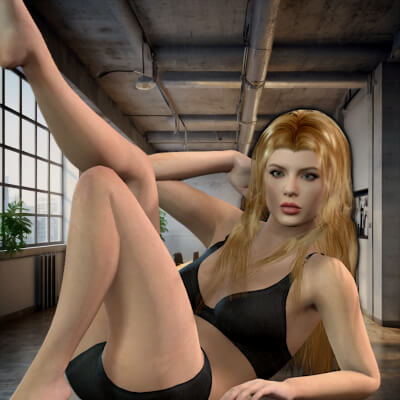 After attempted uninstall of Turbo Loader G8/G8.1 no G8 face control.
I need to start with the fact that I did attempt to correct this myself over a three day period of time looking up in Bing/Google and Daz forum. I am unable to get this corrected on my own and need assistance.
To help expidite loading of G8 female base model I purchased Turbo Loader G8/G8.1. I ran configuration and added Icons and Menu to my Daz Studio. Then ran the scan recommended by in instructions. A total of 8,000+ morphs were found. A lot of the morphs (4460) were on C drive and the rest on E drive. (Note: A couple of years back I started adding and moving characters to E drive to save space on my 2tb NVME C drive. Because these were not installed by Install Manager but were downloaded from Daz as Zip / Rend as Zip and a few others as zip files I just unzipped and placed in correct folder.)
I selected a good deal of the C drive morphs and only E drive morphs that were packaged body morphs adjustments (as an example Body Factory was a selected moph). I started to notice right away problems with reloading previous work that had to deal with any morph in E drive. Daz looked for the address as a relative address and not absolute (something I missed in the instructions). I then made sure all morphs were on (enebled) and uninstalled TL. The relative issues remained not being seen as E drive. After the first uninstall I cleared the morph list and executed so no references would be left by TL.
It was at this point I noticed that my Daz 8 dials/controls for face were not showing when I loaded Daz 8 base female or any of my previous created items featuring a Daz 8 female. Any expressions in my Poses/Expressions were no longer working. Over the next couple of dayys I uninstalled Daz 8 female / reinstalled a couple of times with and without the powerpose. I removed from Content Directory Manager the entire referrence to E drive and perfoemed a database vacuum. I installed and uninstalled a couple of more time TL without success. I even upgraded my 2tb NVME to a 4tb and moved everything to C drive also without success.
I did notice that when uninstalling Turbo Loader the references for the icons remained and had to be manually removed under customize. Also a turbo loader folder remained on my C drive under ProgramData/Daz 3D/Turbo Loader with the follwing sub-folders Cache and Genesis 8 & 8.1 Female. Cache contained 2 files each over a meg titled Genesis8Female.txt and Genesis8_1Female.txt. Genesis 8 & 8.1 Female contained a sub-folder Enabled Only with a file InitialConfiguration.txt. I deleted the files which also did not prove helpful. BTW: I mentioned above after the first uninstall I cleared the morph list. When doing this no InitialConfiguration.txt was found. After uninstalling I deleted the remaining Turbo Loader Folder and sub-folders.
I have done mutiple searches for files under "Turbo", "Loader", "RiverSoft" and have come up with no additional files.
I have no idea where I originally screwed up causing my G8 female to no longer have face contrls. I need someone to brainstorm where something might have gone wrong and why I can no longer use/ and no longer see any controls for G8. Any assistance would be greatly appreciated.
A Thread for Items with the "Editorial License"Choppski said:
So if there are items that are pulled from the store, does that mean we shouldn't use them?
I've been buying here just a little longer than you and I have never received any notification from Daz3d regarding usage restrictions once an item is pulled. I only discovered via the forum when something is gone; Daz3d has never reached out to me.
Edited to add: I am sure Richard will chime in that if we have any concerns, we should reach out to Daz3d for clarification. I would beg to differ, since Daz3d should reach out to the customer to let them know their updated usage rights. Many customers do not visit the forums and the onus should not be on the customer to continually check that their purchases are still valid for the licenses they bought them for.
How to properly reduce the number of fingers and toes in the Daz Dragon 3Hello, I'm still new to Daz so I figured it would be appropriate for this to be posted here. Anyway, I recently purchased the Daz Dragon 3 and many of it's addons and saw both on an addon and on a forum post that it's possible to reduce it's numbers of fingers and toes, but I don't know how to do it without making it look like it lost a finger and/or a toe instead of making it look like it has naturalltly less fingers and toes. Does anyone have any tips or maybe even a tutorial that can help me?Daz 3D is part of

Connect
DAZ Productions, Inc.
7533 S Center View Ct #4664
West Jordan, UT 84084Licensing Agreement | Terms of Service | Privacy Policy | EULA
© 2026 Daz Productions Inc. All Rights Reserved.