-
"Get Them While You Can!" If Not… Well… "There's Always Another Sale™"Many of them have similar eyes and facial features. I notice that too.
To be fair, many PAs show this tendency. There are a couple, who's figures to me look like "Ok, I have basic figure A, used basic morph pack B on her (as it's mostly female figures that get these many lookalikes) and now I change her a bit - not too much, because customers seem to like my figures and surely buy them, because they like their looks.. or rather look - and then I giver her some slightly different textures... like different make-up and maybe a tattoo or ten..." and, voila, there's the utterly new, stunning, beautiful etc. female figure.
From the PA's standpoint, this is a quite logical procedure, especially, when these "new" figures sell.
And it's one of the reasons, why I haven''t bought that many figures yet, as instead of having a whole stable of "sisters" it's for me better, to have some distictively different figures, whose settings allow me to use the dials and give me a vast amount of different results.Morphalynn: 127 Head and Face Morphs for G3FI did a conversion a while back using the transfer utility. I'm not to sure about the quality of this conversion as I'm really not much of an expert at this kind of thing. I also tried porting them over to the Genesis 8 figures but I'm having some trouble with the eyelash morphs since the eyelashes are separate figures now. Anyway here's a zip of the converted morphs. Hope you find them useful.
Used items in Promo pictures(snip)As a customer and a vendor here, I can see both side of it. It is nice to have the list of what was used. Personally, since I sell here, I only want to use and promote products sold at Daz3D in my promos. But even then, I dont remember to include everything. Most often, lights, shaders & texture sets are forgotten as they are not as obivous as the models themselves. And because the female models I used are custom mixed morphs, I cannot list every character set that went into making the model as it would be far to lengthy and serve little purpose as they are blended together with no particular character morph standing out more than the rest.
I certainly don't expect PAs to share lighting details, character mixes, and other such tools in these lists. Those are 'craft related', not 'that outfit, hairstyle, etc. that I think is real cute.'. But if a PA chooses to share those additional details (for unique things like say HDRI backgrounds or set pieces), I'm sure that some may appreciate that.
I'm mostly interested in the models used if they are 'premade characters', and clothing and hair, and to a lesser extent environments (if premade). Things like added tattoos, moles, different skin textures, etc. I certainly don't expect, but occasionally I do see PA's mentioning these (in these cases, I'll need to remember to take the time to thank them if it saves me some time hunting them down).
While it might not fit the 'promo vibe', for example including a 'used custom created character' mention on the product page - perhaps mentioning it somewhere else so that people don't go hunting for something you hand-spun using the dials might be a time saver. That might be something that you could mention in the asssociated commercial products thread, say in the OP. Of course, then you may be unundated by requests for your 'custom character'. As to whether that 'hand spun' character may end up being your next product due to popular demand... well that's another topic entirely
To imply that a site is not custermer friendly for not listing what is in the promos is very harsh.
Both DAZ and PA's have always gone out of their way to repond to inquiries as to what products are used in promos if they get asked. I have recieved countless emails from DAZ's customer service asking about such things, and have always taken the time to look up and respond to those inquiries as best I can. Even for products that are several years old and there is no way I could remember what I used. But still I would try to find out what I could to help. If that is not customer friendly, I really do not know what is.
For newer products daz has included on our submission page a place where we can list what is used in the promos, and highly encourages us to fill it out.
So everyone is working towards helping out in this situation......even though, as a PA it really does nothing to sell our own product, and yes, THAT is what we care about. This is our living. We get no compensation from selling other peoples products. So every time we provide that kind of information, it is a simple courtesy to the customers.
This is great when people can reach out to PA's in this fashion. It does beg the question, if people are soaking up your time after the fact, why not just take a little extra time beforehand, so that you don't have to deal with all of these random inquiries after the fact. Even if you just include the links for the stuff you can readily recognize (say a hairstyle), well it may save time down the road.
It's too bad that it's not easier to identify products inside the Daz interface, i.e. say 'right clicking' on the item under scene to bring up a 'readme' or 'browse to folder' option.. There are ways to 'dig' in the product library, but yeah it's not a straightforward process, and for older products, well documentation can be more lacking for older products, if they are even still available.
You can 'browse to location' under content library using right click from the product thumbnail, which can give you additional clues, but of course you'd have to remember to do that and make a note when you first add the product to your promo scene, which can disrupt the creative process. Once it's in the scene, going back and researching the stuff you added after the fact can be a bit more time consuming.
Perhaps having a notepad window open where you can quickly type notes as you are adding stuff to your scene may save you some time down the road, if you were planning on including a list of products used, might not be a bad approach. To me, it seems like the easiest time to determine a product's origin would be when you are first adding it to the scene - right-clicking the thumnail to navigate to folder, and scribbling down the relevant folder info. Once it's in the scene, well the search funciton in Studio is less than perfect - which can make this more difficult after the fact.
Again, I don't think this should be a requirement, but do take the time to thank the PA's that take the extra time to figure this stuff out and include it in their product listings, or failing that in their commercial products thread (said info is most helpful if included in the OP please, if you can manage it).
I was about to thank another PA here, but the first few of my other favorite PA's which I checked (googled their name, clicked on the first product on the list in the Daz store) didn't have associated product lists on said pages. Hence why it seems more like the exception than the rule to me. I didn't check their forum commercial product threads though...
Sixth search was the charm. Thanks JoeQuick for Duckie, your other products, and taking the time to include a list of some of the additional products that you used in various promo images on your product pages!
Freebie: Baby Grand Piano morph for HD Grand Piano by ProtozoonHi!
I have created a morph that transforms the HD Grand Piano and Poses to a Baby Grand Piano (see attached picture).
Morph file provides a new morph slider to the prop with which you can choose the length of the piano. I guess you can turn off the limits and go even shorter (and longer:).
All the poses etc. for the original Grand Piano work with this morph.
There are a few alignment issues inside the piano, but the interior follows the morph pretty good.You have to have the original HD Grand Piano and Poses for this morph to work.
The following download link contains a zip-file. Unzipped "Baby It!.dsf" goes to folder:
Mac:
/Users/Shared/My DAZ 3D Library/data/Protozoon/HD Grand Piano and Poses/Grand Piano/Morphs/Protozoon/BaseWin:
something similaror to your customed path.
https://www.dropbox.com/s/muj4tfd82evdqsp/Baby%20It%21.dsf.zip?dl=0
V4.2 Face Transfer to G3F, but keep rest of G3F body?Is there any way for me to transfer the head of a Victoria 4.2 figure (including face morphs) to Genesis 3 Female, but retain the rest of the Genesis 3 Female body as is?
Simple belt fix with Transfer Utility settings?Then in the Transfer Utility you need to set the Source Shape to the morph used, and in the extended options (button at the bottom) check reverse Source Shape from Target. If possible it's best to model around the base figure.
Freebie: How to create a V4 clone (and transfer other figures) for G8F (now with video!)Has anyone made a video tutorial on this process? I have been trying to do this for hours now. It's confusing. I work so much better when I see it done.
When I try to load the V4 shape onto G8F it says No Deltas For Morph and it skipped the node. It says it loaded the morph though.. Yet it does not
show up in the hidden/clones
also why is the shape called G8F to V4 in step 2 of "Loading the Clone" , when it should be the other way around. I'm just a little frustrated. I hope I can figure this out. It seems very useful.
Thanks @MTL1 for this tutorial.
Cyclops for Genesis 8 Male. [Commecial]Thanks for the reply, RawArt. I can't even begin to imagine how much work it'd be to get all the expressions to work properly, my goodness!! and as a morph i can see how it may conflict in mixed shapes.
SY Clothing Morpher for Genesis 8 Female. Product Impressions (Updated)Nice. Guess I'll have to add that to my wishlist with high priority. Looks a bit simpler to use for chest and crotch fixes than fit control
As far as I can tell, the two products have no conflict with each other. I applied fit control in the typical manner after applying the supermorph transfer to the clothing and tried several morphs to make sure they worked.
 Used items in Promo pictures
While I don't think the listing of 'additional items used in the promo pics' section's usage is anywhere close to 90% (it's getting better though), I do occasionally take a second to thank the PA that includes the list of products used in the promos. Unfortunately, they usually only have Daz store stuff listed on the Daz store product pages (BTW, the 'other store's' content creators do occasionally mention stuff that is available here, which is nice). But the time I save because a PA took the extra time, well it deserves a thank you.
So, yeah Mattymanx, I'm calling you out (again) to thank you (again) for including 'additional products used' in your product listings!!!

My advice to you buyers is, if you want to see more PA's regularly listing additional products in their product pages, take a second to thank them in the relevant product thread when they do this. Sometimes a bit of extra appreciation can go a long way.
You're welcome and thank you very much.
It would be awfully nice to
- get items used used for promos listed in the promo
I have done this and its even more time consuming then the method we have for adding it to the product page.
Every promo in this set is labeled with what was used - https://www.daz3d.com/model-me-this-3-poses - and it was time consuming. One of the reasons why the "additional product used" list excists is so that Daz3D marketing can see just how many sales are generated by customers finding the product through that list. By listing it on the image alone, none can tell if the promo had a part to play in the future sale.
As a customer and a vendor here, I can see both side of it. It is nice to have the list of what was used. Personally, since I sell here, I only want to use and promote products sold at Daz3D in my promos. But even then, I dont remember to include everything. Most often, lights, shaders & texture sets are forgotten as they are not as obivous as the models themselves. And because the female models I used are custom mixed morphs, I cannot list every character set that went into making the model as it would be far to lengthy and serve little purpose as they are blended together with no particular character morph standing out more than the rest.
ZDG random Daz Studio discoveries and questions.ah,
 , I thought the alien dial was one single morph, single z-brush shape, for the entire figure head to toe.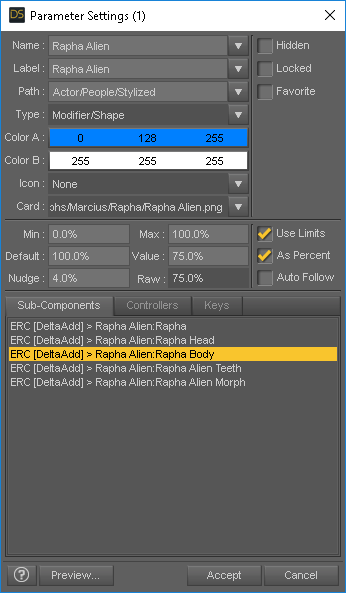
Is that an ERC (doohicky) for an Alien head and Alien body as separate shaping dials somewhere in the luminiferous ether, or am I that completely lost at this point? Cuz there is a regular head and body dial as well, and just the one alien dial in the shaping tab?

Na, that has to be something mistaken there, cuz 'Rapha Alien' is the name of the product, and after the ':' thing is the other thing the dial is controlling. so regular head, regular body, and just one alien shape for head to toe. and the eye orientations got mistakenly saved into the controlling dial, coz none of the other dials do that eye thing. Or is it in the hidden "Rapha Alien Morph" erc deltaAdd thing as indicated by the Property Hierarchy tab.

Ah, X Y and Z all have orientations listed for "Rapha Alien Morph" erc deltaAdd thing as indicated by the Property Hierarchy tab.
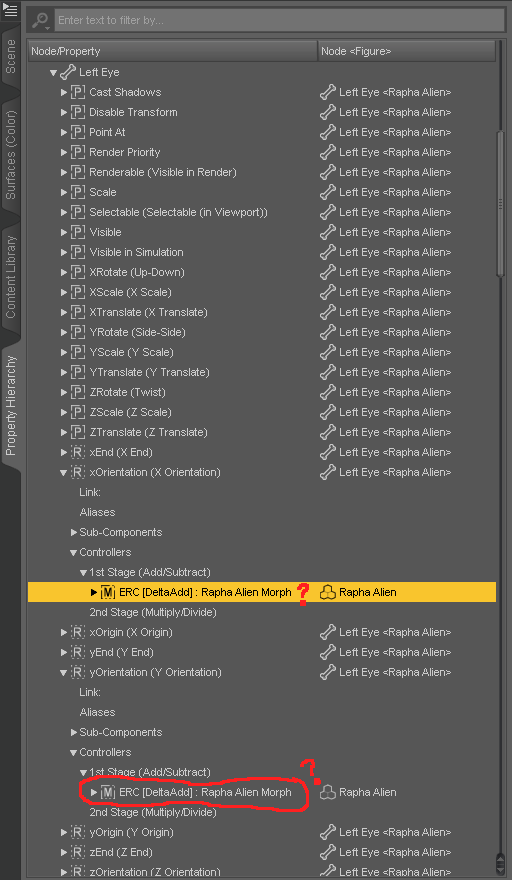
Now I'm not even sure if that is just G8F stuff following the shaping dial, or if that is the dial stuff. This had to be a mistaken unchecked or checked checkbox somewhere, if that isn't just some kind of always there like thing for any active morph.
OK
 I'm calling it at this point, I don't even know what to click to do any of the stuff described. I am just assuming clicking them triangles isn't breaking anything, because I have gotten a blue screen of death yet and G8F hasn't turned into a pretzel-gon. I just hope posting the screencaps of them tabs isn't violating any TOS somewhere, cuz I genuinely have no clue what I'm looking at.Moving to floor a transfered figure sets it too high.
I took a character from g3f and exported it to g8f to find out that when I make it "move to floor" it skyrockets up instead of landing onto the ground plane. It is a resized and reshaped figure. Rescaling it to normal and removing any morph causing a rescaling doesn't change this behavior. Is there a way to readjust/recalibrate the character to make it "land" properly?
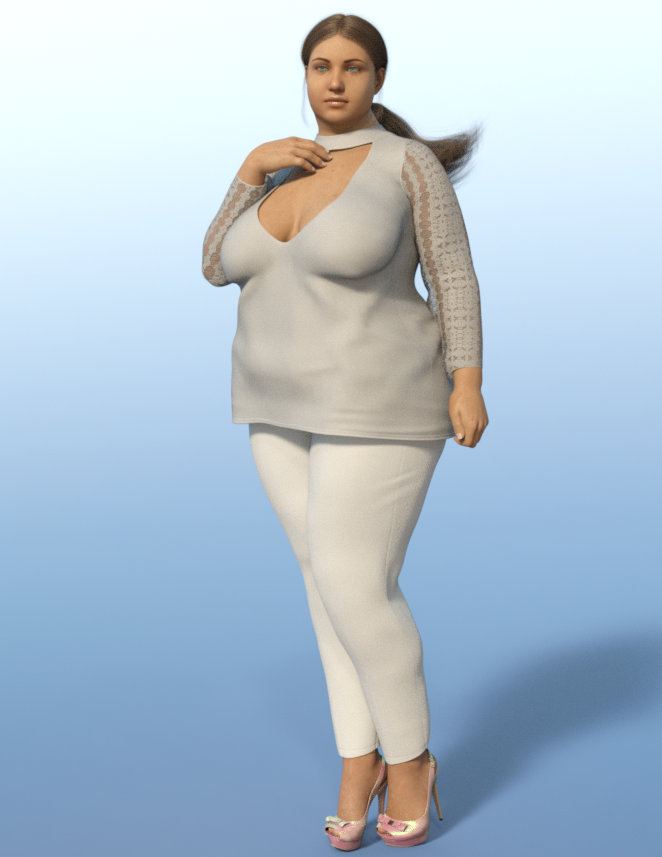
SY Clothing Morpher for Genesis 8 Female. Product Impressions (Updated)Anyone who works with big girl models knows what a major pain it can be to make clothing look good on them.
Demo2_a shows standard G8 with some morphs dialed in. The outfit is Casual Office by OOT. Observe the typical shrinkwrap around the breasts and belly areas.
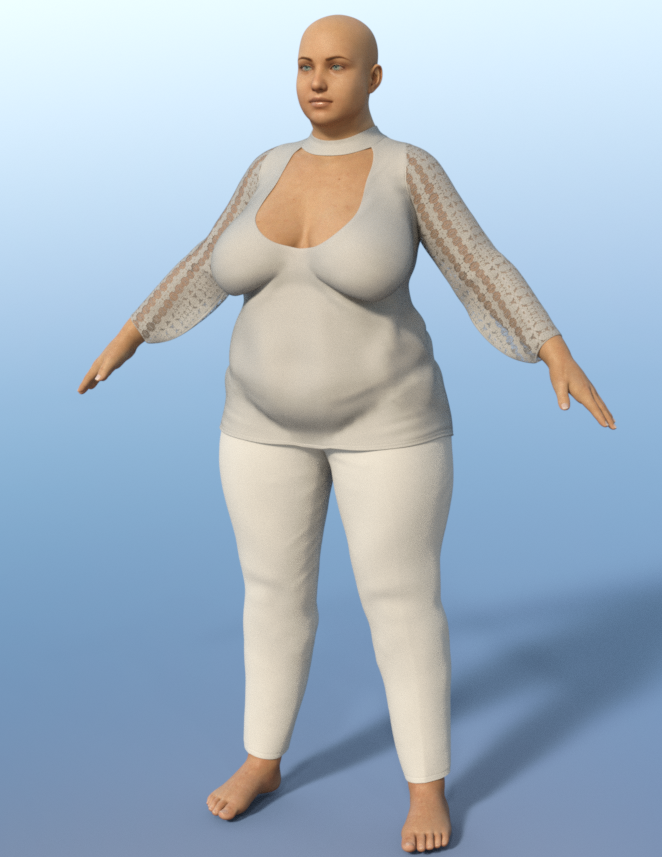
Demo2_b shows the outfit after the supermorpher transfer. Major improvement.
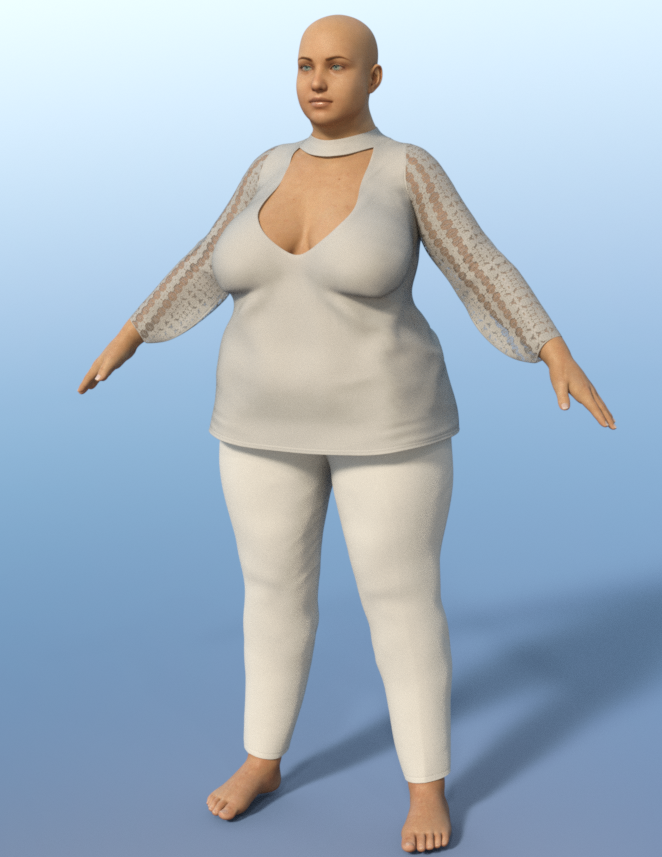
Demo2_c complete. I think that the improvement in the draping is great. This is with no additional morphs applied to correct the clothing.
 My Projects in 3D Digital Rendering
Thanks again all! @themidget @Wanderer @Worlds_Edge Definitely hope to keep some good freebies coming.
@Wanderer, Definitely weight mappping is going to be the way to go. I just have to find time in the next few days to sit down and do it. Time time.... I will check out that book or something else at the library. .Yes, it would be fun to make an array of pipes, or at least morph the current pipe in a few ways and have a few texture variations.
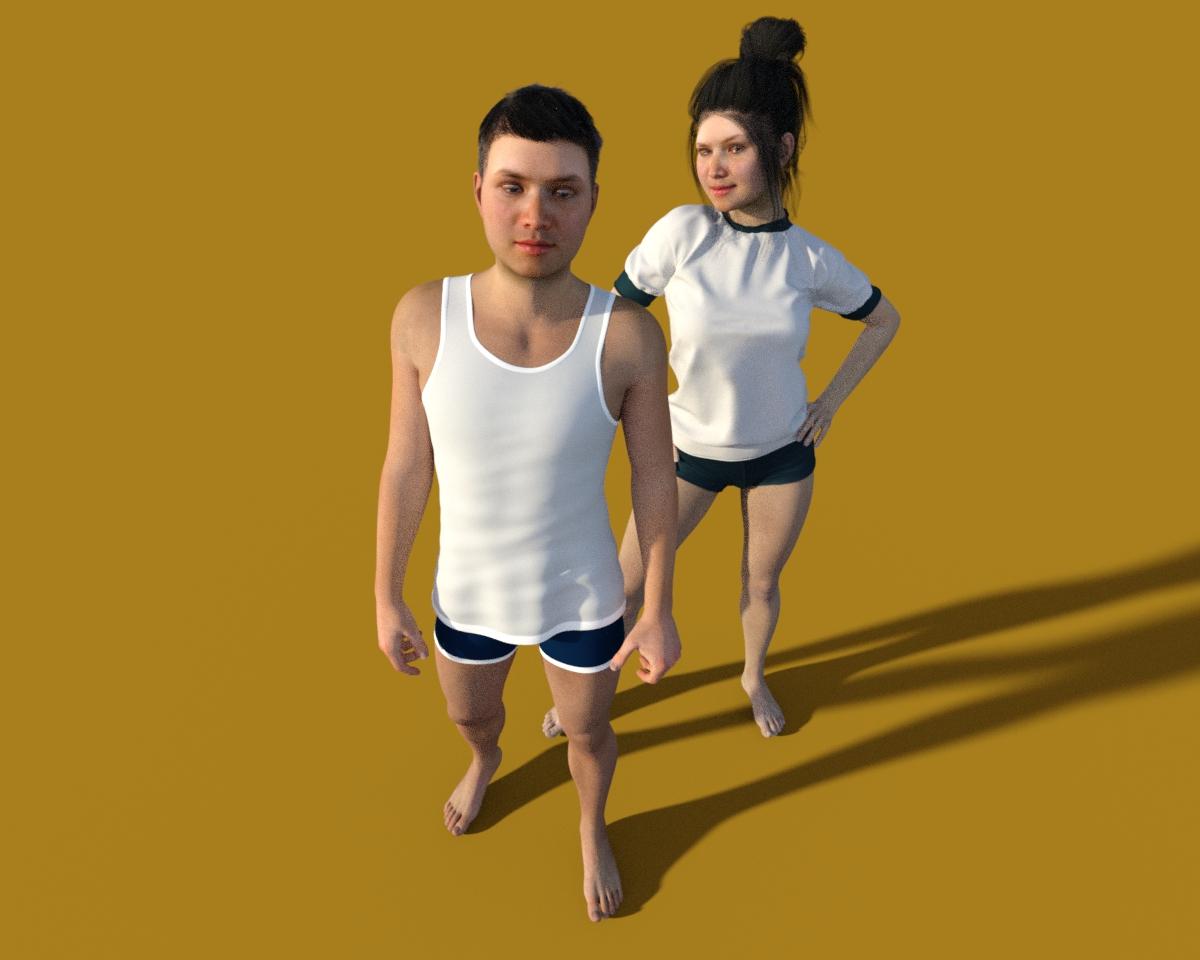
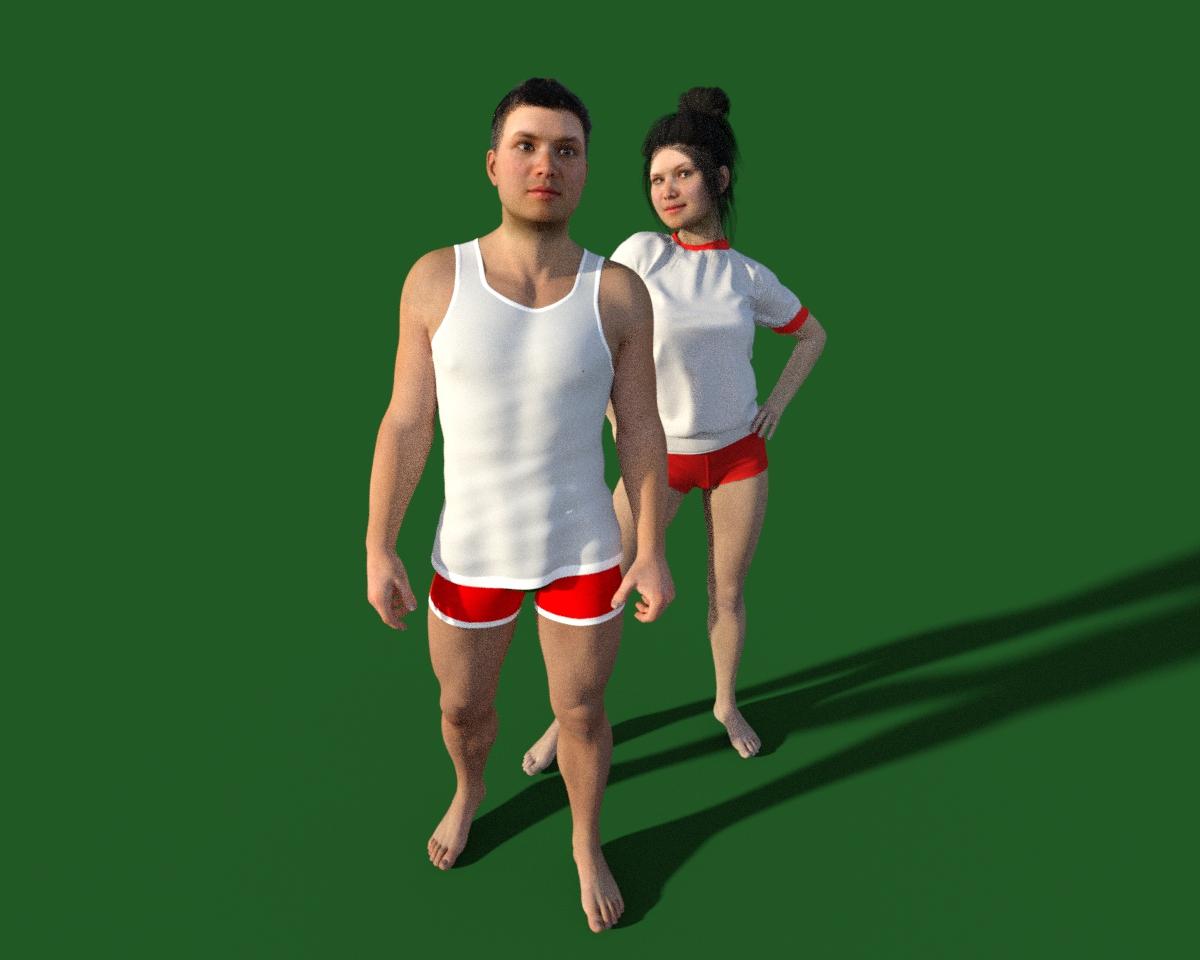
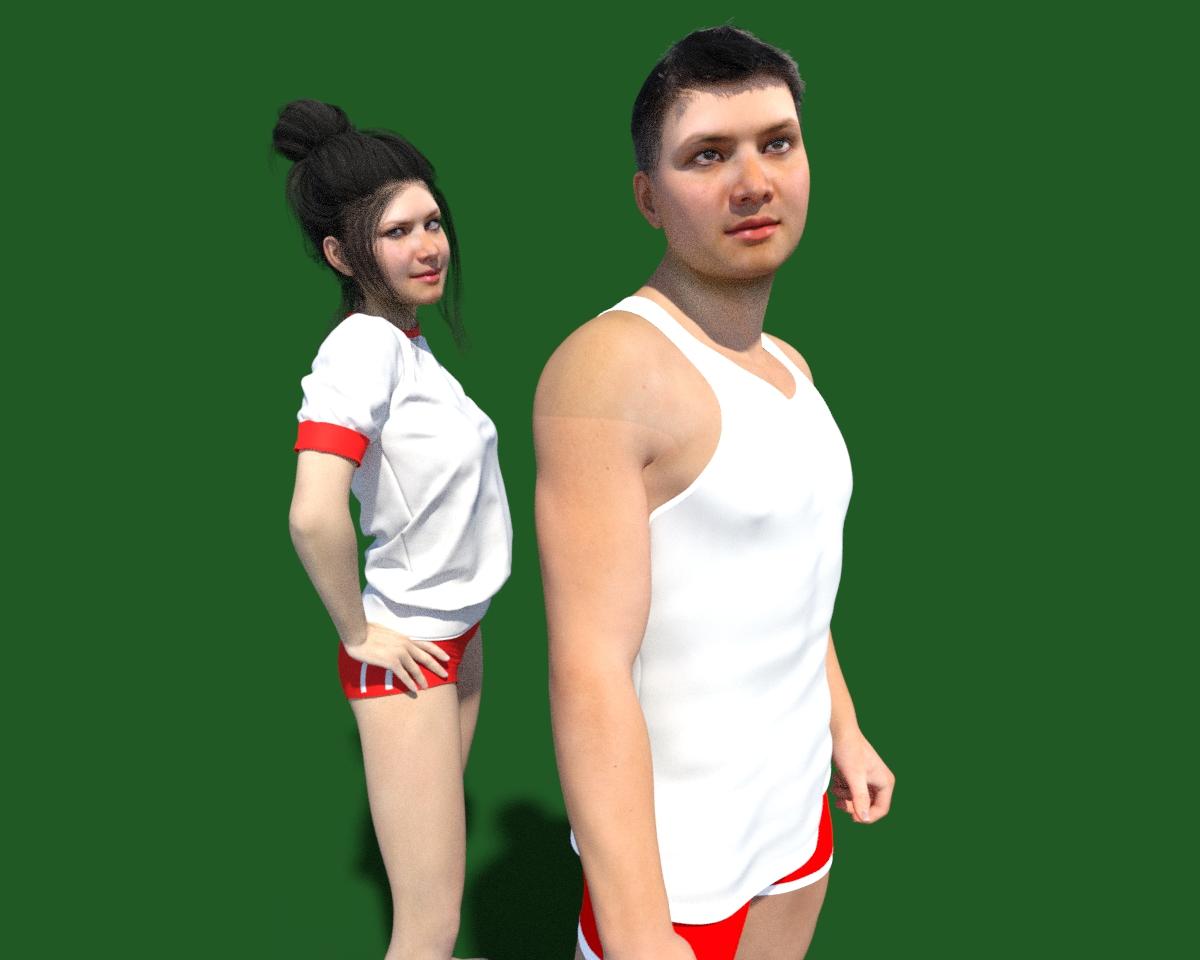
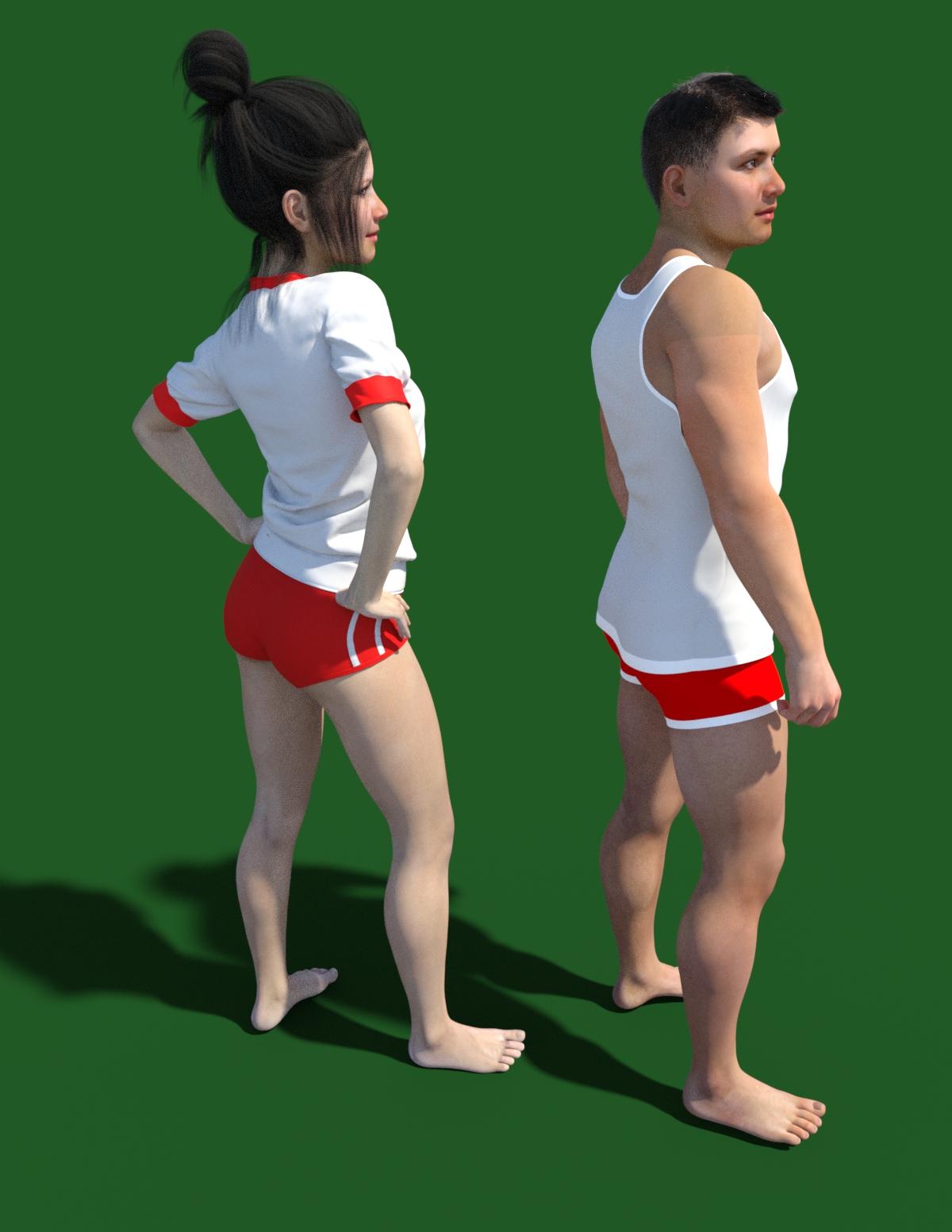
Here I was playing with a texture set and made a male and female version of the morph and textures using FaceGen. You could call them "Maxim" and "Sezim"... seems like appropriate names as they could be siblings.
^__^
 ZDG random Daz Studio discoveries and questions.
You could hunt down these unwanted rotation values of the eyes in the Property Hirarchy pane and delete them from the original character morph - maybe its something in Rapha Head.
First select the character morph in the Parameters pane, right-click change to edit mode, then right-click the morph and select "Show in Property Hirarchy".
Next expand the Sub-Components and look if the character morph is split up in head and body. By the right-click menu can jump between the "Show in Property Hirarchy" and "Show in Paramenters" until you reach the head morph, where the "adjusted rigging" bone joint corrections are saved. Maybe you can find the Left Right Eye rotations with the Text search field. In common there should only be start- and edpoints and no rotations been saved I think.
Otherwise you could change to the Joint Editor pane and use right-click on viewport Edit>Adjust Rig to Shape. In the dialogue there is this bottom setting Adjust Orientation uncheck this. Then go to the Property Hirarchy pane with the selected character morph and delete all Sub-Components. Next you can right-click again in the Property Hirarchy and select ERC-Freeze to save the new Rig Adjustments to the character morph.
To save the changes to the library you could overwrite the original character morph with saving the morph asset in the original place I think.
[Released] Altern8 - Skin Shader System for Genesis 8 [Commercial]So, this is a character morph and texture from Michael 3, Levi who was previously sold at ArtCollab years ago, applied aging maps from ZeV0’s overlays, saved and converted for Genesis 8 Male. I used N.G.S Anagenessis 2 and Altern8
SY Clothing Morpher for Genesis 8 Female. Product Impressions (Updated)Ok, so ive had a chance to look into Sickleyield's new product SY Supermorpher for Genesis 8 Female, https://www.daz3d.com/sy-supermorpher-for-genesis-8-female , and im quite excited about the early results that im getting. I originally got this product because I was wondering what it could do with older generation clothing and current gen models. So heres what I came up with.
I wanted to start with a difficult figure so I chose Lady Alexandra 8, https://www.daz3d.com/alexandra-8 . I fitted her with the Delta Outfit for Genesis 3 Female(s), https://www.daz3d.com/delta-outfit-for-genesis-3-female-s .
I followed SY's instructions (
 ) and loaded a base G8F into the scene. Then I applied Alexandra 8's FBM from the shape tab. Im assuming that its necessary to load a figure this way because of the morph transfer process but im not certain. Then I loaded the Delta outfit to the model.
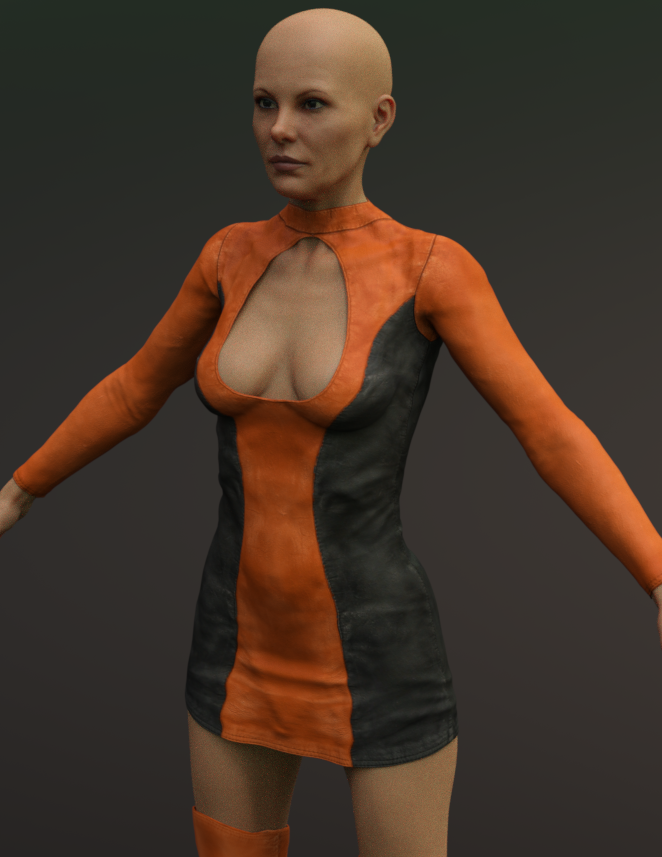
Demo_1 shows the Delta dress after being auto-fitted to Alexandra. Notice how the dress has undergone the typical mutilation that alot of older gen clothing goes through with autofit, particularly in the crotch region.
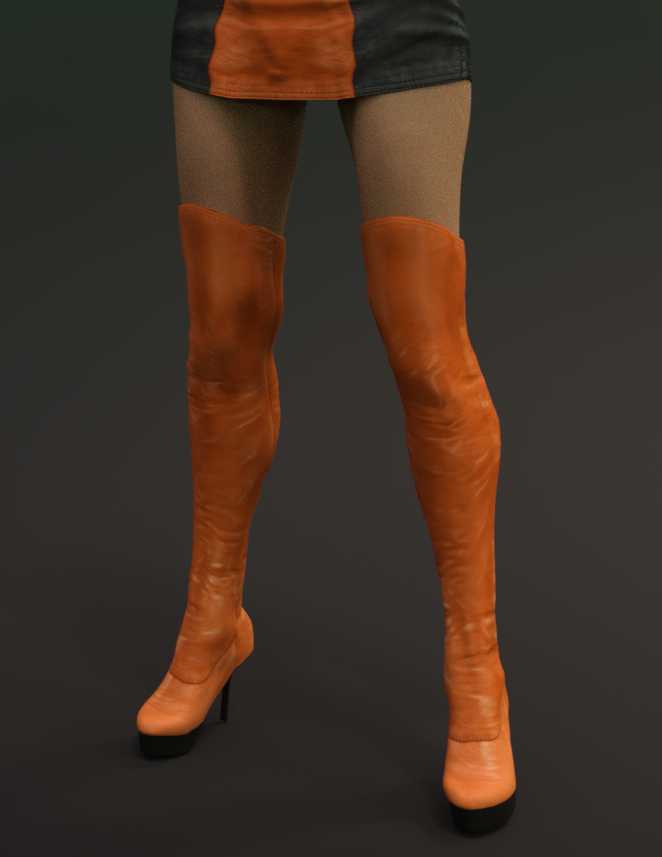
Demo_2 shows the Delta boots after autofit. They actually dont look too bad.
Demo_3 shows Alexandra wearing the SY Supermorpher dress. You apply the supermorpher dress directly to the figure.
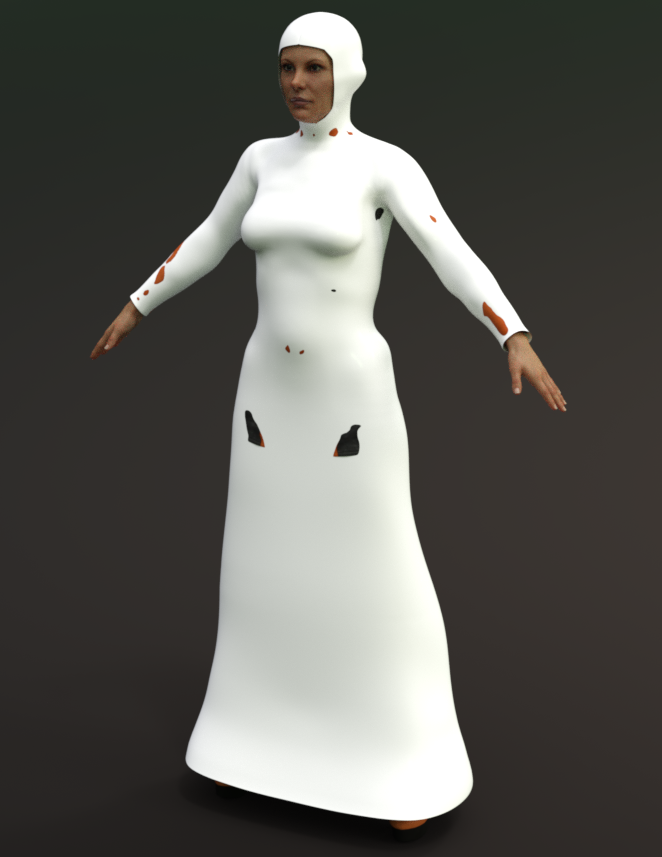
After you have applied the supermorpher dress or suit to the figure, you use the transfer utility tool, uncheck some options here, check some options there, its all explained in the manual, and press accept.
Demo_4 shows the Delta dress after the transfer utility does its thing. Please note that after the transfer was complete, there was some substantial clipping going on. Not a problem. All the corrective morphs from the supermorpher dress transfered into Delta dress and all of the clipping was easily fixed. I thought the results were excellent.
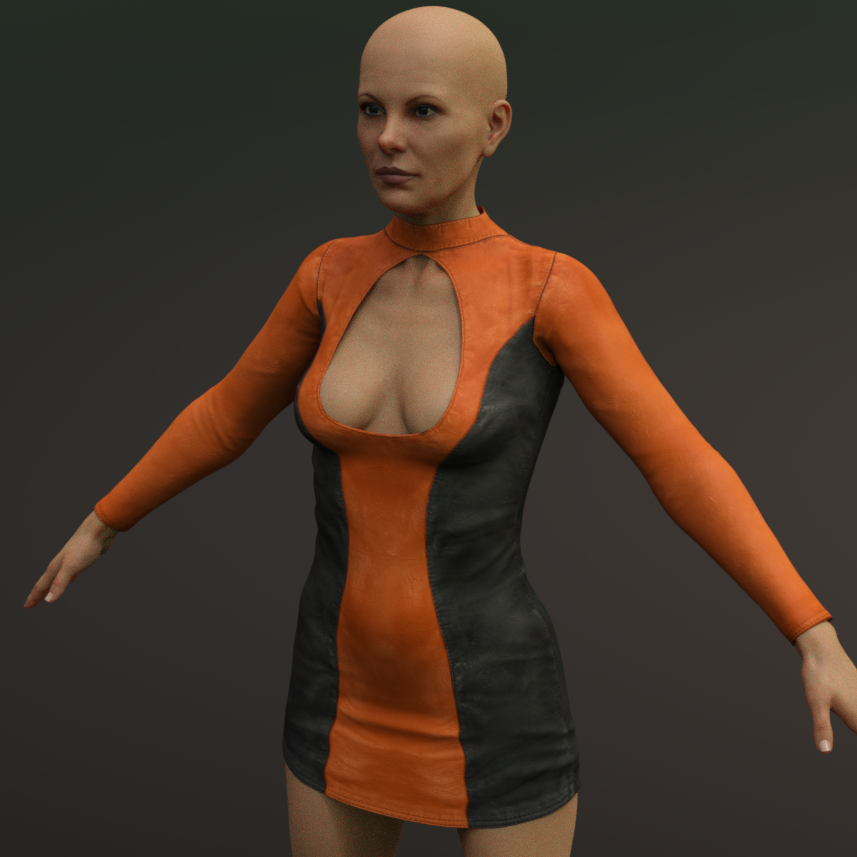
Demo_5 shows a repeat of the process for the boots. I used the SY supermorpher suit for this.
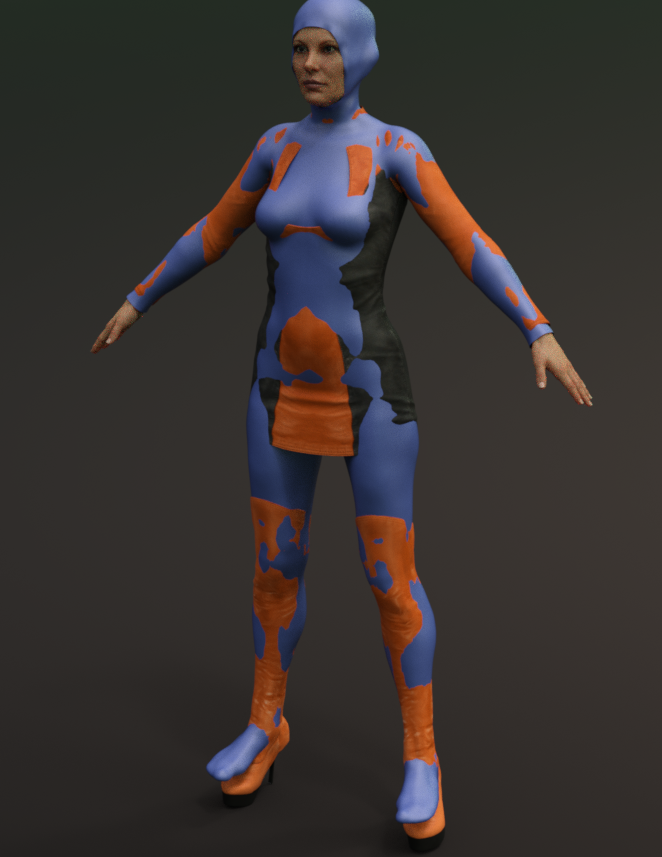
Demo_6, the reult.
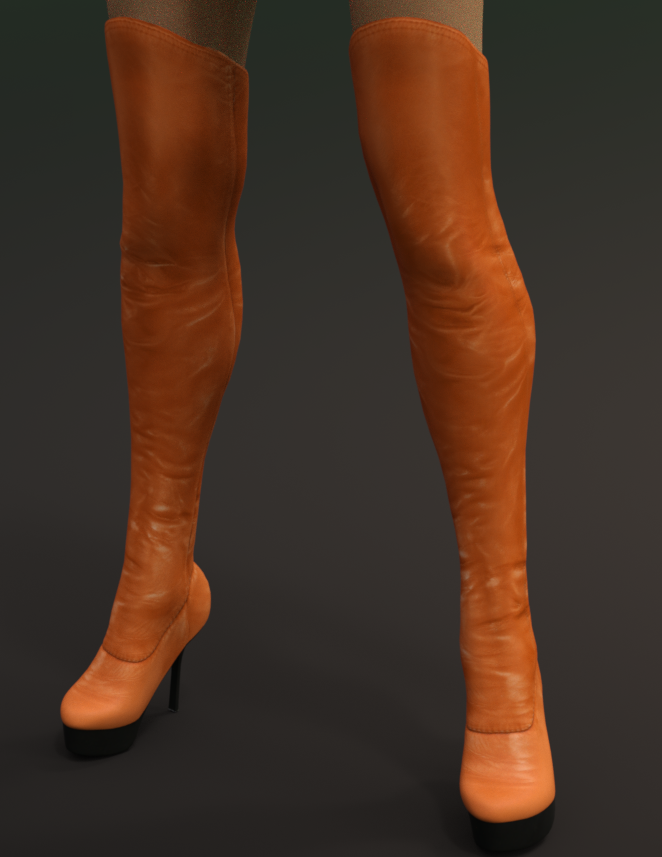
Demo_7, the finished outfit with pose. Please note that I also used SY Ultra Templates Genesis 8 Female(s), https://www.daz3d.com/sy-ultra-templates-genesis-8-female-s , with the dress.
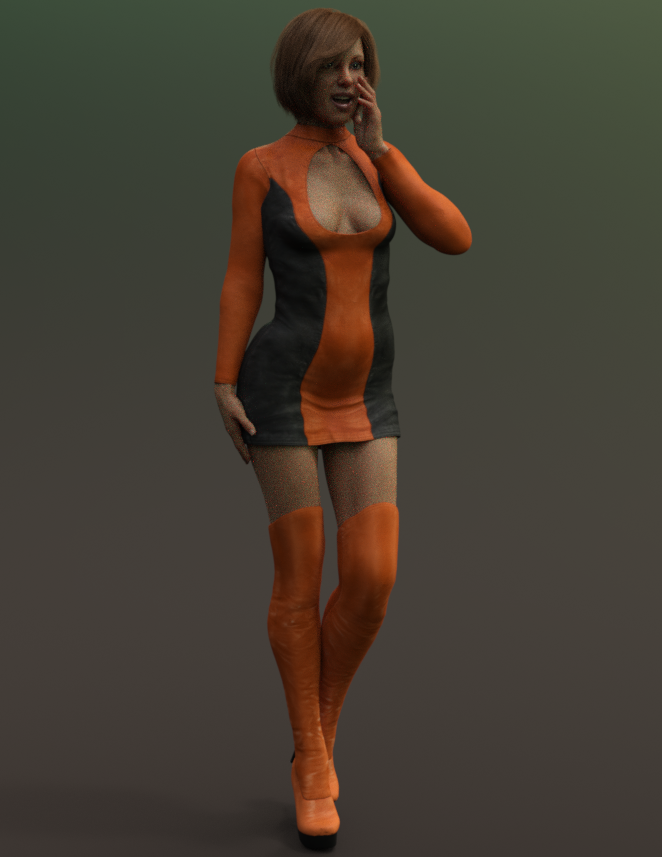
Next I am going to see what sort of results I get using the supermorphers on a goddess figure.
ZDG random Daz Studio discoveries and questions.yes, as I thought, a hell of a lot of work compared to just fixing eye orientation in a figure shaping dial.
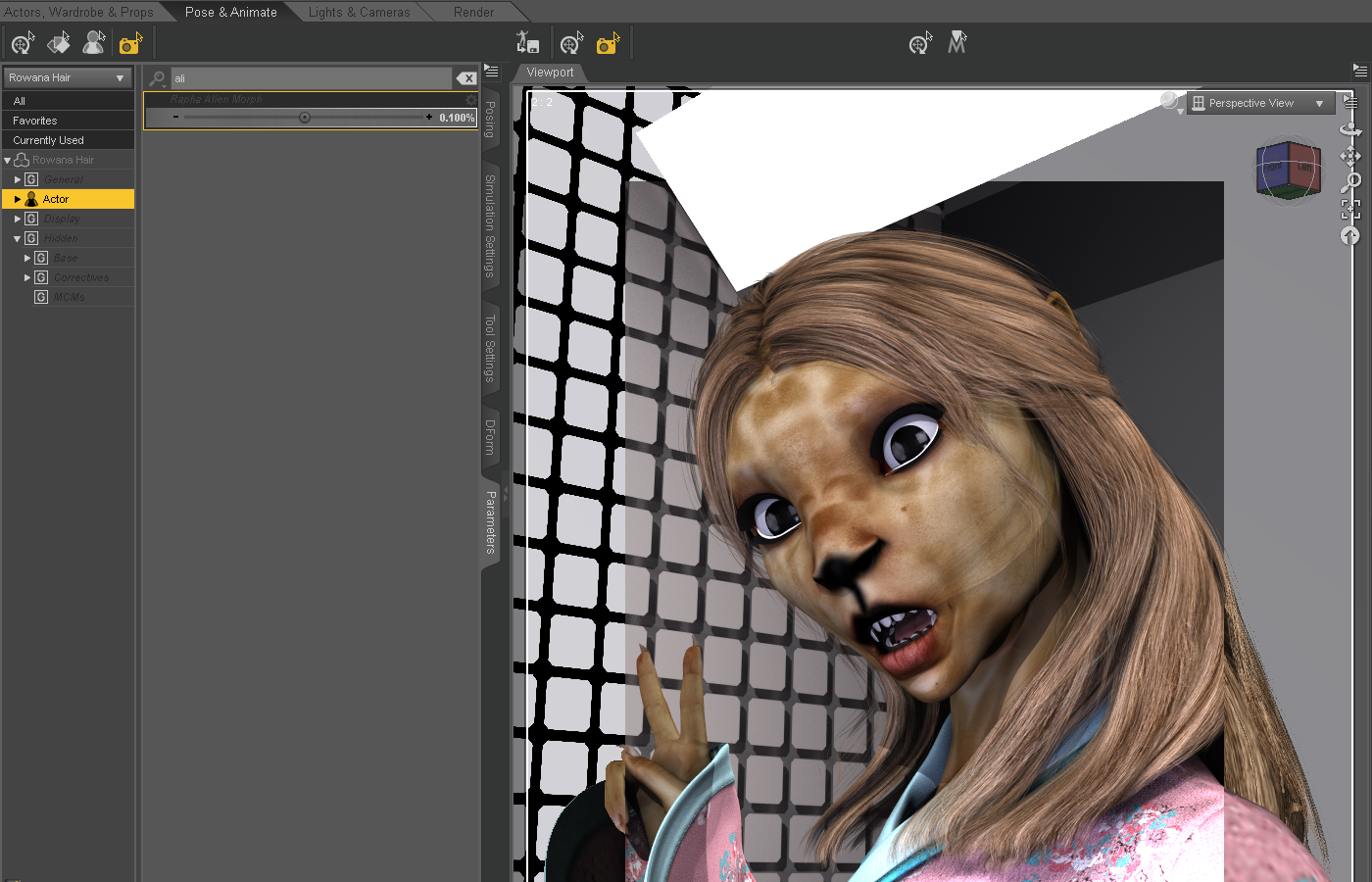
OK, so the one hairstyle sort of looks better with the Alien morph with the Alien dial reduced on the hair, however, now as an example, the hair is inside the figure cuz it is no longer following the shape of the figure. That was what I was first saying about an argument for making the ears separate, to begin with. Clearly, from the promos, Marcius never intended the alien figure to be used with hair. Again, the eyes on the Alien shaping dial, well, that really needs to be fixed, lol.
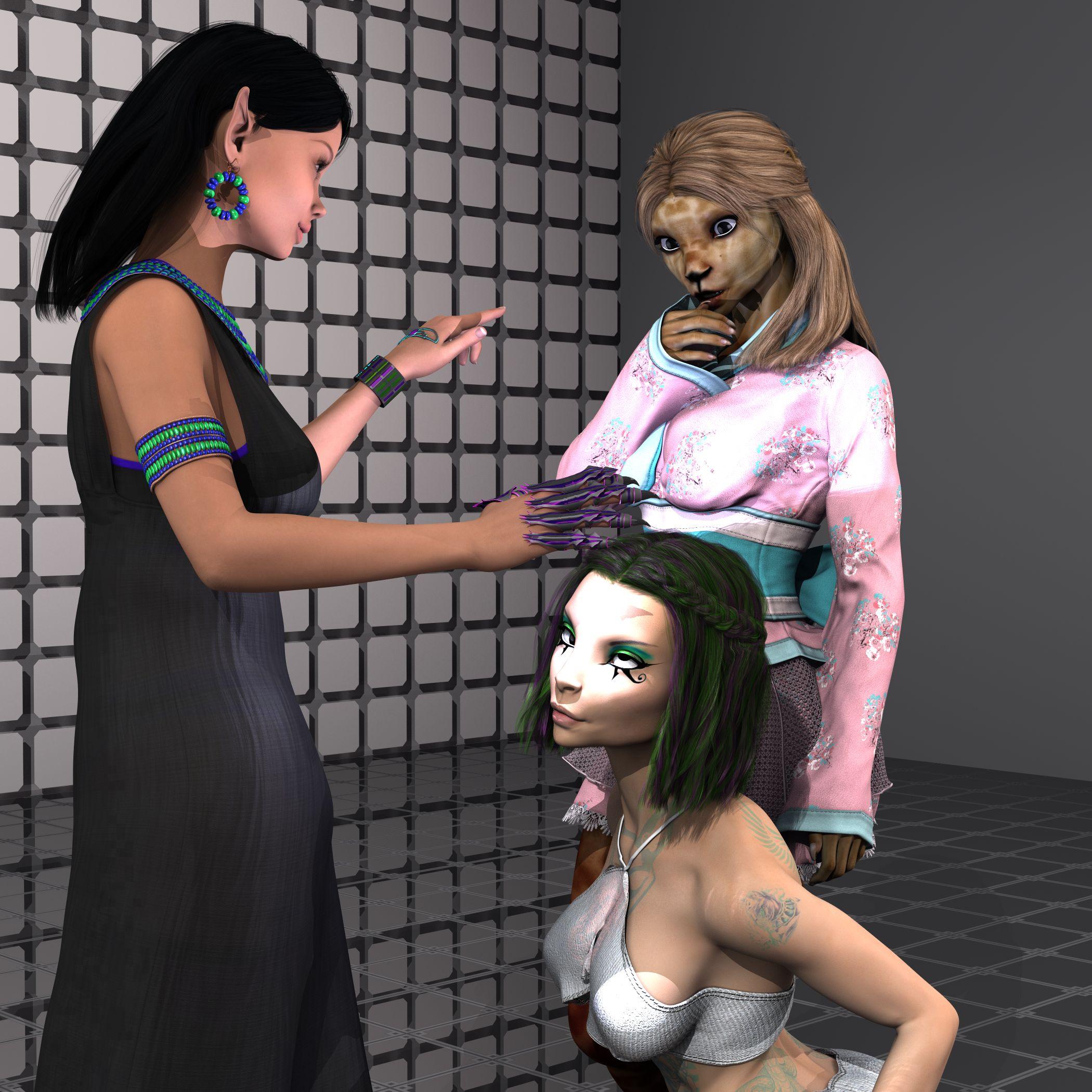
The eye orientation, I'm guessing is a simple find and remove the lines changing the bone orientations in the dial duf/dsf/whatever-file (rotations, not transits), or it is a checkbox somewhere in the ERC freeze window. Both sound like an easier fix for the PA that has the original stuff to do that with. And, only the PA that made the thing, can share that fix with everyone that purchased the product, lol.
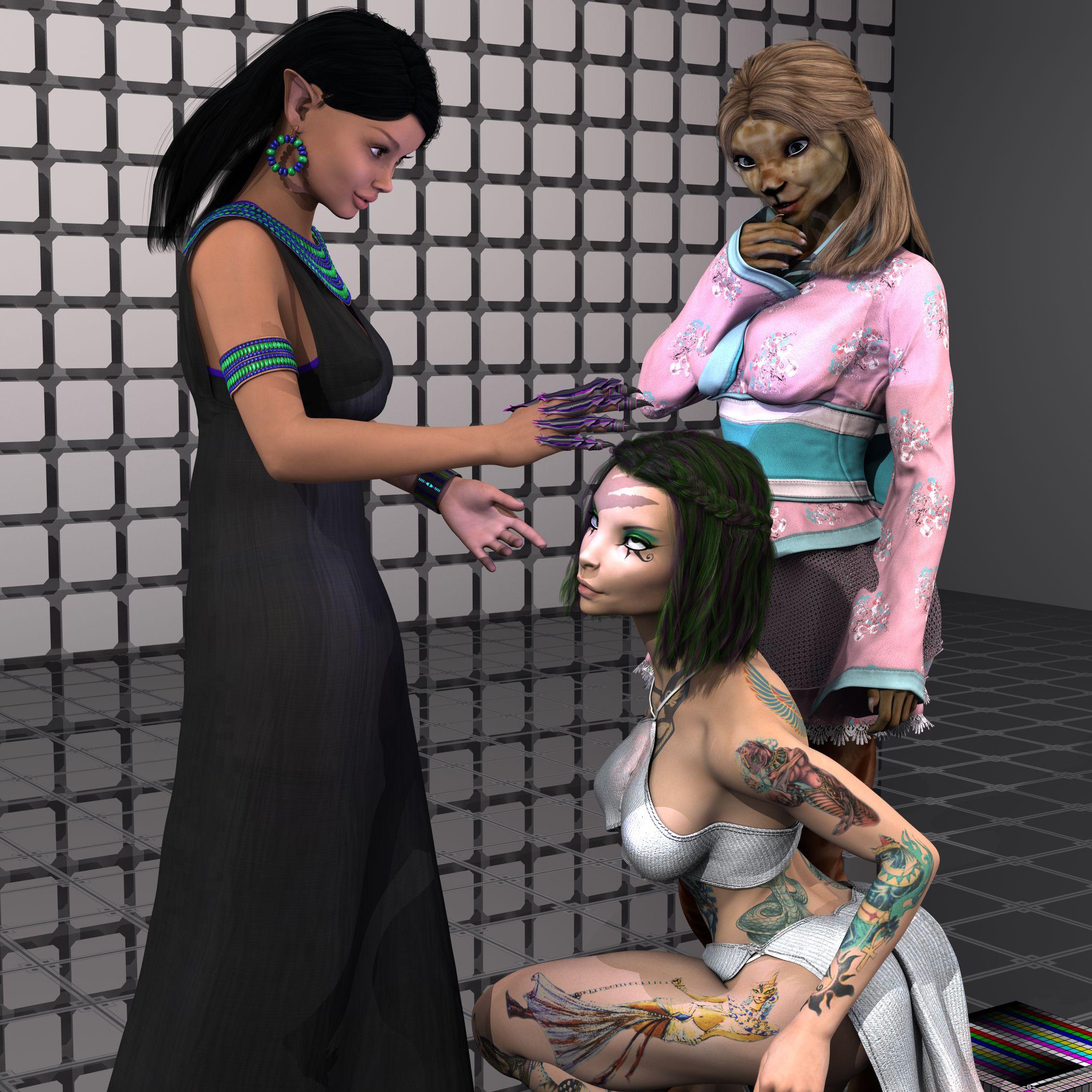
And yes, very nice maps to work with in 3delight, thanks. Just a simple mask overlay in gimp to combine the Iray tattoo maps with the Diffuse maps, and wah-lah.
Hi, let me know in which circunstances you have the eye orientation problem, I tried to replicate, but for me everything is working fine, so plese give me more detail about. Thanks a lot.
Simple belt fix with Transfer Utility settings?I have created a belt for a G8 figure, and when I apply Transfer Utility and fit it to the figure the belt clings too tightly to the figure, making it appear under the clothing. I want it to appear above. Is there a simple setting for the transfer to set the distance of the cling effect, or do I need to get involved with all this weight mapping business to make this work?
First test on iMac ProYou can easily boot up MacOS from the external SSD drive.
We have done such upgrade on 2 iMacs at work, which only have had mechanical HDD and the other one, fusion drive with very small SSD part.
We have used external 512 GB Samsung SSD drive connected via USB 3. After such upgrade, both iMacs runs around 6 times faster.
One can easily transfer all programs, data and operating system with Migration Assistant on Mac.
Daz 3D is part of

Connect
DAZ Productions, Inc.
7533 S Center View Ct #4664
West Jordan, UT 84084Licensing Agreement | Terms of Service | Privacy Policy | EULA
© 2026 Daz Productions Inc. All Rights Reserved.