-
sy-victoria-4-and-michael-4-clones-for-genesis-8
LOL
FSMC doesn't like it because they only wanted to use it on skimpy clothing, and it was made for heavier coverage clothes. If you want to use it on bikinis, no, it's not going to work great, but it's great on long sleeves, pants and skirts (i.e. the things that are shown in the promos).
Mind you, Valzheimer does a great product, I'm not arguing with that.
I "don't like it" because it doesn't work as advertised. Maybe a change to the name of the product is in order since it only says "SY Victoria 4 and Michael 4 Clones for Genesis 8" which implies it works on all clothing, not just the types shown in the promos or specialized clothing items.
To add to this, the reason these clones do not fit the clothing well is because the shapes do not actually match V4 and M4. They are extremely distorted. This means they will only work for clothing where you don't care if it remains the same distance from the body in the fit as it was in the original. It also means they cannot be used to transfer morphs. This may work for some people. For the vast majority, a "clone" shape is understood to actually line up with the original figure.
I said it in a previous thread, and I'll say it again: the purpose of the distortions is to achieve specific movements of the cloth. Moving verts one way in a clone moves them the opposite in the garment. Pushing the inner thighs out reduces triangulation in skirts; yanking the toes up and forward reduces hemline chunking in longer garments; making a ridge in the underbust helps de-rigdify looser shirts and coats in that area. Having a clone that looks just like the figure it's for is not the way to achieve the best fit.
I honestly don't understand the level of acrimony with this one. The Ultra Templates have a power of ten more returns (8% for UT vs. .08% for the V4 and M4 clones for G8) and not one single angry forum complaint.
Well they work fine for me, so we are not all unhappy!
Thanks for the info about the somewhat distorted look of the clone, but if that creates better fits than that is the most important thing, particularly with the triangulation issue, which kills the look for so many dresses/tunics. When I used your clone the dress looked fine.
I have my own V4 morph for morph purposes which is without the distortions. Whilst mine looks better for morphing, yours is definitely better for fitting.
comic filter for Daz renders?The two will never meet as long as artists keep trying to turn regular renders into comic art.
What everyone is missing is that comics aren't drawn with the same proportions and consistent scale like any 3D model.
The closest approximation is the camera that exxagerates the scale of the closest objects, but since this is done PER OBJECT, in drawing, that alone won't get.
You would have make your scene and then scale/morph actual limbs and body parts to create an artistic emphasis on action points.
-----------
Then when you combine all the short cuts that comics take, for the sake of time and the medium's limitations- you always end up with something that doesn't look like a comic. Editing a render so it looks 'almost drawn' is a baby step towards the far goal.
yes.
What I keep finding is many of the styles or simple frames that I'm trying to emulate (literally reproduce in DS), is that they are notably 'unreal' in exactly the way you describe. Usually drawn to look like they *should* look, rather than like things really do! - The shadows will never work that way, they're wrong in the drawing!, The body can't do that! It's broken! heh.
My tools are too good.
Using the ever-more accurate 3D tools to render exaggeration and stylization is proving to be an art in itself... Morphed characters like Ollie and Edie, and George, with toonstyled lines and cel shaders helps, but comics are clearly about cleverly indicating dynamic ideas on static pages, and the decades of tricks and iconic elements that 'say' certain things by convention, are tough to duplicate in a medium that's been refined for accurate realism. Tools like CrazyTalk (reallusion) are bridging this gap in the animation side of things, and mechanisms like Motion Studio are bending the presentation norms, but it's still a free-for-all as far as 3D novel/comic 'norms'.
The good news is those who are going down this path have a whole new world of imagery and styles that can still be established as baselines for the future, rather than having to match a certain existing style (e.g. a specific manga flavor). We're the first ones down this path (in a 50 year timeframe), and we don't have to match a style. But we do have to invent one that folks will like. And apparently that's much harder to do when the style giants that precede us in the comic work (from archie to batman) aren't there for us to lean on so much in this brave new world of imagery and communication.
In a world of chalk, we've been given acrylics and told go paint a ceiling! I think this should be fun!
--ms
comic filter for Daz renders?The two will never meet as long as artists keep trying to turn regular renders into comic art.
What everyone is missing is that comics aren't drawn with the same proportions and consistent scale like any 3D model.
The closest approximation is the camera that exxagerates the scale of the closest objects, but since this is done PER OBJECT, in drawing, that alone won't get.
You would have make your scene and then scale/morph actual limbs and body parts to create an artistic emphasis on action points.
-----------
Then when you combine all the short cuts that comics take, for the sake of time and the medium's limitations- you always end up with something that doesn't look like a comic. Editing a render so it looks 'almost drawn' is a baby step towards the far goal.
Released: The Dark Lord [Commercial]Well, I guess I gotta ask all the usual questions.....
1) Is it based on Genesis 8? (I doubt it from the arm count)
a) Will it include alternate textures?
b) Or Poses or a morph control for some of the limbs like dragon tails or tentacles do...?
2) Is this your debut Daz Store product? (if so, congrats and welcome to their forum and store)
3) Where the hell (literally) did you get this idea from?
4) What is your modeling background to create such a figure?
5) What else do you have in store/do you have other models on standby?
6) And what is the significance of Mechasar? (obviously, the Mecha part stands out)
Again, congrats on your first release. THIS is an awesome piece.
I can't wait, but I'm also scared and nervous about buying it.
weightmap brush tool, should the purple and orange respond to brush?if i suceed in a weightmap,
could i transfer the wm to the other mil3 folk?
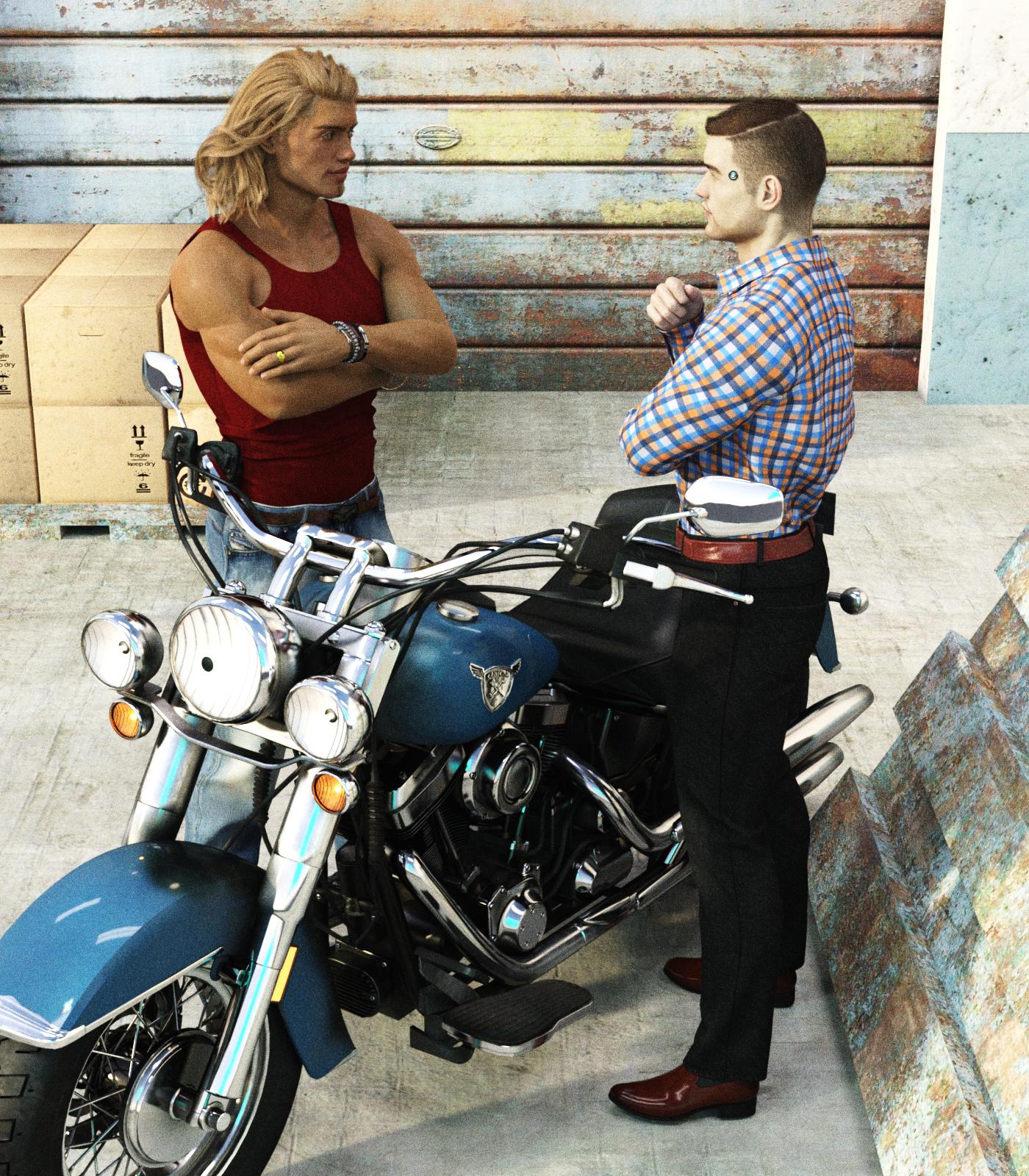
they share the same uvs, they the same mesh?SereneNight's Sci-fi FunHere is a quick render of the two recent purchases. Owen's wearing the H&C Checkered Shirt outift for Genesis 8 Males. Boyd is wearing the Billy Bob shirt and jeans.
I really like both outfits... The H&C outfit is nice and cleancut. From some angles it can look a bit high waisted. It needs a lowrise morph I think.
The Billy Bob outfit looks nice, and has a great waistline. There is some modelled wrinkles on the legs-that llooked a bit funky on Boyd when he was sitting. I will have to investigate it a bit more.
 Genesis 8 Male Anatomical Elements Add On? (Not What you Think)
So to keep this as Safe for work as possible, I need to find gential options for the Genesis 8 male much like there are genital options for his female counterpart. I was told that the Michael 8 Pro Bundle gave me access to a male genitalia option, but I didn't want to buy the whole bundle so I just bought Micheal 8 only to see no such option.
Do I really need to buy the full bundle to get male genitalia options, or is there another product on the daz store that has such an option?
Please keep answers mature and professional, and no, I don't need this morph/addon for what you think I need it for.
Thanks.
sy-victoria-4-and-michael-4-clones-for-genesis-8LOL
FSMC doesn't like it because they only wanted to use it on skimpy clothing, and it was made for heavier coverage clothes. If you want to use it on bikinis, no, it's not going to work great, but it's great on long sleeves, pants and skirts (i.e. the things that are shown in the promos).
Mind you, Valzheimer does a great product, I'm not arguing with that.
I "don't like it" because it doesn't work as advertised. Maybe a change to the name of the product is in order since it only says "SY Victoria 4 and Michael 4 Clones for Genesis 8" which implies it works on all clothing, not just the types shown in the promos or specialized clothing items.
To add to this, the reason these clones do not fit the clothing well is because the shapes do not actually match V4 and M4. They are extremely distorted. This means they will only work for clothing where you don't care if it remains the same distance from the body in the fit as it was in the original. It also means they cannot be used to transfer morphs. This may work for some people. For the vast majority, a "clone" shape is understood to actually line up with the original figure.
I said it in a previous thread, and I'll say it again: the purpose of the distortions is to achieve specific movements of the cloth. Moving verts one way in a clone moves them the opposite in the garment. Pushing the inner thighs out reduces triangulation in skirts; yanking the toes up and forward reduces hemline chunking in longer garments; making a ridge in the underbust helps de-rigdify looser shirts and coats in that area. Having a clone that looks just like the figure it's for is not the way to achieve the best fit.
I honestly don't understand the level of acrimony with this one. The Ultra Templates have a power of ten more returns (8% for UT vs. .08% for the V4 and M4 clones for G8) and not one single angry forum complaint.
Fibermesh - what is that?@ChangelingChick : I think you are mistaken about hiding. I've had this conversation a number of times and have always been told that hiding the hair does not speed up the posing. That is also my experience.I make fibermesh, and this was something I experimented with a little in the process of making my beard. I noticed that when I had the wizard morph out full length, it would definitely slow down in preview (and rendering), but even just having a morph to shorten all the hair sped things up considerably in both. I'm curious if there's a specific hair you've had trouble with?
I think you quoted me, not AllenArt, but no, it is not specific to a certain hair. As I said earlier - the more polygons the slower the movement. That would make sense with your longer and shorter hair, I guess, but that is not hiding in the sense that I meant. I meant using the little visibility eye to make it invisible (hidden). That makes no difference to the posing lag.
Fibermesh - what is that?@ChangelingChick : I think you are mistaken about hiding. I've had this conversation a number of times and have always been told that hiding the hair does not speed up the posing. That is also my experience.I make fibermesh, and this was something I experimented with a little in the process of making my beard. I noticed that when I had the wizard morph out full length, it would definitely slow down in preview (and rendering), but even just having a morph to shorten all the hair sped things up considerably in both. I'm curious if there's a specific hair you've had trouble with?
Breast bounce script for DAZ Studio 4.5Hi Masatok,
Did you ever implement a user interface for you glute script yet? Your scripts add such perfect realism to characters I always check to see if you have any updates, keep up the fantastic work!
Cheers!!
Hi Kwannie, thanks for waiting. The G8/G3 glute version is almost finished and being tested, and G2 version should be easy once G8/G3 is done.
I am also working on a completely new breast script, which uses the built-in pectoral bones to vibrate the breasts instead of relying on the commercial breast morphs. It means that the standard figure works without buying any morphs. I have so far tested the new script (pectoral bone version) with various animations, and the results are just as good as the previous version (morph version).
Once I am done with the development, I will make them available as freeware, but I may ask for a small amount of donation. I am hoping to finish everything by the end of this month, unless some urgent matters crop up. Stay tuned!
"Get Them While You Can!" If Not… Well… "There's Always Another Sale™"Problem with the GC discounts (Down & Dirty GC sale).
Discount works fine with two new items, but discount cancelled with a third new item.
Still Broken ! it works with two PC+ items but not with three. See attachments.
I hope it will be fixed soon.
Edit to add: By experimenting I found that it will work properly if all the PC+ items are over $3.00
Wonder if this will ever be fixed so we can use any new release, including $2.79 PC items. The banner ad only requires the qualifying items to exceed $1
I don't know about that, but I did just make a very nice discovery. There are currently two gift card sales running, and they stack. If two of your three new releases are from the X-Morphs sale, you get both the 16% and 10% discounts, for a total of 24.4% off.
Nice, thanks for the tip. was able to pick up x-morph, some heels and some G8 male poses I had in my wish list for free since I saved $50 on a GC..
Mika 8Can you do one of Teen Josie 7 next to Mika 8? I think Teen Josie 7 looks a lot like Mika 8.
Sure =)
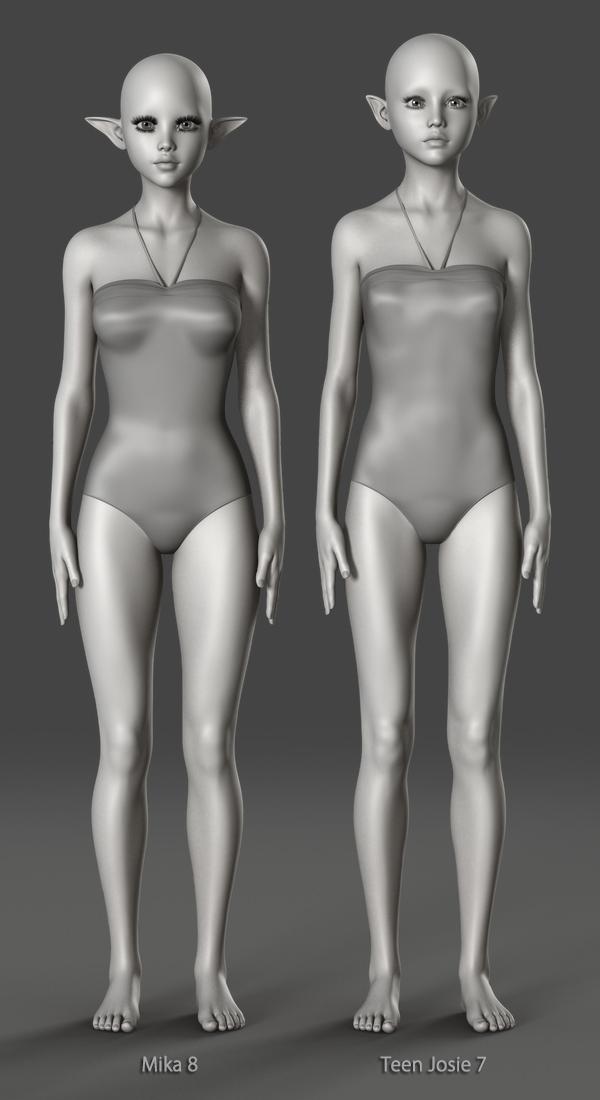

Thanks a bunch. Just as i suspected. Teen Josie 7 and Mika 8 as basically the same with small morph differences.
The majority of characters vary only in their morphs and textures... Surprising really!
True, but the difference between Mika 8 and Teen Josie 7 are so minor, the look almost the same.
There are similarities, I'll grant you, but they don't look almost the same to me. I'm nowhere near familiar with either to tell them apart when separate (well other than their eye size is an obvious give-away). I suppose the problem is that TJ8 (and earlier) looks stylised, as no teen has eyes so large; hell no child has eyes that large proportianally.
Their eyes looks almost identical. Maybe it's the huge eyelashes and makeup throwing you off with the Mika 8. I don't have the same angle for both of their faces, but this is the best I can do comparing faces and eyes. I superimpose their images.
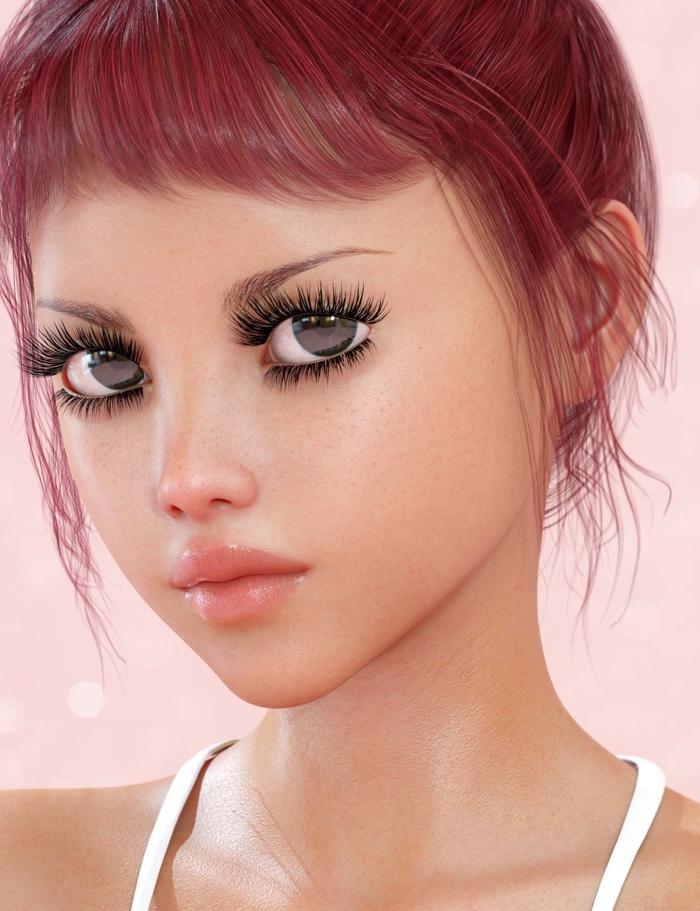
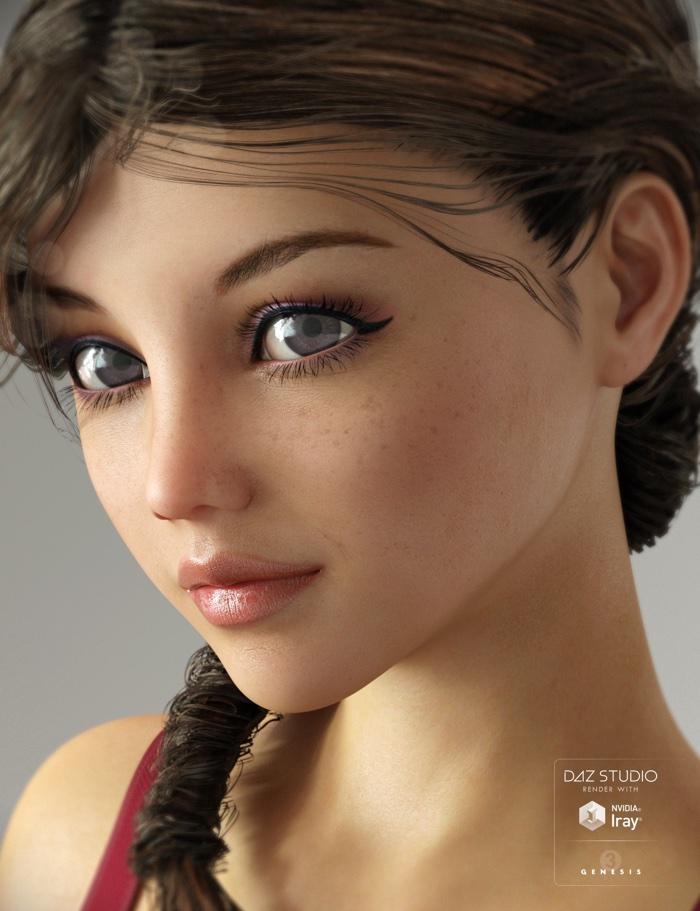

Take a look at ALL of Thorne's models. Their eyes all look like this, its very much part of his theme with his characters. Every single one of them has huge eyes and thick lashes. All the way back to his V4 models. Its one of my favorite things about his models.
.pmd Files in Daz Dragon 3 ?I've run into a problem concering the Daz Dragon 3 , using Poser 11. It's loaded OK, using DSON..no problem. The classic winged dragon is working just fine. But when I try to load the wingless morph version of the dragon, it crashes , trying to locate various .pmd files. Can anyone point me towards just where Poser 11 keeps .pmd files ? Or am I missing something obvious here ? This is my first attempt to load Daz Studio files into Poser via DSON.
How do I use Morph Loader Pro Edge Strength? (Solved)Morph Loader Pro contains a setting for Edge Strength. It is a subsetting under the Attenuate setting. (See attached screenshot.) What does it control and how do I use it? I am unable to find any documentation on it. I watched a YouTube video by Josh Darling on New Morph Tools, and although it showed this control on the screen, I don't think it mentioned anything about what it is or how to use it.
 (Released) Leviathan Suit for Genesis 8 (Commercial)
Let me just give you my money now..... =-)
Question... are there adjustments for the male groin anatomical elements area.... does it respond to the bulge morph? It’s a bit small down there for my tastes and I know some of these suits you can’t adjust..... sorry to be indelicate

To be honest it was originally modeled for Genesis 3 Female then rejected that and I converted to Genesis 8 Female, saw post in one of the thread saying you wanted more male stuff so it was a quick conversion to the male. Did that over a weekend so it was a bit rushed and never really got around to those type of morphs but I'm sure one of the morph packs from SY or Zev0 will have something !.
Hey thanks for thinking of me.
 I Will have to forage and see if something I have can make it look less flat in that region.
It's a 5min job so might post a freebie here, as you've been a great support of my work thanks !
(Released) Leviathan Suit for Genesis 8 (Commercial)Let me just give you my money now..... =-)
Question... are there adjustments for the male groin anatomical elements area.... does it respond to the bulge morph? It’s a bit small down there for my tastes and I know some of these suits you can’t adjust..... sorry to be indelicate
To be honest it was originally modeled for Genesis 3 Female then rejected that and I converted to Genesis 8 Female, saw post in one of the thread saying you wanted more male stuff so it was a quick conversion to the male. Did that over a weekend so it was a bit rushed and never really got around to those type of morphs but I'm sure one of the morph packs from SY or Zev0 will have something !.
Hey thanks for thinking of me.
I Will have to forage and see if something I have can make it look less flat in that region.Identifying a morph dialHi. I'm putting together a character MOR to be shared and I can't identify where a couple of the ones I used came from. Can someone tell me what morph set "MW-EyesOuterCornerHeight" and "MW-MouthCornerUp-Down" come from?
Thanks in advance.
Show Us Your Bryce Renders Part 10Thank you, Mermaid, Dave Savage and Horo.
Interesting jallopies, Dave. And lovely render from Dan Whiteside - one day I must work out how to transfer a whole scene from DAZ Studio. I have lots of problems getting the textures to work.Today I decided to visit the French Alps (near Chamonix) - from morning till dusk.
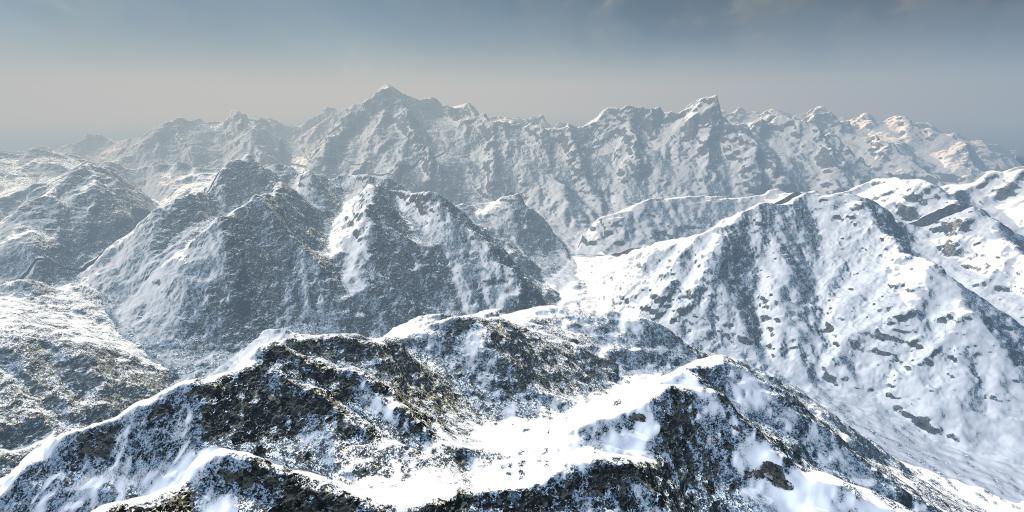
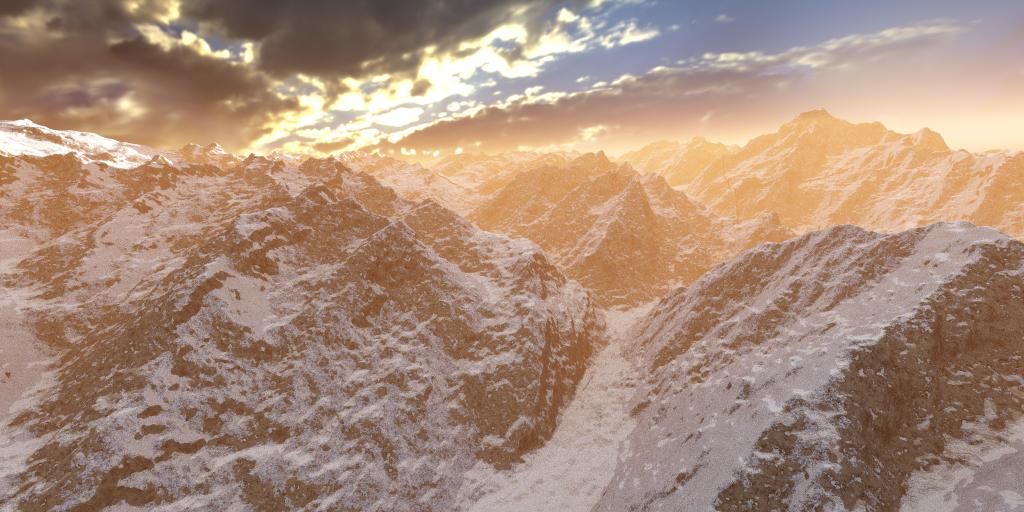 Pose converter?
so the linked program is only transfer to Genesis..not G2,3,8? So there is a difference between g2, 3, 4 and Genesis1,2,3,8 yes?
Keep in mind the original posts before the one above yours were from 2013. There are some pose transfer utilities in the DAZ store for the newer Gensis 2+ figures.
Daz 3D is part of

Connect
DAZ Productions, Inc.
7533 S Center View Ct #4664
West Jordan, UT 84084Licensing Agreement | Terms of Service | Privacy Policy | EULA
© 2026 Daz Productions Inc. All Rights Reserved.