-
Imported Obj file needs bone rig
My problem is that iClone won't export as a FBX file, only as an OBJ file. So I was wondering if there is a way to copy the bones from another actor into mine... I tried the transfer utility but to no avail.
Shape Splitter - Divide, Combine and Save (The new version is already available. 1.2.1)[Commercial]If it is a bug, but not the script, it is only given when it is executed from the menu. If it is executed from the content library, it works correctly. I recommend that you reduce the time the window is hidden, for example one minute.
I increased the hide time to 60 min because I do a lot of complex selection in the geometry editor.
So you say the bug is not in X-Morph, it in DAZ... than DAZ should fix it ;)This new and "unique" product feature is not supported, in the DAZ documentation.
Selbsthilfegruppe DAZ Studio - Beispiele, Fragen, Diskussion und sonstiges GequatscheNochmal was zum "Ericka" Character:
Bei mir hat sich dieses "Produkt" speziell durch eine häßliche Verkrüppelung im Hüft-Bereich bemerkbar gemacht. Diese Hand-/Fingerknochen Verschiebung konnte ich nicht feststellen.
Nachdem ich den Ericka-Morph auf 0% gestellt und meine G8F neu gespeichert hatte, war der "Spuk" vorbei.
Ein weiterer Eingiff im Content war nicht notwendig.Gruß
AndreasShape Splitter - Divide, Combine and Save (The new version is already available. 1.2.1)[Commercial]If it is a bug, but not the script, it is only given when it is executed from the menu. If it is executed from the content library, it works correctly. I recommend that you reduce the time the window is hidden, for example one minute.
I increased the hide time to 60 min because I do a lot of complex selection in the geometry editor.
So you say the bug is not in X-Morph, it in DAZ... than DAZ should fix it ;)Rank Newbie weight map questionHelp! I'm stuck.
I'm no stranger to rigging, been doing it in Poser for years, but now learning DS. I know what I have to do, I just don't know what buttons to push to do it. I get stuck at this point with every outfit I've tried to rig. 8-(
Here's where I'm stuck. I created a skirt and top. Used the Transfer Utility and one of Sickle's templates for the skirt. Now I want to tweak the weight maps.
So I select a random part (doesn't matter which). Open the Tools palette and select the weight painting brush. As you can see in the screen cap I see the weight painting brush just fine. But the problem is, the weight maps aren't appearing and the brush isn't doing anything. I must be missing something somewhere. Can anyone point me in the right direction? I don't have much hair left. LOL
Novica & Forum Members Tips & Product Reviews Pt 11Michiko HD (Gen 8F) Dolly Changeable Hair (Gen8F) Fancy Pool Party Outfit (Gen3F)
Since there was a Mousso Flash Sale, I picked up some more gals. This is a combination of the Pro-Studio Lights and BOSS Lights, but I moved the lights a LOT and did my own thing with the tilting, rotating, distance away, etc. So pretty much my own setup almost from scratch. BOSS lights give you a good starting point, and the PDF is exceptional that tells you suggestions and what does what, and why these vary from HDRI lighting.
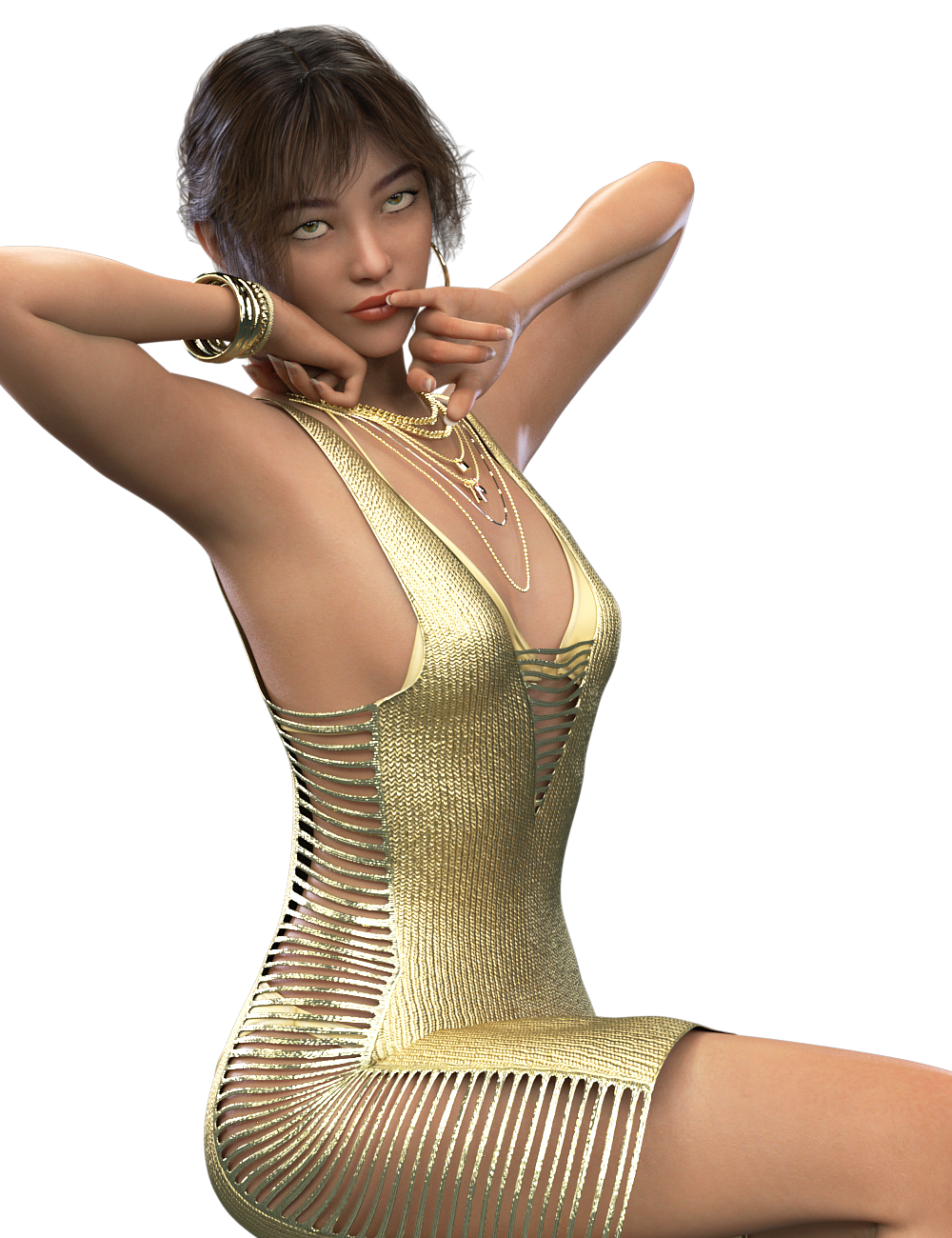
The Fancy Pool Party Outfit is for Genesis 3, shown on Genesis 8. Although it has a bend morph, the bottom of the dress really doesn't impress me as it didn't hug the underneath of the legs- using the Parameter morphs. I did NOT explore Scene tab and break down the bones to see if anything else could be done. I definitely was impressed wtih the lower the shoulder strap morph- I think ALL tops should be required to have that so we don't have the stupid straps arching above the shoulders. I mentioned this to you folks because it was very reasonable (I think around $6) and you get a lot of jewelry with the outfit. Hoop earrings, necklaces, bracelets.
Click to enlarge.
 Getting priced out of this hobby
I've been in "acquiring" mode for the past year and a half, now I'm probably going back to "making do" mode. Spent a few minutes this morning trying to see how the old Versailles Tail (last PA attempt at a hairstyle similar to what was released today) by Arien, Wyrdbard, etc would hold up in Iray, and with the proper hair shaders and positioning adjustments it did okay. (Profile shots were going to be iffy because of the way the tie and ponytail were modelled/transmapped, but front and rear shot both looked pretty good).
Yep, I have that hair too. Plus, Genesis, G2M and G3M all have the exact same Viking hair product. Talk about a lack of compatibility between generations. That's like the Belle Dress I had for G3F, now they have the exact same dress for G8F. Thought they could wear each others clothes? Seems like it never ends.
As far as the Viking hairstyles go, they're catering to the laziness (or lack of time) of people who can't be bothered to parent a hair, translate to position it properly, look up and use the morphs for adjusting how it sits on shoulders/back/chest.One step autofit for armor, big flowy dresses, and high heels seems to be the unattainable holy grail of autofit. But I'd like to sit down sometime, do an ultra-accurate recreation of the V4/M4 default pose for Genesis 3, and then see if I can get Sickleyield's approach of "pose character/load clothes to be converted/change clothing's scene identification to match character/transfer rigging from character to clothes/fit to character" to work for things like Paladin and Paragon (currently easier just to hide everything but G3's head and parent to invisible M4 wearing P&P), Annunaki (currently a mix of parenting the armor and an only marginally successful autofit of the skirt) or My Princess Dress (currently easier to autofit the top and parent the skirt to G3F's lower abdomen.)
I would be psyched as heck to have a tutorial like that! What a great resource it would be. I am forever parenting things, then using trans and rotate dials and scaling to make hairs fit other figures. Same with clothes that are unwilling to work. I remember the days when vendors gave you clothes with mats to hide body parts to avoid poke through because there were no fit morphs. And yes, a few of them needed the whole body OFF. Crazy to create clothing with no morphs back then. And I still get a few now too. Not as drastic as shutting of body parts, but that don't have enough morphs to fix poke through when posing. So yeah, I'd for sure be interested in that tutorial. Holler.....
Well, have to see if my theory works first, then see if it requires a tutorial beyond what SY has put up. :)
Getting priced out of this hobbyI've been in "acquiring" mode for the past year and a half, now I'm probably going back to "making do" mode. Spent a few minutes this morning trying to see how the old Versailles Tail (last PA attempt at a hairstyle similar to what was released today) by Arien, Wyrdbard, etc would hold up in Iray, and with the proper hair shaders and positioning adjustments it did okay. (Profile shots were going to be iffy because of the way the tie and ponytail were modelled/transmapped, but front and rear shot both looked pretty good).
Yep, I have that hair too. Plus, Genesis, G2M and G3M all have the exact same Viking hair product. Talk about a lack of compatibility between generations. That's like the Belle Dress I had for G3F, now they have the exact same dress for G8F. Thought they could wear each others clothes? Seems like it never ends.
As far as the Viking hairstyles go, they're catering to the laziness (or lack of time) of people who can't be bothered to parent a hair, translate to position it properly, look up and use the morphs for adjusting how it sits on shoulders/back/chest.One step autofit for armor, big flowy dresses, and high heels seems to be the unattainable holy grail of autofit. But I'd like to sit down sometime, do an ultra-accurate recreation of the V4/M4 default pose for Genesis 3, and then see if I can get Sickleyield's approach of "pose character/load clothes to be converted/change clothing's scene identification to match character/transfer rigging from character to clothes/fit to character" to work for things like Paladin and Paragon (currently easier just to hide everything but G3's head and parent to invisible M4 wearing P&P), Annunaki (currently a mix of parenting the armor and an only marginally successful autofit of the skirt) or My Princess Dress (currently easier to autofit the top and parent the skirt to G3F's lower abdomen.)
I would be psyched as heck to have a tutorial like that! What a great resource it would be. I am forever parenting things, then using trans and rotate dials and scaling to make hairs fit other figures. Same with clothes that are unwilling to work. I remember the days when vendors gave you clothes with mats to hide body parts to avoid poke through because there were no fit morphs. And yes, a few of them needed the whole body OFF. Crazy to create clothing with no morphs back then. And I still get a few now too. Not as drastic as shutting of body parts, but that don't have enough morphs to fix poke through when posing. So yeah, I'd for sure be interested in that tutorial. Holler.....
Anyway to get rid of the breast bone poke out thing?As far as I understand, this artifact is a result of the rigging of the character. The Genesis ladies are made with big breasts, and big breasts is what they must have in their conformed clothing, or so it seems. Apparently, the morphs to produce smaller breasts do not cross over well in to clothing with the resulting ridge appearing in the middle of the chest as you have shown. I raised this issue with the Help desk quite a long time ago and got nowhere in solving it. The only way I have found to solve the problem is to use a third party mesh morphing program, like Zbrush, to make a morph on the clothing to counteract the chest bump. However, in some cases I found that the chest bump persists despite a counteractive morph on the clothing, as though some setting in the figure rigging was overriding the counteractive morph. This is a long standing issue (I'm talking about years) which should have been solved by now.
Getting priced out of this hobbyI've been in "acquiring" mode for the past year and a half, now I'm probably going back to "making do" mode. Spent a few minutes this morning trying to see how the old Versailles Tail (last PA attempt at a hairstyle similar to what was released today) by Arien, Wyrdbard, etc would hold up in Iray, and with the proper hair shaders and positioning adjustments it did okay. (Profile shots were going to be iffy because of the way the tie and ponytail were modelled/transmapped, but front and rear shot both looked pretty good).
Yep, I have that hair too. Plus, Genesis, G2M and G3M all have the exact same Viking hair product. Talk about a lack of compatibility between generations. That's like the Belle Dress I had for G3F, now they have the exact same dress for G8F. Thought they could wear each others clothes? Seems like it never ends.
As far as the Viking hairstyles go, they're catering to the laziness (or lack of time) of people who can't be bothered to parent a hair, translate to position it properly, look up and use the morphs for adjusting how it sits on shoulders/back/chest.One step autofit for armor, big flowy dresses, and high heels seems to be the unattainable holy grail of autofit. But I'd like to sit down sometime, do an ultra-accurate recreation of the V4/M4 default pose for Genesis 3, and then see if I can get Sickleyield's approach of "pose character/load clothes to be converted/change clothing's scene identification to match character/transfer rigging from character to clothes/fit to character" to work for things like Paladin and Paragon (currently easier just to hide everything but G3's head and parent to invisible M4 wearing P&P), Annunaki (currently a mix of parenting the armor and an only marginally successful autofit of the skirt) or My Princess Dress (currently easier to autofit the top and parent the skirt to G3F's lower abdomen.)
Getting priced out of this hobbyTo me, it all comes down to very old advice - "it ain't just what you got, it's how you use it."
I come from a photography background, where it's very easy to go crazy buying lenses and filters and endless post-processing packages and it's all for naught if you don't really concentrate on the best actual photograph you can take. Friends of mine who have spent thousands on film equipment years ago were lucky to unload it for $100.00 on ebay. So, with that mindset, I've never overspent on this CG hobby and I've resisted the Pokemon mentality. I also get a huge kick out of creating my own characters with Facegen and morph packages, retexturing clothes and vehicles, kitbashing, minor modeling, making my own textures, and so forth. All part of the fun for me.
The prices at Daz for newer items still seem to be a bargain to my jaded eyes.
Plantigrade animal paws for G3/G8!We have a few morphs for digitigrade paws for Genesis 3 and 8, some of them quite good. However, when it comes to stuff for plantigrade anthro animals, we don't really have any options. Even the Mustelid Legs morph from HFS, which should by all rights be plantigrade, is digitigrade. I'd like to see some options for plantigrade paws.
at LONG LAST a new Davidedit: Actually, Stephanie made her first debut in the very first Vicky and Mike generation (she was actually based on Michael 1's mesh). She skipped version 2 (generation 2), ...Are you sure? My recollection is that she came out during the 2 stage (which was, of course, essentially a morph expansion for 1).
No, Stephanie was there in the very first generation to my memory, although she came out kinda long after Vicky and Mike did (because she was based on Mike). I can't say it for total certainty though because I'm a fallable being, but to my recollection, she was in the very first generation ;).
Laurie
Morphs from G3 to G8@5200north I think a-sennov's tutorial is easy.
Head morph, Body morph or both, the method is always identical, just you set at 100% the morph you want to transfer.
at LONG LAST a new Davidedit: Actually, Stephanie made her first debut in the very first Vicky and Mike generation (she was actually based on Michael 1's mesh). She skipped version 2 (generation 2), ...Are you sure? My recollection is that she came out during the 2 stage (which was, of course, essentially a morph expansion for 1).
Darwins' Schtuff Pt DeuxDesperado for Genesis 3 by Luthbell. I autofit them (which worked fairly well, depending on the pose), but had to pose the feet individually then hide the feet and toes because I was lazy and didn't want to do the auto transfer instead. :)
Yes... I own that!! Thank you for the confirmation. :)
Very welcome!
Darwins' Schtuff Pt DeuxDesperado for Genesis 3 by Luthbell. I autofit them (which worked fairly well, depending on the pose), but had to pose the feet individually then hide the feet and toes because I was lazy and didn't want to do the auto transfer instead. :)
Yes... I own that!! Thank you for the confirmation. :)
Darwins' Schtuff Pt DeuxDesperado for Genesis 3 by Luthbell. I autofit them (which worked fairly well, depending on the pose), but had to pose the feet individually then hide the feet and toes because I was lazy and didn't want to do the auto transfer instead. :)
Morphing Dungeon/Castle Type Room/Caverns For Poser (and DS...ish)*I have a question, I have just finished this picture and I am missing morphs that stretch walls and pillars up, it can be seen here. I am asking if it can be done maybe, because this is very nice and useful model. Here it is, first render is where it can be seen how the walls and pillars cant stretch https://www.daz3d.com/forums/discussion/comment/3612091/#Comment_3612091
Haven't used this in along time so I just had a check (DS4.8)
It's the 'IncreaseRoomHeight'morph (second morph under the 'Shaping' tab.It's grouped under 'WholeRoom' morphs).You'll also probably want to use the 'DropRoofBelowFloor' morph to either hide the roof (by moving it below the floor) or raise the roof to match the increased room height (if you're using a camera inside the room).
Screenshot attached-I've set 'IncreaseRoomHeight'=119.4%, and 'DropRoofBelowFloor'=183.9% put the roof out of sight under the floor
Morphs from G3 to G8I'very read through this thread a couple time and I am so confused I don't know where to start.
I have some G3M characters that I've made through playing around with the morphs and I've love to transfer them to G8M. I dont nesssarily need to transfer the bodies, I'd be happy if I could put the G3M head on the G8M body. It seems like some people have run into problems with the body transfers so that's not an issue.
a step by step instructions would be great, I see a lot of info for the girls but not much for the boys.
Sorry if this has been posted before, I just can't seem to figure this one out by myself.
Thanks guys,
Daz 3D is part of

Connect
DAZ Productions, Inc.
7533 S Center View Ct #4664
West Jordan, UT 84084Licensing Agreement | Terms of Service | Privacy Policy | EULA
© 2026 Daz Productions Inc. All Rights Reserved.