-
Why Aren't My M4 Skin Textures Working on Genesis in Poser 9?Richard Haseltine said:You could use Texture Converter 2 with the Michael 4 and Victoria 4 plugins to literally convert the maps, of course.
Is there a Genesis plugin for Texture Converter 2? I can't find it.
Why Aren't My M4 Skin Textures Working on Genesis in Poser 9?The UV set is a setting for the whole material, it isn't a setting for the texture as it is in Lightwave or modo, so you can't mix different mapping on the same zone (you can use different maps on different material zones on a single figure). You could use Texture Converter 2 with the Michael 4 and Victoria 4 plugins to literally convert the maps, of course.
M4 creature Cereator morphs problemsJaderail said:You are Correct, I found my FULL M4 CC injector. Is one folder above the seperate injectors.All of the block-injection poses I have, including the creature morphs, are in the DAZ's Michael 4>Morph Injections folder, with subfoldrs for the individual injection poses.
Stuck in "Preparing data" when loading a saved sceneHI Riggswolfe :)
There will be some scenes which you can now create in the 8.5 beta, which won't load the same,. or at all,. in C8.1
For example : anything with genesis. :-/
But, there are other new features of the C8.5 beta, which will cause some issues in transferring to the (current retail release) of C8.1,... simply because the exist only in current Beta C8.5,
So, The ability to transfer scenes "Backwards" from newer version of a program will be less,... because of the different technology and functions which have been added to the newer version
Carrara will still have the ability to transfer older scenes, shaders, and objects, from C6, C7, or C8,. To C8.5
Going Forwards, is fine, but, Going Backwards,.. may not be :(
In Carrara,
if you save your file,. try to save it from the Assembly room,. ..rather than from another room like the vertex modeller, or the shader room,
Also , .. try to close down any open shader pane's and colour pane's.These are all being held in Memory while they're open, and if you've been Changing, Swapping or generally adjusting things...
All of those adjustment are being held in an "Undo" list,..
so,. for example,If you load V4,. (from your Daz or Poser) Content Runtime,... and then you change the default skin, ..then change it to another skin,....
All of those are held in case you want to Undo.The vertex modeller, has the ability to open several objects, and each modelling screen,. holds all the information for that model,. plus any undo..
So,. remember, before you close Carrara, and save the file.. .. close any modelling, or shaders,... the go to the assembly room, and use the "Remove unused" options,. since the will remove any Shaders, Models, etc which are "Not Currently Active" in the scene
one last thing,.. How are you loading figures,...?You have entries like "BlMillMan_etc...
If you're using the Carrara Content Browser to See, your Current DS or Poser stuff,. then you should see then loaded with their proper names EG: Michael 4,..Victoria 4 etc.
Hope it helps :)
Question about compatabilityAll DAZ 3D Poser items before Genesis will work correctly in Poser 7. Genesis and any Genesis related items will NOT work in Poser 7 or Poser 8.
Any Victoria 4 or Michael 4 figures will work correctly in your version of Poser.A gunbelt or holster for M4?Anyone know of a modern looking non-sci-fi gunbelt/holster for Michael 4? I'm having trouble finding one and I've been looking for quite a while. :/ The one I was going to use (from Hardcore M4) just looks too sci-fi for what I need which is for an adventurer style character. It needs to be for commercial use. I'd be very grateful for any links to products because most stores' search functions leave much to be desired. The gunbelt/holster could be for other figures too (except Genesis) because I have XDresser to convert things with. Thanks for any help!
Installing Daz Content into Poser 9I'm having this problem, as well. I figured out how to install SOME of my content, but not all of it. V4 installed to the public/documents/Poser9 Content folder, and she shows up in my library. Woohoo! But M4 will not. I get an error message that says "When used with Poser TM, "Michael 4 Base" must be installed to the same directory as the application executable, due to restrictions on support file locations. Please select the directory that contains your Poser executable." Okay, fine. No problem. I tried installing it to the Poser 9 directory, just as I used to do with Poser 8. No deal. Either way, he doesn't show up in my library. I'm starting to feel pretty stupid...
THE 4TH ANNUAL WINTER WONDERLAND contest/challengejeeperz said:Lord Ganthor said:So, ya wanna story, do ya? Hokay, how'ziss? Wussa 'pon a time on da mythical Island of York dere was a magical place called Central Park. Central Park was da home to da mythical Beer Brewin' Elves whoes jobs it wuz t' gadder all udda mythical Brew Berries what grew on da bushes in da Park. The Brew Elves would crushes da berries t' make da beer for Ol' St. Nick sos he could fly 'round da woild deliverin' packages 'n' presents t' all da people uddda Oith. De End. Oh, and dey made pizza, too. De End.1.) Shawn for M4++ Character Morph. Registration Required.
2.) Moustache 19th from Top.
3.) Mitch Hair
4.) Unforgiven for Aiko 3 Cigar Prop Only. Download Link on Right.
5.) Gruffles the Elf]Gruffles the Elf Registration Required.
6.) Pizza Box with Pizza Registration Required.
7.) Pressoir Registration Required.
8.) Wooden Crate with Apples Registration Required.
9.) Nikisatez's Free Tree Stump Registration Requied.
10.) Le-seau Registration Required. It's the bucket.
11.) Cardbord Box 1st Item.
12.) Fence 3DS Format.
The Santa Claus Outfit for Michael 3 was a free give-away from Most Digital Creations for the 2010 season and is now only available as a paid for item. So, I guess it's a paid for now? Also paid for, Michael 4, Morphs++ and Michael 3 (to set up the Santa Claus outfit). The beer bottles used in the render are, alas, no longer available.
The 3DS Models in this render were converted to .obj format for import into Studio using PoserRay, available Through This Link Converts Lightwave and 3DS files into .OBJ format files. Free and easy to use.
Some of the items used in the render were Poser or Daz Studio dependent and were replaced with native Bryce materials for effect. Figure set-up in Studio 2.3 (I'm havin' a tough time with 4.5, okay?!?) and final render in Bryce 7.1 (that I got to work!). No postwork save for addition of signature and copyright notice.
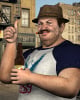
and what would a contest be without an appearance by da real man
I totally agree. And LG, don't forget to give him a 2nd outing in this thread http://www.daz3d.com/forums/discussion/9770/ Pretty please.THE 4TH ANNUAL WINTER WONDERLAND contest/challengeLord Ganthor said:So, ya wanna story, do ya? Hokay, how'ziss? Wussa 'pon a time on da mythical Island of York dere was a magical place called Central Park. Central Park was da home to da mythical Beer Brewin' Elves whoes jobs it wuz t' gadder all udda mythical Brew Berries what grew on da bushes in da Park. The Brew Elves would crushes da berries t' make da beer for Ol' St. Nick sos he could fly 'round da woild deliverin' packages 'n' presents t' all da people uddda Oith. De End. Oh, and dey made pizza, too. De End.1.) Shawn for M4++ Character Morph. Registration Required.
2.) Moustache 19th from Top.
3.) Mitch Hair
4.) Unforgiven for Aiko 3 Cigar Prop Only. Download Link on Right.
5.) Gruffles the Elf]Gruffles the Elf Registration Required.
6.) Pizza Box with Pizza Registration Required.
7.) Pressoir Registration Required.
8.) Wooden Crate with Apples Registration Required.
9.) Nikisatez's Free Tree Stump Registration Requied.
10.) Le-seau Registration Required. It's the bucket.
11.) Cardbord Box 1st Item.
12.) Fence 3DS Format.
The Santa Claus Outfit for Michael 3 was a free give-away from Most Digital Creations for the 2010 season and is now only available as a paid for item. So, I guess it's a paid for now? Also paid for, Michael 4, Morphs++ and Michael 3 (to set up the Santa Claus outfit). The beer bottles used in the render are, alas, no longer available.
The 3DS Models in this render were converted to .obj format for import into Studio using PoserRay, available Through This Link Converts Lightwave and 3DS files into .OBJ format files. Free and easy to use.
Some of the items used in the render were Poser or Daz Studio dependent and were replaced with native Bryce materials for effect. Figure set-up in Studio 2.3 (I'm havin' a tough time with 4.5, okay?!?) and final render in Bryce 7.1 (that I got to work!). No postwork save for addition of signature and copyright notice.
and what would a contest be without an appearance by da real manTHE 4TH ANNUAL WINTER WONDERLAND contest/challengeSo, ya wanna story, do ya? Hokay, how'ziss? Wussa 'pon a time on da mythical Island of York dere was a magical place called Central Park. Central Park was da home to da mythical Beer Brewin' Elves whoes jobs it wuz t' gadder all udda mythical Brew Berries what grew on da bushes in da Park. The Brew Elves would crushes da berries t' make da beer for Ol' St. Nick sos he could fly 'round da woild deliverin' packages 'n' presents t' all da people uddda Oith. De End. Oh, and dey made pizza, too. De End.
1.) Shawn for M4++ Character Morph. Registration Required.
2.) Moustache 19th from Top.
3.) Mitch Hair
4.) Unforgiven for Aiko 3 Cigar Prop Only. Download Link on Right.
5.) Gruffles the Elf]Gruffles the Elf Registration Required.
6.) Pizza Box with Pizza Registration Required.
7.) Pressoir Registration Required.
8.) Wooden Crate with Apples Registration Required.
9.) Nikisatez's Free Tree Stump Registration Requied.
10.) Le-seau Registration Required. It's the bucket.
11.) Cardbord Box 1st Item.
12.) Fence 3DS Format.
The Santa Claus Outfit for Michael 3 was a free give-away from Most Digital Creations for the 2010 season and is now only available as a paid for item. So, I guess it's a paid for now? Also paid for, Michael 4, Morphs++ and Michael 3 (to set up the Santa Claus outfit). The beer bottles used in the render are, alas, no longer available.
The 3DS Models in this render were converted to .obj format for import into Studio using PoserRay, available Through This Link Converts Lightwave and 3DS files into .OBJ format files. Free and easy to use.
Some of the items used in the render were Poser or Daz Studio dependent and were replaced with native Bryce materials for effect. Figure set-up in Studio 2.3 (I'm havin' a tough time with 4.5, okay?!?) and final render in Bryce 7.1 (that I got to work!). No postwork save for addition of signature and copyright notice.
M4 Arms DeformedRichard Haseltine said:Your morphs or your figure are old, somehow - if the figure is labelled as SR1 or SR2 then reset the morphs from your order history, otherwise reset the figure, and install the new version.Ok, it took a while but I went back to my order history and reset, downloaded and re-installed Michael 4, The Freak 4 and all the morphs for each. I also updated Poser to SR3.1. I restarted my computer, Poser, downloaded a fresh copy of M4, injected all the morphs and the arms are still deformed. I'm truly stumped!!!
AIUTO...CHI CONOSCE L'ITALIANO? PARTE DIECIxxxgiulio3 said:Alleluya grazie per le informazioni , ovvio non compro tutto avevo già preso V5 ci sto ancora smanettando devo prendere mano prima, però già sapere cosa prendere è un passo avanti,ho altri quesiti intanto li metto poi chi vuol rispondere lo faccia.V5 è un morph di Genesis, quindi quasi tutto quello che va bene a Gensis dovrebbe andare bene a lei, ma con l'opzione Autofit si sitema all'85%
xxxgiulio3 said:
Gli scenari, con daz 4.5 ce ne uno, mi chiedevo si possono regolare? nel senso quando lo metto si vede ancora la griglia sembra che lo scenario sia in fondo verso il basso, si può centrare?La griglia che vedi scompare nel render, e indica una sorta di pavimento, in DAZ 4.5 c'è di base quello bello sospeso a mezz'aria, io l'ho usato in questo render -> http://lord-crios.deviantart.com/#/d5jf0fm
Se ci clicchi sopra e vai in parameters puoi sposaterlo sull'asse Y (su/giu) X (destra/sinistra) e Z (avanti/dietro)
2 Avevo già detto che il genere che voglio creare è del 3d erotic, quindi mi chiedevo con daz si possono creare modelli in stile futunari? o anche detti she-male?Per quel tipo di render dovresti prender un pippero e "attaccarlo" a V5, oppure comprare M5 e usare il suo di pacco (quanti eufemismi), però su questo non posso aiutarti, non ho ne M5, ne V5, ne mi diletto con questo genere di render.
3 Sto per fare degli acquisti su render erotica, nelle specifiche delle pose o dei vestiti ce scritto per V4,M4,A4, ora questi modelli non li ho, ma nel caso in cui li prendo, questi pacchetti li compro a colpo sicuro?Allora, V4 = Victoria 4.2 ; M4 = Michael 4 ; A4 = Aiko 4 (morph di Victoria 4.2). Se li vuoi usare su V5 non farlo. Butti solo soldi.
Spero di esserti stato utile.
AIUTO...CHI CONOSCE L'ITALIANO? PARTE DIECII morph ++ sono morph aggiuntivi per Victoria o per Michael.
Per un V4 (Victoria 4) completa dovresti avere:
Victoria 4 -> http://www.daz3d.com/shop/victoria-4-2-base
Victoria 4 Morphs++ -> http://www.daz3d.com/shop/victoria-4-2-morphs
Victoria 4 Creature Creator Morphs -> http://www.daz3d.com/shop/victoria-4-2-creature-creator-morphs
Ci sarebbero altri morphs come gli Elite o i Muscle, ma quelli che ho elencato sono i più comunemente usati.
Per Michael 4 (M4) vale lo stesso discorso:
Michael 4 -> http://www.daz3d.com/shop/michael-4-base-male-3d-model
Michael 4 Morphs++ -> http://www.daz3d.com/shop/michael-4-morphs
Michael 4 Creature Creator Morphs -> http://www.daz3d.com/shop/michael-4-creature-creator-morphs
La spesa è altina, ma se metti tutto in wishlist prima o poi la DAZ qualcosa lo regala, qualcosa lo mette in super sconto, e qualcosa puoi prenderlo con un voucher.
Azz, sono mesi che la DAZ non da voucher, vero?
how to get Genesis CompleteThe Evolutions morphs are essential as others have said, but if you bought the Genesis Starter Bundle, you should have them already. They should allow you to change waist size, leg length, etc. There's another very nice general morph set available for free: http://www.sharecg.com/v/58198/
For realistic men and women: I'd start with Michael 5 (get the Pro Bundle if you can--Michael's clothing and hair tends to look good on the girls, too) and either Victoria 5 or Stephanie 5 for women...V5 is bustier (especially with the included Supermodel shape and breast morphs) and S5 is more petite. S5 doesn't come with the extra breast shaping morphs, but she has three face shapes and three body shapes to Vicky's one face and two bodies. Take a look at the Ethnicity bundle also (or SickleYield's Diversity and similar sets, sold at Renderosity).
If you want to do nude renders, note that Genesis genitals are only available in certain bundles:
Michael 5 Pro Bundle (male)
Michael 5 Pro Suite (male)
Victoria 5 Pro Bundle (female)
Victoria 5 Pro Suite (female)
Stephanie 5 Pro Bundle (female)
Genesis Michael Victoria Combo Bundle (both male and female)For anime: Hitomi and Hiro 5, and their accessories.
For creatures: Genesis Creature Creator Bundle, Epic Wings, Gorilla, Troll (you should have the Troll already as it came in the Starter Bundle), Tamesis Bundle, and look at various creatures by RawArt and Valandar, among others.
In general: The Gen 3 Iconic Shapes Bundle is great, especially if you have a lot of clothing for third-generation figures like Michael 3, Aiko 3, etc. David 3 for Genesis is sold separately, but unlike the others he comes with extra head shapes which is nice. The V4 and M4 Shapes for Genesis are required for a number of characters in the store, but they are less essential now since the release of V5 and M5. Still, the more shapes and morphs you have, the better! And skin textures, too, for that matter...if you have some built for Victoria 4 or Michael 4, they will work fine on Genesis too.
One more important note: if you are buying a bunch of stuff, join the Platinum Club ($30 for one month) and get 30% off all DAZ Originals. Should end up being cheaper that way...most of the items I mentioned are DAZ Originals.
Black Is Beautiful IIOh my goodness... I didn't see those at all. Now that's too funny. They both had some problems with the skin breaking through but I did mesh smoothing a couple of times and it was fixed, at least it use to be fixed. And the pouch in the leg? I never saw that. Thank you loads. I think I can fix it, if not I know I can remove it. Her left hand half glove has some problems as well. I also moved the gun down some so it's not so close to her face.
She's Victoria 4.2 Nabila with a few tweaks. I loved the gear and the morph and used it all except the hair. Nabila's skin is great. I wanted it to look as real as possible and it does. But I also think the lighting and rendering helped a lot with the skin and that I owe to you.
He's Michael 4 with the Brad morph and a few tweaks as well. I also used my set of actual eyes with reflections for both. Didn't like the eyes they both came with.
Haunted House of Draculagposchman said:Hi Rawn,So I was going through your store and I found a character I might want for my graveyard, the product is Roarc which is based on Michael 4. I assume I need to purchase Michael 4, if I purchase Roarc is he a character I can use in my 3d Game? Are there additional costs?
Gene
Good example
You would have to buy Michael 4, The Roarc character, the DAZ game License, and my Rawart Game license to be able to use that character.But that said...you could also then use any daz original figures, and any of my characters...you do not need to buy a license for each individual character.
Rawn
Haunted House of DraculaHi Rawn,
So I was going through your store and I found a character I might want for my graveyard, the product is Roarc which is based on Michael 4. I assume I need to purchase Michael 4, if I purchase Roarc is he a character I can use in my 3d Game? Are there additional costs?
Gene
Installing The freak 4 in Daz 4.Run the installer and install tot he same location as Michael 4.
Possibly a stupid question....bnc300 said:wilmap said:You would need Victoria 4 and the Morphs++ to be able to use that one. You can't use it without.Any one i wouldn't need it for? Or any of them? I'm just stuck at what to do. -_- Thanks for replying! I love and WANT to use that outfit, but i'm not sure what to do about that?
Looking at the picture, the outfit is from this free bundle: Anime Star Fighter
This bundle also contains Aiko 3 base figure. Aiko 3 is a separate figure, which does not need Victoria 4 (Aiko 4 needs Victoria 4 to work, but Aiko 3 is independent). The outfit in your picture is Mech Girl for A3. So you already have Aiko 3 figure and this outfit is designed for her. You just load Aiko 3, put the outfit on her, pose, render. Victoria 4 cannot wear this outfit. Genesis figure can wear it via Autofit, but you will need to buy this product first: A3 and H3 shapes for Genesis
There are several different figures for DAZ Studio:
1) Oldest are Victoria 1 & 2 and Michael 1 & 2, I don´t think they are sold anymore. After them came:
2) Millenium 3 figures - Michael 3, Victoria 3, Stephanie 3, Aiko 3, Hiro 3, Freak 3, Girl 3 and others. Each is a separate, independent figure. They cannot wear each others clothing.
3) Millenium 4 figures - Michael 4 (with add-on figures Hiro 4, Freak 4) and Victoria 4 (with add-on figures Aiko 4, Girl 4, Stephanie 4). Only M4 and V4 are independent figures, the others (H4, S4 etc.) need them as base, without them they don´t work. They cannot wear each others clothing either, unless you buy unimesh fits for the respective shapes (but even then guys can only wear clothing for men and girls clothing designed for women).
4) Genesis figure is the last stage, the most advanced figure. It can be morphed into man, woman, child, even into human-like monster (e. g. a Troll, Gorilla). Millenium 5 figures are morphs for Genesis - Michael 5, Victoria 5, Stephanie 5 and Hiro 5. They don´t work without Genesis. And previous Millenium figures (Millenium 3 and 4) have been also recreated as morphs (shapes) for Genesis - when you buy them, you can use clothes made for those older figures on Genesis via Autofit. Also, Genesis figure can wear any clothing designed for Genesis, no matter in what you morph Genesis into (so M5 can wear V5´s outfits and vice versa).
There are also many character morphs made for all the different figures - they have different faces, skins etc. For example, this is a character for Victoria 3: Livia . To use such a character, you will need the base figure for which the character was made (V3 in this case).
Carrara can't seem to load M4 properly (resolved)Hi
to add a bit to what Andy has said and maybe to confuse you more a method I use and its an old method but still works for me is :
1. create a folder in a location of your choice (whatever hard drive\my documents\whatever)
2. call the folder what you please, but i keep separate folders for M4, V4 etc.
3. eg. C:\Users\Myname\MYDocsFOLDER\Poser5 Runtimes\Michael 4.0 (M4)
4. open notebook, save the file as poser
5. rename that from poser.txt to poser.exe
6. cut and paste that file into eg. C:\Users\Myname\MYDocsFOLDER\Poser5 Runtimes\Michael 4.0 (M4)
7. do the Daz install dance and when prompted where to install to point the installer to eg. C:\Users\Myname\MYDocsFOLDER\Poser5 Runtimes\Michael 4.0 (M4)
8. open carrara, start a new file
9. in the right hand side once you've clicked the content tab, click the folder icon
10. click add runtime and go to where ever you created the above folder
11. follow the steps
12. done
Anything that I have that pertains to M4 I install to this folder, anything that is for V4 I'll innstall to a similar folder created for her jumk, etc.I don't use DazStudio so I only install the poser compatable files, I think they end in .dpc, I don't shop here anymore so I don't know what the latest greatest flavor is.
hope this helps
M
Daz 3D is part of

Connect
DAZ Productions, Inc.
7533 S Center View Ct #4664
West Jordan, UT 84084Licensing Agreement | Terms of Service | Privacy Policy | EULA
© 2026 Daz Productions Inc. All Rights Reserved.