-
Photo-real characters. A different approach.
There is no way you can get a perfect likeness with dial spinning. Let alone a photoreal one. Only very few highly skilled sculpters ever succeed at such a thing. You're just setting yourself up for failure because everyone knows how your character is supposed to look like. If it's a little off there goes every chance of photorealism out the window without even considering any other aspects. If it's a custom character, you can at least circumvent that part. Even then it's still hard as heck.
I'm not necessarily aiming for a likeness that's perfect to the pore. For me, it's enough that a majority of people viewing it readily recognize the same person in the render. Even if they know it's not a literal photo of the actual celebrity, I'm happy if it at least looks like a real, living person that, if seen randomly on the street, would make them look twice and marvel, "Is that...? Wow! It's probably not actually him/her, but he/she's a dead-ringer for So-and-so!" (with the caveat that the close resemblance appears natural and without any obvious plastic surgery).
I don't really understand the conflation of photo-realism with absolute accuracy in capturing a specific likeness. If the character is textured/shaded well enough and shaped within the bounds of normal human anatomy, then even if I'm not 100% dead-on with respect to a target celebrity, wouldn't that leave me with a photo-realistic image of a close-but-no-cigar look-alike rather than a clearly CGI image of the actual celebrity? Take my Elvis morph, for example. Hypothetically, if I hit all the right notes in terms of realism but the geometry isn't quite a perfect likeness of the genuine article, wouldn't the render still pass for a photo of a particularly uncanny impersonator?
The main reason I'm currently focusing on my Christopher Reeve morph is because it's been described as cartoony and caricaturish (or at least surgically manipulated), not simply inaccurate, which means something about it is outside the constraints of natural human anatomy, and so it doesn't even look like a real person who happens to greatly resemble him. In a thread dedicated to photo-realism, maybe I shouldn't have used my celebrity look-alike morphs as Guinea pigs, as in doing so, I may have unnecessarily complicated the critical analysis of test renders.
Photo-real characters. A different approach.Oh, I thought you had stopped morph dialing and were sculpting. I think you need a better set of reference photo, from different angles, and some in greyscale that better should facial geometry.
Actual sculpting is always a last resort for me because of my poor dexterity. Like with actual texture painting, it's not impossible, but it takes more concentration and effort than it would for the average person. For any custom face morph, including a celebrity look-alike, it's mostly if not entirely a matter of spinning dozens of dials in the right proportions and combinations (I tend to invest quite a bit in merchant resource morph packs). So it's not really that I stopped sculpting. I never did much sculpting in the first place. Chris did ultimately require a bit of custom sculpting around the mouth, but even for him, the solid majority of what you see is dial-spun.
There is no way you can get a perfect likeness with dial spinning. Let alone a photoreal one. Only very few highly skilled sculpters ever succeed at such a thing. You're just setting yourself up for failure because everyone knows how your character is supposed to look like. If it's a little off there goes every chance of photorealism out the window without even considering any other aspects. If it's a custom character, you can at least circumvent that part. Even then it's still hard as heck.
Photo-real characters. A different approach.Oh, I thought you had stopped morph dialing and were sculpting. I think you need a better set of reference photo, from different angles, and some in greyscale that better should facial geometry.
Actual sculpting is always a last resort for me because of my poor dexterity. Like with actual texture painting, it's not impossible, but it takes more concentration and effort than it would for the average person. For any custom face morph, including a celebrity look-alike, it's mostly if not entirely a matter of spinning dozens of dials in the right proportions and combinations (I tend to invest quite a bit in merchant resource morph packs). So it's not really that I stopped sculpting. I never did much sculpting in the first place. Chris did ultimately require a bit of custom sculpting around the mouth, but even for him, the solid majority of what you see is dial-spun.
Photo-real characters. A different approach.You couldn't have taken enough time to evaluate and resculpt your work to come back with another post so quickly. What I do see is you have made his cleft more believable but still not what I've seen in any of the pictures I've seen of Christopher Reeve.
I'm trying the simplest revisions first, even if for no other reason than to eliminate them as solutions. Since exaggeration is a key feature of both cartoons and caricatures, I decided to first try just dialing the face morph strength back from 1 to 0.75, which seemed to work great for Elvis (based on recent comments), so I decided to try it on Chris before changing anything else. I also wanted to test just how minimally I could dial it back and still end up in a realistic zone, so the past two renders have had Chris at 0.875 and then 0.75 respectively. I guess neither setting really did the trick in this case.
Also, the chin cleft is a relatively easy detail to fix, which is why I'm more focused on the general impression right now.
Oh, I thought you had stopped morph dialing and were sculpting. I think you need a better set of reference photo, from different angles, and some in greyscale that better should facial geometry.
From Marvelous Designer to DAZ anno 2016 – I pay for helpHello folks!
I've got a simple question to dvitola. I see that you work with MARVELOUS DESIGNER for a long time... As you can see on the two first pictures below - someone has already created good (and easy to follow) toturial: From Marvelous Designer to DAZ (good tips for byzigns anyway).
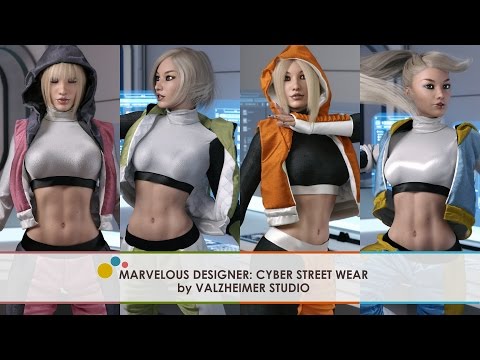
Just to add to those first two screenshots as they refer to the Salsa dress I made somwhere 2-3 years ago, morph target option is useful with poses that don't change too much in the base pose of the model, for more complicated movements you would rather want to export pose from animate2 timeline in MDD format (0 to 30 frames would work) and import as animation into MD for better draping :) I will see to add some more MD tips and tricks as I move forward and have some spare time (haven't done any tuts for a while and lately even due to computer issues it's impossible for me to do screen recordings), I'll put this one on my list to add with some next garment when I'm able. Some options can be caught in this video if you slow it down, it's a showcase video more than a tutorial and only refers to using Daz for rendering only, clothes isn't rigged, it's simmed in MD, hence called "quick & dirty method":
V.
Anyone having this G3 Female Problem?This appears to be a very very common issue in which other morphs get somehow saved to the base genesis morph.
I have the same issue with Genesis 3 Females. I had to hunt down all the morphs that where effecting it (in the parameters tab) and dial them all out to zero, then I made a shape morph with those morphs dialled out. So now every time I load G3F I use that shape morph to dial out the other morphs. I know there is another way to fix it, but I don't know how.
@Divamakeup "I know there is another way to fix it, but I don't know how."
I believe you should be able to dial the offending morph out then resave G3F base. I would be inclined to uninstall both the offending morph/character and G3F, the reinstall G3F base and go from there.
The problem has nothing to do with the base shape. It's a morph with a non-zero default value, and the problem is contained entirely in that morph's file. My prefered way to solve it is to locate the offending morph file, open it in a text editor, and change the value to zero.
I go to edit the morph file in a Notepad++ and it just looks like an alien language. It's complete gibberish. What am I doing wrong?
What I did was go into the character that is causing the problem. which is in data/people/genesis 3 female/ (authordirectory)/(whatever character)/
there should be some .dsf files open those up with wordpad or whatever text editer. Then scroll down to morph and look for the value text and put it as 0 for each file. If they need to be of course. This worked for me , befere Hamelon gave me a fix for Kaitana. This should work for other characters as well.
Photo-real characters. A different approach.You couldn't have taken enough time to evaluate and resculpt your work to come back with another post so quickly. What I do see is you have made his cleft more believable but still not what I've seen in any of the pictures I've seen of Christopher Reeve.
I'm trying the simplest revisions first, even if for no other reason than to eliminate them as solutions. Since exaggeration is a key feature of both cartoons and caricatures, I decided to first try just dialing the face morph strength back from 1 to 0.75, which seemed to work great for Elvis (based on recent comments), so I decided to try it on Chris before changing anything else. I also wanted to test just how minimally I could dial it back and still end up in a realistic zone, so the past two renders have had Chris at 0.875 and then 0.75 respectively. I guess neither setting really did the trick in this case.
Also, the chin cleft is a relatively easy detail to fix, which is why I'm more focused on the general impression right now.
Anyone having this G3 Female Problem?This appears to be a very very common issue in which other morphs get somehow saved to the base genesis morph.
I have the same issue with Genesis 3 Females. I had to hunt down all the morphs that where effecting it (in the parameters tab) and dial them all out to zero, then I made a shape morph with those morphs dialled out. So now every time I load G3F I use that shape morph to dial out the other morphs. I know there is another way to fix it, but I don't know how.
@Divamakeup "I know there is another way to fix it, but I don't know how."
I believe you should be able to dial the offending morph out then resave G3F base. I would be inclined to uninstall both the offending morph/character and G3F, the reinstall G3F base and go from there.
The problem has nothing to do with the base shape. It's a morph with a non-zero default value, and the problem is contained entirely in that morph's file. My prefered way to solve it is to locate the offending morph file, open it in a text editor, and change the value to zero.
I go to edit the morph file in a Notepad++ and it just looks like an alien language. It's complete gibberish. What am I doing wrong?
Rendering, Posing or Animating in Blender?I have expirmented with the diffeomorpic add-on and it's pretty freaking amazing imo (at some point I'm planning to write up a whole effusive write up). It works completely differently than teleblender (or something like the Maya export tools) in that it *actually just reads the .duf files*. In most conversions there are basically 2 points of failure: data lost when you export and things that can't be read when you import, the diffeomorpic add-on basically removes that first failure point.
The only limit is how well the genesis features translate into blender (blender for instance is not set up to store 1000 different morphs in memory or tie bone location to morphs) so you so want to morph your figure how you want it + add your clothes etc and save that as a scene subset, you then load the scene subset right into blender.
But a lot of things are handled *spectacularly* well. Like one click to load pose sets, one click to load morph correctives (that with automatically dial with posing just like in DS), one click to load expressions (that you can dial in and out) also one click to completely change the rigging to a more complex blender style with really nice ik (poses will no longer work afaik, but expressions will still dial)
You still need to tweak materials but it loads in more textures (thanks to not using .objs or fbx which generally will only store the location of a very few textures) so there's a lot less manual texture loading
All in all my bottom line is you definitely need to be familiar with blender to use it, but if you are familiar with blender you get most of the good features of genesis kept while adding the possibility of a whole lot of blender functionality.
And if you're interested in animation between it and Eevee coming with 2.8 there could be a *really* nice workflow.
Wow - that's a lot more encouraging than I expected, thanks. Can't wait for your effusive write-up. :) When I'm done with my present project I will download Diffeomorphic and play. Blender started out as being very scary but the more I work with it, the more sense it makes. The sheer number of things it can do makes it intimidating for (some) hobbyists like me but I just have to overcome my fears. I was in computer support for 30 years before I retired so I should be able to grasp the concepts and procedures.
converting non daz .obj clothingI'm left wondering whether any of the movement morphs from the original clothing are retained but I think they should be.
No the transfer utility only create a conformer in the shape of your original imported model
There is an option to rig a clothing asset based on an already morphed base figure as well.
I just rigged this new outfit, I recently created for my film project, with three simple mouse clicks of the transfer utility.
Any movement or JCM morphs will have to be added via the morph loader after the basic vanilla rigging is done
also any rigidity maps will have to be added after the basic rigging
"After scaling them to be close to the daz figure I use the autofit and the objects disappear. They are still shown in the scene window and now attached to the model but the visability is gone. It happens everytime I use the auto fit tool."
How are you scaling them??
Scaling to fit your target figure base, must be done in a modeling program and exported to Daz studio at the final size for basic rigging via the TU.Anyone having this G3 Female Problem?Ok , I fixed it. I went into the data folder and found the morph files for Kaitana. almost all of them needed to be edited. I set all the values to Zero. and it works now. Weird.
How did you save them and fix them?
Rendering, Posing or Animating in Blender?I have expirmented with the diffeomorpic add-on and it's pretty freaking amazing imo (at some point I'm planning to write up a whole effusive write up). It works completely differently than teleblender (or something like the Maya export tools) in that it *actually just reads the .duf files*. In most conversions there are basically 2 points of failure: data lost when you export and things that can't be read when you import, the diffeomorpic add-on basically removes that first failure point.
The only limit is how well the genesis features translate into blender (blender for instance is not set up to store 1000 different morphs in memory or tie bone location to morphs) so you so want to morph your figure how you want it + add your clothes etc and save that as a scene subset, you then load the scene subset right into blender.
But a lot of things are handled *spectacularly* well. Like one click to load pose sets, one click to load morph correctives (that with automatically dial with posing just like in DS), one click to load expressions (that you can dial in and out) also one click to completely change the rigging to a more complex blender style with really nice ik (poses will no longer work afaik, but expressions will still dial)
You still need to tweak materials but it loads in more textures (thanks to not using .objs or fbx which generally will only store the location of a very few textures) so there's a lot less manual texture loading
All in all my bottom line is you definitely need to be familiar with blender to use it, but if you are familiar with blender you get most of the good features of genesis kept while adding the possibility of a whole lot of blender functionality.
And if you're interested in animation between it and Eevee coming with 2.8 there could be a *really* nice workflow.
Anubis headconverting non daz .obj clothingHi be aware that any original model geometry
that you create yourself or get from an outside source
becomes the intellectual property of Daz inc. at the very moment that you reshape it to fit around any Daz FigureThis is because DAZ inc considers the genesis human shape so "unique' that any mesh, of any vertex count quads,tri's ,nurbs point clouds or N-gons in the entire universe, that occupies the space immediately surrounding their model is "derivative" and becomes their property...NOT yours.

I wonder how that would actually stand up in a court of law considering existing intellectual property rights concerning somebody's creation? I'm not sure it's enforceable but don't quote me! It'll probably depend upon interpretation of the law.
This makes no sense. That means that vendors who create clothes for Daz characters cannot sell those clothes here or in similar stores because, according to that theory, they already belong to Daz, which clearly is not the case...
+1
clothes items for a particular figure has most of the rigging from the figure, via transfer utility.
the ease of it is what makes the ds models so appealing.say most, the face rigging usually is dropped
but, i agree, adapting somebody else's clothing geometry and selling it as your own would be out of scope of the licensing.
converting non daz .obj clothingAny scaling, or othe transforms, applied to the loaded OBJ will be ignored by the Transfer Utility. If you need to adjust the model to line up with base figure you must "bake" the transforms by hiding everything else, exporting as OBJ, and importing that to rig (taking care to use the same preset in the options dialogue for both export and import)
Rendering, Posing or Animating in Blender?It's more about what you want to achieve and the effort you're ready to afford
I never used diffeomorphic but did test Casual's Teleblender script
Both have different goals. Teleblender export a DS Scene as a static object just for rendering. You do all your posing morph etc in DS and just render in Blender
Diffeomorphic allows you to import lots of DAZ stuff to use the in Blender instead of DS. Importing your whole library will be very long and will take a lot more time if you have to tweak each of them after
Diffeomorphic is way better if you really want yo use Blender full potential with DS Stuff
Now about Evee, keep in mind you'll still need a good Gfx Card
If your interest is real time rendering you should also check Unreal Engine as they got Nvidia VXGI and RTX https://www.unrealengine.com/en-US/blog/technology-sneak-peek-real-time-ray-tracing-with-unreal-engine
Thanks for explaining the difference between the Casual script and Diffeomorphic - I did wonder about that. In fact I'm still not sure exactly what Diffeomorphic actually does - or the extent to which it does it.
I've seen a YouTube video testing Eevee with almost the same system that I have: Windows 10 with an Intel i7, 32 GB RAM and a GTX 1070 with 8GB VRAM. The speed of render was almost real-time in the video - much faster than the IRay preview in DAZ Studio.
I have never delved into gaming engines so Unreal would be a whole new learning curve for me. Actually, I'm not that familiar with Blender either but I'm getting used to it slowly.
Rendering, Posing or Animating in Blender?It's more about what you want to achieve and the effort you're ready to afford
I never used diffeomorphic but did test Casual's Teleblender script
Both have different goals. Teleblender export a DS Scene as a static object just for rendering. You do all your posing morph etc in DS and just render in Blender
Diffeomorphic allows you to import lots of DAZ stuff to use the in Blender instead of DS. Importing your whole library will be very long and will take a lot more time if you have to tweak each of them after
Diffeomorphic is way better if you really want yo use Blender full potential with DS Stuff
Now about Evee, keep in mind you'll still need a good Gfx Card
If your interest is real time rendering you should also check Unreal Engine as they got Nvidia VXGI and RTX https://www.unrealengine.com/en-US/blog/technology-sneak-peek-real-time-ray-tracing-with-unreal-engine
Anyone having this G3 Female Problem?Ok , I fixed it. I went into the data folder and found the morph files for Kaitana. almost all of them needed to be edited. I set all the values to Zero. and it works now. Weird.
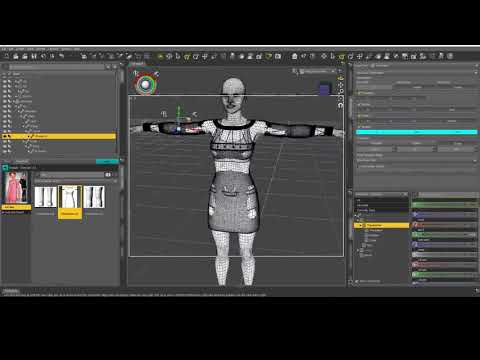
converting non daz .obj clothingGetting back to the original question, I found this video describing a method using the transfer utility. I haven't had chance to try it yet but it looks fairly straightforward. I'm left wondering whether any of the movement morphs from the original clothing are retained but I think they should be.
 Anubis head
With the Anubis figure for Genesis 2 male, is it possible to apply the morph for the head only, rather than the full creature?
Daz 3D is part of

Connect
DAZ Productions, Inc.
7533 S Center View Ct #4664
West Jordan, UT 84084Licensing Agreement | Terms of Service | Privacy Policy | EULA
© 2026 Daz Productions Inc. All Rights Reserved.