-
Getting priced out of this hobby
What exactly is in your cart? There's just one morph set Good Guys. Also, sometimes logging out, closing the browser and logging back in in the Shop page, not the forum, again helps when there's cart snafu.
EDIT: I only get the higher price you have with two add-ons without the PC+. As you are in PC, you should have a lower price, 30% lower for the DO items. I really recommend logging out and in again as described above, so you really get the reduced price.
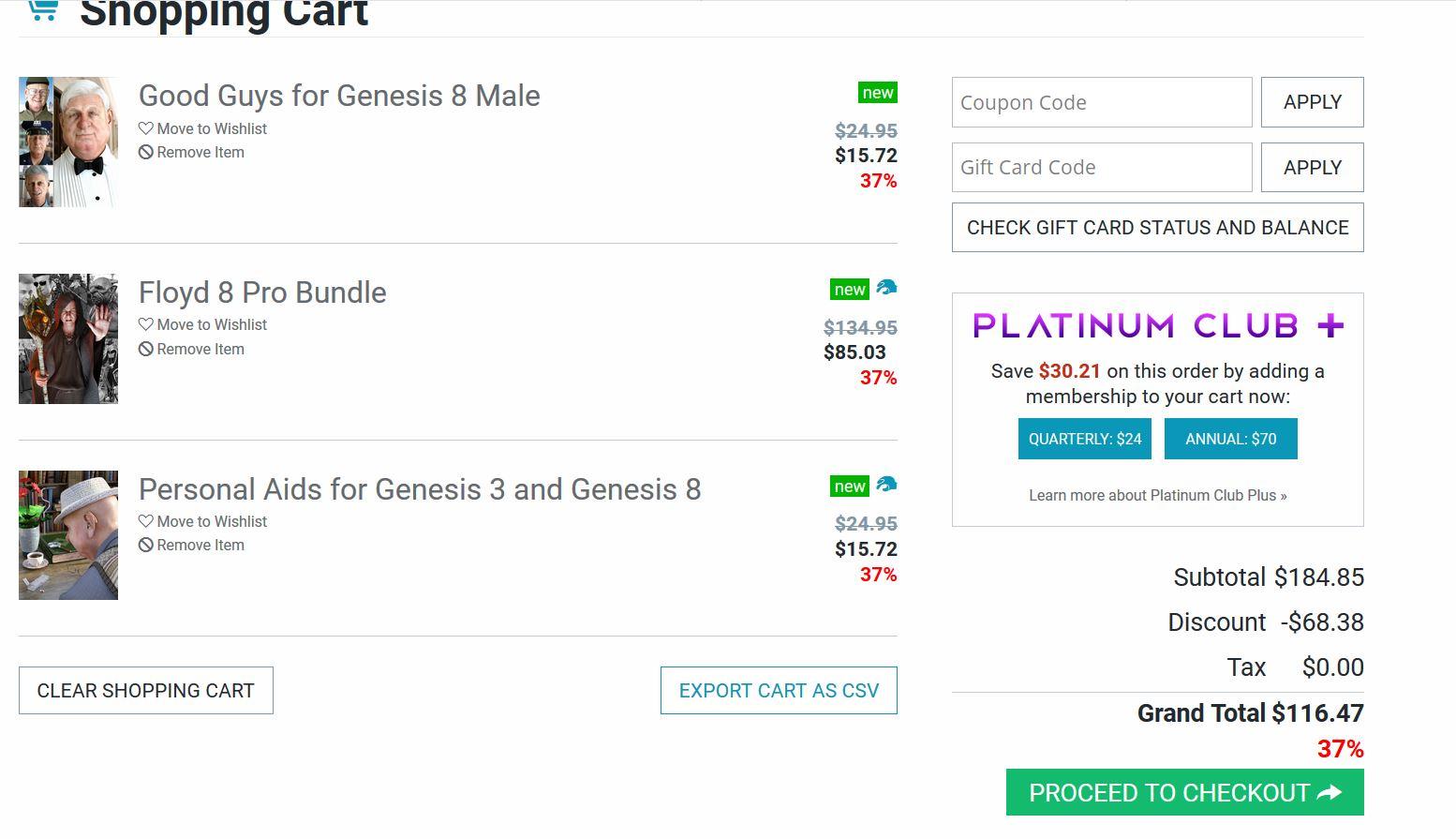
..I had the Pro Bundle, The basic 8M Body Morphs, 8M Head Morphs (don't have either yet), and Good Guys. After applying the 6 $ PC+ DO coupon (which only worked for the Body/Head morphs as the other two are new releases) that brought it to just under 111$.
Even just the Base Figure, the basic Morphs, and Good Guys it comes to around 61$ (after the coupon), which is still a bit rich for my budget
[Released] Altern8 - Skin Shader System for Genesis 8 [Commercial]Just out curiosity, why no Michael8 Presets? I just decided to load him up and went looking for the Altern8 settings.... not there. Any recommendations?
EDIT: Victoria8 No Maps looks pretty good. M8 skin on G8M with Lyoness's Spicy Fusion for 200 Plus "Zak" morph
Altern8 Skin Shader System for Genesis 8 supports 10 of the Daz Original Official "8" figures - I couldn't include Michael because I didn't have him at the time. I now have him and a couple more of the figures that I want to create presets for. I plan on doing an Add-On product that will include quite a bit of stuff but among it will be some presets to support at least ten more of the Genesis 8 Official Daz characters. The plan, so far, is to include: Michael, Owen, Ollie, Edie, Edward, Teen Josie, Stephanie, Penny, Mika, Floyd and maybe a couple other figures that I'm not allowed to name.
Until then, here are a couple of formulas for Michael 8 that you might try.
The first one is:
- Monique 8 - No Maps
- Transmitted Measurement Distance .25
- SSS Tint L
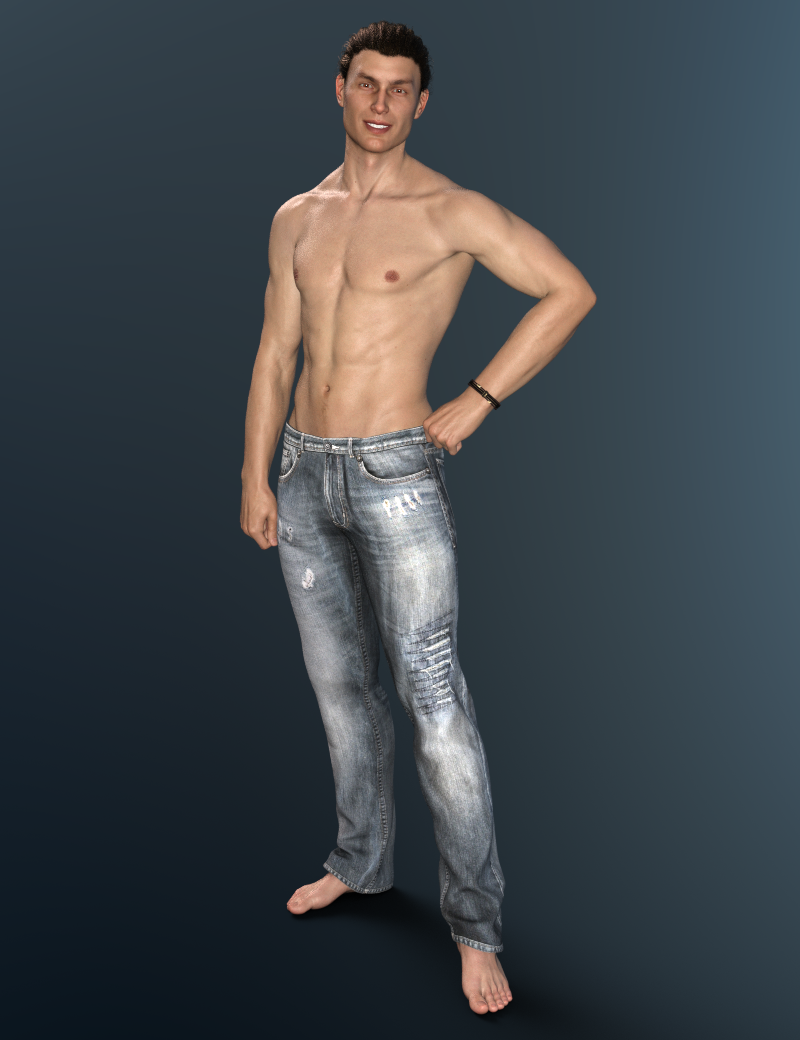
The second one is:
- Victoria 8 - No Maps
- Transmitted Measurement Distance .25
- SSS Tint A
- Arm mats copy and pasted into the fingernail slot
- Leg mats copy and pasted into the toenail slot
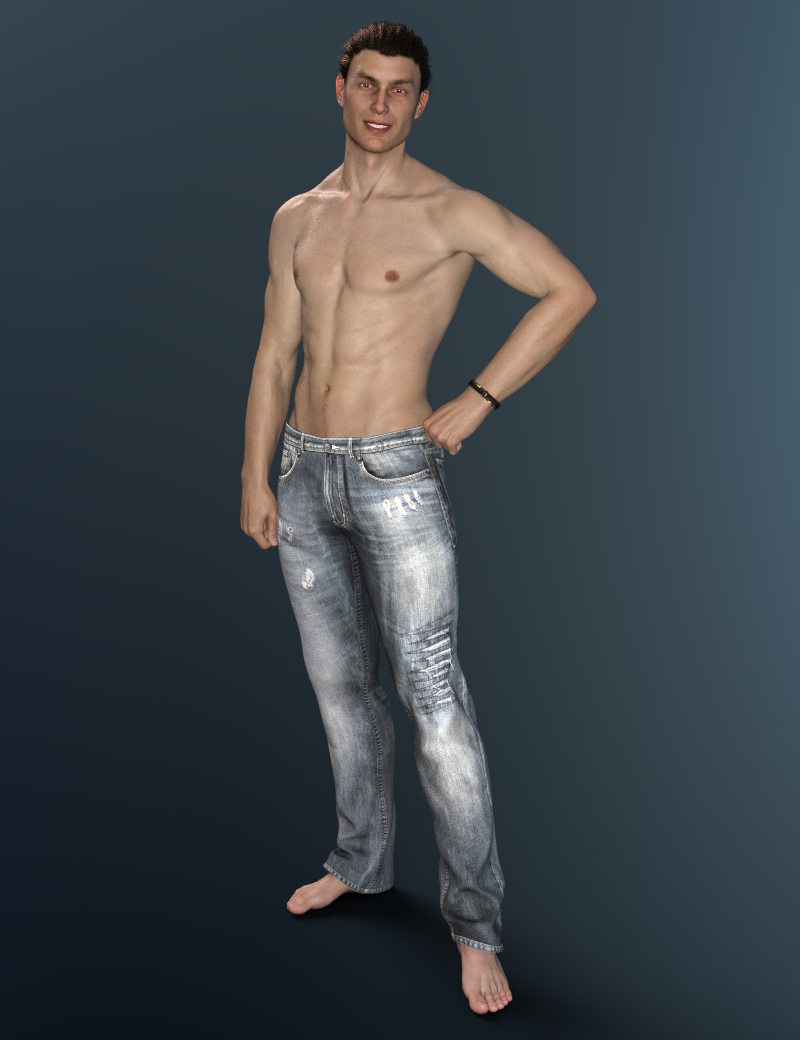
If the second skin tone is too "cool" for your taste you can try using SSS Tint H or SSS Tint L instead.
Both rendered with Render Settings B and HDR B.
I hope that helps. :)
More Male Genesis 8 Content PleaseFor all the complaints with the G8 DAZ Originals Pro Bundles I find myself wanting to buy some of them like Penny 8, Alexandra 8, Floyd 8, Edward 8 whereas with the Genesis 3 Pro Bundles that was not the case. Once I got Michael 7 & Victoria 7 & the DO morphs products I was pretty much set for 'realism' with DAZ but the new approach with Genesis 8 means I need to augment my purchases now because those products bring something I can't dial in as realistically with the DO morph products.
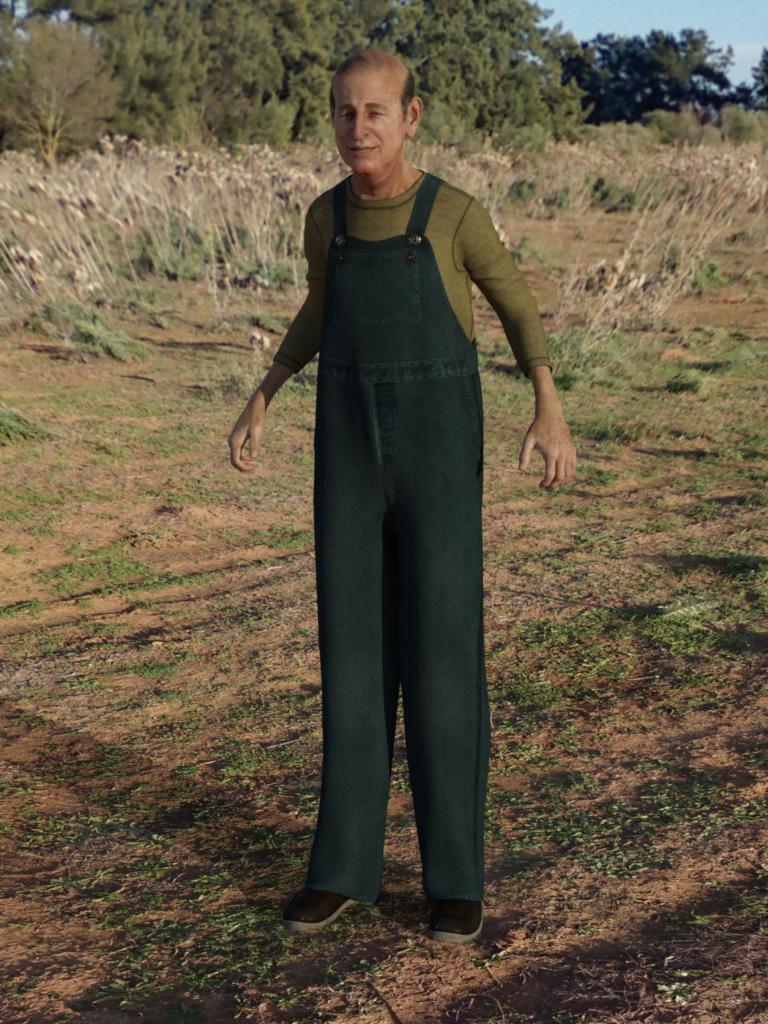
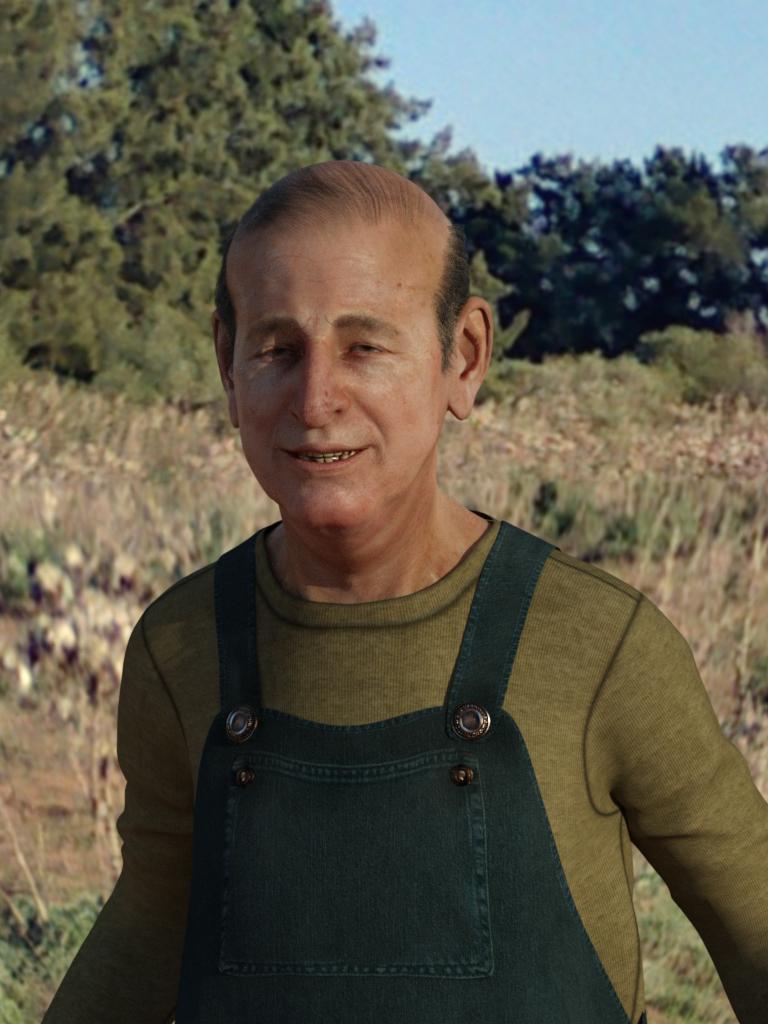
Novica & Forum Members Tips & Product Reviews Pt 11And these are Bert, one of the Floyd varients from the Good Guys set. It comes with quite a nice skin texture, some grubbier teeth and sparkly dentures, but also has some useful teeth removal settings (just transparency maps, not a full morph job) - I removed a couple of teeth from the lower jaw. He's wearing the dForce overalls and standing in a field from HDRI Cloudy Skies II - the store page doesn't make clear that you can set the render environment to "with ground" and the character can be fairly easily grounded.
 Custom cloth morph ( MD ) - How to follow figure "without" autofitting
AutoFit is for conversion, I assuem you mean the Transfer Utility for initially rigging. Is the character you are wanting to dress a single morph or is it multiple morphs, either set directly or set via a master slider?
Multi morph directly ...
I tryed to 0 those morphs that appear ... but doesnt change anything
Custom cloth morph ( MD ) - How to follow figure "without" autofittingAutoFit is for conversion, I assuem you mean the Transfer Utility for initially rigging. Is the character you are wanting to dress a single morph or is it multiple morphs, either set directly or set via a master slider?
Custom cloth morph ( MD ) - How to follow figure "without" autofittingHi there :-)
I have kind of a problem i cant solve on my own. I fitted a cloth piece in Marveleous Designer and saved the morh to that cloth in Daz. I can dial it and this cloth piece 100% fits the G8 char now. However ... to make it follow the char when i change the pose i have to autofit it and DAZ destroys everything with by applying ugly autofit morphs on it.
So, the question is ... how do i "kind of" use autofit to make the cloth piece follow the figure without DAZ applying this ugly morphs on it?
Hopfefully somebody has an idea ... :-|
GENERAL FREEBIE REQUESTS Part 2Does anybody know if there is a Debbie Harry/Blondie morph out there or anything that come close to looking like her thanks for any help.
Or, maybe a cosplay hairstyle based on Debbie Harry.would be a great addition too.
[Released] Altern8 - Skin Shader System for Genesis 8 [Commercial]Just out curiosity, why no Michael8 Presets? I just decided to load him up and went looking for the Altern8 settings.... not there. Any recommendations?
EDIT: Victoria8 No Maps looks pretty good. M8 skin on G8M with Lyoness's Spicy Fusion for 200 Plus "Zak" morph
dForce Figures Used? dForce Autofit?Hi, I haven't bought any dForce content yet - but I'm interested in a few things.
On the product page for dForce clothing there is a figure specified - such as Genesis 8 Female. Does this mean that this specific peice of clothing will ONLY work on G8Female? Or can it be used on other figures using AutoFit? If it does work with AutoFit, how do you know which figures it will work with?
When you morph the specified figure into different forms, altering the body proportions etc. - what happens to the dForce clothing? Does it morph along with the figure? Does it still work as dynamic clothing?
Thanks!
Elf shape for Genesis 8 FemaleHow exactly templated textures works when the object is morphed?if you morph a character away from the base shape, the textures will distort.
When making an extreme character, a good pa can modify his textures to look good on the stretched uv, or they can also remap the character and come up with a custom uv set to match the morph.
"Edit/Object/Memorize/Memorize Selected Item(s)" does not memorize Dforce changes.I don't think you can handle the dForce data that way - if you just want the shape, just hide all but the dForce item, export as OBJ (making note of the preset used), then move everything else to frame zero, clear the dForce simulation, and with the dForce item selected Edit>Figure>Morph Loader Pro, select the exported OBJ, apply the same preset, expand the options under the morph name to get to revrse Deformations and right-click to set it to On (to remove the effect of the pose and any morphs), and Apply - that will give a morph you can then set to restore the draped shape.
"Get Them While You Can!" If Not… Well… "There's Always Another Sale™"So, there have been a couple decent sales recently... but nothing epic, Griffin. You came in right after the outrageously awesome sales stopped happening - and you've been getting excited for relatively modest sales ever since. :)
Today's sale is an example where the offer would get me to jump but the items offered frustrate me.
The Hoodie is cool looking, but I don't see a single promo with the hood down, nor a hood down morph. I know from my other hoodies that this is difficult and most often artists accomplish this by making two versions, a hood up and a hood down version. I also notice the hair used in all scenes is short... My guess is that without a lot of special custom d-forming work this content is limited. I already have hoodies I can make oversize with Fit Control... So, for $10 I'm a little "meh".
The remaining thing that is interesting to me, that I really want - is the neighborhood block... and being that it is 3 items in the bundle... there is this weird thing you have to figure out...
Is it cheaper to buy all 3 separately and then get the $10 gift card, or is it cheaper to buy the bundle and throw one of the other pieces of content in that I don't want or have quality concerns about? Which way is the better value? And if I buy all 3 separately, do I get the presets that load the neighborhood in different blocks, or does that mean I'm stuck with putting that together myself instead of having a one click solution depending on my needs?
When really... the bundle should qualify as 3 items by itself. They do this with bundles all the time on deals like this - enough that I think it is intentional to create that dilema in the customer's mind.
Generally speaking when I encounter this... when I have to think about if it is a good deal or not... it isn't the BEST deal I'm likely to encounter on this content. If I wait long enough, a better deal always comes along.
If it was, "Buy any of today's featured items and any other NEW item in the store and get a $10 gift cert," and I could just find a new item under $4... I'd do it. The bundle plus some other piece of $4 content that I might or might not use with $10 back would be a great deal.
But when the lowest second piece of content is above $8... that erodes the good-deal factor.expression distortion questionPersonally, especially when it comes to smiles, I always find that a "less is more" approach is best. As Rawart suggests, each character morph will react to canned expressions or morph sliders somewhat differently. It is the same in the real world where no two people are identical and smiles are almost equally unique. I have purchased character morphs before that actually came with their own custom expression morphs for just this reason.
It's My Party and I'll Complain If I Want To Complaint Thread> Greetings you have been gifted $5 MILLION USD From Mr. Bill Gates. Contact me at this email for your claim: billgatedonation@xxxxxx
Oh. Just transfer them to MyBank, account 123-456789
expression distortion questionExpressions are designed to work with the base model shape.
Any change in that shape will affect how the expression reacts. The more extreme the morph, the more extreme the distortion.
Recently with my cyclops character I had to make Morph Control Morphs for every one of the expressions that come with G8M. This was no easy feat, believe me. But not every character morph warrants a fix to the epressions, and in most cases a fix morph is really not necessary. The expression will simply look "different" than it will look on the base figure. Then it all comes down to personal taste, and no PA can take that into account other than their own personal taste.
If you want to adjust the expressions on a particular character, you can always find the particular bone on the face that relates to the expression you are using and adjust that manually yourself to get the look you want. There really is no universal fix that will work on all accounts for this.
Character morphsPlease start a new scene, load a base, and aply a morph - preferably from one of the base morph packs - then save as a scene. If that still fails to load the morphed shape please attach the scene file to a reply to this thread.
Getting priced out of this hobbyWhat exactly is in your cart? There's just one morph set Good Guys. Also, sometimes logging out, closing the browser and logging back in in the Shop page, not the forum, again helps when there's cart snafu.
EDIT: I only get the higher price you have with two add-ons without the PC+. As you are in PC, you should have a lower price, 30% lower for the DO items. I really recommend logging out and in again as described above, so you really get the reduced price.
Export models with a skeleton in high resolution problem.Hello! The problem is as follows.
I need to transfer the character from the program in high resolution, but when you export to the fbx format, the program takes off all the character settings on the base level. Help to resolve this issue.
Daz 3D is part of

Connect
DAZ Productions, Inc.
7533 S Center View Ct #4664
West Jordan, UT 84084Licensing Agreement | Terms of Service | Privacy Policy | EULA
© 2026 Daz Productions Inc. All Rights Reserved.

















