-
Do you think there will ever be a decent manual?
The Daz development team is already spread a bit thin, between Studio, Hexagon, and (presumably) Carrara; stealing time from them isn't going to happen.
So the bulk of the 'how to' documentation continues to be generated by forum posters and spread throughout many threads.
To be fair, the "War On Literacy" is prosecuted by Marketing Managers of every product. DAZ cannot be singled out in their total failure to provide professional product documentation. Tom Peters would have said, "We're No Worse Than Anybody Else." Add to that the fact that, for a number of reasons, professional tech writers are very nearly extinct. It is ironic, actually. Certainly the "Push Every Button And See What Happens" approach increases profits by reducing the payroll. At the same time, it limits profits by limiting what the average user is able to do. It is what it is.
The problem is/was that even when comprehensive documentation exists it isn't always used - there was a column in Scientific American a few months back related to this topic, according to which back when Office came with huge manuals a substantial proportion of feature requests were for things that the applications already did and that were in the manuals. If the manuals are not substantially reducing support overheads (and realistically, those of us who read manuals are also those who can more-or-less figure things out without) then the argument for assigning resources to them is greatly weakened.
I personally think that there are way too many variables
in most modern 3DCC applications for one big definative manual to realisticly cover them all.Ongoing Wikkis are better suited
A manual for your vehicle is relatively easy to produce because
most motorist are only ever going to simply drive the vehicle with its standardized factory components therefore it is easy to
anicipate everything the motorist would need to know about that particular vehicleAnd as soon as the motorist starts installing non factory, third party components the maufactures make it abundantly clear that they are not liable.
Sure we could have a manual comprehensively covering the basic use of a "Vanilla" install of Daz studio with the latest Default genesis bases....lovely

Right then..who here is actually running such a basic set up??

New third party products are being introduced Daily and
much of the extended functionality such as scripts and plugins have been developed by parties other than Daz.
Some well documented and some.... frankly not so well documented.
Some of these third parties have vanished entirely......some have Died.
And then there is the fact that Daz is a 3D content company that supports industry standard in/out formats that involve the use of external programs.
Are the Daz tech writers expected to have expertise in every 3D program on the bloody planet, so that the official "DAZ manual" will have warnings for obscure factoids such as ??:
"sculptris creates "symmetry" by splitting the model in half and combing the two peices which will bugger up your vertex count for morph loader pro in Daz studio."
This "manual" situation is no different with the so called "pro apps like Houdini ,Maya or C4D. and they are demanding thousands of Dollars or monthly pay plans to use thier software.
IMHO , Daz Studio users need to be willing to "discover" the deeper parts of this (or any) 3D software from the vast,dynamic, existing user knowledge experience based on their immediate needs
because,IMHO expecting some single,static source to have all of the answers is a fools gambit.Custom Character - Gen 3 Clone?Hi there! I'm relatively new to DAZ, and I'm usually pretty good with figuring technical stuff out...but I've hit a roadblock on a couple things. I've been trying to recreate characters as part of fanart, and one character in particular has rather unique facial geometry in the form of brow stalks and bone spurs along the jawline. My initial thought was to try and sculpt Gen 3 and create morphs, however I am also very new to that concept. I know that I cannot alter the geometry in any way and be able to load the morph back into DAZ. But upon sculpting with zBrush (I'm new there too, but learning), I noticed that just tugging and pulling the existing geometry where I wished resulted in...not so nice pixelation in DAZ later. The topography was just too stretched. I want to -add- geometry using the dynamic capabilities in zBrush. Ideally, I want to slice the specific topography from the in-game model and sculpt it right in (because that looks the best and keeps me as accurate as possible to recreating my loved in-game character). I was able to do this with zBrush, and the model looked great...however, as you can imagine, that also broke my ability to load the alterations as a morph.
So, I moved on to the next step. Or thought. Or possibility? This character body is still Gen 3 in shape. 100%. I was able to use the Transfer Utility to get my customized character rigged up and working as far as facial expressions and posing. That was relatively easy, because this is a character that is for all intents and purposes, Gen 3 with just a few bone spurs added onto the face (in terms of shape). UV mapping and everything works - I just have to create new groups for the geometry I added (that's the least of my concerns at this point - I just want to get this guy working mechnically first). What I can't for the life of me figure out...is how to fit my catalog of clothing to him. I was hoping there was a way to make the clothing just follow a Gen 3 clone or something...because like I said, his shape is that of Gen 3 (obviously customized using proprietary and purchased morphs from the shop). Is this a possibility? Is there a way to make DAZ recognize this as a Gen 3 character? It should be noted that this is for my personal use completely and in no way will be shared. I just want to make fanart.
I've attached a screenshot of them side-by-side (Gen 3 to the "No Longer Gen 3" character). I still need to fix the UV mapping and work on the rest of his face, but as I said, I won't even bother if I can't get all this to work. But at least this gives an idea of the geometry and how close they are. I just really don't want to have to live with a stretched-looking morph, but I will if I have to.
Thanks bunches!
Muscularity sets on actual figures?Okay here is a quick one of M8 head with the muscle morphs all set to 100, without M8 body morph. I forgot that I have to have some place to put the image on this forum if deviantartis one you can't link to someone let me know and I will remove this inoffensive piece jsut to keep the taint of deviant art from being seen lol.

Okay finally got it to work first time posting an image with this particular setup I guess as I don't remember this lol.[RELEASED] CC Foster for Genesis 8 Male [Commercial]Hmm. I'm having trouble fitting him into certain shirts. The Onyx one in particular... I'm wondering if there's a particular Daz standard build morph you might suggest activating on the shirt.
I didn't have an issue that I recall, but I kept him shirtless a lot of the time ;) On the Onyx shirt, turn the smoothing iterations down to 0 (on super tight clothes, often smoothing can make poke worse), then there's an Expand All and a Loosen Collars morph.Put those around 61% and 33% respectively. Same with the hoodie if you put that over it. In general, if he has an issue it will likely be at the collar area and I think most clothes will have an adjustment morph for that.
Michael 4 clone for Genesis 8Hi,
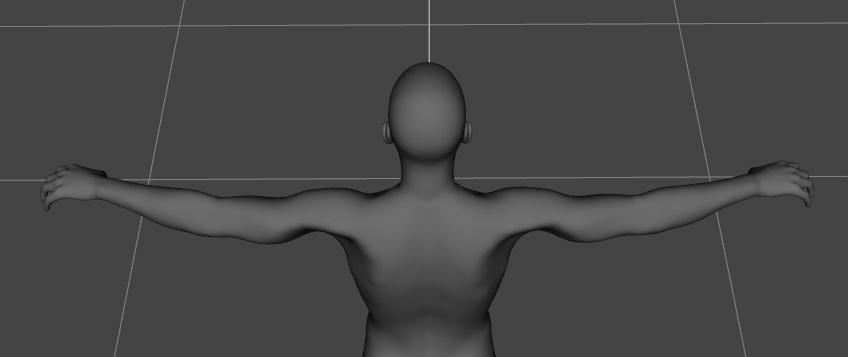
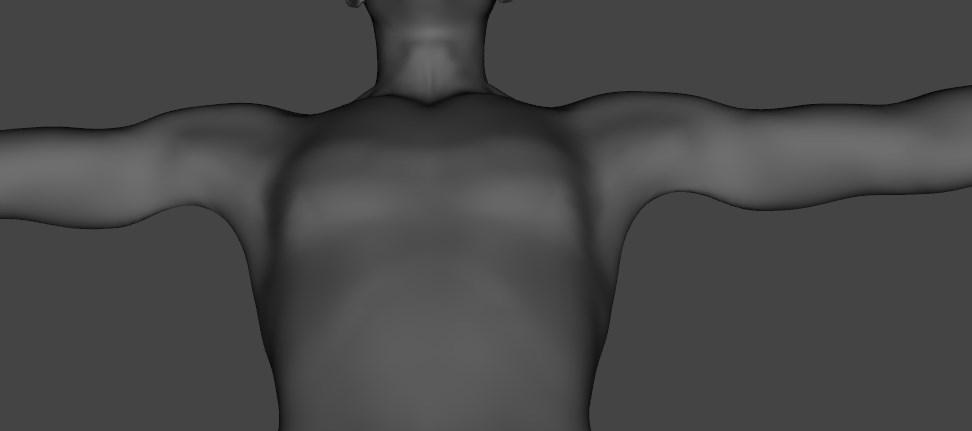
Just I discover there is something wrong with the M4 clone for G8M, now I understand why the armpits are strange when the figure wears the M4 bodysuit.
Michael 4 clone morph
 D-former and smooth modifier - to morph question
To turn a dForm into a morph use the Spawn Morph button in the dForm pane (Window>Panes(Tabs)>dForm).
The Bride Wedding Gown for Aiko 8?Hallo, I'm interested in this product https://www.daz3d.com/the-bride-wedding-gown-for-genesis-8-female-s?utm_source=bm23&utm_medium=email&utm_term=Image+-+The+Bride+Wedding+Gown+for+Genesis+8+Female(s)&utm_content=Read+up+on+Stonemason,+and+the+Wedding&utm_campaign=(07-24-18)+Read+up+on+Stonemason,+and+the+Wedding but it doesn't list Aiko 8 under its supported morph list.
Has anyone tried it with Aiko 8? Does it follow well enough
D-former and smooth modifier - to morph questionHi everybody,
I've been googling around but I can only seem to get bits and pieces of information. From old-wiki's to part explanation I find this hard to do. Possible because I don't know exactly what I am looking for.
So I've succesfully applied a D-Former and a smooth modifier (Phew!) to a piece of clothing.
But I would love to "bake" the changes into the clothing. The smooth modifier I could work around, but to just save the D-Form baked-in would be excellent!
I would presume that you would need a morph for that. So is this possible or is this crazy hard / Pro's only?
A few pointers to a tutorial is fine, any help appreciated!EDIT 1:
So I just found the "bake smoothing" button , it was right there in the tools. To focussed on the tutorial. But I am unsure what it does. Does it bake the changes into the DUF / Scenefile ?AIUTO...CHI CONOSCE L’ITALIANO? PARTE UNDICIGazie...dopo aver letto i vostri post ho capito perchè fanno le parti anatomiche....io non riesco a vederle quelle cose, me sembra sacrilego lol...ho sempre visto le figure come pupazzi lol
Non sono certo, ma credo che un buon 99,9999% degli utenti di programmi di grafica 3D abbiano iniziato a "manipolare" i char solo per appiccicargli "ciò che i tuoi occhi aberrano" e fargli fare cose che a raccontarle non ci fai una bella figura.

In ogni caso io sto ancora aspettando la risposta di crios riguardo il Riccardone DAZionale.
E giusto per mantenere il thread nei suoi binari (in fondo è una discussione per questioni tecniche in italiano) volevo chiedervi se esiste un metodo per "invertirte" il processo del Transfer Utility.
Mi spiego meglio: Vorrei far cadere un drappo con DForce su un personaggio fortemente morphato (ha qualcosa come quaranta morph in totale) e fare in modo che segua i suoi movimenti come un abito Conforming qualsiasi. Però non ottengo un buon risultato partendo da Genesis a zero morph, la forma del drappo viene tutta sballata, a me serve che abbia la sua forma al termine della simulazione e data dal personaggio morphato.How to avoid missing files while creating contentNever ask a machine to think and creating a project library is the best way to keep all relevant files together.
there's no thinking involved in the tasks I mentioned.
imagine you're making 1000 products:- you need to copy your images to a similar directory under your product name 1000 times, the machine should do that
- you need to change all addresses to your new texture locations 1000 times, the machine should do that
- you need to render a bigger thumbnail for each item and put them into their directory probably more than 1000 times, the machine should do that
- you need to create a data/yourname/ folder, copy your product in it and package the whole thing 1000 times, the machine should do that
while it's our job to create an item, pose, morph and adjust the figures for taking the thumbnails, the machines are made to do the repetitive tasks that have a fixed formula
[RELEASED] CC Foster for Genesis 8 Male [Commercial]Hmm. I'm having trouble fitting him into certain shirts. The Onyx one in particular... I'm wondering if there's a particular Daz standard build morph you might suggest activating on the shirt.
Sakura 8She doesn't mix particullarly well with other morphs mainly due to the eyes.
I can't seem to find a way to add the eyebrows lashes and eyes seperately only by loading the full preset. When I loaded a Sakura Preset in and unfitted and unparented the eybrows and then fitted them to a G8F base they don't follow the morphs.
LashLower A Length - doesn't appear to do anything (however far I push the dials)
The extra morphs that she comes with though are rather useful which is why I'm keeping her, if it wasn't for these she would be very limited.
The Eye Scales morph changes the size of the Irises and the Iris Scales Morph increases the size of the pupils.
I have mixed her here but had to scale the eyes (not Sakura's to fit the sockets) the texture and eye texture is from the Toon generations. There was a lot of fiddling to get things to work, the eyebrows are only parented.
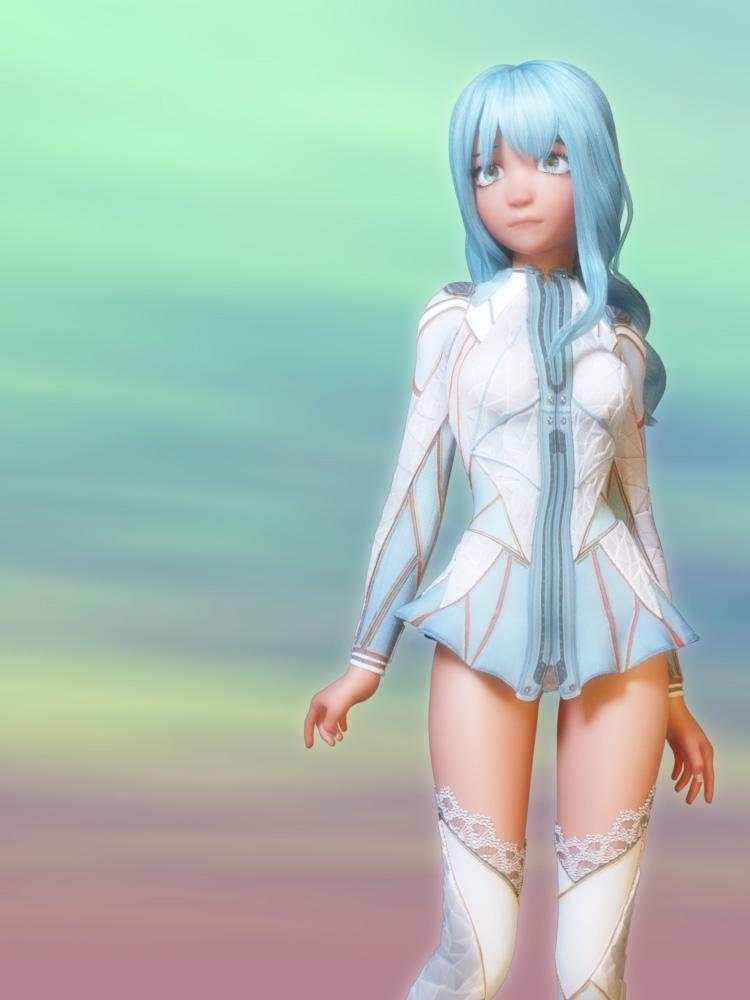
Love the pick. What is the outfit and where can I find it?
After loading a work file, anytime I alter the body pose the model becomes a mess.Did you try to reinstall?
Maybe you daz-studion is screwed?
I would deinstall it and reinstall the newest version without any files.
If the bug disappears I would then little by little install my files and test if one of them causes the problem. Perhaps some morph-pack causes the distortion?
Superheroes Rebooted - Ready to Rrrrrender?Here's my take on the Green Goblin. I've been working on it for a while.I just purchased Glove-A-Liscious for G8 and it finished the character nicely. This is still a WIP. I need to get the smoke trail from the glider done. Comments welcome.
Credits:
Genesis
Goblin Morph - Genesis Creature Creator Bodies
Green Goblin Glider from Dynasty Weapons
Boots - V4 Elf Girl
Hood - VI Circus Jester
Morphing School Bag Prop - adamthwaites
Tshirt -
Speedos -
Glove-A-Liscious for Genesis 8
M4 UrW Belt
Y3D Pumpkin
SereneNight's Sci-fi FunI have found a solution to the boyscout sock issue! There is a parameter dial I had not noticed under 'shoes' which gives you a morph to adjust your socks. Voila! Thicker socks and fewer holes.
distorted figure meshI've seen this exact issue recently with someone else, it's some flexing morphs that load in value higher than needed for some reason. Look under "currently used" in properties tab (check "show hidden") and see which morphs it is, either zero them out to normal values, or reinstall essentials or the morph pack that causes this as temporary solution, but yea, submit a bug most definitely.
Transferring morphs into basically the same item. Transfer Tool don't work.Does your modeller support morphs (many do, including Blender)? if so you would export the base OBJ and a morphed OBJ for each morph, load the morphs into the imported mesh in your modeller, make the modifications, then export at the base shape and base shape plus morphs, and in DS load the exported morphs into the new version of the outfit.
Transferring morphs into basically the same item. Transfer Tool don't work.Hello, Everybody!
Basically, I want to transfer morphs made for a clothing item compatible with the Genesis figure that I adapted to fit a non-genesis figure. The vertex count and order are the same. I just exported the shirt, modified the scale, position and rotation to match the non-genesis figure and imported the obj back into DAZ Studio. How do I transfer the original item's morphs into the "new" item?
Lara Croft for DAZ3D?Thanks! Other than Fredel's heroine morph then yes, DAZ morphs for specific facial zones. I've also done a doppelgänger variant:
 GenX2 Expression Transfer: GF2 to GF3
I've tried using GenX2 to transfer some expression presets from GF2 to GF3. All use only base morphs for GF2. The process I'm using for doing one preset at a time:
Load GF2, apply preset
Source: GF2
Target: GF3
Mode: Create single morph
Select: Get values from sigure in scene
Select: Transfer On: for all non zeroClicking on transfer gets me to the naming dialog, and I enter a name. The expression is created, and when applied only some of the face morphs are present.
I've also tried using the Preset tab, but I always get an error that the constituent morphs cannot be found. The docs say the morphs must be selected in the Transfer tab, and even when I'm sure they are selected (like lip pucker), but the error says the morphs cannot be found. There is a file created but it's mostly empty. This happens with any set of G2F expressions.
Other morph moving parts of GenX2 seem to be working fine.
Daz 3D is part of

Connect
DAZ Productions, Inc.
7533 S Center View Ct #4664
West Jordan, UT 84084Licensing Agreement | Terms of Service | Privacy Policy | EULA
© 2026 Daz Productions Inc. All Rights Reserved.