-
Problem Installing Daz On New PC
Did you set the base drive to use in daz Central, or the paths for content and applications in DIM (gear icon at top-right)? Where you install the isntallers has no bearing on the location they use to place their own installations.
I really have no idea what I'm doing! Via Daz Central I've got Studio 12 to install on my D Drive. I read somewhere not to install it into Program Files (I've been scouring through lots of Forum threads) so I created a Folder for it called My Daz Content, but I've no clue if that was a good idea. In Central I also tried changing the DIM path, but I'm totally at a loss re these things, and although when I open DS there are some G8 F&M files there whatever else I try to install appear as blank thumbnails which when clicked on give the option to install them, but they don't. Meanwhile other things I've tried to install such as DM's Memorial fail to install altogether. What I need is a clear set of instruction what to do regarding where to put the various folders, what to call them if necessary, and how to get the DIM path correctly worded.
On the D Drive I have a have a Program Files folder which leads to a Daz 3D folder, then Daz3DIM1 & DazCentral1 folders. The only other self-created Folder on the D Drive is My Daz Content inside of which is Applications folder, inside which are 64-bit & Data folders. In the 64-bit folder are Applications & Daz3D folders, the Applications also going to 64-bit & Data, the 64-bit leading to Daz 3D which leads to the PostgreSQL CMS folder. In the original/first Data folder it's: Daz 3D: Content Database, Install Manager & My Daz 3D Library folders.I probably need to start from scratch, but at least DS12 is itself in the D Drive now.
Problem Installing Daz On New PCDid you set the base drive to use in daz Central, or the paths for content and applications in DIM (gear icon at top-right)? Where you install the isntallers has no bearing on the location they use to place their own installations.
Is there an alternative to create another main directory on another hard drive?Daz Central allows you only to set the drvie to use, Daz Install manager allows you to specify additional folders https://www.daz3d.com/install-manager-info
Sales thread: Report Issues Here. & "There's Always Another Sale™"https://www.facebook.com/DAZ3D.FanPage/
The Daz 3D website is currently scheduled for an update on Sunday, November 1st from 11:00 am MDT until 3:00 pm MDT. During this time, the Daz Website including: individual accounts, the Daz Shop, and the Daz forums will be inaccessible. We apologize for any inconvenience this may cause and thank you for your patience.
Would be nice if that information would be available also within ww.daz3d.com. Not everyone has a farcebook account....
There's a forum post, plus a blog post.. :)
Sorry, I did not notice. Blog is a bit low on interesting information to follow, and the post in the forum just did not reach me. It's rather late evening in central Europe
 Problem Installing Daz On New PC
Initially all seemed fine as I began the installation, I directed it to my D Drive as it's completely virgin and Under Program Files in that Drive is now a Daz 3D folder, but inside was only DazCentral1. The Daz Central icon appeared, but not the one for Daz Studio itself, though as all the stages of the installation occurred as expected I assumed it must be installed. Next in Daz Central (which I've never used before, but it was this which came up to install) I found I was invited to begin installing recent orders, but as each product installs individually, unlike DIM, I installed DIM also directing that to my D Drive and it's there along with DazCentral1. As I assumed that Daz Studio 12 (64 bit) was already installed I logged-in to DIM expecting to see my 3000 packages listed, but instead there were only a few essentials to start up with, so I went to install those only to find that Daz Studio 12 was in that list, which baffled me. Shortly that installation was the 4th in the install list and other prior items weren't installing as they had nowhere to go to, but once that had installed I found the DS 12 icon appear on my screen, but I also noticed that it had installed to the C Drive when DIM itself is in the D Drive! So for some reason DS 12 never installed in the first place to the D Drive, but why didn't it when the Program Files for it are there? So I went to uninstall it from the C Drive (and it's Properties state it's on the C Drive), but in the Control Panel it doesn't appear in the Uninstall list (though Daz Central and DIM do). I went into Settings just in case it was there under Apps, but it's not. So how do I uninstall it so I can begin again directing it to the D Drive?
Download FailedFor me Cloudscape Creator - Sky Cover for Iray Product Sku: 65407 refuses to download. Parts 2,3 and 4 all download fine but part 1 downloads at a fraction of the speed then fails randomly. I submitted a ticket but was told all was fine at their end and they could not replicate the issue. Tried DIM, manual download, and as a last resort, Central but all failed. Also tried a different device, and a different network. No joy.
Ceremonial Horse ArmourHow are you installing?
Through DIM, but have also tried Daz Central
Installing Daz Studios Without Daz Central?The "OPEN" button in Daz Central seems to be broken. I can't even open Daz Studios...
You can try opening your daz directly from the EXE file in your program folder in windows. I don't use Daz Central I worked to hard to customize my Content Database to use Renderosity content and Daz don't have any documents to use Renderosity in that program.
Daz Central and uninstalling itI installed Daz Central earlier today and I really do not like it.
I want to uninstall it.
Is there something I need to be aware off?
Download failed due to network failureHi everyone.
There's probably a very simple answer to this, but sadly, I can't find it.
I've been trying to download the videos to Modeling in Hexagon - Fantasy Tower tutorial, https://www.daz3d.com/modeling-in-hexagon-fantasy-tower. I first tried to download it via DIM - but the network failed. So I then tried to download the zip files. The same happened again. Finally, I opened Daz Central just to see if it was there - it wasn't.
Having decided that a manual download would be best, my download fails between 124 and 251 MB with the message - download failed due to network failure.
Does anyone have any techno know-how to get around this as the information for both Google Chrome and Edge doesn't make any sense whatsoever.
Any advice is appreciated.
Many thanks,
Andy
Daz Central is awfulPLEASE! Fix this mess or bring back content manager. This is absolutely bonkers. The downloads are slow and inconsistent (keeps timing out or something). No filters for finding assets in our libraries and is a complete mess. Also as someone who has multiple accounts its a hassle too!
Show Us Your Bryce Renders Part 11
Hi all. Hope everyone is well and safe. I very much enjoy viewing everyone’s images. It's so nice to see such excellent images from such an aged app.
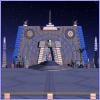
Here’s 2 from me, this one titled “CDF Base 64”. This image started out as an experiment to re-create some of the glow effects I've seen in IRay images by using transparency maps and interior Bryce lights. The central tower and rocket platforms were created with Modo, mostly with bits and pieces from the Modo bashing kit. Custom UV mapping and textures mostly from CGTextures.
Rockets, “island”, Genesis 2 male, and the Mil dog are from DAZ3D. XFrog tree. Terrains, planet and stars are Bryce native objects. Atmospherics by David B.
Illuminated by the sun and use sky IBL. There are six omni lights and one parallel light, all very short range, inside the objects.
Rendered at 32 RPP, render time about 4 1/2 hours.
Thanks for taking a look!
Daz is such a problem!So I decided to buy two of the Boho Cottage elements. Part 1. The Base and Fireplace, and the Living Room element. Because I have my own Directories for Daz, I realise I can't just download stuff because it wouldn't know where to put it. So I normally Manually download and take it from there. Part 1, The Base, Downloaded fine, but I can't get the Living room part to download. It is in two parts, and although I download both parts, only one will succeed and the other always fails! So I've tried to use this Daz Central thing. Firstly I hadn't a clue where it was putting it! Nothing as simple as Create a Download path. So I find, after running a search on my machine, where it had put it, but once again, only one part, the Textures have downloaded and Part 1 has Failed!! I sent a help Request to Daz, but of course, that has had no response. Has anyone else had a problem with this Product or any idea how I can get a hold of this missing part?
I can't install daz studioHello.
I am trying to install daz studio and I have tried everything. I just can't install it. I get an error that the path I set for the installation does not exist. I installed and uninstalled daz central more than 10 times.
Yesterday everything was working fine, all I wanted was to move the installation folders, so I unistalled everything and tried to install them again, and now I always get this error, is there any way to fix this?
DIM and DAZ Central problemsHi richard, since writing I've been doing a bit more digging and discovered I have a folder in DS called Daz Connect, pic attached, not sure it was there before but I may have not needed to look for it! Is it new?
Through some button clicking and searching I found the assetts I was looking for in there, but don't understand why they should be there and not in my Content Library. I guess I don't understand the navigation conventions enough so I have written to Daz technical to ask what is going on. If I hover over the assett I get quite a long and complex file path that I haven't seen before including a reference to "cloud" I'm wondering if these are stored remotely? I don't mind loading them from there but it just seems to complicate the ease of use.
As for the Daz Central content path, all I could find is in the pic attached, is that it?
Many thanks
DIM and DAZ Central problemsUpdate: I have managed to download into DS all products via Daz Control but am I now right in thinking I have to install them from the "Products" tab in Smart Content? Don't think I've had to do that before.
Thanks
DS isn't seeing the files if you need to reinstall within DS - probably the Daz Central content path is different, and not set as a content dirctory in DS. Edit>Preferences, Daz Studio>Prefrences on a Mac, in the Content tab click Content Directory Manager and add the Daz Central content path.
Beta for DazCentral, your new Content ManagerSmart Content will show only items that have metadata - if in doubt, as with the chair, check the Content Library pane, for the chair in Poser Formats>My Daz 3D Library>Props>Karth>LilFreeChair (the /Runtime/Libraries/ folders get hidden).
I'm not sure about most of the extra icons and outlines, but the one at top-right of the Genesis 8 Starter Essentials indicates it has user, rather than vendor, metadata. You might try uninstalling, then find the product's container (folder) in the Products list in the Content Library, right-click on the container>Delete, then either tell DS to connect or just reinstall - that should give the correct, vendor data for the items.
How would I know to take the path in Content Library to find the LilFreeChair if I did not already know where it was using a Windows search?
You'd need to read the read me, if there was one, or looks at the files and folders in the zip.
How do I uninstall it. Products>G>Genesis 8 Starter Essentials gives Icon with "Install Genesis Starter Essentials". Click on Icon nothing happens. Double click nothing happens. Scream at it nothing happens.
If it was mistakenly marked as installed through Connect then the uninstall option should remove that - you would be abck to having the circeld triangle icon on the product thumbnail, and the DIM/Daz Central install would be used if present.
DazCentral FiltersHi
Will there ever be a time we get filters in Daz central. I find it monotonous to browse through my library to find what I want. In the DazStudio application, there are filters there which are great but I don't see why I have to load that up, apply the filter then go to DazCentral to install what I want. I may as well use DazConnect so I don't see the point of DazCentral without some sort of filtering.
Thanks
DIM and DAZ Central problemsHi team, not sure if this is the right forum to ask this or not, apologies if not.
I haven't purchased anything for a while but have just bought Walk the Plank Pirate Bundle and PW Customizable Pirate Ship. Now, when I tried to download through DIM as I have always done, it launches, the icon sits in my task bar but nothing else happens. I've tried the update for DIM but same results.
So I have discovered now that there is a Daz Central thingy going on and so I have installed that. About as helpful as a chocolate fireguard. When I opened DC I have a great long list of the bundles individual items that require downloading one by one, there's 16 of them and no option to "Download all". So I started to install individually. My observations is that it is quite slow and often stopped installing and the button next to the item went back to "Install" instead of "Complete" or "Open" I've only managed to download 3, which I can't find in the Studio explorer pane. Back to the Daz Central, clicked on for example Pirate Hook and Leg, found it in Daz Studio but then had to install it-again.
Finally, I tried the manual download of the purchases but that just takes me to the product library page with no option to download and install manually.
I am at a loss, I'm going to try from Daz Central again but I would like some advice on why my DIM is not co-operating
Thank you for reading
Novica & Forum Members Tips & Product Reviews Pt 13@memcneil70 I've been up all night, deliberately, for the past two days so I will be up all night tonight (through the wee hours of Thursday) when the tornado threat will be ultra high. They are now saying it could go Category 3. (Weather Channel) The track has shifted a tad west I think. Anyway, I'm going to sign off and get some sleep, I am anticipating losing internet again but perhaps not. I never lost power, not even with Sally, but now we have so many damaged limbs still hanging from trees we may lose power this time. I have a full house generator so I'll be fine. Thinking about all of you over in the other states who are going to be the ones this time in the eyewall. At least it will zip through, we were in the darned thing for about six or seven hours! (Sally moved 1-3 mph, Zeta is already doing 17mph forward speed) Currently 90mph at about 8am central.
FYI: 96 to 110 is Category 2. 111 becomes Cat 3. So only 6 more mph to go.
BTW, I'm currently on a font kick, and if you haven't ever tried the free fonts on Font Squirrel, there's a lot of them :) I lost all my fonts when I got the Titan and just hadn't downloaded/installed new ones. Okay, getting some sleep so you all have a great day and ttyl today/ tonight. I'll keep you posted on what's going on weather-wise in Pensacola. :)
Daz 3D is part of

Connect
DAZ Productions, Inc.
7533 S Center View Ct #4664
West Jordan, UT 84084Licensing Agreement | Terms of Service | Privacy Policy | EULA
© 2026 Daz Productions Inc. All Rights Reserved.