-
Show Us Your Iray Renders. Part VIII
The Blurst of Times said:
Another new PBR experiment using Victoria.
(Except Victoria 7, not 8 or 8.1 LOL)
It's not 100% V7, but her shape is in there. And it's Genesis 3, not the V7 skins on Genesis 8.
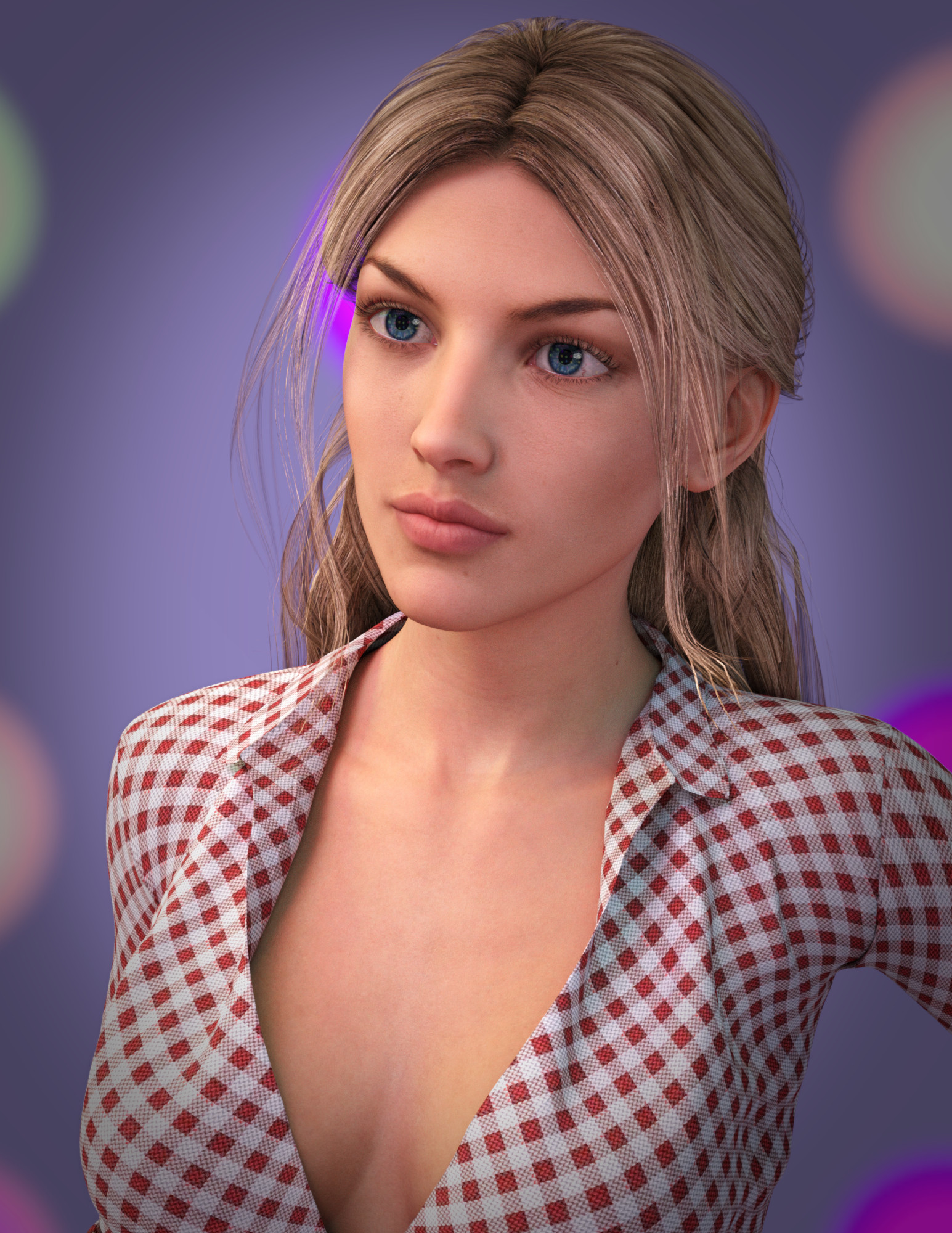
She reminds me of Katheryn Winnick from Big Sky.
K.H.Image studios please update V8.1!GhostofMacbeth said:
These should all work fine on G8.1
For genesis 8/8.1 yes, but not for Victoria 8.1... I already tried it, and it doesn't work, much like the previous Victoria 8's UBM, it will not work for genesis 8, as they're character-specific morphs, which is why I'm specifically requesting a Victoria 8.1 version.
I tried applying and modifying genesis 8's UBM in ZBrush for Victoria 8.1, but both models are frustratingly asymmetric which means you cannot simply mirror the Right/Left limbs because when you dial the limb's morph, you also get the opposite side of the torso as the entire model does not have the same sides like with the earlier models, and I don't have any idea how to mirror the raw morphed polys in ZBrush... there are virtually no tutorials that explain this that I have found.
Show Us Your Iray Renders. Part VIIIAnother new PBR experiment using Victoria.
(Except Victoria 7, not 8 or 8.1 LOL)
It's not 100% V7, but her shape is in there. And it's Genesis 3, not the V7 skins on Genesis 8.
Kameez textures missingHi TwoCats.
The character sets for Victoria 4 (and earlier), Michael 4 (and earlier), Genesis, and Genesis 2 are compatible with Carrara 8.5. Feel confident acquiring character presets for those figures for use in Carrara. For any of them including Victoria 4, it is generally a good a idea to tweak surfaces, etc for Carrara's render engine, just like it is a good idea within Daz Studio to tweak surfaces if one switches back and forth between the Daz Studio render engines for 3Delight, Iray, and Filiment.
Philemo made a free plugin that applies Duf file shaders much better in Carrara. I will have to seek it out and look for an example of use.
Meanwhile I have a series of posts going step by step how I create and save a 1-click Carrara global shader from a character preset that I purchased for Genesis 2. After I have saved this, future uses of the product are loaded with a single click and drag from my shader browser tab to the globe in the texture room. That one click applies all maps and all settings of the character.
What does not work in Carrara 8.5 is geografts. There are a number of clever workarounds, but a monster character for genesis that uses geografts like the minotaur is problematic. The geograft process screws up the UVs. One workaround is applying 2 geografts, one to the figure to get the shape correct, but turn off its visibility to hide the screwed up UVs, then conform the second geograft to the first. Leave the second visible.
For my walk-through of how I manually create my global shader preset for 1-click future use, see a string of posts starting here.
https://www.daz3d.com/forums/discussion/comment/1701046/#Comment_1701046
Follow along from one of these screenshots to the last. The string of posts has a discussion of specific settings that may also be of interest.
How to 3D print your Carrara ModelsVarsel said:
I have been 3d printing Carrara figures (or rather Daz figures for a while).
This one is Victoria 4. The print is 70 mm tall, more or less straight from Carrara.
I use Carrara to setup and pose the figure, then I export each part (figure, dress, hair etc..) separately out as an .obj.
Then import into Hexagon. Hexagon is operating in mm. Here I do the final adjusting (as doing the figure "waterthight") and then export out as a .stl file (standard 3d print file)
The other models (funiture..) is modeled in Carrara, using the Daz figure for scaling, and then exported to Hexagon for the finer details and preparing to print. All of this is for a BookNook that I collecting parts for building it....
wonderful work Varsel. Forgive my ignorance you are hand painting them??
AO Maps: is it a must for G8.1?The Blurst of Times said:
Probably no need for AO maps?
The specular channel seems to be a little over-tuned with the 8.1 figures, IMO. Stripping out the maps and/or turning up the dials on reflectivity is something that I've been doing lately.
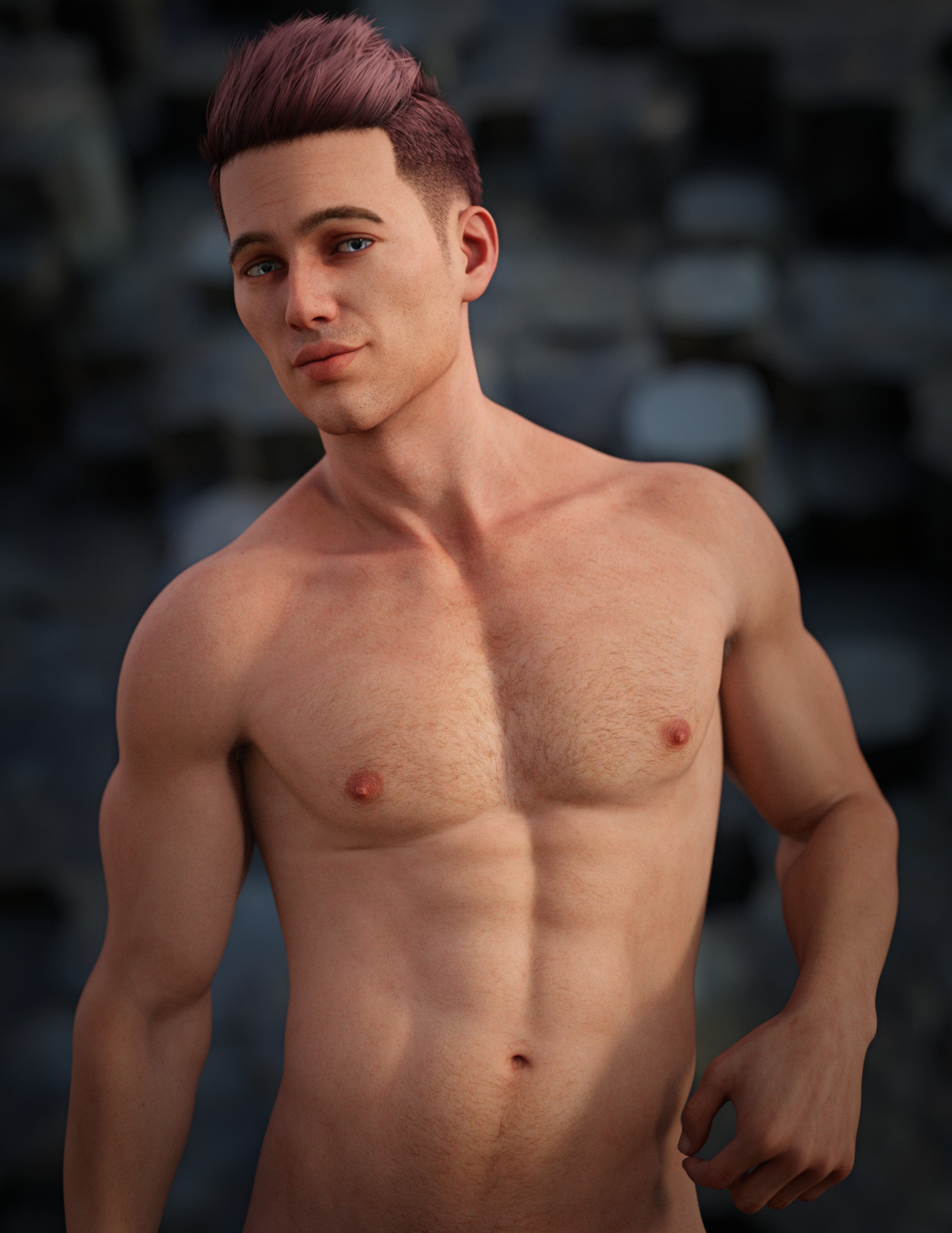
This is Landon 8 skin converted to the 8.1 PBR shader, mostly using Michael 8.1's settings. (I think I turned Dual Lobe Specular Reflectivity up to 0.50 here, not sure if I removed all the maps or not.)
I should probably do more, though. That Dual Lobe Specularity channel seems to react the best to the surrounding light, so if I want wetter skin, I've played in that channel a lot. (Although no wet skin in this one.)Also, no AO maps here. (I'll have to look at Michael 8.1 and Victoria 8.1's settings in this space...)
I also tend to customize the SSS maps to my tastes, like this one for Kiko (who uses the new PBR by default)... although maybe she's on the plastic side? Anyway, I try to increase the brightness/contrast a little on the default SSS/translucence maps for my own light setups.
I don't even know what that plastic thing means sometimes. The word gets thrown around. All I know is that if I want "Plastic" (like for an Android), I strip out the SSS maps and eliminate translucence. If you don't like the depth in the 8.1 skin, then increasing contrast in the translucent layer might help.
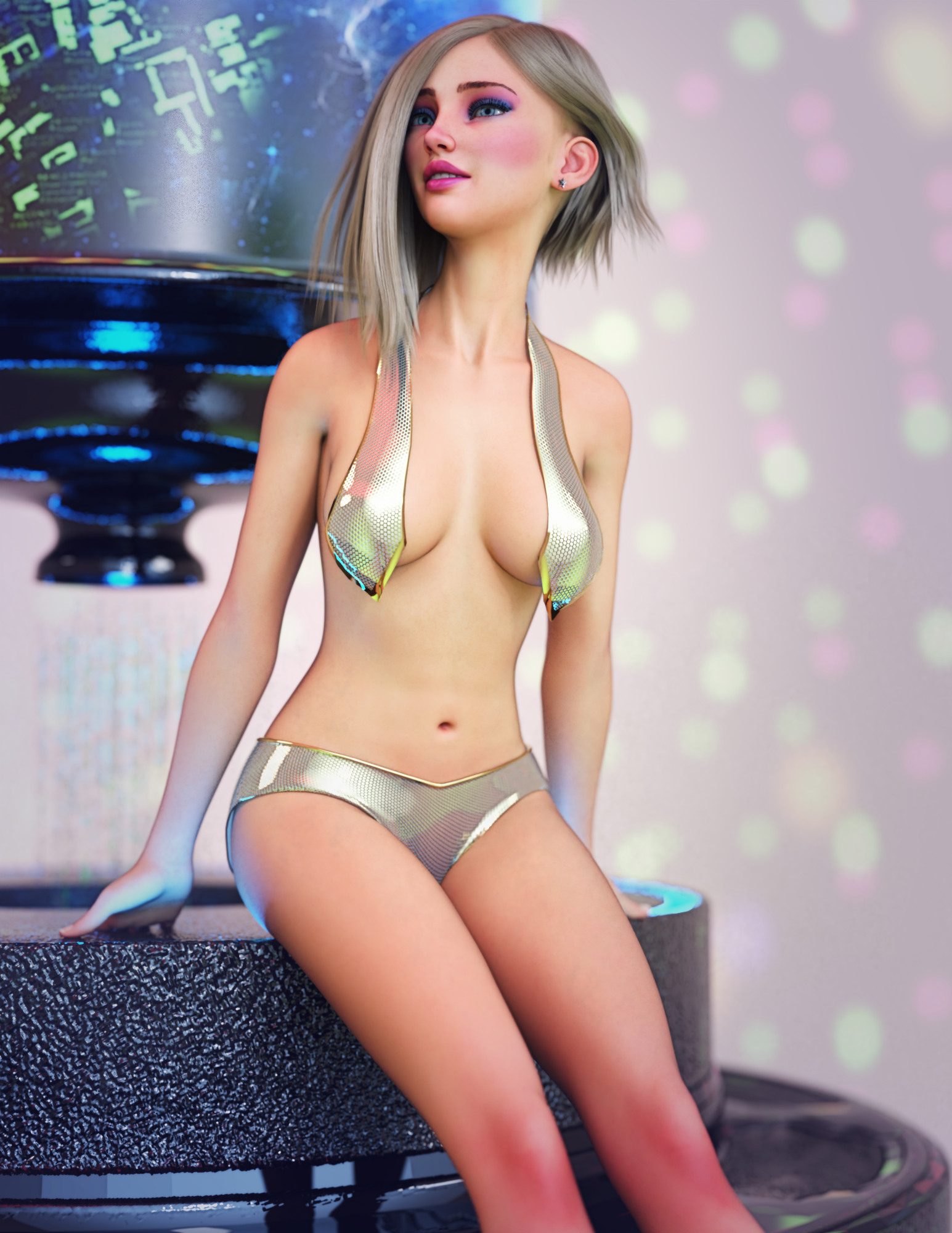
Nice renders @The Blurst of Times! Enquiring minds want to know, what outfit is that on Kiko?
And to the OP, if the skin looks too dry to you, probably try changing the Dual Lobe Specular values first. If you don't know, Specular Lobe 1 is the larger blurred reflection, and Specular Lobe 2 is the sharper highlights.
AO Maps: is it a must for G8.1?
Your renders are absolutely stunning. My gripe for G8.1 is that they have constant dry/chalky/flat skin, like there is not enough light passing through/bouncing off the skin. I did not believe it was due to translucency or SSS because the SSS maps for G8 & G8.1 were basically the same (lightened version of diffuse map sometimes WITHOUT VEINS (yikes)) thanks for your tips!The Blurst of Times said:Probably no need for AO maps?
The specular channel seems to be a little over-tuned with the 8.1 figures, IMO. Stripping out the maps and/or turning up the dials on reflectivity is something that I've been doing lately.
This is Landon 8 skin converted to the 8.1 PBR shader, mostly using Michael 8.1's settings. (I think I turned Dual Lobe Specular Reflectivity up to 0.50 here, not sure if I removed all the maps or not.)
I should probably do more, though. That Dual Lobe Specularity channel seems to react the best to the surrounding light, so if I want wetter skin, I've played in that channel a lot. (Although no wet skin in this one.)Also, no AO maps here. (I'll have to look at Michael 8.1 and Victoria 8.1's settings in this space...)
I also tend to customize the SSS maps to my tastes, like this one for Kiko (who uses the new PBR by default)... although maybe she's on the plastic side? Anyway, I try to increase the brightness/contrast a little on the default SSS/translucence maps for my own light setups.
I don't even know what that plastic thing means sometimes. The word gets thrown around. All I know is that if I want "Plastic" (like for an Android), I strip out the SSS maps and eliminate translucence. If you don't like the depth in the 8.1 skin, then increasing contrast in the translucent layer might help.
AO Maps: is it a must for G8.1?Probably no need for AO maps?
The specular channel seems to be a little over-tuned with the 8.1 figures, IMO. Stripping out the maps and/or turning up the dials on reflectivity is something that I've been doing lately.
This is Landon 8 skin converted to the 8.1 PBR shader, mostly using Michael 8.1's settings. (I think I turned Dual Lobe Specular Reflectivity up to 0.50 here, not sure if I removed all the maps or not.)
I should probably do more, though. That Dual Lobe Specularity channel seems to react the best to the surrounding light, so if I want wetter skin, I've played in that channel a lot. (Although no wet skin in this one.)Also, no AO maps here. (I'll have to look at Michael 8.1 and Victoria 8.1's settings in this space...)
I also tend to customize the SSS maps to my tastes, like this one for Kiko (who uses the new PBR by default)... although maybe she's on the plastic side? Anyway, I try to increase the brightness/contrast a little on the default SSS/translucence maps for my own light setups.
I don't even know what that plastic thing means sometimes. The word gets thrown around. All I know is that if I want "Plastic" (like for an Android), I strip out the SSS maps and eliminate translucence. If you don't like the depth in the 8.1 skin, then increasing contrast in the translucent layer might help.
How to 3D print your Carrara ModelsI have been 3d printing Carrara figures (or rather Daz figures for a while).
This one is Victoria 4. The print is 70 mm tall, more or less straight from Carrara.
I use Carrara to setup and pose the figure, then I export each part (figure, dress, hair etc..) separately out as an .obj.
Then import into Hexagon. Hexagon is operating in mm. Here I do the final adjusting (as doing the figure "waterthight") and then export out as a .stl file (standard 3d print file)
The other models (funiture..) is modeled in Carrara, using the Daz figure for scaling, and then exported to Hexagon for the finer details and preparing to print. All of this is for a BookNook that I collecting parts for building it....
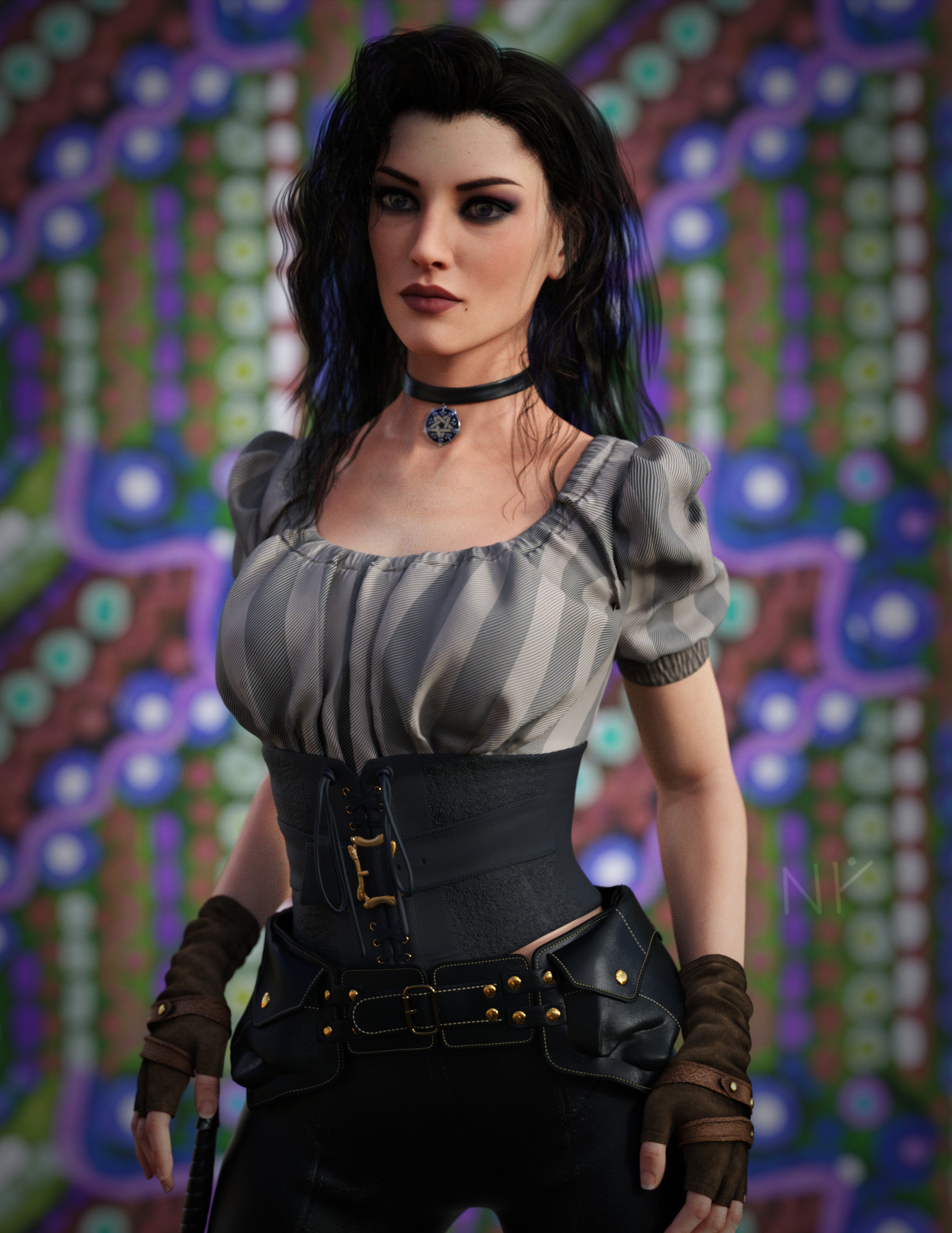
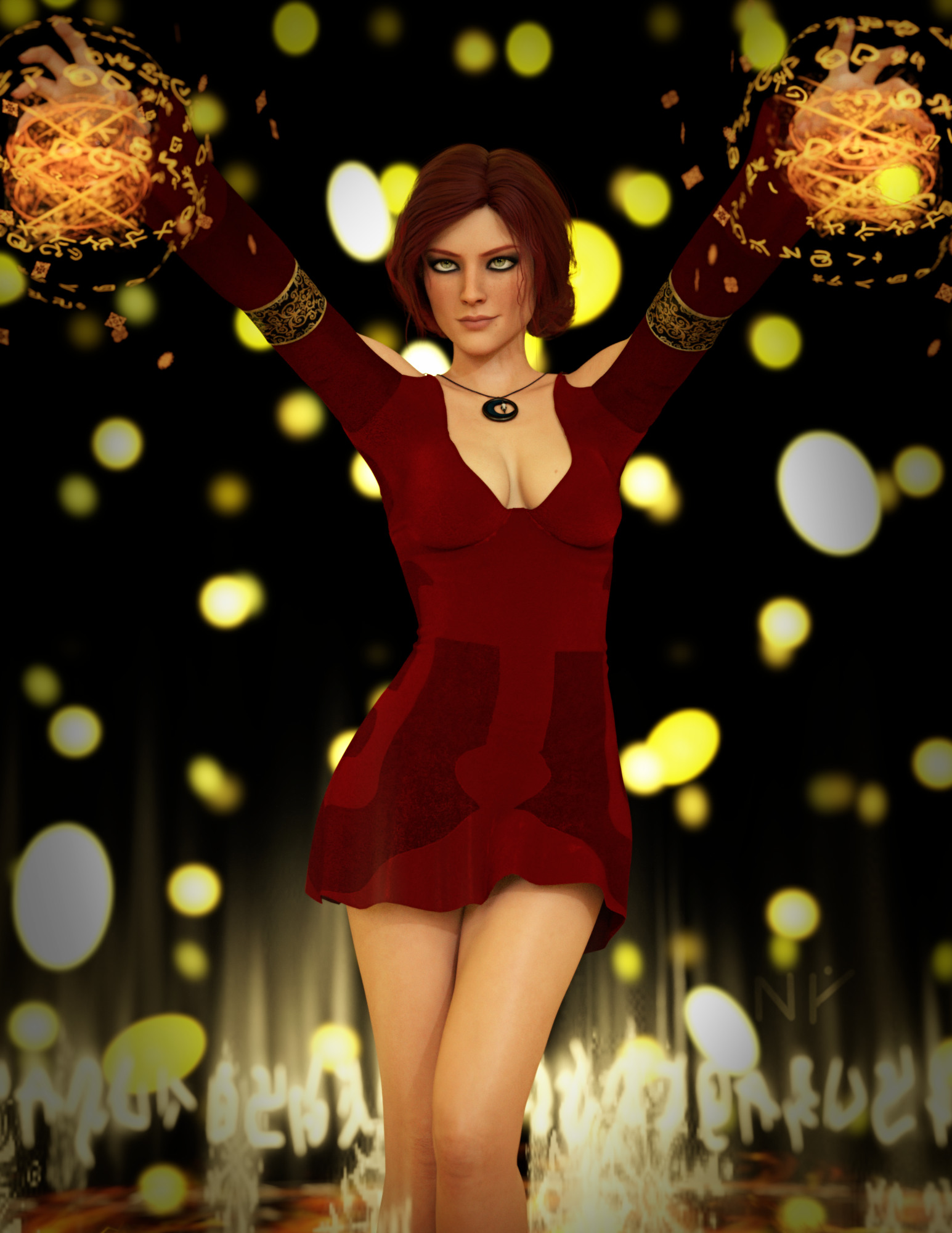
All things The Witcher...Okay, latest attempt at Yennefer of Vengerberg.
Again, converted the skin (Kayleyss' "Jenn HD for V7") to the PBR shader. Customized SSS maps, borrowed Detail maps from Victoria 8.1, borrowed settings from Victoria. I increased some of the Specularity gloss settings here.
Hair is Oleander hair, but I flipped it left to right so that it more resembles the hairstyle for CDPR's Yennefer. Background is a towel texture (3DL) because I thought of gooseberries.
Still needs a lot of work, though.
 All things The Witcher...
Once again, Triss Merigold... Trish HD for Victoria 7.
(Genesis 3 conversion to the new PBR shader.)Why do the conversion? Because I don't like the performance of the Iray uber Trish HD skin as is. (Good skin, doesn't fit my lighting setups.)
I could adapt it to my own Iray uber preferences, but I never did. It's already in Iray uber, so it feels more like work to do that.Having a new skin shader is a different kind of adaptation, I think.
 Organizing Content similar to DAZ Studio?
Thanks for the replies and info!
All that cross-generational stuff is a bit dizzying for me to wrap my head around for now.
This is why I'm choosing one Character "base" to work with, and sticking with that - at least for the time being. When I'm more comfortable with the Carrara ecosystem and how Daz figures play within it, I can expand. But for now, "Keep It Simple" is the dictum I'm operating by. So, I'll be sticking with Genesis 1 for now.
I do still have the question of knowing what is compatible with Carrara, specifically. I linked this above: https://www.daz3d.com/victoria-5-elite-ponytail. Is that usable? I don't want to purchase items if they won't be compatible - even if DAZ would refund them. I rather avoid purchasing them in the first place.I did purchase a variety of "morph packages" for Genesis some time back, A3 and H3, A4 and H4, and a few others. Just playing with the sliders, mixing and matching those various options, I'm gonna be busy coming up with characters.
I've been scrolling through DIM, and I have a lot more stuff for Genesis than I realized. So, I can at least see what I can come up with for that for now.
Thanks!
All things The Witcher...I'm just looking for "close enough", but that Zireael from Skyrim looks good.
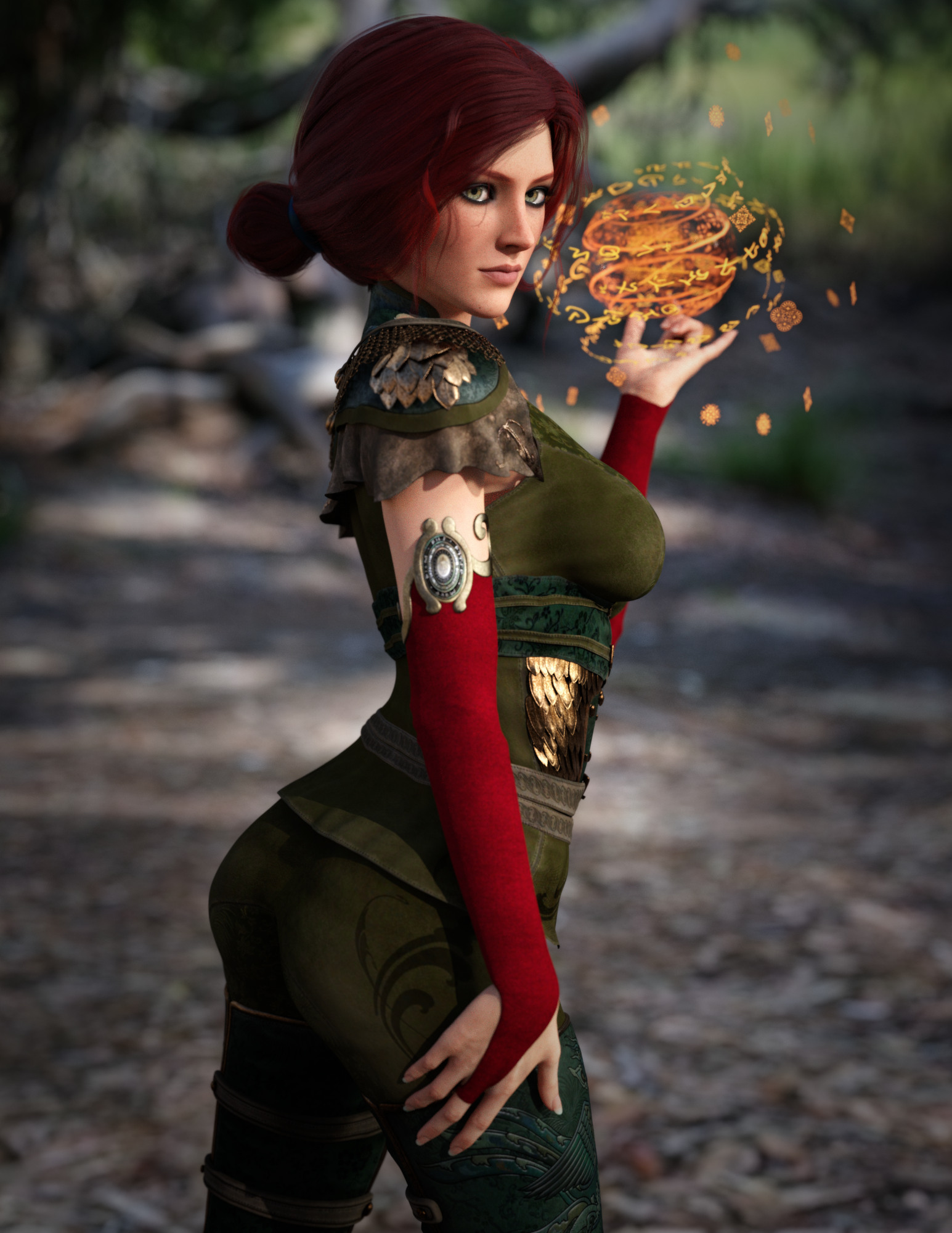
Okay, once more with Triss because there was a Multiplane Cyclorama thread earlier.
I decided to drop the Cyclorama on this. Yes, a lot of DoF, but why not? It's simple and good. No need for full blown HDRI... didn't even convert the Cyclorama to Iray.
Triss (err, Trish HD for V7) is converted to the new PBR shader, of course. Custom SSS maps, a few maps borrowed from Victoria 8.1 for the Detail channel because those do not exist in Genesis 3.
 Organizing Content similar to DAZ Studio?
TwoCats said:
I've installed V5 and, so far so good. Everything's working, and the folder structure seems better organized than V4 did. Or, at least I'm having an easier time finding stuff.
I do have a related question, since it's to do with content.
Most of the content I've purchased has been for Genesis 8 or Genesis 3 figures. I don't have as much for Genesis/V5 figures. So I'm looking to make a few purchases as kind of a "booster" of content to work with, but I'm curious about compatibility with Carrara specifically.
For example, I found this:
https://www.daz3d.com/victoria-5-elite-ponytail
Will that work okay with Carrara? Asking because I don't see it listed in the 'Compatible Software' list.
Thanks yet againYes. In fact it will work quite well.
Genesis 1 is The One Genesis figure that is fully compatible in Carrara. Development never did quite get Genesis 2 perfected, but they work as well, except for one important issue for me - since I need this stuff to work:
The Auto-fit system for Carrara hasn't been developed far enough to recognize the difference between different generations of Genesis, so auto-fitting from one Genesis generation to another simply doesn't work. The Fit To dialog never opens, it just conforms the item wrongly without hesitation.
There's a simple fix for this, if you like using Genesis 2 over Genesis 1: Simply create a Genesis 1 version of the other generation clothing using Daz Studio.
I've written some nice articles on both subjects:
Genesis 1 Rocks!!! is all about why I prefer Genesis 1, and how I am able to use Genesis 1 to be virtually any generation of Genesis figure, and wear virtually any clothing.
Content Generations Conversion is all about using Daz Studio's tools to create clothing from newer Genesis (2-8) clothing that fits, and works with Genesis 1. I create my own listings in Daz Studio's library for these new items under the People > Genesis > Clothing category.
Just know that some Genesis 8 stuff doesn't convert well to Genesis 3, in which case we'll either not be able to use that as clothing, or we'll have a bit more work to do before we get there.
For things that I really want from Genesis 8 that doesn't like to convert (which is due to the A pose instead of the T pose - likely a weight mapping issue, so I need to learn weight mapping in Daz Studio - all in good time!) I simply give Genesis 8 a T pose and export the clothing item as an OBJ, then bring that OBJ back in onto Genesis 2 or 3 and use the Transfer utility to turn it into a conforming cloth. Then I convert that down to a Genesis 1 cloth.
Or if I'm converting clothing made for a male figure, I can do the above process directly to Genesis 1 instead of first converting to Genesis 2 or 3. This is because Genesis is fully unisex, and defaults at the male shape. So when converting female clothing, the Transfer Utility provide a method to subtract the female shape during conversion for us, which is very handy!
I did a few conversions directly to Genesis by importing the object (OBJ) into Carrara, and shaping away the female shape using the modeler, which can also be even better (if not more work) than the automated process. But the automation of Daz Studio usually does a wonderful job.
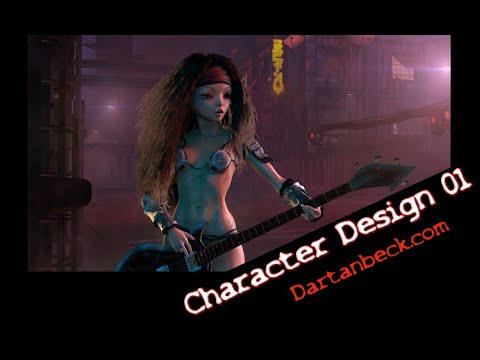
Here's a little video I made that might have some helpful hints, and my site (Dartanbeck.com) has a lot of info that I feel compelled to write while I'm waiting for renders to finish:
 Organizing Content similar to DAZ Studio?
I've installed V5 and, so far so good. Everything's working, and the folder structure seems better organized than V4 did. Or, at least I'm having an easier time finding stuff.
I do have a related question, since it's to do with content.
Most of the content I've purchased has been for Genesis 8 or Genesis 3 figures. I don't have as much for Genesis/V5 figures. So I'm looking to make a few purchases as kind of a "booster" of content to work with, but I'm curious about compatibility with Carrara specifically.
For example, I found this:
https://www.daz3d.com/victoria-5-elite-ponytail
Will that work okay with Carrara? Asking because I don't see it listed in the 'Compatible Software' list.
Thanks yet againV4 to genesis 8 wearables and textures converterRemiliaSutton said:
Okay I got that but it's saying I need to either A manually convert the textures to .duf or use a batch converter. But WHICH batch converter do I need to get? There's a few different ones.
?????
I believe it means, if the materials have only Poser-format files (PZ2, or perhaps MC6), you need to apply them to the original base figure (or, for Victoria 4/Michael 4, apply them to Genesis) and save a native Daz Studio Materials preset.
V4 textures on genesis 8guys how can I get image like thispritam9224 said:
fine so how come i run it without texture i mean which setting as in reference image , what to to do get such render as im rendering im getting the final product all textured only.
im new so please help!
Gordig said:
That is the simple approach. Trying to do this in DS would be much more complicated, and would require using PS or an equivalent anyway.
To get that "clay" shading you simply need to take off all the texture maps. A simpler way would be to use a ceramic shader (for example) and apply it to the skin, then lower the gloss if needed. If you still wanted simpler (as in a one-click solution), there's always Jepe's products (such as this one: https://www.daz3d.com/jepes-art-deco-statuettes-iii-for-victoria-8) which come with a variety of different materials to apply to the skin.
V4 to genesis 8 wearables and textures converterYou will need this to use V4 textures on G8F: https://www.daz3d.com/legacy-uvs-for-genesis-8-victoria-4
Why is everything so expensive?marble said:
modeller said:
certaintree38 said:
The other thing is that people who constantly buy a lot often get much better deals. You can get loads of brand new items for 80% off if you have purchased enough bundles and buy enough new stuff at once. So the people with lots of money are not really playing the same market as those of us who are on a smaller budget. Those deals aren't as good either lately, but they still find themselves able to get tons of things even us plebs would consider "cheap" that we simply do not have access to because we can't buy in such large quantities so often. My point being that thier idea of cheap per item might be similar or even lower because of the deals they get. It's the final bill where things are different.
I want comment to this: "You can get loads of brand new items for 80% off if you have purchased enough bundles and buy enough new stuff at once"
Sometimes I don't get it, what is the advantage and why people buy a lot of expensive bundles packed with useless stuff first, merely to get a pretended cheaper price for something they actually want, is a brand new item really that cheaper if you bought a lot of expensive bundles first or is the real reason little patience or acquisitiveness or something like that? I really don't have a clue or it maybe I misunderstood something.
Yeah, I don't understand that either. I look at bundles quite often but I don't think I have ever bought one unless there was some ridiculously heavy discount (80% at least). As you say, I have never seen a bundle where even half the items might be something I would want. I don't even clutter up my content library with the free (or $2:99) PC+ bundles. Again - they fill up those bundles with stuff they can't sell normally.
...in my eight + years here, the only two pro bundles I bought at introductory price were Victoria 4.2 one and Young Teens 5. The other ones I have I either purchased at a deep discount or were free.(I received both the Vicky5 and Mike5 Pro bundles free with the purchase of Carrara 8.5, and Vicky7 Pro as a "free" loyalty offer).
Daz 3D is part of

Connect
DAZ Productions, Inc.
7533 S Center View Ct #4664
West Jordan, UT 84084Licensing Agreement | Terms of Service | Privacy Policy | EULA
© 2026 Daz Productions Inc. All Rights Reserved.