-
Need purses or handbags that open.
SilverGirl said:
tsroemi said:
lorraineopua said:
https://www.daz3d.com/night-out-purse-and-accessories-for-genesis-8-female is a morphing handbag with a 'purse slouched open' morph
Very nice find! I love it that the girl is taking a pen and notebook on her night out instead of make-up and such.
You mentioning that is *entirely* why I actually looked at this one. Because I've had a LOT of things in my night out bag over the years, but makeup has never once been among them. Pen and paper and a book, though? 100%, no matter what else was in there.
Talk about owning too many items. I have that product! It looks like a great 'work to night out' purse. For those times your work is an hour away from where you live, and where the night out is planned. You can't exactly run home and drive back. And if going to college after work, room to carry what you need, along with a snack to keep you going on a 14-hour day before you head home.
Eyelid discrepancyHey guys, random oddball question. I think I've seen this on a couple characters before, but I have a Genesis 8 character which I've posed with a shocked looking expression, but I've noticed a minor difference in the eyelid position in the Texture Shaded view vs the Iray rendered view. I attached an example, where you can see the character's sclera all around the eye, but then in the Iray preview, her eyelid looks slightly more closed, despite it being as open as the face morphs allow, even with limits off. Is there a way I can tweak this without having to create my own custom morph?
[SOLVED] Help! How can I get back to Face Transfer 1?Leana said:
From what I've read, it should automatically use Face Tranfer 1 when you use G8 and 2 when you use G9.
Thanks. I'm still not sure what the problem is but I've got a few possibilities which I'm investigating. I started with no figure selected and it went to Face Transfer 2. It did not give the option of using genesis 8 so I'm looking at whether the installation of Genesis 8 is broken somehow.
[SOLVED] Help! How can I get back to Face Transfer 1?Yes, the figure used determines which you get (Face Transfer 2 is more than just a Genesis 9 update, but nevertheless that is a ket difference ebtween them https://www.daz3d.com/forums/discussion/662091/face-transfer-2 )
[SOLVED] Help! How can I get back to Face Transfer 1?I've got a registered copy of Face Transfer 1 but when I try to use it recently I keep getting the trial version of Face Transfer 2 instead. I don't know how to make the trial version go away and bring back my registered version of Face Transfer 1. Does anyone have the solution?
question about creating clothesThank you very much! Here is what it looks like in A pose:
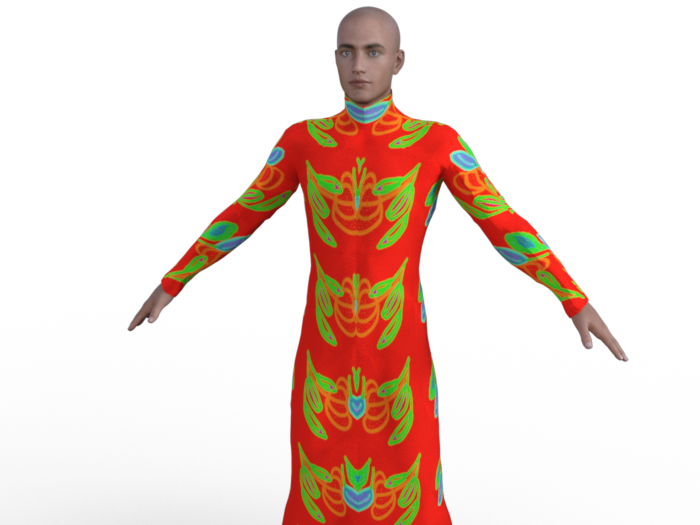
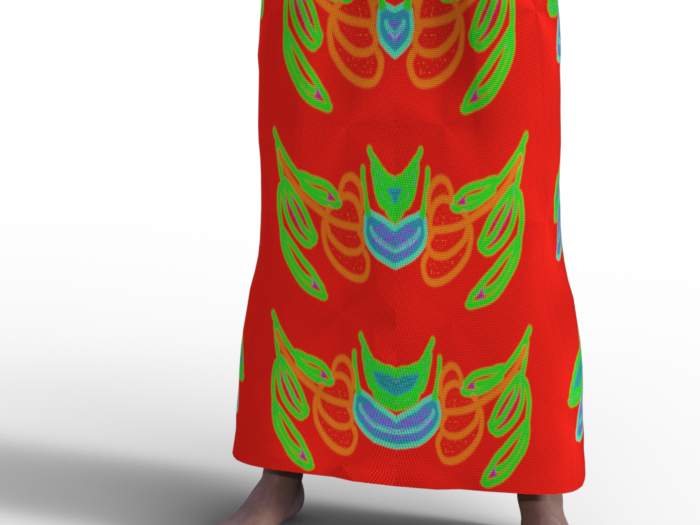
I is needed to zoom to see the normal map effect. Even here, it may be difficult to see...
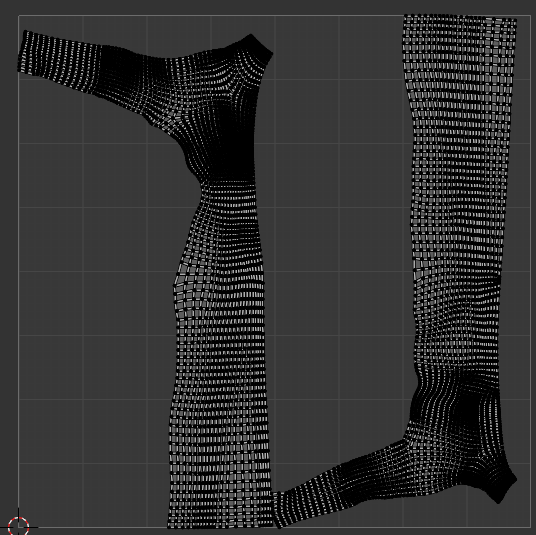
Here is screensjots og thje geometry and tghe UV (I din't know why, but I can't see the UV in DS, only in Blender):
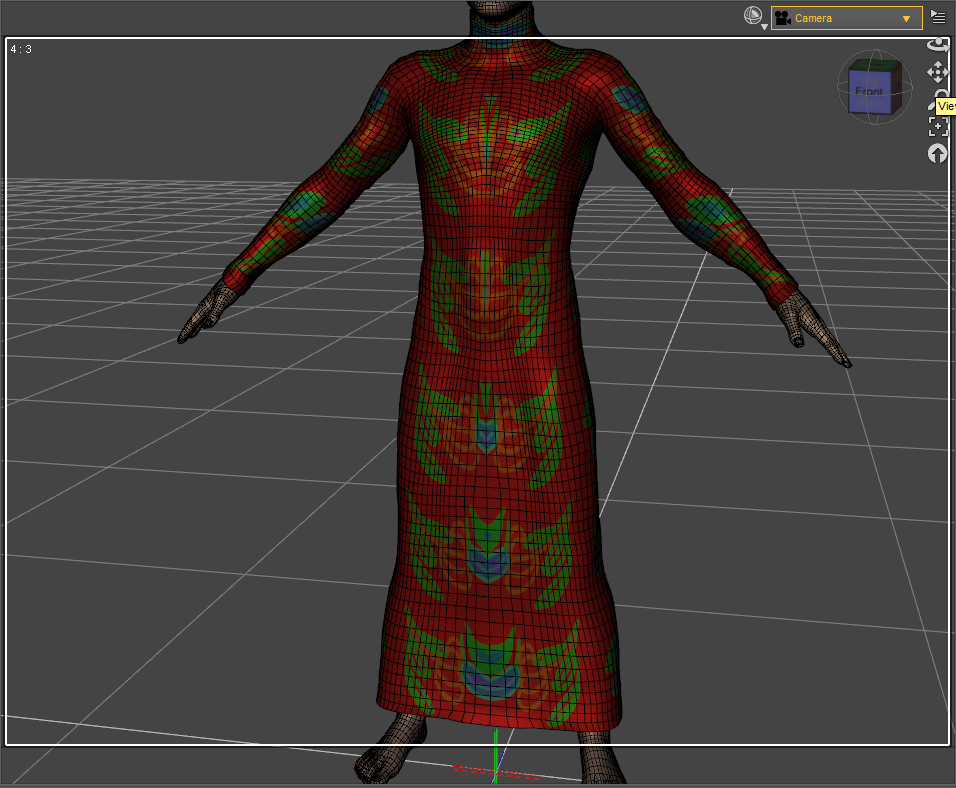

The "broken" part looks like a rigging issue, that might be as simple as hitting it with the smooth brush to correct.
You mean I should import back the cloth to Blender with the pose and correct the default directly on this pose? After that, would I have to import back to DS on this pose as a morph with Morph loader Pro?
1. With poses, you need to necessarily fix corrective morphs on the dress, like the "broken issue / mesh deformation" issue in your 1st screenshot... when Collar / Shoulder bend up, and/or add dForce capability as needed.
Could you tell me how to create a corrective morph, please? I never did that, so I don't know haw it wrks... For the Dforce, I tried to add Dynamic Surface, but it didn't fix the issue. What should I have to do?
3. As for the texture issue, where did you do UV Unwrap... Blender ? Better show its UV map, as well as how the texture looks in A-Pose...
For now, i didn't unwrap by myself, I let the default UV in Blender. More precisely, I don't know if it can help, but I originally create this cloth for MakeHuman, from the MakeCloth helper by combining the t-shirt and the skirt, and making some changes. But in fact, I had never been able to make it work in MH because the mesh was broken (much more than that!) already in the T-pose, and I had no knoledge enough to fix it. To use it in DS, I used the Wrap lattice node to adapt the shape to G8M (that is why I first used a T-pose on G8M). And to obtain the A-pose, I re-used again a lattince node to convert T-pose into A-pose. After that, I used a brush node in Wrap and I sculpted a bit in Blender to fix some issues from the conversion...
I don't know if it could explain the issues that I have now in DS...
Besides, I recommend a tutorial series from Mada: https://www.youtube.com/watch?v=Ii16tUmLzD8&list=PL2SdKrOTXeXA1qMgNE84AsM8_Wq63gOBF You better first of all understand the typical workflow of make clothing in DS...
Edit:
I am testing different pose, and I can see that there are iisues for many of them; for example:
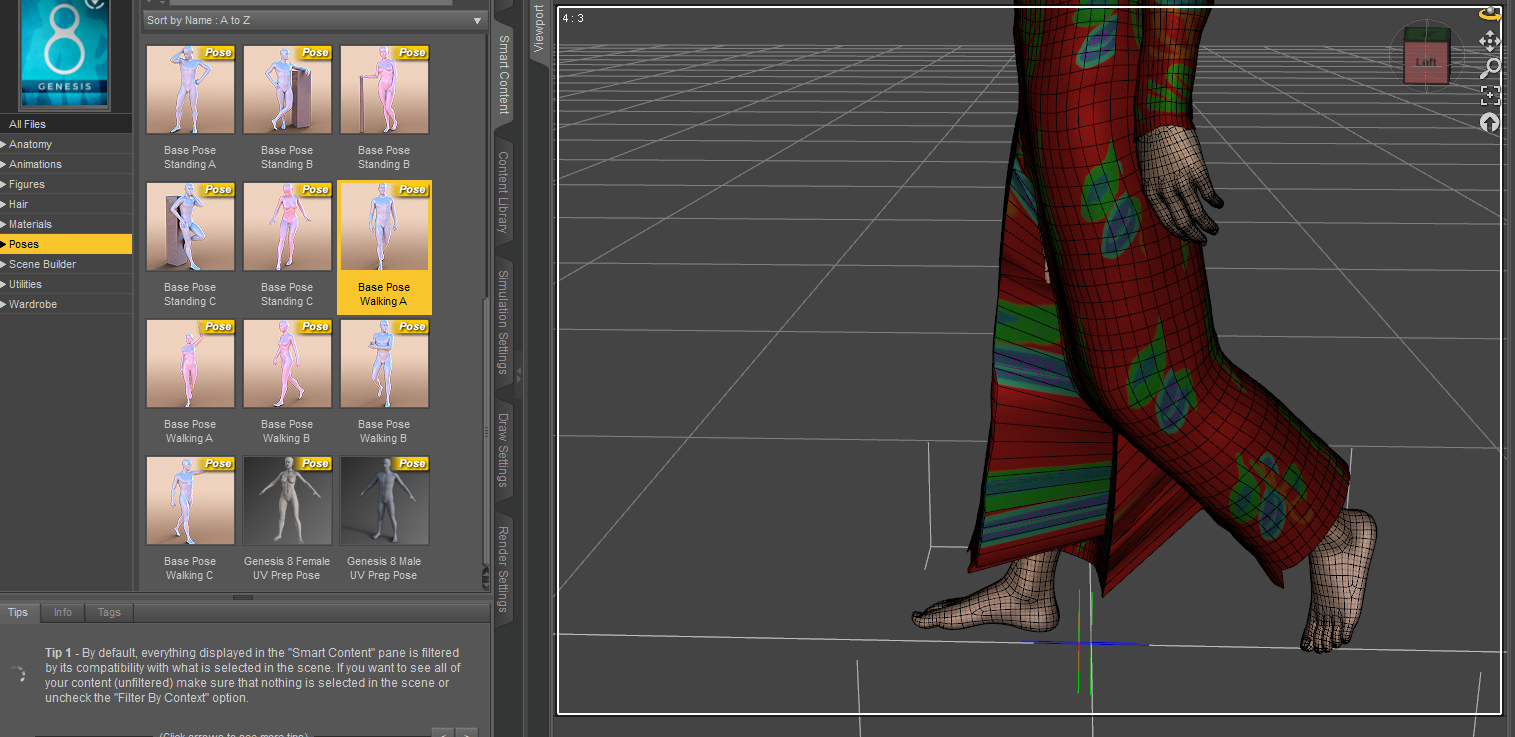
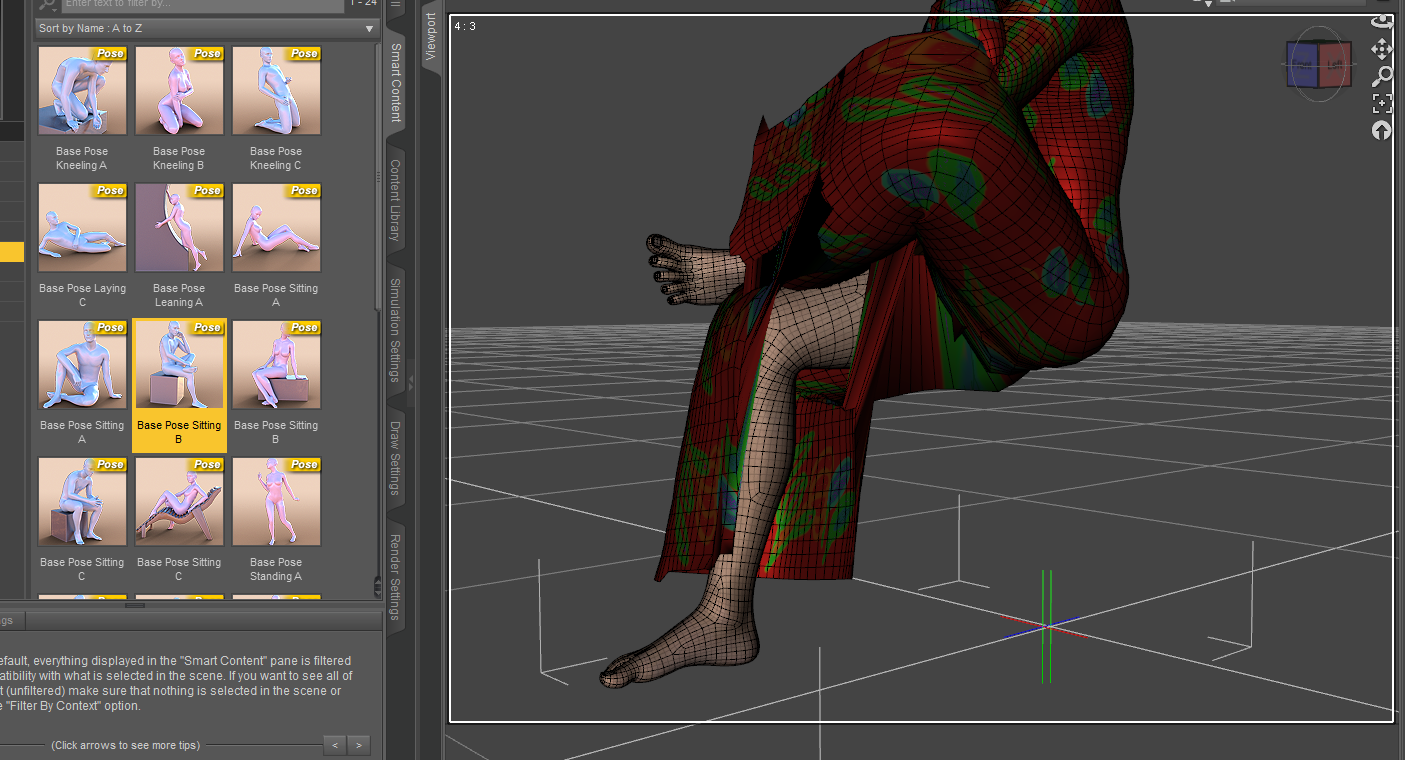
Do you think that i should create one corrective morph by pose, or would it be possible to fix all the issues in the same time?
Thank you very much! I will look at here!
I'm having problem with Importing obj from Marvelous Desginer as MorphDoing export from daz and import back (morph loader) immediately results no problem.
-----
The number of vertices of obj imported from MD to DAZ, is the same to the original.
The only difference is the number of total faces, which is double as the error suggested.
Need purses or handbags that open.tsroemi said:
lorraineopua said:
https://www.daz3d.com/night-out-purse-and-accessories-for-genesis-8-female is a morphing handbag with a 'purse slouched open' morph
Very nice find! I love it that the girl is taking a pen and notebook on her night out instead of make-up and such.
You mentioning that is *entirely* why I actually looked at this one. Because I've had a LOT of things in my night out bag over the years, but makeup has never once been among them. Pen and paper and a book, though? 100%, no matter what else was in there.
I'm having problem with Importing obj from Marvelous Desginer as MorphI realise the morph loader error mentions facet count, but does facet count even matter? I thought all that matters was vert count. (Edit: I tested by exporting primitive to blender and triangulating it and morphing it and it still loaded into morph loader pro, so triangulation is not inherently an issue)
Export obj from Daz
Import the exported obj into Daz
Check vert count in Node info - Are they the same? If not, you did something wrong.
If same, proceed to import into MD.
Immediately export from MD
Import the obj into Daz
Check vert counts in Node info - Are they the same?
question about creating clothes1. With poses, you need to necessarily fix corrective morphs on the dress, like the "broken issue / mesh deformation" issue in your 1st screenshot... when Collar / Shoulder bend up, and/or add dForce capability as needed.
2. As for the deformed mesh in the crotch area... if you don't find this issue with A-Pose, you also need to fix corrective morph for thighs Bend and/or Side-Side.
3. As for the texture issue, where did you do UV Unwrap... Blender ? Better show its UV map, as well as how the texture looks in A-Pose...Besides, I recommend a tutorial series from Mada: https://www.youtube.com/watch?v=Ii16tUmLzD8&list=PL2SdKrOTXeXA1qMgNE84AsM8_Wq63gOBF You better first of all understand the typical workflow of make clothing in DS...
What the hell is Gordig doing now?Gordig said:
I'm just looking forward to the day when I can move past transferring the same scene and characters into different programs.
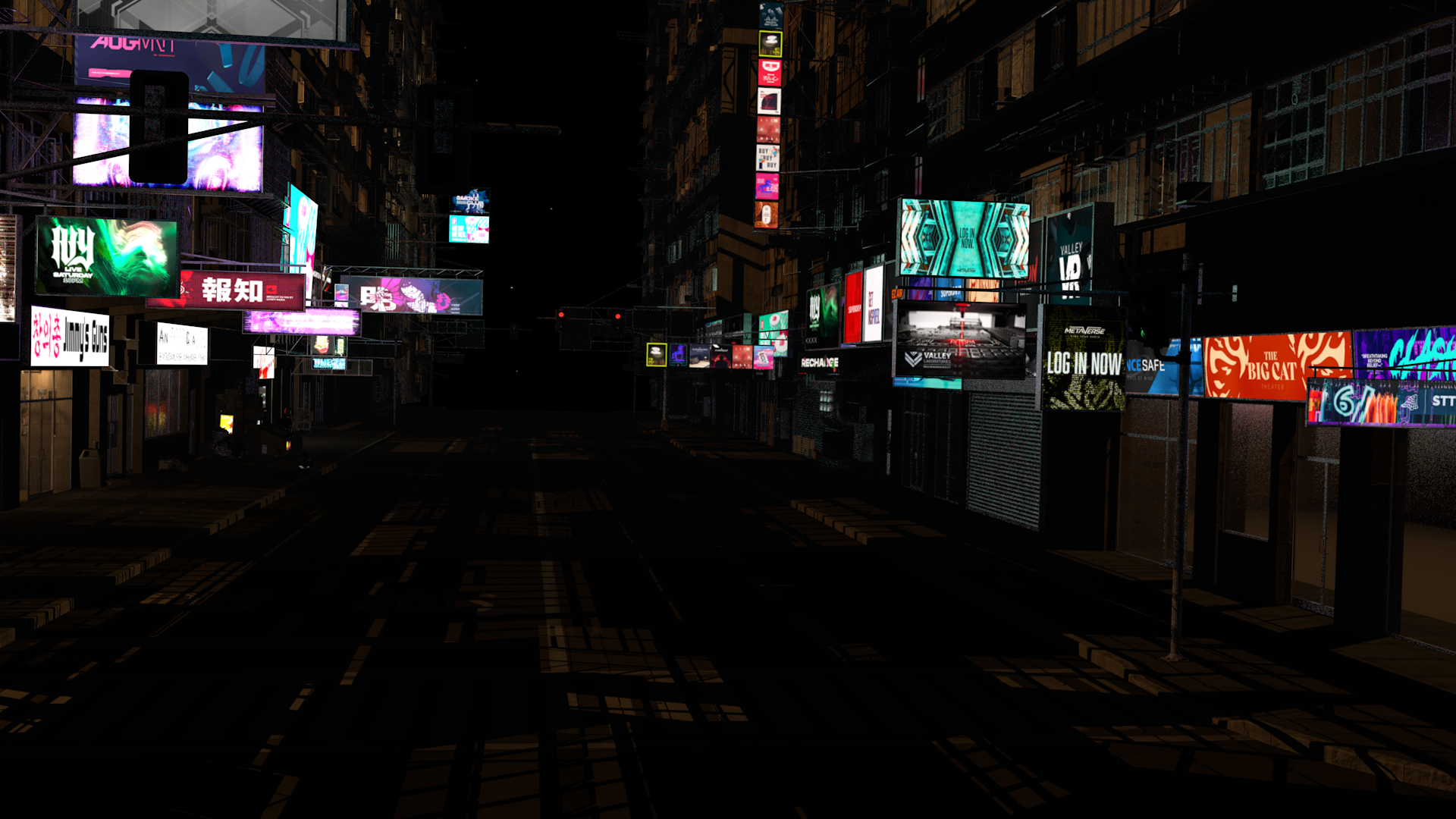
Funny thing about that: I've decided that I hate Unreal too much to spend a single second more inside the program. I took a brief spin with Unity and found it much more comprehensible, much easier to figure out how to do simple things, but I was long past the point where I could remember why I started playing in game engines, since I'm not trying to make a game. So I refocused my energies on building out more of the set I'd been working on. I had already converted the entire scene to C4D's standard renderer because Arnold materials don't transfer into any other program, but since I've only ever used third-party renderers since I started seriously using C4D, there are a lot of things I don't fully understand about how to make standard materials and lights look particularly good. This is an alright shot for now, I guess.
 Need purses or handbags that open.
lorraineopua said:
https://www.daz3d.com/night-out-purse-and-accessories-for-genesis-8-female is a morphing handbag with a 'purse slouched open' morph
Very nice find! I love it that the girl is taking a pen and notebook on her night out instead of make-up and such. Also, lots of morphs on the bag, cool! And it's really cheap right now, with the coupon.
Need purses or handbags that open.https://www.daz3d.com/night-out-purse-and-accessories-for-genesis-8-female is a morphing handbag with a 'purse slouched open' morph
Need purses or handbags that open.[email protected] said:
Thanks for the suggestions, Charlie. I'll see if the Purrrsed one works for me. I'm just amazed that with all the products out there, nobody has really made one where you could have a model reaching inside of it very easily.
Probably because most purses are not rigged, which makes it easier to model and most users have no need for that option I was looking for one that was open and the contents spilling out for a project last year, ended up creating my own basic morph to get the look I was after.
AIUTO...CHI CONOSCE L’ITALIANO? PARTE QUATTORDICIImago said:
Kainjy said:
Tieni premuro CTRL mentre applichi la posa.. ti apparirà un menu dove potrai disattivare le traslazioni
Ho notato che alcune pose se ne fregano di quel trucchetto, non so perchè!
Ogni tanto me lo fanno anche alcuni materiali, per quanto io gli dica "Ignore", quelli rimpazzano tutte le textures.
Forse perchè anzichè spostare i joint hanno usato un morph per muovere il personaggio.
question about creating clothesThat sounds as if the lifted arms were already in effect when you loaded the morph - I think recovering from that will be tricky, it would probably be better to use Blender to rshape the emsh to fit the base pose.
question about creating clothesOn fact, I fisrt posed the the figure, but after, I imported it as an obj file and reimported it as a morph by Morph Loader Pro. I did that because when I just posed the figure and sent it to Blender, I don't know why but the arms was upper in Blender than in DS, it was more like a Y pose... So, I dialed the arms in DS less up, and sent it to Blender, where I had an actual T pose. After that, I saved the T posed G8M as an obj file, and reimporeted it to DS as a morph by Morph Loader Pro.
How to save new character morphs?I don't understand what happen: when I do ERC Bake and try to dial the morphs, they don't recreate the shape I want, they recreate the shape that I obtained by the slider. It looks like ERC Bake had changed the effect of the morphs...
 I tried to do ERC Bake with the slider to 0 and 100%, but it didn't work. Is there something to do before ERC Bake? Or could it be because I have several AV wings in my file? I am working on a new AV wings in the same file to compare to the first one and to be sure that the shapes correspond...
Edit:
I finally succedded by working directly on the first wings, without needing to delete the other. I works much better, now!
 However, I saved the slider by Morph Asset, not Save Modified Asset because there was another asset, not only the slider, and I wasn't sure if it was normal: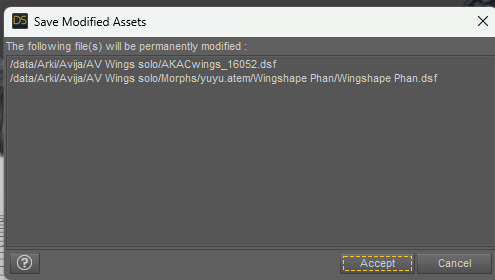
Is it normal that there is not only the slider?
By the way, I have the impression that I made a mistake by choosing "Wingshape Phan" as the product name: it is the name of the slider, but I gess "AV Wings" would be better for the product name, right? Is it possible to change that?
Thank you in advance!
question about creating clothesDid you use a morph to get the T pose or did you literally pose the figure? Reverse Deformations won't help with the latter, but you can use Bake rotations to make the system think that the T pose is zeroed and rig from that, then repose to go back to the regular pose and bake the clothing's rotations to get a version that fits the egular figure. In gernal working on the true default pose will be easier.
question about creating clothesYes it is best to model against the base character in default pose.
With your t-shirt you can in Transfer Utility set shape to current for character, and tick Reverse Source Shape from target (clicking More...)
Daz 3D is part of

Connect
DAZ Productions, Inc.
7533 S Center View Ct #4664
West Jordan, UT 84084Licensing Agreement | Terms of Service | Privacy Policy | EULA
© 2026 Daz Productions Inc. All Rights Reserved.














