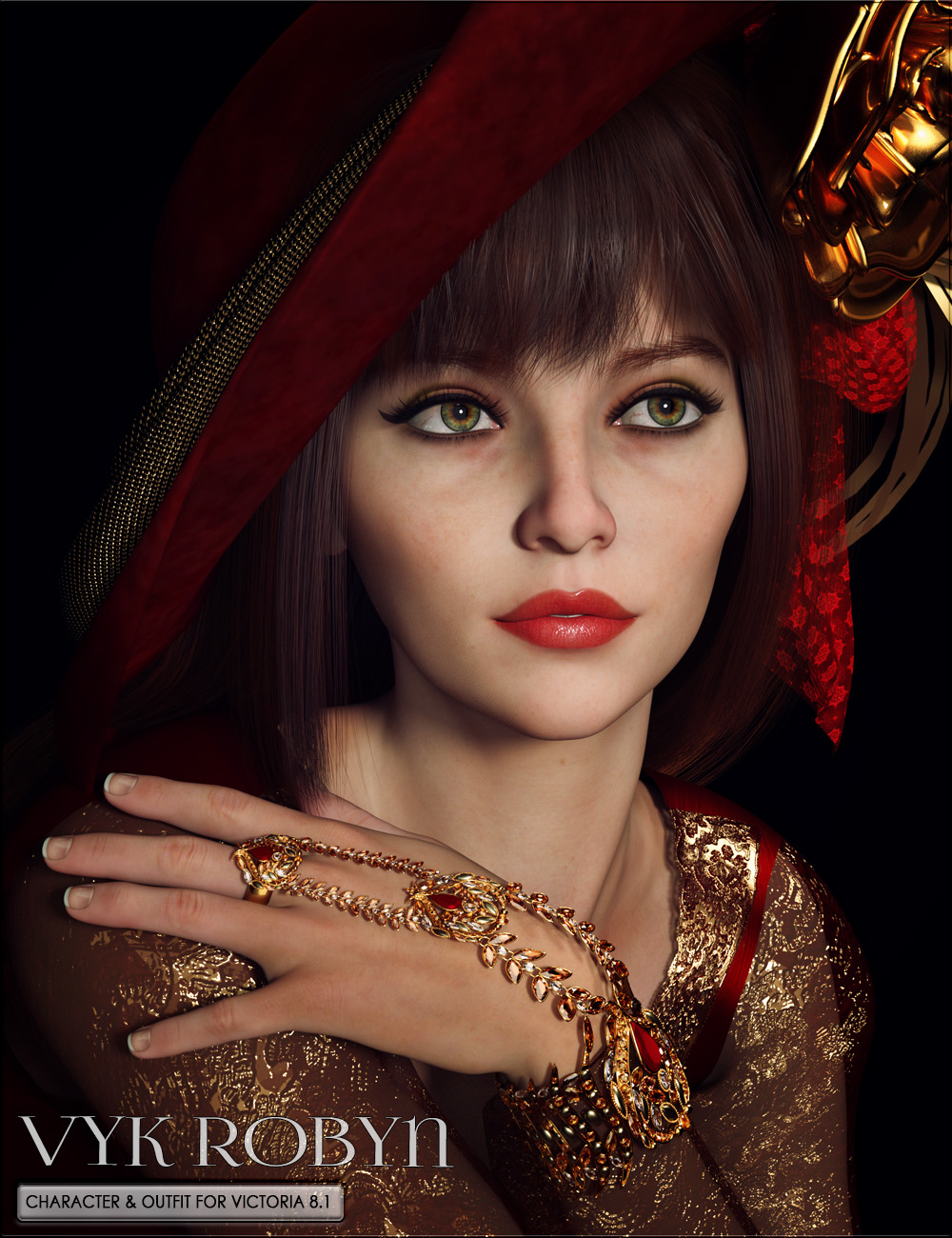
-
Compatibility Question
Hi all!
I have a question regarding the different character types. Are props, poses and clothing labeled say Victoria 4 and/or Micheal 4 useable with say Genesis 3 characters? I'm sure it's been asked before but thanks all the same!What is the name of this old G8F character?That's Nicole for Victoria 8.
Filling Big Interiors with People ?Fauvist said:
Richard Haseltine said:
Padone said:
All good tips. One simple way is also to use V4 G1 figures for crowds, that tend to use low resources. Eventually posed then converted to props and using texture atlas to "decimate" the textures.
Bear in mind that a Victoria 4 will send more polygons to the renderer than a Genesis of any generation at base resolution.
How do the really old figures like Victoria 2 (not Genesis 2 Victoria) compare to the Genesis figures?
Of course Richard is right about the polycount, theoretically speaking. But in a real scenario the polycount is done with multiple figures with outfits and hair, not nude bald figures at base resolution. So in this case the old generations tend to keep the outfits and hair at a lower polycount compared to G3 G8. Also it's textures that mostly bog the gpu anyway, not the geometry. And again the old generations tend to use lower resolution textures compared to G3 G8. And you can always use the texture atlas to decimate further.
As a side note you can use the texture atlas with G3 G8 too. But in this case you need first to save a collapsed uv set via obj, since texture atlas doesn't support udim.
September 2021 - Daz 3D New User Challenge - Depth of Field and CanvasesChallenge: Beginner (Depth of field/Focus)
Title: Awaiting the Arrival
Programs used: Daz3D, Photoshop
Caveat: I'm not a "new" user because I created my account and used the program back in 2012, but haven't used it since and really wanted to start learning how to use it again. I'm not ready for the intermediate challenges, so hopefully it's ok that I am working on the Beginner challenge. I mainly wanted to do the contests so that I could learn and improve my skills and get better using this tool to create art.
Notes on image: I used Photoshop for postwork to fix the back of the head because the hair didn't fit that well (it was hair for Victoria 4 used on Genesis 8.1). The camera settings are 50mm with 10 f/stop. Please let me know if you need anything else. Thanks!
Filling Big Interiors with People ?Richard Haseltine said:
Padone said:
All good tips. One simple way is also to use V4 G1 figures for crowds, that tend to use low resources. Eventually posed then converted to props and using texture atlas to "decimate" the textures.
Bear in mind that a Victoria 4 will send more polygons to the renderer than a Genesis of any generation at base resolution.
How do the really old figures like Victoria 2 (not Genesis 2 Victoria) compare to the Genesis figures?
Natasha for Genesis 2 FemaleTheRetiredSailor said:
FSMCDesigns said:
there is a resemblance, but I highly doubt it was intentional. Besides, thanks to genX or the other transfer tools, anyone can have GND on newer figures, I do.
Which GND did you use? GND2 Athletic, GND4.2 or GND4.3? I have Victoria 3 and Victoria 4 buried in my runtime somewhere.
I used GND4.2 athletic and transferred the morphs to GF3. I didn't use the GND textures as I have found that older V4 textures don't look near as good as newer iray textures, no matter the tweaks to try and get them there. cayman studios does have a plugin that lets you use V4 textures on newer figures, but again, still not better IMO.
What character is this?I'm guessing it's something Charotte 8 or Jenni 8, because those names are in the detailed list of supported figures, towards the bottom of the product page. Or it might be VYK Robyn 8 character for Victoria 8.1, but with a bit of volume added to the cheeks.
 Auto Muscle Enhancer HD [Commercial]
So I have been struggling with using large amounts of AME on thin characters as it brings in DMasters Male Muscle body with it. This seems to me to be optimized for use on Male figures, but when trying to apply it to the Female Clones, things can get out of hand quickly. This usually limited the amount of AME I could dial in, especially on a Female Clone. However I wanted the flex and textures, so I turned limits off on the AME Flex to get close to where I wanted to go. There where some undesireable side effects to that, as more AME Flex, also caused extreme armpit/shoulder issues on overhead poses, as well as upper arm length growth that just didn't look very natural. After some experimentation I came up with this Negative AME body preset, and thought some other folks might like to reproduce it, as it is FREE! Attached is Michael 8.1 and Clone Victoria 8.1, both on the G8.1M platform.
-First pic: Baseline figures and Textures, SubD3
-Second Pic: 50% AME, 100% Flex, 50% ASE, No other products used
-Third Pic: My Negative AME morph also dialed into 50%. This effectively removes DMasters Muscle body shape, but leaves the Textures and the Flex Morphs! This allows the user more flexibility of how much AME can be used, opening up another wide range of tuning! This also doesn't distort your character shape that you may have worked hard at! With that said, I have found I don't need to turn the limits off on the AME Flex to get to the desired Textures and Flex Morphs. This does require some balanced ASE, even down to the individual sliders.
-Fourth Pic: My quick tuning of the the two figures to give that Auto Muscle Enhanced Feel, without overwhelming the character with another shape. Dialed Victoria back to SubD2 to "soften" her just a bit.
-Fifth Screen cap of relevant quick tuning settings, no other products were used other than baseline DAZ hand and feet scaling and shoulder pose shrug.
The PDF is my attempt at a step-by-step walkthru of how to create and save this AME Negative morph dial. I also included how and where to delete it if you don't end up wanting it saved.
Hope it helps some folks out that may have been struggling with the similar challenges. TD
Natasha for Genesis 2 FemaleFSMCDesigns said:
there is a resemblance, but I highly doubt it was intentional. Besides, thanks to genX or the other transfer tools, anyone can have GND on newer figures, I do.
Which GND did you use? GND2 Athletic, GND4.2 or GND4.3? I have Victoria 3 and Victoria 4 buried in my runtime somewhere.
Natasha for Genesis 2 FemaleNatasha for Genesis 2 Female showed up in Fast Grab. I'm getting a vibe of Blackhearted's Girl Next Door for Victoria 3 & Victoria 4 but I can't really tell from the promo pictures, plus this character has iRay textures. Does anyone have this character and can they comment on the resemblance to GND? Thanks in advance.
http://www.daz3d.com/natasha-for-genesis-2-female
Edited to fix the link.
Posepacks not working with Victoria 8Yes, Victoria 8 is Genesis 8 rather than 8.1 and the expression packs are the main incompatibility between the two - it is possible to get 8 expressions working on 8.1 but not, at least easily, vice versa.
Posepacks not working with Victoria 8Since this is my first post here (heya!), I hope this is the right channel for this question.
My google-fu has been letting me down, and I could not find any decent information on this problem I'm having.
I got two pose-packs: "Every Day Emotions for Genesis 8.1 Female" & "True Feelings Expressions for 8.1F"
Since Victoria is "8" and is it correct of me to assume that Victoria8 is based on Gen 8.0f and therefore not able to use these 8.1 poses?
Is there any work-around for that, or should I /shrug off my losses and find some other packs that support 8.0?
Hope you are all having a great weekend! take care :)Filling Big Interiors with People ?Padone said:
All good tips. One simple way is also to use V4 G1 figures for crowds, that tend to use low resources. Eventually posed then converted to props and using texture atlas to "decimate" the textures.
Bear in mind that a Victoria 4 will send more polygons to the renderer than a Genesis of any generation at base resolution.
Hylas' corner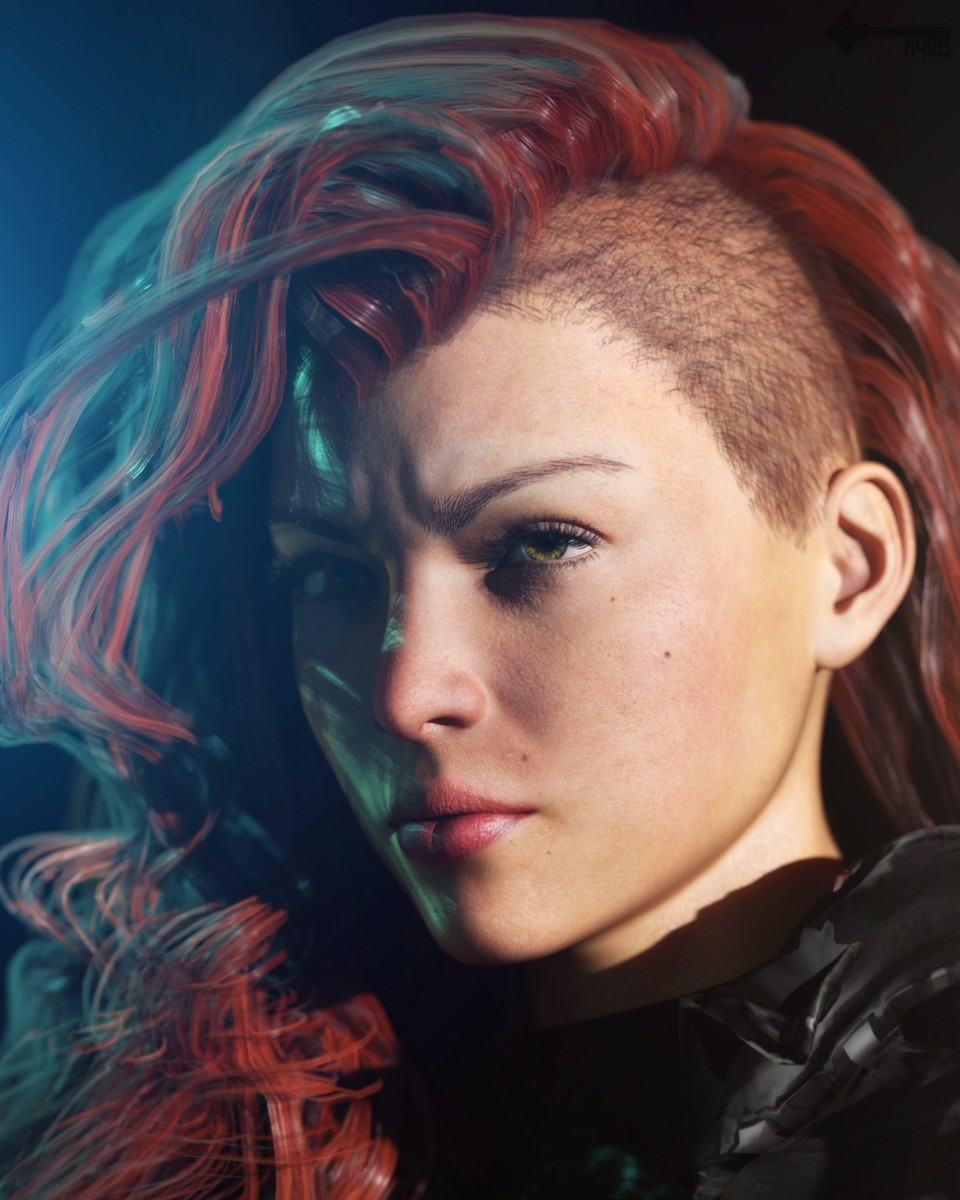
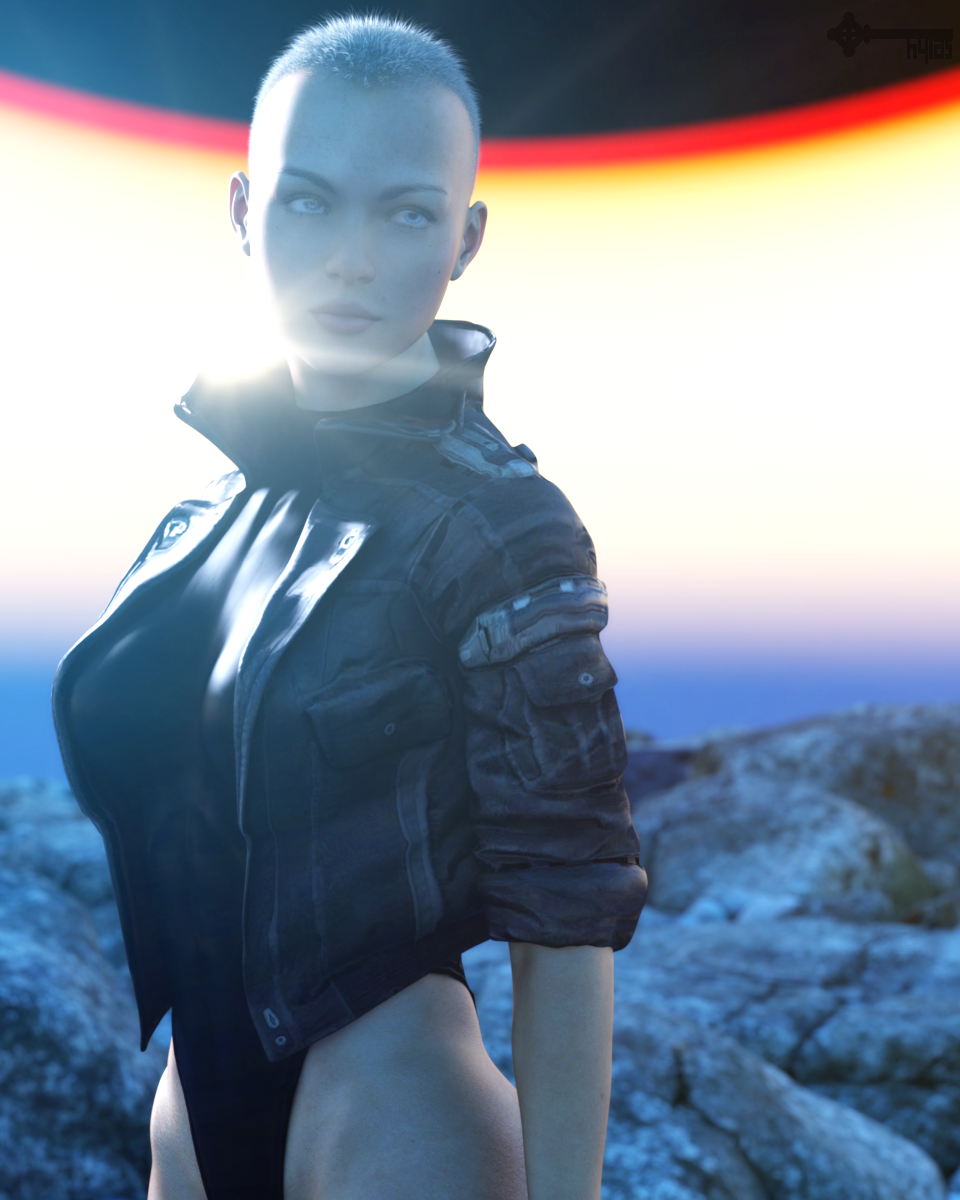
Impulse purchase! Mynx by Gypsy Angel.
Very cool character. She´s giving me 90s cool girl vibes somehow... Lori Petty, Shirley Manson, etc... Not in likeness but in "vibe" (which probably has more to do with her styling than anything but... whatever!)
Her skin looks dated out of the box but with Anagenessis 2 it looks really good, I think.
DELETEinstaller les personnages V4 M4 dans poser 7 francaisje
Bonjour ;
en tout premier lieu, je suis resté sous poser 7 parcqu'il est en français unr tentative avec poser 9 m'a juste coonduit à le :desinstaller un acahat inutile car incompréhensible
Suite à un plantage (un beau)j'ai essayer de réinstaller mes personages Daz mais cela s'avère impossible. les fichiers dans mes "account" ne corresondent plus du tout à ce qui m'avaient permis l'installion précédente.
il me reste sur un CD des fichiers en .EXE 7878_1 (2.3.4.) de 2012 (les autres CD sont illisibles)ils concernent M4 je n'ai plus les fichiers de Victoria ni de stéphanie pas plus que de freek4.
et ce qui est téléchargé par le loader dernière version me met tout un tas de fichiers mais le personnage est à renseingner pour toutes les parties (des yeux aux orteils ) rechercher une centaine de chemins pour ensuite les indiquer à chaque fois au programme d'installation ...(facile ? ) ça de tout sauf la simplicité.
quelqu'un sait ou je pourrais retrouvé ces fichiers anterieur?
Merci
Loadtime test v8 stock/v8 with LIEI did some (very unofficial) tests with a stock Victoria 8 model using the material set that is bundled with the figure using the Windows 10 stopwatch in the Alarms & Clock app.
The viewport size was 778x186 (I don't use that for production, I just needed space), the display used for the viewport is the only cable on the dedicated GPU.
My system specs are in my signature, When time allows I will try some additional LIE presets tested so the results wont be so narrowed to one product.
all times approximate: e.g. me clicking new/load/stopwatch button/do I need more coffee/yes, I do/oh crap, I better click the stop button.Open GL texture viewport:
load with the base Gen8 model, Victoria 8 preset active from new window: ~00:10 seconds
load with the base Gen8 model, Victoria 8 preset and ultimate freckles via LIE applied to figure from new windows: ~01:13Wireframe viewport:
load with the base Gen8 model, Victoria 8 preset active from new window: ~00:09 seconds
load with the base Gen8 model, Victoria 8 preset and ultimate freckles via LIE applied to figure from new windows: ~01:12Iray viewport (first pass)
load with the base Gen8 model, Victoria 8 preset active from new window: ~00:10 seconds
load with the base Gen8 model, Victoria 8 preset and ultimate freckles via LIE applied to figure from new windows: ~01:08my specs are below
Daz character upgrades to Starter and Pro BundlesWhen I look at Daz character Starter and Pro Bundles (e.g. Celani 8, Victoria 8), I often own one or two items already (maybe a clothing item or hair item or the base character). However, the total price of the bundle doesn't take account of that or deduct items you already own. That means there is no viable upgrade path - you just have to buy the things again in a new bundle. I assume Daz is losing out a bit there, since people like me then don't upgrade - if there was a way to do so without rebuying items, we would.
Have I understood that correctly, or have I missed something obvious? Some other upgrade route?
(This could apply to any Daz bundle of items, not just character bundles.)
I realise it is maybe too complex to incorporate knocking off the cost of items you own when there may be other inter-related discounts at play. Maybe an easier way to do it would be the occasional special sale which is ONLY about upgrading to a bundle and incorporating discounts for each item you own. I can imagine quite a few of us would leap at that kind of sale. And if it is a special sale it might be worth them calculating discounts as a one-off. Do those ever occur?
Thanks!
Best tool for UV mapping/changing? (goal is M3/V3/H3/A3 UV to Genesis)Well, it got pretty close, that's a very good pose transfer script Richard, thanks for turning me onto it.
There was still a scaling issue though; apparently whoever made the clone for Victoria 3 still has it scaled differently than the original Vicky3. Like not even close; original Vicky3 is much taller. I pondered on how to proceed, then broke out GenX2 and loaded a character onto original Vicky3, creating a morph for Genesis1 for that same character and applying it. Much much closer, and with your pose transfer is was pretty close, just needed to iron out the bits that weren't matching. I spent about a half hour scaling and rotating the various bits that weren't fitting right (toes were easy peasy and snapped into place, but fingers were forever to iron out).
Took them into Blender to bake, but now I'm watching all the Blender baking tutorials and it doesn't seem like this will do what I want after all (I should have watched the tutorial videos first, but I'm a blockhead lol). Seems projection baking from one object to another is indeed possible, but it will create an all-new uv map on the target geometry. Unless I'm missing something (and I certainly could be), this won't make a V3UV map for Genesis, but a whole new uv map that I'm not sure I could use. Anyways I guess it doesn't matter much; there were only a very few Generation 3 maps that I was even interested in, so I'll shelf this project for another time when it's more pressing.
Thank you all very much for all the help :)
2021 Sales thread cont: Report Issues Here "There's Always Another Sale™"Ugh, got the Libra Bundle but missed the $20 off the michael and victoria stuff. Any hope that support is answering quickly or should I just buy the bundle again to get the other deals and try to get a refund on the first purchase and just consider the 20% coupon I used as a loss? Just don't want to wait a week for them to get to the ticket and be told it's too late to fix it.
Daz 3D is part of

Connect
DAZ Productions, Inc.
7533 S Center View Ct #4664
West Jordan, UT 84084Licensing Agreement | Terms of Service | Privacy Policy | EULA
© 2026 Daz Productions Inc. All Rights Reserved.