-
Filament is Official - Need Answers from Daz
From what I can see, what you see in the viewport is exactly what's rendered with Filament (WYSIWYG). With the exception of added point, distant, spot, etc lights. I was super excited at first but now am not sure because I use a lot of emmisive lighting also and can't figure out how to mimic that effect or even if it's worth the time over just going with iray. I wish there was more information on how to light scenes and even though there are some cool looking new products for it, they don't look like they address this issue. It'd be great if someone could post a simple tutuorial on how they set up an interior lighting scene cause I'd love to use this over iray since it's so fast.
Filament is Official - Need Answers from DazSo, as a Mac user on a system that doesn't have a slot for an nVidia card, Filament would let me use iRay materials without having to worry about converting. And since it's open source, Daz can tinker with it and contribute improvements upstream- something it can't do with blobs like iRay.
Then again, Filament isn't ready for the Mac yet (and Daz did say "yet" in there), so I guess I'm sticking to 3Delight for now.
Daz Studio 4.14 Pro, General Release!Does anyone know exactly what the "Updates and fine-tuning to Studio Animation capabilities" are mentioned here https://www.daz3d.com/filament-hub? Daz has a tendency to be frustratingly vague about what it is they actually updated. When I click "Learn More" it just says "Daz Studio 4.14 was designed with animation in mind. The Filament Viewport and Render Engine shows your work at near-real time and produces photo-realistic results in a fraction of the time of other render engines. Studio 4.14 also includes advancements to the Animation Timeline and Genesis 8 & 3 animation capabilities, and Daz is developing a new line of Animation products to help you create in 3D."
It doesn't really state what these alleged advancements to the Animation Timeline and Gen 3/8 figures are.
Well earlier they had directly integrated the KeyMate & GraphMate plugin functionality to the Timeline Animation. They added & improved creating IK chains directly in DAZ Studio. That's the gist of what they did but it had many bugs but perhaps 4.14 fixes all of those bugs. You'd think it fixes most of them.
The one thing I'd like to see is a contact solver. i.e. A character that is animated to walk's feet make contact with the floor / ground and the animation system contact solves the walk animation and adjusts it so that the feet stay on the surface of the floor/ground. Similarly, an animation places a skillet on a stove burner and the animation system contact solves the placing of the skillet on the stove by not letting it go below the surface of the stove burner. However, now you starting to talk about a physics simulation system like used in game engines and that's probably beyond their desired scope, at least in the short term.
SOLVED:Can't select Filament (PBR) in Viewport drop-down (grayed-out)Maybe check your Daz log file for any startup errors related to Filament.
Thank you for suggesting the log, as I forget about it so often. It shows only one reference to Filament (drawstyle.dll) and no corresponding error.
Thre's a video tutorial on the filament page.
Did you load the "nodes" ?(menu: create=> New Environment Option Node, Tonemapper options node, and Physically-Based Draw Options Node).
Those will allow you to modify settings (click on node in scene tab and adjust in parameters tab.
I had watched the video and followed the instructions as shown. The version in the tutorial must be an earlier build since all 3 nodes had to be added manually in the video. In the version I have the Tonemapping and Enviroment nodes are added automatically to the scene, but the PBDO node must be added as you described. Whether the nodes are in the scene or not I still cannot select the Viewport style Filament as it remains grayed-out. Thanks for the response though, I appreciate any feedback.
What really confuses me is that the option is there, but is grayed and unavailable. It seems like some other component is missing or not supported. Very frustrating.
Filament is Official - Need Answers from DazMy mayor question: What's the point of Filament, or, what use does it have? That's a question I didn't see really answered in the info pages, just some ambigious hints.
Is it a replacement for iRay?
Is it an alternative to iRay?
Is it primarily meant as a viewport renderer to get a more iRay-like preview within your viewport, but way faster, making it easier to work on your scene until you eventually make the final render in iRay?I figure it's probably closest to the last one, as it does look way better than texture shaded, but nowhere near as good as iRay. But, I might be wrong, so would appreciate some information or explanation.
AIUTO...CHI CONOSCE L’ITALIANO? PARTE DODICIConfermo, IRay è defunto, deceduto, trapassato, estinto, passato a miglior vita, ha reso l'anima, ha tirato il calzino, è andato orizzontale, ha steso le zampe, giacente... Insomma, lo terrò installato solo per le opzioni aggiuntive di Filament.
Quelle nuove luci sono spettacolari!
 Al momento solo le distant e le spot hanno la resa immediata (nel viewport intendo) mentre le Point si vedono solo in render... Ma la miseria se sono perfette e veloci! E il fatto di dover fare una preview come al solito non mi cambia nulla... Anzi, adesso mi basta attivare il PBR nel AUX View e ce le ho comunque, ahahah!
Ho fatto bene a non buttare 5000 euro in schede video.
 (non volermene, Lenio!)
Quindi hai comprato i set di luci di RiverSoftArt? Sono facili da usare? Alleghi qualche preview?
Anche io non ho speso niente, ho solo unito 2 GPU che avevo già, e ho ottenuto l'87% di quello che avrei ottenuto con 800€ (o 1200€ agli scalper) di RTX 3080!

No, ho usato quelle native di DAZ Studio, se lo posso fare io non compro nulla. Specie con lo store fracassato...

Darò un occhiata a quelle luci, comunque.Quello "non ho speso niente" non è corretto, ragazzo...
Hai comunque sborsato bei soldoni per le RTX 2000... Io sto sulla mia GTX 745 4GB di emergenza e tutto va come una scheggia in assenza di gravità e attrito.  Se non altro hai la scelta tra IRay e Filament così come io ora posso scegliere tra 3DLight e Filament.Filament does NOT work on MacOS (yet)!
Hopefully Google will pick this up, because right now there's no warning about it. I spent an hour or so googling "Daz Mac Filament" and got nothing at all. So...
The Changelog says that Filament isn't available on MacOS yet, and the only mention I've found of it was in this thread: https://www.daz3d.com/forums/discussion/449316/daz-studio-4-14-pro-general-release#latest . Filament supports MacOS and we did get the Mesh Grabber, so it's reasonable to believe we'll get it sooner or later. It's just not ready yet.
Not touching BootCamp. I don't use it, and I don't know anything about it, but I also know someone will bring it up sooner or later. So don't ask me about it. I know nothing about it. /SergeantSchultz
Filament is Official - Need Answers from DazI am late to the Filament scene as I have not been using the beta. I'm gathering that emissives don't work in Filament? That's a bit of a problem for me (if not a show stopper). I've spent a fair amount of time creating table lamps, floor lamps, recessed ceiling lights, drop ceiling troffers and wall sconces to provide a somewhat realistic lighting effect in my scenes. These all work off of an emissive surface like the glass on a light bulb or a globe surrounding the bulb.
Sigh.
SOLVED:Can't select Filament (PBR) in Viewport drop-down (grayed-out)Thre's a video tutorial on the filament page.
Did you load the "nodes" ?(menu: create=> New Environment Option Node, Tonemapper options node, and Physically-Based Draw Options Node).
Those will allow you to modify settings (click on node in scene tab and adjust in parameters tab.
SOLVED:Can't select Filament (PBR) in Viewport drop-down (grayed-out)Maybe check your Daz log file for any startup errors related to Filament.
New DS Filament Render EngineDoes Filament work on Macs? I just installed the update, and I didn't see the option to set the viewport to Filament. I'm reinstalling now in case something bugged out on me during the update, but I'd like to double- check just to make sure.
Edit: Reinstalled and it's still not there. I can add the three nodes, but the menu item just isn't there.
Edit again: Looks like the buried it in the chagelog. Not Mac release yet, and they did say "yet."
!! Store Issues - Known Problems - Please Read !!I am not getting the extra 20% discount on my cart for the Interactive Licenses (PA type) when I add two Debut New Products to my cart.
What does the ad copy actually say?:
Buy any 2+ Debut New Releases to get 20% OFF¥ your cart
TICKET # 354385
New DS Filament Render EngineWhy not optimize Iray further?
Shouldn't they focus on getting their main render engine up to par in terms of speed? Octane comes to mind...
Iray is great. It just needs to be faster. That's all. Just faster.
Fast enough so people like me, who don't want to wait for animations, can finally start... animating.
Fast enough so we can produce more stories and less one-shot images.
That said: I really, really hope people can use Filament. I'm sure they'll make great content with it.
For me... Just doesn't seem like something I'll use. But, of course, the fact that it's not for me doesn't mean it isn't valuable!
ps: Please, Nvidia / Daz, please optmize Iray further.
All Daz3D lovers need a faster Photoreal render engine. Just that. Same, but faster.
They ARE optimizing iRay further judging from the faster and in my opinion, improved results of my scenes' iRay renders, those that I've done.
New DS Filament Render Engine+1, same on my end, thanks for sharing my view. :)
It's one of those things, isn't it?
I mean we finally get some pretty photorealistic results in Daz.
We learn how to use it, optimize our workflows to maximize our renders, and what do they do for the next step? Shift their attention to... Better previews?
Don't get me wrong, I'm not an ungrateful asshole who doesn't appreciate that there's people out there that can/will do wonderful things with Filament.
I'm just saying I really hoped we could have some trimmed render time in Iray. That's all.
Not even complaining that much.
For instance, this (see attach) took me 01h30m at 6750x6750px (post in Photoshop).
Wouldn't it be great to make the same thing but in like... 20 minutes?
Well I can see you must have an 20X0 or 30X0 RTX GPU already to render a scene with that resolution and that much refraction, reflection, and opacity in an hour & a half.
You might try reducing the render resolution to FHD or 2K and then using DLSS to upscale to your desired final resolution.
What DAZ 3D could help with that is add a configurable automatic post-processing step to scale our render(s) (renders as it might be an animation) from the rendered resolution to the scaled resolution using DLSS if the GPU supports it. Now that should be comparitively easy for DAZ 3D to implement.
New DS Filament Render EngineFilament's actually better than Iray, IMO, for certain stylizing: the following images were done of the same scene (2× G8 Male, in Sixus1's Retrospace Scanner outfit, in a TerraDome 3 landscape). The redder one is Iray, the streaky one is Filament. But for my purposes-- a SF cover that needed simplicity and a Pulp feel, I went with the Filament one, hands down.
In fact, the Filament look was an easy winner, and it took some wrangling with both the HDRI and the scene to get an Iray version of the look I wanted and had already achieved in Filament.(That's not to say Filament's perfect: it's a really good preview engine, but it doesn't do cast shadows at all (including interior shadows when your scene lighting is through a window) and absolutely hates transmapping.)
Wow! Love that style. Care to share the scene so I needn't guess? Thanks in either case.
I can share a link to the book if you want....
But sorry, the scene-file isn't available.
Really, the appearance was a happy accident: I was setting up for an Iray render (and resigning myself to not using the render laptop until the next Tuesday or so) and the Filament scene basically just rolled an eleven for me.That's OK, the new 4.14 Filament release I see has already happily superceded the Filament material problems I was having with the products used in my particular scenes.
New DS Filament Render EngineIs it just me or did the new update improve the look of Filament by quite a bit? I got some really nice results this time, so either I'm getting much better at setting up lighting and skin settings for Filament or they really improved the results from Filament rendering.
Here are a couple of filament renders I just did with the new Daz Studio 4.14.
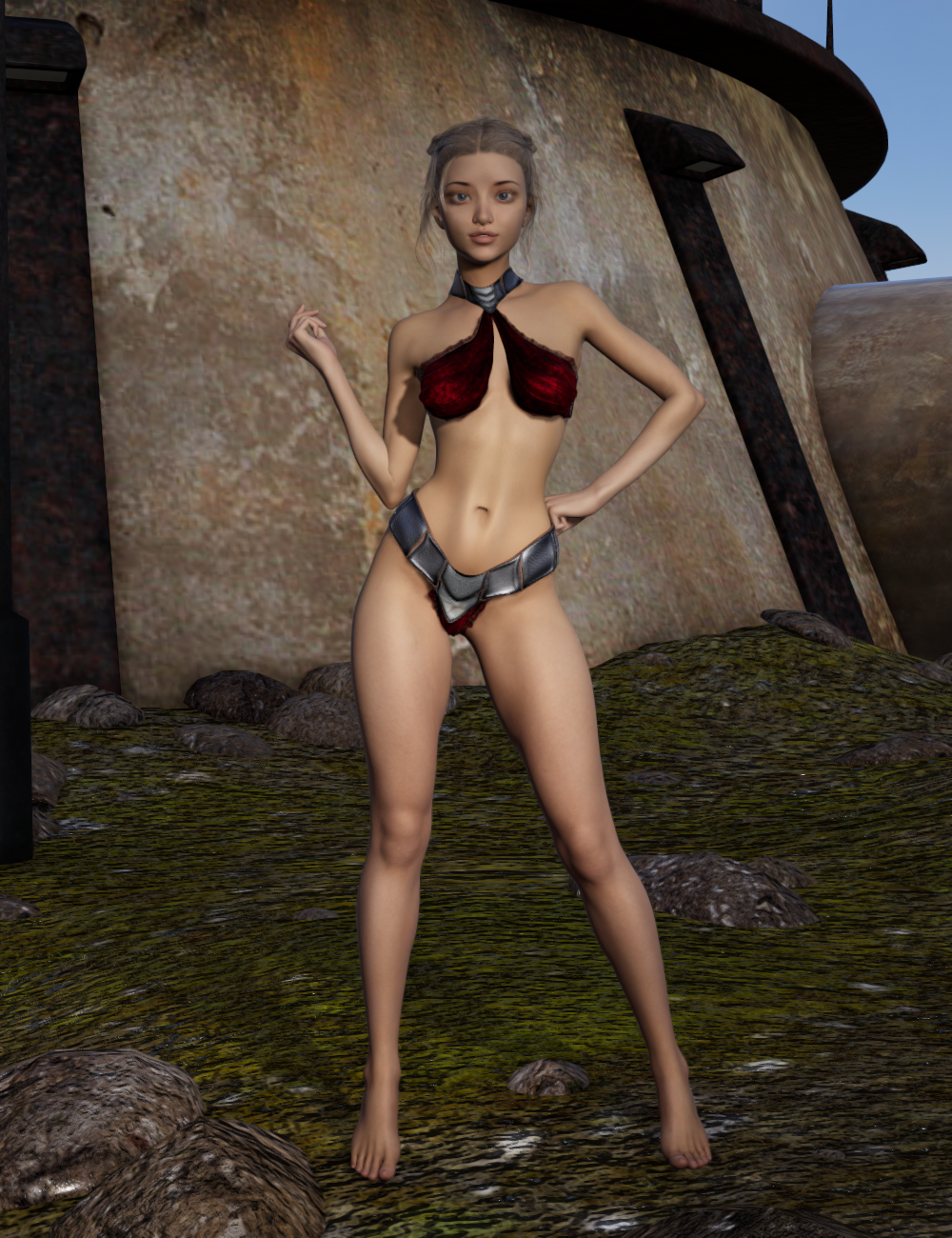
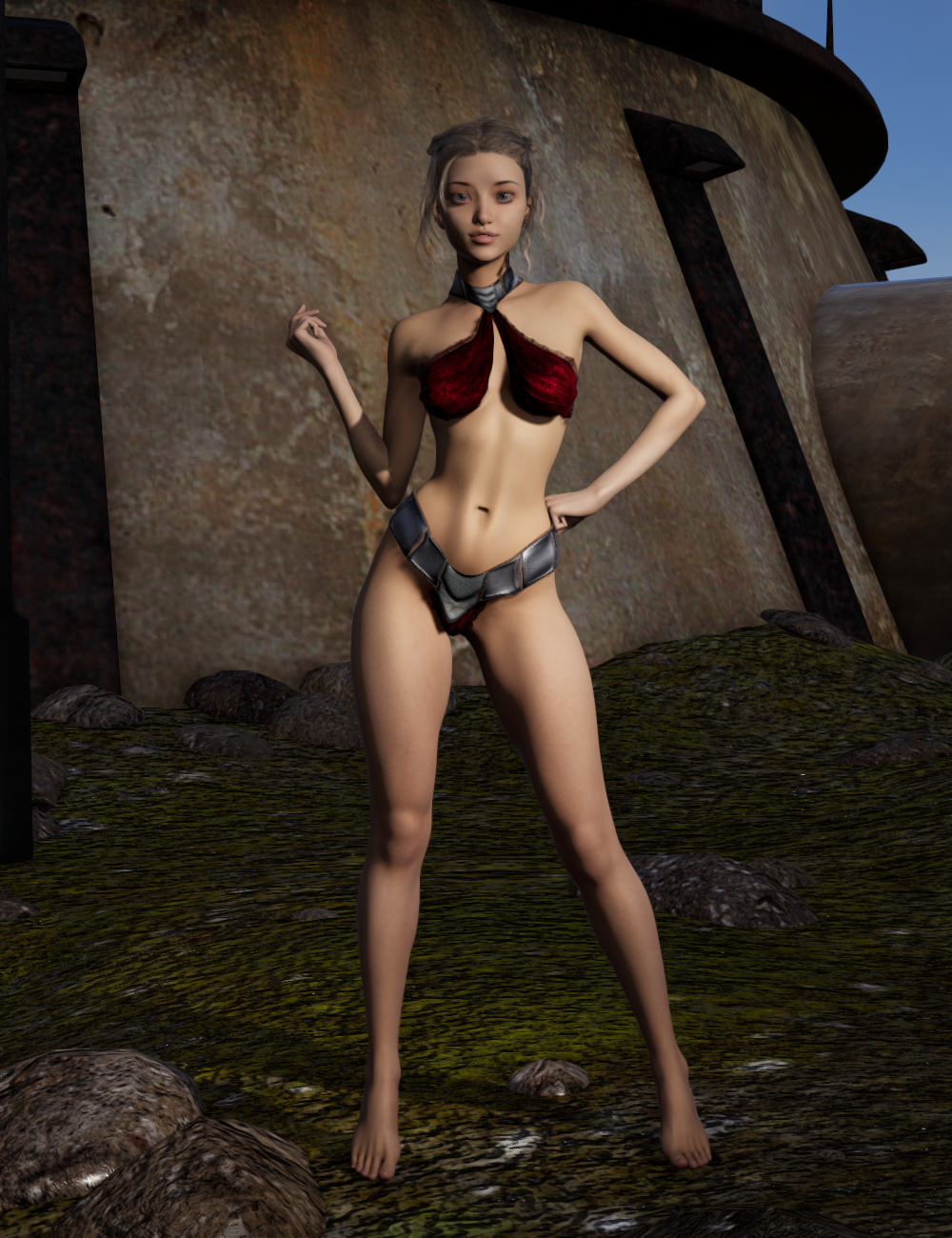
I also watched this video which probably helped quite a bit (Thank You, Kindred Arts for the walkthrough and great tips!).
It definitely has for my scenes & your scene looks much improved in Filament.
Daz Studio 4.14 Pro, General Release!Oh my gosh, this is amazing. On Friday I got my new computer with the 3090 graphics card in it, couldn't render in the regular release due to not being supported so I've been using the beta build that introduced filament. Yesterday I was rendering a shot for my animated submission for the Movember contest in the beta that each frame was taking about a minute and 5 seconds to get to 80% completion. I just opened up the exact same shot just to see if the new general release supported the 3090 and it loaded in the preview window lightning fast. Then I clicked render and the same shot rendered to 80% in 10 seconds. I stopped it and bumped it up to 90% because why not get better quality if you can and it is taking 30 seconds to render. This is amazing! I was getting kind of worried that I'd be getting down to the wire with my submission, but now I am not worried at all as I have everything animated it's just rendering it all out which I should be able to get done with by the end of the weekend!
Also, just for speed reference, this same shot took me a little over 3 minutes on my GTX 1080tI to render a frame.
Daz Studio 4.14 Pro, General Release!Does anyone know exactly what the "Updates and fine-tuning to Studio Animation capabilities" are mentioned here https://www.daz3d.com/filament-hub? Daz has a tendency to be frustratingly vague about what it is they actually updated. When I click "Learn More" it just says "Daz Studio 4.14 was designed with animation in mind. The Filament Viewport and Render Engine shows your work at near-real time and produces photo-realistic results in a fraction of the time of other render engines. Studio 4.14 also includes advancements to the Animation Timeline and Genesis 8 & 3 animation capabilities, and Daz is developing a new line of Animation products to help you create in 3D."
It doesn't really state what these alleged advancements to the Animation Timeline and Gen 3/8 figures are.
Daz Studio 4.14 Pro, General Release!Where exactly is Fillament? Or is this another 'Windows Only' type deal, because I can't for the life of me find it. D;
- Real-Time Rendering
- Added a real-time physically-based rendering option to the DrawStyle Options menu in viewports
- Filament (PBR) - Implements the Filament renderer as a DrawStyle
- Requires Windows (currently), 64-bit, OpenGL > 4.1
- Automatic translation of applicable/compatible properties in the Iray Uber shader for real-time display
- Automatic translation of applicable/compatible properties in the DAZ Studio Default shader for real-time display
- ...
- Added a real-time physically-based rendering option to the DrawStyle Options menu in viewports
I'm also hoping it won't be long before we see it on MacOS
This is the part where the Price is Right losing sound is played.
Ah well. Here's hoping it's sooner than expected for us Mac users!
New DS Filament Render EngineSo Filament is not 3Delight or Iray but a third render engine that requires another entirely different set of plugins and addons(if the items in the store are any indication)? Is this a third render engine?Daz 3D is part of

Connect
DAZ Productions, Inc.
7533 S Center View Ct #4664
West Jordan, UT 84084Licensing Agreement | Terms of Service | Privacy Policy | EULA
© 2026 Daz Productions Inc. All Rights Reserved.