-
2021 Sales thread cont: Report Issues Here "There's Always Another Sale™"The HD add-ons for Sydney 8 and Mr Woo 8 are absent from today's sale on HD add-ons. Is that a mistake? It seems odd to exclude them specifically from a lineup that seems otherwise comprehensive from Victoria 8 through Juan Carlos 8.How to recreate the look of older Gen2 promos with iRay (lights)?
First of all thank you guys for all the input. Could you maybe provide some more details in terms of exact seetings for i.e. sun-sky and such.
@ioonrxoon
Regarding your question on Bend Morphs for G2F:Unfortunately Zev0 started his Bend Control products with G3F so there seems to be no G2F version.
I own a product called "Beautiful Bends for G2F" purchased here which unfortunately seems to be no longer available. The PA (wowie) seems to no longer sell here.
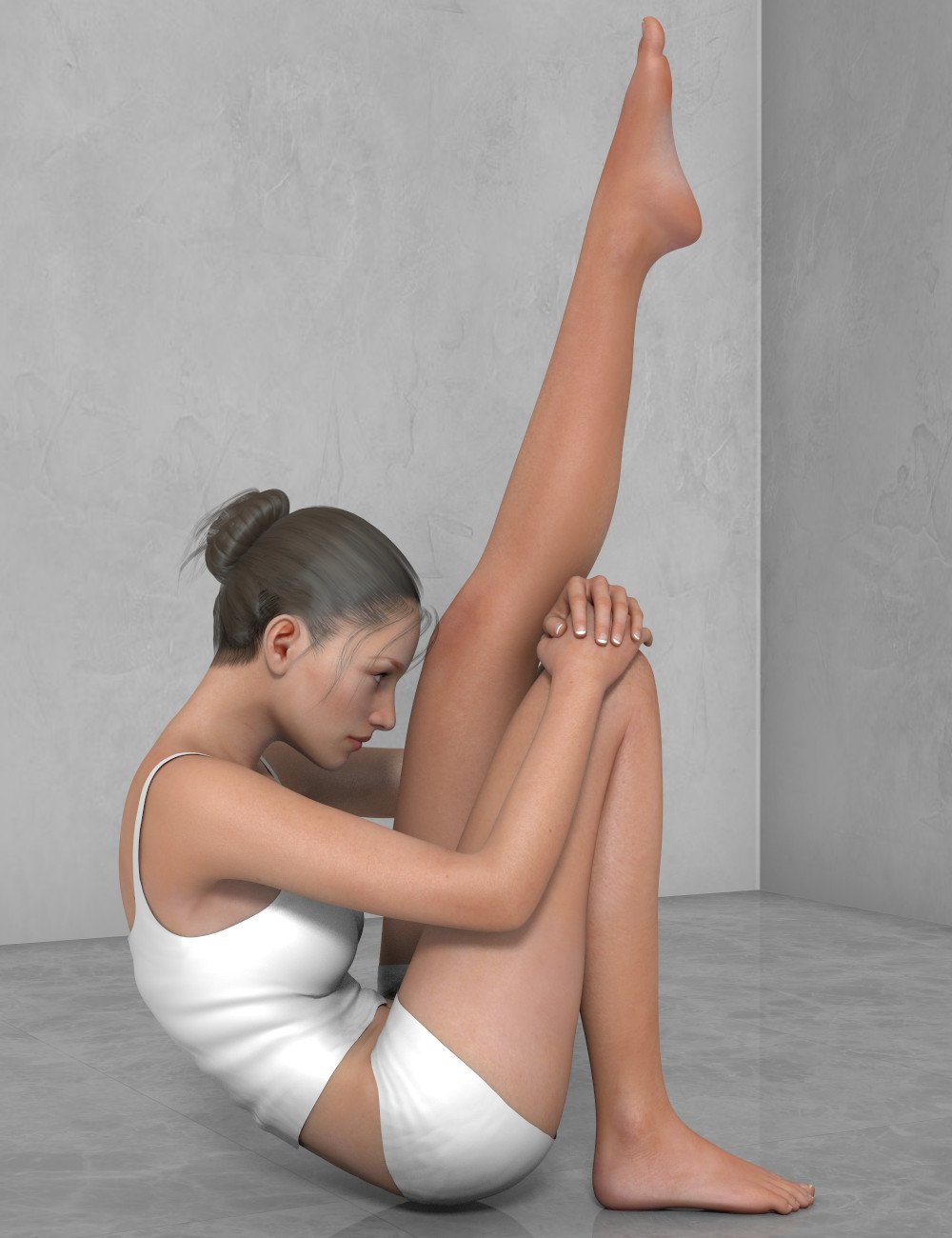
There is also one product called Ultimate Natural for Victoria 6 Body which might help. That one is still available:
https://www.daz3d.com/ultimate-natural-for-victoria-6-body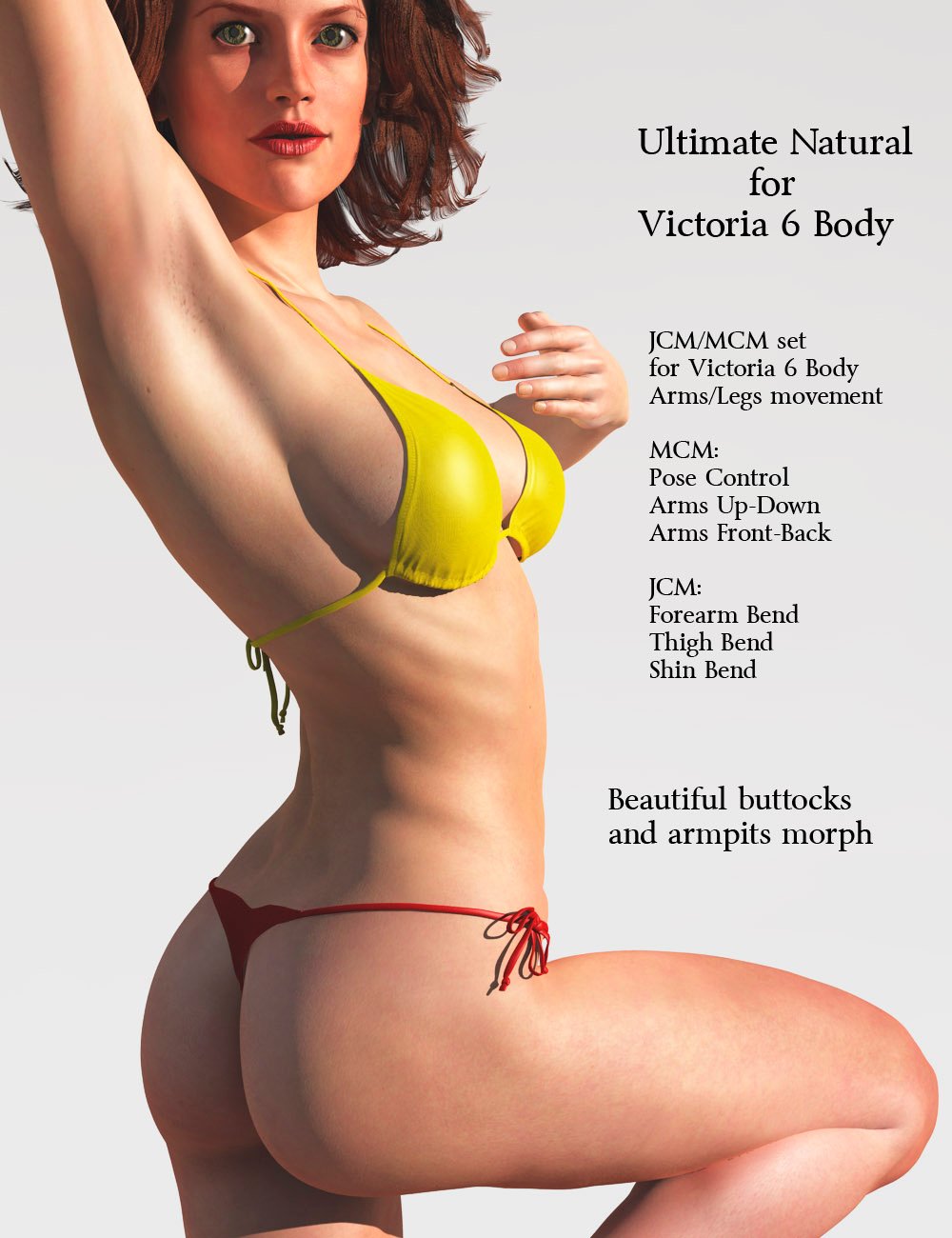 Victoria 4 Hair
Can hair for Victoria 4 be auto conformed to Genesis 3 and 8 Figures in DAZ Studio? I have quite a lot in my Poser runtime! DAZ Studio seems to recognize Poser formats. Cheers
More Non-photorealisitic Renders (NPR II)Hello, Everyone:
I have been a DAZ user since approximately June 2015. However, this is probably only my second time perhaps that I’ve ever posted to the forums, and I don’t believe I’ve ever posted to the gallery – so hopefully my attachments will upload properly.
I just happened to stumble upon this thread and was moved to post today because 1) of all your inspiringly well-executed NPR images that I see being posted, as well as 2) everyone’s gracious generosity in sharing their personal workflows and post processing recipes.
Re: Consistency
With respect to NPRs, my kryptonite is comic book style images – especially in the styles of the late Bronze / early Modern comic book ages, which were the styles I grew up reading – and I have been trying to mimic those styles with Daz Studio/Gimp for years now.
I’m getting closer at achieving the exact look I’m aiming for (except that my personal style is to intentionally have a lot more detail than the comic panels of those ages), and the attached images (which is the same image except both with and without dialogue) is where I currently am at to date in trying to achieve that look.
I guess I should mention that I created the attached pages for the sole purpose of trying to nail down my workflow and techniques, and that although the images look like they might be part of a longer WIP (i.e., a full comic book or graphic novel) . . . they are not. I merely wanted to see if my workflow has gotten to the point where I can achieve my exact style consistently across multiple panels.
As I believe I've achieved that goal and am now able to work consistently across multiple panels, my next goal is to try achieve consistency across multiple pages using renders that have different lighting moods and setups.
I’m mostly satisfied with the end results so far, but I believe I am only about 95% of the way there – there are still some minor issues I have to address, e.g., the glaring desecration of the lady’s face in the very last panel (and to a much lesser extent the minor desecration done to her face in the very first panel as well).
Moreover, there is much to the process and workflow that I still have to fix. Although I feel I am able to achieve my desired look consistenly, nonetheless my processes don’t feel streamlined whatsoever, and I am working extremely repetitively – which is annoying.
Once I’ve nailed down these problems and am able to achieve my look, I’ll try to write-up a tutorial if anyone would be interested.
But for now, I feel I can move on to begin actually writing my comic, as well as to now try to conquer second stylistic kryptonite – a more painterly style for single renders as standalone art.
The attached images were rendered in photorealistic Iray (scene only), and the finished single comic book page took about 5½ hours to create (rendering, post processing, compositing, and dialogue). I know NPR renders are supposed to be better using 3DL, but my experimentation yielded much better success in Iray (it's easier to remove extra detail than to add it), and so I think my render times took longer than they would have had I used 3DL instead – but I can’t say that for sure.
The individual renders contained distant lights, and various point lights and spotlights.
And, lastly, the models I used were Medieval Docks, iREAL Animated Ocean Water System (Quiet Cove preset), Daz Dragon 3, Daz Horse 2, Victoria 8, Michael 8, The Western Knight Series 01 for G8M, Tebrys Outfit for G8F, Guardian Horse Armor for Daz Horse 2, and Gayll dForce Hair for G8F.
Since I’ve gone this far, I’ll also post these same images to my Daz gallery – I would appreciate any comments and feedback you all could please provide. Even though this would be my first posting ever of my images to any art site, if you do care to comment, please be brutally honest – I’ll take the bad along with the good as I would learn much more that way.
Thank you all for your inspiration and sharing your knowledge.
How to get 8.1 charactersNoah LGP said:
Genesis 8 Starter Essentials provide the basic female/male figures for Genesis 8 and 8.1.
If you are looking for Victoria or Michael, the core figures are sold seperately
Thanks. It is the starter essentials i am trying to get. In previous upgrades that have appeared in DS, this time they have not. I never got the DS installer to work properly before so it may be that Daz Central still does not work, so I will have to manually install the starter pack (I prefer doing that as I know where everything is). Is there a way I can get at the starter essentials on their own rather that by installing all of DS through Daz Central, or at least manually downlaod DS and manually install avoiding Daz Central?
How to get 8.1 charactersGenesis 8 Starter Essentials provide the basic female/male figures for Genesis 8 and 8.1.
If you are looking for Victoria or Michael, the core figures are sold seperately
https://www.daz3d.com/genesis-8-1-core-figures
Removing enbedding morphs and rigging from items...Is there a way to do this in Studio? A hat that was originally intended for M4 that I'd like to use a simple prop without having it want to be parented a figure? There are many older clothing items and props in my library that were embedding with morphs for figures I no longer use. Being able to load them into a scene as simple props without morphs and rigging would be very useful. For example, a cane that wants to conform to Victoria 4 and will only move conjunction with the ways that figure will move.
DAZ DiversityChumly said:
And PA's tend to make what they know.... and people tend to buy what the like and/or need... which is human nature. When folks operate outside of that, things tend to be more stereotypical.
The real prize is proselytizing Daz and its power to more people... and a more diverse group of users... so that those folks gain skills and progress on to making the things that they know, and becoming PAs....
Exactly. To me, it appears that Daz and its parent company want to expand the demographics of buyers/users outside of hobbyists who, in the words of Brian Haberlin, make "Victoria swinging a sword with a bikini in a dungeon" renders. There'll always be... that market, sure. But a lot of the Poser-era users are either losing interest for various reasons (likely because the technology is evolving faster than they can reasonably keep up with) or they've since passed on. The well for that hobbyist industry will eventually dry up at some point, so why not venture into demographics that are willing to spend more and use their products more? The diversity isn't exactly altruistic, but at least they're making a genuine attempt. I'll give them that.
I'm also hazarding a guess that Daz has taken a look at the rapidly changing cultural shifts since 2015/2016 and is doing their best to try and keep up with the times. Who honestly thought 5-10 years ago, we'd have bundles and characters openly celebrating/themed after LGBTQ+ culture? I sure didn't.
DAZ DiversityPanzer Emerald said:
I've been a huge proponent for more diversity in Daz's products for a good decade(!) now and for all my grievances with Daz as a company, I will give credit where credit is due.
They have made a huge effort to increase the diversity of their "core" characters and it's really shown with Genesis 8/8.1. Not just in race/ethnicity, but in age (Kids 8.1 when, tho), gender identity, and body types. Heck, we've gotten same-sex couples (explicitly romantic) poses as well, which would've been unheard of 10 years ago. Hard to believe that only a few years ago, every major bundle/core character was usually some sort of variation of a Caucasian person and/or female.
The PAs also deserve credit as well for diversifying, too. It's nice to have gone from "Victoria with a spray tan passed off as BlPOC" to characters that are diverse.
I think a huge part of it is the changing landscape of Daz's demographics and their attempts to branch out into the mainstream (i.e. gaming), which, whether you like it or not, is going in a more progressive-minded and inclusive direction. If that's not your cuppa, well, there's other places out there that are stuck in the early 00's mindset. (won't name names, but uhhh...La femme est si blanche)
At the end of the day, everyone wins with this new direction Daz has been taking. If only others could follow suit.
Very well-said!
DAZ DiversityI've been a huge proponent for more diversity in Daz's products for a good decade(!) now and for all my grievances with Daz as a company, I will give credit where credit is due.
They have made a huge effort to increase the diversity of their "core" characters and it's really shown with Genesis 8/8.1. Not just in race/ethnicity, but in age (Kids 8.1 when, tho), gender identity, and body types. Heck, we've gotten same-sex couples (explicitly romantic) poses as well, which would've been unheard of 10 years ago. Hard to believe that only a few years ago, every major bundle/core character was usually some sort of variation of a Caucasian person and/or female.
The PAs also deserve credit as well for diversifying, too. It's nice to have gone from "Victoria with a spray tan passed off as BlPOC" to characters that are diverse.
I think a huge part of it is the changing landscape of Daz's demographics and their attempts to branch out into the mainstream (i.e. gaming), which, whether you like it or not, is going in a more progressive-minded and inclusive direction. If that's not your cuppa, well, there's other places out there that are stuck in the early 00's mindset. (won't name names, but uhhh...La femme est si blanche)
At the end of the day, everyone wins with this new direction Daz has been taking. If only others could follow suit.
can you identify this character/skin?The jewerly seems to come from this character: https://www.daz3d.com/fwsa-finley-hd-for-victoria-7-and-her-jewelry
Also, keep in mind that during G3F brow packages were offered and people were able to remove brows that came with a character with Brow Remover and replace them with ones that they preferred. (But the link I gave is for a product released after the product page for the hair.)
Looking for DAZ/Carrara content advice...Jonstark said:
My personal spending habit is to pick up any good fantasy or sci-fi scenes, as well as a few contemporary ones. I prefer older sets over newer; I'm going to be working on textures anyway, and they often are just as good or better than the newer stuff in every way that matters when working within Carrara.
Clothing and Characters: I buy up massive amounts of V4/M4, Genesis1, and some Genesis2 stuff. Nothing above Genesis2 for me, thanks, at least if I can help it. The older stuff is often humungously discounted, very high quality, and the new stuff has nothing to offer me. Occasionally DAZ will bribe me to buy some crappy V8/M8 stuff with a package deal (buy 1 new release, get $40k worth of Genesis1 stuff for just 1 penny!). But I don't have much use for the newer, pricier "emperor's new clothes" at all.
I've always been the same way - even going back to generation 3.
Lately I've started grabbing some of the Genesis 3 and 8 stuff and converting it, but a lot of my favorites come from legacy content - truth be told. Some of the new stuff is undeniably awesome though!
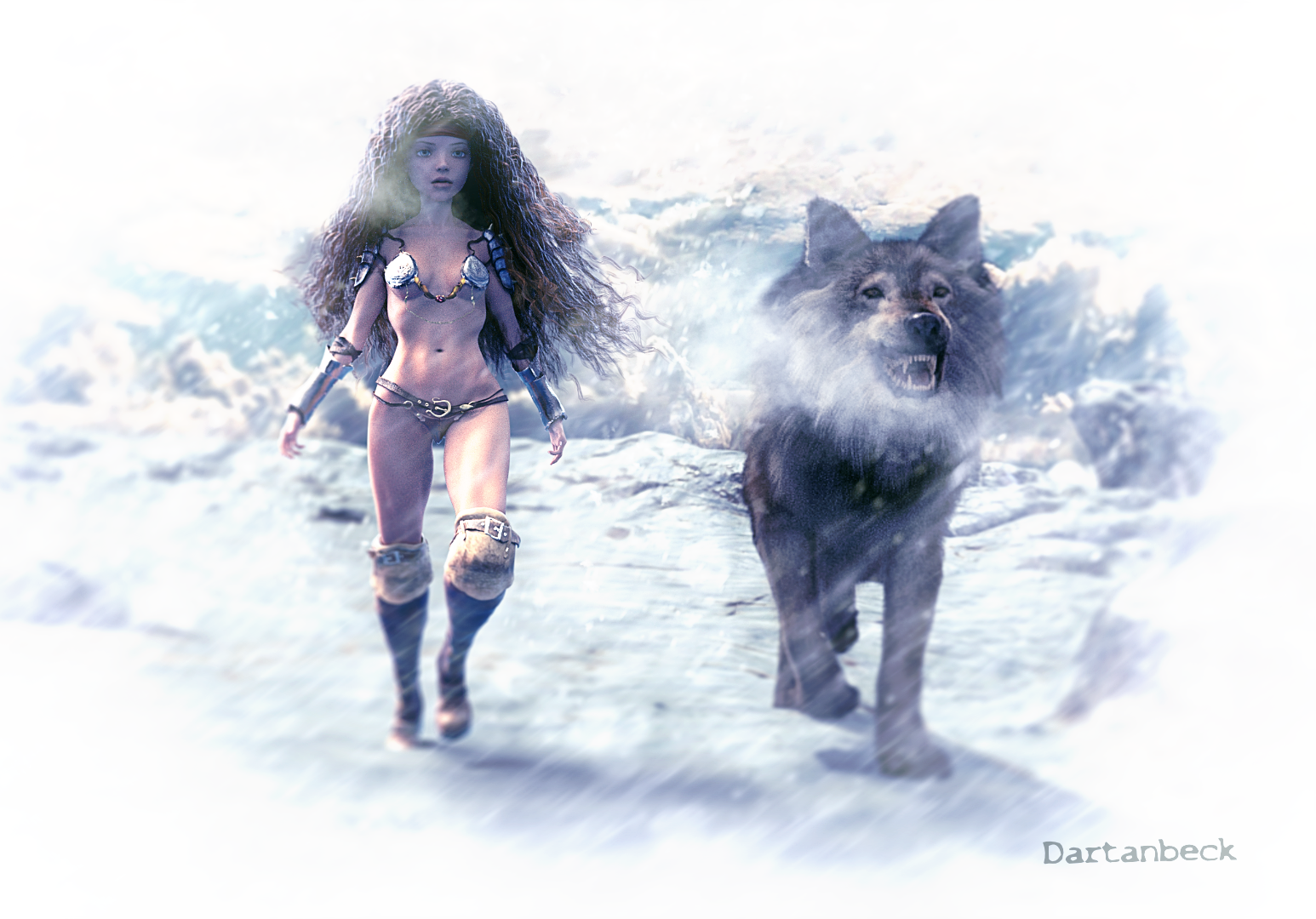
Let's take a look at my Genesis 1 Rosie 5.2
Her outfit consists of:
- Platina Armor (metal bikini) - V3 - Awful Soul - No Longer Available - sadly
- ElfAge Light (panty) - V4 - 4blueyes
- Executioner (arm wraps) - Genesis - Age of Armour
- Wildenlander Wild Hunt (boots) - M3 - Luthbel
- Onsi Sisterhood (forearm armor) - V4 - AlphaSeed - No Longer Available - sadly
Hair
Textures
Eye Replacements
- EYEdeas 3+ (eyes) - V4/M4 - Arki
 July, 2021 - Daz 3D New User Challenge - Portrait Rendering and LIE
Tynkere said:
Kismet2012 said:
I do not know which other figures you may own so I applied Genesis 8.0 skin maps to Victoria 8. I am attaching renders of the results. I do not see the purple colour on the eyelids so this may be an option?
I hope something here helps.
Thanks for taking the time to do those renders. I tried using face texture from 'no makup' V8, lasso lower eyelids, tweak 'selective color' in PS and save as .png file.
Entry 2... I put a L.I.E. slogan on shirt as suggested. V8 face is also using L.I.E. for lips, blush, and the lower eyelids.
For the campfire, I'm using an emmisive sphere to rule out if grain on some eye highlights is result of too many emissive lights. Since it's between the campfire and model, I hid the sphere with a cutout opacity of 0.00010
BTW, decided to nix the first entry because corners of her mouth looked odd. I have trouble getting convincing facial expressions on V8.
Comments & room for inprovement on both are welcome. I've been away from 3D since pandemic -- 2 years is long time out of practice! Need all the help I can get.
Title: "Pensive"
Contest L.I.E.
App: DS 4.10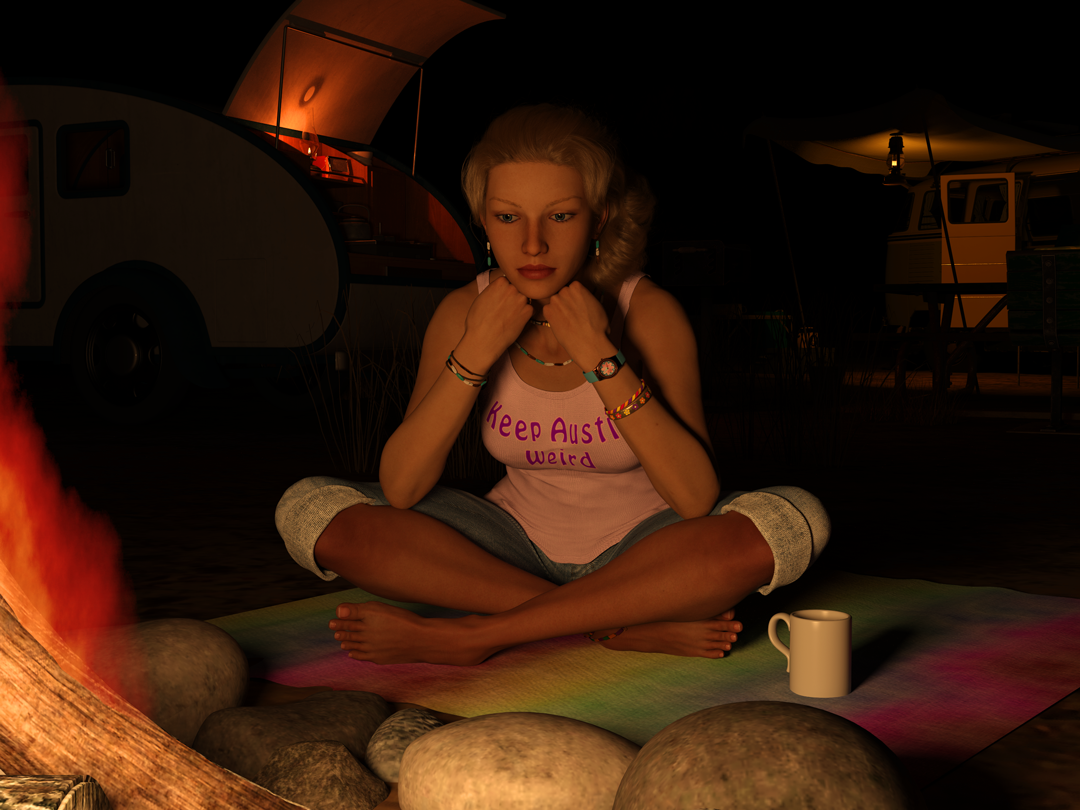
PS: What is preferred size for attachments?
You are welcome @Tynkere
I think everyone probably has a preferred size depending on what they are rendering and why. My personal preference for most images is 1500 on the longest edge. But I have had images that I have had to reduce the overall size in order to get it to fit on my nVidia card. It is really about personal preference. For the forums it needs to be resized to 800.
When it comes to expressions I personally tend to keep them subtle. I personally find they start to look off when taken to an extreme. I do a lot of mixing and matching of expressions and then go in to individual features, ie: eyes, mouth, etc and tweak from there.
This is a very realistic scene. I am right there with her. I can just imagine the mosquitos.
The camper and vehicle in the background really add to the scene. Love the colourful blanket. Her clothes look good. The lights on the vehicles help to draw the eye around the image.
Well done.
Cleopatra HD add-on?I was guessing why Cleopatra doesn't have an HD add-on......all the DAZ originals main characters have one. I already own 8.1 add-ons for Jada, Jacqueline and Victoria, may they work good on Cleo if I buy her? Suggestions?
Shoe Rigging QuestionsI've modeled some sandals for G3F/G8F, and have rigged them and saved as a figure/prop asset. Although the sandals fit nicely, there is a lot of distortion when the toes are flexed, as seen in the first picture. I'd really like to accomplish the "graceful sole-bend/toe dangle" effect as seen in the second picture, rather than the glued-on sandal look. Way back, Victoria 3 had a set of morphing sandals which did this effect via adjusted bones in the sandals (V3 only had lFoot, lToe, rFoot, rToe rigging, which made it easier). Looking at G3F though, there are no JCMs for the toe bend, as compared to the thigh bend. My idea was to export the crumpled sandal, adjust and smooth it, and then re-import it back in as a morph to be driven by the toe bend. Is this still possible to do without a proper or dedicated toe-bend JCM channel?
Thanks,
-David
Confusion related to "Mora for Victoria 8" and similar figuresAll Genesis 8 characters have the same underlying mesh. A new figure is created by somebody exporting the mesh into a modeling program and reshaping the vertices to create a new morph.
"Mora for Victoria 8" means the artist started with Victoria 8 as a base model. To get the advertised shape, both morphs need to be applied since morphs only store their own individual vertex offsets.
If you applied the Mora morph to the base G8 figure, then you might or might not get a good result, since it's not being added atop the V8 morph.
Texture maps should transfer over fine, though, since G8 figures share the same UVs.
Confusion related to "Mora for Victoria 8" and similar figuresEvery now and then, I will see an item, that has the title like this.
"Mora for Victoria 8" from https://www.daz3d.com/mora-for-victoria-8
Once I hit the product page, the description says,
Required Products:Compatible Figures:
Genesis 8 Female
So, what happens if i get this and try to apply to the base Female character? I dont have the Victoria figure in my asset library. Would it still work and appear under 'smart content'?
In general, any time you have something that says "X for Y", does it always mean, I must have 'Y' even if 'X' is compatible with Genesis 8 as per the store description. Or, do I have limit myself to products that simply say 'X' compatible with Genesis 8 and 8.X?July, 2021 - Daz 3D New User Challenge - Portrait Rendering and LIEKismet2012 said:
I do not know which other figures you may own so I applied Genesis 8.0 skin maps to Victoria 8. I am attaching renders of the results. I do not see the purple colour on the eyelids so this may be an option?
I hope something here helps.
Thanks for taking the time to do those renders. I tried using face texture from 'no makup' V8, lasso lower eyelids, tweak 'selective color' in PS and save as .png file.
Entry 2... I put a L.I.E. slogan on shirt as suggested. V8 face is also using L.I.E. for lips, blush, and the lower eyelids.
For the campfire, I'm using an emmisive sphere to rule out if grain on some eye highlights is result of too many emissive lights. Since it's between the campfire and model, I hid the sphere with a cutout opacity of 0.00010
BTW, decided to nix the first entry because corners of her mouth looked odd. I have trouble getting convincing facial expressions on V8.
Comments & room for inprovement on both are welcome. I've been away from 3D since pandemic -- 2 years is long time out of practice! Need all the help I can get.
Title: "Pensive"
Contest L.I.E.
App: DS 4.10PS: What is preferred size for attachments?
ByeUnifiedBrain said:
Jonstark, happy to see you back!
I also liked the renders. My own experience is that the V4 Elite shaders are actually terrific for realism (or enhanced realism) if that is the goal. Victoria 1 skin shaders are scarce and not particularly good. I don't own V2. V3 shaders are also scarce, but there are some good ones out there. V4 Elite through Genesis 3 are mostly excellent. It is possible to really get the skin differentiation to pop in Carrara. I haven't yet tried Genesis 8.
And although I applaud your efforts on the procedural skin shaders, to me they will never be realistic. For toons and other NPR they can be useful, of course.
An early experiment entered in the 50th Challenge, using V3, V5, and V4 (left to right).
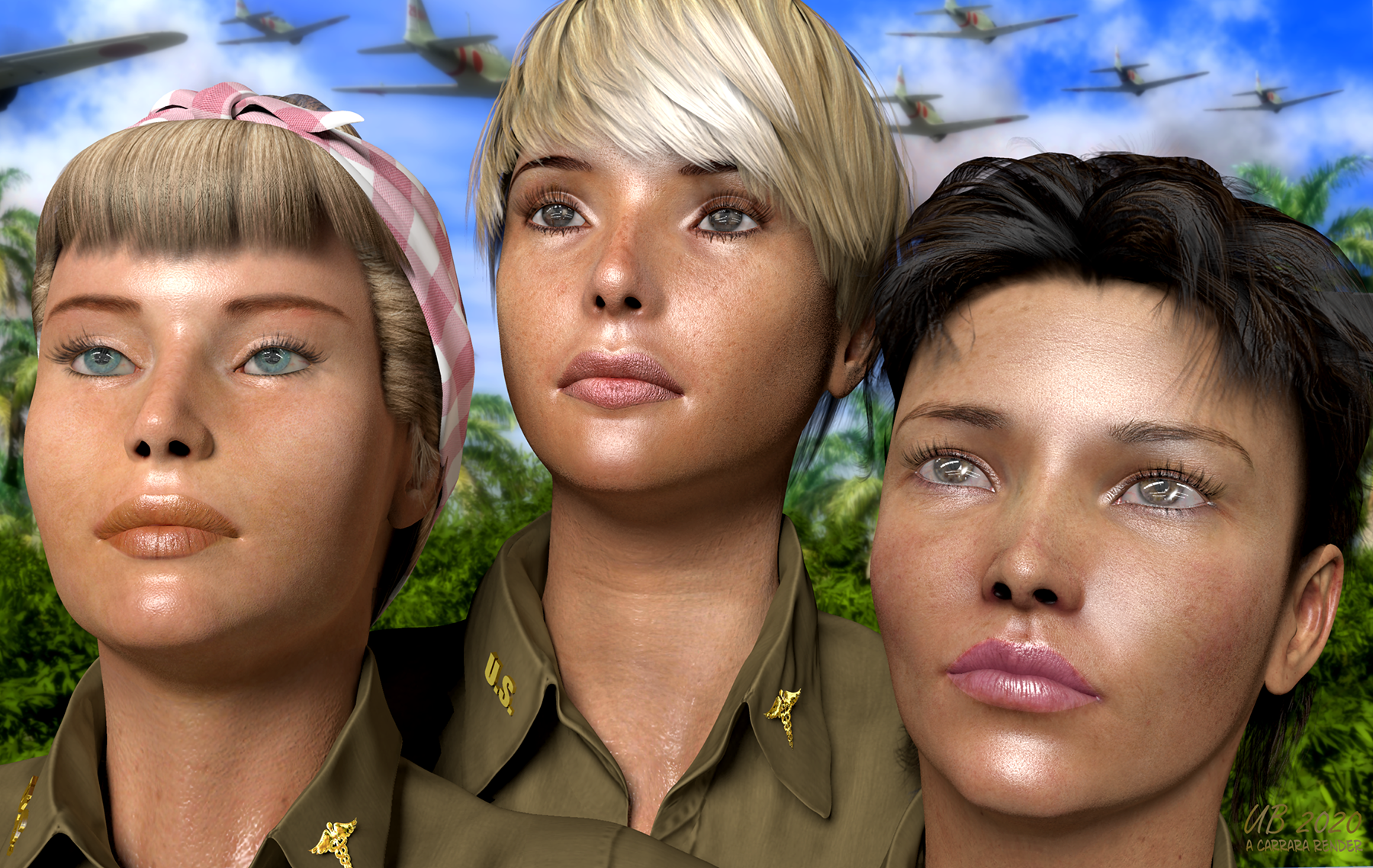
Thanks UB! Happy to be back and seen/posting again. :) Nice render! I'm particularly impressed by V3, because I always thought finding good texture sets for V3 was vanishingly elusive. The only AAA texture set I can even think of offhand is Danae's 'Milan' over at Rendo. That one is so good I wish I had a way to put it on my Genesis, but as far as I know there are no available UV sets for Genesis1 that would allow for use of V3/M3 textures. I think there was an app way back when called Texture Converter that would allow conversion of V3/M3 to V4/M4, but I don't think that's available anymore, sadly...
I agree about procedural skin too; I realized early on that no way would any procedural skin ever come close to an actual texture map version. Just adding random noise to give skin flaws doesn't address the real issue, which is that human skin is not the same all over. The skin on the tip of the nose, for example is radically different in roughness and texture than the skin just beneath the eyes, which is different than the skin over the cheekbones, which is different than the skin over the chin... etc, etc.
The only way to even come close would require someone with a master's artist's eyes/observation powers (far beyond me) to draw on tons of layers for each separate area of the body, each one using a Anything Goos shader to blend into the next area over so there doesn't appear to be seams... honestly it would take a herculean effort and require someone who has an incredible eye for detail to even come halfway close.
So I regard the procedural skin as mostly not successful. Its one benefit would be getting rid of all the texture maps which would reduce scene size considerably for animators who needed background crowds of people in renders. So it may still be useful in that way to someone, and it's an interesting thing to tinker with. :)
ByeJonstark, happy to see you back!
I also liked the renders. My own experience is that the V4 Elite shaders are actually terrific for realism (or enhanced realism) if that is the goal. Victoria 1 skin shaders are scarce and not particularly good. I don't own V2. V3 shaders are also scarce, but there are some good ones out there. V4 Elite through Genesis 3 are mostly excellent. It is possible to really get the skin differentiation to pop in Carrara. I haven't yet tried Genesis 8.
And although I applaud your efforts on the procedural skin shaders, to me they will never be realistic. For toons and other NPR they can be useful, of course.
An early experiment entered in the 50th Challenge, using V3, V5, and V4 (left to right).
Daz 3D is part of

Connect
DAZ Productions, Inc.
7533 S Center View Ct #4664
West Jordan, UT 84084Licensing Agreement | Terms of Service | Privacy Policy | EULA
© 2026 Daz Productions Inc. All Rights Reserved.