-
Is the atmosphere ruined?(closed)
richardandtracy said:
Must admit I have long thought that the only way to test the accuracy of any transformation script is to do a full circle and compare the end with the beginning. This applies equally with language translators, pose transfer scripts and character transfers too. It's one of the reasons why virtually all my pose transfer scripts have bi-directional versions. Except my G8-G9 one where I lost interest in G9 and couldn't be bothered with the G9-G8 one because there was almost no chance I'd have a G9 pose I'd feel worth putting on my favourite G8F character. Regards, Richard.
i remember that... apparently that was the most viewd TV moment of 1986.
Anime Toons and Filatoon Shader Q&ACES3D said:
Leana said:
Mada said:
ArtsyDragon said:
I am at a loss. I read that we can use the shader on anything. That's awesome. I'm wanting to get the skin texture that shows on Aiko 9 and Vickie on a G8 character. Is this possible?
The shader yes, but the skin texture would be using a different uv map. I'm not sure if there is a conversion where you can use G9 textures on G8, someone else might know :)
There's a "Legacy UVs" product to use G9 textures on G8F: https://www.daz3d.com/genesis-9-uvs-for-genesis-8-and-81-female
Not sure how well that would work with the Filatoon settings though.
I've transferred the material from "Genesis 9 Base Anime Feminine" to "Genesis 8 Basic Female" using the "Genesis 9 UVs for Genesis 8 and 8.1 Female".
Due to the unique UV layout of the eyes, eyelashes, and eyebrows in G9 Base Anime, I've adapted the Genesis 9 Toon Anatomy(Attachment) to Genesis 8 using the Auto-Fit feature.@Mada Thank you for kick starting my brain again. I knew that. I just didn't remember when I needed it.
I already have that package. I feel like I should have known this. Thank you all for your patience with me. For the extra tip @Ces3D thank you. :)
In fact, I have all the G9 to (other G figure) packages. Now I'm excited to try this transfer procedure on them too! WOOT! If I can get it to work like decribed, look out world!
Is the atmosphere ruined?(closed)BAM! Renders said:
barbult said:
BAM! Renders said:
Torquinox said:
Frankly, the mods are part of the problem here.
Oh indeed they are...
Mods are enforcing terms of service written by Daz.Then it is DAZ as well that is not the same. Why they deleting any sort of comment about what they are doing with memberships? Why they deleting any sort of comment asking about Gen 9 to Gen 8 Morph Conversion? I think you know why... Answer: DAZ is not the DAZ of old...
Aside from long threads on the memberships, long threads on Genesis 9, and at least one long thread on methods for morph conversion you are of course somewhat correct.
Is the atmosphere ruined?(closed)barbult said:
BAM! Renders said:
Torquinox said:
Frankly, the mods are part of the problem here.
Oh indeed they are...
Mods are enforcing terms of service written by Daz.Then it is DAZ as well that is not the same. Why they deleting any sort of comment about what they are doing with memberships? Why they deleting any sort of comment asking about Gen 9 to Gen 8 Morph Conversion? I think you know why... Answer: DAZ is not the DAZ of old...
Gen 2 or 3 male character with muscular armsFor a rendering need I am asking for a recommendation for a male character (Gen 2/3) with muscular arms natively, as I think dialing up the bodybuilder option or simply increasing the arm morph dial isn't quite getting the desired result.
dForce issue with G9 KaedeLooking at the description of the dress, the Spinning Bird Shape is not among the support shape and Auto-follow doesn't seem to be able to take care of creating the morph needed for it.
But Kaede 9 is listed as a supported shape, so if you want to try a timeline simulation like the one I suggested, you should be able to start with Kaede 9 base shape instead of Genesis 9 base shape, and dial in the Spinning Bird Shape at frame 15.
Custom Categories in 4.22 transfer to 4.23?I have a bunch of custom categories to make finding what I want easy, but it's on 4.22. If I upgrade to 4.23 will the categries transfer over or am I going to have to make then all over again?
The Mac FAQinquire said:
Now I'm reading about thunderbolt 5. I have thunderbolt 2 on my Macintosh Pro, late 2013 edition. With connectors, I should be able to connect to a current Mac with thunderbolt 4, so that I could transfer my files over.
if I don't buy a Mac until there's one with thunderbolt 5, and if there isn't a connector to go from thunderbolt 2 to thunderbolt 5, would there be a service to copy my files over for me, or to transfer my files onto a drive that is thunderbolt 5 compatible? Would an outfit like Best Buy be able to do this? What would be the best way to accomplish this, or whom would I contact?
has anyone had experience with this issue before?
Thunderbolt 5 is compatible with Thunderbolt 3 and 4. The Apple Thunderbolt 2 -> 3 adapter can connect the drivers to the tunderbolt 5 port.
The Mac FAQNow I'm reading about thunderbolt 5. I have thunderbolt 2 on my Macintosh Pro, late 2013 edition. With connectors, I should be able to connect to a current Mac with thunderbolt 4, so that I could transfer my files over.
if I don't buy a Mac until there's one with thunderbolt 5, and if there isn't a connector to go from thunderbolt 2 to thunderbolt 5, would there be a service to copy my files over for me, or to transfer my files onto a drive that is thunderbolt 5 compatible? Would an outfit like Best Buy be able to do this? What would be the best way to accomplish this, or whom would I contact?
has anyone had experience with this issue before?
How can I create an Eyepatch that will morph onto the head of my character?The problem will be avoiding distortion - turning it into a figure would let it follow bone and morph movements, but not rigidly; there are ways to make it act rigidly but they are likely to require manual adjustments for each pose or morph change.
dForce issue with G9 KaedeDoes the dress start with part of its geometry inside Kaede's legs ?
If it's not the case, I don't know what could cause your problem but I'm sure wiser heads will have more ideas than mine.
If it's the case, it could messed up simulation and I had a kinda similar problem with a pair of pants for Genesis 8 I converted to Genesis 3: due to the different starting position of Genesis 3 legs compared to Genesis 8, both legs of the pants started inside each other (in my case, the fix was easy: change the starting position of Genesis 3 to match the one from Genesis 8).
In your situation, if it's indeed the cause, you can either fix the clothes (creating a morph to make it fit Kaede better and using it to replace the one automatically generated by Daz Studio when you fitted the clothes on Kaede) or doing a timeline simulation, to gradually dial Kaede shapes onto Genesis 9.
A 45 frames simulation can be set as follow:
- At Frame 0, load Genesis 9 and the clothes.
- At Frame 15, dial in Kaede's shapes into Genesis 9.
- At Frame 30, set the final pose
The last 15 frames are required to let the clothes flowing where they should (they are replacing the second part of a 'Current Frame' and 'Start Bones from Memorized Position' simulation).
The biggest advantage of this solution, compared to create a morph, is that everything is done in Daz.
The main downside of this solution is you now have to deal with a timeline but you can extract the shape of the clothes at the last frame to create a morph, then you can reset the timeline and use the morph in a non timelined scene (as a bonus, not having to save the full timeline means a smaller scene file):
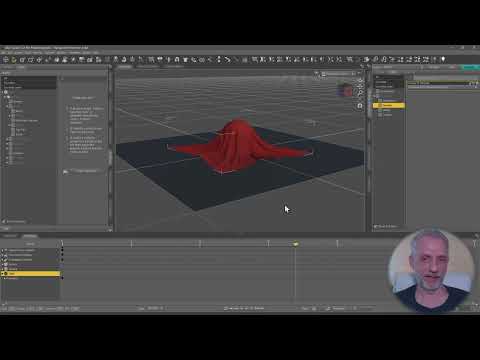 How can I create an Eyepatch that will morph onto the head of my character?
I have this eyepatch that I've made in c4d and constrained to my character via position constraint. But there is subtle face movement (eyebrows, squinting, cheeks & mouth moving etc) that clip through the patch because they arent bound to the rig or moved by joints etc. Is there a way for me to make the patch within daz so it can move & morph as a part of my characters actual skin movements?
Announcing: Daz Deals Browser Add-on IIpaolo_35229750 said:
Product URL Change:
From Best Price Notification
SKU:56239 - Mika 8 Morph Target Resource Kit for Genesis 8 Female
was: https://www.daz3d.com/mika-8-morph-target-resource-kit-for-genesis-8-female
now: https://www.daz3d.com/mika-8-enhanced-morphs-resource-kit-for-genesis-8-female
Thank you, I updated the product url.
My Favorite Script (Commercial)takezo_3001 said:
crosswind said:
After applying the saved Pose preset, the values in Scale of some joints are not correctly set (doubled to 200%)... probably a bug.
JSON file is attached. Ticket has been sent as well. Thanks in adv.
That's because you have checked the zero morph on new character, when it zeros the morphs that include the correctives as well, at least that's what happened to me, so I don't check the zero morph box...
Thanks, but I didn't check Zero Shape which is unchecked as default, and I just saved Pose Status only ~~ i.e. no Shape data in JSON file at all. Besides, the strange thing is that the Scale values in JSON file are correct ... so I think the culprit comes from the script per se...
My Favorite Script (Commercial)crosswind said:
After applying the saved Pose preset, the values in Scale of some joints are not correctly set (doubled to 200%)... probably a bug.
JSON file is attached. Ticket has been sent as well. Thanks in adv.
That's because you have checked the zero morph on new character, when it zeros the morphs that include the correctives as well, at least that's what happened to me, so I don't check the zero morph box...
Morphs not appearing/disappearingI was setting up a scene and when I came to moving the avatar's eyes to look a certain direction, I noted that genesis 9 had no morphs' to move the eyeballs.
I saw others use genesis 9 and they had the standard morphs, same as on the other genesis, so I am confused why they're not visible for me?
I did for a split second on loading up the scene, clicked on face and saw "look left," morph, and such, but they went away, are they interfering with other sets of morphs?
Whenever I have added they seem to pile up nicely rather then remove, or take a slot of another set of morphs, so I am a bit confused, help would be appriciated.
-- Simply, eye morphs with look at various directions are not there.
Help after update face transferDid you use the Save option in Face Transfer?
Announcing: Daz Deals Browser Add-on IIProduct URL Change:
From Best Price Notification
SKU:56239 - Mika 8 Morph Target Resource Kit for Genesis 8 Female
was: https://www.daz3d.com/mika-8-morph-target-resource-kit-for-genesis-8-female
now: https://www.daz3d.com/mika-8-enhanced-morphs-resource-kit-for-genesis-8-female
Unable to change Content Database Base LocationWolfwood said:
I would suggest to not change or delete the CMS part, at least not first. Move only the Content Path.
Copy all the files from your Library in C to the new location on D.
Open DIM and go to advance settings --> Installation Tab.
At the bottom, add the new path on D.
Change the shortcut, then delete the one in C.
Close settings(Accept), wait for DIM to reload or click Refresh.
Close and open and see if it was saved correctly.
It worked but the products I download still goes to my C disk, meaning I have to do it in your way if I want to transfer my plugins or products to the D disk.
Help after update face transferI on,y have one not 2 but my face transfer morphs are not saving. I know to hit save as, support asset, modifier asset. But once I save. And I load a genesis 8 character to apply the morph I move the slider and it is nothing like I tried to save. Please assist
Daz 3D is part of

Connect
DAZ Productions, Inc.
7533 S Center View Ct #4664
West Jordan, UT 84084Licensing Agreement | Terms of Service | Privacy Policy | EULA
© 2026 Daz Productions Inc. All Rights Reserved.