-
Wacky Modelling ~ In Carrara ~
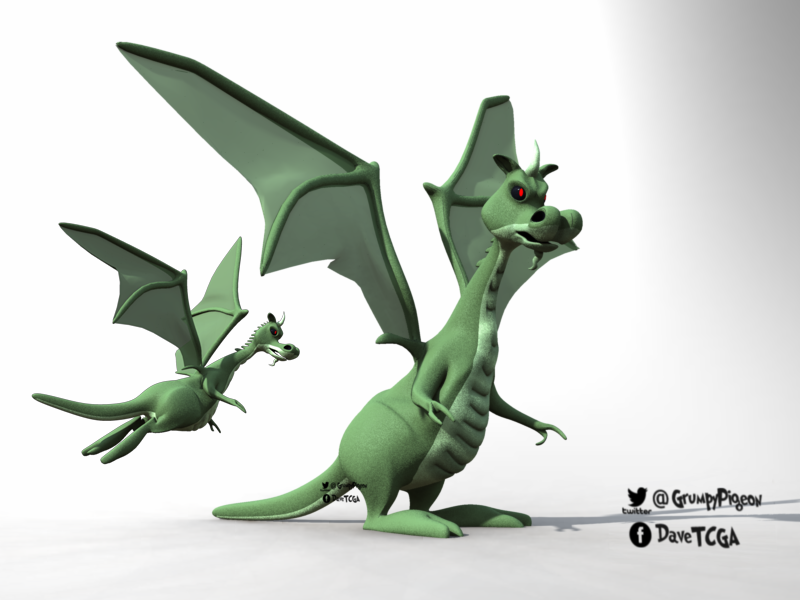
put the Carrara Cube to some use and came up with this wacky DownUnder Dragon for you all to experiment with..

Boned and a mouth morph... but you may ( will ) have to do some weight painting on the wings when posing ... I didn't really spend much time on this fella

but you'll find him burning up the zip file busting to get out to be poked and prodded... as always any improvements you come up with share back here

 CARRARA CHALLENGE #63: There be Dragons..... WIP
Stezza said:
The Herculoids
revamped file from one I did 2013 when Carrara was v8
changed the dragon style using 3DU dragon for dragon3 added foliage, props and added Tara ( Zandor's wife ) who wasn't in my original file.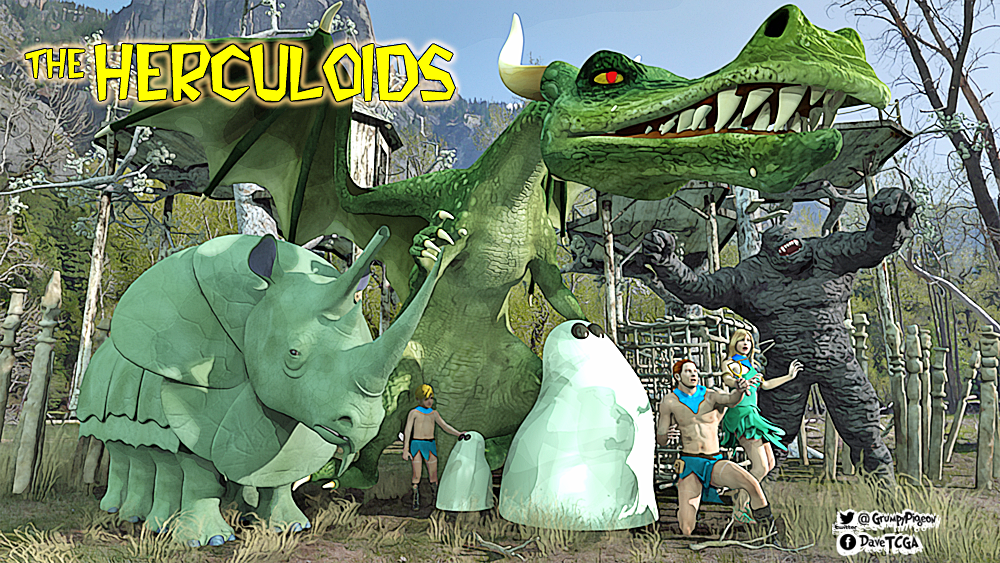
~ Very Good _
 CARRARA CHALLENGE #63: There be Dragons..... WIP
Stezza said:
The Herculoids
revamped file from one I did 2013 when Carrara was v8
changed the dragon style using 3DU dragon for dragon3 added foliage, props and added Tara ( Zandor's wife ) who wasn't in my original file.Ha, that's cool Stezza, nice work. I had to look that up, never heard of the show.
Colored Cast Shadows In Carrara?...YES!Diomede said:
Wow, great stuff.
And thanks for the chart.
Cool, thanks. Carrara is forever clever and I love cheats.
CARRARA CHALLENGE #63: There be Dragons..... WIPStezza said:
The Herculoids
revamped file from one I did 2013 when Carrara was v8
changed the dragon style using 3DU dragon for dragon3 added foliage, props and added Tara ( Zandor's wife ) who wasn't in my original file.Excellent render to start with Stezza !!!
CARRARA CHALLENGE #63: There be Dragons..... WIPThe Herculoids
revamped file from one I did 2013 when Carrara was v8
changed the dragon style using 3DU dragon for dragon3 added foliage, props and added Tara ( Zandor's wife ) who wasn't in my original file.CARRARA CHALLENGE #63: There be Dragons..... WIPWendyLuvsCatz said:
there is this
Thanks for the link Wendy, set is well recommended !!!
CARRARA CHALLENGE #63: There be Dragons..... WIPDiomede said:
WIP - Generic Daz Dragon 3 Users
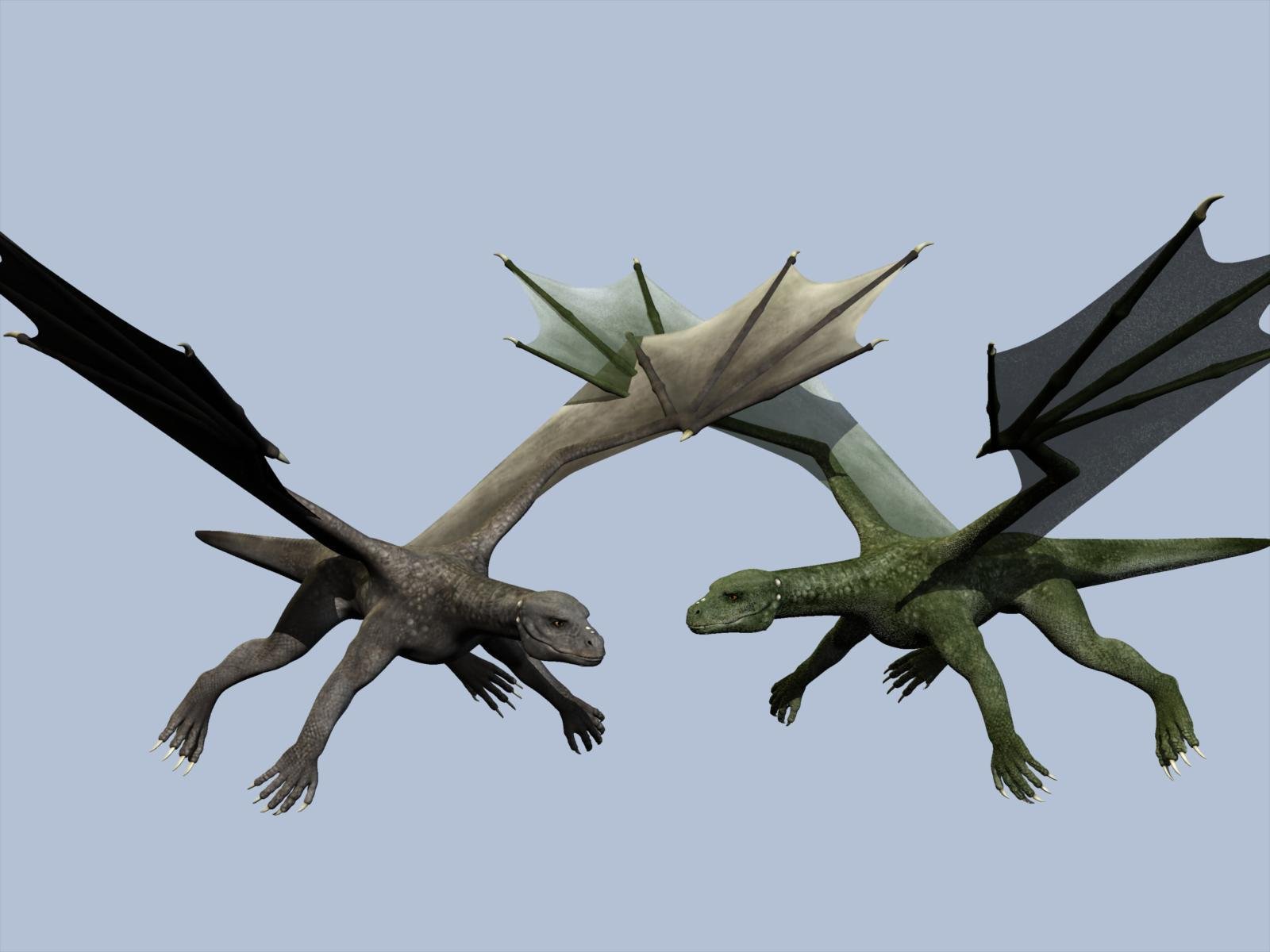
If you load the Daz Dragon 3 in Carrara, the default load has the color diffuse map but is missing the maps for bump, etc. The missing maps were most probably installed on your drive, but Carrara simply failed to load them. Here is one of my attempts to correct the issue. (1) I loaded the bump map and increased its strength to 105. (2) I loaded the shininess map in the highlight channel with a multiplier set to a low number. (3) I multiplied the diffuse color map by weighted green and white colors. White keeps the original map, and green give a green tinge to the original. By weighted, I mean that the green is applied with more strength on areas of the skin surface which the original map had as darker grey skin. To weight, I nested some mixers and multipliers. I checked the invert color boxes for the maps in the weight tree so that more green would be applied where the map is darker. See attached screenshot. Saved the global shader for future use.
The dragon on the viewer's left is the default load. The dragon on the right has the updated bump maps and the weighted green multiplier. If my final version has a close up, I will probably add some subsurface scattering to the skin and some translucncy to the wing membranes.
Thanks for the tutorial !!!
CARRARA CHALLENGE #63: There be Dragons..... WIPthere is this
CARRARA CHALLENGE #63: There be Dragons..... WIPWIP - Generic Daz Dragon 3 Users
If you load the Daz Dragon 3 in Carrara, the default load has the color diffuse map but is missing the maps for bump, etc. The missing maps were most probably installed on your drive, but Carrara simply failed to load them. Here is one of my attempts to correct the issue. (1) I loaded the bump map and increased its strength to 105. (2) I loaded the shininess map in the highlight channel with a multiplier set to a low number. (3) I multiplied the diffuse color map by weighted green and white colors. White keeps the original map, and green give a green tinge to the original. By weighted, I mean that the green is applied with more strength on areas of the skin surface which the original map had as darker grey skin. To weight, I nested some mixers and multipliers. I checked the invert color boxes for the maps in the weight tree so that more green would be applied where the map is darker. See attached screenshot. Saved the global shader for future use.
The dragon on the viewer's left is the default load. The dragon on the right has the updated bump maps and the weighted green multiplier. If my final version has a close up, I will probably add some subsurface scattering to the skin and some translucncy to the wing membranes.
CARRARA CHALLENGE #63: There be Dragons..... WIPYour challenge is to do a render/animation of a Dragon inspired scene.
Types of Dragons:-
Western Dragon, Eastern Dragon, Wyvern, Wyrm, Drake, Hydra, Lindworm, Fafnir, Drachenstein, Amphisbaena, Amphitere, Jörmungandr, Rainbow Serpent, Basilisk, Apalala, Tiamat, Chelan Lake Dragon, Dragon of Beowulf, Dragon of St.George, Ladon, Sui-Riu, T’ien Lung, Hydrus, Naga, Quetzalcoatl, Azhi Dahaka, huge serpent, Dragon lizards, Komodo dragons, Crocodiles, Alligators, Dinosaurs, to name a few !!!Dragon resources:-
https://en.wikipedia.org/wiki/Dragon
https://en.wikipedia.org/wiki/List_of_dragons_in_mythology_and_folklore
https://en.wikipedia.org/wiki/List_of_dragons_in_popular_cultureDAZ3D Dragon inspired items:-
https://www.daz3d.com/catalogsearch/result/?q=dragon------------------------------------------------------------------------------------------
DA RULES:-
YOU can do up to 4 carrara renders/animations including in an external renderer for which there is a carrara plug-in (eg LuxRender, Octane) with your interpretation of the theme.
Images must be new, unpublished before the start of this challenge, but derivations of previous work allowed.
A WIP (work in progress) image must be posted to the WIP thread.Content Use
Use of any and all content is allowed Subject to the Forum Terms of service.
Used content should be credited in the Entry Thread.
Participants are encouraged to create or modify content, but it is not required.Post-work
Post-work is allowed and welcome.
Entrants are encouraged, but not required, to explain their post-work in the WIP thread so that others can learn from it.
At least a brief description of post-work done should be included with the final entry in the Entry Thread.Winners
The winner of the Challenge gets to pick the theme for the next Challenge and to make changes to the rules if they wish.
The winner of the Challenge will be the host for the next Challenge, but they may pass the hosting duties to any of the other winners if both agree, or to any other member of the forum if none of the winners is able or willing to host the next Challenge.------------------------------------------------------------------------------------------
Sponsorship:-
Thank you to our generous sponsor DAZ3D for offering the following awards to the winners:
1st Place: $75.00 towards DAZ3D owned item(s)
2nd Place: $50.00 towards DAZ3D owned item(s)
3rd Place: $40.00 towards DAZ3D owned item(s)
4th Place: $30.00 Towards DAZ3D owned item(s)
(Can only Win Once)
------------------------------------------------------------------------------------------
DATES to Remember:-
WIP Thread Opens: Saturday, 09 July 2022
Entry Thread Opens: Saturday, 06 August 2022
Entry Thread Closes/Voting Begins: Saturday, 20 August 2022 23:59:59 CST (GMT-6) 3 September 2022 23:59:59 CST (GMT-6)
Voting Ends: Saturday, 27 August 2022 23:59:59 CST (GMT-6) 10 September 2022 23:59:59 CST (GMT-6)Colored Cast Shadows In Carrara?...YES!This was inspired by reading about RGB MultiMattes for Cast Shadows in Jeremy Birn’s book Digital Lighting & Rendering: Chapter 11, “Rendering Passes and Compositing” (mine is 2nd edition, it may have changed since then).
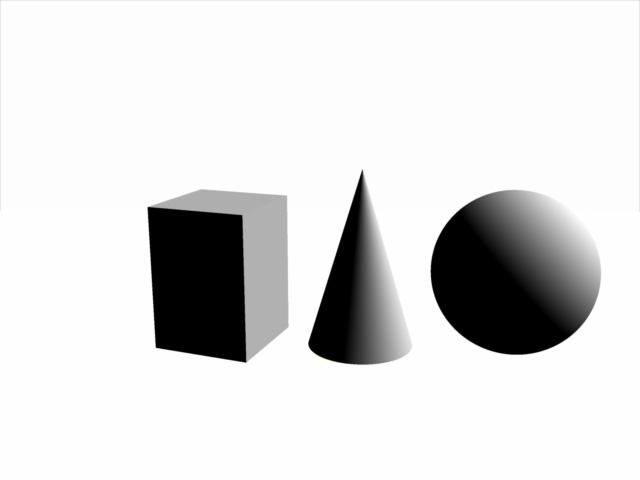
In this simple scene there are three basic shapes, a sphere, a cone and a cube. They cast shadows both on the floor and the sphere casts a shadow on the cone, and the cone casts a shadow on the cube. If you wanted to isolate those shadows, even with a Shadow Pass, it would be tedious to make proper selections.
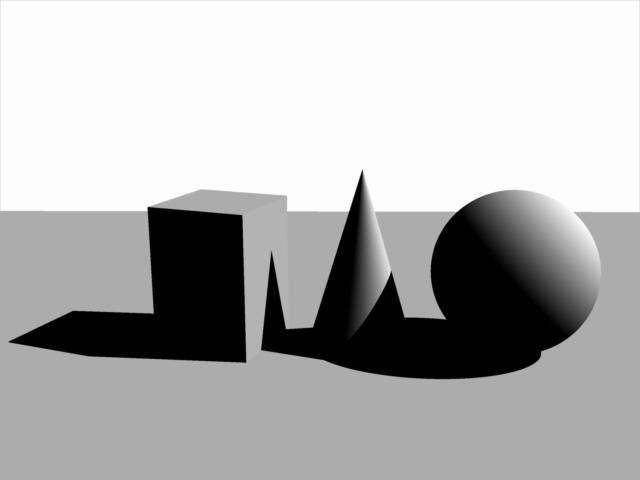
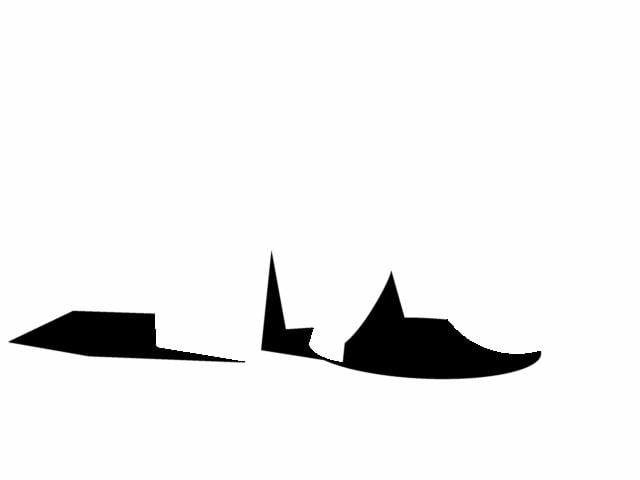
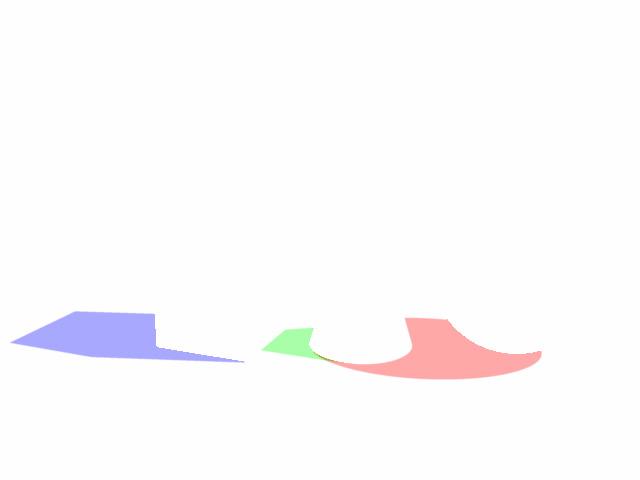
You can create a 3 in 1 matte which renders pure Red, Green and Blue values for easy manipulation in post. Carrara’s Shadow Pass will render colors.

However, using a dedicated RGB Light Group, as previously explained, and light linked to each object met with failure because each successive light group worked to add lights upon lights and resulted in a blown out Shadow Pass, never mind the Beauty Pass, which we discard for these purposes anyways.
The following images demonstrate the successive blown out image. The first shows the sphere only - it has a light group set to cast a red shadow for the sphere, the floor plane and the cone. If we then dedicate a light group to shine on the cone to cast a green shadow, you already see the Shadow Pass looking unhelpful. Adding the last light group dedicated to the cube totally blows out the image.
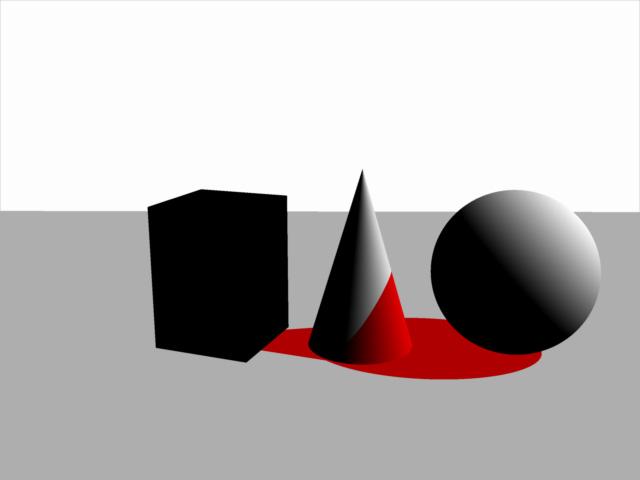
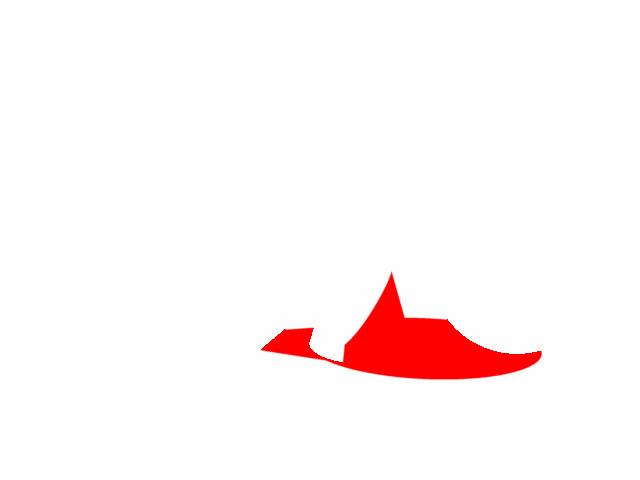
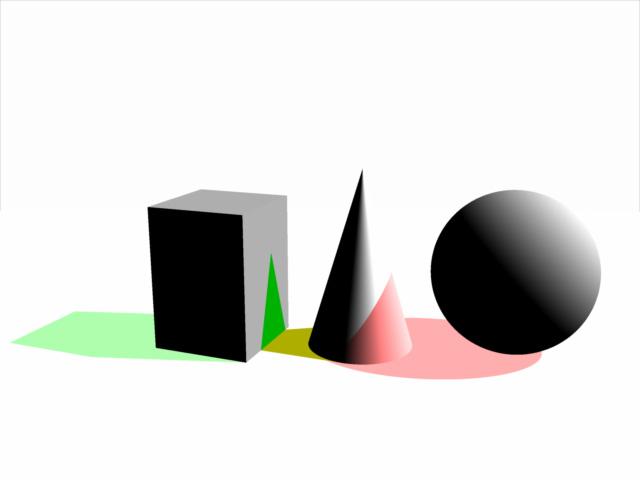
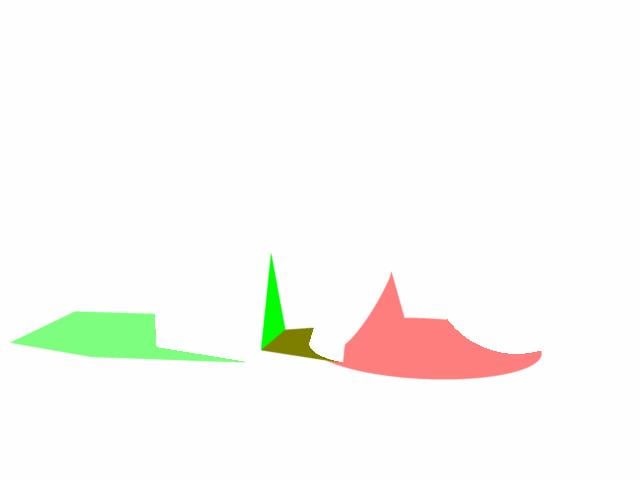
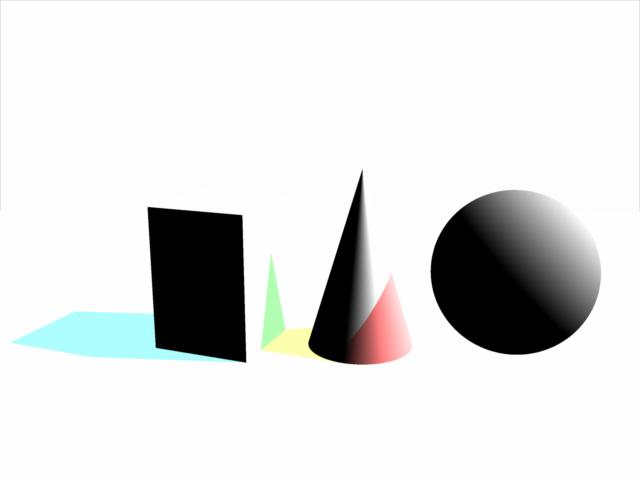

This is because in order to get the sphere to cast a shadow on the cone, we have to link the cone to that light group. And same for the cone to cast a shadow on the cube, we have to include the cube in the light group aimed at the cone. The resulting Shadow Pass is a hot mess.
Even if we separate the floor shadows from the cast shadows on other objects we still get a washed out Shadow Pass.
Mr Birn writes: “You may need a workaround such as giving the light a negative intensity and a negative shadow color. Regardless of how you set it up, packing three shadows into each shadow pass is more efficient than rendering shadow passes with only one shadow, or a shadow pass in which the shadows cannot be separated.”
Carrara does offer an option to use a negative light, and with some experimentation I was able to get it to work…for the most part.
Colored Cast Shadows In Carrara?...YES!DesertDude said:
WendyLuvsCatz said:
ah yes, this is something I always found annoying about DAZ studio, because being a Carrara user I expect coloured shadows, iray has improvec things a lot but getting a spotlight to work in that properly is difficult.
Carrara on the otherhand sometimes the shadows are Too Coloured in my experience

I think I completely misread and misunderstood your previous post, I'm sorry if my response sounded like a total jack a....
Cheersit's OK, I was just showing my usual smugness DAZ studio still cannot do stuff as well as Carrara even if it is improving
my opinion only
Colored Cast Shadows In Carrara?...YES!WendyLuvsCatz said:
ah yes, this is something I always found annoying about DAZ studio, because being a Carrara user I expect coloured shadows, iray has improvec things a lot but getting a spotlight to work in that properly is difficult.
Carrara on the otherhand sometimes the shadows are Too Coloured in my experience
I think I completely misread and misunderstood your previous post, I'm sorry if my response sounded like a total jack a....
CheersCan anyone help me to get the windows to go down in family carthis is easy to fix
(the windows not going down)
go to edit rigging and convert triax weightmapping to general weights
DAZ studio that is,
it works perfectly well in Carrara so I likely would not want the updated dual quat version
where I would need to do the reverseColored Cast Shadows In Carrara?...YES!Hi Wendy,
I'm simply pointing out you can, that's all.
I don't know anything about DAZ or iray or anytihng, simply trying to showcase Carrara's abilities 'out of the box'.Often based on watching videos on different topics of different software, and I'm like..."huh...can we do that in Carrara?"
 Colored Cast Shadows In Carrara?...YES!
ah yes, this is something I always found annoying about DAZ studio, because being a Carrara user I expect coloured shadows, iray has improvec things a lot but getting a spotlight to work in that properly is difficult.
Carrara on the otherhand sometimes the shadows are Too Coloured in my experience
Strandbeasts to inspire modeling and animationsFascinating.
Would make for quite a learning experiment trying to rig something like those in Carrara.
Beautiful motion of those 'wings'.Colored Cast Shadows In Carrara?...YES!For convenience I grouped the Spot Lights together and named the Group RGB_Light_GROUP.
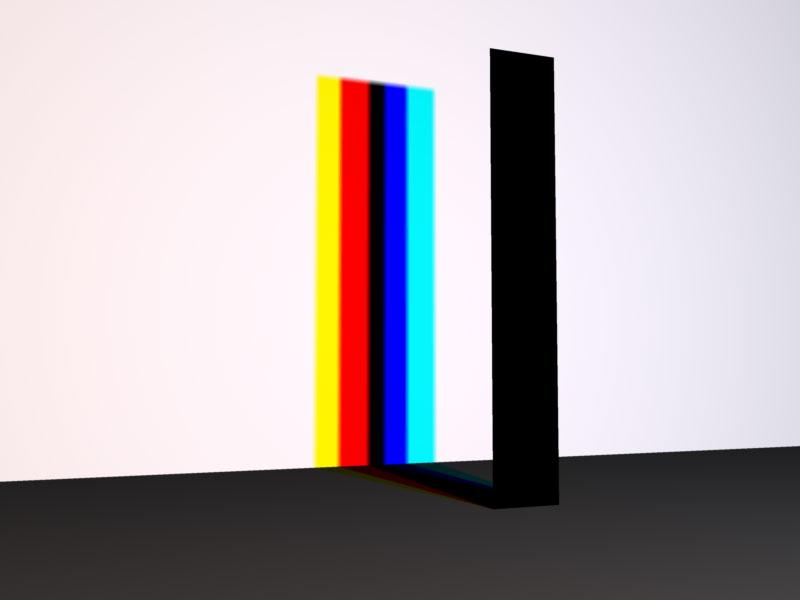
In the following examples I opened each Spot Light to their maximum of 90 degrees, and all three occupy the same space.
In the first render the shadow is as you would expect - the stick casts a black shadow. But if we start to separate the lights, the shadow starts to split into color components, and if we move them even further apart, we see those components completely separated.
So it seems Carrara can cast colored shadows, but how can we access them?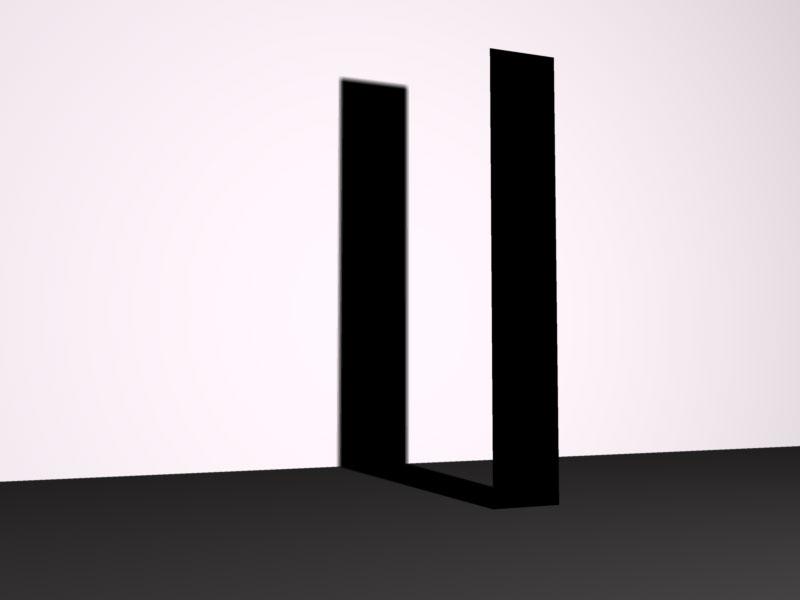
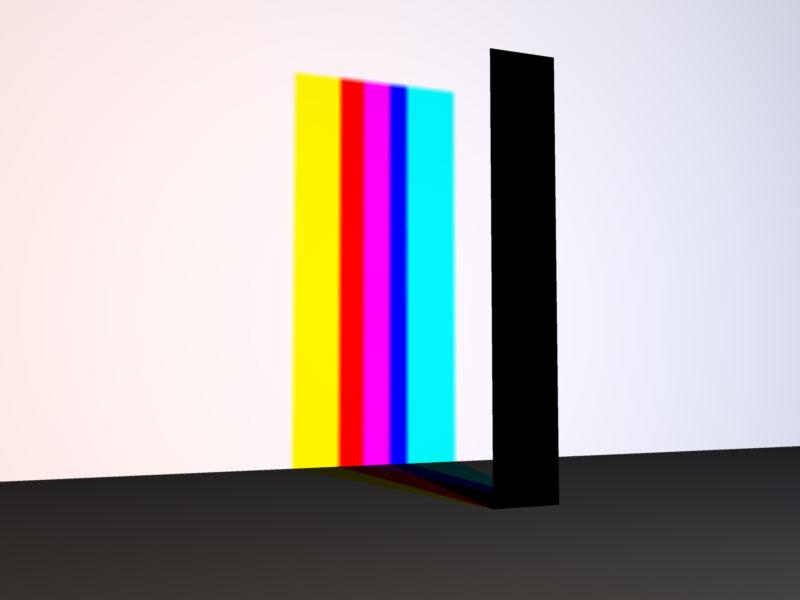
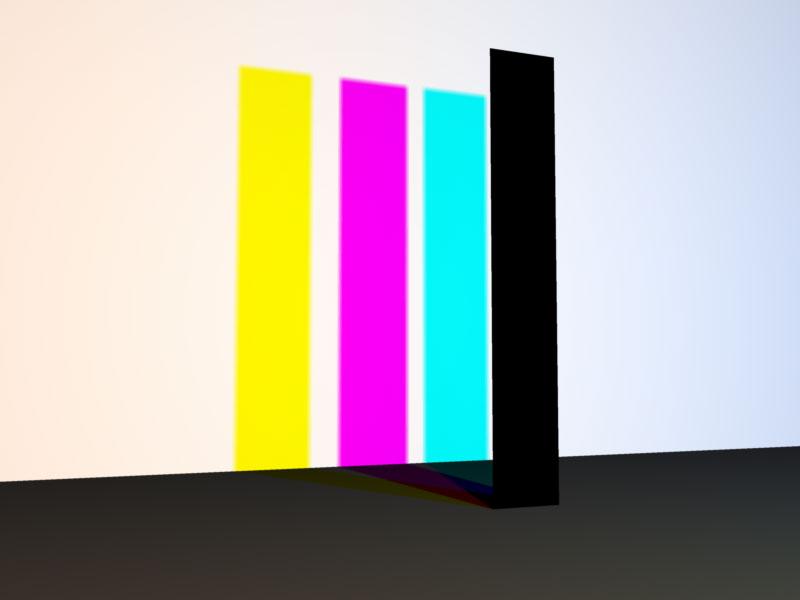 Colored Cast Shadows In Carrara?...YES!
Super apologies if this has been presented and/or demonstrated in the past.
One can create colored Cast Shadows in Carrara using lights, despite the lack of a Shadow Color chip.
This expands on a concept put forth by forum member Evil Producer where he cleverly placed 3 duplicated lights, one pure Red, Green and Blue, occupying the same space to create nice rainbow splays using Caustics with glass shaders.
https://www.daz3d.com/forums/discussion/comment/884391/#Comment_884391
Using his same set up, we can control Cast Shadow colors.
But first, a brief intro and some pictures.Here are three spots, one each set to pure Red (255,0,0) Green (0,255,0) and Blue (0,0,255). The Radius has been dialed back and they are aimed directly at a white plane - no other lights are in the scene. You can see in this first image the Spot Lights are separated.
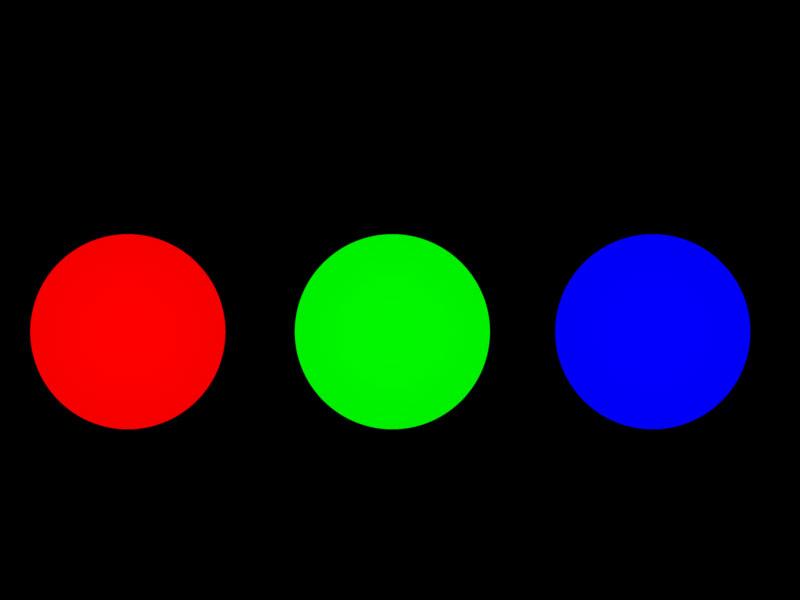
In this second image, the Spot Lights have been moved closer together and in the overlapping areas, we see Carrara mimics real life light.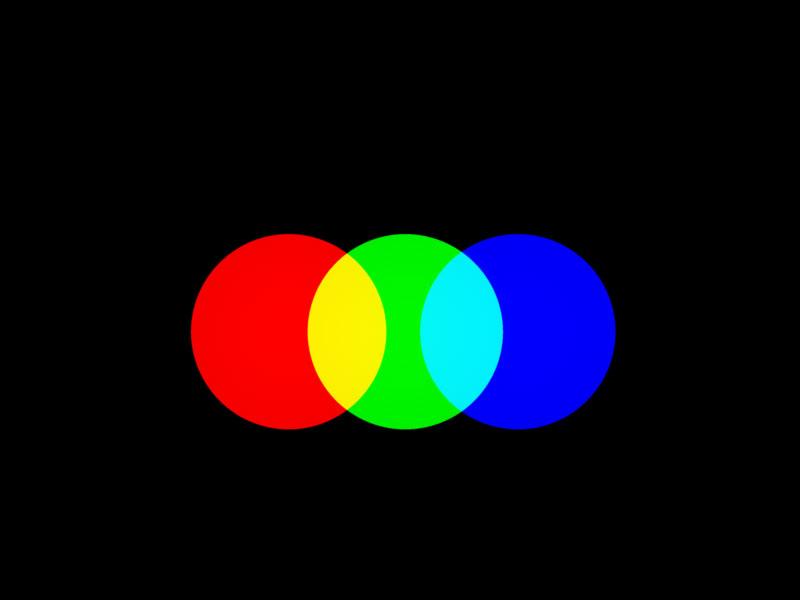
In this third image all three lights are overlapping to produce the three secondary colors Cyan, Magenta and Yellow, and ultimately, pure white where all three overlap.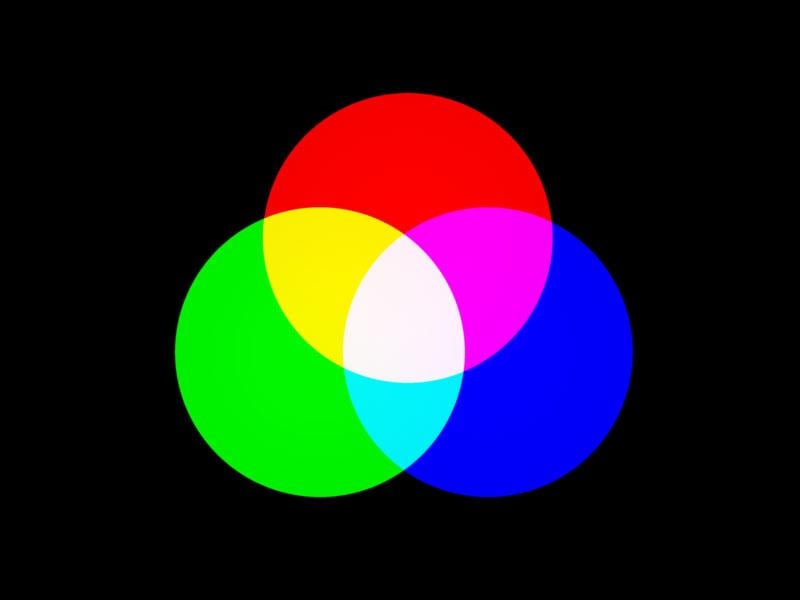
This last image shows all three Spot Lights occupying the same space. They produce pure white…well,almost. It does looks a bit "pink". A quick Eyedropper reveals RGB values are: 254,247,253. Putting that discrepancy aside, it is theoretically correct.
Daz 3D is part of

Connect
DAZ Productions, Inc.
7533 S Center View Ct #4664
West Jordan, UT 84084Licensing Agreement | Terms of Service | Privacy Policy | EULA
© 2026 Daz Productions Inc. All Rights Reserved.