-
Novica & Forum Members Tips & Product Reviews Pt 9
I've stopped buying HDRI. I used to be a total addict, but I find too much sameness in the quality of light and they don't produce results I can use.
I've only been using daz for 10 months but I've picked up a few of the hdri's. these are the ones I've picked up this past year.
Fantasy IBL - Above the Clouds HDRI ( just started setting this up but so far looks good)
SLP Iray HDRI Mastery ( use once in awhile)
Studio Light PRO Iray HDRI - 180 Maps ( works excellent in open spaces, and some in rooms )
Iray Promo Lights & HDRI Render Settings ( used on a couple of images mostly rim lights)
Orestes Iray HDRI Skydomes Vol 4 - Sunset ( I have used this with sucess in several images )
Iray HDRI Storms Lightning and Desert ( I used this a lot for zombies and cemetary stuff)
First Light Skydome and HDRI ( just started using this so far looks good)
Orestes Iray HDRI Skydomes Vol 3 - Vega System ( I like the rotaions with these hdris)I use the Mars 360 often as well. Can get some great backgrounds. I just find that positioning items is the most time consuming thing to ensure that image really works with background.
With rotations around and up and down with most of the hdri's you can get some great images. Each kit has something different.
I know you can dial in many of the settings but the one click has captured my attention. For Bloom, intensities etc. I keep one window open on one monitor with settings and another with full view of the viewport before images are added and I can rotate quite fast to see how I want the dome's to appear. With each set I watch the settings to see what effects things. I found that the dome multiplie set any whare from 1 to 300 works. Well, with enough clicking :-) I can actually see the domes get tighter and more clear with the light dome multiplier settings. For example. This image not yet complete as I keep buying things to add. Next will be towels. etc. :-)
I'm going thru and documenting image this week as I try and now where I'm using things. I'm just curious and try various settings to see what works especially after watching the forums and coming up with a base set of settings that I use on each image. Still learning myself.
The Ultimate Super-Hero Freebie List!Gemini,
I've never found one. There are some web props, https://www.renderosity.com/mod/bcs/spider-web-3d/101617/ and https://www.daz3d.com/orestes-cobwebs, but not web lines.
Orestes GraphicsWould love to buy pumpkins mega pack with vines and leaves attached with green and dead leaves, with flowers and new baby pumpkins. The new one out now is great but would have been even better if it had vines and plants attached.
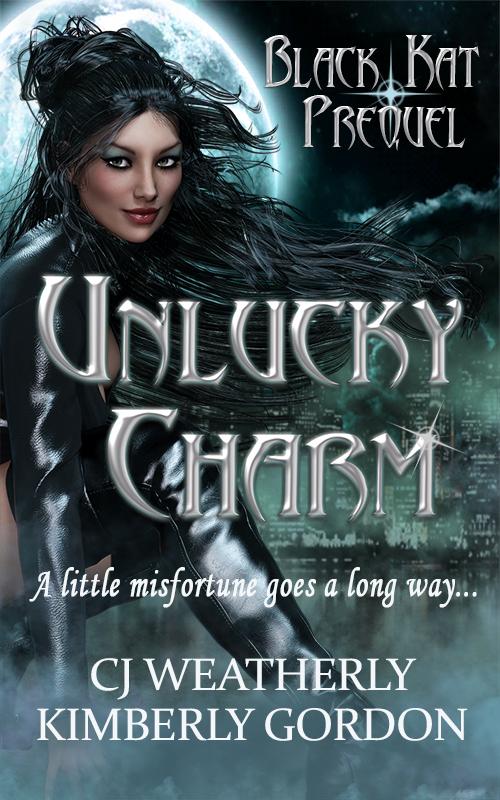
Llynara's Loony Bin (WIP Thread)Working this week on Parts 3 & 4 of the Beautiful Hair tutorial and getting my Black Kat promos ready for Halloween. Hoping to use some of those wonderful pumpkins Orestes came out with, but hard pressed to find a really good black cat. Unlucky Charm will be free on Amazon from Oct 29-Nov 2. I'm still working on the next book, Kat & Mouse, which should be out this winter.
 IRAY Rain [Commercial]
well, i got my light issue sorted out--thanks, fastbike1!--and i've been playing with the rain for the past week. (even gotten it to produce a really nice snowfall effect.)
now i'm wondering if it's possible to eliminate the cylindrical artifacts i get when i'm using j.cade's fantastic painter's lights with the rain planes.
if you hide off either the rain prop or the painter's lights sets, the artifacts vanish.
and they do really seem to be cylindrical...which seems pretty strange to me, as the rain prop seems to be a pretty linear beast.
in the interest of rounding out lighting information, the primary lighting in the scene is one of orestes graphics' hdris.
interesting stuff. curiouser and curiouser...
j
 Art of the Promo
I pulled into a roadside farmer's market about an hour north of here just the other day, and I pretty well saw this image. It's that close to reality.. So detailsed, vivid autumn colors, and as Orestes Graphics mentiones Epic pumpkins.
 Not To Worry, Friend, "There's Always Another Sale™"
Working great, just wish I'd seen this BEFORE I checked out with a cart full of Orestes fall goodies ( @dreamfarmer - I'm with you there!)
But there were other things I wanted today that I had resisted. Not so much now that there's 5 extra free things on top of the 3 Halloween items, the BYOBs, the daily spotlights and everything else. Wow! Brutal to the willpower!
I checked out way too soon when Lucas 8 arrived. Ended up reordering everything and adding in others to get better discounts, and had to ask CS for a refund on the original order. (I figured that would be the easiest for everyone. No math involved! lol)
So now I'm waiting before I check out. Worked out really well today, that's for sure.
Not To Worry, Friend, "There's Always Another Sale™"Working great, just wish I'd seen this BEFORE I checked out with a cart full of Orestes fall goodies ( @dreamfarmer - I'm with you there!)
But there were other things I wanted today that I had resisted. Not so much now that there's 5 extra free things on top of the 3 Halloween items, the BYOBs, the daily spotlights and everything else. Wow! Brutal to the willpower!
PC+ and render your cart competitionTitle: Look Ma No Hands!
Qualifiers: Cityscapes Backdrops, Goblar
also used: Impish Delight Poses, Moon Broom, Orestes Iray HDRI Skies
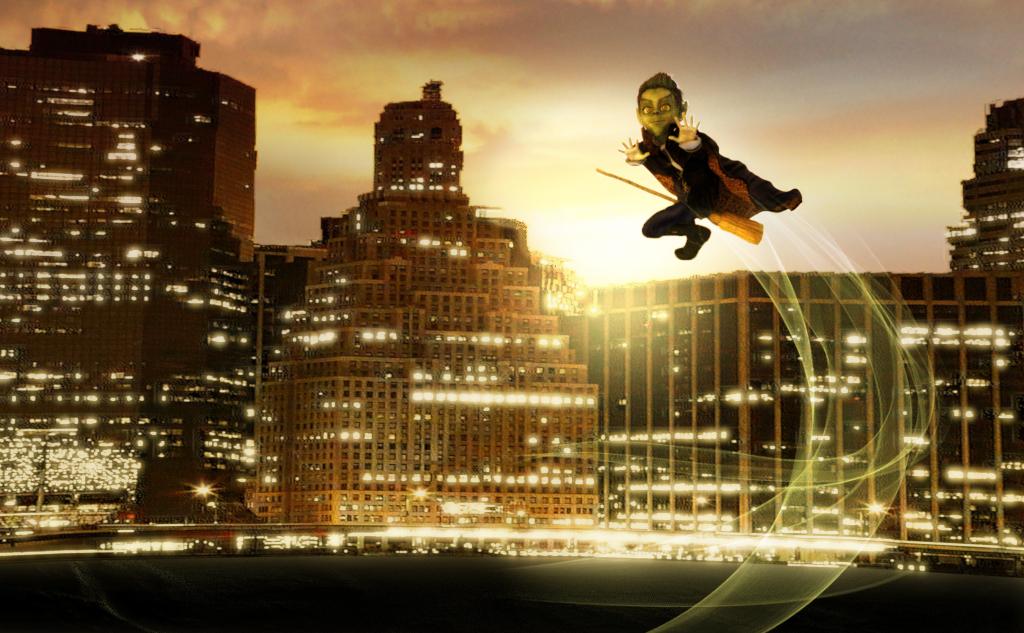 Not To Worry, Friend, "There's Always Another Sale™"
I want everything Orestes releases today. What a day to NOT have one of the ‘extra discount on multiple debuts’.
ain't it the truth. :/
Not To Worry, Friend, "There's Always Another Sale™"I want everything Orestes releases today. What a day to NOT have one of the ‘extra discount on multiple debuts’.
Not To Worry, Friend, "There's Always Another Sale™"OMG Orestes is killing my budget with these AWESOME autumn releases! OMG, I've been begging for new cornfields and Midwest-type stuff forever. THANK YOU! (My wallet, doesn't, but I do!)
ETA: And HinkyPunk is on sale...probably going to be eating beans this week!
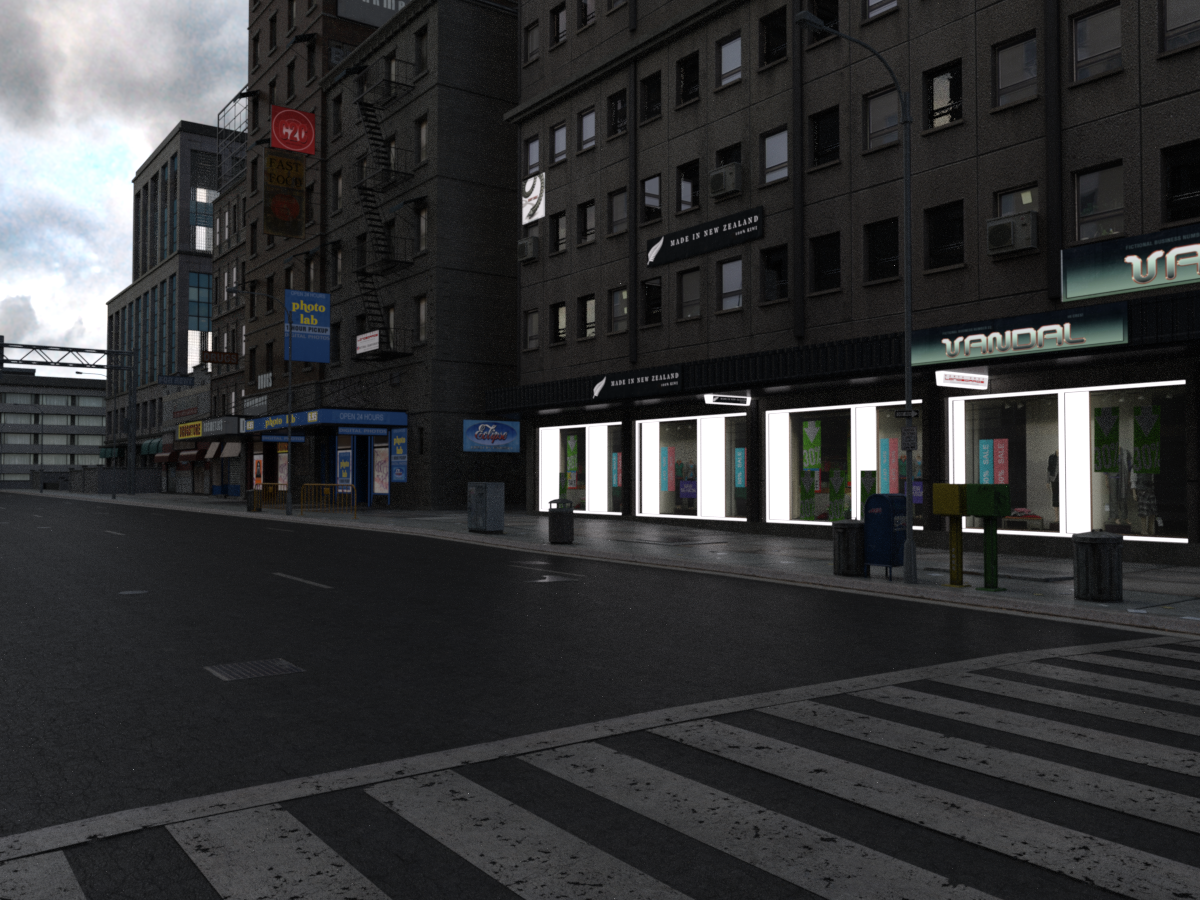
Show off 3DL stuff rendered in IRay*All right: starting with an oldy-but-goody. Urban Sprawl 2, by Stonemason. Released in 2009, folks. While its daylight presentation under Iray might not make Stonemason proud, most of the rest of us have nothing to scoff at. These are literally 'load, delete skydome, load one of the Terradome HDRIs, press render'. The biggest problem I had was finding it because for some reason it lurks in Lost and Found.
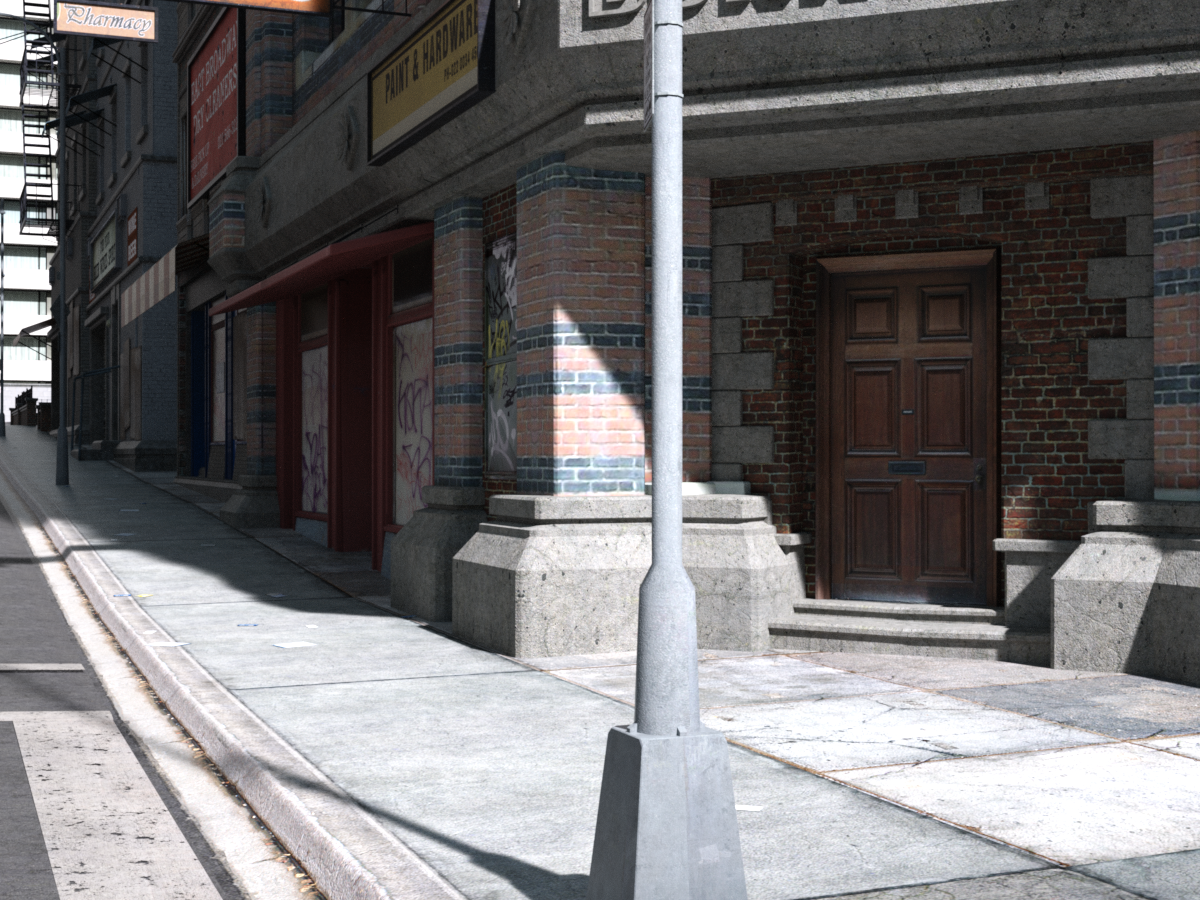
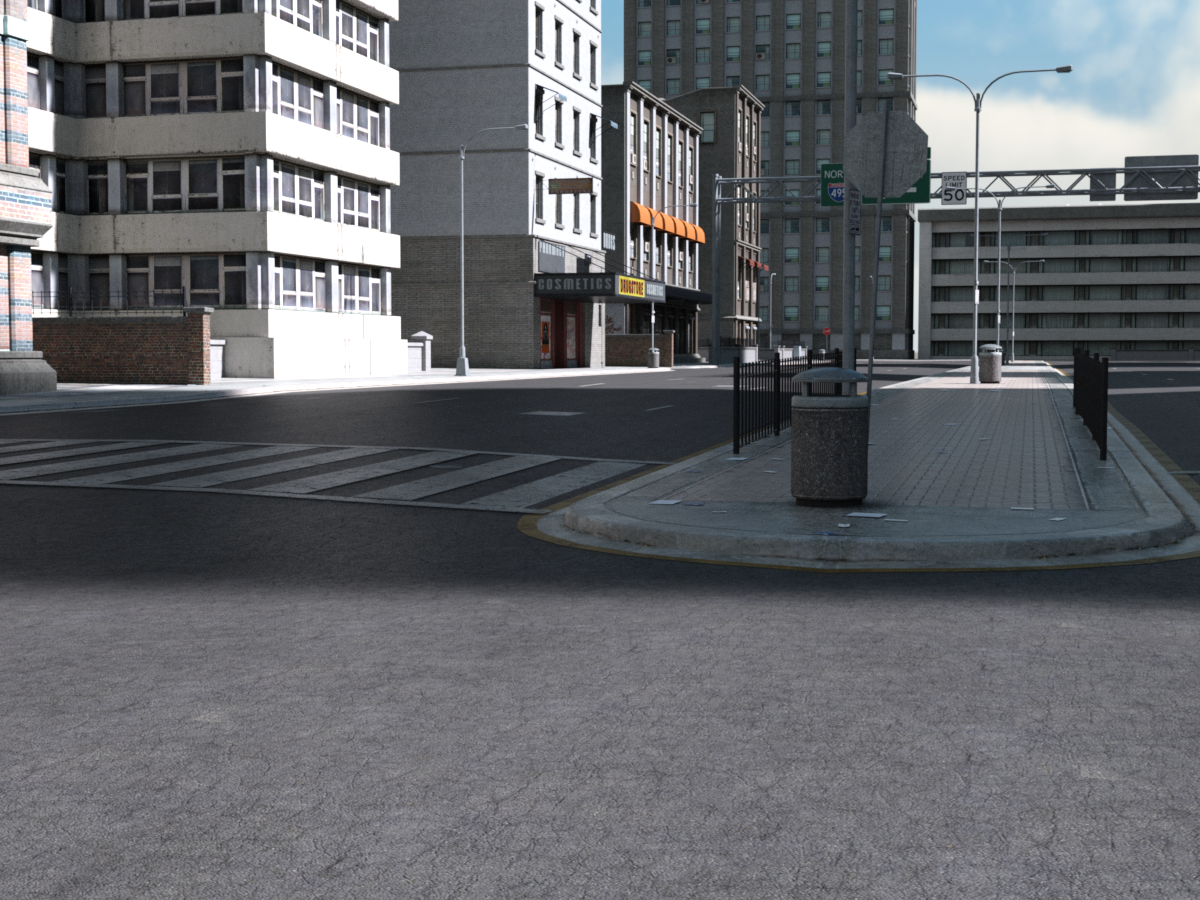
Now, in less brilliant lighting conditions there's more of a problem. Under, say, Dreadful Skies from Orestes: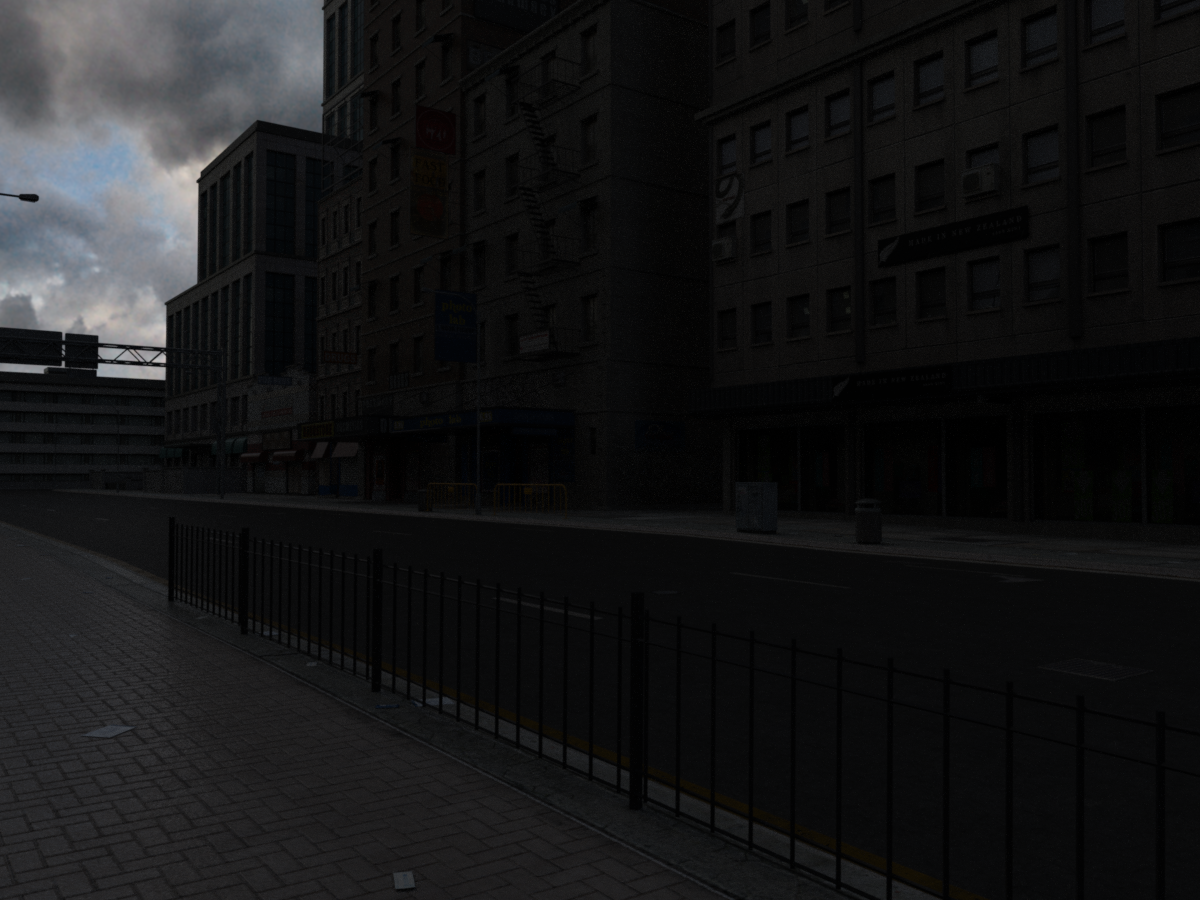
It does need more work, mostly along the lines of tracking down good light source surfaces and applying the Iray Uber shader and tweaking the emission values in the Surfaces. The following I've done a quick incomplete job on, along with a slight adjustment to Film ISO in Tone Mapping.
And now I must run off to kid gym. But I'll do more posts when I get back, of some of less "Well, yeah but it's Stonemason," stuff!"Brace yourself, my dear wallet! There's always another Sale - and Glitches!"Most things seem to be working but items that have just come off 'New' status don't seem to be picking up the PA discount, sorted by release date and 120 items per page they start on page 6 in the store: https://www.daz3d.com/shop/#p=6
Not sure if all the PA are included but several are, for me the one in particular is https://www.daz3d.com/orestes-iray-hdri-skydomes-vol-3-vega-system but Polish, Pixeluna, Rawart, Orestes Graphics & others are definitely included in the PA Sale.
This has been flagged.
Thanks.
"Brace yourself, my dear wallet! There's always another Sale - and Glitches!"Most things seem to be working but items that have just come off 'New' status don't seem to be picking up the PA discount, sorted by release date and 120 items per page they start on page 6 in the store: https://www.daz3d.com/shop/#p=6
Not sure if all the PA are included but several are, for me the one in particular is https://www.daz3d.com/orestes-iray-hdri-skydomes-vol-3-vega-system but Polish, Pixeluna, Rawart, Orestes Graphics & others are definitely included in the PA Sale.
This has been flagged.
Items recently escaped from the 'New' jail are not discounted [SOLVED].Greetings,
vyktohria is part of today's catchup sale and So Sad Expressions are not marked as New, but are not discounted for the sale.
Orestes Graphics is part of today's catchup sale and the Vega System HDRI/Skydome is not marked as New, but is not discounted for the sale.
Nikisatez is part of today's catchup sale and the Lunar Guard Outfit is not marked as New, but it's not discounted for the sale.
They were released on July 31st and August 1st, which makes them almost exactly 60 days old. It's probably just a matter of needing to re-run whatever script adds the PA's back catalog items into the discount category. Presumably there are others, but those are the ones I know about.
-- Morgan
"Brace yourself, my dear wallet! There's always another Sale - and Glitches!"Most things seem to be working but items that have just come off 'New' status don't seem to be picking up the PA discount, sorted by release date and 120 items per page they start on page 6 in the store: https://www.daz3d.com/shop/#p=6
Not sure if all the PA are included but several are, for me the one in particular is https://www.daz3d.com/orestes-iray-hdri-skydomes-vol-3-vega-system but Polish, Pixeluna, Rawart, Orestes Graphics & others are definitely included in the PA Sale.
* closed* RRRR The're ba....ack! Render contestAnd it's on to Round II!
The pull (using the traditional method this time, referencing my spreadsheet):
6705 - I13 Steakhouse Environment
6677 - Detective Bundle
4384 - Mandy (!?)
172 - Quickening Decay for Parkside Head InteriorAnd if you think I'm going to call this an improvement..., you are mistaken.
Also used:
Orestes Iray HDRI Skydomes Vol 2 - Dreadful Clouds
Iray Ghost Light Kit by Kindred Arts (and a great-big 'Two-Thumbs-Up!', both for the product, and for the help Kindred Arts provided in getting it to work! So I guess that would be four thumbs, right?)
Kozaburo Short Hair Evolution for Victoria 3 (From before you were born, remember, kids?)
Italian Boots for Victoria 3
DressCoat Italia for Victoria 3
Elliot for Genesis 3 Male
Mathew Hair
Leather Style Outfit for Genesis 3 Male
Classic Casual for Genesis 3 Male
Carrie for Genesis 3 Female
Flirty Hair
I13 Steakhouse Server outfit for Genesis 3 FemaleCompositing and postwork in GIMP 2.8
And now for the liner notes. Three items:
1) Every so often, I need a not-so-subtle reminder of just how much of a pain in the never-mind-precisely-where Victoria 3 was to work with, compared to her more recent incarnations; karma tends to be really diligent and conscientious in that regard. Apparently, this pull was one of those reminders;2) I may have played a bit "fast-and-loose" with the Steakhouse Environment: I used just enough furniture to make it identifiable, and one of the server poses; I also threw in the Steakhouse Server outfit (it was, after all, part of the bundle). I just hope it's a pardonable sin;
3) And finally, I am always reluctant to play the "mawkish sentimentality" card in my RRRR renders (I've only done it once before, as I recall), but this one just didn't seem to want to go in any other direction. So I let it. I certainly don't expect it to get any votes for 'Funniest'. (And if it does, well..., you people are just..., sick!)
Anyway, for what it's worth....
TAG: obanion#02
Title: Echoes of Key Largo ("We had it all, just like Bogie and Bacall....")
It isn't so much that the memories keep coming back, it's that they never really go away....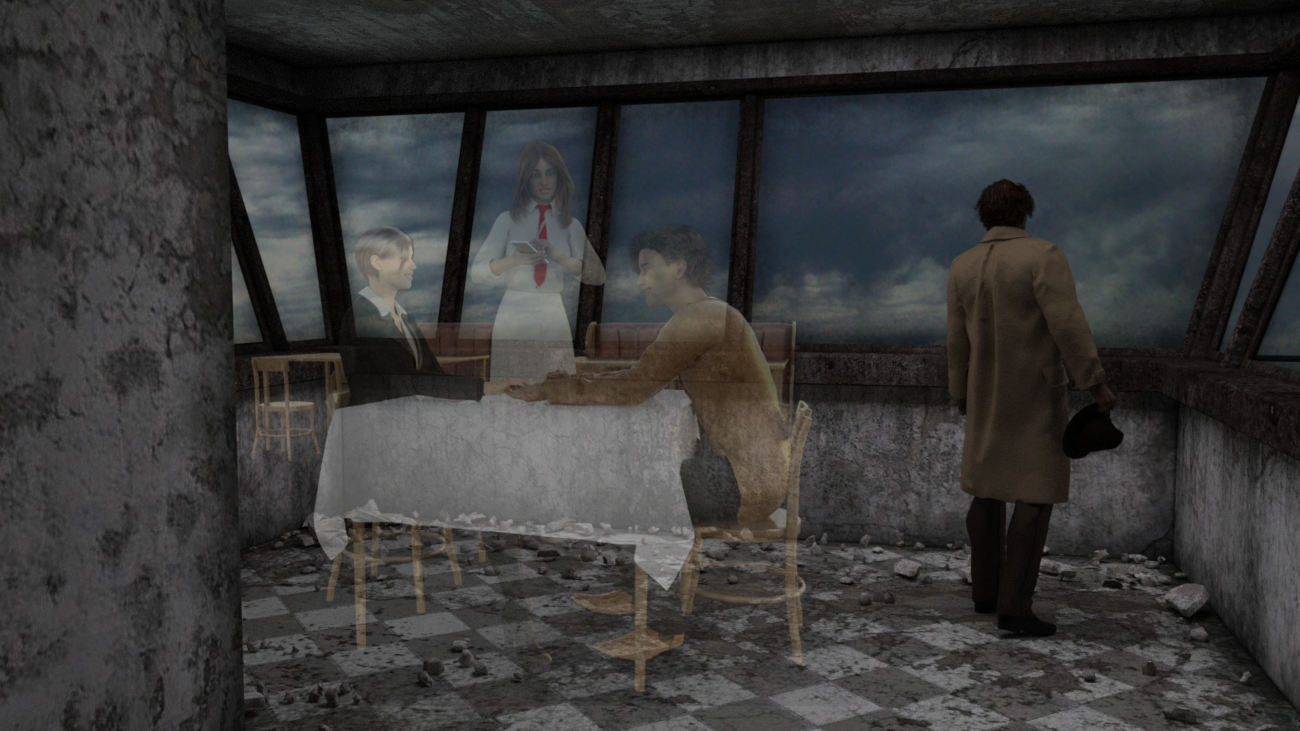 Seeking assistance on Iray Ghost Light Kit
Thank you for the quick reply.
The icons in the Light Presets folder were a bit counter-intuitive, with respect to the precise order in which the actions should be performed; that was where my confusion came from. And evidently, 'horizontal' and 'vertical' refer to the orientation of the mesh, as opposed to the direction of the light. Got it.
Basically, what I want to do is to add a bit of "ambient" lighting to my scene. It's an indoor scene, and the HDRI (one of Orestes' Dreadful Clouds) simply isn't doing the job. (The sky through the windows looks absolutely great, though!) I'm shooting for a rather dim, somber atmosphere, but with enough light to distinguish colors. So relatively low intensity, and overcast, appears to be what is called for.
I have copied and pasted your instructions into my 'tips and cheats' documentation folder, so I can have it for future reference
Again, thank you for your help. I'll let you know how it all works out...! (It's an RRRR entry, so it will eventually turn up there!)
No problem Ken. Most people use the ghost lights for interior ambience, and that's what they were made for, so you should be fine. Have a look at that video i linked when you get the chance, i'm essentially doing what you want to do throughout the clip. Again, if you get stuck just post in here again and i'll pick it up. Good luck!
Seeking assistance on Iray Ghost Light KitThank you for the quick reply.
The icons in the Light Presets folder were a bit counter-intuitive, with respect to the precise order in which the actions should be performed; that was where my confusion came from. And evidently, 'horizontal' and 'vertical' refer to the orientation of the mesh, as opposed to the direction of the light. Got it.
Basically, what I want to do is to add a bit of "ambient" lighting to my scene. It's an indoor scene, and the HDRI (one of Orestes' Dreadful Clouds) simply isn't doing the job. (The sky through the windows looks absolutely great, though!) I'm shooting for a rather dim, somber atmosphere, but with enough light to distinguish colors. So relatively low intensity, and overcast, appears to be what is called for.
I have copied and pasted your instructions into my 'tips and cheats' documentation folder, so I can have it for future reference
Again, thank you for your help. I'll let you know how it all works out...! (It's an RRRR entry, so it will eventually turn up there!)
Daz 3D is part of

Connect
DAZ Productions, Inc.
7533 S Center View Ct #4664
West Jordan, UT 84084Licensing Agreement | Terms of Service | Privacy Policy | EULA
© 2026 Daz Productions Inc. All Rights Reserved.