-
PC+ and render your cart competition
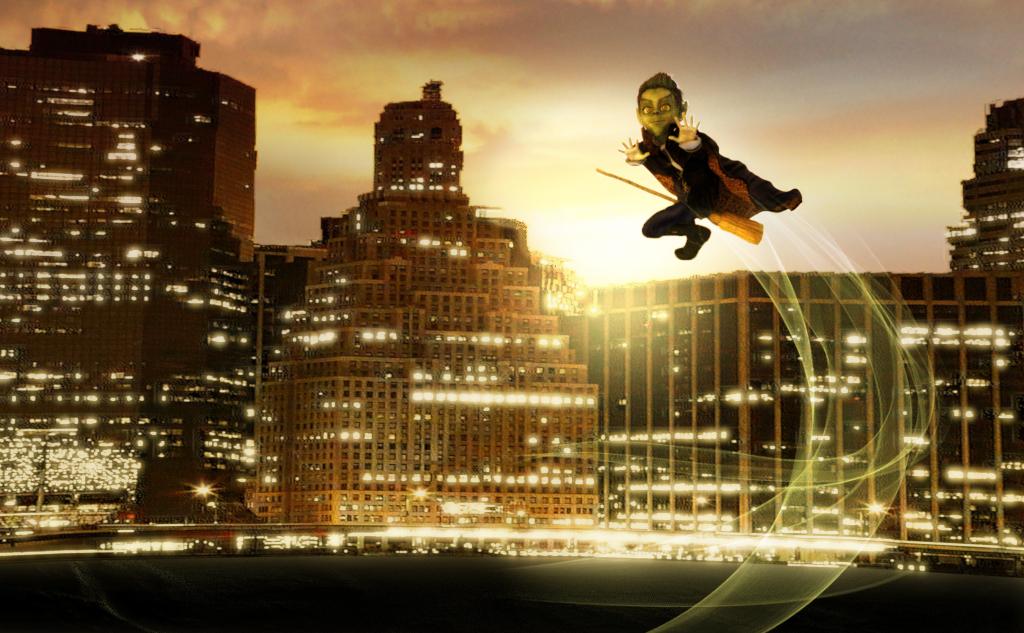
Title: Look Ma No Hands!
Qualifiers: Cityscapes Backdrops, Goblar
also used: Impish Delight Poses, Moon Broom, Orestes Iray HDRI Skies
 Not To Worry, Friend, "There's Always Another Sale™"
I want everything Orestes releases today. What a day to NOT have one of the ‘extra discount on multiple debuts’.
ain't it the truth. :/
Not To Worry, Friend, "There's Always Another Sale™"I want everything Orestes releases today. What a day to NOT have one of the ‘extra discount on multiple debuts’.
Not To Worry, Friend, "There's Always Another Sale™"OMG Orestes is killing my budget with these AWESOME autumn releases! OMG, I've been begging for new cornfields and Midwest-type stuff forever. THANK YOU! (My wallet, doesn't, but I do!)
ETA: And HinkyPunk is on sale...probably going to be eating beans this week!
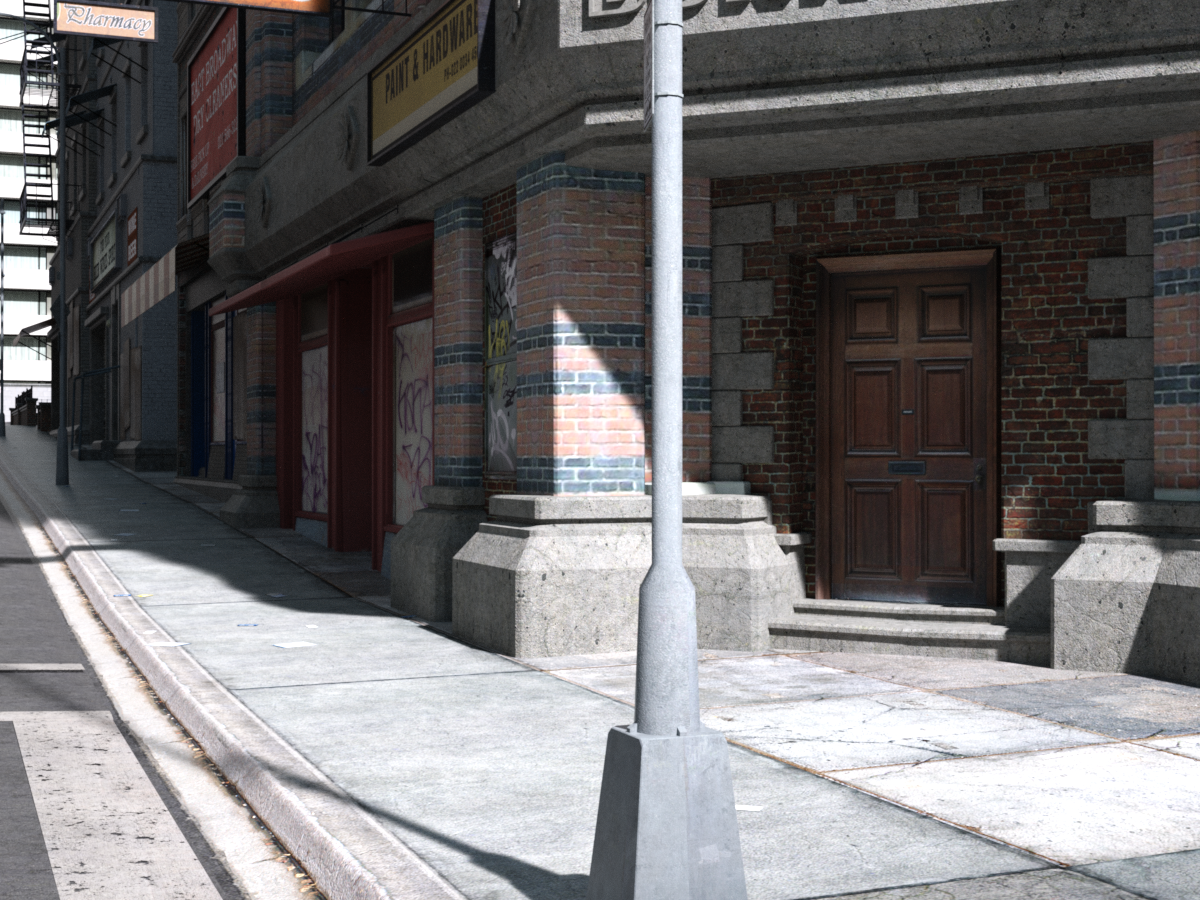
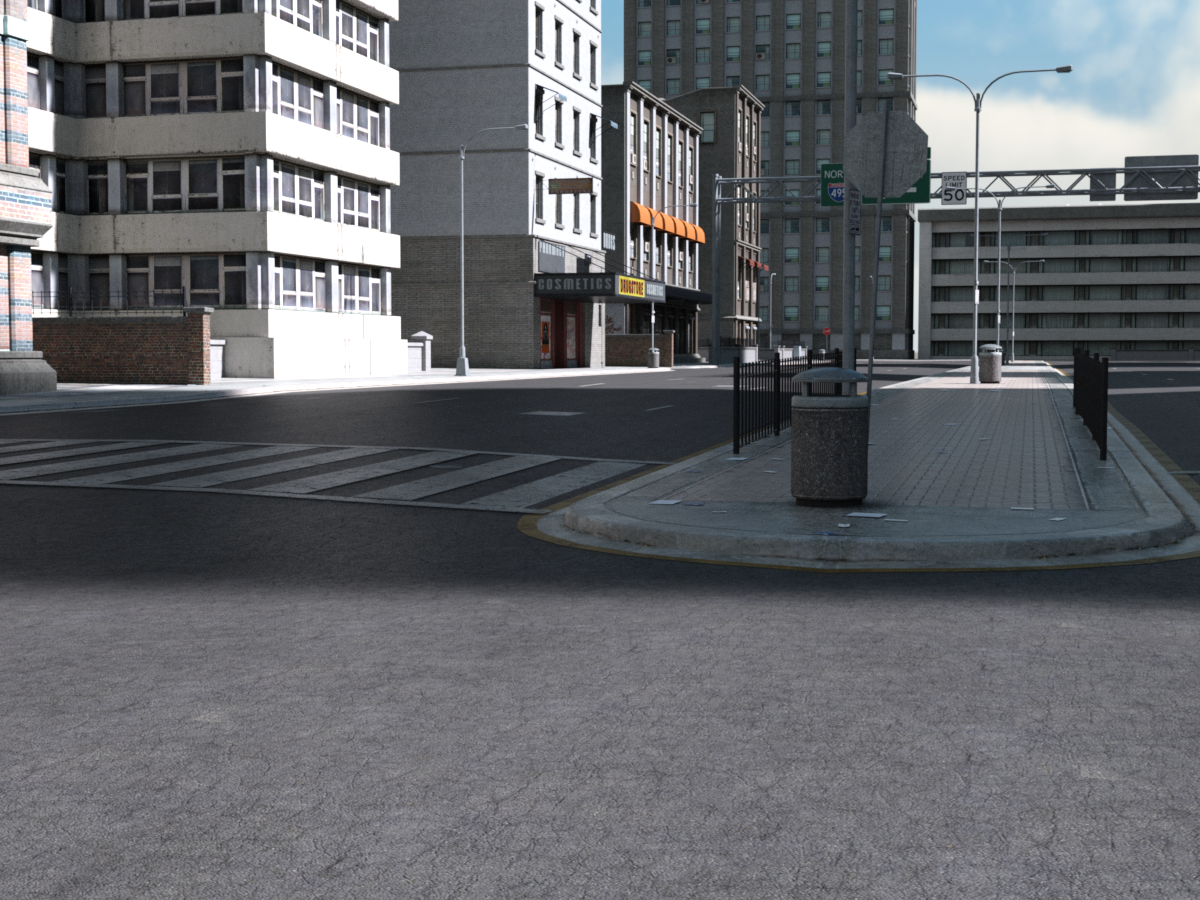
Show off 3DL stuff rendered in IRay*All right: starting with an oldy-but-goody. Urban Sprawl 2, by Stonemason. Released in 2009, folks. While its daylight presentation under Iray might not make Stonemason proud, most of the rest of us have nothing to scoff at. These are literally 'load, delete skydome, load one of the Terradome HDRIs, press render'. The biggest problem I had was finding it because for some reason it lurks in Lost and Found.
Now, in less brilliant lighting conditions there's more of a problem. Under, say, Dreadful Skies from Orestes: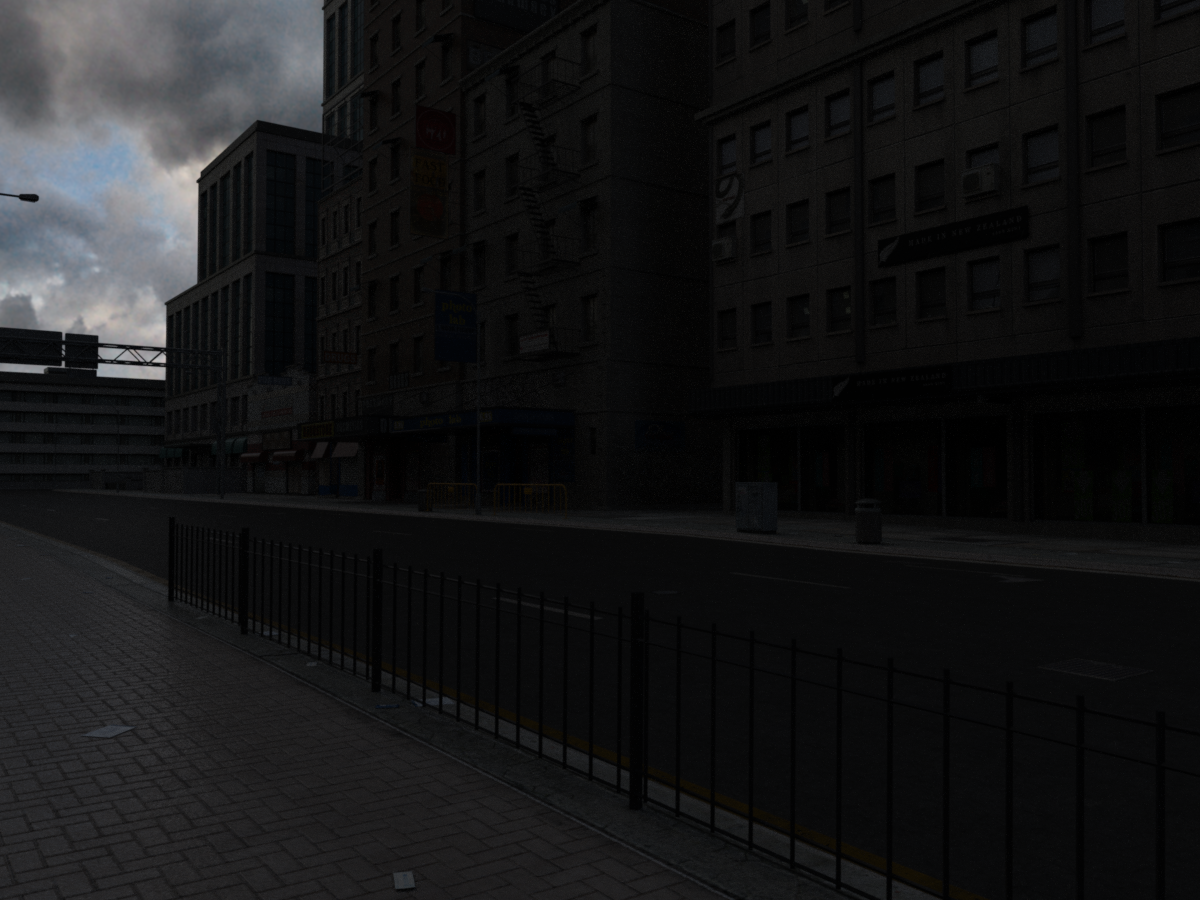
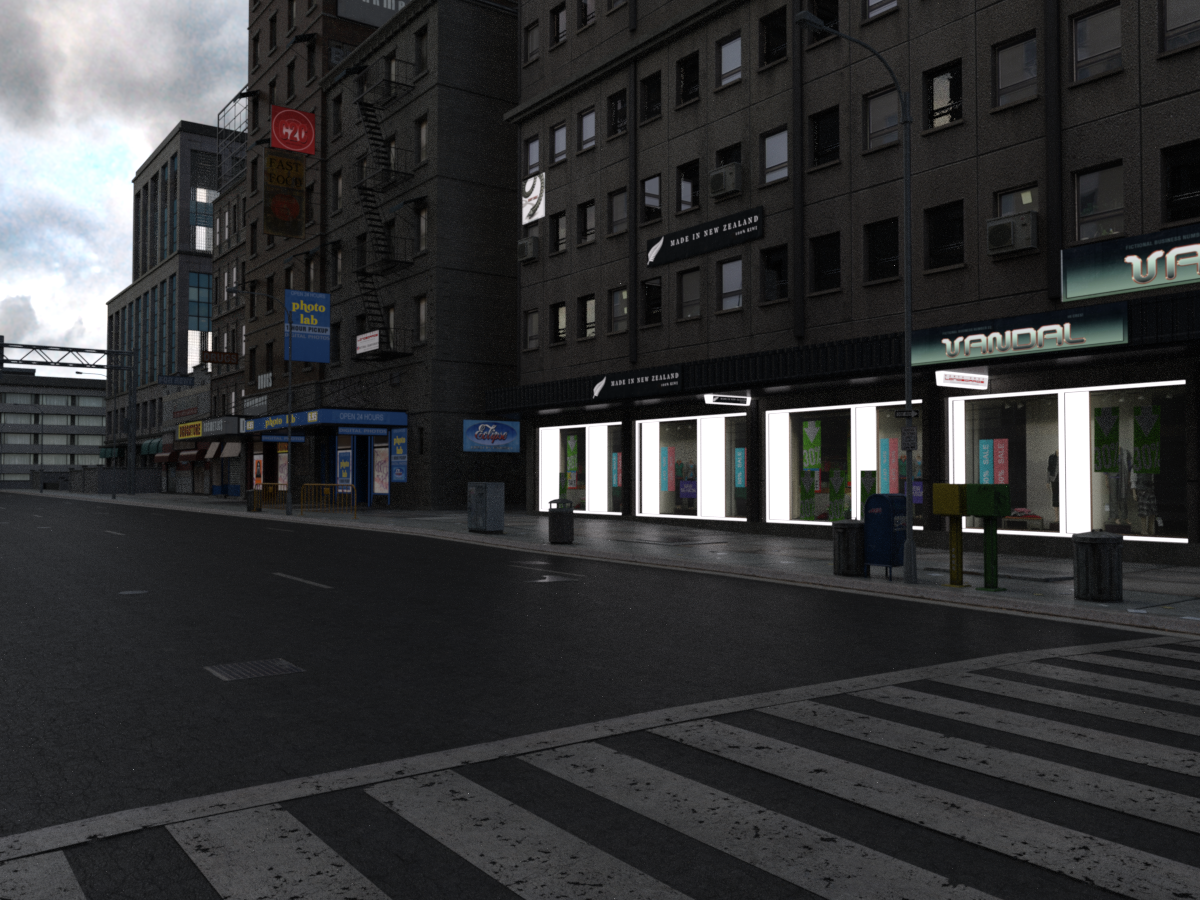
It does need more work, mostly along the lines of tracking down good light source surfaces and applying the Iray Uber shader and tweaking the emission values in the Surfaces. The following I've done a quick incomplete job on, along with a slight adjustment to Film ISO in Tone Mapping.
And now I must run off to kid gym. But I'll do more posts when I get back, of some of less "Well, yeah but it's Stonemason," stuff!"Brace yourself, my dear wallet! There's always another Sale - and Glitches!"Most things seem to be working but items that have just come off 'New' status don't seem to be picking up the PA discount, sorted by release date and 120 items per page they start on page 6 in the store: https://www.daz3d.com/shop/#p=6
Not sure if all the PA are included but several are, for me the one in particular is https://www.daz3d.com/orestes-iray-hdri-skydomes-vol-3-vega-system but Polish, Pixeluna, Rawart, Orestes Graphics & others are definitely included in the PA Sale.
This has been flagged.
Thanks.
"Brace yourself, my dear wallet! There's always another Sale - and Glitches!"Most things seem to be working but items that have just come off 'New' status don't seem to be picking up the PA discount, sorted by release date and 120 items per page they start on page 6 in the store: https://www.daz3d.com/shop/#p=6
Not sure if all the PA are included but several are, for me the one in particular is https://www.daz3d.com/orestes-iray-hdri-skydomes-vol-3-vega-system but Polish, Pixeluna, Rawart, Orestes Graphics & others are definitely included in the PA Sale.
This has been flagged.
Items recently escaped from the 'New' jail are not discounted [SOLVED].Greetings,
vyktohria is part of today's catchup sale and So Sad Expressions are not marked as New, but are not discounted for the sale.
Orestes Graphics is part of today's catchup sale and the Vega System HDRI/Skydome is not marked as New, but is not discounted for the sale.
Nikisatez is part of today's catchup sale and the Lunar Guard Outfit is not marked as New, but it's not discounted for the sale.
They were released on July 31st and August 1st, which makes them almost exactly 60 days old. It's probably just a matter of needing to re-run whatever script adds the PA's back catalog items into the discount category. Presumably there are others, but those are the ones I know about.
-- Morgan
"Brace yourself, my dear wallet! There's always another Sale - and Glitches!"Most things seem to be working but items that have just come off 'New' status don't seem to be picking up the PA discount, sorted by release date and 120 items per page they start on page 6 in the store: https://www.daz3d.com/shop/#p=6
Not sure if all the PA are included but several are, for me the one in particular is https://www.daz3d.com/orestes-iray-hdri-skydomes-vol-3-vega-system but Polish, Pixeluna, Rawart, Orestes Graphics & others are definitely included in the PA Sale.
* closed* RRRR The're ba....ack! Render contestAnd it's on to Round II!
The pull (using the traditional method this time, referencing my spreadsheet):
6705 - I13 Steakhouse Environment
6677 - Detective Bundle
4384 - Mandy (!?)
172 - Quickening Decay for Parkside Head InteriorAnd if you think I'm going to call this an improvement..., you are mistaken.
Also used:
Orestes Iray HDRI Skydomes Vol 2 - Dreadful Clouds
Iray Ghost Light Kit by Kindred Arts (and a great-big 'Two-Thumbs-Up!', both for the product, and for the help Kindred Arts provided in getting it to work! So I guess that would be four thumbs, right?)
Kozaburo Short Hair Evolution for Victoria 3 (From before you were born, remember, kids?)
Italian Boots for Victoria 3
DressCoat Italia for Victoria 3
Elliot for Genesis 3 Male
Mathew Hair
Leather Style Outfit for Genesis 3 Male
Classic Casual for Genesis 3 Male
Carrie for Genesis 3 Female
Flirty Hair
I13 Steakhouse Server outfit for Genesis 3 FemaleCompositing and postwork in GIMP 2.8
And now for the liner notes. Three items:
1) Every so often, I need a not-so-subtle reminder of just how much of a pain in the never-mind-precisely-where Victoria 3 was to work with, compared to her more recent incarnations; karma tends to be really diligent and conscientious in that regard. Apparently, this pull was one of those reminders;2) I may have played a bit "fast-and-loose" with the Steakhouse Environment: I used just enough furniture to make it identifiable, and one of the server poses; I also threw in the Steakhouse Server outfit (it was, after all, part of the bundle). I just hope it's a pardonable sin;
3) And finally, I am always reluctant to play the "mawkish sentimentality" card in my RRRR renders (I've only done it once before, as I recall), but this one just didn't seem to want to go in any other direction. So I let it. I certainly don't expect it to get any votes for 'Funniest'. (And if it does, well..., you people are just..., sick!)
Anyway, for what it's worth....
TAG: obanion#02
Title: Echoes of Key Largo ("We had it all, just like Bogie and Bacall....")
It isn't so much that the memories keep coming back, it's that they never really go away....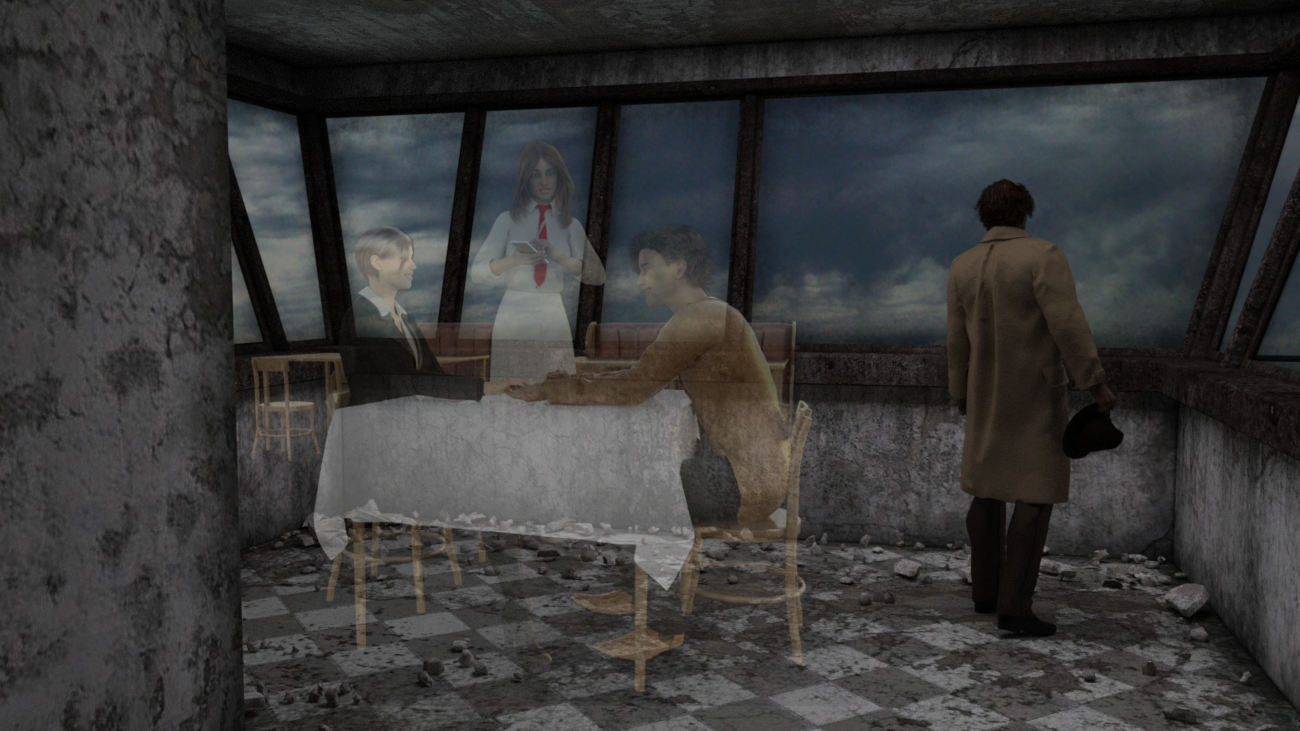 Seeking assistance on Iray Ghost Light Kit
Thank you for the quick reply.
The icons in the Light Presets folder were a bit counter-intuitive, with respect to the precise order in which the actions should be performed; that was where my confusion came from. And evidently, 'horizontal' and 'vertical' refer to the orientation of the mesh, as opposed to the direction of the light. Got it.
Basically, what I want to do is to add a bit of "ambient" lighting to my scene. It's an indoor scene, and the HDRI (one of Orestes' Dreadful Clouds) simply isn't doing the job. (The sky through the windows looks absolutely great, though!) I'm shooting for a rather dim, somber atmosphere, but with enough light to distinguish colors. So relatively low intensity, and overcast, appears to be what is called for.
I have copied and pasted your instructions into my 'tips and cheats' documentation folder, so I can have it for future reference
Again, thank you for your help. I'll let you know how it all works out...! (It's an RRRR entry, so it will eventually turn up there!)
No problem Ken. Most people use the ghost lights for interior ambience, and that's what they were made for, so you should be fine. Have a look at that video i linked when you get the chance, i'm essentially doing what you want to do throughout the clip. Again, if you get stuck just post in here again and i'll pick it up. Good luck!
Seeking assistance on Iray Ghost Light KitThank you for the quick reply.
The icons in the Light Presets folder were a bit counter-intuitive, with respect to the precise order in which the actions should be performed; that was where my confusion came from. And evidently, 'horizontal' and 'vertical' refer to the orientation of the mesh, as opposed to the direction of the light. Got it.
Basically, what I want to do is to add a bit of "ambient" lighting to my scene. It's an indoor scene, and the HDRI (one of Orestes' Dreadful Clouds) simply isn't doing the job. (The sky through the windows looks absolutely great, though!) I'm shooting for a rather dim, somber atmosphere, but with enough light to distinguish colors. So relatively low intensity, and overcast, appears to be what is called for.
I have copied and pasted your instructions into my 'tips and cheats' documentation folder, so I can have it for future reference
Again, thank you for your help. I'll let you know how it all works out...! (It's an RRRR entry, so it will eventually turn up there!)
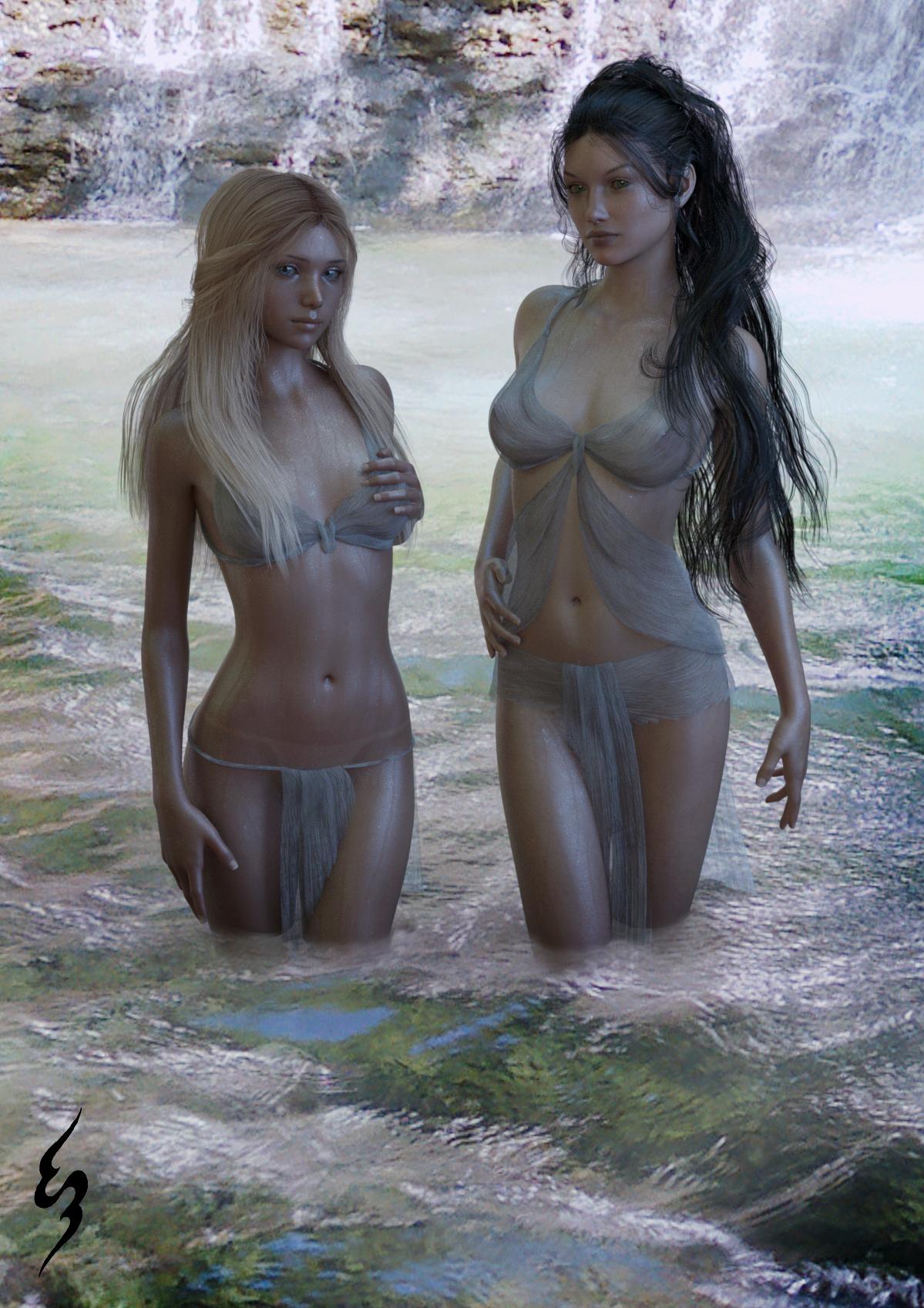
Andromeda and Cassiopeia from Isource are gorgeous.Just a shout out to Isource for making such beautiful characters. These two are some of my favorites. Andromeda was an instabuy for me. I followed that up shortly by getting Ekatarina and Cassiopeia.
Keep making such beautiful characters!
I am also loving the Triskele Falls from Orestes Graphics...and of course the great outfit from Arki and the hair from Goldtassel.
 Ron's Brushes (are great).
I spent my first year and a half with DAZ not doing any postwork as I wanted to force myself to make the render as close to what I wanted as possible (Its too easy for me to cheat and say oh, I'll just do it in postwork and I wanted to really LEARN studio). I am just recently starting to do a lot more with my renders in postwork and I do love all of Ron's brushes (I have a lot but not all lol). Its really hard for me to say which brushes I have used to be honest, I have (gulp) hundreds of them from all over the place, although Ron's and Orestes are two of my faves. This render with TRex definitely uses one of Ron's water brush packs. The first one is without, the second one with.


And this render uses his smoke brushes.
 Ron's Brushes (are great).
Apparently I have over half of his catalog of 105 brushes. How did this happen? Why do I keep buying??? How can I use them more?
I always have this problem when I render something that I want to postwork a lot: I can't *see* what I want to do very well so I'm never satisfied with the render until I get it to a point where most of the postwork is filters and touchups and paintovers. I've only managed a few with significant post brushwork:https://www.daz3d.com/gallery/#images/304671
https://www.daz3d.com/gallery/#images/403436and one of those doesn't even use Ron's Brushs. (It uses Orestes, though. Another great brush maker!)
Show me your use of Ron's brushes? And maybe what you started with, if you have it?Novica & Forum Members Tips & Product Reviews Pt 9Thanks for your comments, @Novica and @Luci45. I like your centaur pair, Luci - the skinny one looks like he needs a nice tub of bran mash to feed him up! I was considering that Winter HDRI set too, Novica, but plumped for the Triskele Falls set instead as my qualifier for extra discounts yesterday. I plan to try it our today and maybe go back and hoover up a few more of Orestes HDRI sets if I like that one.
Interesting to see all that detail about the Easy Shape Master, @RGcincy - I've been wondering about that one. I've wishlisted Zev0's Growing Up and when Aging comes out I'll probably get them as a pair (I have almost all his Gen2 and Gen3 stuff), but it was interesting to see the alternative. (I don't actually have the Gen8 Head and Body morphs so I can't make use of Shape Master as yet anyway.)
Novica & Forum Members Tips & Product Reviews Pt 9A ceiling would be pretty easy for a material zone (one big one) wouldn't it? Because you can change the brush size and make it huge and select everything? I haven't done that so I am just guessing. But yep, you shouldn't have to do that. I have that set but as usual, hadn't played with it. Lovely renders @MelanieL with that lighting. @luci45 I have the Alpha Centaur but didn't know it (sigh, too much stuff in splurts, can't keep up with trying to showcase it) and I really like your two characters.
I've been waiting on Makemba and she's 84% off, (new item and store item drops it)
Picking up the Everyday Books, (Maclean) and the crockery as the Debut item, the Privacy Screens (those rotate btw, you can even make them into walls if you lower them through the floor, at least that's what I am thinking) which are Zeddicuss. If you have any winter stuff from here or Rendo, keep Winter Grove HDRI in mind. It's 60% and 7.98 (featured store) when you do the qualifying items.I didn't have Anneka or Damien so grabbing both of those, as I have all the individual pieces of the Pro Bundle that I want (picked up various products when they were 60-70% off. I've learned cherry picking is better for me than buying Pro Bundle with poses (which I can do frankly) or outfits I'll never use.)
Novica & Forum Members Tips & Product Reviews Pt 9Lol sounds like you have lots of goodies to try out. I did pick up AM's Alligator. I really want the Orestes Hdri's (I have several others wishlisted) but they are just going to have to wait..
Did anyone else get DIM update for Daz Studio 4.9 Pro today? Anyone know what its supposed to do? I'm a bit leary of uploading at the moment.
I just checked the change log page, and I see the "current" release is 4.9.4.122. That was the current beta, where they had quickly made a couple of fixes to 117. Now it's the release version, so it shouldn't be a problem. I think they wanted to make sure it was stable before rolling it out as a release. The real development is being done to 4.10.0.x now. (They are up to .60 in the log.)
I downloaded 52 files, @IceDragonArt, (and that's after I hid all the poser files, as I do not have poser.)
I went two rounds as well @l'adair and swapped something out for the tween Julie bundle at your recommendation. Now I am staying OFF the shopping section for at least 24 hours unless Michael 8 makes an appearance!
Glad I could help. I honestly wasn't sure if the extra discount was intended or not.
Thanks, I think! I picked up Tween Julie also, thanks to your post, and Horse 2 for under $4! plus a whole lot more. Weird how some of the bundles were super discounted and others not, but no pattern I could see.
Like I said, thanks, I think, but still made a hole in my pocket! :)
I picked up a number of Pro bundles last Fall, so there weren't a lot to choose from today. Might be why I only saw the one with the extra discount. Sorry about the hole in your pocket, but I do believe that's not a unique condition around here...

I used to always buy older content in stores when big sales happened but I find lately I don't use the older content. So I glanced at the stuff in the sale and decided I would hold off to see what happens with gen 8 male
I hope more pa's update their characters and hairs to be compatible with gen 8. That would certainly mean I am more inclined to pick the characters up
With a couple of exceptions, anything for a figure—characters, clothing, hair, etc.—were for G3, which with a bit of work will do nicely for G8, at least those for the ladies, anyway. It's still only a guess that the G8M will be as compatible with G3M as the G8 female is with G3F.
I've created a lot of shape morphs from G3F to G8F, and am still working on adapting clothing per Sickleyield's tutorial. Seems to me it wouldn't be a lot of work for a PA to make clothing, hair, etc., that fits both G3 and G8, and I'll be far more likely to buy those products. Same with characters. Seems like customers who are staying with G3 would be more likely to buy a G3/G8 product, knowing it works with the generation they are still using, but will also work on G8 with no fuss, when they start using G8. Makes it a better investment in my mind.
Novica & Forum Members Tips & Product Reviews Pt 9Lol sounds like you have lots of goodies to try out. I did pick up AM's Alligator. I really want the Orestes Hdri's (I have several others wishlisted) but they are just going to have to wait..
Did anyone else get DIM update for Daz Studio 4.9 Pro today? Anyone know what its supposed to do? I'm a bit leary of uploading at the moment.
I don't recall what thread, but some people were having trouble with it installing. My DIM update showed up three or four days ago, and it gave me a log error or something, it flashed and froze but then continued. It didn't do an update though.
Speaking of which, apparently Windows did an update for me and now DIM is missing from my bottom taskbar. I go to my files and installed programs to look under Daz, for Install Manager, and it isn't there. Where exactly is DIM in files so i can get it back? How weird!
Novica & Forum Members Tips & Product Reviews Pt 9Lol sounds like you have lots of goodies to try out. I did pick up AM's Alligator. I really want the Orestes Hdri's (I have several others wishlisted) but they are just going to have to wait..
Did anyone else get DIM update for Daz Studio 4.9 Pro today? Anyone know what its supposed to do? I'm a bit leary of uploading at the moment.
Daz 3D is part of

Connect
DAZ Productions, Inc.
7533 S Center View Ct #4664
West Jordan, UT 84084Licensing Agreement | Terms of Service | Privacy Policy | EULA
© 2026 Daz Productions Inc. All Rights Reserved.