-
any feedback, issues found with the G8 preset free betas?
As for G8 beta, the only thing that makes me sad is absent JCMs. I'm not really interested in any brand characters for G8 beta, except for my own morphs. BTW, I noticed that any figure scale baked in a body morph evoke all that nail distortions.
Which reminds me, I need to do some more renders of Tanya and Darsel with Misty's G8 preset !!!!
Will be happy to see your renders!
any feedback, issues found with the G8 preset free betas?As for G8 beta, the only thing that makes me sad is absent JCMs. I'm not really interested in any brand characters for G8 beta, except for my own morphs. BTW, I noticed that any figure scale baked in a body morph evoke all that nail distortions.
Which reminds me, I need to do some more renders of Tanya and Darsel with Misty's G8 preset !!!!
Toon Dwayne 8Dwayne is a great addition to my Runtime! I think he'll be the figure that gets me to use G8M more often...
The trick is to not put his morph at 100% because then everyone looks like Popeye (unless that's what you're really going for). With some morph playing, I got this gent. Then I finished him up in pwToon!
Edit: Added to my Gallery here: https://www.daz3d.com/gallery/#images/634131/
That's what I was waiting for, thanks for not letting me down.

Looks great, and I agree, a very useful addition to the G8 Toon/Gene pool.
-- Walt Sterdan
Books for those empty virtual bookshelves - and stacks tooGoing back to the released book row, I'm thinking about the morphs. Here are the unmorphed, 'Even Random 1', and 'Odd Random 1' bookrows viewed from the front:
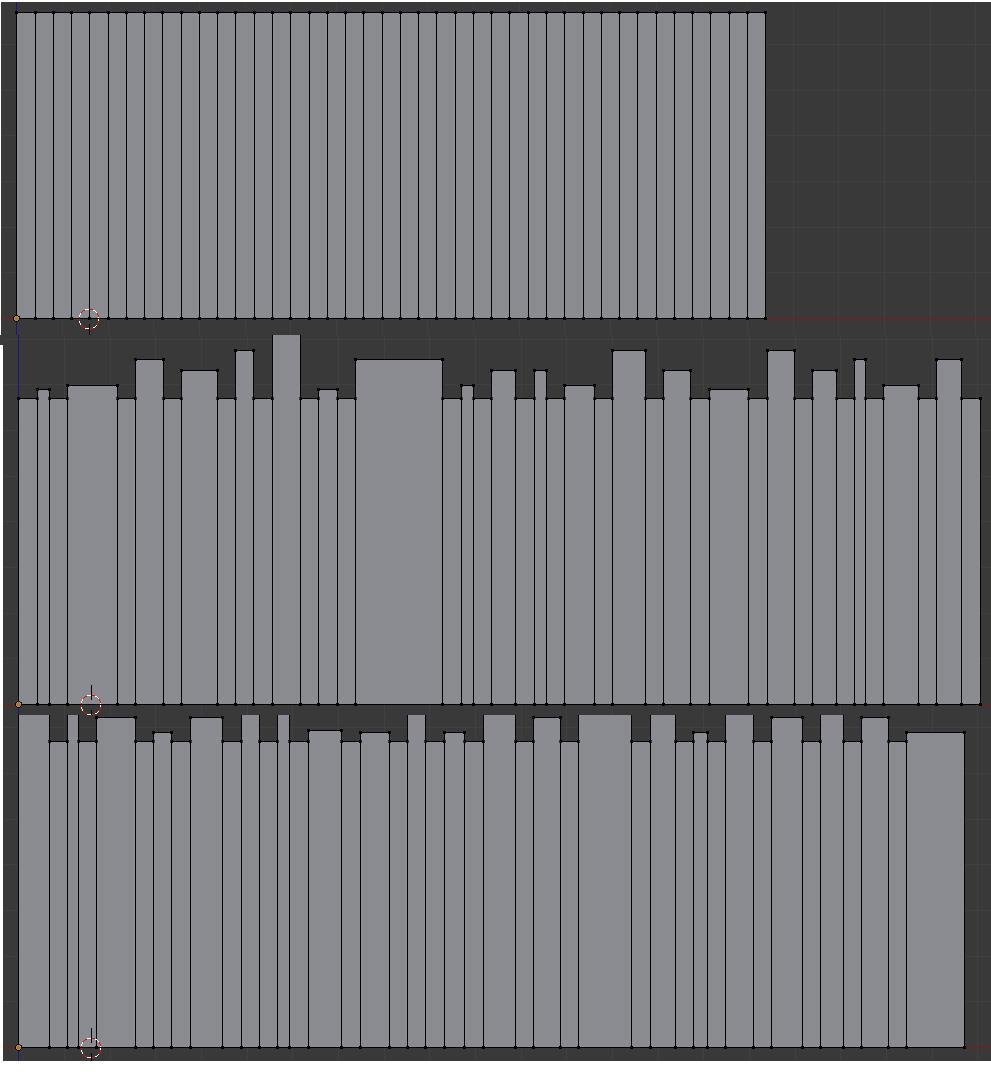
When I created these I was just playing with ideas. A few things (which I may or may not have already mentioned) later struck me about these two 'random' morphs:
(Note that the 'Odd' morph only changes the dimensions of the odd numbered (working from left to right) books, but if it changes the thickness then all (odd and even) books to the right move left-right to match. Similarly for the 'Even' morph)
- They only increase the height and width (cover width that is, not spine width - 'thickness' seems a more logical term for 'spine width') of every odd/even book.
- Maybe some books should be left at the same height, and some should be made smaller.
- They change the thickness of random odd/even books, making some thinner, others thicker, but leaving most alone. I did this rather haphazardly, with the result the the Odd/Even morphs cause the bookrow to get longer by an unspecified amount. When I created similar odd/even morphs for the six-rows prop was more careful and those morphs maintain the length of the bookrow
- I could use a simple black/white (PNG) mask to make specific books invisible. Mainly thinking of using this to make the row shorter, say 20 books, 30 books. But since there's no gap between books, any inaccuracy or blur of the black/white boundary of the mask (whether in the image or in the Poser/DSprocessing) will mess this up.
- If I'd made each book exactly the same width on the UV (i.e. a multiple of 2 pixels) instead of having 40 books at 50 pixels and one at 48,then the order of the books could be rotated by simply applying a U (horizontal) offset to the texture. The six-rows prop that I'm working on has 64 books per row,each 32 pixels wide, total 2048 pixels, so that will work. But the six rows can't be rotated because 2048/6 is a non-integer. Four or eight rows could have worked
INPUT / FEEDBACK / IDEAS /OBSERVATIONS / SUGGESTIONS are very welcome ! Don't be shy !
[Released] Mr Scallywags (Commercial)This is awesome! I love the fall down/apart morph! Looks like he's going to be a lot of fun for making undead armies.
Ladies AND Laddies of Mousso appreciation threadits too bad nudity is not allowed here, as that is the perfect swimwear for this place.
Yep, to bad indeed!

dang sale on new DOs, now I need Delaney since I really like her face morph.
Which UV set does FW Candace (G2F) use?I suspected that's what Map Transfer was for, but had never been able to figure out how to make it work, but I checked around for another tutorial and found one in the forum.
Thanks for the reference image - it helped with the template step.
Ice Dragon Art A Glimpse Into My WorldI've been away on holiday for a few days and now I'm in catch up mode. I'm loving the way your artwork is moving @IceDragonArt. I parlicarly like the woman with her compass. I know you think you haven't nailed the lighting, but I love the way the last rays of the sun catch her body.
Well, she could just be sensitive to whatever suns shine on this planet, or she scould be a spy from another planet, but in reality, she is a gun runner from another galaxy on her way to arrange transfer of weapons and funds...
You might say not a lot of postwork on that crouching demon woman, but it makes a surprising difference :-)
Also liking the magic caster and Xeloria.
Thank you very much!
[Tutorial] From Map Transfer to Material PresetsI was never able to make heads or tails of the Map Transfer utility so thankyouthankyouthankyou. I've gotten it to work now.
Heads up for anyone who normally renders 3DL with gamma correction on 2.2: this will ruin the colors on the transferred textures for some reason. Make sure to leave Gamma Correction Off and on 1.0. (I believe Iray renders with GC 2.2 by default, so perhaps this is why you need to switch render engines to 3Delight for consistent results?)
Which UV set does FW Candace (G2F) use?If you need to, you can return; I tend to presume that if they require a certain figure (in this case V6) then that is the UV set; it isn't always the case, but it does apply.
You can actually convert the texures internally; if you right click on the surfaces tab with the figure selected, then select Map Transfer, you can move them over. In the templates section on the left of the pop-up, create as many templates as needed. 7 from the image. :) You then add the appropriate material zones, by moveing them over. Once done set the baking quality (I reccommend max) and select where to save them. Then click on Accept.
(I've attached a copy of the material zones, for easy reference.)
Looks an interesting character, so wishlisted; I'll transfer to G2 default if needed, then move to G3/8 using Blacksmith Pro; Daz also have an option for studio that can utilise textures from other UVs, but I prefer Blacksmith
Where the morphs and expressions made in Zbrush are saved?Do you have more than one Daz Studio format content diectory? You can't add new ones, or specify an arbitrary location, in the options dialogue - only pick from the existing list.
I meant saving a preset (from the File>Save As sub-menu, which gives a long list of preset types) rather than digging down to File>Save As>Support Assets as you would have to save the morph itself.
Where the morphs and expressions made in Zbrush are saved?If you use the Morph Asset save then you don't find the morph in the library, it automatically loads (with a zero value, assuming you didn't assign a non-zero default) with the figure. You can specify which content directory to use at the top of the options dialogue - it doesn't have to be the same as the base figure, and if you are planning to package it as a freebie or store item it's quite a good diea to use a new, empty content directory so you can just zip the whole thing up and be done.
If you want to have a preset to apply the morph you save a Shaping preset from the File>Save As sub-menu (not an asset), in general the shaping controls will be on the figure not on a node.
Where the morphs and expressions made in Zbrush are saved?Richard Haseltine, thank you for your support, and sorry for the delay, but it's been a looong and bad weekend.
Anyway, your tip is very interesting, and I did not know this solution, but if I can make it work properly, it could be very useful.
Anyway, I have two questions: How can I change the path in which to save my morph? I mean, now it's Documents \ Daz 3D, but when I try to find the character saved in the Daz library, I can not find it anywhere.
Then, if I want to save the morph of an entire character, in the save window I have to select only Genesis 8 M\F or all the items below, like pelvis, lefr thigh bend and so on?
Also, with this method can I create morphs like those of the characters sold in the Daz store? I mean, if I have Victoria and I just want to use the morph of her head, I select only the head, if I only want the body, I select only the body and so on, because at the first attempt, I selected all parts of the body and in the Windows folder there is an infinite number of files (although you still can not find the character saved in the Daz library anywhere, as I already said).
I hope I explained well. When I have to express complex concepts, my bad English is not much help.
Toon Dwayne 8Dwayne is a great addition to my Runtime! I think he'll be the figure that gets me to use G8M more often...
The trick is to not put his morph at 100% because then everyone looks like Popeye (unless that's what you're really going for). With some morph playing, I got this gent. Then I finished him up in pwToon!
Edit: Added to my Gallery here: https://www.daz3d.com/gallery/#images/634131/
WHAT IS THE "PRODUCT" FOLDER!?!?!? SOLVED!Good! And, if I delete that folder and I save the morph after, when the folder is no more in the Morphs folder? Anyway for safe I didn't delete it, just moved on desktop.
I will try to open the .dsf file of the morph character and I let you know!
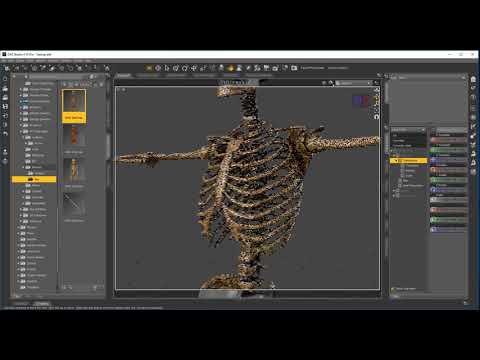
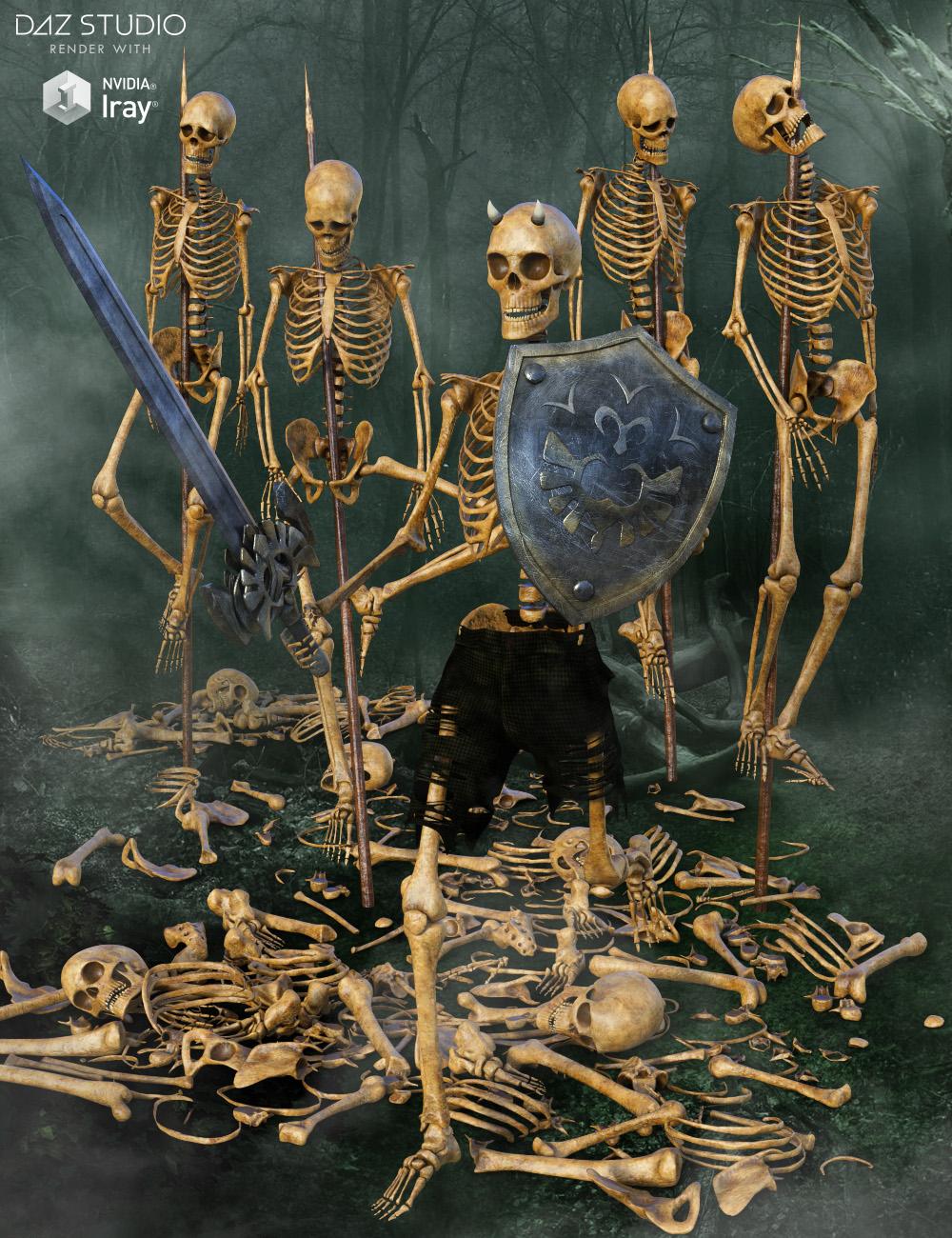
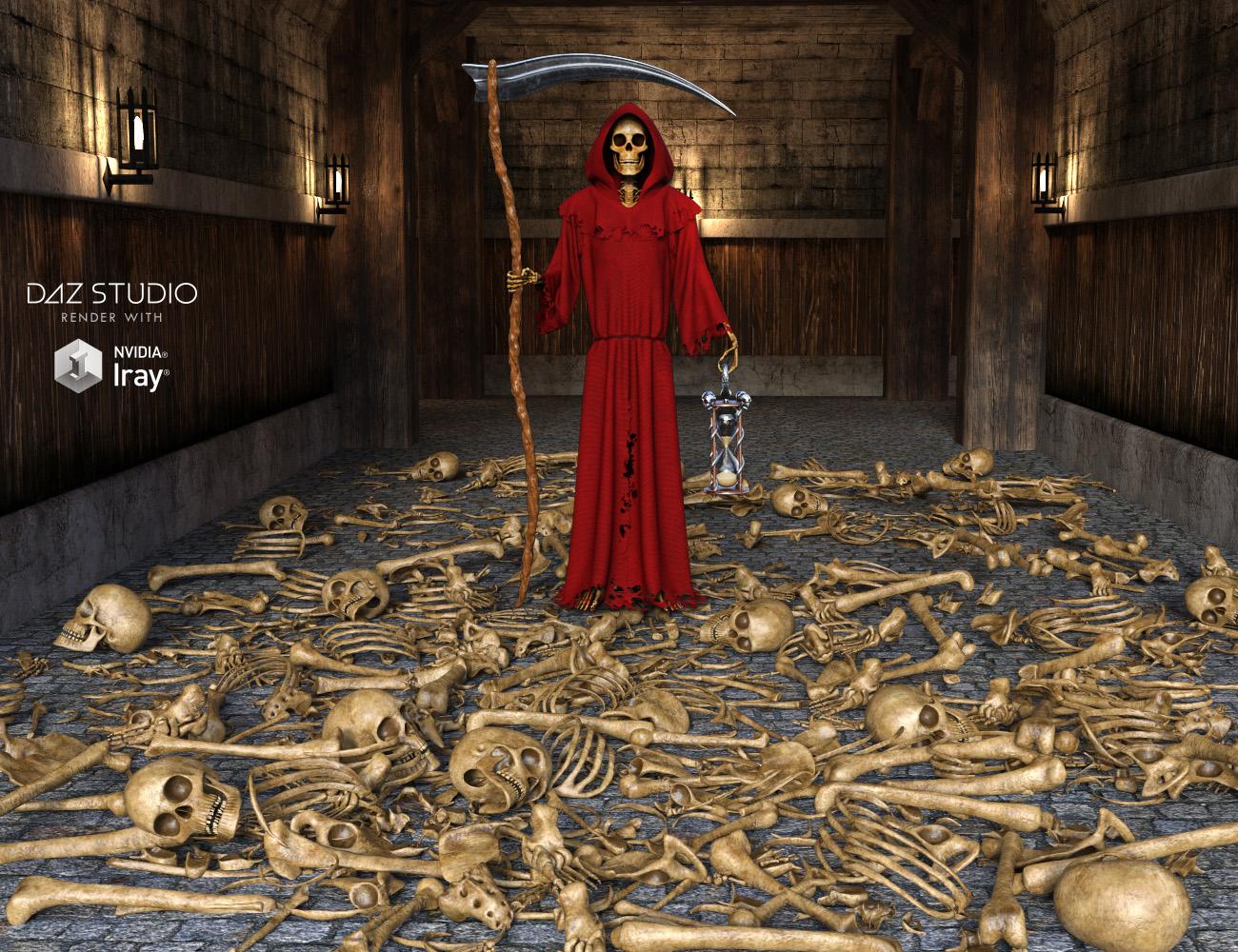
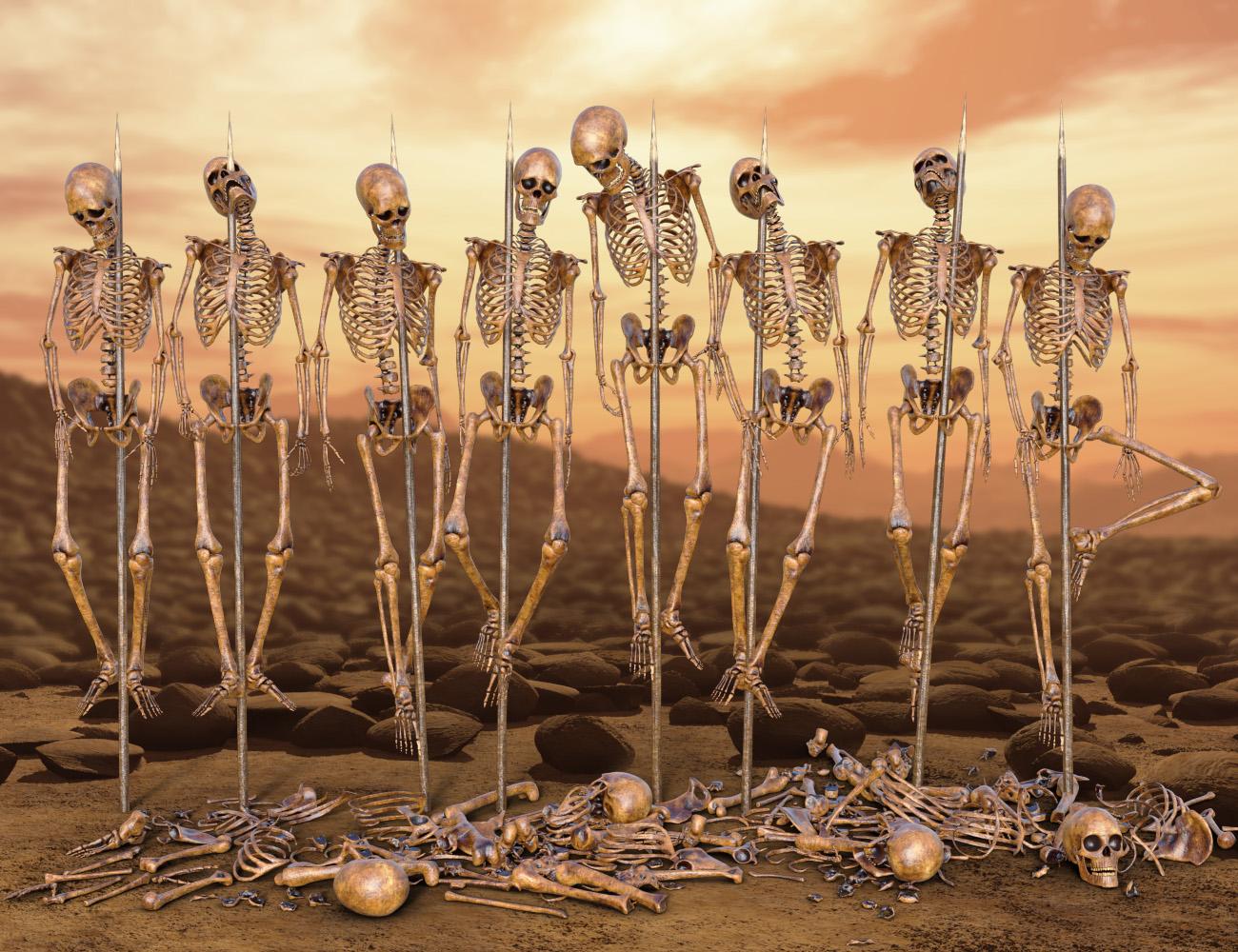
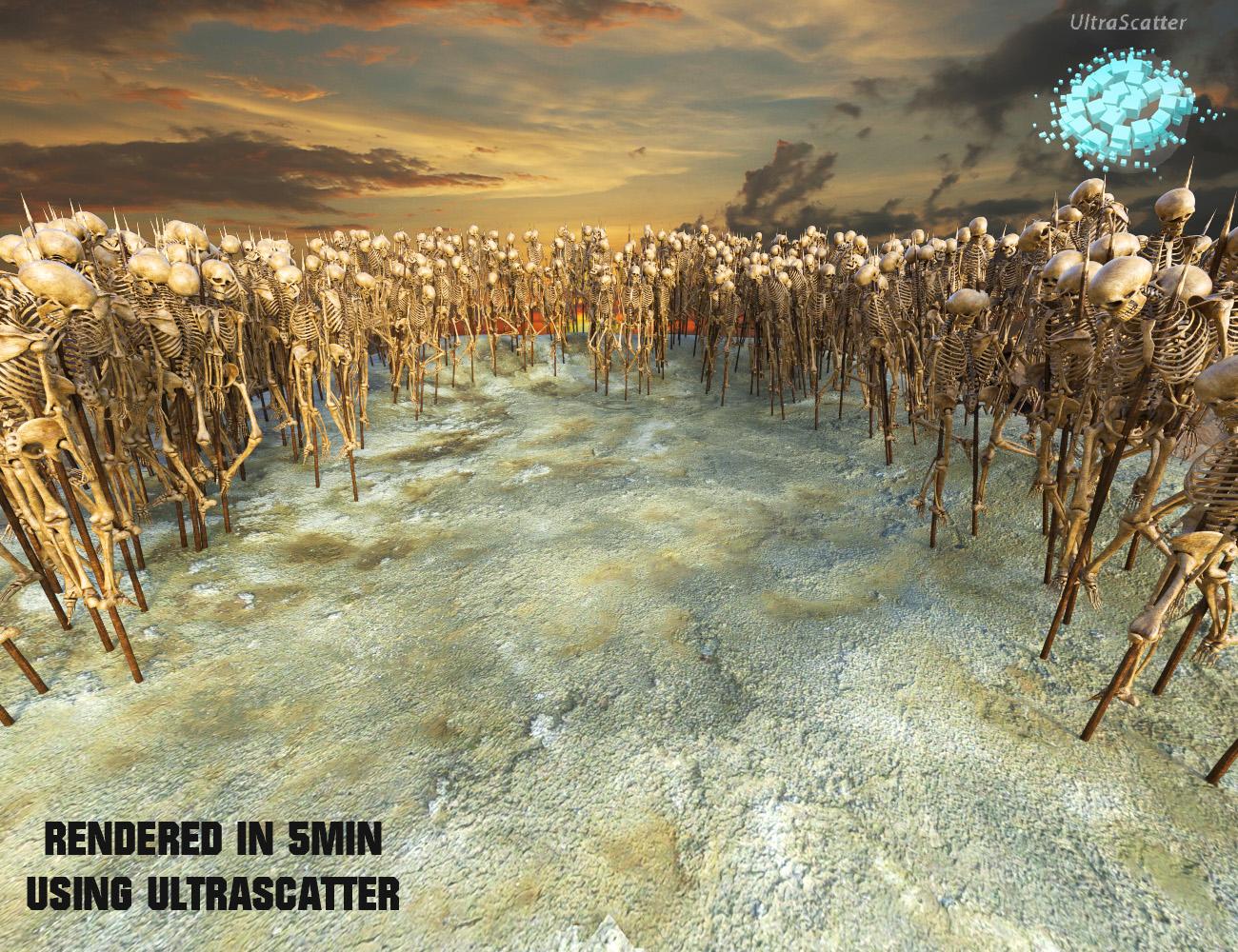
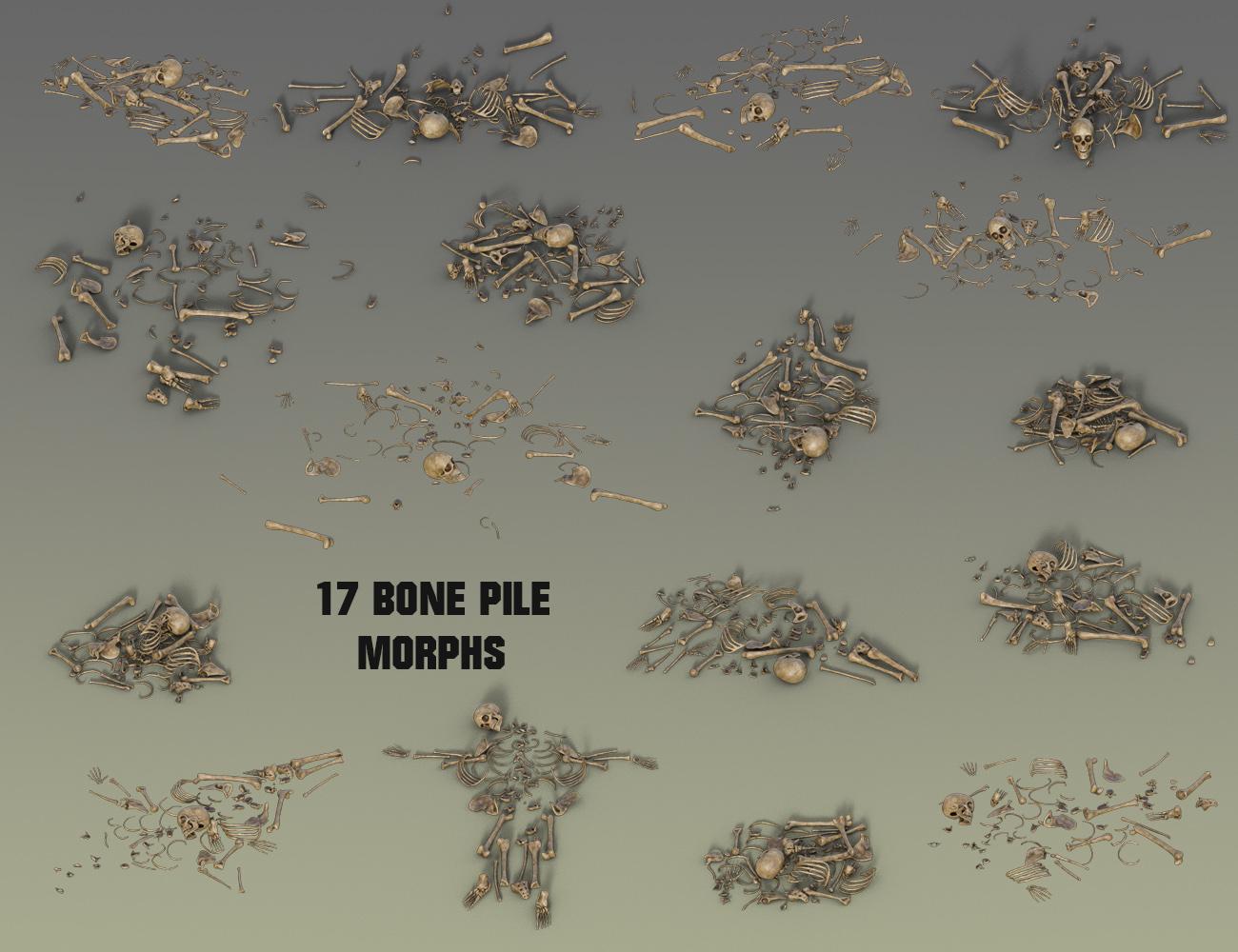
[Released] Mr Scallywags (Commercial)“Mr Scallywags” is a Lowres standalone skeleton by Midnight_stories. It has some great new features. Its base off the Midnight Skeleton, but the poly count has been greatly reduced to 23K, so you are able to do big scenes with it, also the maps have been reduced to 2K, so it’s light on the memory. It has the same compatibility with Genesis 3 Male poses and clothes, Plus 17 bone pile morphs and an animated fall down morph. This would be great for games. It’s been tested with UltraSatter and render very quickly. There are two props a morphing skull and impaling spike. There are 8 premade sub sets made with the impaling spike and a premade scene to get you started. There are three material presets in both Iray and 3Delight. I have also made two Geograft horns sets the will work both on the skull and skeleton. This would be great for all those old vampire and vlad the impaler sets. A must have for all you horror fans!
Click to Play
 Exotic Dance Platform & Poses
Transfer complete now going to check it out.
Exotic Dance Platform & PosesTrying to download it now by your Menga transfer will let you know how it goes!
August 2018 – DAZ 3D New User Challenge – Free MonthThank you for the comments, everyone. :) Let's try this again!
(No morph I currently have could fix Linda's flat head. I guess it's just part of her uniqueness...)
@rcbcgreenpanzer Maybe try placing an extra light on her left? And if you know how to add colour to lights (I don't yet), add in a little orange-yellow, to make it look warmer. Then again, I have no idea what I'm talking about.
Help with buying the Male Anatomical Elements please!Female anatomical elelments were not around in the V4 days.
The Pro Bundle thing started with Genesis, as did the inclusion of actual female anatomical elements. For Victoria 4 and Michael 4 the Morphs++ sets have the anatomical elements - a Genital Cleft morph for Victoria 4, a conforming add on for Michael 4.
Daz 3D is part of

Connect
DAZ Productions, Inc.
7533 S Center View Ct #4664
West Jordan, UT 84084Licensing Agreement | Terms of Service | Privacy Policy | EULA
© 2026 Daz Productions Inc. All Rights Reserved.