-
Headshop 11 Questions
I haven’t had time to really play with the software, but here are some initial test renders.
Stock photo model used for testing purposes is attached. He is not smiling, but I didn’t have any resulting issues/problems.
HS out of the box renders, except I didn’t use the eyes as they came out strange (there was too much light in them or something) (even with facegen, I usually just use another character’s eyes as it is difficult for me to generate good eye textures). Software was easy to use. There is a strong likeness to the original model even though I made no edits in the program (i.e., I didn’t move the reference dots or try to reshape). Hair did not fit the character’s head shape well even after scaling up the hair (but I did not try for too long) – still a small bald spot on the top of the head. Skin color too red (same result in facegen). Teeth came out weird (I might have done something wrong).
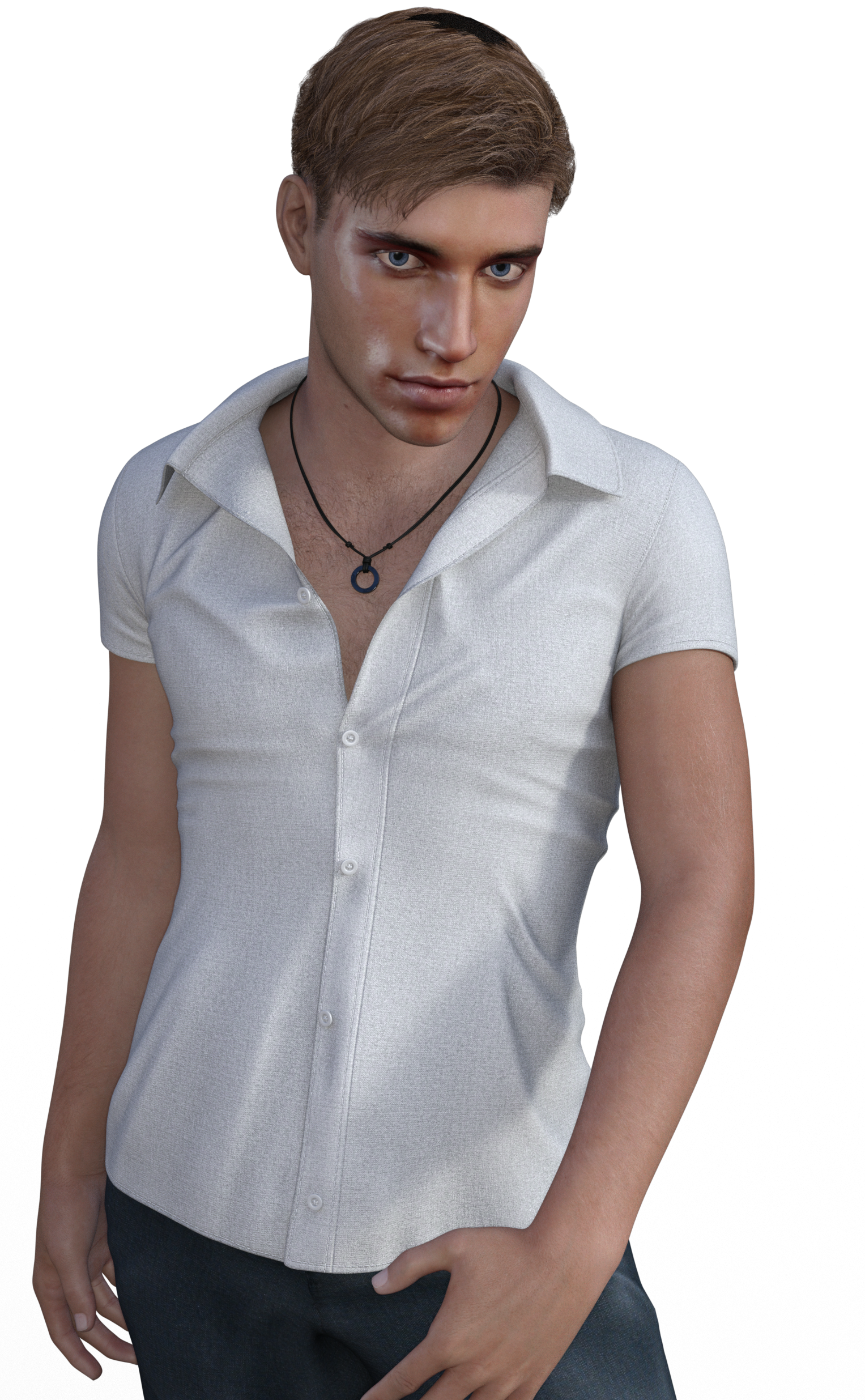

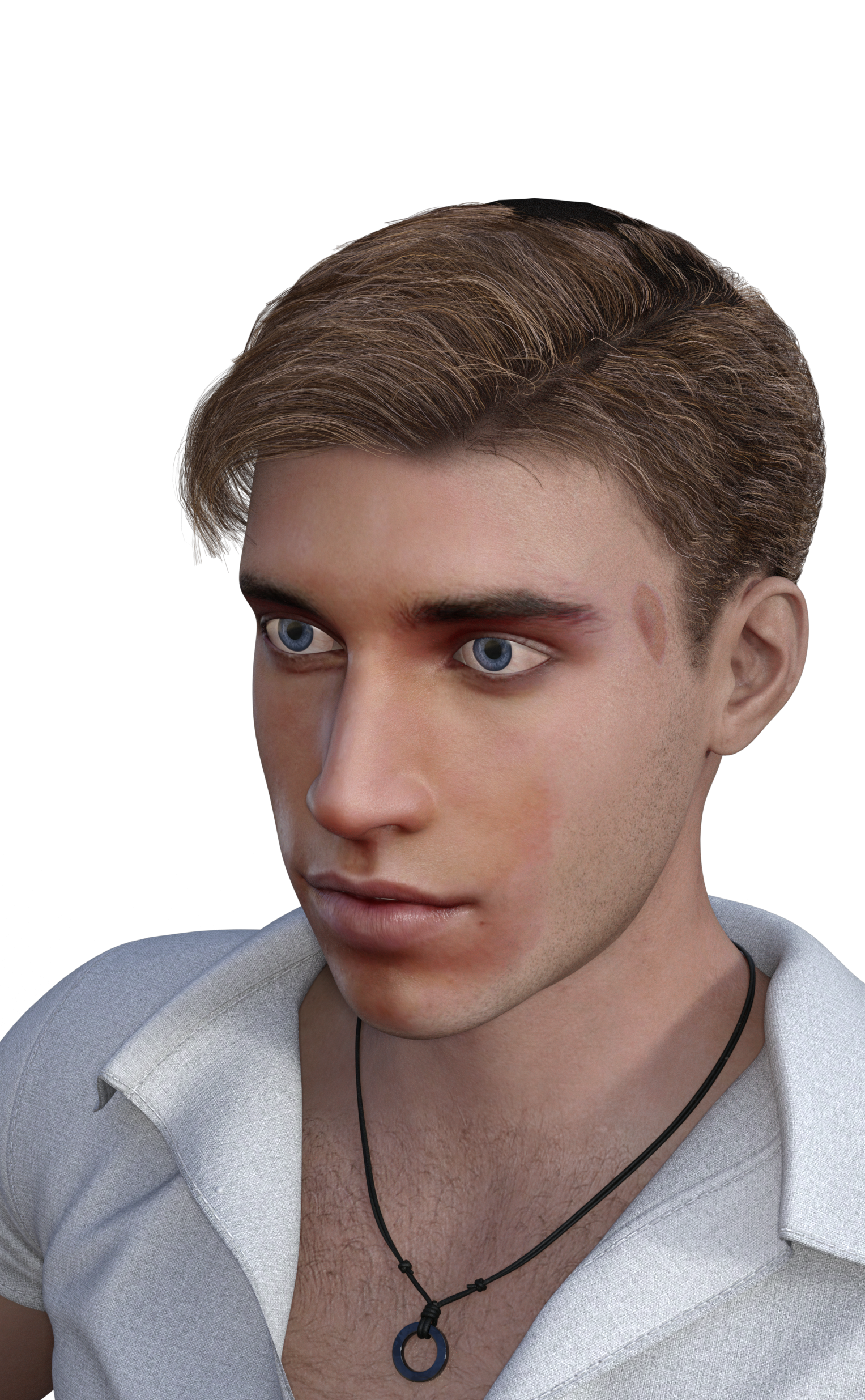
Here, I used photoshop to change the face texture to try to match the original photo color. I did it very fast/didn’t take much care. Could have done a much better job, especially around the eyebrows.
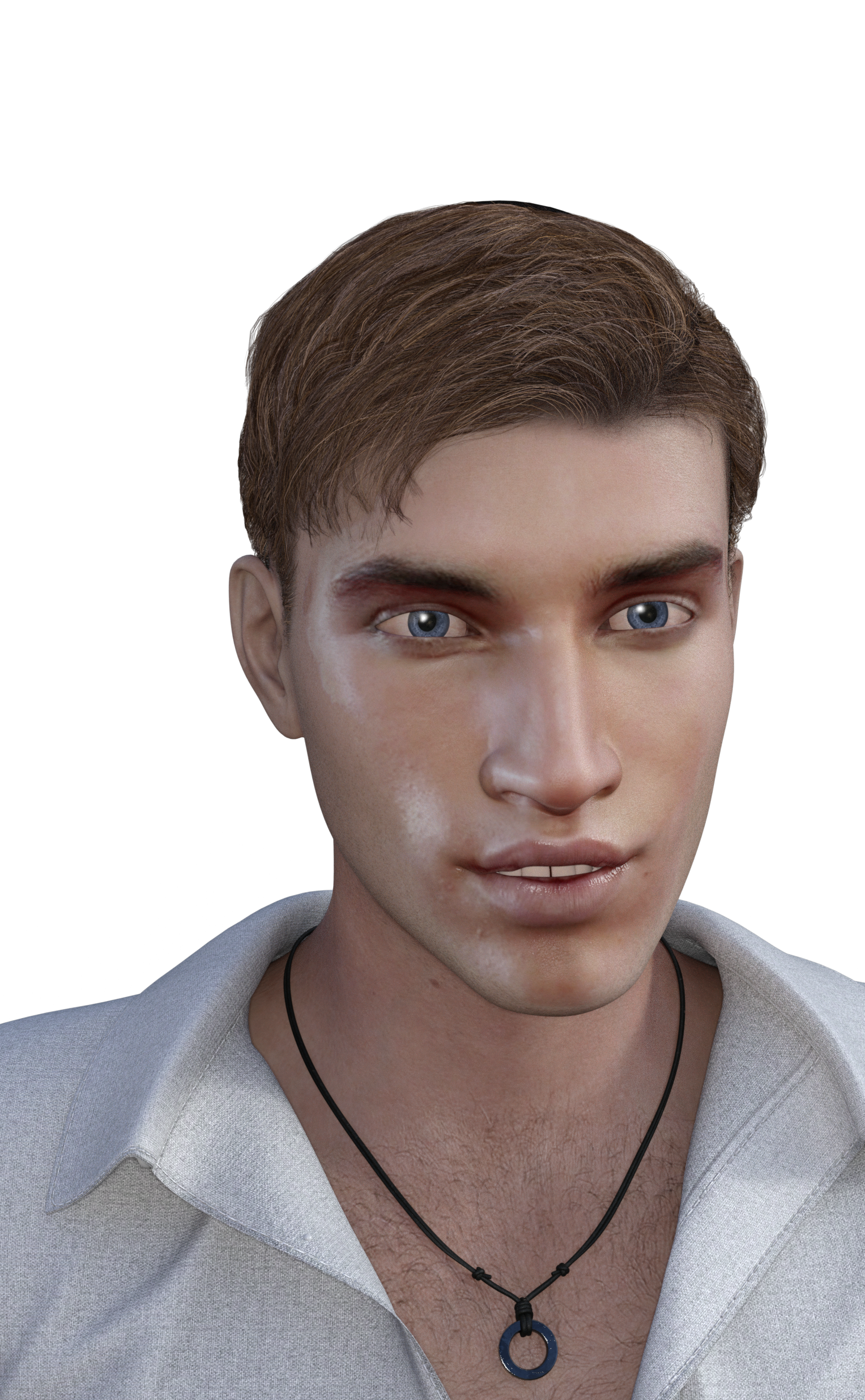
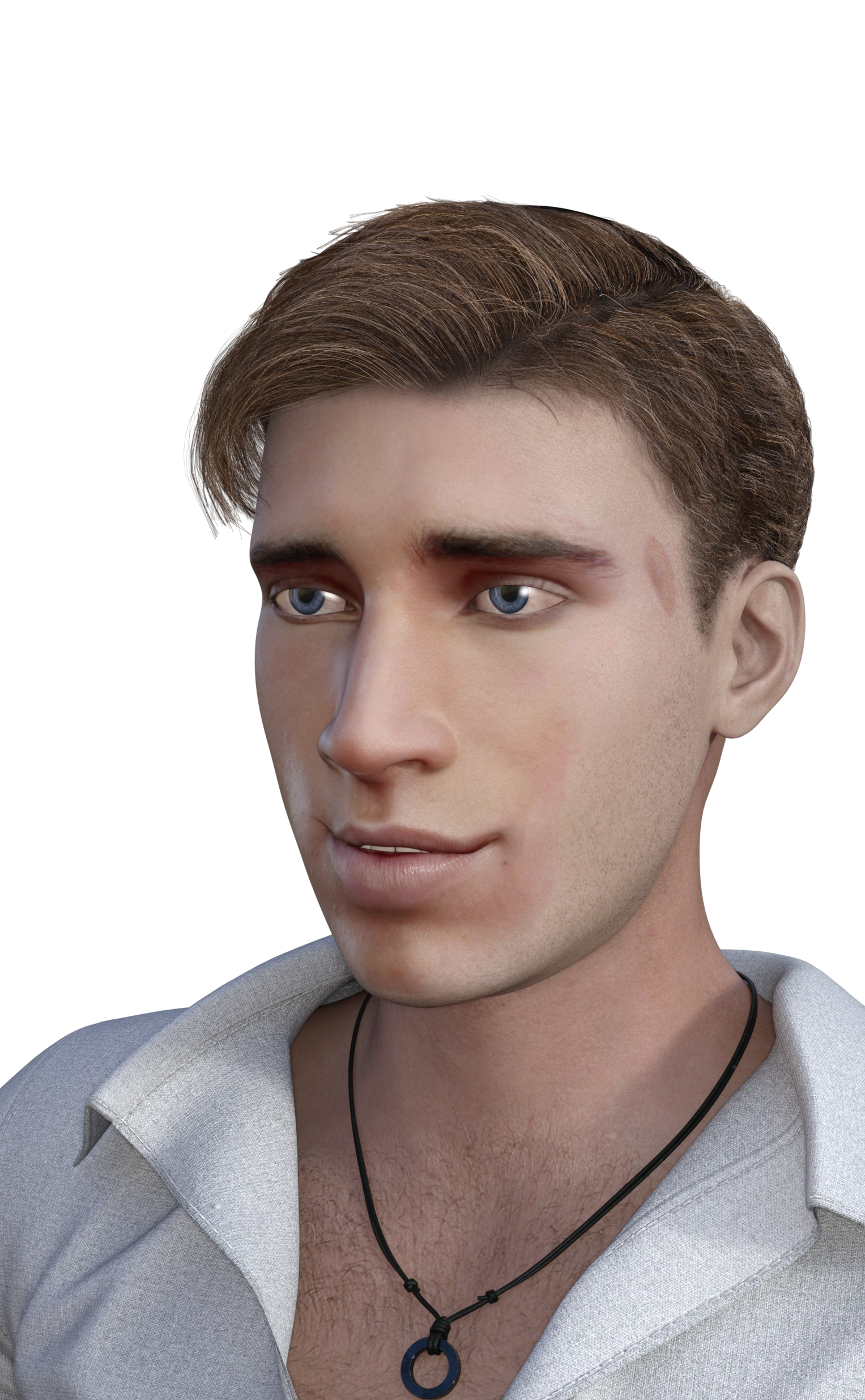
Here is HS generated morph with facegen generated textures (also edited to try to match color of original model because the generated texture was way too red).
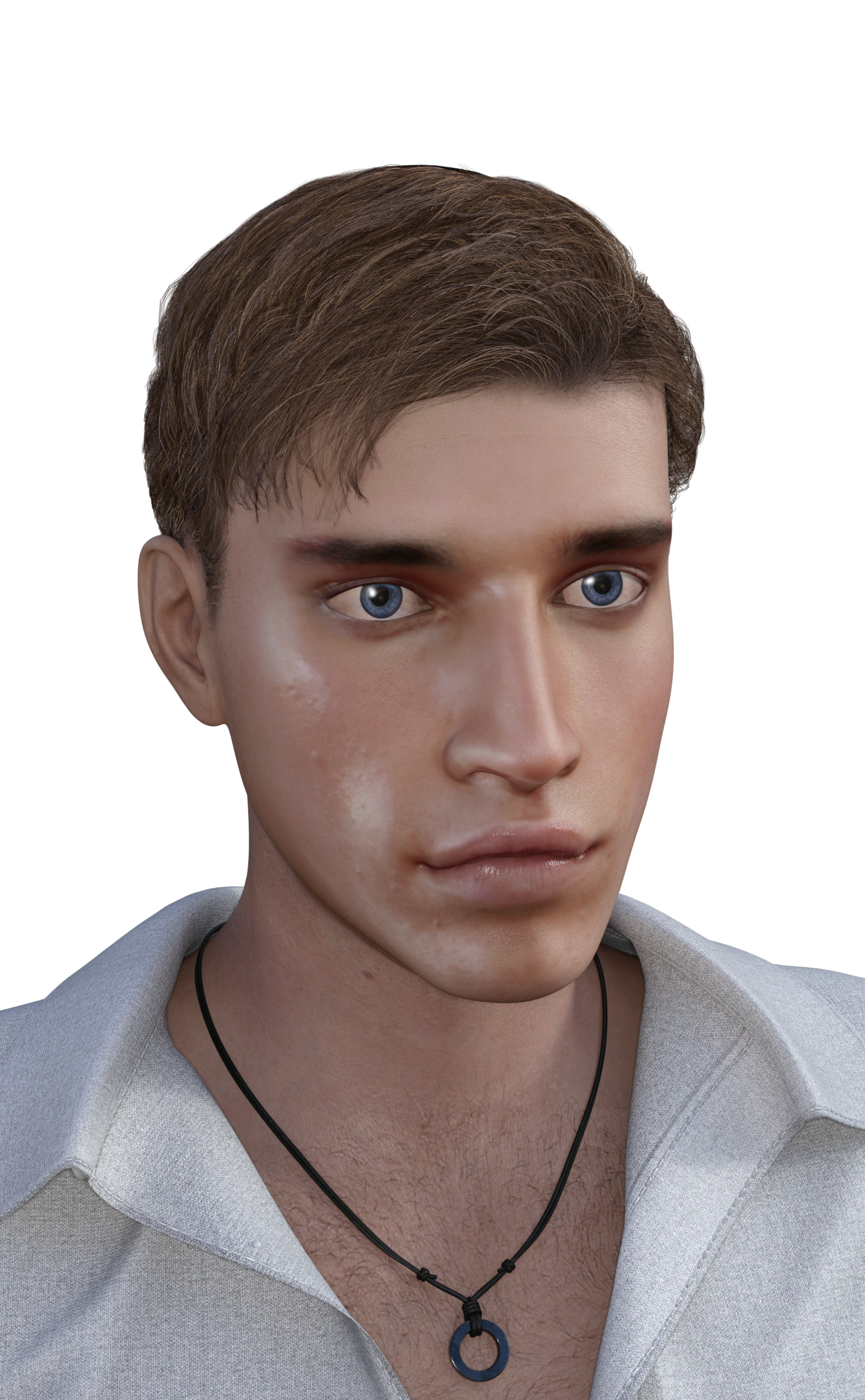
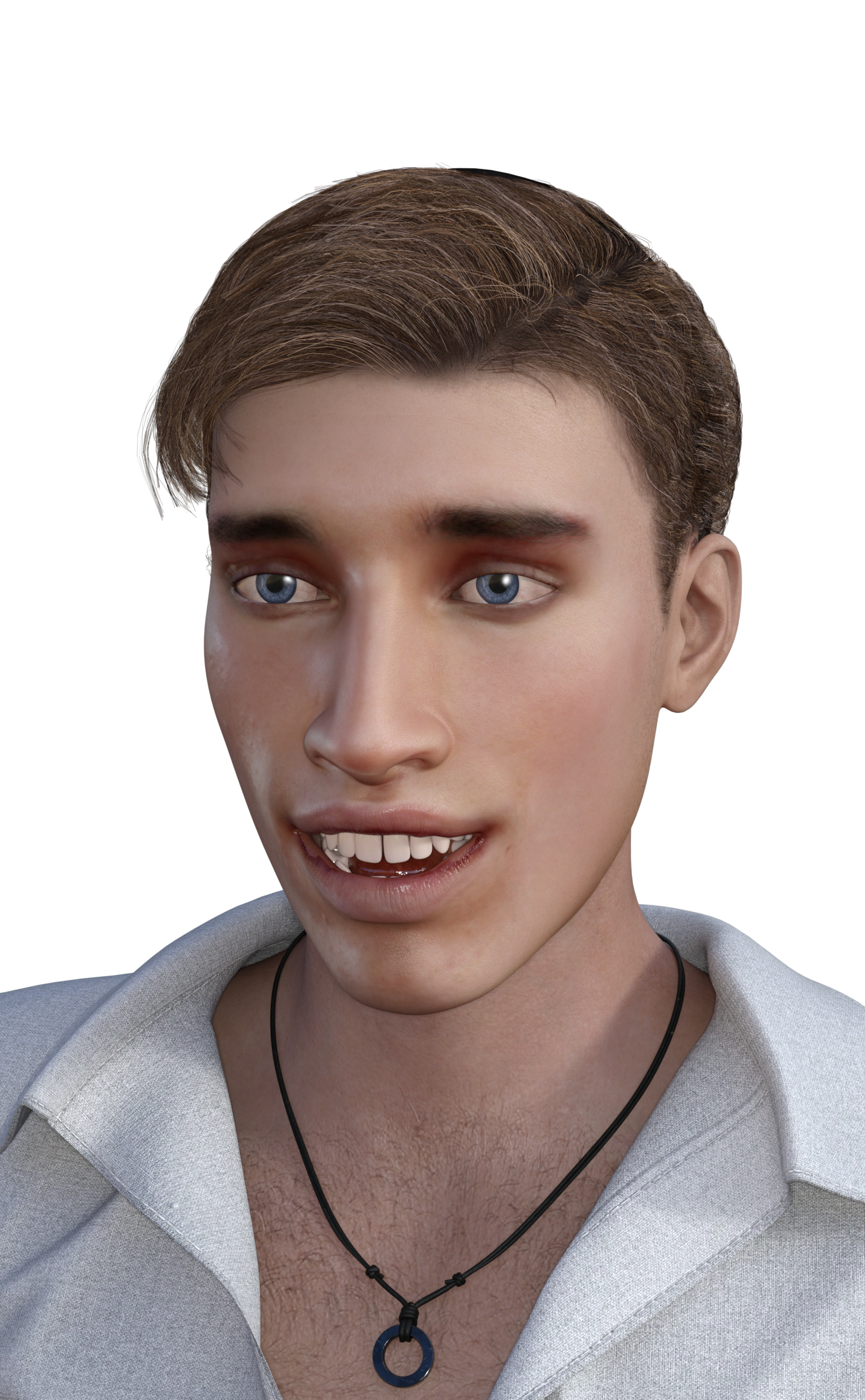
Here is the original facegen version (includes generated eyes)
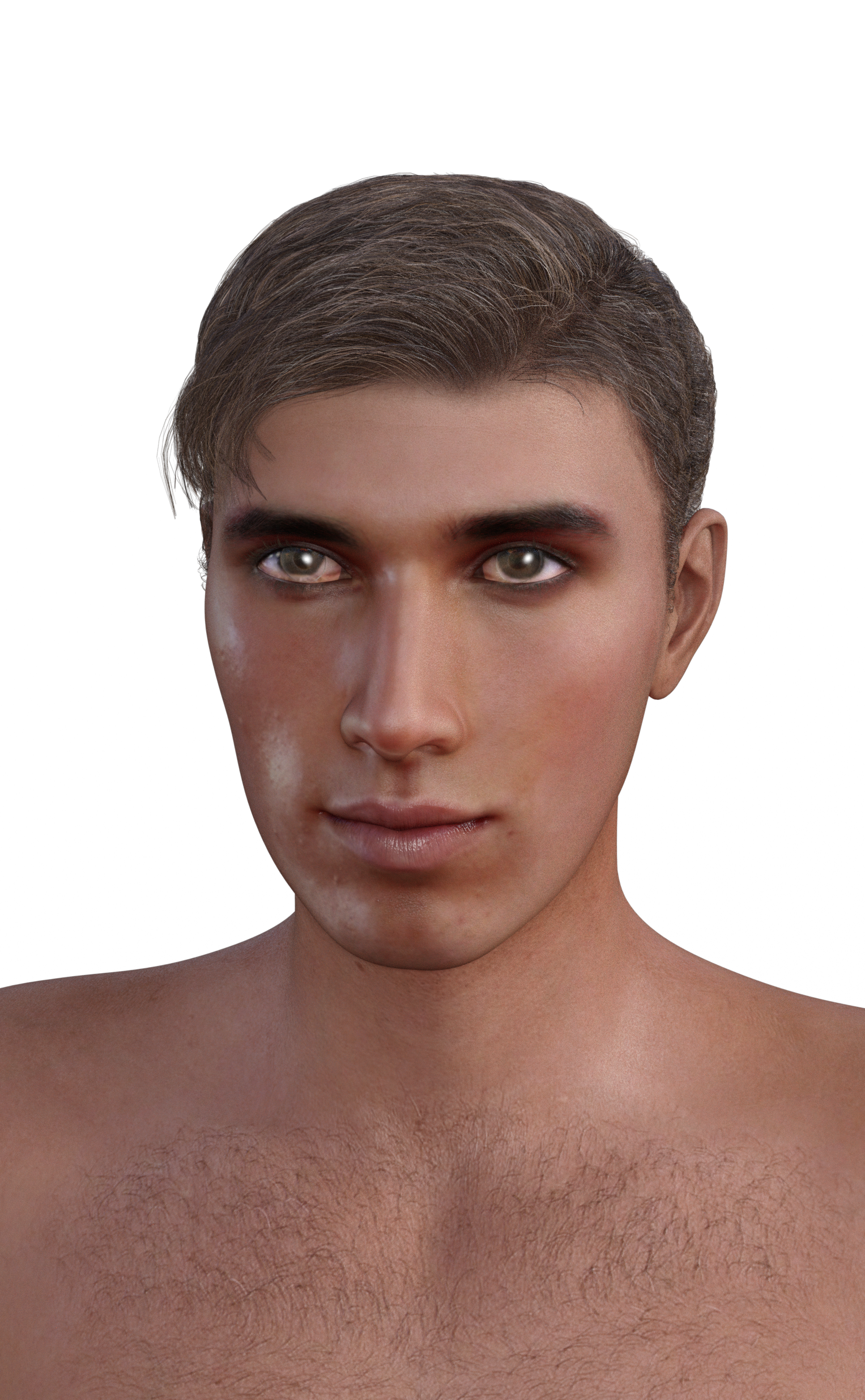
This is the facegen version after editing skin color and swapping eyes (used character Vincent's eyes):
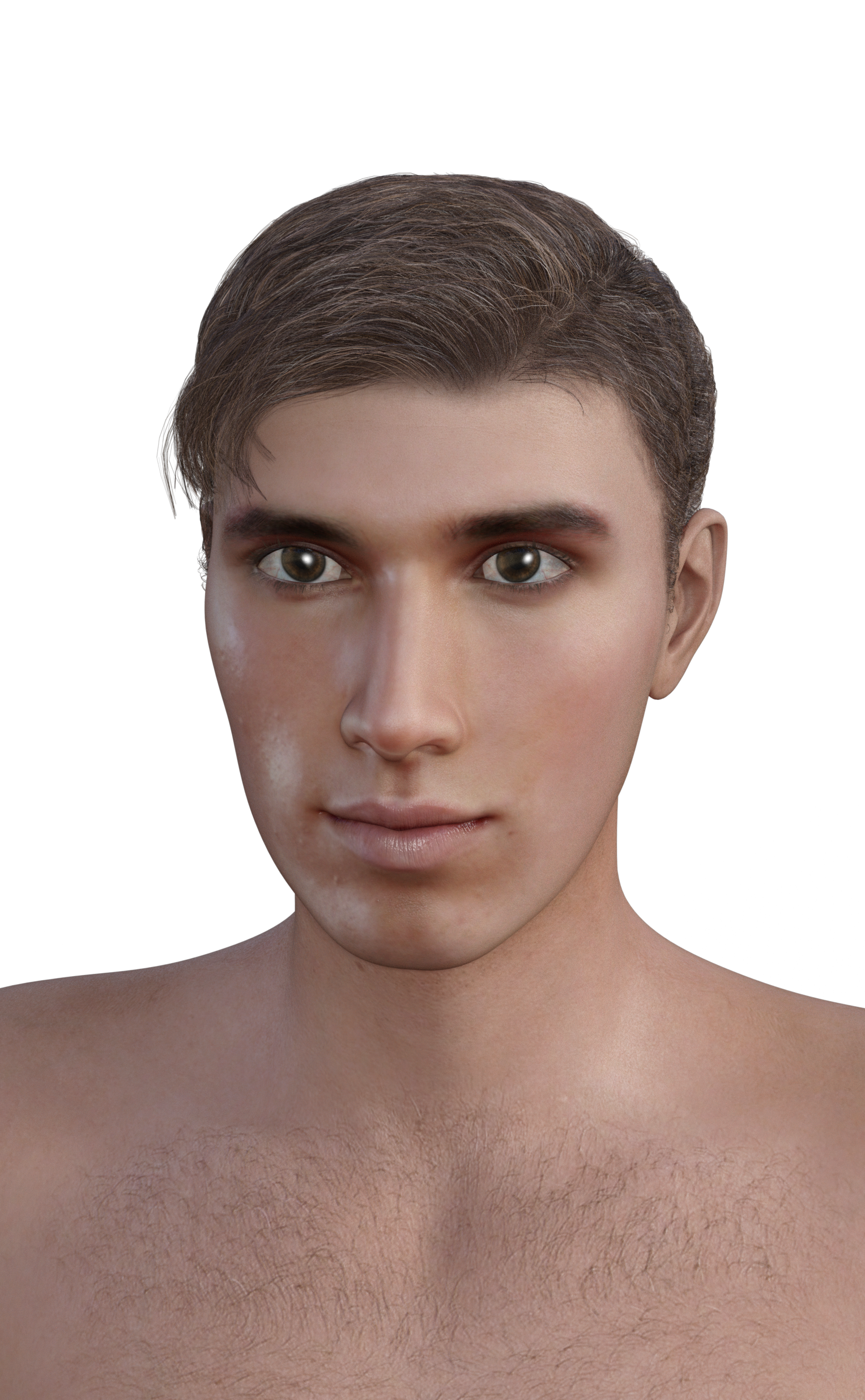
And finally, the facegen morph with the headshop texture (edited version):
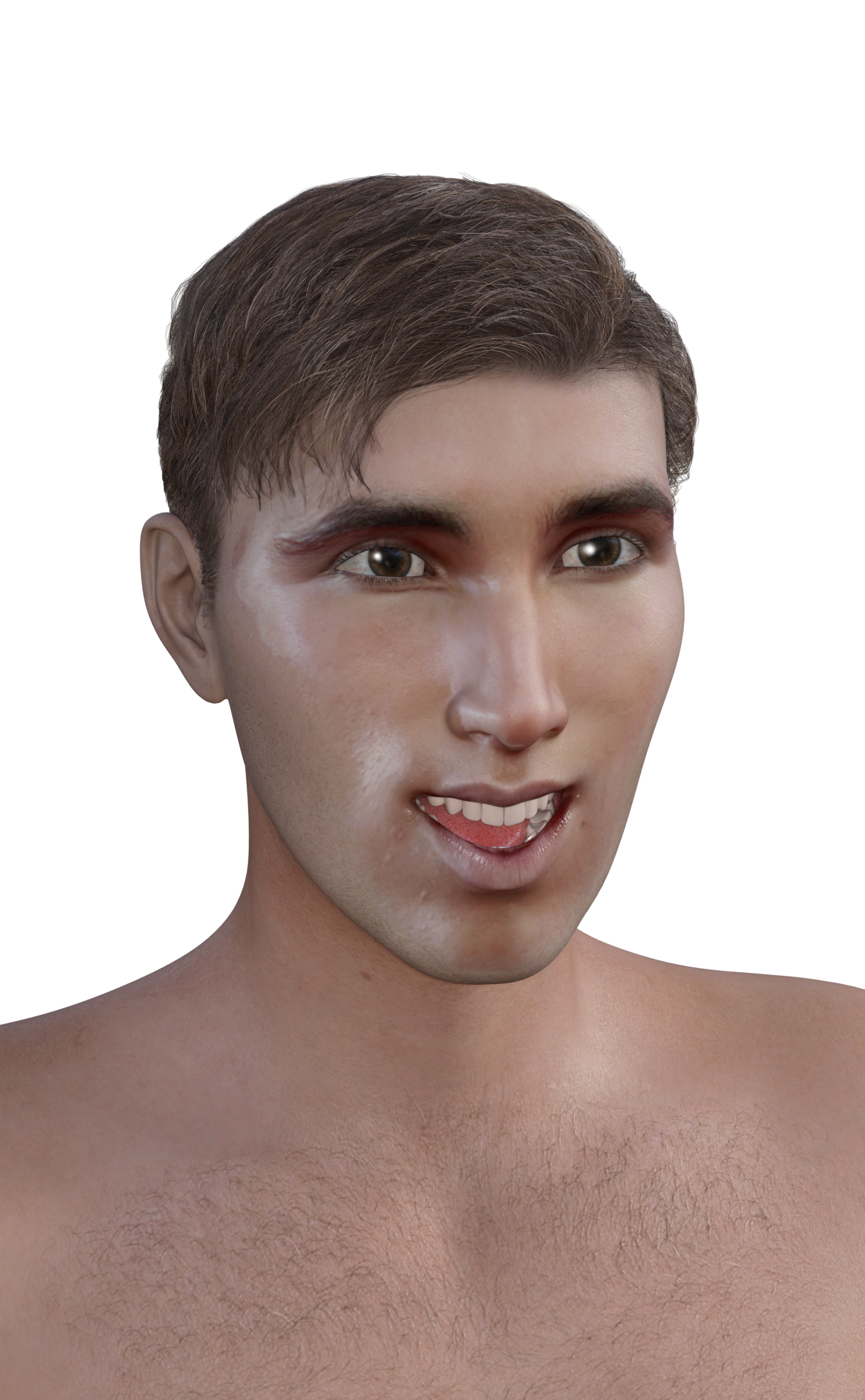
I can't wait to try Headshop on smiling models.
Good set of tests. Oh FaceGen & HS it always seems the foreheads are extremely lacking in size. And in that fellow's case the chin seems not quite pointy enough (although it could be the lighting) and the eyes too big (again could be the lighting). It is still one of the better likenesses that I've seen from FG or HS though.
Headshop 11 QuestionsI haven’t had time to really play with the software, but here are some initial test renders.
Stock photo model used for testing purposes is attached. He is not smiling, but I didn’t have any resulting issues/problems.
HS out of the box renders, except I didn’t use the eyes as they came out strange (there was too much light in them or something) (even with facegen, I usually just use another character’s eyes as it is difficult for me to generate good eye textures). Software was easy to use. There is a strong likeness to the original model even though I made no edits in the program (i.e., I didn’t move the reference dots or try to reshape). Hair did not fit the character’s head shape well even after scaling up the hair (but I did not try for too long) – still a small bald spot on the top of the head. Skin color too red (same result in facegen). Teeth came out weird (I might have done something wrong).
Here, I used photoshop to change the face texture to try to match the original photo color. I did it very fast/didn’t take much care. Could have done a much better job, especially around the eyebrows.
Here is HS generated morph with facegen generated textures (also edited to try to match color of original model because the generated texture was way too red).
Here is the original facegen version (includes generated eyes)
This is the facegen version after editing skin color and swapping eyes (used character Vincent's eyes):
And finally, the facegen morph with the headshop texture (edited version):
I can't wait to try Headshop on smiling models.
DAZ Horse 2: Where to get the different breeds/textures? and iRay?strange there isn't a separate morph and texture pack for Horse 2.
All things The Witcher...Thank you both for the feed back! and glaseye I think your safe to start building a scene, I'm almost finished. Spent the last four hours cleaning up face morph and working on a body morph. I've got to clean up the dress and bra mesh a bit to fit the Adda morph, fiddle with the surfaces tab a bit more and it's ready to go. While you all wait, here is the hair showng a few morphs, all morphs mix and match well together, and you can see the hair material zones. All morphs have mirrors. I might do a messy morph left, right, and back.
Were there any K4 characters included a genesis(1) version?Not too many kid shapes out there for Genesis (of any Gx family, for that matter).
While GenX has a lot of options, there are some good step-by-steps out there (forums and youtube) for doing simple morphs of a full character, just body, or just head of a K4 into a Genesis1 morph slider or three. The results are generally very good.
Note that if you simply 'Genx' the head/face morph, and use the native 'basic-child' shape and traditional Genesis1 body morphs (or the 'growing-up' morphs from Zev0, I think) to fine-tune your character's body, the body movements will be of 'native Genesis' movement quality (I use Genesis1 almost exclusively). If the head morphs are extreme, sometimes existing Genesis face morphs (like expressions) will need tweaking, but that happens with any custom morphs on a figure.
FWIW, I just bought Virtual-World's 'children of the world' morphs for K4 during the PA sale with the intention of using them on Genesis1 via this same workflow. I will probably just do the head-shapes, and shape my bodies via native Genesis1 and the mentioned Growing-Up morph-set that I also own.
Note that you can also create some interesting 'kids' in Genesis1 by dialing up the Basic-Child, then adding aiko/hiro (or any other!) head shapes and traditional facial dials. It's also fun to make a good looking adult character on the genesis base and then shrink it to see how it looks!
good luck!, and don't be to wary of the GenX tool. It's a workflow in-itself, but has a nice rhythm when you do it a couple of times.
--ms
Were there any K4 characters included a genesis(1) version?how well does genx actually work?
Remarkably well with the characters I've transferred so far. I've not transferred that many characters, but so far the original and GenX versions are pretty much entirely indistinguishable in their base pose.
Things are obviously a bit different when you start posing, as different generations differ in more than just shape - as they don't have completely identical rigging, joints will deform slightly differently (which may be a good thing if you want to benefit from the improved technology, or may be less ideal when you've got an extreme morph that no longer has the right corrective JCMs).
You do also end up with clothing no longer having specific fit morphs, should your original character have used common bases or morphs, and thus end relying more on auto-follow and things like Fit Control.Character's face doesn't look identicalI was going to say check the camera. A few years ago I was working on a character and somehow in the process perspective was turned off - I thought the morph was messed up because suddenly the face looked more square and heavy.
Were there any K4 characters included a genesis(1) version?Genesis 1 comes with a Basic Child morph which is pretty much identical to K4 (not K4's Toddler or Chibi morphs, however). G1 also accepts K4 textures. Since K4 was one of the last pre-Genesis bases to be released, the development crew probably decided to make it easy on us.
After Genesis 1 you pretty much had to go tp PAs to get kid characters. Although even with G1 if you wanted specific K4 characters you needed to port them over with GenX.
Draping issue wth dForce Femme Fatale Dress for Genesis 3 and 8 Female(s) by SshodanThan separate simmulation it is - double collisions are always tricky in dynimics, dForce is better with them than most engines but somtimes it just refuses to do what you want it to do. Again - hide the dress, run the sim ont he jacket, unhid the dress hide the jacket run the sim. Unhid the jacket and al should be fine... As well as go quicker.
Nope.
Dosent work.
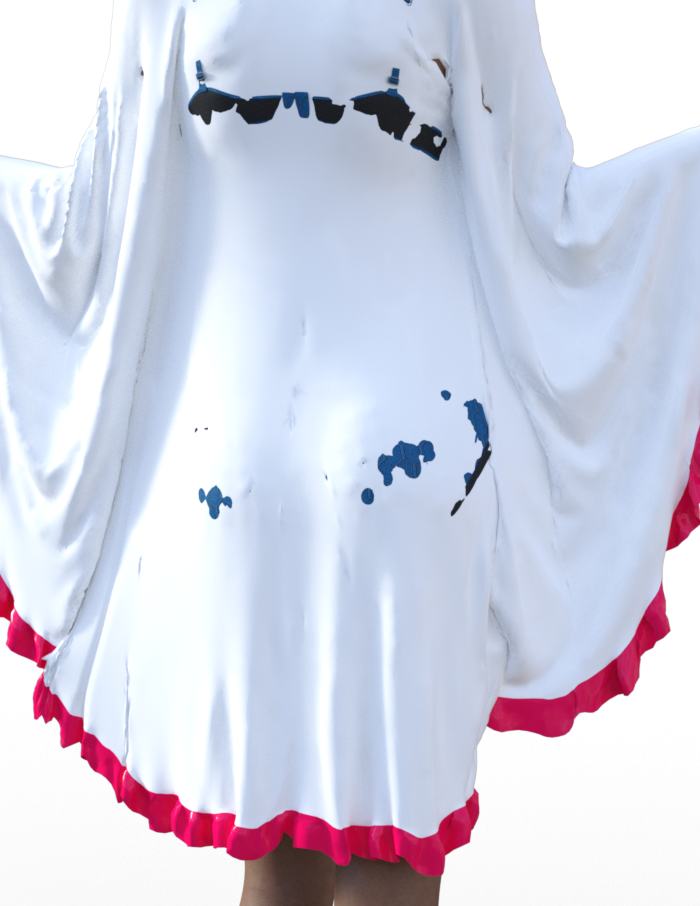
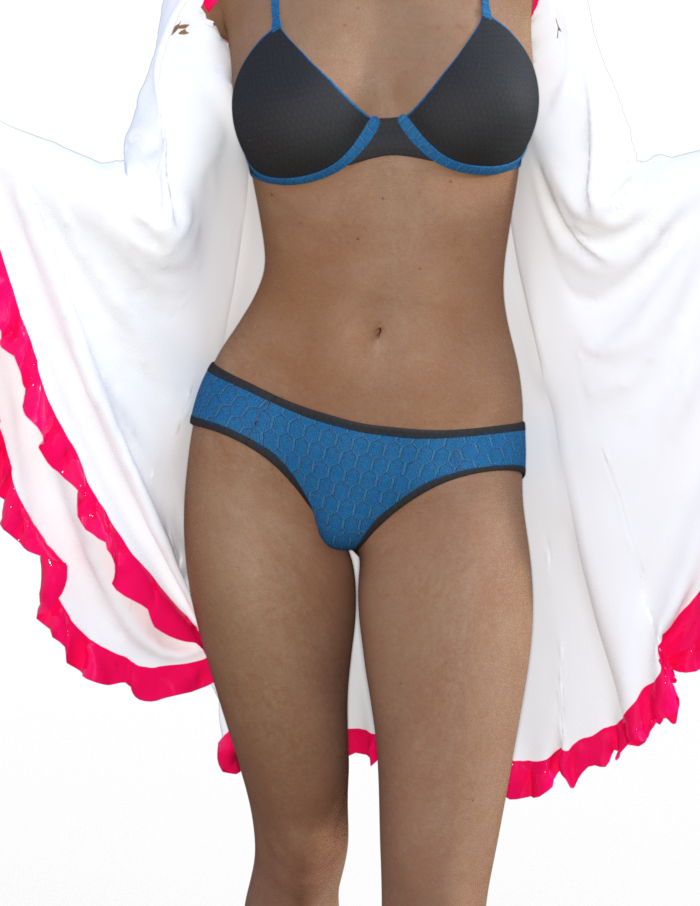
With the dress hidden, the jacket back out morph at 100%, the smoothing modifier removed, untextured, Animated at 60 frames, the jacket will still cling. This is because, as I indicated earlier but perhaps was not clear enough, the dress is clinging to G8 without the dress or anything else on. Both of these examples are on a fresh install. I exited after each attempt to make sure nothing carried over into the next attempt. Pic 1 shows the jacket with the dress hidden. Pic 2 shows just the jacket with nothing else (the underwear was added after the simulation). It wont work.
 Were there any K4 characters included a genesis(1) version?
seeing a bunch of V4 characters included a GN1 version, was there any K4?
i know i can use the K4 skin textures on Genesis Kid,
liking something like this head morph/char

https://www.daz3d.com/autumn-sunshine-fairy-k4
thanks
 Draping issue wth dForce Femme Fatale Dress for Genesis 3 and 8 Female(s) by Sshodan
1. Did you try dailing "Back Out" morph a bit up before simulating? It should be active on load but worth double checking - make sure that the jacket is not touching the dress in the start of the simulation.
2. Keep in mind that the jacket "swings forward" at the start of the sim, since it is a light fabric, so you may want to give it some time to settle - try Animated (use Timline Play Range) option and give it at least 60 frames to settle down.
3. Althou I'd recomend running the sim on the derss before adding the texture, somtimes it's easier to see the issues that way :)
It still wants to cling. This is with the Back Out morph at 100%, Animated (use Timeline Play Range) and untextured.
 Draping issue wth dForce Femme Fatale Dress for Genesis 3 and 8 Female(s) by Sshodan
Well if all else fails there is always a good old separate simulation solution - hide the dress run the sim on the jacket, once you like how it looks hide the jacket and run the sim on the dress. Unhid the jacket, use back out morph to fix any clipping that may have occured (with such a tight dress there will be little to non).
P.S. I althou would repeat the recommendation to remove the smoothing modifier - while it always worked for me I know it couses issues for other users when using dForce, I stopped adding it to my dForce items later on but that one still has it. You can re applay it after the simmulation is over :)
Draping issue wth dForce Femme Fatale Dress for Genesis 3 and 8 Female(s) by Sshodan1. Did you try dailing "Back Out" morph a bit up before simulating? It should be active on load but worth double checking - make sure that the jacket is not touching the dress in the start of the simulation.
2. Keep in mind that the jacket "swings forward" at the start of the sim, since it is a light fabric, so you may want to give it some time to settle - try Animated (use Timline Play Range) option and give it at least 60 frames to settle down.
Yes. The last pic has the morph dialed back to full.
Draping issue wth dForce Femme Fatale Dress for Genesis 3 and 8 Female(s) by Sshodan1. Did you try dailing "Back Out" morph a bit up before simulating? It should be active on load but worth double checking - make sure that the jacket is not touching the dress in the start of the simulation.
2. Keep in mind that the jacket "swings forward" at the start of the sim, since it is a light fabric, so you may want to give it some time to settle - try Animated (use Timline Play Range) option and give it at least 60 frames to settle down.
3. Althou I'd recomend running the sim on the derss before adding the texture, somtimes it's easier to see the issues that way :)
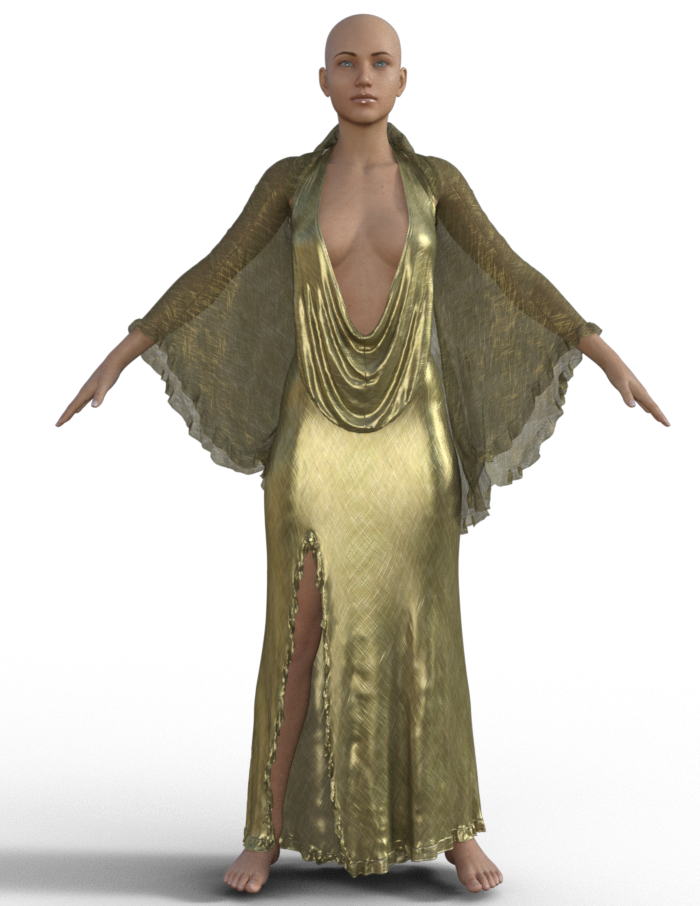
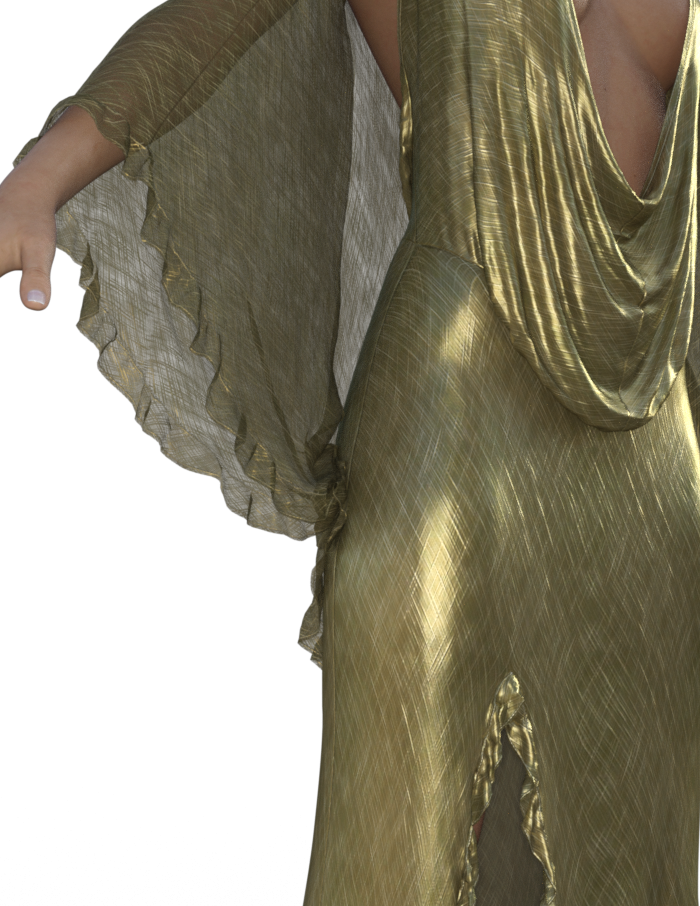
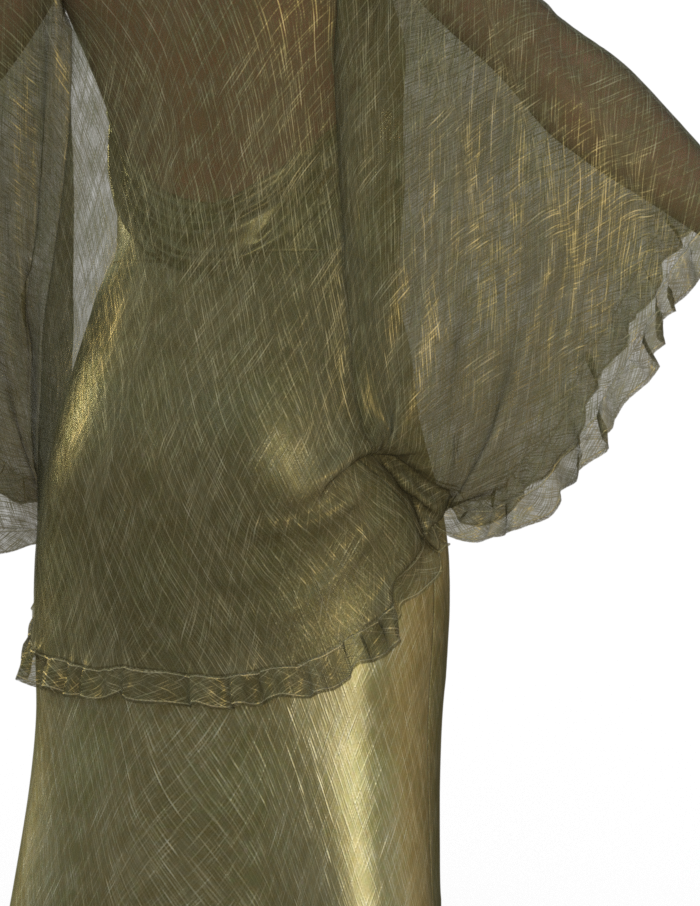
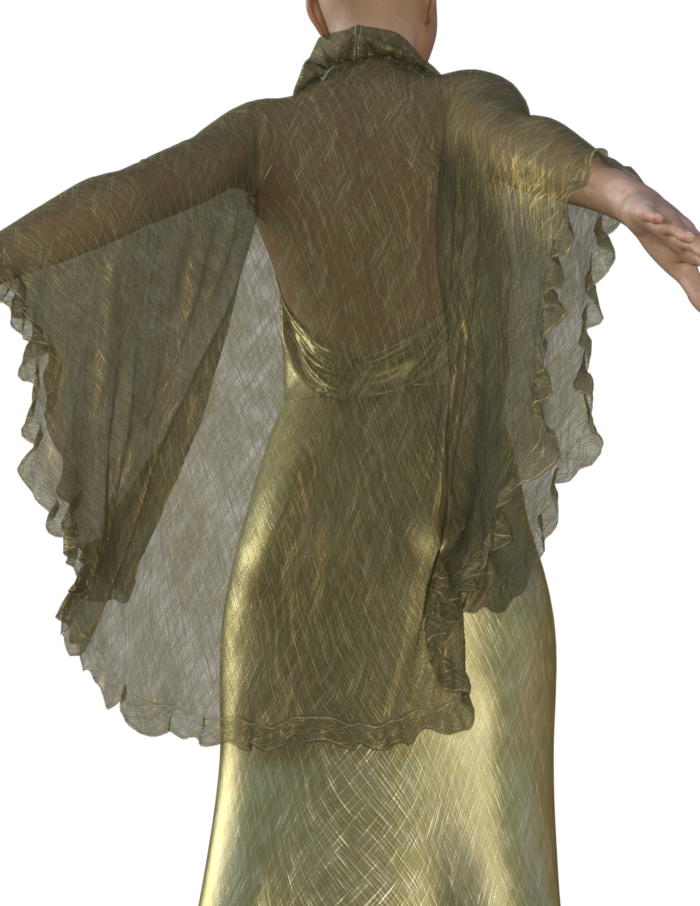
Draping issue wth dForce Femme Fatale Dress for Genesis 3 and 8 Female(s) by SshodanI purchased Femme Fatale yesterday, https://www.daz3d.com/dforce-femme-fatale-dress-for-genesis-3-and-8-females , as my vampire library just couldnt be complete without it. Unfortunately the jacket seems to have in issue that is preventing a good drape. Whenever I run a simulation, the lower right cuff of the jacket rubber bands to the dress and clings to it at the hip causing the bad drape. Ive attempted the simulation with a number of poses and in the default A pose with base G8F and I still have the issue. I also simulated a drape with just the jacket and no dress and in the A pose it seemed to work ok. When I altered the pose however by placing G8F's arms in the full back position (Arms Front-Back -100%), the jacket exploded. In the full front position (Arms Front-Back 100%) the jacket did try to stick the G8F's right thigh and then suffered a simulation error at 92%. Here are a number of pics demonstrating the issue. If anyone else out there has dforce Femme Fatale can you confirm?
Look at the lower right cuff position of the jacket.
Closer
From the back.
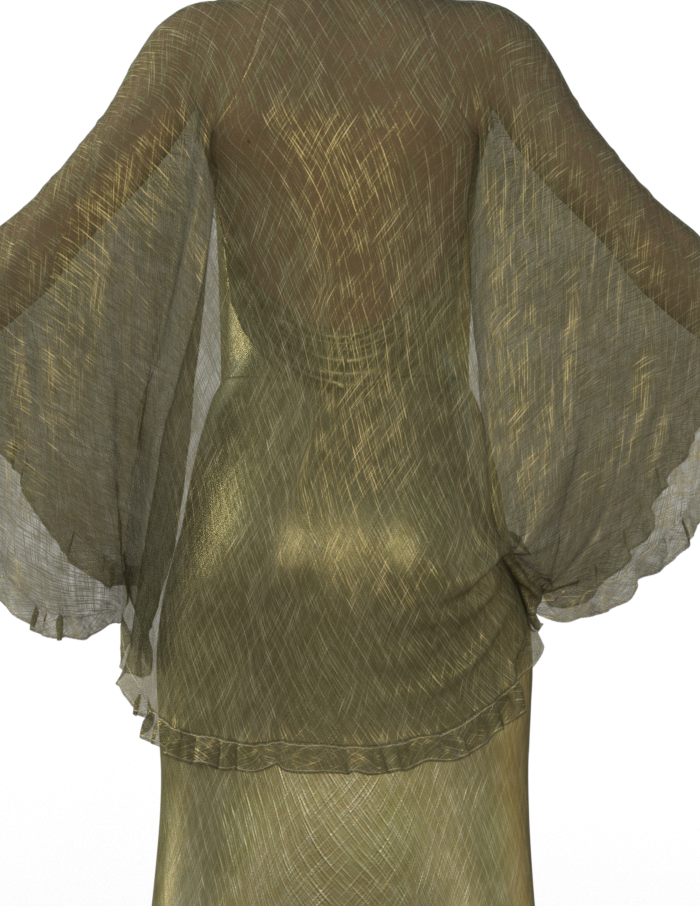
Arms back, dress back morph at 100%.
 Associate my custom Antonia morph with Antonia figure.
Injection Pose Builder is for creating poses using pre-existing moprhs, I think you would want Injection Magic (if either) to set up a new morph.
All things The Witcher...If this hair is good enough I'll leave it as is and begin addeing movement morphs
Maybe rig the length instead of adding morphs? Or does the mesh not play nice with bones?
I've got the hair working very well, added about a dozen movement morphs, hair textures finished. All the clothing items are now working with several added morphs for adjustments of pokethroughs and figure movements, weights painted, rigidity on the belt buckle, boot pose and hand pose, sword loads parented to the hand. Textures nearly finished. Fighting with the surfaces tab right now. I got some great results with the Iray nVidia examples but not sure if I can redistribute those?? Anyone know? I'm going to do a little more work on the face morph and add in a body morph, morphs will be sculpted, not dial spun so you won't have to buy a morph package to make it work.Time to see if I can get a scene setup; got a little idea for one with Geralt, Triss an Adda, can use a stand-in for the scene setup..... (It's not uncommon for me that there's quite some time with translating an idea to a scene....... )
Character's face doesn't look identicalThe exact same light HDRI will affect color tone of the skin. The exact same loaded morphs will affect the face shape. A morph can work on the base figure, but some times requires an add on shape or the HD addon to look identicall to the promos. Required products matter. You will need to provide specific information. There are too many variables otherwise.
Character's face doesn't look identicalCould you provide a sample so we can get a better idea of what's going on? Something else to check is on the Parameters tab, select "All Used" (or something like that, not at my PC at the moment) to show everything that has been applied to the character. Check and make sure there isn't an extraneous morph being added. I've run into that a couple of times where a character morph isn't save quite right and winds up applying to every character, instead of the one that it's meant to be for.
How can I export Bryce textures to be used in Studo 4.10?The one frustration I have with Daz|Studio are the extremely crappy textures (especially water) as compared with Bryce's MATs (also skies, but that will be dealt with in the following post). I know DAZ has stars in its eyes over being included in Thor, Capt. America, et al., and has effectively kicked Bryce to the curb, but the light and texture manipulation controls give Bryce a vast advantage when it comes to photorealistic imaging. I would like to have Bryce textures to improve the realism of my renders. As you may have guessed, I do nature and outdoor scenes, often involving water, and I can only reflect images on the water in Bryce, and control the degree of translucency (water clarity). I love DA's Palm Island and Polish's Summer Island, but the water looks like green sea ice, with no ripples or reflectivity or refraction like Bryce water. If the Bryce library system could be incorporated into Studio, we could create our own textures and not rely on the mats/shaders provided with any given product. Of course, the plan is to make money, and developers make money by selling additional textures for a product, but there is rarely a choice in water textures and will only work in its own product. iReal'sAnimated Ocean has excellent water textures, but they won't transfer to another surface, such as the Palm Island sea ice-ocean texture, which may be the best DA had to work with in creating a tropical scene, but the flat water makes me wanna grab a pair of ice skates. Is there a way to add textures from other sources and use them in DAZ Studio? Or even textures from other objects within DAZ Studio, like the iReal Ocean textures?
Daz 3D is part of

Connect
DAZ Productions, Inc.
7533 S Center View Ct #4664
West Jordan, UT 84084Licensing Agreement | Terms of Service | Privacy Policy | EULA
© 2026 Daz Productions Inc. All Rights Reserved.