-
Body morphs will not load, apply, or inject - would really appreciate some help!
I am not new to Daz or Poser. However, after a long haitus, I've returned.
Strangely, there's this thing called Daz Studio 10 that, well, does not work for me.
Here's my issue - I load up my content using the IM. If I want to inject a body morph from Daz Genesis 8 that was included with the bundle it doesn't work.
If I want to use some of my older Renderosity content, it doesn't work either.
I have loaded the library by letting Daz "do what it do." (user\*.*\documents\My Daz Library). Doesn't work.
Then I deleted that pile, created a faster library on one of my M.2 drives for a faster render pipeline, and called it x:\My Daz Library\New Library. Used IM to shove all of the packages into this New Library folder. It's all there and all a valid heiarchy.
Dropped my Renderosity files into the Poser Content where applicable, and stuck the Daz3D compatible items in their respective folders in runtime, data, people, etc.
I can see the items.
Load G8F. Choose a Character in people\G8F and double click the morph - computer does something but no change to the figure and no error. I've dragged the morphs over to the character and selected "apply to genesis8 female", "merge into scene" "parent to G8F", etc. Clicked on the area to be morphed like "head" and nope, not a thing happens. Blood pressure rises, tho.
The character acts like it's locked. Poses, no problems. Body and face morphs, fuggeddaboudit. It just doesn't respond. Oh, wait. I can change eye colors and lip colors...
I've watched about 300 videos, both the useful and the "blind leading the blind" types. I've read about five thousand posts, 95% are about loading content and I've done those things. Checked my library settings, folder heiarchy, etc at least a fifty times. Deleted and reinstalled 25-30 times.
Just for the fun of it, I loaded an old version of Daz Studio 4.1 from 2014 or so - works great, no worries, and the content works. Whaaaattt??
What am I missing? Someone please help me before I go postal and put a hammer thru my monitor.
Thanks in advance -
Kev
!! Carrara Challenge 44 - Any Element, Not Just the 5th WIP Threadah Stezza, you have won already :) bottom image is beaut,
Bunyip02, that water surface look sperfect at the top left
Varsel, thank you for that!
Wendy, thanks for replying, alas I can replicate leaves on a fountain but it does not transfer to the replicated verisions of the fountain
Stezza, the founrtain we are using is not the typical particle one - it's found in the drop down with the clouds etc
UB - thank you - yes it looks very pointillist! Accidentally. I tried to get mor meat but to do that I need to convert to a mesh and then add thickness and that adds to the render times :(
Is it possible to make genesis 8 work with a morph that alters the default pose?Pose G8 in the pose you want.
Save the pose somewhere convenient.
Export (keep the pose on the G8 figure that you exported.)
Do your sculpt
Import the morph > Set Reverse Deformations to True; under the Reverse devormations there is an option to set a pose too - set the pose you saved somewhere convenient.
It works but needs work!!
So I tried you're method and I managed to get it to work but having to change a few things.To use the Reverse Deformations for pose, I have to pose Genesis to match my sculpt. So I have to import my sculpt on Genesis then I can use another figure to pose to the sculpt. Then it works.
So most of the work is matching the pose to my sculpt. It fixed the issues with limits and JCMs
In this image I bended the arm all the way down and the limits kept it from going into it's torso (compared to the image above. This was using genesis 3 but would with gen 8. Shape Rigger Plus(Commercial)
The script adjusts all bones that need to be adjusted. So if you made a pinnochio nose, the script will rig the nose bones in place. It scans through every bone on the figure and looks if it needs to be repositioned in relation to the morph. Regarding HD Morphs, It doesn't matter what the vertice count is, it all uses the base rig.
Also the HD expressions are already rigged, so I am not sure what you are asking. If however your imported face morph that is not rigged, you will get allignment issues if you apply expressions to that. So ideally, you would want to apply the HD expressions (which are already rigged) onto a face morph that has rigging, so when you apply an expression it works properly with the face morph.
Shape Rigger Plus(Commercial)Does this adjust all 80 or so bones in the head for imported face morphs? The head has a lot of bones. Like for example, if I created pinnochio nose morph, will the appropriate nose bones be adjusted?
I thought most HD facial expressions were based on custom-made vertices, and not so much its underlying rigging.
Would I really see a difference in HD facial expressions if the face bones were adjusted (applied on top of a imported face morph)?Celebrity Look-a-Likes for 3D figures Part 2For fear of seeming to be a smart a$$, which one is supposed to be Carrie? And who is the other "celebrity"?
Oh, to clarify, the render Werts depicts of his (her?) morph is pretty decent, just a bit older. But the morph itself, at least when I loaded it did not look as good as Werts' piece.
Sincerely,
Bill
As Odaa mentioned above, Carrie Fisher (on the left of the picture) and Natalie Portman is on the right. I make no representation of how good they are :)
Ok, so it turns out I have 3.
Celebritystandin on the left. scott8539 in the middle and Werts on the right. No render just a screen grab of the morphs on an untextured V4.
The scott8539 is a little younger looking but alas is no longer available at ShareCG either :(
Celebrity Look-a-Likes for 3D figures Part 2For fear of seeming to be a smart a$$, which one is supposed to be Carrie? And who is the other "celebrity"?
Oh, to clarify, the render Werts depicts of his (her?) morph is pretty decent, just a bit older. But the morph itself, at least when I loaded it did not look as good as Werts' piece.
Sincerely,
Bill
Celebrity Look-a-Likes for 3D figures Part 2I have been searching high and low for a good "young" Carrie Fisher (Star Wars). Even tried as far as using FaceGen to create one of my own but I'm not getting anywhere. Anyone have any good leads?
There was a really good Princess Leia by Werts for V4. Unfortunately it's no longer available but I'm sure I have it somewhere. I'll check if the readme allows redistribution if you want it.
I have that morph and have tried it. Unfortunately, it's a more "seasoned" Carrie, looking closer to what she did in "The Force Awakens". (Ironic, given Werts made it several years before that film.)
Sincerely,
Bill
Agreed. The Celebritystandin one was called StarQueens and also depicted her a bit older than the first film. Here is the promo pic taken from the zip file I have.
Celebrity Look-a-Likes for 3D figures Part 2I have been searching high and low for a good "young" Carrie Fisher (Star Wars). Even tried as far as using FaceGen to create one of my own but I'm not getting anywhere. Anyone have any good leads?
There was a really good Princess Leia by Werts for V4. Unfortunately it's no longer available but I'm sure I have it somewhere. I'll check if the readme allows redistribution if you want it.
I have that morph and have tried it. Unfortunately, it's a more "seasoned" Carrie, looking closer to what she did in "The Force Awakens". (Ironic, given Werts made it several years before that film.)
Sincerely,
Bill
Is it possible to make genesis 8 work with a morph that alters the default pose?Pose G8 in the pose you want.
Save the pose somewhere convenient.
Export (keep the pose on the G8 figure that you exported.)
Do your sculpt
Import the morph > Set Reverse Deformations to True; under the Reverse devormations there is an option to set a pose too - set the pose you saved somewhere convenient.
Yesterday was Victoria 4's 12th Birthday...
You could try using GenX to convert these, and I have tried. But you lose some detail in the conversion process. That's because Genesis cuts so many polygons that if Gen4 has such detail, they get lost. Unfortunately Daz decided to lock down high resolution morphs, and I personally consider that a MASSIVE negative against its user base. As a result of tbis practice, nobody can use GenX to convert HD morphs across generations. And I cannot sculpt an HD morph for any Genesis figure, as I am not a PA.@Outrider42, are you able to create HD morphs for V4 and import them into Daz?Shape Rigger Plus(Commercial)No, Morph Loader or Morph Loader Pro will create the morphs but it doesn't adjust skeleton to shape for you nor does it ERC Freeze it. That's up to you to do after the morph is applied.
Shape Rigger Plus(Commercial)So, if I used Morph Loader to create a character morph that reduces their height, its skeleton wouldn't be adjusted?
Why doesn't Morph Loader create morphs that adjust the skeleton? I thought that was its purpose, to create morphs?
This sounds like a bug to me if it doesn't.New plugin: Phong tessellation and displacementHope Philemo is kicking butt on his end
I'm afraid not. My laptop has been stolen. I had current backups, unfortunately in the same bag the laptop was and that went away with it. The only backup I have is 2 months old.
The HD Morph plugin was almost finished and I have to do it all over again
 .
.With the Chrismas holidays coming, I'm afraid I won't be able to restart be process before early January.
Hopefully, It'll go a bit faster as I ironed out most of wrinkles I'd met.
That is horrible! I hope that your other losses were minimal.
horrile! so sorry that happened to you
 How does Map Transfer work?
How does map transfer work? Hopefully I am using the right term. Can it change the texture map from one uv map to another? or what does it do?
New plugin: Phong tessellation and displacementHope Philemo is kicking butt on his end
I'm afraid not. My laptop has been stolen. I had current backups, unfortunately in the same bag the laptop was and that went away with it. The only backup I have is 2 months old.
The HD Morph plugin was almost finished and I have to do it all over again
.With the Chrismas holidays coming, I'm afraid I won't be able to restart be process before early January.
Hopefully, It'll go a bit faster as I ironed out most of wrinkles I'd met.
That is horrible! I hope that your other losses were minimal.
New plugin: Phong tessellation and displacementHope Philemo is kicking butt on his end
I'm afraid not. My laptop has been stolen. I had current backups, unfortunately in the same bag the laptop was and that went away with it. The only backup I have is 2 months old.
The HD Morph plugin was almost finished and I have to do it all over again
.With the Chrismas holidays coming, I'm afraid I won't be able to restart be process before early January.
Hopefully, It'll go a bit faster as I ironed out most of wrinkles I'd met.
Yesterday was Victoria 4's 12th Birthday..."I love Facegen, but to suggest that Facegen could create a face on par
with the hand sculpted shapes by Werts is an insult to those creations.
Facegen can make an OK texture, and a passable head shape,
but it cannot do any sort of detail in the morph. The nose Facegen
makes is always the same. There are no wrinkles, dimples,
chin divots...I can go on and on, but Facegen is not capable
of capturing any sort of detail.."Indeed there are those of us with the modeling skills to do custom face sculpts
(as I did,with the G2 male and MODO for my CG self avatar depicted here)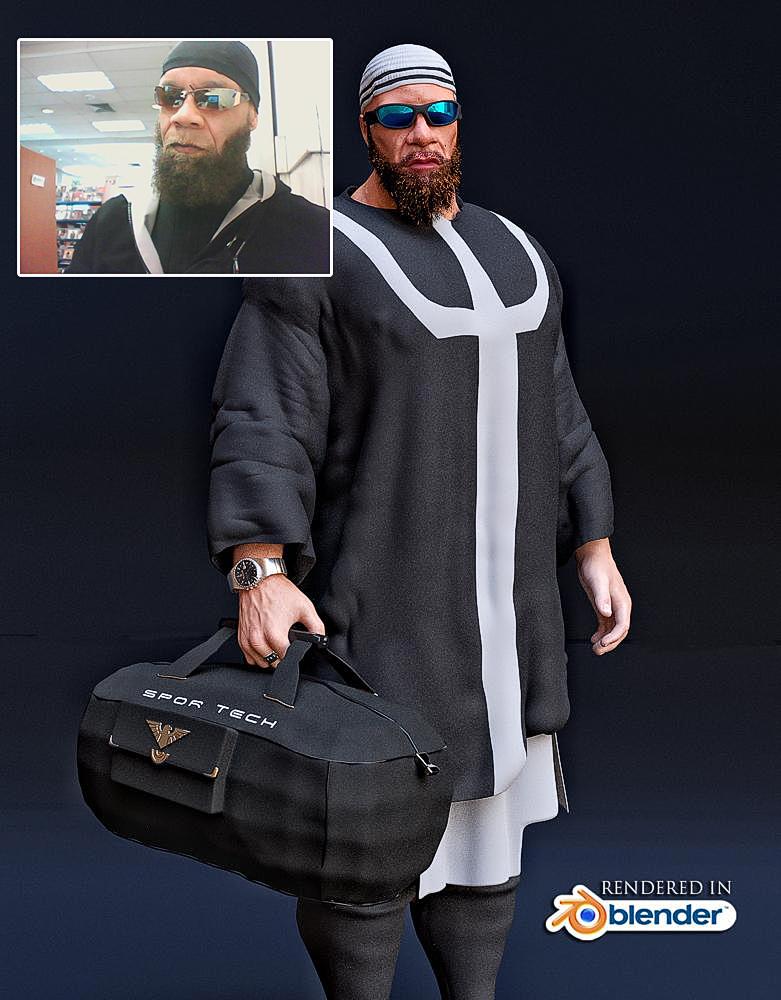
Well we will generally produce a superior result than Facegen alone.
as that is a matter of modeling skills NOT the Generation of the base figureHowever your claim that :
"Do you want The Duke for a cowboy shot?
You need M4. The cast of Star Trek?
You need Generation 4."
is completely gratuitous, as anyone with the skill to sculpt
Patrick Stewart in Zbrush etc .could do so with any base Male Daz figure.
I've not been doing Daz as long as some,
so I have very little G1 content, almost all
of which was free with certain orders, stuff
that drifted through the free items section,
............... Building up a G1 collection at this stage just isn't worthwhile.
V4 content, on the other hand, is frequently discounted at 90% off.
That sometimes stacks with PC+ items, so given that there are a
reasonable few $1.99 PC+G1 even G2 can wear all of V4 clothing& skins via autofit & UV switching.
My "go to" skin textures for most of my G2 females is the "Vanilla sky"
& "Horizon" for V4 set by Syyd Raven
So to claim to have "very little" G1 compatible
content while boasting a Massive hoard of low priced V4 content,is
a bit self contradictory.Is it possible to make genesis 8 work with a morph that alters the default pose?This an example of a test with genesis 3 but I hope a solution would alos work with gen 8. This example was using a using a morph which that had a the arms in an A pose which I imported. As you see in the image the limits and JCMs still think it's in a T pose and will go past untill it hits it limit. As fat as I know I can't find a way of baking the JCM and limits to fit the new pose. The arms of the morph was in an A pose, then I adjusted rigging to the shape which also put the bones of the arms in an A pose and did a ERC freeze on the morph. I did not do any manual posing of the bones.
 Yesterday was Victoria 4's 12th Birthday...
I love Facegen, but to suggest that Facegen could create a face on par with the hand sculpted shapes by Werts is an insult to those creations. Facegen can make an OK texture, and a passable head shape, but it cannot do any sort of detail in the morph. The nose Facegen makes is always the same. There are no wrinkles, dimples, chin divots...I can go on and on, but Facegen is not capable of capturing any sort of detail. You could try using GenX to convert these, and I have tried. But you lose some detail in the conversion process. That's because Genesis cuts so many polygons that if Gen4 has such detail, they get lost. Unfortunately Daz decided to lock down high resolution morphs, and I personally consider that a MASSIVE negative against its user base. As a result of tbis practice, nobody can use GenX to convert HD morphs across generations. And I cannot sculpt an HD morph for any Genesis figure, as I am not a PA. Also, you cover nearly all of your points from an animation point of view, except animation with Daz is highly niche. As a still figure, V4 can still manage. There are a lot of unique models for Gen4 that have no equal in Genesis, and even GenX does not do them justice.This makes V4 a good choice for people stuck with weak machines.
......they are much higher poly and look better FBX exported too
The original genesis one is a better choice for lesser capable hardware
if you use the free texture reduction script to downsize the ridiculous
4K textures typically found on every clothing item as well as the figures.
One can easily populate a scene with several G1 models at ZERO subD level
for background people.( and of course there is the optional Decimator plugin)And G1will have better JCM's in extreme poses and be able to wear all of V4 Skins
and clothing By default, thus why would one need to even load V4Except out of some myopic sense of nostalgia
Also, for us animators, G1 can,by default use everyV4/M4 compatible BVH & animated pose files(Pz2)
And save them as G3/G8 compatible Duf's with no need for plugins or
external retargeting programs like $$$Iclone$$$ or Autodesk Motionbuilder( see details here)
https://www.daz3d.com/forums/discussion/comment/3675321/Do you want The Duke for a cowboy shot?
You need M4. The cast of Star Trek?
You need Generation 4.
Why????
Assuming you have high quality front & side photo references
and knowledge of the programs usageWhy would John wayne or Deforest kelley not work with Facegen
& genesis???Obviously to each their own
However being a Daz content creator myself as well as an animator
in the Sci fi genre, who has been enabled by the transfer utility.I personally find Zero utility in using a V4/M4 Figure for any of my work.
Daz 3D is part of

Connect
DAZ Productions, Inc.
7533 S Center View Ct #4664
West Jordan, UT 84084Licensing Agreement | Terms of Service | Privacy Policy | EULA
© 2026 Daz Productions Inc. All Rights Reserved.