-
Chimp for G8M, Thx AM I can render my family and workmates
In the promo there is a baby chimp how is that achieved?
you best ask in AM's Commercial thread as I expect most will discus and share there, I will now it exists, I was just excited to have the morph and playing to see how it mixes with others
EXPORTING GENESIS 8 ANIMATED CHARACTER TO C4DHello everybody, I am trying to find a solution that works to export a G8 animated character (poses and morphs) into C4DR19. I already tried to export in different formats like fbx and collada without success. Exporting a g8 without animation is pretty easy and everything is working perfectly. The problem is when the characters are animated. It happen also with G3 characters. Once in C4D the characters are completely deformed and some parts are out of the skeleton The face morphs are deforming completely the shape. I can see that all the morphs and pose are imported but it's like they are completely freaking out the character and there is no way to fix it. I have been following many threads and tutorial but I am still stock. I was thinking about buying the Alembic exporter from Daz but if I have to be honest I am pretty scared. I already bought a lot of stuff on Daz but the assistance on exporting process is not guaranteed. Plus I can't really find anything that proves that the Alembic exporter workflow is working perfectly on morph and poses. It would be very helpful to have a tip from the developers too on this issue. I think Daz is a powerful tool but if we are not able to switch between softwares it's just a loss of money and time for people like me that have this kind of workflow. If someone has experienced this issue or could give some tips to this issue would be very nice.
Thanks
S.
Amira HD bluejaunteThe quality is very obvious, I just don't find her attractive and from my experience with other BJ characters dailing out parts of the character to add other morphs takes away from the detail.. Great renders though and I might pick her up for the skin it looks great.
That seems odd to me because her less than perfect skin is what defines her most. I thought i would test this by redoing my render with a new skin, Sanriart Osuine.

I think shes beautiful this way, too, which demonstrates her shape is very nice. Her body is pretty curvy. Her hips are about the same size as default G3F, but shoulders are more narrow. If you consider this an imperfection you simply widen her shoulders to get more of that golden ratio. You can make her taller to be leggier, and she has a neutralizer morph to dial out the feet if you dont like those.
Carrara Rain Storm - Free to Carrara Users - beta released (updated)thanks UB :)
I went with meshes rather than rain transmapped on planes assuming it would render faster - plus I could morph the meshes as opposed to having to add different shaders to the planes in the case of the transmapped ones.
Er transmapped - I mean textures with alpha parameter
Yes I like this one better than the challenge one too !
Looking forward to seeing what you come up with :)
cheers fom oz!
Looking For TwinsGenesis 2 also has a gender swap morph under Actor/Hidden/Clones, however they were intended to be used for auto-fitting clothing, not to morph females to males and vice versa. If applied figures will distort when posed, particularly the hands. This can be fixed however using the Adjust Rigging to Shape command before posing.Given the OPs lack of Gen X (although even without Gen X, morphs can be easily swapped between G2M and G2F as they share the same mesh), I suspect basing the twins off the same base figure (G2F or G2M) is the best solution, she just needs to morph them to change the gender, keeping the base morph the same. This should make them look very similar (particularly if they use the same texture).
G8M morphs to G8FThey do not have the same topology, not. You should be able to transfer standard definition morphs using the Transfer Utility and the clone sahpes - this is discussed, in gernal principles, in the thread on transferring morphs from Genesis 3 to Genesis 8, but HD moprhs cannot be transferred.
Are there G8M clone shapes for G8F?
Yes, there's a clone shape in each for the opposite sex.
G8M morphs to G8FThey do not have the same topology, not. You should be able to transfer standard definition morphs using the Transfer Utility and the clone sahpes - this is discussed, in gernal principles, in the thread on transferring morphs from Genesis 3 to Genesis 8, but HD moprhs cannot be transferred.
Are there G8M clone shapes for G8F?
G8M morphs to G8FThey do not have the same topology, not. You should be able to transfer standard definition morphs using the Transfer Utility and the clone sahpes - this is discussed, in gernal principles, in the thread on transferring morphs from Genesis 3 to Genesis 8, but HD moprhs cannot be transferred.
G8M morphs to G8FIs it possible to transfer G8M morphs to G8F? And to use G8M materials on G8F? Do they have a common topology and UV set?
Thanks
Nix 8I like Nix. His morph shape is solid and good add to the "gene pool". The skin textures are pretty good, and the surface settings work very well right out of the box. IMO he is one of the better G8 DO releases and I hope this continues.
 Looking For Twins
There's FW Naida and Nalin, which uses only Genesis 2 Female, but with a male morph for one of them. With cross-fit, you can use any male clothing on them.
Morphs from G3 to G8Yeah, I didn't expect a lot of people to be super interested in transfers to G1/2,but it's not that much extra work to add. Or at least it didn't seem like that much until I had to do it.
If your script transfers the JCM's (and I recall it does), then it will have some advantages when going fom G1 to G8, since GenX only moves the main morph shape.
L'Adair's WIPsWow nice job! I really hate when I lose all my work after a couple of hours. And I STILL sometimes forget to save. My husband knows exactly what's happened when I start yelling at my computer screen lol.
Thank you, @IceDragonArt.
I finally got the scene done and rendered. It's an entry in the It's Raining Men contest I've got to stop doing these large cinematic scenes. They take up so much time. You manage a render a day, with postwork! I'm doing good to get one of these large scenes done in two weeks!
Here's the signed version in the galleries. It's a large image, and best viewed full screen…

And after all that work on the backpack, you can hardly see it. (But I'm pretty sure if I hadn't created the morph, the backpack would "stick out like a sore thumb!")
How to reduce Genesis file sizes in Carrara?my 'base template' morphs folder has the morphs i want on every figure, like the pupils morph, pose controls.
How to reduce Genesis file sizes in Carrara?I haven't tried it yet but I suspect deleting all the unused morph targets in the vertex room would help
Marvelous Designer 8 coming 6th of November.Hi, Dave. I'm happy you were able to finally get MD!
I purchased the training package from CGElves last January, when it was really cheap, and watched most of them the week after buying MD8. Got a lot of things going on this time of year, so I haven't delved deeply into it yet, but I do have a few tips for you, based on what I've discovered from trial and error:
- You have to convert clothing to OBJs to import into MD. However, when tracing the pattern, MD will create a pattern piece for each Face Group, (i.e. Upper Chest, Lower chest, etc.) as well as for each surface. I have had the most success bringing in older clothing and tracing a pattern when I've used the Geometry Editor Tool in Daz Studio first to select all the polys and apply them to a single Face Group. I then rename the group with all the polys "default" and remove the rest and only then do I export to OBJ.. The MD8 trace function then uses the material zones to create the pattern. Pattern tracing doesn't always work, though, and I've had MD stop working while trying to trace the pattern of some items. I usually get an error about importing the "fabric", too, but that doesn't necessariy stop the import from working.
- You can create your own "Avatars" from Daz figures. I recommend using the base. For example, Genesis 3 Male instead of Michael 7. Export the figure as a Wavefront OBJ from Daz. It doesn't matter if it is Base or High Resolution, but I've used Base out of habit. Import the OBJ as an Avatar, with the Scale settings to Daz Studio (cm) and the option at the bottom of the dialong to put the figure to the floor checked. (Sorry, I'm doing this from memory.) Now select and save as an Avatar. Once saved, you can load the Daz Avatar figure without having to import it every time.
- Avatar's are loaded in World Center, but MD does not treat your Daz Avatar the same as their own. It will be set back slightly. When you load a Daz clothing object, it will be forward of the Avatar. After fighting with this for I don't know how long, it finally occurred to me to fix it in DS. I was draping an existing shirt to create a morph. My solution was to import the object into DS, translate it to where I needed it be, slightly forward of where it loaded. Hide everything else and export the obj, overwriting it's existing file. Then delete the object, Unhide the figure and the clothing item and use Morph Loader Pro to apply the translated obj to the target clothing as a morph.
I see xmasrose has beat me to the punch, er post, and linked to SY's videos. They will be helpful, but keep in mind, they are using MD4, so the location of some of the tools has changed. The tools are still relatively easy to find, though, imo. So far, the MD8 videos on Youtube are more about informing us of the new features, then teaching how to use them. Hopefully that will change soon.
Yeah, I think I've watched all of the latest MD8 "new features" videos but I had little experience of older versions to compare with. The sculpt tool looks interesting and there seems to be a lot of enthusiasm for the mesh conversion - although I'm still not sure if and when I will need to use that.
Your experiences with the misalignment on import sound a bit tricky - I have not seen that mentioned elsewhere but I'm not at the stage of importing/exporting garments yet. The first thing I did today was to create avatars for G3F and G8F (and also one for G3F in A pose). I got really stumped because they were being imported without textures/materials even though there was a .MTL file created by the DAZ Studio Object export dialogue. I finally figured out that it needed a couple of changes to the export options but it took a lot of trial and error. I know some prefer to work with plain white avatars but I got stuck on solving why I couldn't get the textured version.
I have to decide what I'm going to use MD for. One of the Poser artists who posts his work on DevArt makes all his clothes in MD now. Seems he doesn't bother rigging or conforming them but just drapes them for each pose. I guess that's pretty much my goal too, eventually. Or use some of my wardrobe of suitable older clothing objects - I think I have quite a few old Optitex garments hiding in my runtime somewhere.
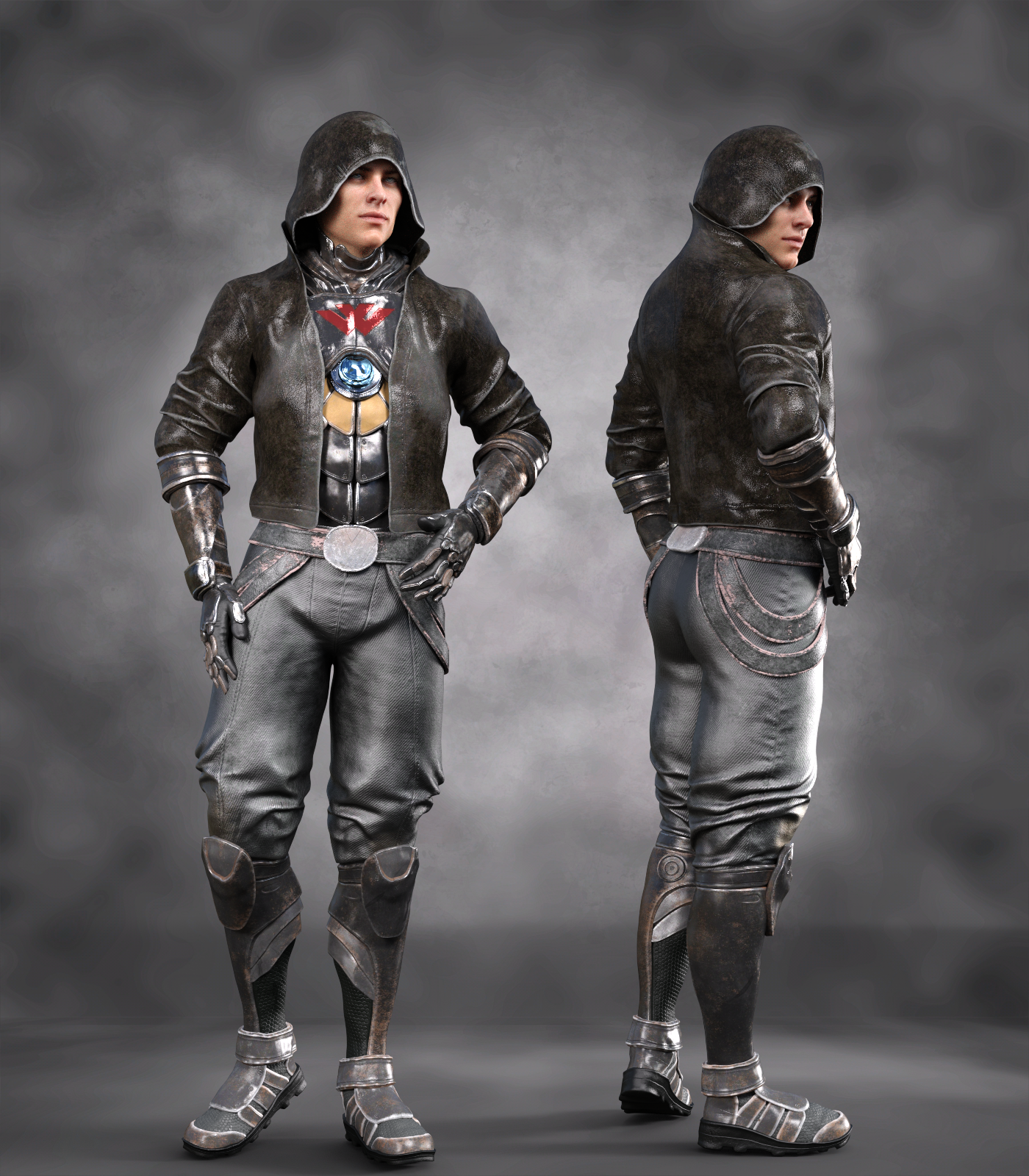
SereneNight's Sci-Fi Fun Thread 2Noah Sci-Fi Outfit for Genesis 8 Males.
This set looks really good. It was released today and missed the big NIX intro, which is suprising, but. Yura really has stepped up their game with textures. These are really impressive and realistic, without being super memory intensive. You get lots of great suit colors in this set as well
The only negative, is the pelvis/groin looks a little... High? Almost Looks like a female hip and there is a baked in round shape, highter than my male character's anatomical elements. I see it in a few textures... Is that his armor? Is it tucked in all the way down there? I don't know, but not liking it. It draws the eye there, and makes me wonder where the rest of him has got to.
I did try dialing in a bulge morph to try to see if that could be corrected, but still looked weird. Overall, I love the outfit, just wish the groin didn't have the baked in (?) line. It just emphasizes there is no bulge.
 Marvelous Designer 8 coming 6th of November.
I LOVE MD.
I made this shirt in MD8 using the Gen8F Base in Default pose as an avatar. I literally took a shirt I wanted to make, and laid it flat on the table and measured the edges of the pieces and redrew that in MD, sewed it together and draped it on the model. (Then I had to shrink it down to fit better and that got a little complicated.)
In the end it turned out pretty close.
Bringing it into Daz was super easy with the transfer tool, and it was mostly conforming...ish, kinda.
Dforced it with default settings and got this:

A fews months back I made this dress in the MD7 trial. I figured it would be pretty easy. I was wrong.
I spend nearly the entire 30 days making patterns and starting over. I think re-started from scratch 7 different times to only get 75% of the dress I was trying to make before the demo expired. Luckily it still looked like a decent dress so I've used it in some renders. What I learned was MD is amazing, patterning is hard.
It's also super handy for curtains and such.
I imported the pergola as an avatar in MD7, and tried to make some drapes. MD worked great, my execution was a little lacking: Marvelous Designer 8 coming 6th of November.
Hi, Dave. I'm happy you were able to finally get MD!
I purchased the training package from CGElves last January, when it was really cheap, and watched most of them the week after buying MD8. Got a lot of things going on this time of year, so I haven't delved deeply into it yet, but I do have a few tips for you, based on what I've discovered from trial and error:
- You have to convert clothing to OBJs to import into MD. However, when tracing the pattern, MD will create a pattern piece for each Face Group, (i.e. Upper Chest, Lower chest, etc.) as well as for each surface. I have had the most success bringing in older clothing and tracing a pattern when I've used the Geometry Editor Tool in Daz Studio first to select all the polys and apply them to a single Face Group. I then rename the group with all the polys "default" and remove the rest and only then do I export to OBJ.. The MD8 trace function then uses the material zones to create the pattern. Pattern tracing doesn't always work, though, and I've had MD stop working while trying to trace the pattern of some items. I usually get an error about importing the "fabric", too, but that doesn't necessariy stop the import from working.
- You can create your own "Avatars" from Daz figures. I recommend using the base. For example, Genesis 3 Male instead of Michael 7. Export the figure as a Wavefront OBJ from Daz. It doesn't matter if it is Base or High Resolution, but I've used Base out of habit. Import the OBJ as an Avatar, with the Scale settings to Daz Studio (cm) and the option at the bottom of the dialong to put the figure to the floor checked. (Sorry, I'm doing this from memory.) Now select and save as an Avatar. Once saved, you can load the Daz Avatar figure without having to import it every time.
- Avatar's are loaded in World Center, but MD does not treat your Daz Avatar the same as their own. It will be set back slightly. When you load a Daz clothing object, it will be forward of the Avatar. After fighting with this for I don't know how long, it finally occurred to me to fix it in DS. I was draping an existing shirt to create a morph. My solution was to import the object into DS, translate it to where I needed it be, slightly forward of where it loaded. Hide everything else and export the obj, overwriting it's existing file. Then delete the object, Unhide the figure and the clothing item and use Morph Loader Pro to apply the translated obj to the target clothing as a morph.
I see xmasrose has beat me to the punch, er post, and linked to SY's videos. They will be helpful, but keep in mind, they are using MD4, so the location of some of the tools has changed. The tools are still relatively easy to find, though, imo. So far, the MD8 videos on Youtube are more about informing us of the new features, then teaching how to use them. Hopefully that will change soon.
2018 Holiday Loyalty Rewards SaleBlarg. Took ages to decide what I wanted from the PC+ section (just too much to choose from!), but with the 8Bit Retro being a must buy for me anyway (despite my relatively modest age, I've spent a lot of time over the years using BBC Micros), I was pretty much compelled to grab that offer.
As an aside, because I'm not sure how to report this kind of thing (as it's not strictly my own problem), I noticed that Riot Girl for G3F, currently in the 50/60% best seller section, was not listed when I went to check out what else was on Luthbellina's PA page. (And no, I hadn't yet purchased it at that point, but it just doesn't show up on the PA page).
I initially guessed that might be some kind of crude workaround to stop it stacking both a best-seller and featured PA discount, but given that Zeddicus has Z Fighter that is in the best seller section but stills show up via the PA page, I'm guessing it's probably a genuine bug.
Daz 3D is part of

Connect
DAZ Productions, Inc.
7533 S Center View Ct #4664
West Jordan, UT 84084Licensing Agreement | Terms of Service | Privacy Policy | EULA
© 2026 Daz Productions Inc. All Rights Reserved.