-
Do I Have This Correct? Something New I Am Doing With Property Hierarchy / ERC Freezing Stuff.
Richard Haseltine said:
ERC Freeze is a basic tool - it links one controller to one or more subcomponents using addition with a scalar to ensure that when ther controller has its currenmmt value the sub-components have their current values. Optionally it can add a single attentuator, which will multiply by the selected property (so you can use it to set up your basic bend correction that is triggered only when both the bend and your morph, as the attentuator, are in effect). Abything beyond that level of complexity will require working in the Property Hierarchy - whether you go there straight off or do an ERC Freeze first is a matter of convenience, workfloww, and possibly the actual types of links needed.
Thank you, Richard. As you can see, I've never setup something this complex so the ERC Freeze was just a workflow thing I was used to at the moment, I didn't even understand fully quite what it was until after I made this post lol (thought I knew but, nope lol). Anyway, as you can imagine, there isn't very many if any tutorials out there for something like this. I know just enough to make me feel like I know what I may end up doing and then I get myself into trouble ha. Looks like Crosswind may have some resources for me below. Thanks again, Richard, I hope everything goes well for you on your Holidays.
crosswind said:
You may want to set up Multi-Dimensional controllers ... check these threads:
https://www.daz3d.com/forums/discussion/656526/how-to-make-erc-for-pjcm-under-multiple-conditions
https://www.daz3d.com/forums/discussion/651706/too-many-morphs-or-should-i-just-give-up-on-this/p1
To make pJCMs / cbs work, you don't need ERC Freezing but just setting up ERC links in Property Hierarchy.
Thank you for the resources, Crosswind. I've already looked through them a bit and I'm going to look at this video by Mada as I haven't seen it yet. Since I made this post, I figured out a few things but obviously, I still haven't successfully completed what I set out to do. I'll see if I can explain it better but after seeing your information from the resources, I can see my approach is flawed and need to use a CTRLMD since the controller for the joint itself cannot be a 1st stage and 2nd stage as the new property would be able to do being floating point and not a degree value (at least if I am understanding that right).
So here is a quick breakdown of the thought process here.
Thigh Bend Joint = having the bend morph as a sub componenet 1st stage.
Thigh Bend Morph = having the bend joint as it's controller 1st stage. The character morph I made is on the 2nd stage here as multiply so this morph will only trigger if this character morph is dialed in.
Thigh Side To Side Joint = Everything from above with the Bend.
Then we approach the complex part which is a corrective morph I created using the Bend Morph and not the Side to Side morph. In this scenerio, if someone were to dial in bend while side to side is also active I would like for the side to side only morph to subtract from to overall shape as the user dials in the bend or the side to side. That last part being where it gets really complex as I would like it to be as below.
User dials in Side To Side first then Bend or if they do it vise versa. Either way I would like to end as the same result.I think where the main hitch is here is due to the CTRLMD dial not being created yet as this will need to be set as 2nd stage multipy on one of the properties from what I understand as well as be a 1st stage controller.
I did figure out that putting side to side only as a subtract on the side to side + bend morph will blend the two morphs as something like "Bend" is dialed in but can not wrap my head around how something like that would be done as well for the side to side joint.
So, lots of reading to do. I really appricaite the resources and I hope I can figure this out lol.
I hope your Holidays go great for you, Crosswind.
HeadShop QuestionsI think you're better off with Face Transfer.
[Released] Anilip3 [Commercial]What does this error means:
"The figure control with name 'VSMMouthL' could not be found. Check your configuration."
and how to fix it?
According to https://www.daz3d.com/anilip3-figures-pack
Daz Horse 2 should work with Anilip 3.
I have used https://www.daz3d.com/da-clydesdale-for-daz-horse-2
and it created an animation, but I could not transfer a voice to it. Getting on the 9 train, or not
And yet....
I don't do barechested renders; so, I have no dog in this fight, but I definitely see what the G9-has-moobs-mob is talking about. The G9 moobs are a very real phenomenon that haven't been morphed away yet. I've seen a couple of morphs that purported to fix the moobs which, upon closer inspection, didn't really do the job. It's obviously a design tradeoff decision made when G9 was created that hasn't yet been remedied by any available morph package(s) or combination. However, when Genesis 2 Male had defined pecs that were never remedied by morphs, I don't remember anyone trying to convince those who complained about it that they weren't there.
Questions: Nail length and hair movementvincentblackwood said:
Hello, wanted to ask about two things I cannot really find or figure out:
1. How can I reset the nail length back to default if it's not anything under Parameters causing it? It seems some nail models apply both the colour *and* length, and I can't get rid of the latter (other than Undo, but not an option if this was applied a while ago). I tried to disable the limits for "Nails length", but below the default -30% (which still looks like a fresh manicure and out of place on a character intended to be a soldier) they just become distorted and creepy.
This is really a product, rather than Daz Studio, issue - it may be that the nail length is part of the base character shape, for example. You could make your own morph if the standard one doesn't work, using dForms or an external modeller (or Geoemtry Sculptor/Mesh Grabber if you have one of those).
2. Is there a way to add some hair movement if the hair model itself doesn't have any morphs? I could swear some poses do that by some magic, but cannot find any way to do that - other than the "Hidden" sliders which also become weird above subtle changes.
Depends on the hair - again, dForms (robbaly with weight maps), Mesh Grabber, or a modelling application could create new morphs. Some hair might work with dForce. Strand Based hair offers limited options if it won't simulate.
For reference, this is about G8F.
Thanks in advance for any help!
HeadShop QuestionsThe line of HeadShop products has seemlingly exploded in the last few years. There are 2023, 2024, and 2025 versions. Some are titled "HeadShop" and others "HeadShop Pro" or "HeadShop LT".
Normally that would be great news! More things! And it probably is good news. The trouble for me is that even after reading the various product descriptions I can't tell one from the other. There seems to be a lot of overlap. But different products come witrh different prices and come on sale at different times, so I have no idea when to pull the trigger and what to buy.
I own Face Transfer and Face Transfer Shapes (I work mostly with Genesis 8), and I've been looking for a HeadShop product that is essentially the same as that, but I've become lost in the maze of options.
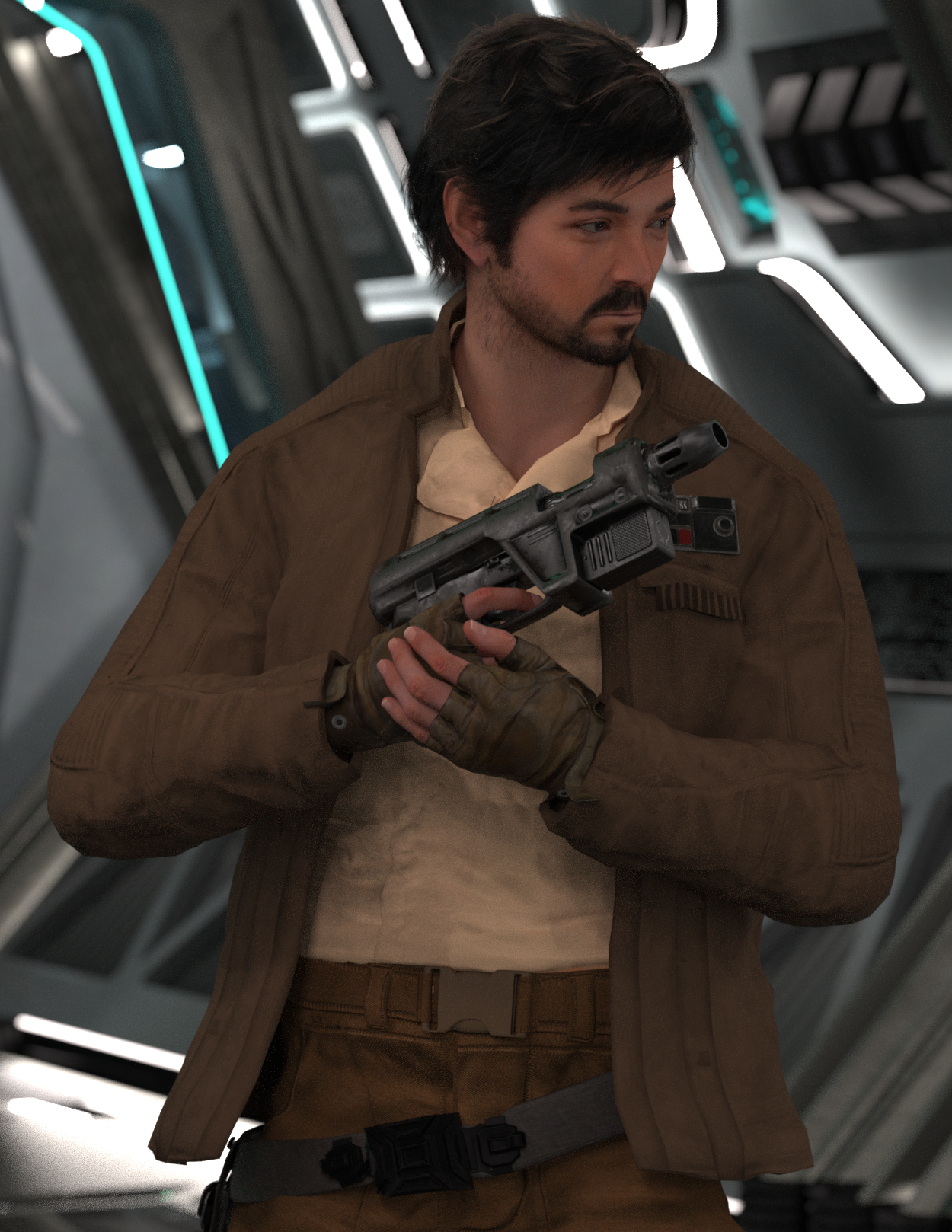
Star Wars Renders 2013 +A stolen moment between rebels. Pretty happy with the progress on converting Cassian to G9 using magnus1781's Diego Luna G8M head morph & G3M texture files.
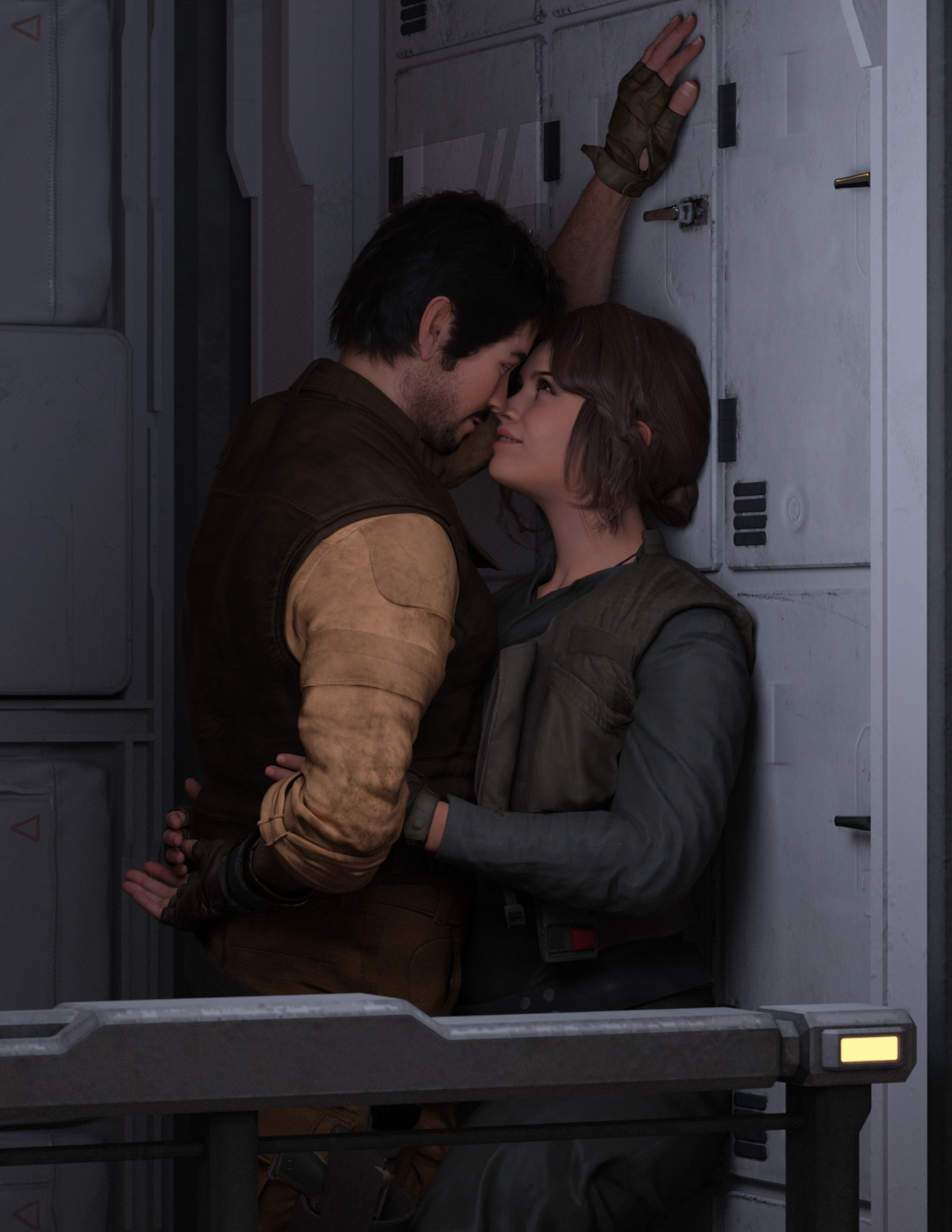
Cassian Andor [G9]
 Getting on the 9 train, or not
This thread is so confusing
If people have specific ideas of how a chest shape "should" look to them, then it is simply that they need a morph to get the look they want, and that can be made with any of a number of the shaping dials available. They could even save that shape as a preset they can add to other characters if they want them to have that look.
All genesis figures from any generation are all very flexible that way. There really should not be any hold up to any generation of figure due to personal proference of body shapes.
Getting on the 9 train, or notTimbales said:
UncannyValet said:
Timbales said:
For me, it's the torso mesh.
to sides, under, and between is denser than the rest of the torso. It's also shaped to give a contour to the breasts. I feel those two things combined gives an overly defined contour that can't be dialed away when a male-presenting shape is applied. It can give a 'fall-off' or chiseled effect with some characters.
I've bought several products and used free shapes people have shared with no luck getting it to go away.
Hmm, I really dont think it would be an intractable problem to make a simple flat chested morph. That seems like a very remedial level task for anyone who can sculpt things.
My speculation as a non-modeler - I don't think it can be addressed without making the overal mesh of the whole breast area a consistent size.
It's more sculpting than "modelling", depending how one defines such things. Anyways, I think the mesh density and topology flow arent going to be a bottleneck in sculpting povided the mesh is dense enough. With HD morphs, there is no limit to what you can sculpt, really.
I definitely think the base mesh is dense enough to make a flat chested morph. The topology flow could be a problem with respect to how the shape is bending during posing, but that can be fixed with corrective blenshapes.Or a geografted chest without the rounded W shape so densely defined. One was made for a female shape. I reached out the vendor to see if they would make a male version I could purchase, they declined.
That feels unnecessary.
I may come back to this thread with further evidence supporting my claims if I can be bothered.Don't feel you have to if it's not something that interests or inspires you.It wouldnt be a significant exertion of effort to be fair.
There are two workflows that character creators would use to make morphs, one being just moving the base mesh vertices around in sculpting software (either base res or subdivided) and other method being wrapping the genesis 9 base mesh to an object that was freely sculpted. With the second method, it's hard to imagine that you couldnt wrap the genesis 9 mesh, which claims to have 2x higher polygon density, to any g8 mesh (nipples and navel notwithstanding).
If completely smoothing out the pectoral shapes, I suspect (but would need to confirm) that such a shape might need blendshapes to correct crease when the spine bones bend forward.Getting on the 9 train, or not
Don't feel you have to if it's not something that interests or inspires you.UncannyValet said:Timbales said:
For me, it's the torso mesh.
to sides, under, and between is denser than the rest of the torso. It's also shaped to give a contour to the breasts. I feel those two things combined gives an overly defined contour that can't be dialed away when a male-presenting shape is applied. It can give a 'fall-off' or chiseled effect with some characters.
I've bought several products and used free shapes people have shared with no luck getting it to go away.
Hmm, I really dont think it would be an intractable problem to make a simple flat chested morph. That seems like a very remedial level task for anyone who can sculpt things.
My speculation as a non-modeler - I don't think it can be addressed without making the overal mesh of the whole breast area a consistent size.
It's more sculpting than "modelling", depending how one defines such things. Anyways, I think the mesh density and topology flow arent going to be a bottleneck in sculpting povided the mesh is dense enough. With HD morphs, there is no limit to what you can sculpt, really.
I definitely think the base mesh is dense enough to make a flat chested morph. The topology flow could be a problem with respect to how the shape is bending during posing, but that can be fixed with corrective blenshapes.Or a geografted chest without the rounded W shape so densely defined. One was made for a female shape. I reached out the vendor to see if they would make a male version I could purchase, they declined.
That feels unnecessary.
I may come back to this thread with further evidence supporting my claims if I can be bothered.Getting on the 9 train, or notTimbales said:
For me, it's the torso mesh.
to sides, under, and between is denser than the rest of the torso. It's also shaped to give a contour to the breasts. I feel those two things combined gives an overly defined contour that can't be dialed away when a male-presenting shape is applied. It can give a 'fall-off' or chiseled effect with some characters.
I've bought several products and used free shapes people have shared with no luck getting it to go away.
Hmm, I really dont think it would be an intractable problem to make a simple flat chested morph. That seems like a very remedial level task for anyone who can sculpt things.
My speculation as a non-modeler - I don't think it can be addressed without making the overal mesh of the whole breast area a consistent size.
It's more sculpting than "modelling", depending how one defines such things. Anyways, I think the mesh density and topology flow arent going to be a bottleneck in sculpting povided the mesh is dense enough. With HD morphs, there is no limit to what you can sculpt, really.
I definitely think the base mesh is dense enough to make a flat chested morph. The topology flow could be a problem with respect to how the shape is bending during posing, but that can be fixed with corrective blenshapes.Or a geografted chest without the rounded W shape so densely defined. One was made for a female shape. I reached out the vendor to see if they would make a male version I could purchase, they declined.
That feels unnecessary.
I may come back to this thread with further evidence supporting my claims if I can be bothered.How to custom morph a body that has already a graf?Morph Loader Pro - Load Morph for:
You have to apply the same geograft to the figure before loading the morph.
Getting on the 9 train, or notMatt_Castle said:
Sure, things could be done better about G9, but I think the things that G9 has tried to do are good ideas in principle.
My personal problem with G9 is a purely financial one. Having to buy a lot of stuff *again* that I already paid for before to use G3/8 (where at least some if not most was compatible) is beyond my financial means for a pure hobby. And as G3/8 are working good enough, the need to jump on the G9 train for me (!) is zero. Up to now I have seen not many G9 products that I would really NEED, except maybe be for a few characters, which still rather are in the "nice to have" category and make me wish for a G9->G8 figure transfer product.
So yes, the idea behind G9 is a good one, in principle and for many customers, but it's also easy to live without G9. And I am sure that DAZ can live without the little money I usually spent here.
Getting on the 9 train, or notMatt_Castle said:
The clothing items above are things I had to convert with a much more rigorous process than simply auto-fitting them.
Was it easy for you to do the image of the three separate look alike figures?
Me? Yes.
Most people, probably less so.
Being immodest for a moment, I am above the curve on my ability to transferring asset between figure bases. I had this uploaded the same day AM's Rabbits came out, and let me tell you, there are no existing auto-fit clones to go between Genesis figures and the rabbits.
OK, so if it was easy, then you killed the point of your argument.

Who cares about cross gender stuff when there are tools available to get by on the few occaisions when it is needed?
Why have a figure that's more difficult/time consuming to work with within the confines of a vast majority of your work?
Honestly, I would have transitioned to G9 - I really wanted to, and tried, as I still use Genesis 3 mostly.
But working with females most of the time, the mesh isn't friendly to us mere mortals that are unable to morph in HD. The mesh doesn't flow with the female anatomy in the chest.Daz could mostly fix my gripes with G9 by giving us mere mortals access to SubD morphs, especially over the ZBrush bridge. Is anyone listening? DO IT!
Do I Have This Correct? Something New I Am Doing With Property Hierarchy / ERC Freezing Stuff.ERC Freeze is a basic tool - it links one controller to one or more subcomponents using addition with a scalar to ensure that when ther controller has its currenmmt value the sub-components have their current values. Optionally it can add a single attentuator, which will multiply by the selected property (so you can use it to set up your basic bend correction that is triggered only when both the bend and your morph, as the attentuator, are in effect). Abything beyond that level of complexity will require working in the Property Hierarchy - whether you go there straight off or do an ERC Freeze first is a matter of convenience, workfloww, and possibly the actual types of links needed.
Diffeomorphic DAZ Importer version 1.7.0 releasedReally appreciate the quick response. Updating the plugin fixed this issue !
Note that the add-on version in Blender still indicates 4.2.1, even after a full uninstall/reinstall. But I was able to see the right version number in the DAZ Setup panel.
--
Unrelated: morphs transfer to clothes seem to fail entirely when the character has a necklace on. So I had to import the clothes and necklace separately.
--
Lastly, 2 suggestions. I could see the value of new options for:
1) merging or skipping duplicate morphs at import. Useful when there's some duplicates coming from load favorites or DAZ favorites, for instance.
2) "bake everything but selection" for "Morphed (Characters)" imports. This would be helpful to keep the list of sliders that are generated in the Runtime panel short. The idea being to only keep the morphs specifically selected by the user editable in Blender, while the rest would be baked for convenience.
--
Anyway, love the plugin ! It's much more consistant than the "official" one. Thanks for the hard work !
Getting on the 9 train, or notGator said:
You acknowledge that it's best practice to work on the base shape, but then go on to say you can use the transfer utility to skip that step.
Aren't best practices given to us to avoid issues down the road? It's N+1 amount of work. Maybe not a big time investment, but the industry generally moves toward less work not more.
"Best practices" aren't "only practices".
The feature does exist and it does have uses, so it would be silly to say it should never be used.
So it's less work for rigging things between sexes - how many care? I think a lot more care about having a better base to work on for male and female renders (the texturing issues you acknowledge) vs. a bit less of a one-size fits all. To be sure I wasn't taking crazy pills, I went to a virtual machine that I don't use to browse the internet with on a VPN for a totally clean session - I briefly scanned through a few dozen or so pages of art (well over 100) and didn't see a single instance of an art subject dressed in a unisex style, or opposite of traditional gender norms, or different sex siblings - so less than 1%.
On the other hand, I've had to do it on many occasions, know people who do it regularly, have heard hundreds of complaints about things like women only getting the skimpy armour sets, etc.
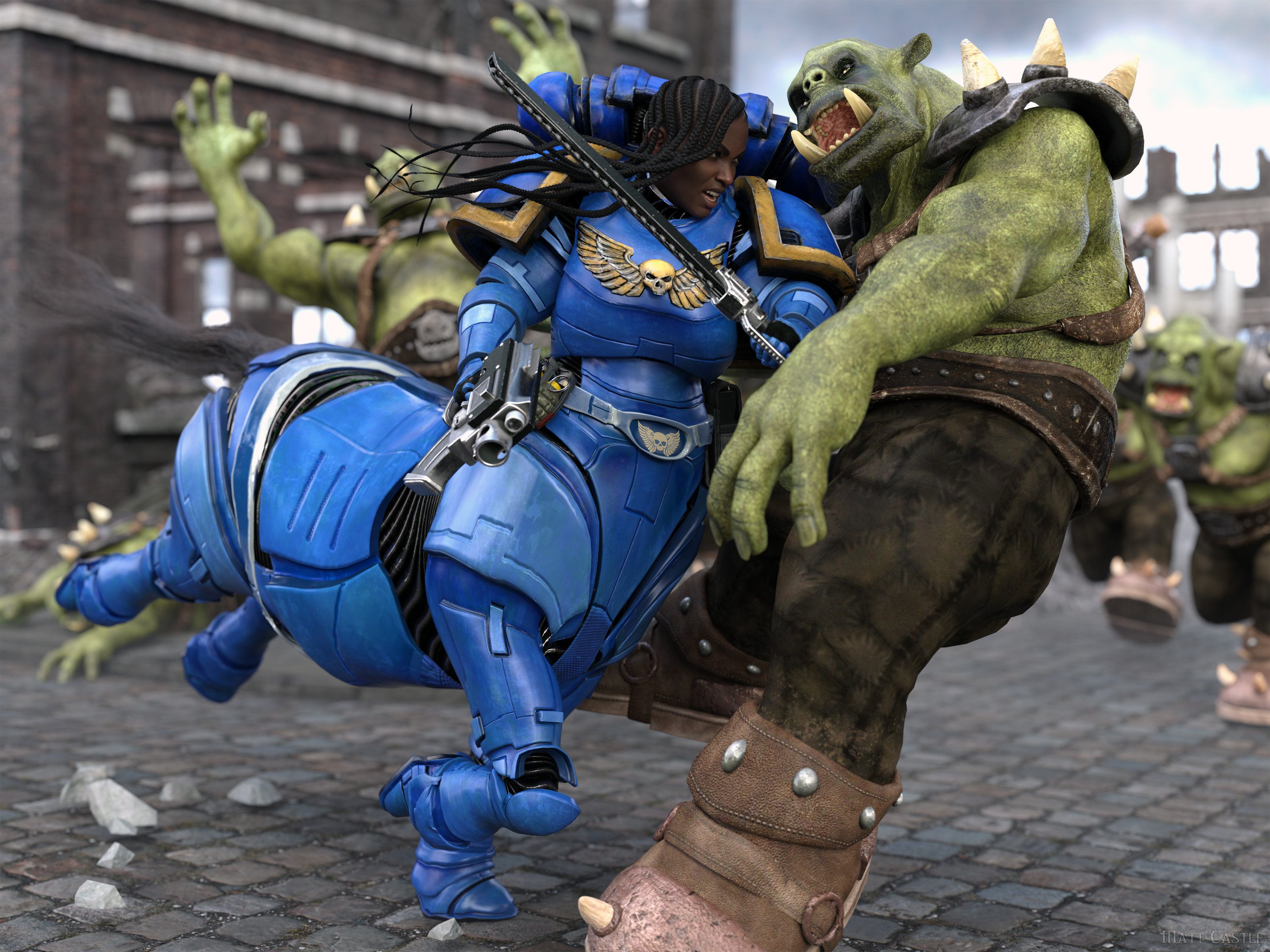
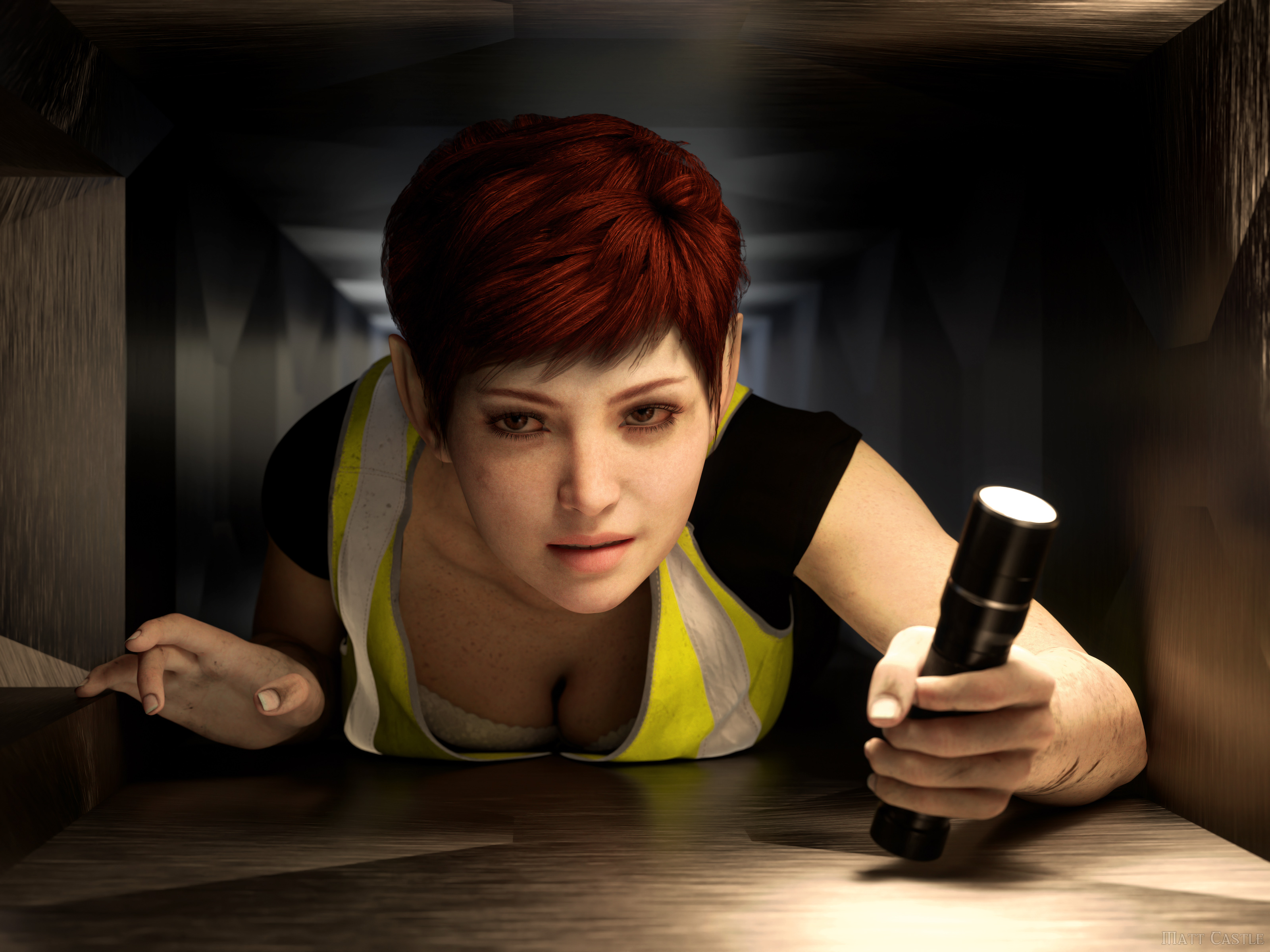
To pull out a couple of examples of my own over the last year where I've had to use G8M assets on G8F...
Putting the centaurisation aside, Crusher Armour had to be converted to fit the G8F upper body, because the armour was only released for G8M:
There is no hi-vis vest I know of for G8F, so this had to be converted from the G8M-only Road Work Outfit:
Just because you might not obviously spot cross-gender clothing or conversions doesn't mean it isn't a feature people can and will use.
By the same token of using the Transfer Utility to skip a step rigging as you mentioned, you can use the transfer utility on your female article of clothing and transfer the male rigging to it or vice versa.
No, you can't.
If you are rigging well, Transfer Utility is merely a first step, not a complete rigging process. You then have to go in and refine the weights and correctives it gives you. This is why auto-fit alone is - while better than nothing - still inferior to content that has been properly set up by a capable creator.
To me, this is sounding quite a lot like you've never actually done any of the work past the basic auto fitting stage. As a creator, having to *maybe* do some refinement on the G9 feminine shape barely changes anything when making clothing well means you've normally already got to do fits for multiple core characters, the spectrum of generic body types, a panoply of different breast shapes, several JCMs/CBs (including multi-axis ones that have to be handled in the right order) and all that. As for why it's maybe do some refinement, G9 has much more robust autofit templates than G8, and they already have basic projection fits for most of the major shapes. If they're used correctly, setting up G9 fits is way faster than G8 ones.
The clothing items above are things I had to convert with a much more rigorous process than simply auto-fitting them.
Was it easy for you to do the image of the three separate look alike figures?
Me? Yes.
Most people, probably less so.
Being immodest for a moment, I am above the curve on my ability to transferring asset between figure bases. I had this uploaded the same day AM's Rabbits came out, and let me tell you, there are no existing auto-fit clones to go between Genesis figures and the rabbits.
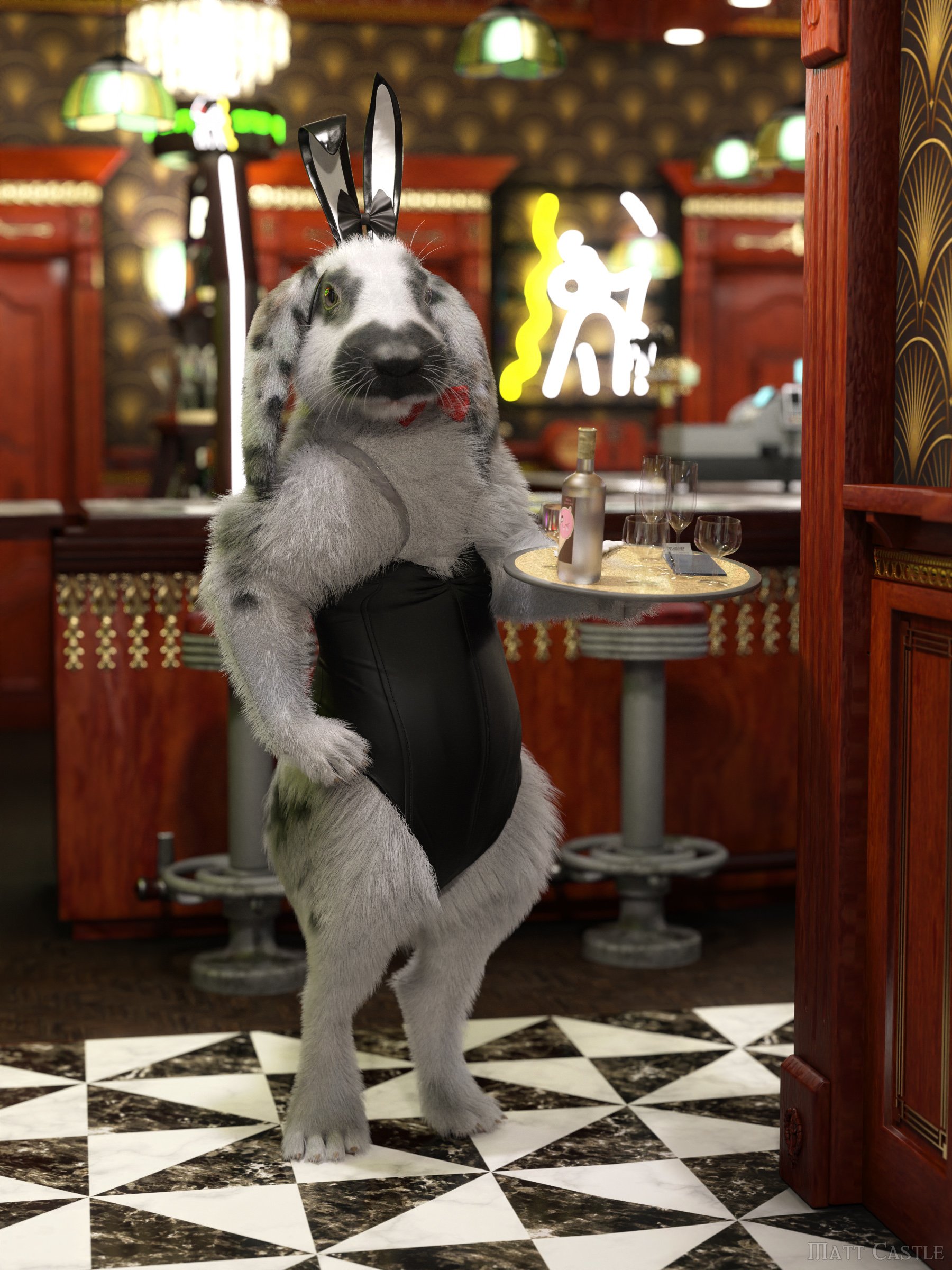
While I may have a less burning need for G9's integrated compatibility, I am intensely aware of how much work has to be done to fully transfer things between bases.
THAT is why many of us are complaining, we'd rather have a separate female and male mesh to mitigate those issues as much as possible without diving into extra work. Personally, I'd rather optimize for the 95-99% use case than the 1-5%. (Throwing in a few percent to err on the side of caution).

If a set of textures were originally made for the morph it was associated with, then the UV stretch and squash will already be baked into the maps.
If you are using such a set of well made feminine maps on a different feminine figure, then it's the difference between those shapes, not the difference from the base shape that matters.
Doubtless some smart alec will then question what the utility of being able to load G9M maps onto G9F is, and then I'll smartly point out that there was enough demand for that, despite some of the drawbacks, that G3 and G8 actually had products specifically for the purpose of achieving that.
Gator said:
Isn't it cheating with having them clothed?

Timbales said:
You posted three women with breasts and tops on. Try doing three shirtless men without full defined pecs and see how far you get with G9.I'm hearing excuses and deflection.
Any "G9 can't do masculine/femine shapes" (I've heard both) claim eventually comes down to a general assertion that base figures have an indelible fingerprint. And if they do have such a fingerprint, it would hold that anyone should have a better than random chance of getting the question right (and even if it were random chance your odds aren't that bad)... but for all people claim that G9 is fallible in this regard, it's now very much looking like no-one's actually all that confident in this claim.
P3D 100 Natural ExpressionsHi, it is indeed P3D Ursula, but I dialed her head morph in for 70% :)
Do I Have This Correct? Something New I Am Doing With Property Hierarchy / ERC Freezing Stuff.Sorry if this is confusing, I really hope I can explain this good enough. I've figured out a decent amount but am struggling to make sure during testing I am doing everything correctly still.
So, I am currently creating JCM's that should only trigger if multiple bones are moved. This is all on a custom character morph and these JCMs will not tigger on a default genesis.
Examples.
Bend joint = Bend only JCM (Bend as the 1st stage controller + Character morph as 2nd Stage controller on the bend morph I created). Seems to work.
Bend + Side to Side = Bend + the Side To Side morph I created on top of the Bend morph. From what I can tell, this does not have a 1st stage controller for any joint. Instead in the 2nd stage controller of the morph needing to be activated, I have Character Morph + Bend + Side to Side so this way it will only trigger if these conditions are met. If this is the correct way of doing something like that, is an ERC freeze needed? I would think so. Do you perform an ERC Freeze on the character morph at that point after you test it all and make sure it is working? Or would you just simply save these JCMs at that point to retain the information?
EDIT :
Messing around a bit more. On these morphs that trigger only when multiple bones are moved... it looks like maybe the character morph should be the 1st stage controller? Maybe? It seems to be working correctly.Getting on the 9 train, or notMatt_Castle said:
Gator said:
Keep in mind that line is out of context, after I listed many cons to the single multi-gendered mesh.
I may come from an older era of forums, but I do not like the increasingly common approach to quote an entire post AND all of its nested quotes in order to respond to it.
It's particularly frustrating when reading the forum on the frankly very-poor mobile implementation, where after a couple of levels of nesting, the innermost posts are reduced to a one letter wide column that goes on for hundreds and hundreds of rows.
Hence, usually, I will reduce posts I'm quoting to key points.
~~~~~
But, if we're taking that argument...
Gator said:
What are the long list of benefits exactly?
To understand my perspective, I'm a Daz user that significantly customizes their things.
And I'm pretty sure I'm in the upper percentiles for doing things the vendors didn't plan for.
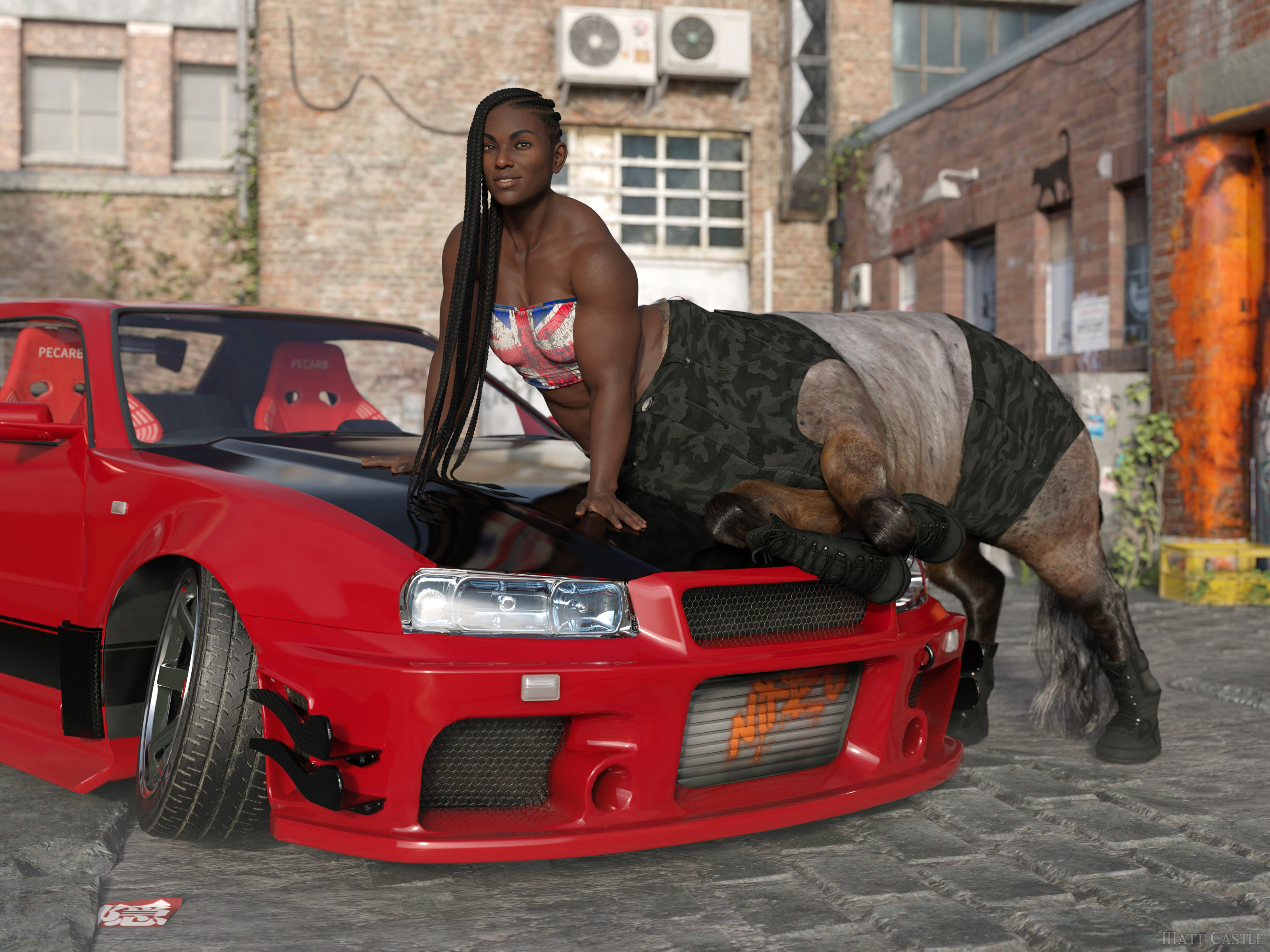
(Well, I say that, but by this point Lyoness absolutely anticipates me doing stupid stuff with her products. She certainly didn't plan that originally though).
The single mesh has some significant drawbacks. Big one that immediately comes to mind is that you have texture compression and stretching issues. It's most apparent in the chest.
True on every generation, if textures are not actually painted onto the morph they're being used on. I've had enough cases where both large and small breasted G8F characters had problems with stretched textures in the chest area.
I'm far from an expert in content creation, but for someone who doesn't care about cross gender clothing it seems like more work. From what I recall, it's recommeded to model to the gender neutral base figure, and then morph to your intended gender. I forget the details, but in any event the times I did it meant modeling/modifying the clothing for two figures (gender neutral and female) instead of one.
Making any clothing item to a good standard already needed manually fitting to major morphs.
Even if you completely disregard any idea of making the clothing work for cross-gender, there's functionally no difference between having to make your clothing fit G9 base, G9 Feminine, Victoria 9, Olympia 9, etc as it was was with G8 base, Victoria 8, Olympia 8, Monique 8, etc. Either way, you already had to make the clothes fit a base shape and then a load of morphs. But on this one, you can be assured that everyone already has G9 Feminine, and a lot of characters sold on the store therefore use it as a shape to sculpt over.
Also, if you're genuinely planning on making the clothing only for one base, then while I hold it's best practice to start on the base shape, the transfer utility *does* have the Reverse Source Shape from Target option, so you can actually model on G9 Feminine, then have Transfer Utility fit to that morphed shape rather than the base shape.
It also means modeling on this totally non-natural genderless figure with fires off my uncanny valley response to 11.
Whether the base figure triggers your uncanny valley response is irrelevant; lots of what we do in the process of developing an asset will look like a distorted version of the final result we're aiming for.
If you don't like the base G9 shape, don't put the base G9 shape in your renders. What shape the figure starts at is not what's important, it's what shape it ends up as - and, indeed, the exact base shape you start from has little limitation on what shape the character can be.
I mean, here's the same character on Genesis 2, Genesis 8 and Genesis 9, despite all of those bases having a different initial shape.
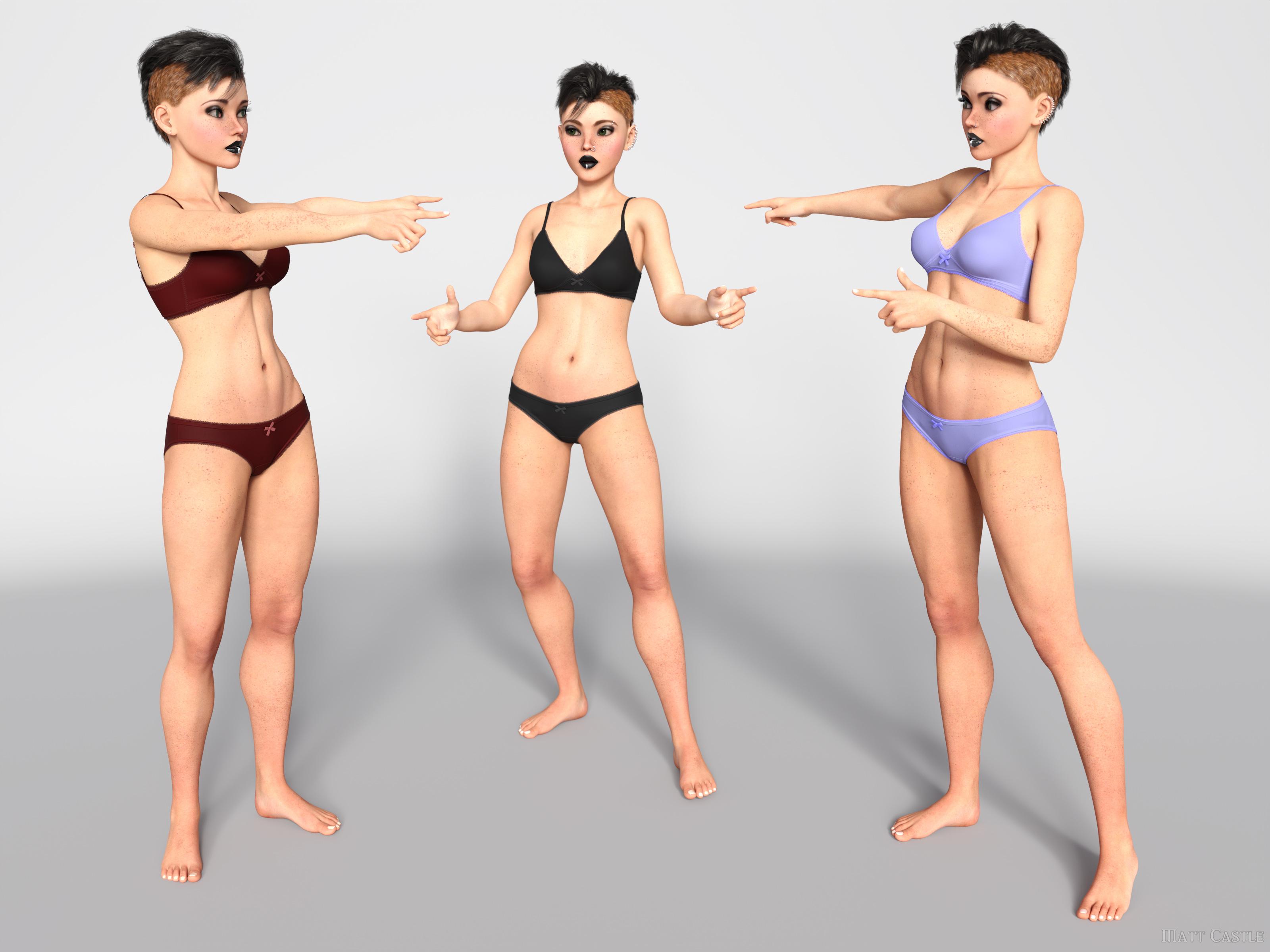
I'd challenge people who think the base figure shape leaves an indelible fingerprint on the characters to put their skills to the test and make a correct call on which base each of these is using.
(And I promise, they are genuinely on Genesis 2, Genesis 8 and Genesis 9; I've not used the same base three times).
Another potential - has there been an improvement with handling a large number of morphs when loading a figure? With G9 now it has to parse through two genders of morphs in your library. I've tried, but I don't really use G9 so I don't have that much.
Yes, significantly so. Daz have brought down loading times massively from where they were, and we know that when we (finally) get DS 5, one of the main things they're trying to resolve is being able to multi-thread processes that DS4 currently can only handle single threaded. As mid-range modern CPUs tend to have about 8 cores, and higher end ones can have 16 or more, that's going to be around an order of magnitude of speed increase.
As for cross-gender clothing, I simply don't have any use for it. Never have in over 10 years of rendering and probably never will.
Already addressed this one, but moving on to your reply...
For the cross-gender clothing support you also need to keep in mind at least today, there really aren't that many unisex outfits in the real world. Even in 2024, our children go to a school that requires uniforms and they are different for the sexes. Even something basic like a polo shirt, they are cut significantly different and fit differently between the sexes. Sure, you can morph it, but you generally morph the crap out of it and wind up compression/stretching issues I mentioned in that post. Same for the US military ACU, while similar the differences are beyond morphs.
Aside from the fact that having *a* matching polo shirt but perhaps not with a perfectly feminine cut is obviously better than having *no* matching polo shirt, if we're talking about singling out points from a post without addressing the entire thing, I address several other points where native cross-compatibility is a boon - anthros don't need the vendor to make two different sets of body fur, aliens don't need two different sets of geografts and HD morphs, male and female members of a family can actually share morphs to get resemblance, etc.
I'll even go so far to say my lack of need for unisex or cross gender is probably the norm - granted, feeds get tailored for what we all click on now but at the art rags I look at there simply isn't much unisex or cross dressing going on out there.
Possibly...
... but I would say that the greatest strength and the entire ethos of the Genesis lines are their flexibilty and compatibility. Victoria, Olympia and Josie aren't all stand-alone figures - we can share the same hairs between them, we can share the same clothes, the same skins, the same poses.
If you say "well, we'll take away a function because not everyone's using it", then suddenly you have no functions. (Hell, on the basis of sales figures, we'd probably have no male bases at all).
But that as an example strongly illustrates a point. Options have exponential potential; even if you don't use rock monsters very often, the fact that you *can* use a rock monster when a scene calls for it massively increases what you can do. Taking away men might be much more obvious in its drawbacks, but the number of scenes I've had to put to one side because I don't have a specific and niche-seeming item to complete them is considerable. (On that note, I have to fanatically promote GCJellyfish's Dirty Dishes sets, because the number of scenes where I've thought "there's no way I can finish this, I won't possibly have a posable banana peel in my library... holy mackerel, I do." Actually, GCJellyfish's sets are like this in general, and I *still* underestimate their feature sets)
Even if few scenes may use cross-gender clothes, I'm willing to guess that many people have done (or had to abandon) scenes that required a seemingly niche function. Taking away functions because they're not useful to you eventually gets to the point where the DS feature set is below the kind of critical mass it needs to be useful.
~~~~~
Sure, things could be done better about G9, but I think the things that G9 has tried to do are good ideas in principle.
Whew... there's a lot there. You acknowledge that it's best practice to work on the base shape, but then go on to say you can use the transfer utility to skip that step.
Aren't best practices given to us to avoid issues down the road? It's N+1 amount of work. Maybe not a big time investment, but the industry generally moves toward less work not more.
So it's less work for rigging things between sexes - how many care? I think a lot more care about having a better base to work on for male and female renders (the texturing issues you acknowledge) vs. a bit less of a one-size fits all. To be sure I wasn't taking crazy pills, I went to a virtual machine that I don't use to browse the internet with on a VPN for a totally clean session - I briefly scanned through a few dozen or so pages of art (well over 100) and didn't see a single instance of an art subject dressed in a unisex style, or opposite of traditional gender norms, or different sex siblings - so less than 1%.
By the same token of using the Transfer Utility to skip a step rigging as you mentioned, you can use the transfer utility on your female article of clothing and transfer the male rigging to it or vice versa. Was it easy for you to do the image of the three separate look alike figures?
True on every generation, if textures are not actually painted onto the morph they're being used on. I've had enough cases where both large and small breasted G8F characters had problems with stretched textures in the chest area.
THAT is why many of us are complaining, we'd rather have a separate female and male mesh to mitigate those issues as much as possible without diving into extra work. Personally, I'd rather optimize for the 95-99% use case than the 1-5%. (Throwing in a few percent to err on the side of caution).
Daz 3D is part of

Connect
DAZ Productions, Inc.
7533 S Center View Ct #4664
West Jordan, UT 84084Licensing Agreement | Terms of Service | Privacy Policy | EULA
© 2026 Daz Productions Inc. All Rights Reserved.