-
Christian 8
Like I always do, I spent a few hours trying to morph Edward 8 into Christian to see if I could live without Christian. And, as usual, it's close and I could probably have lived with my morph character. But it's the broken nose that got me. So I picked up Christian and then compared him to my morph. Maybe they're brothers, cousins, who knows. But not twins. Christian on the left, Edward-morph on the right, each in their own textures.
fit old gen stuff or just buy new...I find older hair content to be the easiest to adapt. Instead of using autofit, manually parent and fit it to the character and you have all the original morphs available.
For clothing, I've even applied AIko3 clothing to G3F. (it does help having the "Legacy Shapes"). Haven't used dForce yet (needed to upgrade the system so it wouldn't take forever), but there are also the Morph Transfer Tools as well as dFormers. yes it takes more effort, but when on a tight budget like many are it is worth the extra time. You can also save your clothing fits as an asset for future use.
Scifi BountyHunter Outfit For Gen 8 MaleSo here is the outfit S-7 Viper Outfit, with the laser Rifle. And I also updated the Suit to have a Male groin region Morph, as sugested by Serene Night. :) By the way, I love your gallery images. they are great fun to look at. :)
Scifi BountyHunter Outfit For Gen 8 MaleGood Idea Serene Night, I'll look into adding a morph for that. :)
Gen 8 Vertices/Geometry prob upper teethI decided to reload the same figure & it loaded just fine...so it must be an intermittent issue triggered by something?
If I save the character with the messed up morph that's the way it will load. Can't figure out the trigger problem, maybe an expression morph that goofs up the upper jaw(gum)???
Ve Elite characters -- where are the morphs?Marie comes with shaping morphs (separate head and body) but I think the others are literally texture sets only (as the product name suggests).
There is an Elite Body Morph set, but apart from the Ethnic ones I don't remember there being an Elite Head morph set.
is there a 'best' g3f breast morph?I am a real newbie, so please be gentle. It appears (correct me if i'm wrong) that I need to purchase a separate product of female breast morphs in order to increase the size and change the shape of the G3 females.
Assuming that, it appears as if there are several possibilities. Is there one that could be considered the best for a newbie to use? I see that there is one set that appears to be complete morphs of different female body shapes. Can I purchase that and then modify just the parts that I want to change?
Thanks in advance
Ve Elite characters -- where are the morphs?I've been trying V4 within DS to see how she holds up and decided to try the Elite Characters ... they look good but I cannot find a way to install the actual morphs ...
was there an elite head morph package to coincide with the elite textures? I found one that is an ethnic pack, but not Lana, Marie, Katie, etc as they appear in the texture product store images.
one example
https://www.daz3d.com/v4-elite-texture-katieJames 8 for Christian ProblemOK, so I have no idea what just happened. I purchased the new James 8 (https://www.daz3d.com/james-for-christian-8). I downloaded and installed him through install manager. I went into DAZ, and loaded G8M base. And I got a crazy muscular figure show up. I was like, great, what did I do wrong now? Turns out, nothing. I searched through all of the morphs and finally realized James's morphs were all dialed up. Then I did a quick search on DAZ, and realized that James was one of the figures I'd purchased and downloaded this morning. I had never tried to use James or even do anything in DAZ before this started happening. I tried downloading the DAZ G8M essentials and reinstalling them hoping this would somehow override the new morph, but it didn't. I did finally uninstall James and G8M base appeared as normal. Am I the only lucky one having this problem?
Jason
Shape Rigger Plus(Commercial)I grabbed this myself the second I could, and set about converting all of my earlier G3F morphs to G8F. Between that and Skin Builder, I'll have the new versions up and running in no time. It certainly gets around the problems I was having with Studio's rigging tool.
Hi, how did you converted G3F morphs to G8F?
Have you only used Morph Rigger Plus for that purpose?
Could you please explain, how it was done. Thanks.
Give this tutorial over at DA a try. It's a time-consuming and tedious process but it works. Note that you have to follow the steps carefully and in order. Make sure your figures are set at base resolution, Gen 8 eyelashes are deleted from scene, and that all G3 morphs you're going to transfer are set to auto-follow.
Tutorial by a-sennov: https://www.deviantart.com/a-sennov/journal/Tutorial-Morphs-from-Genesis-3-to-8-accurate-way-735130233
When you're done, you can ERC freeze per the tutorial instructions or use Zev0/DiscoBob's Morph Rigger Plus (which I bought but haven't yet tried).
If you use the tutorial above & Morph Rigger Plus in combination with GenX2 (along with some needed morph shapes for GenX2), you can get shapes all the way back to Aiko 3, Victoria 3, Victoria 4, Genesis 1, 2, 3, etc. up to Genesis 8. Note that with big-eyed morphs like those for the Aiko characters, you'll need to manually reset the eyes, re-sale and re-translate them and then resave your morph prior to running it through Morph Rigger Plus (see link for a script to help you with this below). Yes, you can even use this process to get Star 2, Mavka for Genesis 1, 3DU's Sadie/Sam and lots of other figures up to Genesis 8 but it does take *a lot* of work and adjusting.
Free tool on ShareCG for resetting eyes: https://www.sharecg.com/v/88497/browse/10/Software-and-Tools/Eye-Jaw-Morph-Fixer-for-Face-Morphs
Here are the GenX2 links here at DAZ. You would pick the ones you needed based on how far back you need to convert.
https://www.daz3d.com/genesis-generation-x2
https://www.daz3d.com/genx2-addon-for-genesis-2 ;
https://www.daz3d.com/genx2-addon-for-genesis-3
https://www.daz3d.com/genx2-addon-gen3-kids
https://www.daz3d.com/generation-4-legacy-shapes-for-genesis-2-female
https://www.daz3d.com/gen-3-iconic-shapes-for-genesis [this is a bundle; you can buy just certain parts individually]For the materials portion of earlier characters, you have a couple of choices. Cayman Studios sells products here at DAZ to get your legacy skins to refit onto Genesis 8. They work well.
Cayman Studios Links
https://www.daz3d.com/legacy-uvs-for-genesis-8-genesis-2-female
https://www.daz3d.com/legacy-uvs-for-genesis-8-victoria-4
https://www.daz3d.com/legacy-uvs-for-genesis-8-victoria-6
https://www.daz3d.com/legacy-uvs-for-genesis-8-victoria-5
https://www.daz3d.com/legacy-uvs-for-genesis-8-genesis-2-male-michael-5-and-michael-6
https://www.daz3d.com/legacy-uvs-for-genesis-8-michael-4Also, at Renderosity, Blacksmith3D sells Texture Transformer 2.0 plus a bunch of add-ons that can help you get your earlier generation skins up to Genesis 8. In that case, the skins are actually redrawn onto new maps. However, that won't get you back to V3, A3, etc. For that you need yet another product here at DAZ called Texture Converter 2 by 3D Universe to get the skins up to V4. Then, you can go from V4 to Gen3/8.
Texture Converter 2 Links
https://www.daz3d.com/texture-convertor-2-tc2-bundle
https://www.daz3d.com/tc2-michael-3-david-3-plugin
https://www.daz3d.com/tc2-michael-4-plug-in
https://www.daz3d.com/tc2-aiko-3-plugin
https://www.daz3d.com/tc2-millennium-girls-plugin
https://www.daz3d.com/tc2-miki-2-0-plugin
https://www.daz3d.com/tc2-skye-plugin
https://www.daz3d.com/tc2-kids-4-pluginObviously, the cost of all this adds up and only is worth the time, hassle and money if you have valuable previous-generation characters that you can't/won't live without.
For getting clothes from older generations to fit (prior to Genesis 1), you can create your own auto-fit clones. Give this tutorial here at DAZ a try:
https://www.daz3d.com/forums/discussion/193296/freebie-how-to-create-a-v4-clone-and-transfer-other-figures-for-g8f-now-with-video/p1I hope all of this helps.
Stop morphing my clothesSorry, rereading your post I see you'd already explained what you are doing. You have the moprhs baked into the clothing, you need to export at base shaope or in the Transfer Utility set the Source Shape to your morphs (or select Use Current), then in the extended options at the bottom of the dialogue check Reverse Source Shape from Target.
However you can re-map a morphed shape, then load that as a new UV Set - all that is read then is the UV coordinates, the actual shape doesn't matter, so you don't need have a match with the base model. If you do actually need to retopologise, however, then you will need to use one of the above methods to avoid doubling your morphs.
What does Building Projection Map mean, and what contributes to the time it takes to complete?Projection is used to transfer ("project") morphs and rigging from one model to another - as far as I know, the projection maps (one per item) are used to match vertices on the source with vertices on each destination. Since content will already be rigged I would assume that when you see this on loading it's mainly being doen for morph projection (for giving clothing a morph to match the moprh on the base figure when it doesn't have its own built-in version of that morph). How ling it takes would then be a function of the number and mesh density of fitted items.
(Which Rob, I think, confirms - though he just says geometry rather than vertices in particular so I may have that bit wrong.)
Sakura 8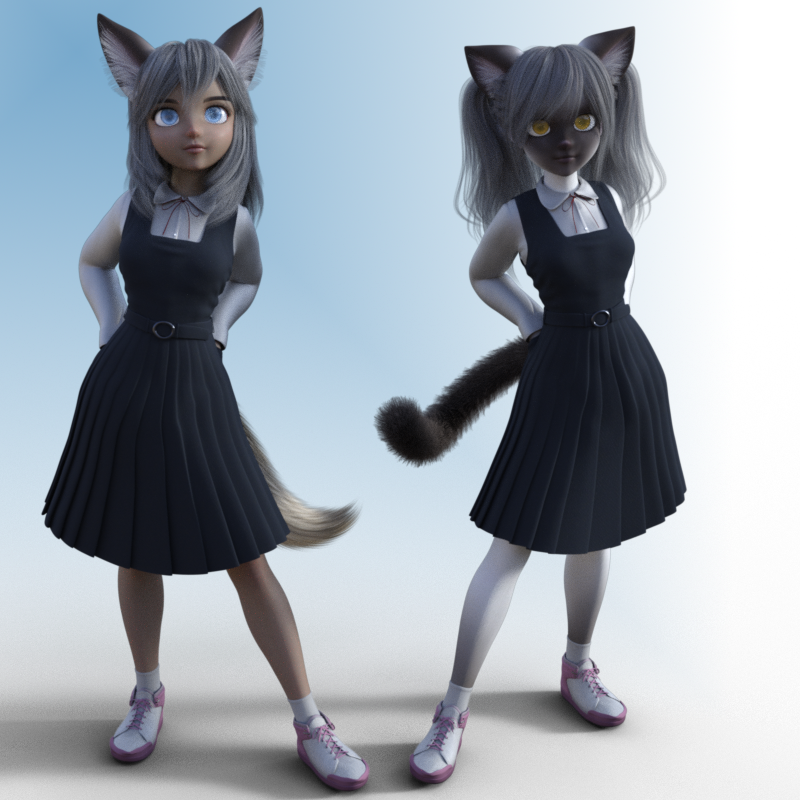
Ok I will need to send a thanks over to Lady Littlefox for those cat ears with fox morph that came with Thistle. Only complaint is you do need to click the show hidden properties to make them work right since they are not conformable to the figure but the hair. You have some scaling issues that need tweaking for the fit.
Finally a set of ears that will work with my fox/wolf girl renders. But anyway. This is Sakura and Thistle mixed 50/50 like in the promo.
DAZ Content and Game DevelopmentAs Leana said If you read the EULA you will see that it does state no redistribution without buying the extra licenses. If it is not redistributed then no problems.
- Restrictions on Copying. The Content is provided for User's exclusive use. User does not have the right to provide the Content to others in any form or on any media except as set forth in this Agreement. The Content may be copied in whole or in part for User’s exclusive use. Specifically, User may copy the Content onto the storage device of an unlimited number of computers owned or controlled by User. The Content is for User’s exclusive use and no other individual or entity. Each individual must obtain his or her own license to use the Content.
- Terms of Use. Two Dimensional Works. Subject to the terms and conditions of this Agreement, User may (i) access, use, copy and modify the Content in the creation and presentation of two-dimensional animations and renderings, (ii) incorporate two dimensional images (including two dimensional images that simulate motion of three dimensional objects) derived by User from the Content in User’s other works, and (iii) publish, market, distribute, transfer, sell or sublicense User’s two-dimensional animations, renderings and other works; provided that User may not in any case publish, market, distribute, transfer, sell or sublicense any renderings, animations, software applications, data or any other product from which any Content, or any part thereof, or any substantially similar version of the Content can be separately exported, extracted or de-compiled into any re-distributable form or format.
morphing clothesIt would be pretty easy to use dFormers to create such a morph IMO.
Hmm.. possible, certainly but I don't think it would be easy at all. I think it would take many overlapping dFormers to get a good result since dFormers are only spherical and necessarily only effect their sphere of influence, this makes dFormers a blunt instrument. You could, perhaps, use a wave effect to simulate folds, but again, it would be difficult to get nuanced effects. In order to achieve a high level of detail you would currently have to paint Displacement maps or use similar techniques. The easiest and most reliable method to produce the type of effect the OP describes is to morph the mesh using brushes in a program like ZBrush or Blender. I hope that one day mesh morphing brushes will be introduced directly in DS; this would significantly increase the versatility of DS. If this was done via a Plugin, I for one would be happy to pay for it.
L'Adair's WIPsI didn't think they looked very much alike at all either. I quite like Christian 8 Whereas I was not terribly thrilled with Edward 8.
People were discussing the figure morphs, but then comparing the two without removing modifiers like the bump maps and normal maps. Even the skin materials of the figures could influence the renders. So I went as "vanilla" as I could get.
I like both. Christian's morph has more detail, and I think that's a good thing. I hope it becomes "a thing," that base figures don't rely so heavily on materials for their distinctiveness. Christian's profile reminds a bit of Fred Gwynn, and his face straight on reminds me of Vin Diesel, especially around the mouth. But I still like Edward. He just seems more "every man" to me.
morphing clothesIt would be pretty easy to use dFormers to create such a morph IMO.
problem with smart content moving from dz 4.10 and 4.11I downloaded the beta studio 4.11. Found that part of the smart content didn't transfer. Part did. I loaded 4.10 and all of the smart content still loads. I don't pretend to know that much about any of this stuff, but could use some instruction on how to get 4.11 to see all my smart content. Also, I have done no manipulation of directories and no maipulation of anyhing in DIM. This is all in reference to content that was previously downloaded be for eever loading 4.11
Thanks for any help.Jay
All things The Witcher...I see a pokethrough on her butt, the skirt is pushing through the dress, the dress has some morph fixes for that.
One of DS's mysteries, as no pokethrough was visible in the preview; will have to keep an eye out for that......

IMO, Adda is a really good character (and one with 'character'...)
Thanks, I will return in the near future and make more Witcher stuff.
What do you all want?
20 years of figures, what is your Top 5 ?I've only been doing this for about 2 1/2 years but I've collected a lot of figures from V4, G1, G2, G3, and G8. I have 749 figures that show up in Smart Content and probably at least that many more that don't show up in Smart Content due to their age, being purchased from other sites, and figures that other PAs have given me or "product traded" with me. So narrowing them down to my favorite 5 is difficult, to be sure.
I THINK though that I can give a tentative "top 5":
His promos do not do him justice, imo - he really shines in Iray, particularly with some skin settings adjustments.
(Here he is with Altern8 applied to his skin.)
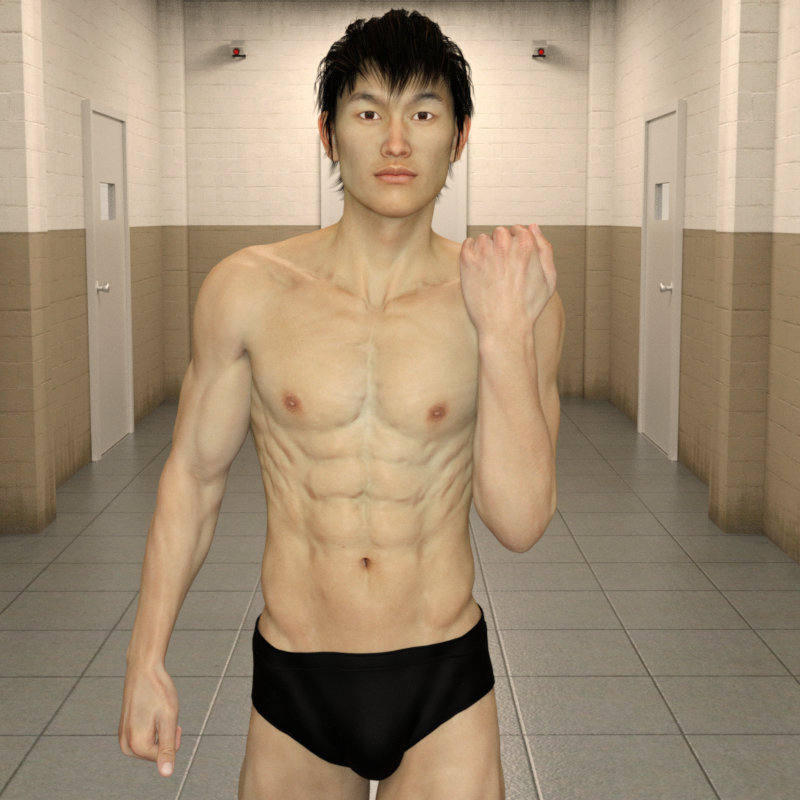
Sadly she's V4, which has limitations due to age, but thankfully I was able to figure out how to transfer her shape to Genesis 8
Here's her shape on G8F with Aiko 8's textures:
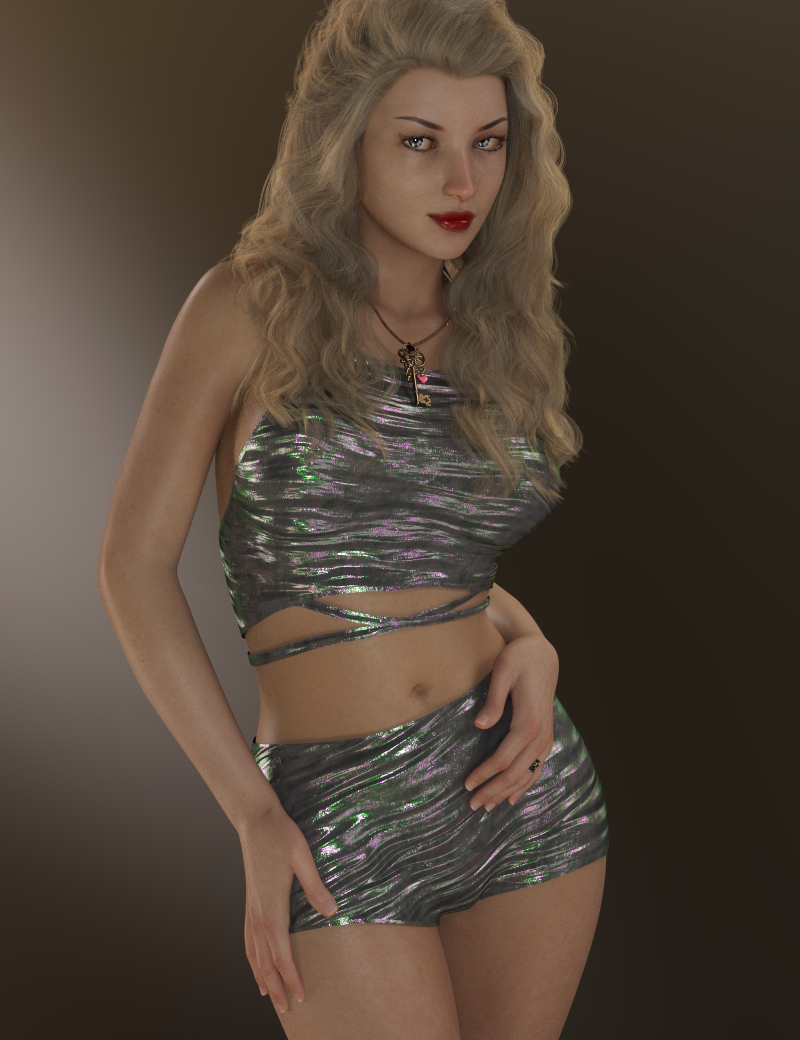
He's just a stunning character, imo. He's one of the very very few characters I've purchased who's skin looks so good "out of the box" that I don't really have a desire to tweak the settings. His eye settings need a little adjustment, imo, but I really like his skin "out of the box" - which is rare for me. lol Plus his shape/morph is just ...RAWR! <3 I've always been a sucker for skinny guys. :P
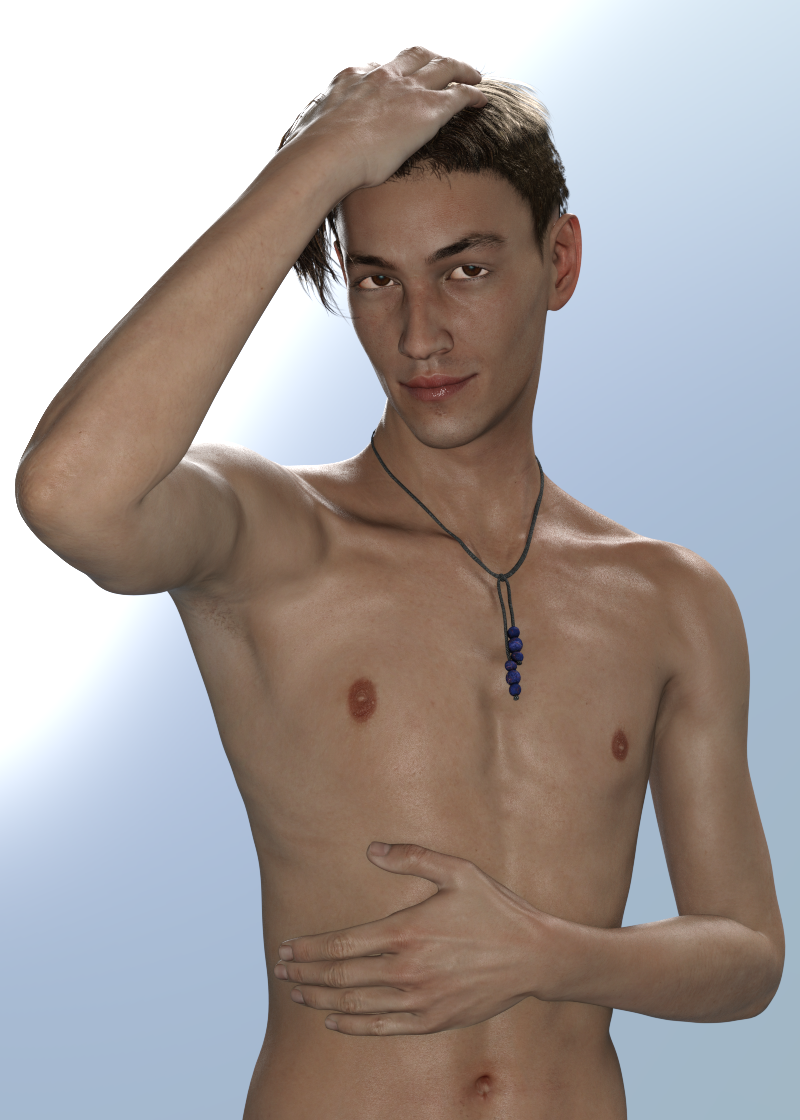
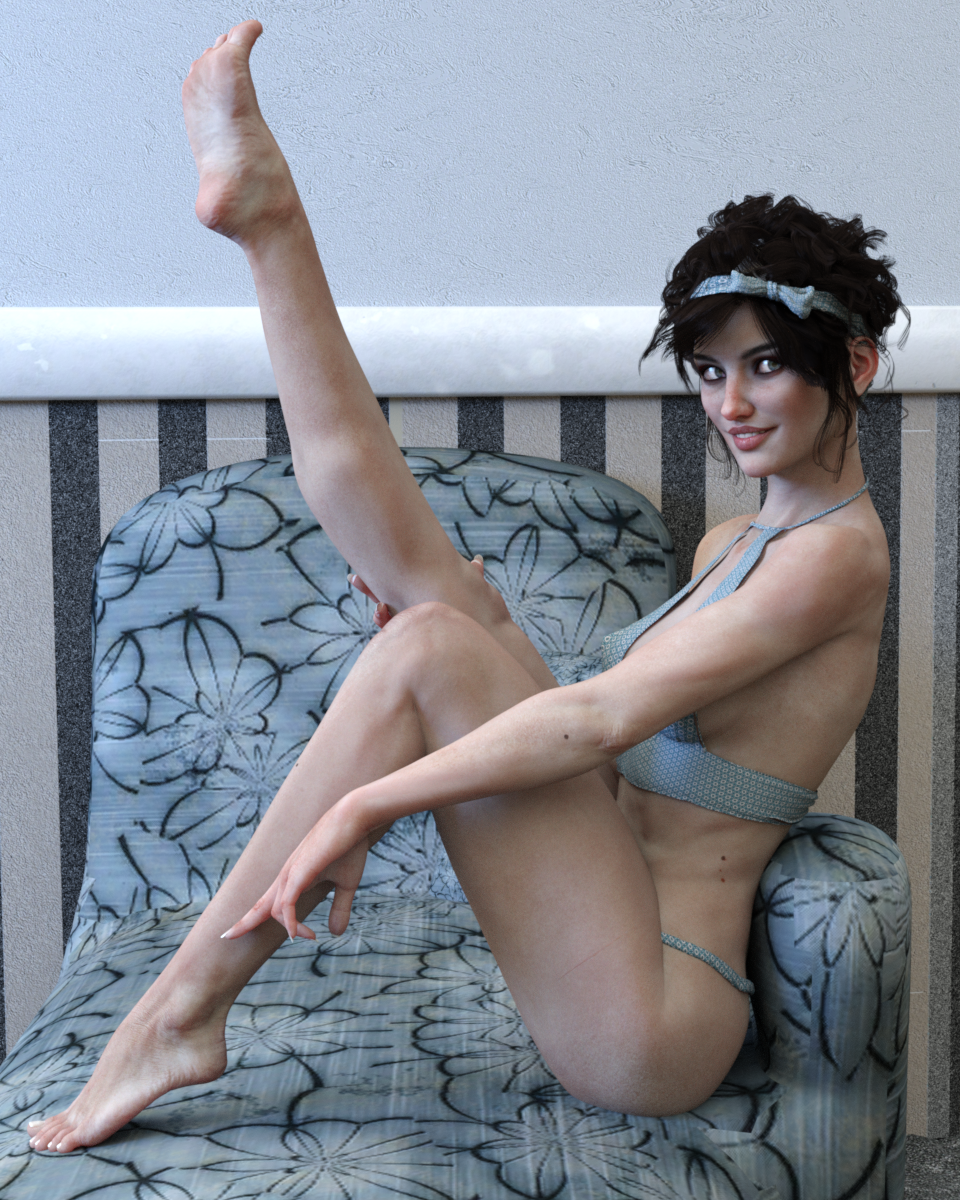
I've been a fan of this character since the day she launched and have always enjoyed her highly detailed morph and textures. She's beautiful and just a fantastic character, imo. Here she is with some slight skin settings adjustments:
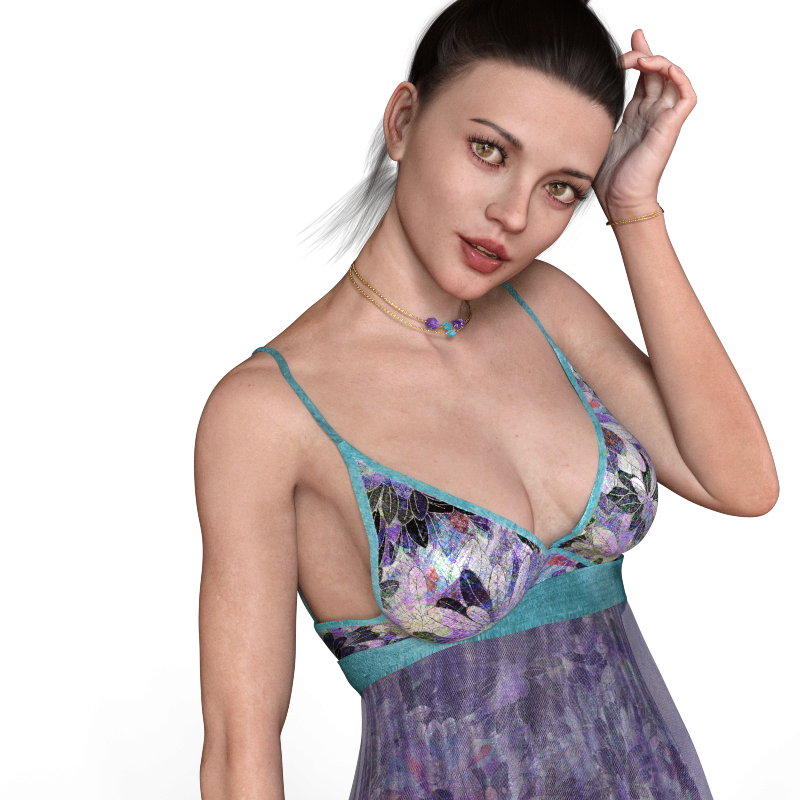
I'm just blown away with Zelara 8 and have a lot of fun rendering her. Here she is with Altern8 (though her skin "out of the box" is fantastic and doesn't really need it, imo):
Daz 3D is part of

Connect
DAZ Productions, Inc.
7533 S Center View Ct #4664
West Jordan, UT 84084Licensing Agreement | Terms of Service | Privacy Policy | EULA
© 2026 Daz Productions Inc. All Rights Reserved.