-
editing geometry on one figure affects another?
Jessie said:
I needed a pair of ears for character A (a gen 9 figure. Supposed to be a "beast man" - human face with wolf ears on top on head while human ears remain on side of head.) I figured the best way to do this was to add a second gen 9 figure (we'll call it B), add the Lycan 9 morph, and in the geometry editor, hide everything but the ears. Because the face and ears are one thing, this requires selecting everything but the ears, adding them to a new face group, and hiding that.
This works great for B, because I get want I wanted - just the ears. However. Whatever I do to B on a geometry level, it's reflected on A. Like:
I give B a new facegroup called "HIDE ME".
A ends up with a new facgroup called "HIDE ME"
How do I stop this
I think I've seen that happen before when deleting polygons using Geometry editor, but it only happened temporarily. I seem to remember that when I saved the scene, and the reloaded it, the deletions only impacted on the desired figure, rather than both. This might be similar to what you are doing with hide.
editing geometry on one figure affects another?I needed a pair of ears for character A (a gen 9 figure. Supposed to be a "beast man" - human face with wolf ears on top on head while human ears remain on side of head.) I figured the best way to do this was to add a second gen 9 figure (we'll call it B), add the Lycan 9 morph, and in the geometry editor, hide everything but the ears. Because the face and ears are one thing, this requires selecting everything but the ears, adding them to a new face group, and hiding that.
This works great for B, because I get want I wanted - just the ears. However. Whatever I do to B on a geometry level, it's reflected on A. Like:
I give B a new facegroup called "HIDE ME".
A ends up with a new facgroup called "HIDE ME"
How do I stop this
LIVE! In the store NOW!! LowPi - the Low Poly Figure, and Crowd Creator ScriptsThese are just personal notes, not intended to be shared as a tutorial, but they might help you.
Create skin wearable for LowPi:
Load LowPi and dial the hidden clone morph of the skin you want to use (G9, for example)
Load the base character of the generation of skin you want to use (G9, for example)
Pose, scale, morph the character to match LowPi as closely as reasonably possible.
Set character to Mesh Resolution Base.
Export the character (only the character) to OBJ.
Import the OBJ
Use transfer utility to rig the character OBj to LowPi. From LowPi Current Shape to Character OBJ, no template, Reverse Source shape from target, parent to source figure.
Select LowPi and dial out clone.
Since importing an OBJ with materials doesn't really import the Iray Uber channels completely, copy all surfaces from the original character (Genesis 9, for example) and paste those surfaces onto the new character rigged and parented to LowPi.
Select rigged character now parented to LowPi.
Run V3D Scene Optimizer to reduce the 4K skin Maps to 1K.
Save as Figure/Prop Assets
Delete rigged character now parented to LowPi.
Select LowPi and load the asset just saved.
Click the visibility eye icon to hide LowPi hip and all hip children in the scene.
File/Save As/Wearable(s) Preset.
Choose a folder to save in and a name for the wearable.
(A Wearable(s) Preset Save Options dialog pops up) Make sure that the Genesis 9, and nothing else, is checked on the Wearable tab (it should be by default).
Activate the Other tab in the Wearable(s) Preset Save Options Dialog.
Check "Include Other Settings in Preset".
Uncheck LowPi and click the triangle to expand the LowPi hierarchy.
Click the triangle to expand the Display hierarchy.
Check the [P] Visible box.
Click Accept.
To create various character skins (not shapes) apply a G9 character skin material to the G9 wearable. (If it is a hierarchical material preset, you will have to load a real G9 and apply the skin to it and then copy all the surfaces and paste all the surfaces to the G9 wearable.)
Run V3D Scene Optimizer to reduce the 4K skin Maps to 1K.
File/Save As/Material(s) Preset. Select a folder and filename for the character skin preset and Accept.Notes:
Sometimes the saved skin asset needs to be helped in Blender or other modeling app, to fix distorted fingers (G8 had this problem pretty bad.)
Sometimes LowPi geoshell clothing doesn't fit over the wearable skin, because the wearable skin is a little larger than LowPi in certain places. A modeling app like Blender can be used to fix that.
Sometimes with female conversions, the breasts are a problem. I used Blender to shrinkwrap the converted G8F to LowPi and tweaked the size from there.
When reimporting as a morph I create a dformer to attenuate the shrinked OBj so it doesn't import the head, hands or feet changes.
Simple Question about custom Folders and consolidating them into the "default" directory.crosswind said:
As long as they're Daz content, they can be moved... but it's always up to your choice. No problem ! Have a nice weekend !
Well, there is custom content from me, characters and such, which I was a touch worried about (face transfer files, etc).It's also HD space, turns out that I was holding a ton of duplicated files. Had a stiff drink, and did the "drag and drop," removed the custom folders and everything under one folder structure. Thought I lost a bit of work, but found it afterwards. Booted a scene I did last week, all customizations still present, and re-rendered it for a minute just to check. Everything works. Cheers and thank you. As for the "custom actions" file, didn't need to do anything, not missing any content either. I'm guessing when Daz rolled out the Daz Central, it modded my base directory, and as such there was a small problem since then. Anyways, thank you muchly.
Character creator to DAZ (character only !!)That's right, you have no way to directly import character mesh from CC into DS, as a morph, by using Morph Loader Pro, because the geometry (vertices count) doesn't match.
In such a case, the usual way is to use the software: Faceform Wrap to wrap the character mesh exported from CC (fixed geometry) with a G8 mesh (floating geometry). Then import that G8 mesh as a Morph into DS ~
Edit: There're a few tutorials on youtube, or firstly check : https://www.versluis.com/tag/wrap/
as well as some tricks of using Wrap in here:
https://www.daz3d.com/forums/discussion/662696/issue-with-some-poses-after-creating-a-new-face-morph/p1
https://www.daz3d.com/forums/discussion/658421/question-for-the-wrap-app-usersCharacter creator to DAZ (character only !!)I don't think it's possible to export from Character Creator 5 to DAZ Studio 4 or 6.
Firstly, there is no direct import or export from and to DS format. To bring a DS model into Character Creator 5 (or vice versa) it has to be converted to an FBX file first.
Secondly, If you import a DAZ figure into Character Creator 5, CC5 doesn't keep the original DAZ geometry. Instead, it automatically converts the shape and texture of the DAZ Studio model to the CC5 model, making it a CC5 morph. Unfortunately, it does't work the other way. It won't convert its geometry to DAZ Studio geometry on export, which is what you want to do..
Nevertheless, Character Creator 5 (and IClone 8) are far stronger for animation than DAZ Studio 4 or 6. I'm not sure if I can post a link, but I'll try.. Here's a video of importing DAZ content into CC5.
Looking for a tutorial on hairfelis said:
Hair can be a bigger topic.
Their are two types of hair that works differently, polygon hair (classic hair aka haircards) and strand based hair.
If you are looking for a different color than what is offered with the product, you can tweak surface settings or images to get the wanted solution.
If you are after a moderately different style, you can morph the hair, inside Daz Studio with dFormers or Mesh Grabber (Mesh Grabber only works on polygon hair, unless you are Premier member and have access to Geometry Scultur) or in an external modelling application.
This vidoe by Jay Verluis gives an introduction to usage of hair
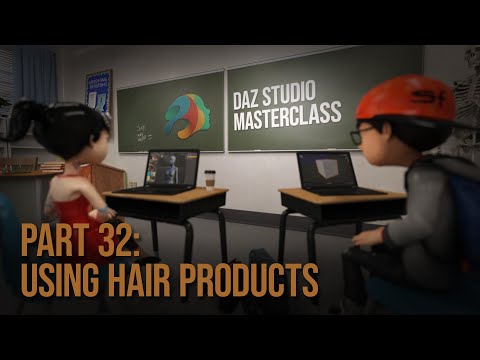
Thank you for the link. I actually use Jay's tutorials quite a bit; I think his tutorials are a cut above everyone else's, in any subject matter. I looked through his videos, and I must have missed this one. Thank you once again.
Let's appreciate/discuss today's new releases - ongoinger still further threadGordig said:
https://www.daz3d.com/elysion-grace-suit-for-genesis-9-and-8-female-with-centaur-variants
Damn, G9, G8, AND centaur variants?
How bizarre. I wonder which devilishly handsome rogue might have helped that happen...
... okay, I admit it, it was me.
The general story is that I had a workflow I wanted to test and Ruris was willing to let me loose on his work in progress set.
So, as what I was testing was mostly a process for streamlining making corrective fits, this product ended up with G8F support - and what I think is fair to describe as quite a lot of it (even if G8F support is increasingly outmoded these days). Unless I forgot one, every core character for G8F and G8.1F is covered (as well as a few Gen7 core shapes from that Gravity Studios converted for "7 for 8" products). And the list on the product page is s actually quite cropped, as it skips over mentioning the core morph pacakge's breast shapes, Daz's Transgender morph set, Zev0's Breast Control, Soto's Breast Utilities, and various incidental things like Mechasar's Beverly (it mentions the G9 version, but forgets her G8.1 version).
The centaur support was not originally on the plans, but happened anyway. Because I thought it was funny.
Alas, the way that yesterday's new Centaur 9 shapes are set up means that the Centaur 9 wearables are not auto-following them well, but I will have a package out to fix those later. (The corrective fits have been made, but need at least some testing. When we were working on this, we had no knowledge that Daz themselves had new centaur stuff in the pipeline that they were going to group this with, so I'm rushing to catch up with that).
Looking for a tutorial on hairHair can be a bigger topic.
Their are two types of hair that works differently, polygon hair (classic hair aka haircards) and strand based hair.
If you are looking for a different color than what is offered with the product, you can tweak surface settings or images to get the wanted solution.
If you are after a moderately different style, you can morph the hair, inside Daz Studio with dFormers or Mesh Grabber (Mesh Grabber only works on polygon hair, unless you are Premier member and have access to Geometry Scultur) or in an external modelling application.
This vidoe by Jay Verluis gives an introduction to usage of hair
Products not compatible with Daz Studio 6, zero warnings on store pages + crashes on DS4future_boy_f2de9c36c5 said:
Having issues with Aiko 4 on Daz Studio 6, as it doesn't load at all.
Victoria 4 works fine(aiko 4 is just a morph preset) it's the DSB script that's no longer supported.
You'll need to remove the DSB script, or make a sub directory containing only the CR2 to use it in studio now.
The issue here, you won't get the Powerloader screen, nor will 3delight materials be loaded.
Other file formats that have been retired are daz, dso, dsd, dsv, and ds.
This means many material presets won't work either as they are ds format files.
The only way to get around some of these problems is to load them in DS 4 and save as a scene subset(for full figures) and Material preset for materials.
Now, before anybody freaks out about needing to go back and forth between the poser and daz studio formats, you don't need to.
What i recommend is to create a "Link" directory for your poser assets, and you won't ever have to leave the daz studio format again.
This script, will create Link(DJL) files for every asset in the directroy or drive selected in content library when run. NOTE: THIS SCRIPT WON'T CREATE A LINK FOR THE DSB FILE ONLY THE CR2.
One thing to be aware of, the script will put the link files in the highest folder listed in CDM(content directory manager) by default(though you can select a different folder in the popup), and the file path will be one directory down from what's listed in CDM.
The "default" top directory in CDM is "My Daz 3D Library", and the poser format link directories will start at "Runtime".
I recommend making a new directory, adding it to CDM, and putting it at the top of the list of Daz Studio formats.
After the links are created you can move the directory to any folder you want, and keep or remove the links folder
Be aware that you should not move link(DJL) files in daz studio, as it will create copy of the original file and not a copy of the link file. If you want to move stuff around, do it in explorer.
[Released] Hat Check for Genesis 9 [Commercial]Sorry, I did read your answer back then, but completly forgot to answer. Thank you for the answer, I'll see if I'm able to find the scene file.
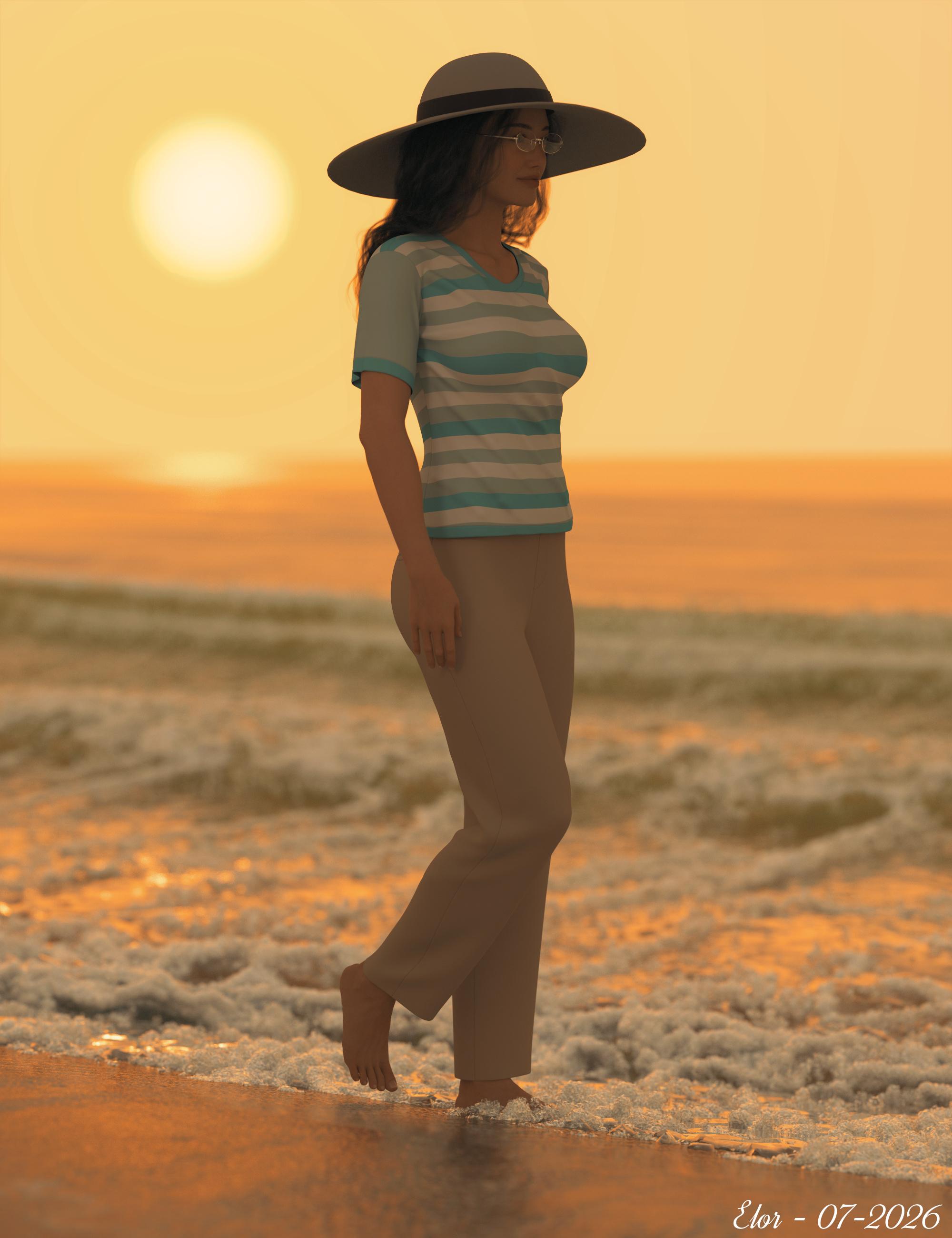
In the meantime, I think the discussion is lacking a finished render: I did have to tweak the hat a bit after Hat Check created the morph because a hair strand or two were slighty poking through (I was using the default settings for Hat Check and didn't test if changing them would fix the problem: it was faster to solve it using the various morphs of the hat itself).
 Character Splitter
 Version 4 available, with new features & upgrade to Studio 6 :
- upgraded to Studio 6 (should also work with Studio 4.5+, not tested)
- simplified workflow
- relevant D-Former preset for the figure is automatically applied (if located in 'Scripts/Character Splitter' folder)
- reference vertex is automatically inferred from the applied D-Former. Custom (and newer) figures / D-Formers no longer require to manually find & set it. Field is kept in the GUI so it can be overwritten if need be
- non-morphed attachments (eyelashes, tear, mouth, eyes & eyebrows) no longer need to be deleted, you can now exclude them from 'Head' tab (they are excluded by default)
- accurately display morphs in the 'Shaping' pane
- should now be agnostic to your content library paths & custom figures
- sliders are available on each tab (Head, Body & CTRL) to allow testing morphs without leaving the script
- added a new 'Preset' tab to allow saving a character preset (when a controller is created), or a shaping preset for each morph (otherwise). This tab becomes available when morph(s) & controller have been created
- from last tab, you can browse to each dsf file by clicking on its path
- added a new 'Show Log' button at the bottom of 'Log' tab, which opens Studio log file
- replaced built-in DzPathComboBox by a custom tree view. This allows to set paths manually or to use a user-friendly interface to browse existing paths from installed morphs
- limit available base paths to 'Actor > Full Body', 'Actor > Head' & 'Actor > People', which are the relevant paths respectively for body, head and controller in a character split
- path browser is initialized only when needed, which allows faster start of the script
- warn user when image card size doesn't match specifications (and expected size is mentioned in the tooltip)
- re-ordered GUI & splitting logic code to get a clean log file
- improved morphs & cards deletion
- process should now exit cleanly when running into trouble (no stalling)
- optimized code
- updated documentationRepository available @ https://github.com/Mike3D/Character-Splitter-for-DAZ-Studio (click on '<> Code' button and choose Download ZIP).
 Character creator to DAZ (character only !!)
Hi,
I know there is a thread with a similar title, but the question is not the same.
I have already headshop and Facegen for Daz Studio, but they do not always have good results. I have seen Character Creator has also a similar addon, but before I get my hands on it to try Character creator with it, does anybody have experience of exporting from character creator a character to use as morph in daz, and any pointer no how to do it ?
Notice I am not talking about exporting the whole character with textures,etc., rather getting a object with a mesh compatible so that it can be imported in DAZ studio to create a morph for e.g. G8.Thanks
Property not foundDAZ have a really bad habit, about 6 months or so after launching a new base figure someone decides to alter/rename/replace asset files.
To give you some idea what I mean let's take G8, the "Iris Size" morph at launch was a single DSF file, now it's three files, a negative morph, a positive morph and a controller, none of which has the original asset ID, this means that everything made before this change badly needs updated, and to date very few have been.
They did it to Genesis a couple of times that I'm aware of, so there's every chance they did it to G9 as well.
Bit that's got my brain hurting is why would someone link a corrective to an aiias file.
Tried to install Mesh grabber in Daz studio 6cheznous2029_28ab1adedc said:
so then somthing else I have to buy! I'm getting tired of this [stuff]!
Or use Mesh Grabber in DS 4, bake the changes to a morph, and open that scene in DS 6.
Daz Studio 6 Beta - version 6.25.2026.19821! (Updated July 23, 2026)inquire said:
gelstat said:
Richard Haseltine said:
gelstat said:
Lol, ah xd—it didn't crash, but I don't know that language
What is the file name for the OBJ?
Genesis 8.3.obj. If it's not the language of the pharaohs, then it's squares... But And it crashes every time I click “Create”.
As of now, Daz 2026 has are well-groomed for Mac, but for Windows 10/11, it's been a real disaster...
I rename obj "Genesis.obj'
it runs better on the Mac than it does on Windows? Boy that's really one for the books. But don't forget, it doesn't run natively on the Mac.
Ok why not (does it crash at least once every time you use it? Yes/No), I'm going to rephrase what I said: daz 6 it has the reliability of an alpha first release, that way, no one will be jealous.
Maximize my chances without crashing, I shouldn't edit a morph's percentage, sliding a morph, avoid using the IRay preview, avoid the dforce simulation, use so-called “advanced” features, use the “disengage scroll” on my mouse—and those are the things I remember.
Since it's an access violation in dzcore, Qt6core... AND all of this with 2 PCs running Windows 10 and 11
How do I use "fpe-universal-horns" on certain G8.1 monsters?(Resolved)crosswind said:
You want to fix Auto Follow FHM (Full Head Morph) on the horns by using external sofware e.g. Blender / ZBrush, or even Mesh Grabber in DS.
Like the example of using horns on a War Goblin:
1) Show Hidden Properties in Parameters pane, zero FHM > WarGoblinHD on the left horn. I roughly fixed it by using Mesh Grabber (screenshot 1)
2) Export the horn to OBJ with Base Resolution with the same Name of WarGoblinHD. Reset the FHM. Clear Delta with Mesh Grabber (screenshot 2)
3) Import OBJ file to update WarGoblinHD by using Morph Loader Pro. (screenshot 3)Done ~ (screenshot 4) Then fix the horn on the right in the same way...
The horns will have different deformation on different characters, the principle is to firstly zero the Auto Follow FHM, then move the horns to the right position.
Finally, save Modified Assets of the fixed FHM properties.
Thank you for your reply. This is a little complicated for me; I'll have to find time to look into it.
The "The Weather Changes More Often than the Thread Title" Complaint ThreadFirst of all, I’ve just noticed what they did to the DAZ product library. This makes no sense. But that isn’t the main reason for this post.
As an employee of one of the more prominent evil empires in the world, I felt a need to share some of my experience with that situation.
I was one of those people who largely worked from home. There was an implication that people who work from home don’t even bother to turn their computers on. Well, some of these newfangled 21st century computers have a way of notifying the Empire when a person has come online or gone offline.
I don’t know if it’s because of something they inject in you or because he was a nice person, but I had a sense of loyalty to my handler. If I had to be online at 7:00 then I would wake up at 6:55. I might have been dirty with messy hair, and might have only been wearing panties hanging off one of my ankles, but I was always online at the exact time I was supposed to be. The only way I would be offline is if their stupid VPN didn’t work.
We have cases in which people want to receive something, but there are some documents they are required to provide to verify they are supposed to receive it. Others are cases in which somebody received something and the empire wasn’t so sure they were supposed to get it. Sometimes they want us to get it back.
The hardest part is when we have to interact with the people affected by the cases. You are expected to answer a phone call from a human being who got bad news.
Apparently our unit’s phone number is the favorite number to transfer people to. We get people transferred to us who have nothing to do with us. But they still expect us to help them. If we offer to transfer them back to the main line, with the people who are supposed to figure out who they actually need to talk to, they will tell us those are the people who transferred them to us. Or they will say they called that number and the automated system kept them on hold for two hours, then hung up on them. Some people even said our number was on a website and of all the numbers they called, I was the only person who answered. All of these things are probably true. But that doesn’t mean I can help them. But we’re idiots because we’re not helping them.
I don’t like transferring people to the same number that just transferred them to me… or just hung up on them automatically… But that is the phone number of the people who are supposed to help them. Some of the callers insist I should be able to help them because I work at the same place. Yes, because if you need your engine rebuilt then the person who puts the tires on should be able to rebuild your engine. I get it. They both work at the auto shop. Or if you’re in a department store looking for a washing machine then the girl in the gardening section should be able to tell you all about washing machines because she works at the same store. I get it. Sir, I cannot help you with your problem. Even if I had any idea what your problem was, there is a strict policy against employees of the Empire working outside of their assigned duties. And at the Empire, there is a thin line between workplace policy and federal law.
People swear they sent the documents we need from them. Our only option is to look in their file and see if it is there. If it’s not there, I tell them it’s not there. Then they tell me they definitely sent it so it should be there. Maybe they think I’m lying to them. Maybe they think an idiot lost their file. Maybe they ignored the part of the letter that says send the documents to this department, and they sent them to where they’re used to sending documents. How do you think the Empire might react if I were to act as if those documents were there, and just give this person access to everything they want because they swear they sent those documents? Sir, the documents are not here. I cannot help you. It’s not because I don’t feel like helping you or because I’m an idiot. It’s because the documents are not there. The chance, of you being an innocent person whose documents were lost, is equivalent to the chance of you being a scam artist who swears you have those documents because you want access to somebody’s file.
Sometimes the documents are there. Maybe not what we asked for. Maybe something so criminal it will trigger an investigation. Or maybe actually the documents we need to help them. If they sent in the right documents, I might be able to help them immediately. I can’t tell them that. Workplace policy. They have no idea their problem is going to be solved when I get off the phone. But for everybody else, the problem won’t be solved. Either way, they’re told they will have to wait. So they ask how long it will take. Well, maybe six months. Maybe a year. Maybe longer. Now they are getting personal. They think all of us should be fired. Well they did fire a lot of people. Maybe that’s why you were on hold two hours and the system timed out and hung up on you. Maybe that’s why it’s going to take a year to process the documents you sent in. I hope you’re happy because your wish came true. But we can’t tell them any of that. We can only tell them how long it might take to get a response.
Now they’re mad and they want to speak to a manager. I get it. You think I don’t want to transfer you to a manager. Truthfully, at this point there is nothing I’d rather do than transfer you to somebody else. The Empire’s official policy (that policy where there is a thin line between workplace policy and federal law) says you absolutely cannot transfer a person to your manager. I asked a manager about that a couple months ago. She tried to kill me. Then she sent me a copy of the policy, which I was already aware of, that says we do not transfer people to the manager. Sir! I cannot transfer you to a manager. It’s not because I’m too lazy to get up and do it. It’s not because I don’t want a manager to see what a stupid employee I am. I just cannot transfer you to a manager. Did you know our office is in Vice City? And the person who worked your case is in Raccoon City. That means the manager of the person who worked your case isn’t even here. My manager has nothing to do with the person who screwed you over. I have nothing to do with the person who screwed you over. You may have gotten screwed over because you sent your documents to the wrong department or to nowhere. Regardless, I cannot transfer you to a manager and it’s not because I don’t want to. I’ve heard stories of people handing the phone to the person next to them so that person can pretend they’re the manager. Because that’s easier than telling somebody you can’t transfer them to a manager.
If you can imagine a person who makes the world’s best muffins… And they’re expected to bake eight of these muffins per day. At the end of the day, if you have eight muffins then you know they did their job. It doesn’t matter if they did it at home or in your office. And when Chef Ramsey eats one of the muffins and says, “exquisite”, then you know it’s a good muffin. It doesn’t matter if they did it in their own oven or your office oven. That’s what it’s like when people work from home. There is no lack of quality or accountability. Forcing them to come into an office does not make them work harder or better. It just makes them spend more money on travel and get less sleep before they answer the phone and listen to you saying the documents were sent in, and you want to speak to a manager, and you should help them even though you don’t work in the department they need, and you should be fired.
Well, there was a few moments without crickets.
How do I use "fpe-universal-horns" on certain G8.1 monsters?(Resolved)You want to fix Auto Follow FHM (Full Head Morph) on the horns by using external sofware e.g. Blender / ZBrush, or even Mesh Grabber in DS.
Like the example of using horns on a War Goblin:
1) Show Hidden Properties in Parameters pane, zero FHM > WarGoblinHD on the left horn. I roughly fixed it by using Mesh Grabber (screenshot 1)
2) Export the horn to OBJ with Base Resolution with the same Name of WarGoblinHD. Reset the FHM. Clear Delta with Mesh Grabber (screenshot 2)
3) Import OBJ file to update WarGoblinHD by using Morph Loader Pro. (screenshot 3)Done ~ (screenshot 4) Then fix the horn on the right in the same way...
The horns will have different deformation on different characters, the principle is to firstly zero the Auto Follow FHM, then move the horns to the right position.
Finally, save Modified Assets of the fixed FHM properties.
Need help or information on G9 to G8 geoshellAlt: You don't need to buy any other products. Instead, simply rig a G9 Base with G8M clone dialed to a G8M Base figure, hide the rigged G9, load the geoshell as well as the Material Presets on G9 from FPE Enchanted Hands for Genesis 9 :
1) Load a G8M Base and a G9 Base. Dial Genesis 8 Male's Clone on G9, then G8M's Left Thigh Bend > Side-Side to -6, Right Thigh Bend > Side-Side to 6 (screenshot 1)
2) Rig G9 to G8M with Transfer Utility (Edit > Figure > Transfer Utiliy) (screenshot 2)
3) Hide G9. Load a geoshell from FPE product to G9, and a Material Preset you'd like (screenshot 3)Then customize you G8M with any Character Preset that you want ~
Daz 3D is part of

Connect
DAZ Productions, Inc.
7533 S Center View Ct #4664
West Jordan, UT 84084Licensing Agreement | Terms of Service | Privacy Policy | EULA
© 2026 Daz Productions Inc. All Rights Reserved.