-
the black corneas are an issue OUTSIDE DAZ studio and Skiriki solved it for me
I believe the cornea and eye moisture polygons are placed too close together, I think you should try to bulge them outward, don't know how that would work with closed eyes though. It's definitely a geometry issue, as everybody seems to have problems no matter what render engine they use. Don't know anything about octane, but atleast 3DL has a built in default bias, so if you don't use some kind of bulge morph you'll have a hard time getting proper refraction and reflections.
Looking for specific elf ear shape for Gen 8 projectFor hair styles, you can always try and see if the parts you can't use are separate surfaces that you can hide by zeroing out the opacity on the surfaces tab. If you have hair shader products, you can even combine two different hairstyles by loading both, hiding the parts you don't like and then using the same hair shader on all the visible surfaces to make them look like they belong together.
For faery ears, have you tried either of these products:
https://www.daz3d.com/genesis-8-female-fantasy-morph-resource-kit
https://www.daz3d.com/hfs-ultimate-shapes-for-genesis-8-female
With the hair, I could try it out and see. As for the packages, the first one I have not seen before, but I can't really tell. The second package, that might do it. I have on my wishlist, I am waiting for it to go on sale.
Yeah V4 ruled from 2006-2011 I believe, right before Genesis 1. The G2F incarnation of Victoria is V6, which is just a character not a figure.
V4 has maintained popularity for a long time due to good compatibility outside of DS.
But if you will stick with DS there are downsides to V4... If I'm not mistaken there's no autofit or morph following for clothes, and morphs don't (probably can't) stray as far from the base body shape as Genesis morphs can.
I can tell it is older. I was playing with the morphs for V4.2 last night and I have to say, the head and face morphs are pretty good, in fact there are some options and setting that I don't have with Gen 8. I am sure they are available, as I am still new, but it seemed like I could do more. Also I have noticed that with V4, some characters had likenesses of actual celebrities, such as Angelina Jolie, Mila Jovovich, and Rhinanna. (Even though I don't care for V4, I HAD to get Rhianna! Lol!). However when it comes to the bodies, the adjustments are very limited. Also, there are anatomy issues. the arm / shoulder crease is too high, making the shoulders more flat than rounded. muscle attachment points are wrong and there are many issues that are more apparent if you want a more athletic or muscular character. As it is, I am not fond of Genesis either. Things get a bit better with Gen 2. Gen 3 looks better yet. If course my favorite is Gen 8. With Gen 8, I noticed that the muscles contract when you move the joints. While I probably will dabble withV4, I am not going to specifically but for it unless it is something for $2 or less. I am mostly sticking with Gen 8.
IF you can manage to create the shape you are aiming for in gen4 (V4), there's a fighting chance of being able to port it as far as G3 via GenX2. You'll probably need add-ons to get it past G1, but it *might* be doable. A lot depends on how much of a strain is put on the mesh.
But I've built a number of characters from GenX ports, since those come in with dials, so it's easy to mix them or add them incrementaly.
That is all beyond my capability at the moment. Perhaps in the future, but I am still a beginner with 3d art. I only signed up to Da z last month. I already spent a fortune on it too. I guess the initial expense is expected to build up a good working library. As it is , I am trying to cut back on character purchases and I am making them more myself now. I don't buy poses and those I have came with bundles. I only bought 2 character pro bundles to date: Karyssa and Eva 8. they had the most items i could use and they were on sale too. And yes I am PC+.
But all in all of there was a way to extract that ear morph from that V4 Character and make it a control for the Gen 8, then that would be great. In do have Blender, but don't know it that well.
Sydney 8Broadly speaking, I think that if you want an attractive, not-so-young woman, Linday's Satine for G3F or maybe (for a thirties-ish, very early forties-ish woman) Genevieve 7 remain the best bets. Mabel, Alexandra, Penny, and Sydney are all "character" types rather than being all that pretty. Sydney feels like somebody's fun, globetrotting aunt: sort of a slightly younger, female version of Dr Henry Jones Sr that some Indiana Jones or Lara Croft wannabe gets saddled with, or a Katherine Hepburn character from a screwball comedy 20-30 years after the screwball comedy ends.
Thoughts on back-converting Sydney and associated characters to G3F:
-Under the HDRI lighting setups I normally use, I'm not finding Sydney all that orange, but her makeup options were so offputting that I didn't bother backconverting them, just the base skin.
-Rumer: the body morph won't transfer to G3F, but I managed to dial up something close enough. The head is a very cool, very angular face in the Belladzines tradition-not great for full face, but cool looking from other angles. The skin is also pretty traditional Belladzines: kind of stylized and with very gaudy "normal" makeups but some nifty fantasy makeups to make up for it.
-Melinda: morphs transferred fine, haven't gotten around to backconverting the skin yet because I find all the makeup options intimidating. Very attractive character though.
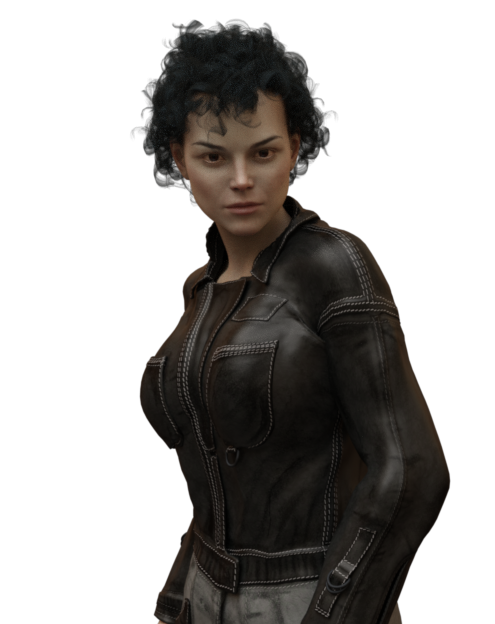
-Alabama: No trouble with the morphs, but the base, dark-brown eye color came out silvery on G3F. I liked the makeup options and transferred over everything that wasn't LIE (I'm never sure how well LIE is going to cooperate on a figure it's not meant for). Like alot of Mousso skins, this one looks a bit washed out under default lighting, so test her with headlamps off and an HDRI setup that flatters human skins. I thought she looked kind of like Sigourney Weaver initially (only prettier), but after giving her dark eyes from a G3F character, and a Ripley-esque hairstyle and outfit, the resemblance doesn't seem as strong. Still a very attractive character.
 SereneNight's Sci-Fi Fun Thread 2
This is the Freediver wetsuit and accessory set Sold here: https://www.daz3d.com/freediver-wet-suit-and-accessories-for-genesis-8-male-s
I think it turned out pretty nicely. Had a bit of trouble with lighting and the white fins.... White and I just don't get along.... But I added a very mild tint to them, and they looked less blown out.
There is no actual hood down morph that I could find. But you can make the head and upper neck hidden and just need to fix a few jagged areas at the neckline postwork.
I do have to add- there is an included watch in this set, that looks really nice.
 Searching a Genesis 8 Figure like this
Well, maybe for the right figure : https://www.daz3d.com/aurore-for-genesis-3-and-8-female
For the left : https://www.daz3d.com/treasa-hd-for-eva-8
If you have a face morph pack like 200 morphs plus, you can also tweak the shape a bit more.
But for real likeness you need to edit the texture probably.(Further query) How to combine Hexagon clothing with modelIf this is for genesis or genesis 2 (don't know about Gen3 yet) then it's pretty simple. After you send your shirt back into Daz from Hex, select it and go to edit->object->rigging->convert prop to figure
Make sure that triax weight map is selected and click ok
Then load up a gen or gen2 character, select it and go to edit->figure->transfer utility
On the left side under source select your gen or gen2 character and on the right select your shirt.
You can select a type if you wish
Click ok
Now you can delete the gen character and save your new item as a scene subset.
I know you posted this 2015. It was very helpful. Thanks dude.
Anatomical Elements Thigh GapHey all. I would like to create a smooth "heart shaped thigh gap". I am using New Genitalia for V8, can't even remember where I got it. The labis bulges out quite a bit even with morph correction. How on earth do you create a skinny model with genitalia that doesnt bulge out from the pelvis into the thigh gap?? What kind and where did ya'll get your genitalia from? I am using different V8 figures but am willing to purchase the right genitalia and figure.
Thanks for any suggestions!!!
Looking for specific elf ear shape for Gen 8 projectBTW V4 is a standalone pre-Genesis figure, you would not get (even) Genesis 2 compatibility by that route.
Pre-Genesis? So V4 is not a part of the Genesis series? I thought it was an offshoot of Genesis 2. Hmm, I guess that explains why Daz has these deep price cuts on V4 products.
I don't particularly care for the body on V4 even though the face does have some pretty good morph controls. They render very fast too. I didn't really buy into V4 as I mainly came into it via lots of free product. All I did was buy the Victoria 4 base model and the 4.2 upgrade came in a bundle which was free. It is just that I am spoiled from the Genesis 8 bodies. The V4 bodies are OK for anime, cartoon, fairies, sci-fi and fantasy type characters, but not for realistic detailing. Muscular details are way off with it and Gen 8 is so much better for that kind of work. That is why I was hoping if I could find that style of elf ear in a Gen 8 character.
Yeah V4 ruled from 2006-2011 I believe, right before Genesis 1. The G2F incarnation of Victoria is V6, which is just a character not a figure.
V4 has maintained popularity for a long time due to good compatibility outside of DS.
But if you will stick with DS there are downsides to V4... If I'm not mistaken there's no autofit or morph following for clothes, and morphs don't (probably can't) stray as far from the base body shape as Genesis morphs can.
Genesis 8F ProblemI found the download for this character and read posts by others and it's happening to others. It was suggested to delete the files and G8 will go back to normal after restarting Daz. That didn't work. So if this is a morph asset file, how do I fix it? I don't know anything about morph assests.
Problem solved. Seems the files had been installed in two different places and I had only found one of them. Finally got rid of all the files and now G8 loads normally.
Thanks for your patience Richard.
Looking for specific elf ear shape for Gen 8 projectFor hair styles, you can always try and see if the parts you can't use are separate surfaces that you can hide by zeroing out the opacity on the surfaces tab. If you have hair shader products, you can even combine two different hairstyles by loading both, hiding the parts you don't like and then using the same hair shader on all the visible surfaces to make them look like they belong together.
For faery ears, have you tried either of these products:
https://www.daz3d.com/genesis-8-female-fantasy-morph-resource-kit
https://www.daz3d.com/hfs-ultimate-shapes-for-genesis-8-female
{Released} Sunless for Genesis 8 Females [ Commercial ]thanks for a great product and also, thank you tons for including the morph types in the promo images.
Looking for specific elf ear shape for Gen 8 projectThis might help
https://www.daz3d.com/ej-fantasy-ears-for-genesis-8-female-s
Thanks, but they are not close. Many of those styles I have already. I am mainly after that one particular style.
I am not particularly fond of the V4 body which is based on Gen 2
BTW V4 is a standalone pre-Genesis figure, you would not get (even) Genesis 2 compatibility by that route.
Pre-Genesis? So V4 is not a part of the Genesis series? I thought it was an offshoot of Genesis 2. Hmm, I guess that explains why Daz has these deep price cuts on V4 products.
I don't particularly care for the body on V4 even though the face does have some pretty good morph controls. They render very fast too. I didn't really buy into V4 as I mainly came into it via lots of free product. All I did was buy the Victoria 4 base model and the 4.2 upgrade came in a bundle which was free. It is just that I am spoiled from the Genesis 8 bodies. The V4 bodies are OK for anime, cartoon, fairies, sci-fi and fantasy type characters, but not for realistic detailing. Muscular details are way off with it and Gen 8 is so much better for that kind of work. That is why I was hoping if I could find that style of elf ear in a Gen 8 character.
Thank you.
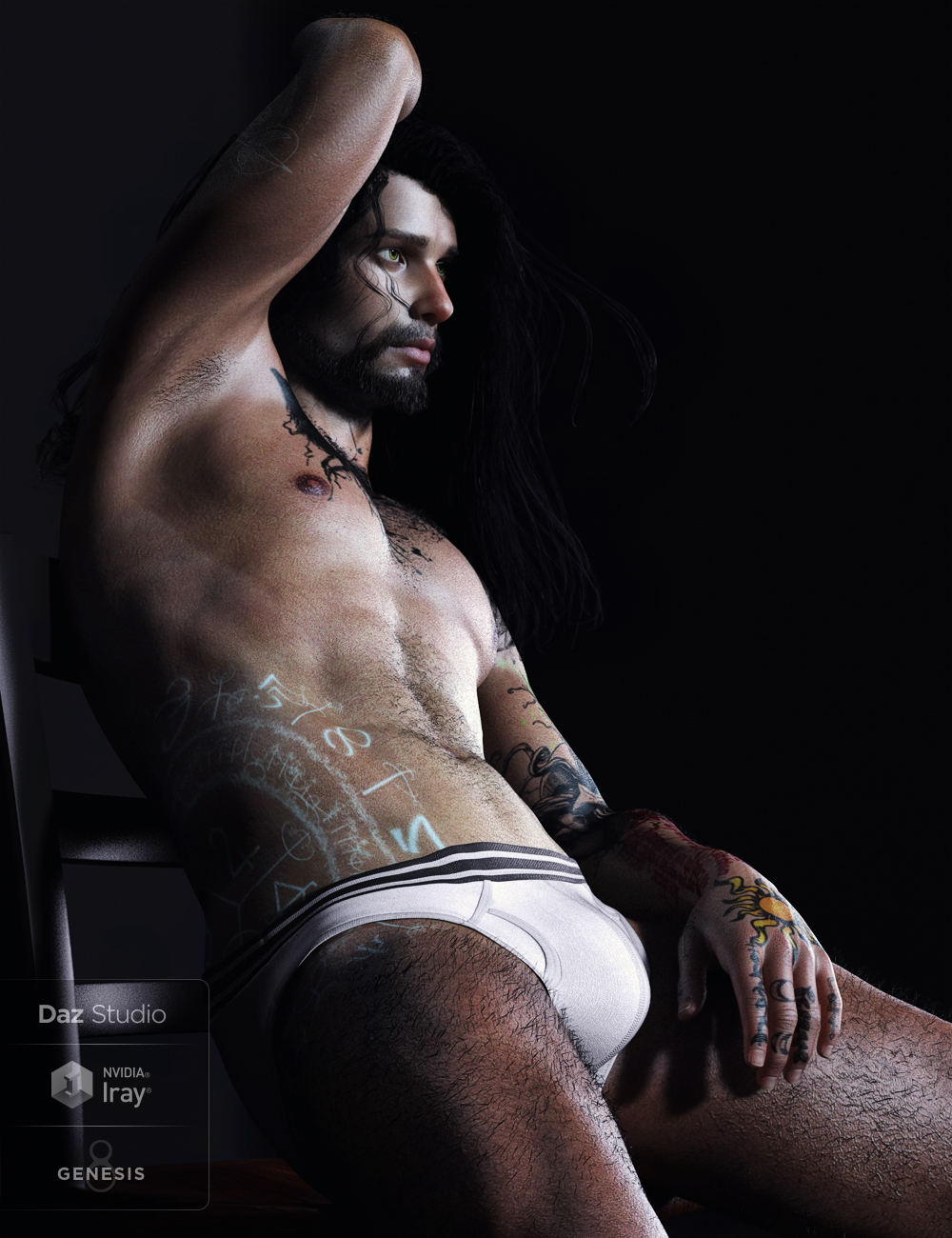
Released! Danior for Genesis 8 Male (Commercial)Danior is that roaming, roguish, sometimes quirky, oddball type of character that can probably slide into just about any situation (render) and get away with it. From Sci-Fi, Fantasy, to Modern themes he can squeeze into just about anything you toss at him.
His shaping presets require no additional morph packs to work; however, the Bonus Muscular Morph Dial Preset requires xenic101's Musculature HD Morphs for Genesis 8 Male to work.
Anatomical Elements included.
Materials are Iray only.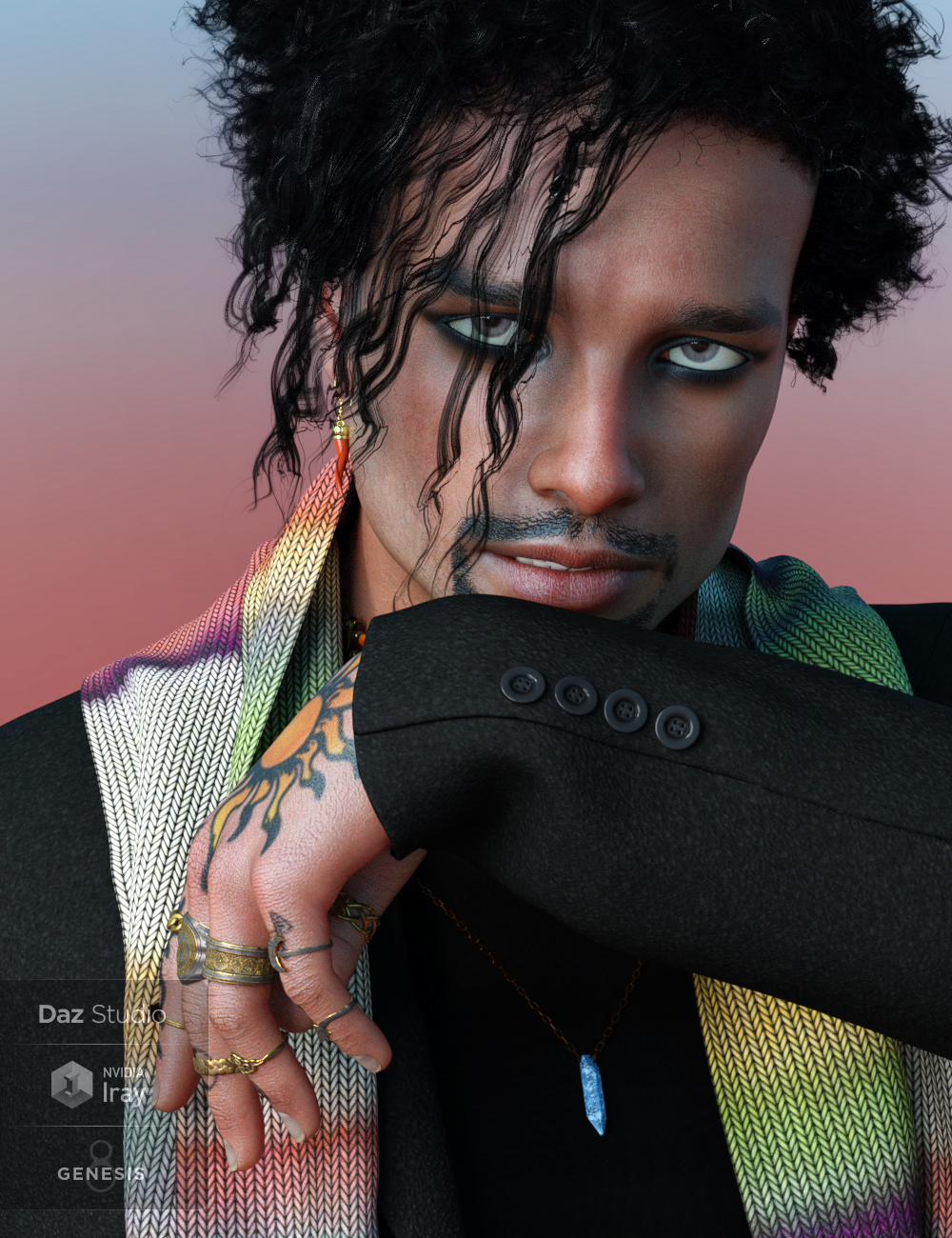
The render below this statement is not a promo-just a fun one.
 Genesis 8F Problem
When a morph is saved one of its properties is a default value, which is applied when the figure is loaded - it isn't in the figure file, it's in the morph asset file.
Welcome to Hatsune Miku Anime Manga Cafe ☕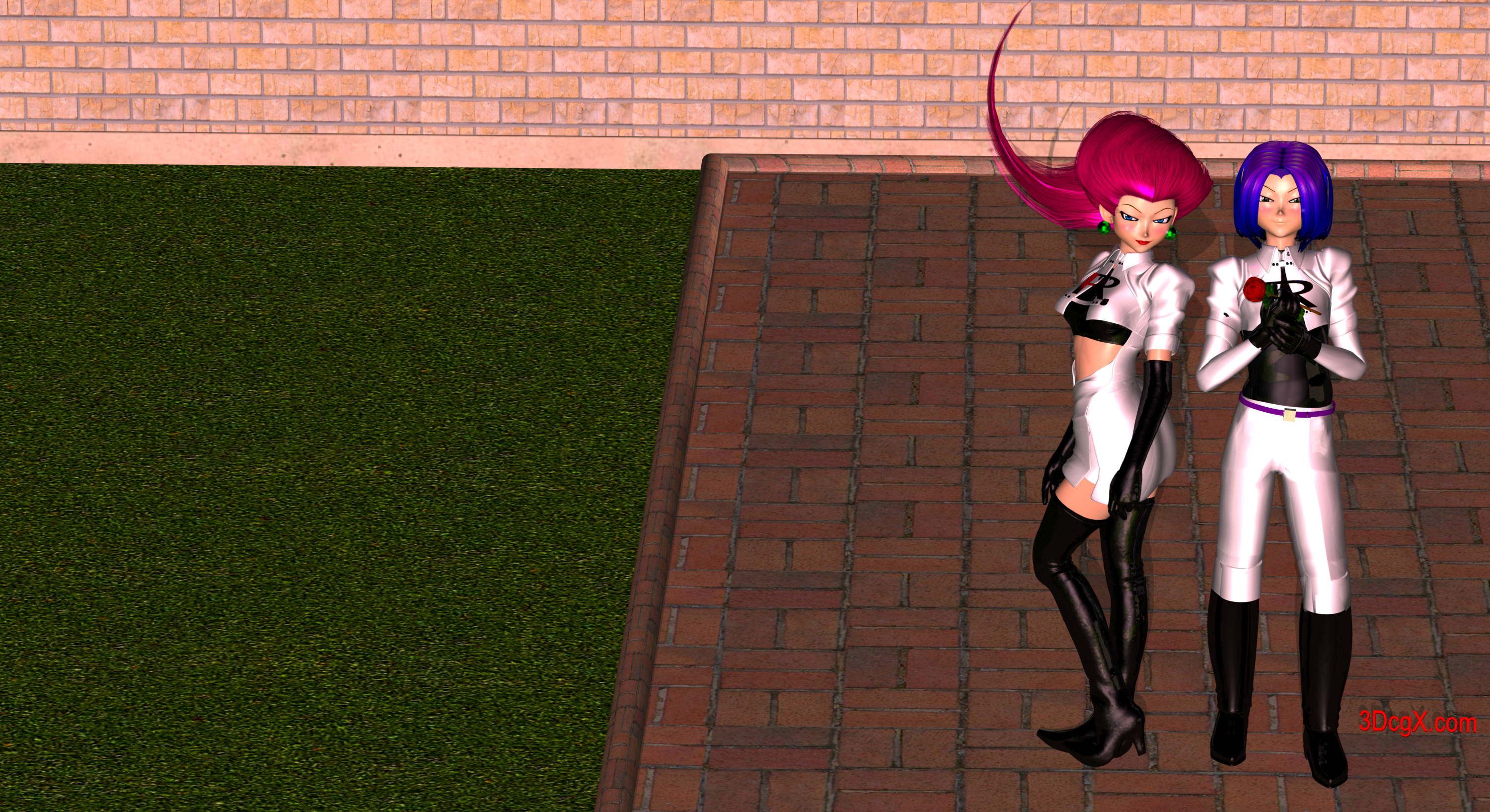
Jessie
Base: Aiko 3
Morph: Kioki
Engine: carrara
Can using Meshroom to create rocks for Bryce possible?use 3Dzephyr from 3D flow
it kicks Meshroom to the kerb
and exports a prefectly ready to use obj
retopology and texture transfer in Blender may be a good idea though
January 2019 - Daz 3D New User Challenge - Composition@Linwelly I appreciate the input very much, will have a new version up in a day or two.
@sueya I like being able to see the characters face more but would like to see the items on the table as well. Do you need the empty space at the bottom of your scene?
@vpaintersue You evened that lighting out very well! Your layering of the background is very good too, and the characters being closer really adds to them sharing this experience IMHO. That is a very nice render!
@ariochsnowpaw I think you are going in the right direction. I still want to see some light glinting off that blade.

@frank1998220 Welcome to the new user challenge.
You have a very nice portrait going there. Nice morph. Some pretty advanced stuff going on with the lighting, it looks great, but to my eye the back light might be a little intense. (personal taste) I think her screen left eye needs a bit of an adjustment, it looks to be maxed out to the side, the screen right eye is fine. I think there might be a bit of poke through with the hair on her the screen right shoulder and perhaps the hair folds/bends are too high at the shoulders. I think that hair is going to be challenging with that kind of thing. I have often found the hair line a problem but your character's is great and the garment fit is excellent. Great start!@Angelik_M Welcome to the new user challenge also.
I like the image you've created! It definitely elicits a emotional reaction for me, very sweet. The background seems dark compared to the lighting on the girl, and the light does not carry through to the background, which looks odd to me. I am not sure what you are using for a background, so this might be a challenge, but I think your image would look better if it was all lit from the same source. I think the girls pose is a bit aloof and stiff, I would like to see her reacting to her pal more. The tigers pose and expression is excellent! The tiger really looks like it cares about her. Great start!Genesis 8F ProblemI have no idea why this is happening. I currently don't own any of the morph packs, only use characters that don't need them or one's that can partially morph her. The image below is the base character and that is how she loads (I added the skin after she loaded), with screwed up hip bones and it affects every character I apply to her. I thought maybe redownloading the starter pack and installing it again might fix the problem, but didn't happen. This only happens with the G8 Female, I have no issues with the Male version. It also does not happen with any other model version (just finished loading and checking for a possible repeat on other versions). I am using Daz 4.10 64bit version, and it happens in the 32 bit version as well. Yes I have both on my computer.
Does anyone know what is going on and how I can fix this?
new computer - procedures with DAZ - non-technicalAnything you bought will be available in your account to dowonload again as you need to.
As for transfering fromone computer to another, I found the best way was to use an external HDD. Transfer from current computer to external and then later from the external to your new computer.
The Official aweSurface Test TrackJust tested out AWE Surface 1.2 on this scene.
FullHD 1920x1080, 8x8 pixel samples and 2048 irradiance samples on everything. 42 min 31.7 secs. At 720p, it took 19 min 7.78 secs. LIt with a single area light, with a single instance. If I don't use the area light and rely soley on a HDRI on the enviroment sphere, render times goes down to 17 min 8.46 secs (due to disabling the diffuse and solely relying on ambient).
The hair has both translucency and subsurface scattering. Thanks to new optimizations in the 1.2 build, render times have improved even if you don't filter out opacity values. All surfaces with opacity are set to 0% optimization. I didn't used each hair color textures though, since I wanted to see what the shading look like with pure colors, spec and bump/displacement if enabled. Obviously, with proper color textures, the hair will look better.
Used the new AWE Environment Light to set camera exposure controls, but used the defaults : f-stop 1/8, ISO 100 and shutter time 1/60. Then I simply raise the scene exposure to max, letting the camera based exposure do its thing. White balance is set to 5750K.
Materials settings are just the ones used by the reworked presets. All I did was run the transfer script to copy specular textures and apply AWE presets (hair, cloth, translucent cloth).
This is very interesting! Very little noise... did you use 256 SSS samples on the skins? Wait, specular textures...you mean for skins or clothing...hair? I think the clothing presets are quite an improvement. Skins too btw:) SSS is much cooler, specular/reflection too. So if you didn't make any adjustments to the skins, does that mean diffuse strength is 50% and SSS strength 75% (or thereabout)?
Looks very promising:) Seems rendertimes with high sample settings have gone down quite a bit:)
Daz 3D is part of

Connect
DAZ Productions, Inc.
7533 S Center View Ct #4664
West Jordan, UT 84084Licensing Agreement | Terms of Service | Privacy Policy | EULA
© 2026 Daz Productions Inc. All Rights Reserved.