-
Genesis Morphs
https://www.daz3d.com/genesis-evolution-morph-bundle are the base sets for Genesis (1)
G8F loading with a funky faceThanks, i too got this problem and now found that the "Demona" head morph is always at 100%, I tried to deinstall and re-install the Genesis 8 female starter kit but it is still active (2017-11-11).
Would be nice that DAZ gives us an update (or a tip which .duf-file should be edited).
You have to deinstall/delete (or edit...) the Demona head morph, the file which causes the problem is (*Your content library*)\Data\DAZ 3D\Genesis 8\Female\Morphs\TMLI\Demona\FHM Demona.dsf . Send me a message if you need further assistance.
Thanks, edited it (value to Zero) and it works.
How can I edit this??
Novica & Forum Members Tips & Product Reviews Pt 11Well for example the Wear Them All prpducts are 'hidden' in that they are fitting clones I believe only and you'll only notice they are installed by the increased number of 'Autofit' dialogue choices you are given.
And for all the DAZ Originals Genesis through Genesis 8 head and body morph and expressions products they have no user available preset icons just sliders in the Parameter or Shaping tabs.
And so on probably for most products you mention.
hi i was wondering if someone can help me making this creme eggHello, I new to blender, but try the boolean modifier. You just have to morph a sphere in the shape you want, to use as a cutter.
Looking for specific elf ear shape for Gen 8 projectYou can use the "transfer active morphs" function in DS to get V4 clothes to automatically adjust to unsupported morphs, like clothes for Genesis figures do.
How would I do this? Please keep in mind I am a complete newbie with this and any experience I have is only with Gen 8, so I do not know where to find 'transfer active morphs'.
Regarding "So if that is the case, then how am I going to get it to fit? Am I stuck using the base body form?":
There were work-arounds like 3rd party apps (Morphing Clothes) and magnet sets to get clothing working with morphs that the clothes didn't support out of the box. Otherwise the safest bet was to stick to a set of well-known body morphs that clothing makers tended to support. When characters like Aiko 4 and Girl 4 came out DAZ would sell "unimesh fits" for their old clothes, so you could basically upgrade them...
Is there a way to get it to work without buying something, or if it is very cheap ($5 or under)? Like I said, for me V4 is pretty much just something experimental to tinker around with. I really don't want to invest too much into it...especially given how old this body type is and given all the extra work involved with it.
Thanks!
All my G3 figures keep getting deformedI'm glad you found the reason, though that's just half of the solution...
If you know what morph caused the issue, and it's not supposed to be "on", then the best option is to uninstall the morph(package), and report the defect to Servicedesk (if it is a DAZ item) or the PA directly, from wherever you got the set. The reason is that the set was saved wrongly, and needs to be re-saved properly, and redistributed.
 Looking for specific elf ear shape for Gen 8 project
You can use the "transfer active morphs" function in DS to get V4 clothes to automatically adjust to unsupported morphs, like clothes for Genesis figures do.
Morph Loader Pro - "Attenuate"The hulk transformation again LOL. I'm glad I could help you with this Wendy.
I was referring to it in other threads myself but in some cases it can be more confusing than helpful.
Here is a Youtube tutorial that explaines the Attenuate By settings in a more general way.
New Morph Tools Intro by Josh Darling

At minute 3 he starts to explain the Attenuate options and usage cases.
In general you can choose a selection as a mask you may have prepared before where to apply the morph shape from the OBJ on the model and where not.
The selection can be anything you can select with the Geometry Editor like a Face Group, Selection Set and so on.
The feature that makes it possible to get smooth influence areas for the morphs to apply is the ability to select a DFormer that you switched to Weight Map Influence and you may have painted a weight map for. I've explained that in more detail in the post at A morph mask field / moving morph.
The Strength setting value of 1 will apply the morph with 100% on the selection, while the inverted value -1 will apply the morph at 100% everywhere else but not on the selection you choosed.
The Edge Strength value of default 0 means that the border or geometry edges of the selection are not affected by the morph.
Using a Mask when Importing Morphs - Xenic101
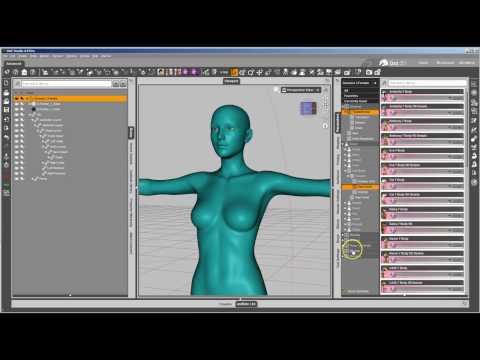
Another good Youtube tutorial with more details on custom selections and custom weight maps.
Its essentialy those two videos I've learned everything to know about the Attenuate feature in Morph Loade Pro.
And here are other refereces:
- Customizing Morphs using Morph Loader Pro includes a PDF tutorial.
-
X-Morphs - Divide, Combine and Save (Released) [Commercial] a script that simplifies the process
Matt Castle does some stuffObviously you haven't browsed the site, or even some of the Threads in this art Studio forum. Your figure is quite well covered compared to someI'm fairly new, but I have browsed fairly widely; Still, I thought I'd err on the side of people not opening a completely new thread to "OMG, BOOBS!", even if there wasn't any doubt about whether it was within the rules. (After all, half the point is to have underwear that's more "plain" than what's sold in the store).
However, if you think I'm being overcautious...
~~~~~
Anyway, a test Charlotte 8 MCM. I haven't got the JCMs sorted yet, so the straps are a bit floaty, but the fit morph itself is fairly smooth. (Again, apologies for the rough render).
What are the thoughts on the most useful shapes? I'm currently assuming the must haves to make this widely useful are the major body and breast shapes from the Female Body Morphs, and Victoria 8 (particularly as it doesn't morph very well by default on Vicky). I'm doing Charlotte 8 because I use her fairly regularly, but which other major Daz characters are particularly important? (Some it already fits okay on, some I don't have, but if people think there's shapes that are vital, I'll try to take a look at it).
~~~~~
As far as texturing, I've elected to reverse the seams on the cups, as they felt like they were the wrong way around, which held up when I actually checked various designs.
(And from this angle, you can better see I still need to paint all the stitching around the back strap, but I'm not sure whether I want to do that as straight stitch or zig-zag stitch yet. Thoughts?)
Anatomical Elements Thigh GapHey all. I would like to create a smooth "heart shaped thigh gap". I am using New Genitalia for V8, can't even remember where I got it.
New Gens for G8F is sold at Renderotica. The PA is 3feetwolf.
The labis bulges out quite a bit even with morph correction. How on earth do you create a skinny model with genitalia that doesnt bulge out from the pelvis into the thigh gap?? What kind and where did ya'll get your genitalia from? I am using different V8 figures but am willing to purchase the right genitalia and figure.There are a number of vendors who make body adjustment morphs for those areas. Zev0's Shapeshift https://www.daz3d.com/shape-shift-for-genesis-8-female-s has a number that are useful on the figure itself, and at Renderotica he has a set of Expansion Morphs made specifically for the NewGens8 add-on.
Morph Loader Pro - "Attenuate"What exactly does "attenuate" do when you're loading a morph using Morph Loader Pro? I've searched on the web and here in the forums and haven't found much that explains what's possible with different settings. I thought at one time it had something to do with HD morphs but I can't seem to find where I saw that.
[Released] dForce Magnet [Commercial]the magnet is loading in like a half a screen away from the fabric.
The magnet uses the vertex location of the base mesh in default state. When you have a morph applied, a transformation or anything else that changes the object's appearance the Magnet will load with an offset. I recommend creating the magnet before you move or morph anything.
To use the magnet on a morphed dress, for example with a morph that widens the skirt, have the dress in default shape in frame 0, create the magnet there, and then apply the morph in frame 1 and move the magnet to fit the vertex's position.
Also, when I run the Guide scripts, i get an error message.
This is weird. Did you install via Connect or via DIM / manually?
Looking for specific elf ear shape for Gen 8 project@TZorg...
I played more with V4 last night and I ended up buying Lillith. As to what you were saying with the clothing is spot on. If the body is morphed too much, the clothing doesn't fit very well. It does follow poses fine, but if you have a more 'built' or voluptuous lady, I have noticed that the clothing doesn't fit right. I don't have much clothing for V4, but I have this nice skin tight body suit and it doesn't fit the couple characters I have, but it fits the base V4.2 fine. Another issue with that base is that she is set with 'built in' hair, which I can't seem to turn off, and she also has 'built in' underwear, which I can't turn off. So I tried to adjust the bodysuit to fit the one character and it only goes so far. So if that is the case, then how am I going to get it to fit? Am I stuck using the base body form? If that is the case that is turning me off with V4. I do admit that V4 has some nice clothing selections, particularly in the Steampunk Genre, of which Gen 8 needs to catch up on. I wonder if that RSSY V4 to Gen 8 clothing converter works well, if so that would open the door to more clothing choices for Gen 8. But at this point, unless it is a freebee (or something in the $2 that I have to have), I am going to avoid anything but Gen 8.
Back to Lillith. OH! Her ears are perfect and if there was a way to widen the head, I think I could create that fairy character in V4. But what I would like even more if there was a way to import that ear morph into Gen 8, then I would be in my glories!
the black corneas are an issue OUTSIDE DAZ studio and Skiriki solved it for meIf you get black eyes in 3Delight, I have not fully confirmed this as I haven't had good luck duplicating the effect (I would like a scene file that has render settings saved in it!), my recommendation is to start looking at things that relate to maximum ray bounces and seeing if increasing those, or adjusting ray length in 3Delight render engine settings would help. Adjusting material settings a la Octane may also be needed in your figure.Max (specular) ray bounces won't help because it's not a ray depth issue. As with Octane, the parameter to tweak is ray epsilon. In 3delight, this is the raytracing bias. Since there's no explicit control in the render settings on any of the old shaders (dsDefault, omniferaker, or AoA's). then it can't be fixed outside of adding a morph.
No such problems with AWE Surface for 3delight in DAZ Studio. You can set transmission bias to 0 to fix the issue. You still need to set it to default value (-1) for other surfaces. I suggest those who have this issue use the shader, since it is available for free.
Plus, you'll get a proper, fully path traced workflow with 3delight.
From Victoria 3 to Genesis 2Update: I've been able to transfer the body morphs using Victoria 3 SAE source and applying all head and body morphs. I chose to "Get Values from Figure in Scene", then clicked the usual "on for all non-zero values".
The problem now is transferring head morphs as they don't register on GenX. There is no morph apply to drag to GenX, just a custom slider on the V3 figure.
the black corneas are an issue OUTSIDE DAZ studio and Skiriki solved it for meyes sadly this shows as modeling gets more complex and detailed our render choices are going to have to up the ante to meet the requirements.
I guess I am nearing the point when new content ceases to be viable for me to animate on my existing computer
but I am also learning how to adapt stuff so it can be used
HD morph addons are something I never buy for example though I love all the fantasy creatures
my machine struggles with more than 3 in a scene.
the black corneas are an issue OUTSIDE DAZ studio and Skiriki solved it for meA timely thread to what I've been doing lately.
I've been taking Daz figures into Lightwave 2018 and pretty much have to re-texture everything, particularly when turing them into PBR node based. The process has somewhat forced me to learn the inner wokings of Daz a bit more, but slowly getting a workflow. Export is either FBX or OBJ, but I'm often having to massage things a bit by running the result thru PolyTrans to get a Lightwave scene & object set that 2018 is content to open.
Anyway, as I'll assume most know, the eye structure of Gen8 figures are more complex than previous. Naming conventions with 3rd party artists can vary as well. How one would examing things in detail within Daz itself, I don't know. But with the tools at hand, I could.
Here's the geom of a Gen8male eye. This shot shows the EyeMoisture layer with the Sclera in the BG (black). As you can hopefully see, the EM is just slightly larger & envelopes the Sclera. Both are open, essentially a jug within a jug, on their sides and their nornmals face the samne way as well.
The second image shows the realtionship of the rest of the eye components Cornea, Iris & Pupil.
And so, as has been stated, the issue is really most likely with surface attributes, unless you truly have some rogue morph that's distorting the eyes.
And a WIP...
Glute Control for Genesis 3 (Commercial)I purchased this but the morph dials aren't appearing for any of my G3F figures in existing and new scenes. Tried uninstalling / reinstalling the package, not sure what I need to do.
Is it just me? - G8F LipsWhen I do expressions I change the facial morphs as well in order to make them more accurate. Then I save the morphs that I changed with the same name as the expressions. One morph I still need is an HD pin cushion chin, which would really help.
I've seen some faces on Pinterest that convinced me that it's difficult to go too big to be natural with the lips. What they call "soup coolers." I grew up seeing faces with mid to big lips, and that's probably why I like them. Plus, the first time I kissed someone with thin lips I found it to be a strange sensation, and that's another reason. It may have been Jagger that made it popular for men to have larger lips.
[Released] RSSY Clothing Converter from Victoria 4 to Genesis 8 Female [Commercial]Any idea why it's not converting any items?
I need the log to tell you why. But you can select them all and use Force Convert Item(s)
Thanks, the force convert worked, but the initial results are not that great. Very loose fitting and a bit warped on the mesh. Will keep trying to get better results t5hough.
The warping can depend a lot on the conformer used. Try other ones. For the looseness, that is intentional to make sure the conformers grabbed everything correctly. Use the Tighten All morph (or any of the other morphs added to the item) to pull it back in.
I did try other conformers and the results didn't change much and that is very unfortunate on the looseness since that is unexceptable for my needs. I don't have many fancy, detailed outfits with special fit needs, most of what I have is normal tight fitting clothing and autofitting to G3 and then changing the scene identifier to G8 gives me the desired results I need and I was hoping this product would automate the process and allow me to do all of my V4 runtimes.
I have the same issue as Illidanstorm on it detecting items in the 3DAge folder, only half of them were detected and here are the less than favorable results from their conversion. The yellow one is the old conversion method and the white is this product. You can clearly see the looseness and the warping.
Did you try the tighten all morphs? They are working quite well for me.
Honestly, V4 clothing is such a mess most of the time as far as the way it was labelled and organized I'm still shocked they could do it all. I don't even care if I have to go through and force convert every single item, this is still a super useful tool for me.Its not any more difficult to hit force convert than it is to hit the other button. I can't speak about anyone elses wardrobe, but the force convert is working just fine on the clothing that I have.
I am happy to hear that
Daz 3D is part of

Connect
DAZ Productions, Inc.
7533 S Center View Ct #4664
West Jordan, UT 84084Licensing Agreement | Terms of Service | Privacy Policy | EULA
© 2026 Daz Productions Inc. All Rights Reserved.