-
G9F/G8F Size Difference
Elor said:
DarkElf said:
Richard Haseltine said:
How huge? The default height has certainly been reduced for Genesis 9.
Thanks Richard. Is there a specific ration difference?
G8F is around 10cm taller than G9.
It can vary from character to character (most PAs will simply use G9 default height, letting users change the height of a character to their taste with the Proportion Height morph) and can vary between core figures in the same line:
- Olympia 9 is taller than G9, almost as tall as G8F while Olympia 8 is smaller than G8F and Olympia 9.
- Victoria 9 is the smallest Victoria, smaller than G9 and a couple of centimeters smaller than Victoria 8.1.
- Michael 9 is taller than G9, he is the same height than Michael 8.1 and both are shorter than Michael 8.
A couple of things to keep in mind:
- G9 core figures who are smaller or taller than G9 usually have a specific proportion morph to get to the advertised height, a morph active if you're loading the character preset, but you'll have to activate it yourself if you start from Genesis 9 Base, because dialing, as an example, Victoria 9 character morph will not activate her proportion morph, only her head and body morphs.
- Don't trust the height advertised on Daz Store, at least not without checking with people who bought the core figure your interested with: Daz had publisher wrong advertised heights a couple of time already (no idea if other measurements can also be wrong, height is the simplest to check by comparing two characters and discovering than the one supposedly 10 cm shorter than the other is actually a couple of centimeters taller
 ).
).
This is so true and happens way too often. Sometimes they're quite accurate while at times we have the Ashley 9 Petite form situation. It would be nice if the Daz Original products listed accurate heights as they're typically perceived as higher quality and should be presented as such.
With that said, it's really a superficial thing when you have height sliders, alternate forms, specific body part morphs, to make any model the size you really want.
Morph Loader pro is gone in DAZ StudioIn version 4.23.0.1 I have no access to Morph Loadewr proi anymore, only Tranfrer Utility is vissible.
I would be greatful for any help.
Regards
P3D 100 Natural Expressionsmcorr said:
Anybody know who the character [used in the promos for P3D 100 Natural Expressions] is? Perhaps it is a P3D combo morph?
Thank you for the edit Richard!
G9F/G8F Size DifferenceDarkElf said:
Richard Haseltine said:
How huge? The default height has certainly been reduced for Genesis 9.
Thanks Richard. Is there a specific ration difference?
G8F is around 10cm taller than G9.
It can vary from character to character (most PAs will simply use G9 default height, letting users change the height of a character to their taste with the Proportion Height morph) and can vary between core figures in the same line:
- Olympia 9 is taller than G9, almost as tall as G8F while Olympia 8 is smaller than G8F and Olympia 9.
- Victoria 9 is the smallest Victoria, smaller than G9 and a couple of centimeters smaller than Victoria 8.1.
- Michael 9 is taller than G9, he is the same height than Michael 8.1 and both are shorter than Michael 8.
A couple of things to keep in mind:
- G9 core figures who are smaller or taller than G9 usually have a specific proportion morph to get to the advertised height, a morph active if you're loading the character preset, but you'll have to activate it yourself if you start from Genesis 9 Base, because dialing, as an example, Victoria 9 character morph will not activate her proportion morph, only her head and body morphs.
- Don't trust the height advertised on Daz Store, at least not without checking with people who bought the core figure your interested with: Daz had publisher wrong advertised heights a couple of time already (no idea if other measurements can also be wrong, height is the simplest to check by comparing two characters and discovering than the one supposedly 10 cm shorter than the other is actually a couple of centimeters taller ).
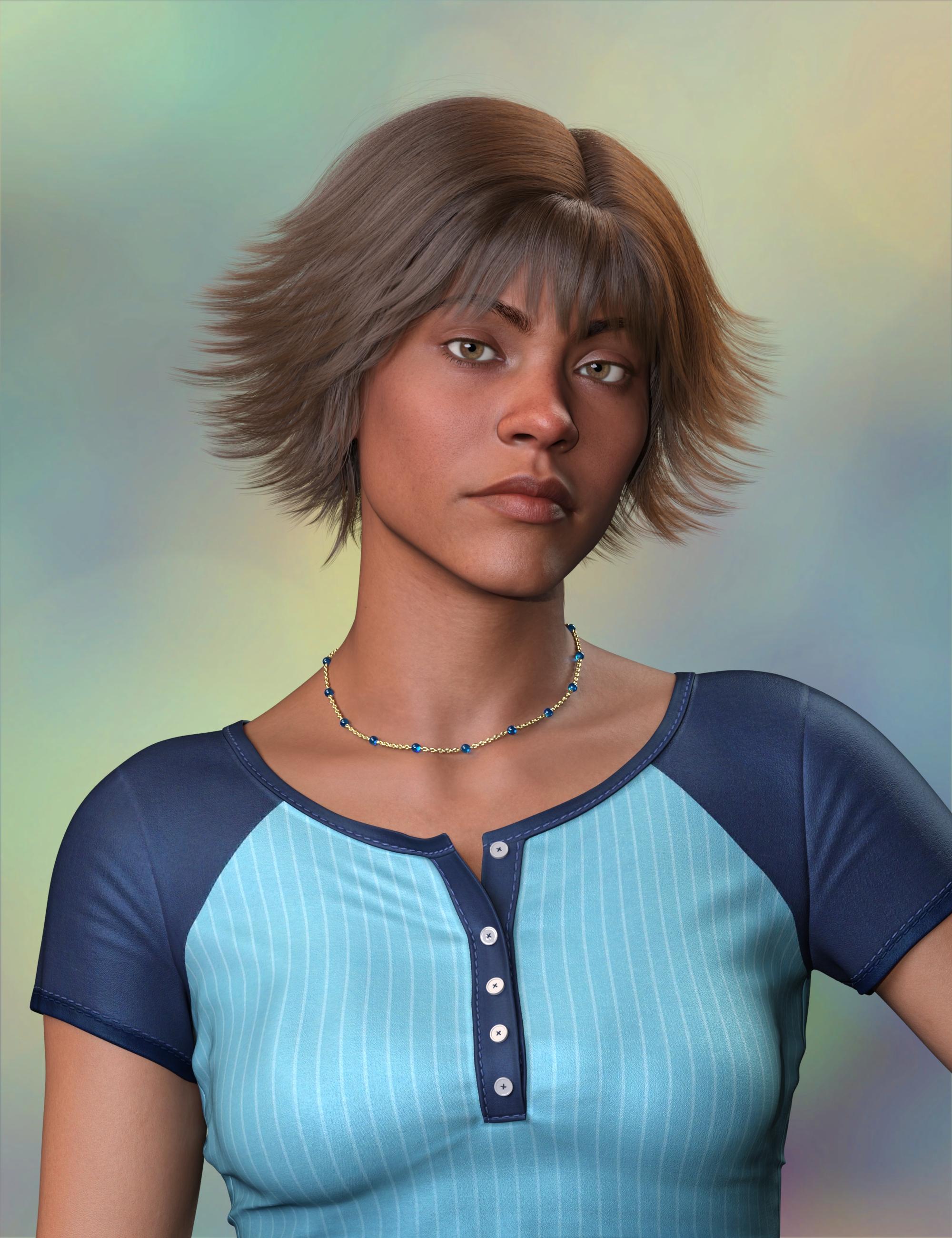
(Released) FK dForce LUXE Chains TWORecent use of Venice Med Balls Short on Zahara. I used the Thickener morph on the necklace.
 How to get definitively rid of duplicate formulas and other weird things ?
This is not an application issue, it is a data issue - usually two characters or morph sets that use the same generic names for properties, and so when they try to make a link (e.g. between a full character slider and the component head and body shapes, or between a shape and a joint adjustment) Daz Studio has no way to resolve it and has to report an error. Help>Troubleshooting>View Log file will tell which properties trigger the issue, one of bnoth need their names chnaging (ideally by the creator) to soemthing more unique (Daz studio itself does now add extra characters to this end, but older content or content that people hand-edit may lack that).
readme file?on poser, each produce has a readme file with instructions that are important. i'm looking for a readme file on michael 9 (like how to morph or alter) and for Time Machine, need to know how to age and/or youthen characters. Where?
don
Buy Something That Doesn't Work in Carrara? Post your Questions and Workarounds here. (please)Thanks for answering.
Stezza,
I've tried importing morphs that way before and they didn't work for me. I know I was doing something wrong. Do you know of a tutorial that I can try?
Wendy,
I'm really glad to hear that it works for you. It gives me hope. One thing that I haven't run to ground is where the morph is stored. I have my runtimes organized by character, G3, G8, G9... the author's video indicates that they default to the MyDaz... runtime. I haven't been able to confirm that. Also, I'm not running cms. Could that be an issue?
Face transfer 2 not showing genesis 9 optionI installed the plugin for face transfer 2, activated it and restarted Daz3d, but in the face transfer windows i only have the option auto and genesis 8 and not the option genesis 9. When i load a genesis 9 figure and run the face transfer on auto it will load a new genesis 8 figure. How can i do a face transfer to a genesis 9 figure?
face transfer pane: https://ibb.co/tM47qDK
plugins pane: https://ibb.co/NpRPMFw
[Released] Anilip3 [Commercial]Dobit said:
Artini said:
What does this error means:
"The figure control with name 'VSMMouthL' could not be found. Check your configuration."
and how to fix it?
According to https://www.daz3d.com/anilip3-figures-pack
Daz Horse 2 should work with Anilip 3.
I have used https://www.daz3d.com/da-clydesdale-for-daz-horse-2
and it created an animation, but I could not transfer a voice to it.We'll take a look at it. Horse 2 should of course work with the Anilip3 Figures Pack.
There is a problem with Horse2 and the phoneme L. We will provide a fix. In the meantime, you can help yourself. Open the file <Daz Library>\Anilip3\Animation Presets\DEFAULT\skeletons\Animation V16 DAZHorse2.dbmf in an editor. Replace "ControlName": "VSMMouthL" with "ControlName": "VSMTongueL"
Save and restart Daz Studio.
Buy Something That Doesn't Work in Carrara? Post your Questions and Workarounds here. (please)what I would try is exporting the morphed mesh from DS as well as the original mesh both in OBJ format for DS ( in base reolution ).. then I would import the original mesh and then create the morph by importing the morphed mesh.. then I would transfer the bones from the original DS mesh to the new mesh and then save that out. This usually works for me when I want DS morphs that don't work in Carrara.
 Buy Something That Doesn't Work in Carrara? Post your Questions and Workarounds here. (please)
I'm trying to use Studio more to take advantage of some of its features, specifically dForce. I purchased a dForce dress (1940sDress for G8F from Renderocity. I brought it into Studio and converted it to Blended Weights then imported it into Carrara. It works well, but I'd like to use dForce to drape it to look more natural. In Studio I used dForce and got the look I wanted. I used the dForce2Morph script to convert the simulation to a morph. It works well in Studio and you can see the new morph. Unfortunately, when I export the new dress (with my morph) as a scene subset or a wearablethen import it into Carrara, the morph isn't there. Any idea what I'm doing wrong?
From Actor to Genesis 9 clone possible?Hi everyone

Before I purchase the MMX Genesis 9 Clones for All (https://www.daz3d.com/mmx-genesis-9-clones-for-all) I wanted to know if it's possible to turn an Actor into a Genesis 9 with it? Because the point would be to turn my Bianca Actor I purchased here into a Genesis clone : (https://www.daz3d.com/bianca-morph-poses-and-expressions-and-chair-prop-for-genesis-8-female?srsltid=AfmBOop-6uQoDNqExB_8FBrkM9eMIwqVmkkoiJrMr8qMcBKVy2DjDnUL)
My point here is that Bianca is only an "Actor" and not a "Character". So is it really possible to turn an Actor into a Genesis 9 Clone? Cause I've already been looking everywhere to purchase the Bianca complete character but she is, unfortunately, no where to be found. So all I have is her Actor version.
Thank you in advance for the help!
Getting on the 9 train, or notUncannyValet said:
background said:
While it's true that an expert, such as yourself, can morph a mesh into about any desired shape, for mortals such as myself it's a lot easier if we are starting from something close. I have no doubt DAZ could sell a hi-res sphere, and some vendors could morph and rig that to be a good quality male of female human character. Most of us don't have that level of skill so I would appreciate it if DAZ sold us something which an 'average user' can turn into a good character, rather than something which needs professional level skills ( and tools ) to achieve a good result.
I guess the harder it is to make a figure look good the more PA's will make money from making characters that are beyond average skills, but I don't think that's a good way to encourage take-up.
I dont really understand this line of reasoning because nobody expects daz users to be sculpting a character starting from the gender neutral base mesh, with zero sculpting skills under their belt. Most Daz users are using a library of purchased and/or default morphs and would begin their dial-spinning from a starting state that approximates their desired final shape. They wouldnt start from the neutral base mesh.
I would be curious to know what your workflow looks like. If you like the G2, G3, G8 base shapes, and want to use them on G9, im sure it would not be difficult to source a rigged clone for those base shapes, or otherwise transfer any previous shapes from previous generations to G9. The benefit of G9 having higher mesh resolution is that most shapes will transfer successfully.To claim these "library issues" are an inherent G9 issue is the result of an incomplete thought.
I can only speak for myself. It's not so much that I want to sculpt from a neutral base, it's more that I want to be able to modify a purchased character to my needs. If there are 'features' built into the base mesh ( abrupt change of normal direction below the breast ), or excluded from the base mesh ..( navels nipples ) , then it's much harder for me to modify the character and get the desired result. I use some morphs from the store, but in difficult areas like chest shape these often conflict, so trying to fix a chest with bought morphs is extremely time consuming, and often the end result is not good.
Getting on the 9 train, or notbackground said:
While it's true that an expert, such as yourself, can morph a mesh into about any desired shape, for mortals such as myself it's a lot easier if we are starting from something close. I have no doubt DAZ could sell a hi-res sphere, and some vendors could morph and rig that to be a good quality male of female human character. Most of us don't have that level of skill so I would appreciate it if DAZ sold us something which an 'average user' can turn into a good character, rather than something which needs professional level skills ( and tools ) to achieve a good result.
I guess the harder it is to make a figure look good the more PA's will make money from making characters that are beyond average skills, but I don't think that's a good way to encourage take-up.
I dont really understand this line of reasoning because nobody expects daz users to be sculpting a character starting from the gender neutral base mesh, with zero sculpting skills under their belt. Most Daz users are using a library of purchased and/or default morphs and would begin their dial-spinning from a starting state that approximates their desired final shape. They wouldnt start from the neutral base mesh.
I would be curious to know what your workflow looks like. If you like the G2, G3, G8 base shapes, and want to use them on G9, im sure it would not be difficult to source a rigged clone for those base shapes, or otherwise transfer any previous shapes from previous generations to G9. The benefit of G9 having higher mesh resolution is that most shapes will transfer successfully.To claim these "library issues" are an inherent G9 issue is the result of an incomplete thought.
Getting on the 9 train, or notRawArt said:
The simple fact that really cannot be argued is that the figure is a 3d mesh. As a mesh it can be morphed ito all kinds of shapes (as my library can attest).
If I can morph the mesh on the chest into chest plates, or scales or any other kind of wierd fantasy/alien creature. There is absolutely no reason someone could not make a morph into their desired shape. Default shapes are simply default, they may not appeal to everyone, so if someone wants a specific look, then it can be morphed into it. There are no limitations as to how it can be shaped except how much the person is committed to want their pet preferences.
G9 is the best selling figure daz has put out, so they must have done something right
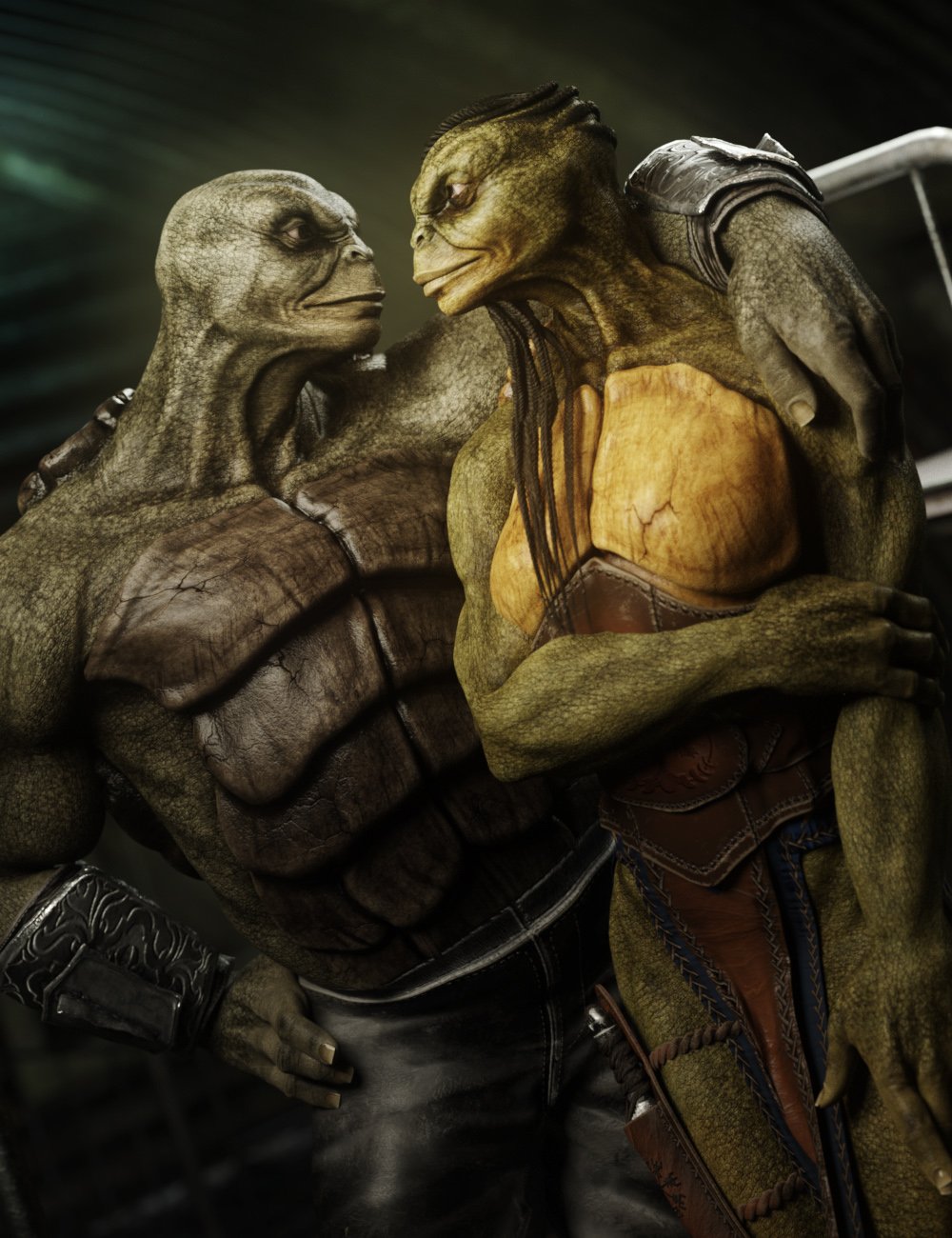

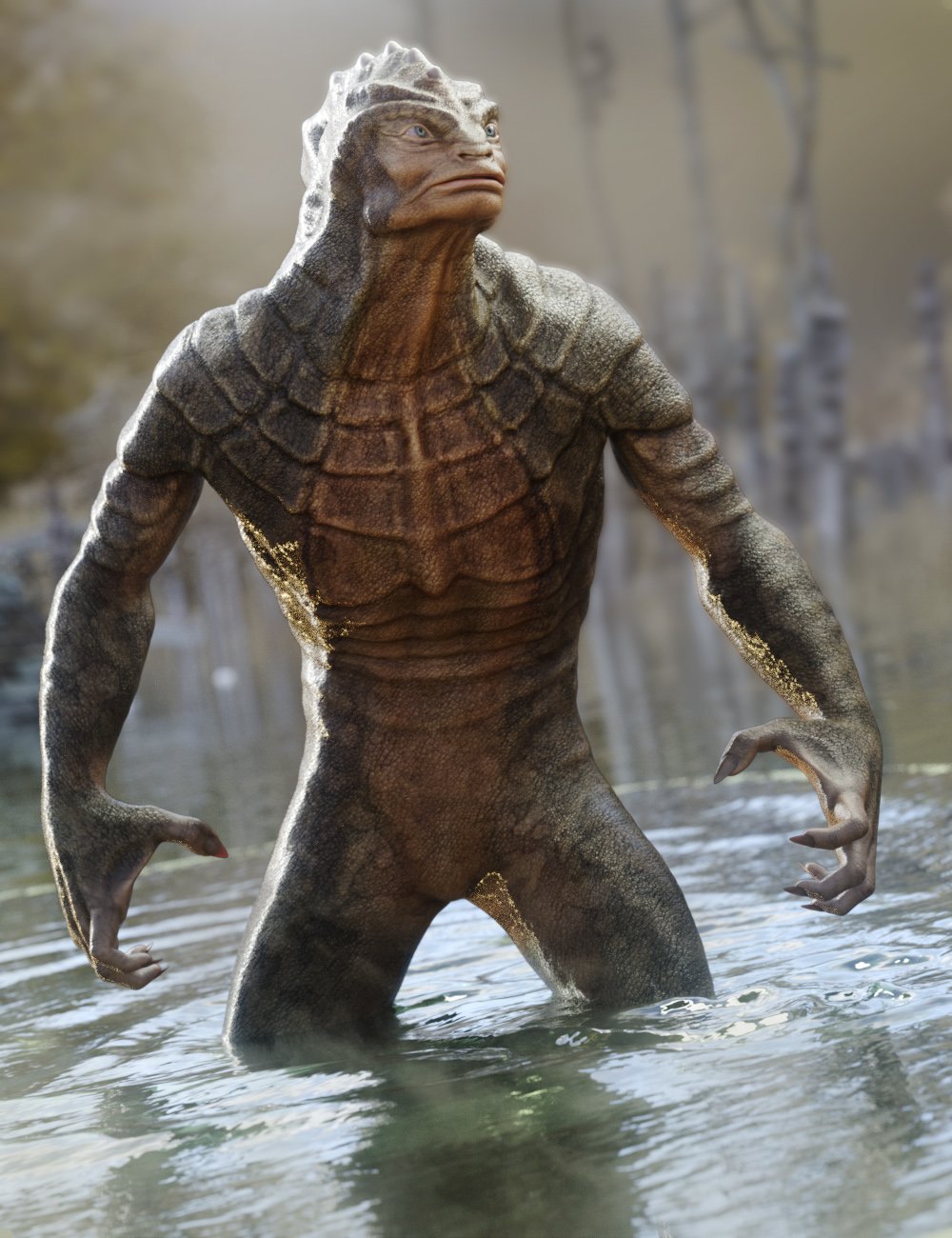

safe to say those chest shapes deviate greatly from the default...so something much more human could be done alot easier than those
While it's true that an expert, such as yourself, can morph a mesh into about any desired shape, for mortals such as myself it's a lot easier if we are starting from something close. I have no doubt DAZ could sell a hi-res sphere, and some vendors could morph and rig that to be a good quality male of female human character. Most of us don't have that level of skill so I would appreciate it if DAZ sold us something which an 'average user' can turn into a good character, rather than something which needs professional level skills ( and tools ) to achieve a good result.
I guess the harder it is to make a figure look good the more PA's will make money from making characters that are beyond average skills, but I don't think that's a good way to encourage take-up.
Getting on the 9 train, or notThe simple fact that really cannot be argued is that the figure is a 3d mesh. As a mesh it can be morphed ito all kinds of shapes (as my library can attest).
If I can morph the mesh on the chest into chest plates, or scales or any other kind of wierd fantasy/alien creature. There is absolutely no reason someone could not make a morph into their desired shape. Default shapes are simply default, they may not appeal to everyone, so if someone wants a specific look, then it can be morphed into it. There are no limitations as to how it can be shaped except how much the person is committed to want their pet preferences.
G9 is the best selling figure daz has put out, so they must have done something right
safe to say those chest shapes deviate greatly from the default...so something much more human could be done alot easier than those
*Released* dForce Faustian Fringe Hairhttps://www.daz3d.com/dforce-faustian-fringe-hair-for-genesis-9
Check out dForce Faustian Fringe Hair for Genesis 9! dForce Faustian Fringe Hair is a highly detailed, long, sleek styled hair. It is an easy-to-use, dynamic, and strand-based hair. Use the hair as-is with the abundance of included morphs, or combine dynamics and drape your hair to your pose.
Also included are 4 morphs to adjust the cap, 6 morphs for the bangs, 6 morphs style morphs for the left side, 6 style morphs for the right side,2 morphs to adjust the frizz, and 5 general shaping morphs. Materials include 15 fun colors, 19 natural hair colors, 14 tip colors, and 12 colors for just the under layer.
Get dForce Faustian Fringe Hair for your fantasy and photoshoot scenes today. This Next Generation Strand Hair is a lightweight option, with this hair rendering beautifully at only 2,621,512 vertices.
Post your questions, your issues, and of course your pretty pictures :)
A few notes, tips and tricks:
The Back Up morph seems to be missing from the download file. It should hopefully be fixed soon.
This hair simulates best close to the body pose with the simulation settings provided.
If you are looking for a predictable hair style that drapes; pose the hair, then simulate with "Start Bones from Memorized Pose" OFF
Daz Studio Beginner Tutorials (UPDATED EVERY SUNDAY)In today’s video we will be learning how to fix the texture problems from FaceGen. I will be sharing an improved method to fix FaceGen textures for Genesis 8 female and Genesis 9 female. We will then apply the FaceGen Morph, fixed FaceGen textures and match the skin texture inside Daz Studio for Genesis 8 female and Genesis 9 female.
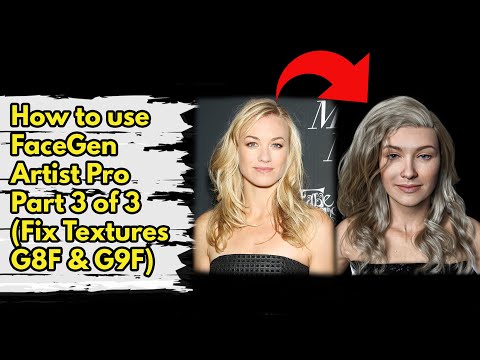 Daz Studio Beginner Tutorials (UPDATED EVERY SUNDAY)
In today’s video we will be learning how to fix the texture problems from FaceGen. I will be covering the textures fixes for Genesis 8 male and Genesis 9 male. We will then apply the FaceGen Morph and fixed textures inside Daz Studio for Genesis 8 male and Genesis 9 male.
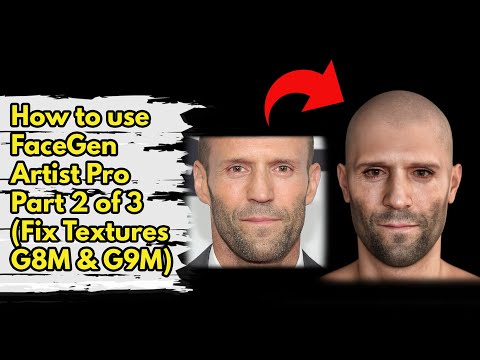
Daz 3D is part of

Connect
DAZ Productions, Inc.
7533 S Center View Ct #4664
West Jordan, UT 84084Licensing Agreement | Terms of Service | Privacy Policy | EULA
© 2026 Daz Productions Inc. All Rights Reserved.