-
Looking for blood/gory effects and props
Big thanks for the setting Sven. May I know where did you get the model of severed head, or is there any way to detach a head from for example Victoria 8 model? :)
If you pose the head as Sven did, without the severed end being visible, you can just use a regular G8F and just turn visibility off for everything below the neck.
If you want something more sophisticated, there's a product over at Rendo that does it.
Thanks, I also found this "amputee" morph set also on rendo :
Looks really legit, I'm gonna try it out :)
Problem with Dson-Importer ?!Is done !
It was a Morph for Genesis 2 Female[Released] dForce Magnet [Commercial]In the image below I'm trying to fake rings on a loin cloth. If the rings are simply part of the clothing, they will completely deform. And in a pose like this one, they would tend to flatten along portions of the figure that expand. So instead, the rings are parented to rigid body nodes. What's left for this to actually work is for the magnets to be able to be parented to either the nodes or the rings. Is there any way to do that? When I tried re-parenting the magnetic property appeared to be removed from the dforce mesh.The Magnets need to be parented to the fabric, otherwise DS doesn't know what to do with them.
In your example I'd rig the loincloth and make only the fabric parts dynamic, with a weigthmap that excludes the area that's tied to the rings so the fabric doesn't fall down. The magnets could then be used to lift the loincloth as needed.Yeah.... this is the one big flaw here... a single vertex isn't always a good looking solution. When you hike up your skirts, or kilts for the fellas, you aren't pinching the cloth between your thumb and forefinger, you are grabbing a handful.
You can use more than one magnet. Once you have set up one, the others are quick and easy. I think I need to make another tut

every time I exported the simulated cloth to create the morph, I was told the object did not match. I haven't done a lot of import/export, but I have done my fair share. Thought it was very odd that I was unable to get it to work.
If no other elements were visible (hide also the eyelashes/eyebrows and the magnet itself!) then it might be a resolution issue. If the clothing uses high resolution you need to set it back to base resolution first - you can find that option in the Parameters tab.
And yes, if you made polys invisible you should switch them back on (good thought, @barbult ! ). A single invisible poly shouldn't cause issues because the vertices are still there, but if you've used two polys next to each other the exported mesh will be missing some verts.
@RGcincy that's a cool idea, parenting a primitive to the magnet!
 Kit Bashing My Life Away
Oh wow I missed all kinds of artwork! Hmm the forum isn't dinging me on the thread *kicks forum hamsters cage - BAD HAMSTERS* LOL
I really love all the images that got posted. That was quite a surprise. I thought the thread had sort of died. Here I just missed there were new posts. The images are all really great!

I did an image for fun with Valentine's Day coming and I fell in love with that Z Alone pack and wanted to do a render with it.
Love Hurts (of course now I have the song stuck very firmly in my head LOL)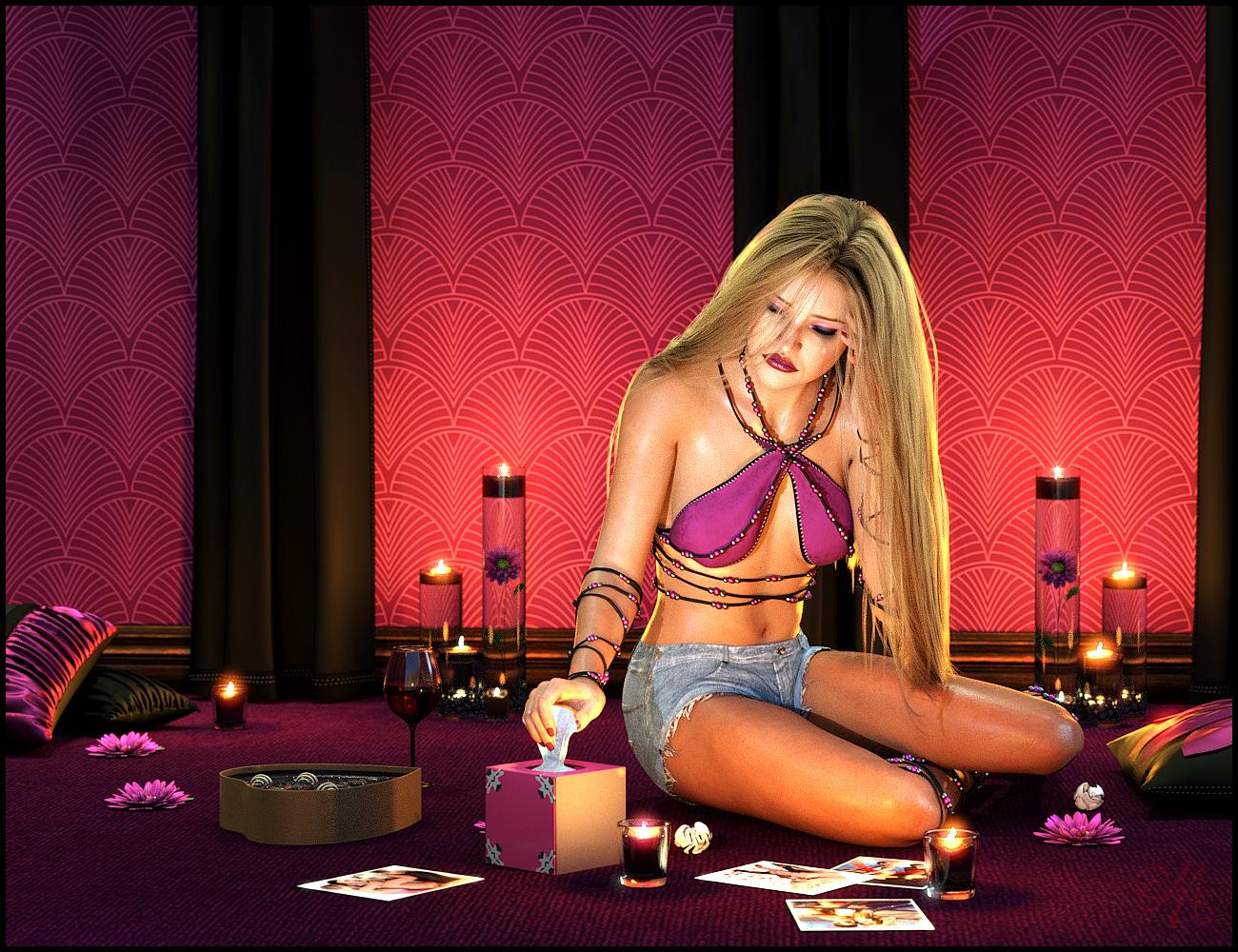
Items Used:- Nights of Romance
- dForce Primal Scream Outfit for Genesis 8 Female(s)
- Primal Thunder - dForce Primal Scream Outfit Textures
- Evelyn & Lynn HD for Genesis 8 Female
- Classic Long Hair with dForce for Genesis 8 Female(s)
- Z Alone on Valentines Props and Poses for Genesis 3 and 8 Female
- Genesis 8 Female MEGA Wardrobe
- Backlight - Hair Shaders for Iray
Anyone interested in a really nice tutorial on Painting Tears in Photoshop..there is a really nice one here:
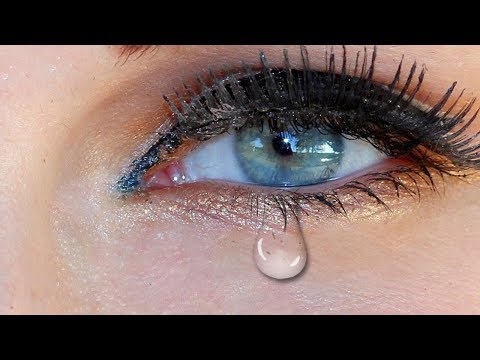
From time to time I will probably post tutorials in here (generally for Photoshop but most transfer over to programs like PaintShop Pro or Affinity Photo fairly easily) Lots of times I do straight DS Renders in Iray and don't really postwork (or only minor Postwork like adjusting levels) Other times I have some time and decide to play more. On those days I take some me time and try to learn something new so when that happens I'll probably post the tutorials I dig up
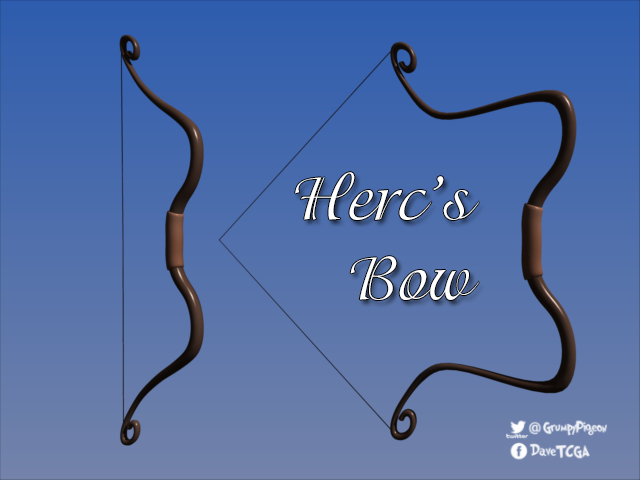
Wacky Modelling ~ In Carrara ~this next wacky model I did for the raining men challenge... I modeled Herc's bow for the image.
Has a pull back morph... here for you to use and improve upon

 Report sales errors here. Missed it? No worries. "There's Always Another Sale™"
What bothers me most about Tasha is the same marketing strategy I keep complaining about which started sometime between the G3 & G8 debuts. For the longest time, Daz would offer the base model/s that you could buy solo or in starter and pro bundle offers, plus a handful of other characters that also had starter and pro bundle options. All the other named morph/texture characters of that generation were sold alone, but for less than a base model. There would be a few that were also available bundled with a hair and an outfit. Now the vast majority are put out like new models with prices to match -- $30+ for base, $60+ starter, $90+ - $100+ pro. Whether it's something really different like Centaurs, Floyd and Edie, or just-another-supermodel.
Plus I just don't do glamour vampires.
Simple question about stacking morphs by total newbie.Clarification: there is a way to do cross-gender morphs I think, but it's not a standard feature. So when I said any genesis 8 morph, I meant any created for that gender.@Symms, Sorry to barge in like this, but I just wanted you to know I've sent you a PM.
Warg HD for Dog 8 (Commercial)Thank you all.
From what I saw all of the basic expressions for totally fine. I didn't create any additional ones and I don't think there are any extra sets out there but they should be good.
The morph mixes into other breeds pretty well, also. And you can dial back stuff to have a more conventional wolf.
Thanks again all
How to export a DAZ figure in fbx format preserving high resolution and etc.This was an extremely helpful topic
You can export any morphs that aren't correct morphs pretty easy. But the LOD thing is annoying me too.
You are supposed to be able to export the other resolutions via FBX, that is what support told me. I think we should open a separate support ticket regarding LOD in FBX if that is not working. Currently I am annoyed DS is not saving other levels of LOD in the DUF file. It's related but not the same exact thing and I did open a ticket for that.
I could see why UE would not like subdivision though, using different predetermined LOD is one thing, but sub-d is basically dynamic and game engines typically don't do sub-d since it's applied in "realtime". Realtime not being the best word, but Sub-D isn't a baked LOD is my point. LOD are basically different quality versions of the figure saved into the same file, Sub-D geometry is not saved anywhere. It's not "real" and only stored in memory.
Regarding morphs, that's not hard you just change your export options when you export, you can tell DS to export all morphs if you want but that would result in a HUGE file. However you can make rules to export morphs with certain words in them. However the more common approach is to animate morphs you need on a timeline.
Typical method is to make a short 2 frame animation. Frame zero is the base shape with no additional morphs. (so dial in your character, but nothing else). Then in frame 1 or 2 go ahead and dial in all morphs you want to be able to control in the next software, expressions, muscle flexing, whatever. When you open the FBX in another program (UE/Unity/etc) they will show up as either morph targets or blendshapes respectively.
Corrective morphs that are hidden are tough to export. Those are basically proprietary to DS. I haven't found an easy way to export those. So when you get your FBX into another program, don't expect elbows and things to look as good as they do in DS.
If someone can correct me, that would be fantastic. I would prefer to be wrong about this, but have been doing this pretty regularly for a few months now and haven't overcome these areas.
THIS!
So all I had to do was make an animation in the renders tab, have my base/prefered setup on frame 1, and on frame 2 activate all my morphs to max. When I exported it, the morphs worked correctly in Unreal Engine, even the HD morphs that didn't normally export. I logged in just to say thanks...even if you'll never see this! Thank you!who is this woman?I agree, she's quite nice. I'm guessing her morph is using a percentage of Osuine do to some similarities in nose shape. If this character's shape has a dependency on other non-base characters, I imagine it would make it difficult to sell.
Quality - has it dropped or am I just insane?I don't like having jackets that don't unzip. It was a problem a few yr ago, and someone made a morph so the jacket would not only unzip, it would also open. Why are users going to go lengths to do things to products to make them function like clothing? Also ppl have made morphs for other clothing that only had minimal (like ExpandAll) and made a few morphs for it....I'm the same when it comes to doors or windows that don't open.
I also don't like shirts, jackets, coats, etc that are half open and don't have a morph to button or zip up.
Quality - has it dropped or am I just insane?When dforce came out, the products in the store looked like sacks. Just shapeless fabric hanging from the shoulders, or long dresses that puddled on the floor. I think they've gottem better now, and they have to have rigged morphs in dforce clothing which has really helped. But I'm finding some items say dforce, and I find myself looking for something that needs it. Maybe a wrinkle in the cuff of a pant,, or something else that could be done just with a morph.
And yes, the 'other' store has really great DS clothing and a big choice of dforce. And it is cutting edge IMO.
I have to agree on this to some extent. There is a lot of great dforce product coming out at Rendo, but I think part of the advantage they have there is that a lot of those artists have been making products for Poser's cloth room for quite a while and therefore have a better idea of what will work upfront. The other thing is that I'm seeing a lot more additional morphs being included on d-force items there... things like hanger and dresing morphs, and I suspect that's partially because it's harder to demonstrate those here due to the more... er... prudish nature of the DAZ store.
A character based on the models of the 1960sI would also like to see such body morphs; they could be combined with the many character faces that are already available. There are also many current day models which have the tall thin body shape. Face morphs of favourite models would be very nice too.
This set of morphs is a good start: https://www.daz3d.com/shop/genesis-8-female-mixed-morph-kit
I would like to see breast morphs which go with (and are made to fit) the super thin body type. Usually super skinny models have small chest size.
PS: Some 60's style dresses would be great too!
Quality - has it dropped or am I just insane?DAZ has always been the place to go for the best. I think the preception of quality being lower now is due to to several factors.
1. The quality at the "other shops" has improved.
2. The addition of lots of "new" artists have created a lot of diffent art styles (not really quality but unique styles, not everyone likes everything).
3. Rendering has been around for a long time now and people want cutting edge, but the changes in cutting edge are just not as great as they once were.
Though as a side note: I do wish the individual items had a star rating option or some sort of feedback option for the buyers.
Yes. I get surveys from everyone nowadays whose service I used. It's crazy. You can give the survey however many stars you think it's worth and rate it 'would you buy from this vendor again', 'would you recommend this vendor/clothing to others', quality of the product, ease of use, good insturctions for utilities, and so on. You can keep it confidential so only Daz can see it.. Are there experienced vendors who would be willing (with an incentive) to mentor these vendors so they can improve their overall overall skills?
I don't like having jackets that don't unzip. It was a problem a few yr ago, and someone made a morph so the jacket would not only unzip, it would also open. Why are users going to go lengths to do things to products to make them function like clothing? Also ppl have made morphs for other clothing that only had minimal (like ExpandAll) and made a few morphs for it.
When dforce came out, the products in the store looked like sacks. Just shapeless fabric hanging from the shoulders, or long dresses that puddled on the floor. I think they've gottem better now, and they have to have rigged morphs in dforce clothing which has really helped. But I'm finding some items say dforce, and I find myself looking for something that needs it. Maybe a wrinkle in the cuff of a pant,, or something else that could be done just with a morph.
And yes, the 'other' store has really great DS clothing and a big choice of dforce. And it is cutting edge IMO.
[Released] dForce Magnet [Commercial]I tried to do something similar to the "drop the cloth" tutorial, but every time I exported the simulated cloth to create the morph, I was told the object did not match. I haven't done a lot of import/export, but I have done my fair share. Thought it was very odd that I was unable to get it to work.
Did you have any items parented to the cloth (maybe a rigid follow node item) when you exported? I wonder what would happen if it was exported with a "marker" polygon hidden. Does that cause an issue?
Nothing parented to the cloth. At one point I removed aboslutely everything from the scene and only had the simulated cloth.
[Released] dForce Magnet [Commercial]I tried to do something similar to the "drop the cloth" tutorial, but every time I exported the simulated cloth to create the morph, I was told the object did not match. I haven't done a lot of import/export, but I have done my fair share. Thought it was very odd that I was unable to get it to work.
Did you have any items parented to the cloth (maybe a rigid follow node item) when you exported? I wonder what would happen if it was exported with a "marker" polygon hidden. Does that cause an issue?
Cat 8 & More Dog 8 Breeds
You deserve the thanks, GhostofMacbeth. Especially for the conforming fur that can be also used with other dog 8 morphs. Awesome morph. Thanks again.Pleasantly surprised to find the Warg for Dog 8 by GhostOfMacbeth: https://www.daz3d.com/warg-hd-for-daz-dog-8Thanks :)
[Released] dForce Magnet [Commercial]I tried to do something similar to the "drop the cloth" tutorial, but every time I exported the simulated cloth to create the morph, I was told the object did not match. I haven't done a lot of import/export, but I have done my fair share. Thought it was very odd that I was unable to get it to work.
La Femme in DS...I loved the girl next door for V4 and still use her morph on G8 and you can see lots of the same style on the new figure.
Was this via the Gen X or X2 product to early Genesis, and then forward to G8 using Clones and such? I loved that morph, as well.
GenX to G3 and then I tried one of the latter copies of the script from Singular Blues before it was pulled to transfer it to G8.
Here is 100% GF8 GND body with a few morph adjustments

Wow, that's stunning, Michael! Great work!
I am enjoying playing with La Femme in Poser 11 and am excited to see vendors supporting SuperFly. I still prefer DAZ and Iray, but there are tools in Poser that are fun to play with that DAZ doesn't have (and vice versa.) Both offer different "flavors" of 3D. The more 3D the better, I say!
Is there any config to transform Genesis Male to an Eastern ethnicity face/eyes?I think looks a bit too young for an old man, so it would be better if you can locate an old asian texture, but I don't think the morph is too bad.
Yep, he seems like middle age man. I was seeking for someone older. Age morph does not makes miracles by itself. Odaa posted a link that helped me a lot, I have used this character (Sensei) plus age deformer plus viking's beard...
The result got very good.
I appreciate all your help, guys.Looks good! And I'm glad you found the clothing from the set useful too.
Daz 3D is part of

Connect
DAZ Productions, Inc.
7533 S Center View Ct #4664
West Jordan, UT 84084Licensing Agreement | Terms of Service | Privacy Policy | EULA
© 2026 Daz Productions Inc. All Rights Reserved.