-
UltraScenery [Commercial]
Ultrascatter pro upgrade crashes Filament too but the original Ultrascatter not using proxies seems OK
just don't generate with Filament on
dunno if that is any help for Ultrascenery users
UltraScenery [Commercial]The bubble trees in Filament are cute - I got some myself when I experimented with US and Filament. Unintended, but worth exploring :-)
Something else I noticed on my computer is that the camera is really slow to reposition in a Filament viewport in a US scene compared to Textured. Is that just me, or is it slow for others as well?
Novica & Forum Members Tips & Product Reviews Pt 13Filament seems to be getting better results from 3DL hair shaders, worth playing with
Iray Preview PC Reboot?I looked at Seriously recommend testing disabling the Eco_power saving in OS & GPU as a test. May work or not. My experience shows the sudden power ramp up may cause a conflict. And with Iray Preview and Iray Render working slightly differently, they may also handle ramp-up differently.
Do you have anyone you can borrow a PSU from for a day? Just swap it out. (lol just make sure you take camera pics before showing which cables went where. There's quite a few and it's easier with digphotos to keep everything straight).
There also is free benchmarking software that stresses machines. It's not as long as a game session, but if it fails there, you will also have an idea.
I checked my Windows System Power settings and I can't see any Eco_Power Saving option. At least I don't have one set. I have three plans: Balanced, High Performance and Power Saver. Mine is set to High Performance.
For Mobo/CPU, When you are at HighPerformance, click change Plan Settings (thats for Win7 - so hopefully u are same or similar on Win10)
Then see this image below where you access advanced settings. In there you will for PCIe and think it was for CPU.
Also image for Nvidia GPU power setting.
Oh hey that is helpful. Hair is very demanding and transparency display is likely coded a ceratin way. Sounds like you are narrowing it down!
However, I loaded another scene, tried the same things and it tripped out on hair load again. Anyway, it was worth a try and thanks for pointing the way to the power settings.
When you loaded the next scene did you close out DS first, and start a new session? I find that a new scene/new session gives me the most stable results. Otherwise you may be stacking issues while troubleshooting.
You might also be amused to hear. I was running 2 sessions concurrently. 1 Latest Beta and a 4.12.0.86. Happened to just finish an Iray render, and both were running Iray preview at same time. LOL, my PC shut off. Timewise it was probably as Iray Renber completed on other session in 4.14 beta and swicthed back to preview. Did not like. Shut down.
I'm pretty sure it was a new session but wouldn't swear to it.
However, just a couple of minutes ago it happened again - this time no IRay. I was playing with Filament - once again messing with opacity settings.
So now I'm pretty much convinced it is hardware but which hardware? My gut feel is still PSU so I might go out and buy one. I can always keep the old one in reserve. I've tried to monitor the voltages and the only one I can see that is changing noticeably is the 12v line. I notice when I start IRay Preview it drops to around 11.7v before returning to about 11.9v. I have no idea at what point the system would decide to reboot.
Filament tutorials/shaders/lights?Two questions:
1). I see Filament renders here where the hair looks almost as it should in Iray but when I try I get a shiny, semi-transparent blob which shows the cranium and/or objects behind the hair. How to make hair look realistic in Filament renders?
2). Nostrils and other areas which should be dark. When I load a human figure in a Filament screen she looks like she has an internal light shining through her nostils, etc. I think this has something to do with AO but I don't know where to adjust it.
Thanks.
New DS Filament Render EngineI rendered this animation with Filament in just under 14 minutes. It would have taken my machine over 2 hours to render it in Iray.
https://player.vimeo.com/video/478310569
Edit: Vimeo lowered the quality by a LOT. It rendered out much more clear and crisp. Here's one of the frames (and of course uploading the frame here also lowered the quality a bit lol /DOH!):

Both the skin and the hair look great here, @3Diva!
- Greg
Filament is there but can't be chosen
It's there but not there.
Is it because I don't have a graphics card? I could have sword Filament was meant for pc that don't have graphics card.
New DS Filament Render EngineI have a default scene load which I have set up for IRay so that I don't need to go tweaking things before I start adding to the scene. I'd be very surprised if I'm alone in this so here's a question:
Has anyone created a default load scene for Filament and, if so, what are your environment, tonemapper and draw style settings?
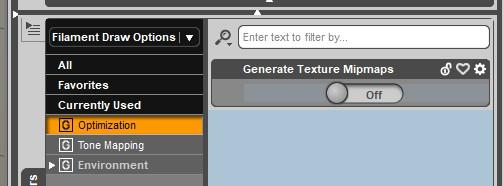
Character skin seams.Turning off mipmaps gets rid of the seams in character skins for me (in the Filament veiwport and render).
 Novica & Forum Members Tips & Product Reviews Pt 13
I used the flollowing for this image:
Emmeline :- https://www.daz3d.com/emmeline-for-genesis-8-female
Matilda Hair :- https://www.daz3d.com/matilda-hair-for-genesis-8-females
Crochet Dress :- https://www.daz3d.com/crochet-dress-outfit-for-genesis-8-female-s
Filament seems like it's a good thing. There are lots of differences in how both render engines look at the work. At least from the few tests I've done.
Filament Images look flatter and without much depth then with IRAY.
I used the identical lights, backgrounds etc with this image. Ran in both filament and iray. Filament so far does odd things with hair. And using lots of point lights and distant lights seem to help with lighting and some shadow creation.
The Mac FAQAccording to the Filament GitHub repository, Filament is up to date and works properly on MacOS.
If Daz is having issues implementing it in Studio, that's one thing, but the technology is available, and works.No PBR viewport optionI admit I'm a little confused by why it wouldn't be simultaneous release, given that Filament's GitHub repository shows that MacOS support is up to date and implemented.
New DS Filament Render EngineFirst test render using Filament
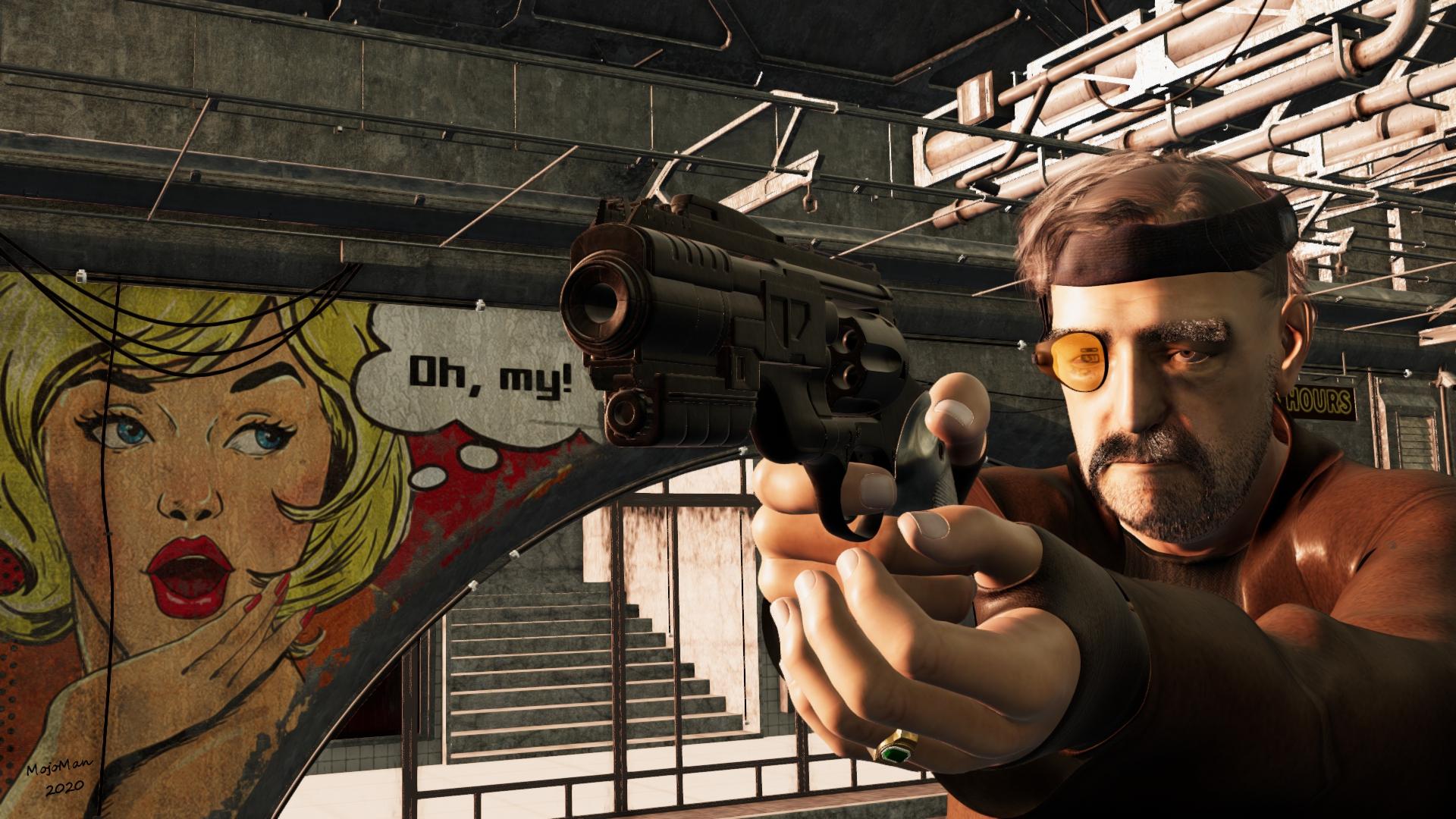
I watched the video by KindredArts and found it immensely helpful. The long and the short of it is, I LIKE Filament. A lot.
Daz Studio 4.14 Pro, General Release!Hi all - this newest version is working very well for me with a couple of strange exceptions - if I close down studio for whatever reason...I'm unable to re-open the program unless I restart my computer. While performing the restarts, I'm randomly (not always) notified that a program is interfering with the restart and needs to be closed (I'm assuming this is Daz as this has not happened before the newest version install). Also, when closing down Daz - it prompts me to save even if a scene is not currently loaded - have not experienced this before the newest version. I'm sure these things will iron themselves out - just curious if anyone has experienced same. Thanks!
I have the exact same issue. A temporary workaround is to open up Task Manager and look under Processes for DAZ Studio Application and kill that process manually.
You could also wait a few mins or 3 and see if it will close gracefully before terminating the process.
I want to echo that this same issue existed in DS 4.12 with users who had Octane plugin installed, and it persists in 4.14 with or without Octane, but now with Filament and without it. I tried disabling Filament in plugins and my DS 4.14 just doesn't close on itself anymore after the upgrade, not after couple of minutes, not after 45 minutes. I trully hope the issue is closely investigated and is looking at any kind of resolution as it is now clear that Octane render wasn't an issue, and Otoy has thrown the ball back to Daz court over a year ago saying the issue is on the Daz end.
UltraScenery [Commercial]For @Gogger "Bubble Trees" rendered in Iray. They are not as bubbly as the Filament look, but this is the best I could do in the time available.
 It is just a surface setting modification of the proxy materials. I made the proxies visible in render and the instances not visible in render.
HA HA! AWESOME - Thanks @barbult !
UltraScenery [Commercial]For @Gogger "Bubble Trees" rendered in Iray. They are not as bubbly as the Filament look, but this is the best I could do in the time available.
It is just a surface setting modification of the proxy materials. I made the proxies visible in render and the instances not visible in render.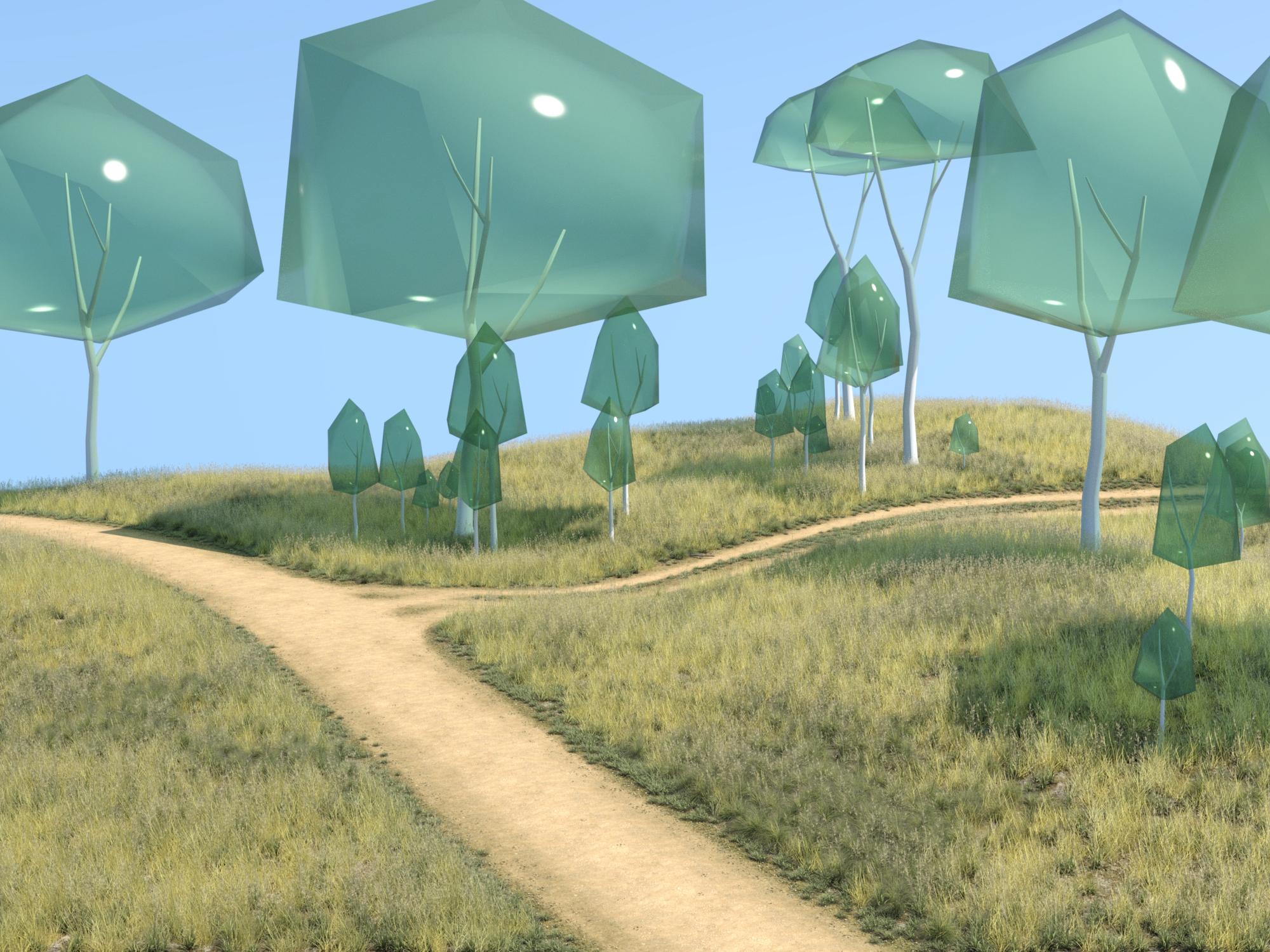 Novica & Forum Members Tips & Product Reviews Pt 13
This set comes with that grass. I actually was wondering as I did these tests what would happen with billboards, wether plants or the Non-Crowd people. Ah, I read up again. Apparently, instantcies (sp?) don't do well with Filament right now. Maybe in the future?
So UltraScenery is not able to be used with it yet. Except in that very interesting idea of a dream/nightmare type of vision.
Novica & Forum Members Tips & Product Reviews Pt 13@memcneil I'm not too "into" this yet, so this may be a "Huh?" question. But is Filament doing what happened to Nath, and that is turning things into cartoony items? Aka, that grass?
Daz Studio 4.14 Pro, General Release!In general, how stable is it if you're not doing animation? Right now, I'm mostly interested in trying out Filament.
I use DS for approx 16 hours a day, it is stable. Which version of DS do you have installed now?
4.12.1.118
If your installed 4.12.1.118 is the General Release, then you can install the Public Beta build to test Filament.
Novica & Forum Members Tips & Product Reviews Pt 13I bought all three KindredArts filament products yesterday. I had the Fireworx set for Iray and new just how excellent it was, so the filament version was a no brainer. The atmosphere and the light set were also a given. I have been playing with the fire and atmosphere, and I will be honest, I am not doing a good job with the atmosphere, but that is a user issue only.
I picked an old, pre-Iray barn, some old crows and a vintage car, and one HDRI. I wasn't watching and the render engine switched back to Iray from Viewport. Not sure how that happened. That was test 2 and 3 that I am not posting. Test 1 was where I had the atmosphere at 64 x 64. I later switched to 16 x 16. I have no idea where that prop is now.
Folks, I honestly believe that Filament is like a tool in the 3D tool box, just like pastels, oil paints, watercolors, colored pencils, or ink and pen are tools for a 2D artist. You pick the render engine that you need for the goal or vision you need to express.
I joined Daz after Iray had been out for a while, so I don't know if there were similar dismay then, but if there was and you were around then, you may have watched as people explored, experimented, learned and grew to enjoy Iray. Yes, some because of hardware issues have limitations find Iray prohibitive. Filament is free of that issue as KindredArts noted.
Mary
Daz 3D is part of

Connect
DAZ Productions, Inc.
7533 S Center View Ct #4664
West Jordan, UT 84084Licensing Agreement | Terms of Service | Privacy Policy | EULA
© 2026 Daz Productions Inc. All Rights Reserved.