-
Windows update clobbers Daz Studio
I wonder if those who wish for the days when Linux ruled the world have ever actually used Linux for any length of time. I've found that Linux is great for those who love to tinker with computers and spend endless hours trying to figure stuff out, including how to do all the stuff they've become used to over the years in a completely different application. With Linux the "devil is in the details", and with Linux there are TONS of details.
Just one example...
- Build a Powerpoint presentation in MS Office on Windows 10.
- Transfer it to your Linux machine.
- ERROR !!! The Linux version of Powerpoint doesn't use the same fonts, and those fonts are unavailable in Linux. So you spend hours searching the internet to find that out, and then more hours trying to fix your presentation with different fonts.
- Oh, and keep in mind there are over 1,000 versions of Linux out there, so getting support on any one version generally gets the response, "oh, I've got a different version. Can't help you".
And yes, Microsoft makes bad mistakes in their software updates. But so does every other piece of software on your computer. Last year Malwarebytes locked up my computer and made me think it was taken over by a major virus. The list goes on.
Welcome to the digital age. I predict that at some point we'll start to realize that all of this digital stuff isn't as awesome as we thought.
Heels, begone?It's dangerous to go alone.
Take this.
https://www.daz3d.com/summer-footwear-collection-genesis-2-3-8-female-s
Seriously though, at least im y opinion you could easily remove the polys of the sole of a shoe and use the flats or low heals section from these to create both total flats and the kind of practical low-heal that is both attractive and deliciously unlikely to end in broken ankles if a lady were to walk over a grate.
That's an amazing set... those strappy shoes drive me crazy, but I think it's just me, 'cause my wife and most of my friends love 'em, and for art, it's a must-have.
On the alterations, I agree it'd be easy enough to do, set by set, but that brings me back to the same question - if it's so easy for me to do it, why doesn't the PA include a lower heel morph in the outfit? I don't know _exactly_ how many extra hours it'd take, but you don't have to sell a lot of sets you wouldn't have sold to make up for one or two extra hours work.
I dunno. I expect I'll have to try it sometime, but making custom clothes and shoes isn't where I want to focus my efforts for PA break-in. Break out? Do you break out or break in...? In I think. Anyway :)Thank you!
You're welcome.
Though I'd start by saying I wish they made outfits play nicer with eachother to start.
[Released] Altern8 Lee 8 (Commercial)Thank you, Divamakeup. I can see the Documentation, but don't really understand how it works. There are "files" with words on, but some seem incomplete.. "Face Shape Sliders can be found in..." I don't know how to see the rest of that sentence. (yes, I know, I am a noob).
Now I know what I need to select in Surfaces though, that was confusing me before I was clearly picking the wrong stuff.
I didn't realise when buying this that it was for advanced users, I assumed it came with more instructions. I just wanted to inject a bit more realism into my renders, and ideally reduce the render time and load, as my pc is so ancient and underpowered.
I am going to keep playing, I loaded two copies of the same character so I can compare the base version with the one I am experimenting on. I just managed to get a rather nice improved Edward, so getting there!
PS - did you realise that if one is using a femal character, the Altern8 files no longer show up on the Smart Content tab. They are much harder to use in the Product tab.
Thank you very much for your help.
This product really isn't for advanced users.
The tips are side by side and listed as Tip 1 and Tip 2.
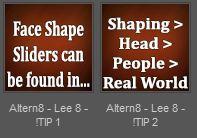
Face Shape Sliders can be found in... Shaping > Head > People > Real World
Those are just helpful tips for people who might want to manually dial in the morph shapes. All the shaping presets are listed right there - as well as presets to remove the shapes if wanted. If you want Face Shape A, click on "Face Shape A - ON", if change your mind just click on "Face Shape A -OFF".
It's not advanced stuff, honestly. lol I'm happy to help if you have any questions though. We all have to start somewhere and learning Daz and 3D products is like anything, the more you use something the easier it gets. I provided lots of tips though to help guide people who might be newbies.
In the very first folder it gives a quicky steps guide:
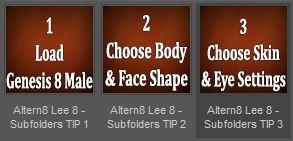
I tried to provide as many tips as I could. I set each file up in order and numbered them for easier steps. Honestly, I set up the product to be as user friendly and straight forward as I could, so it's a bit frustrating to hear someone say: "I didn't realise when buying this that it was for advanced users".
I focused on setting the product up to be easy to use. :)
I'm happy to help in any way I can though, so if you have any questions I can answer let me know.
How to Use dForce: Creating a Blanket, Draping Clothes on Furniture, and Much More [Commercial]BTW, the video from my second webinar was released yesterday: New dForce Discoveries. Text and screenshots work for some but others prefer to learn from videos. Thanks to Digital Art Live for the collaboration!
- Session 1: momentum and momentum transfer, add-on dForce modifier, helper objects compared with dForce Magnets
- Session 2: tips for pre-dForce clothing, over-sized clothing, loose fit clothing, stacked clothing
Heels, begone?It's dangerous to go alone.
Take this.
https://www.daz3d.com/summer-footwear-collection-genesis-2-3-8-female-s
Seriously though, at least im y opinion you could easily remove the polys of the sole of a shoe and use the flats or low heals section from these to create both total flats and the kind of practical low-heal that is both attractive and deliciously unlikely to end in broken ankles if a lady were to walk over a grate.
That's an amazing set... those strappy shoes drive me crazy, but I think it's just me, 'cause my wife and most of my friends love 'em, and for art, it's a must-have.
On the alterations, I agree it'd be easy enough to do, set by set, but that brings me back to the same question - if it's so easy for me to do it, why doesn't the PA include a lower heel morph in the outfit? I don't know _exactly_ how many extra hours it'd take, but you don't have to sell a lot of sets you wouldn't have sold to make up for one or two extra hours work.
I dunno. I expect I'll have to try it sometime, but making custom clothes and shoes isn't where I want to focus my efforts for PA break-in. Break out? Do you break out or break in...? In I think. Anyway :)Thank you!
HD add on’sThe HD moprhs are able to move the virtual vertices created by the SubD process, in addition to the real vertices of the base mesh thata re all a standard morph can touch. The vertices already exist, if you haven't set the resolution to Base, and the HD morph doesn't add extras if the division level is too low. Other than that they are just like regular morphs
Genesis 8 missing morphs?Ok, so I reinstalled the g8f head morphs and also updated the starter essentials because I needed too, and I'm still not finding what I'm looking for. I looked on the morph list on the product page, and it does have these: lips heart, lip upper curves, etc.
So under the panels on the right under parameters, posing, and shaping, none come up with that. Am I looking in the right place? I've tried selecting the whole body and just the head. Things like face young are also missing.
I double checked and both the starter essentials and the morphs are installed in the same folder (PP2018). This is not however the folder DS is installed in, but that shouldn't matter. Things like lips part, etc. those are there just not the ones that seem to change the shapes which is what I am after.
System setup for Daz Iray Renderscan you still get 1080Ti cards? From what I undrstand the PSU is perhaps a little OTT.
Lots of 1080ti on eBay, both used and new.
I have been looking for a 1080ti I could afford for awhile now also, but personally I would not purchase one from ebay or a used one.
That's your choice. But I did buy from eBay, every single time. For the past 10+ years every GPU I have bought has been from eBay. I bought two 1080ti's last year at different times from different people. There is not really any good reason IMO to go out of your way just to avoid a used card. You can save a lot of money and most manufacturer warranties transfer. Pretty much every 1080ti is still under warranty as I write this (though launch models are getting close to the end of it). EVGA will honor their warranty, regardless of who owns it and how the card was used. But I have never had an issue.
Most people forget about tax, paying tax on new cards is another fee that adds up. I got free shipping and paid no tax, which has saved me hundreds of dollars beyond the just the sale price of the cards.
So while you are searching for a brand new 1080ti, I am already happily plugging away with mine. 1080ti's are officially out of stock, so any you do find are going to be stragglers from boutique sellers, and they will be marked way up because they are the last of their kind. I'm surprised you can find any at all.
That last statement holds true for most Pascal cards now. The 1080ti, 1080, 1070ti, and 1070 are all officially out of stock in most places, and as such are getting marked up, not down, because they are the last new cards of their kind. But on ebay prices are falling, because there are tons of Pascal cards out there. Although prices on 1080ti's are still higher than what I paid for either of mine.
Are there bad ebay sellers? Sure...just don't buy from them, LOL. Never buy from people who only post stock images. Never buy from China, or over seas in general. Stick to sellers in your own country...unless you are in China, then I guess you may indeed be screwed. And don't be afraid to ask the seller questions.
[Released] Anderson for Genesis 8 Male [Commercial]I noticed that Anderson has .dhdm files in his directory; is he actually HD? If so, do we need subD 3 or subD 4 to show off his HD details? (I have an image of him, but it's definitely not something I can show here, I'm afraid.)
Yes, he is :) Actually, you don't necessarily need to subdivide the morph to see the details, as most of them are made with normals maps. But you can always subd and see the definition improves much more. My promos are always made on subd 1.
RiverSoft Art Second Anniversary Contest SUBMISSION THREADI'm happy to take part in your second competition (thankfully finished my entry)!
Bringing Home a Clan Member | Gallery Link

Inspired by the recently released Landon 8 bundle. "A werewolf meets a little guy on the streets who's having a hard time. In his heart, the moment their eyes crossed, he knew… it was time to bring his clan member home."
Products used:
- Assembly Line Pose Automation Kit + Bone Doctor Pose Control | These products allowed me to transfer my G3 Males poses to the G8 generation. Which is a time saver considering that I have a lot more pose sets from the previous generations. Additionally, being able to save partial poses allowed me to mix and match several poses to get me started. Then I only had to do some tweaking!
- Clothing Converter from Genesis 3 Male to Genesis 8 Male | The entire wardrobe the character is using is actually a combination of two G3 outfits. I'll link the outfits in the gallery.
- RSSY Clothing Converter from Genesis 2 Male to Genesis 8 Male | The boots as well as the earring are actually kitbashed from G2 outfits! I'll link the outfits in the gallery.
- Look At Me Pose Control | Of course, one cannot do a render without using this handy tool. How else would these clan member's eyes meet otherwise?!
- dForce Magnet | Last but not least... one of the best tools ever... the magnets! I only started playing with them till now, even though I bought them at launch. Though they seemed complicated to use, they were surprisingly easy and intutive! It took some playing with the cape to get things right, but finally, I was able to make it seem as though the dog was biting his cape. A bid of attention with a growl of mistrust. Those who are the hardest to love are usually the ones who need it most.
Thank you for your wonderful products, @Riversoft Art! I hope I paid a nice tribute, since this image couldn't have been made without the products I mentioned!
Cloth warp phenomenonAs long as the figure is still covered you could post screenshots. It certainly sounds odd - posing the figure would potentially warp, especially in a dress rigged with Transfer Utility, but rotating the figure as a whole should not be affected by the weight maps.
Creating Unique Characters from Reference Images Using Morph SlidersThen some more tips.
- In the nearby topic, Greycat correctly noted that one should start customizing a face with the shape of a face. Gradually moving from large parts to small.
- It would be even more correct to begin by finding out the basic proportions of the original. The imposition of proportions from a photo of a human 165 cm in height on a model of 180 cm height ... is so-so an idea. Therefore, it is desirable to first set the height and body of a model, at least "by eye". Basic knowledge of drawing can help a lot here, especially those concerning the proportions of a human face and body (this is not difficult, for access there is enough internet access and a couple of hours or evenings)
- If you are friends with Photoshop/Gimp/..., then the reference photo, in addition to discoloration, is desirable to turn to the desired angle (although you can rotate the plane from the photo already in the Studio itself) and create a copy of the reference photo with the contouring along the main geometry. Contouring along with discoloration helps to correctly identify the true geometry of the original.
Seen videos on YouTube, where quite ordinary girls, painting their face with mascara and lipstick, in a couple of tens of minutes turn into elven princesses? Yeah, it's good magic optical illusion. With most reference photos, the exact same story. And the negative (in this case) effect of makeup and light and shade will need to be minimized. - Planes exposed on the sides of the head will help determine the shape and size of the face
- Moving 1-2 planes, it is convenient to set the main features of the face through them: angles of inclination, height and depth of the line of eyebrows, ears, tip of the nose, lips, chin
- Details (hump nose, lip shape, etc.) at the stage of setting the main contours, it is desirable not to bother at all. If an error creeps in the base, then you have to roll back along with the detailing - in vain the time spent.
- After applying the available morphs, additional geometry corrections may be required (as a rule, already minor) Here the built-in tools of the Studio can help: Weight Map Brush in conjunction with d-former's and push modifier. But this is a separate (and huge) topic, and my English is already running out. In short, this is the usual sculpting - as in Zbrush, but without ZBrush. One of the many tutorials - "TUTORIAL - Creating a Genesis Partial Body Morph in DAZ Studio Pro 4 Using the DForm Tool by RKane_1"
Junkhead - free low poly robotCheers ^u^
I would not want that to bite my finger (...)
Unlikely, since the poor thing can barely move the jaw up n down but a few degrees. But if that doesn't convince you, comes with "teeth gone" morph too ;)
Bridget 8I just checked and Bridget’s head is at 0%! So I’m not sure why it says it requires Bridget...? I loaded the figure directly from Smart Content so all morphs should be in it. Very weird! OK, just saw that it is Bridget’s body that is at 70% but you really don’t need that, you can make whatever body you want. The head does not require Bridget!
Thanks for the info Alicia, I went ahead and poicked up Ellis based on your post.. I did a test render and really like her skin, and although I like the head morph, I turned it down to 75% because it was a little to strong, but I am happy with her, reminds me of a strong Latina character. Thanks again.
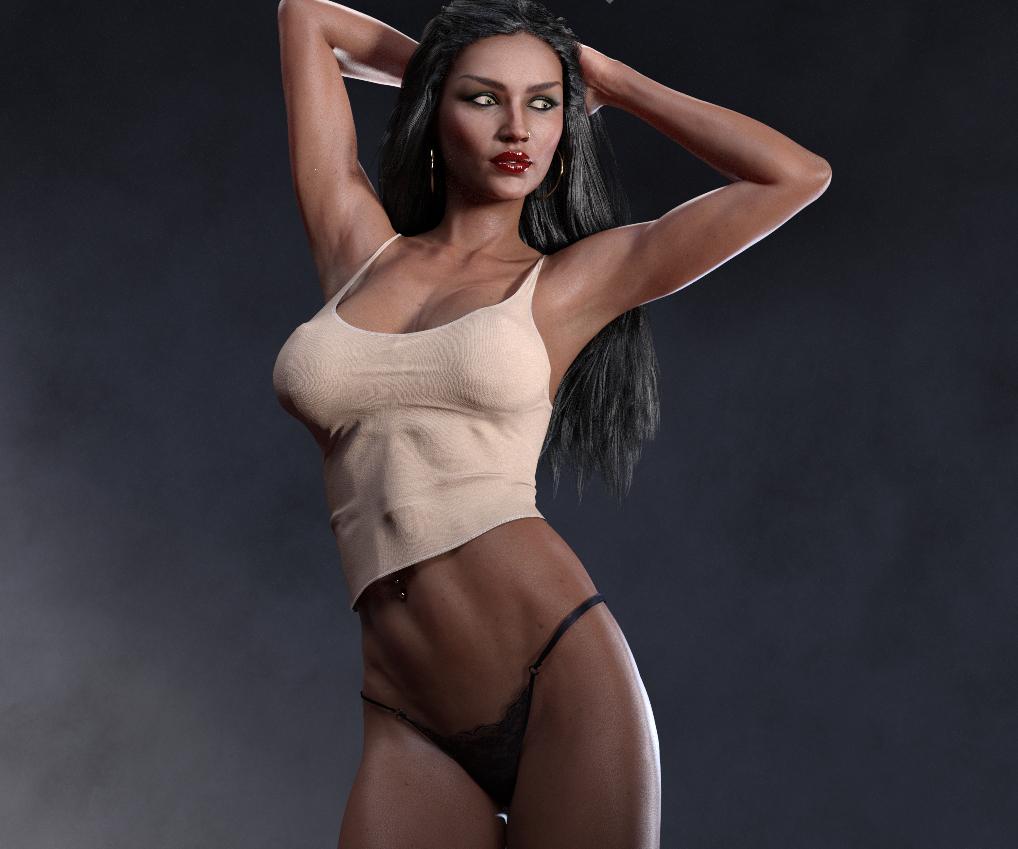
Looks awesome!!!
Bridget 8I just checked and Bridget’s head is at 0%! So I’m not sure why it says it requires Bridget...? I loaded the figure directly from Smart Content so all morphs should be in it. Very weird! OK, just saw that it is Bridget’s body that is at 70% but you really don’t need that, you can make whatever body you want. The head does not require Bridget!
Thanks for the info Alicia, I went ahead and poicked up Ellis based on your post.. I did a test render and really like her skin, and although I like the head morph, I turned it down to 75% because it was a little to strong, but I am happy with her, reminds me of a strong Latina character. Thanks again.
Whoa! Or should I say "caliente?"
Bridget 8I just checked and Bridget’s head is at 0%! So I’m not sure why it says it requires Bridget...? I loaded the figure directly from Smart Content so all morphs should be in it. Very weird! OK, just saw that it is Bridget’s body that is at 70% but you really don’t need that, you can make whatever body you want. The head does not require Bridget!
Thanks for the info Alicia, I went ahead and poicked up Ellis based on your post.. I did a test render and really like her skin, and although I like the head morph, I turned it down to 75% because it was a little to strong, but I am happy with her, reminds me of a strong Latina character. Thanks again.
Teen Josie 8 Chipped ToothOkay, Vanishot, here's what I would suggest. Forget about Smart Content for the search for the missing teeth morph. Load a plain vanilla copy of Genesis 8 Female into a new scene in DAZ Studio. Make sure that G8F is selected and open the Parameters tab (we could use the Shaping tab, but we want to make certain we don't overlook something). Any morphs or poses that you have for G8F, including any morphs associated with characters, such as Teen Josie 8, should have loaded along with G8F when the figure was loaded and therefore appear somewhere in the Parameters. There could be exceptions, but we'll deal with that later, if necessary. For now, with Genesis 8 Female selected at the top left in the Parameters tab, type "teeth" (without the quotes) in the search bar at the upper right and click on the little magnifying glass. That should reveal all the sliders loaded that have that keyword in their name. Do you see anything there that might be the culprit? You can test, if in doubt, by trying any suspects on your loaded G8F (best to have her with an open smile or something so you can see her upper teeth).
If the above has failed to reveal what you are looking for, try replacing the teeth search term with "tooth", to ensure what you are looking for isn't hiding in plain site.
If you still have no joy, report back and we can explore some other possibilities.
[Released] Universal Horns For Genesis 8 [Commercial]Are they geografted?
Only the the Martian Horns are geografted the rest have HD morphs that bring the skull out to match but you can turn off the HD morph with the Zero Horn pose if you want !
March Madness 2019I didn't buy Landon pro bundle because of Lycan (not for my taste), so giving Fergal HD a chance to play with was a hard decision. If it wouldn't have come with some nice deals (1 free product, B. HD at lower price and 2 70% sale) so I could consider it free; I wouldn't have bought it.
If I can't consider it free, I'll pass on it and on the free bedroom model too, I have several bedrooms and HD-s and I could make models too.
It's more of a question of principle for me, even if only the 2 HD + 1 bedroom would be a good deal at that price.
Which items are these then please as I see no new items added to any list that gets me 70% off.
I only see the bridget HD morph for 70% off
Which was yesterdays "new" item.
But look closely at the adcopy. The offer at the top of the page is for "Bonus Madness" items. There is no such section on the sales page. Instead, there is now a Bonus Buyer section…
I ask again, are these two, Bonus Madness and Bonus Buyer, really the same thing?
Yes could we please get some clarification on this.
The reference to Daily Items every day has been removed.
And what about "Get an EXTRA 70% OFF* when you have bought a New Release from the last THREE (3) days" I bought something because I though okay that not so bad, might be usefull and I'll have 2 more chances to get 70% off something as the advertisment refered to daily items, now it turns out we don't get that many chances, if B. HD stays tommorrow too then it was 0 more chances. Shouldn't that rule be changed too or shouldn't there be some compensation? (Shouldn't we get extra days, if there is no change in the item?)
If the potential saving of 70% on a forthcoming item was what tipped you into buying something when you did then yes, you may want to consider a refund request should the actual offers up to the last day of the window not seem worthwhile - but I would assume you actually wanted the items you purchased so you will need to weight the whole range of relevant offers in the balance.
March Madness 2019Which items are these then please as I see no new items added to any list that gets me 70% off.
I only see the bridget HD morph for 70% off
Which was yesterdays "new" item.
But look closely at the adcopy. The offer at the top of the page is for "Bonus Madness" items. There is no such section on the sales page. Instead, there is now a Bonus Buyer section…
I ask again, are these two, Bonus Madness and Bonus Buyer, really the same thing?
Yes could we please get some clarification on this.
The reference to Daily Items every day has been removed.
And what about "Get an EXTRA 70% OFF* when you have bought a New Release from the last THREE (3) days" I bought something because I though okay that not so bad, might be usefull and I'll have 2 more chances to get 70% off something as the advertisment refered to daily items, now it turns out we don't get that many chances, if B. HD stays tommorrow too then it was 0 more chances. Shouldn't that rule be changed too or shouldn't there be some compensation? (Shouldn't we get extra days, if there is no change in the item?)
If the potential saving of 70% on a forthcoming item was what tipped you into buying something when you did then yes, you may want to consider a refund request should the actual offers up to the last day of the window not seem worthwhile - but I would assume you actually wanted the items you purchased so you will need to weight the whole range of relevant offers in the balance.
Daz 3D is part of

Connect
DAZ Productions, Inc.
7533 S Center View Ct #4664
West Jordan, UT 84084Licensing Agreement | Terms of Service | Privacy Policy | EULA
© 2026 Daz Productions Inc. All Rights Reserved.