-
Help Identifying a G2M Hair [Solved]
Ok, last one for a while, as I have to get back to work. :)
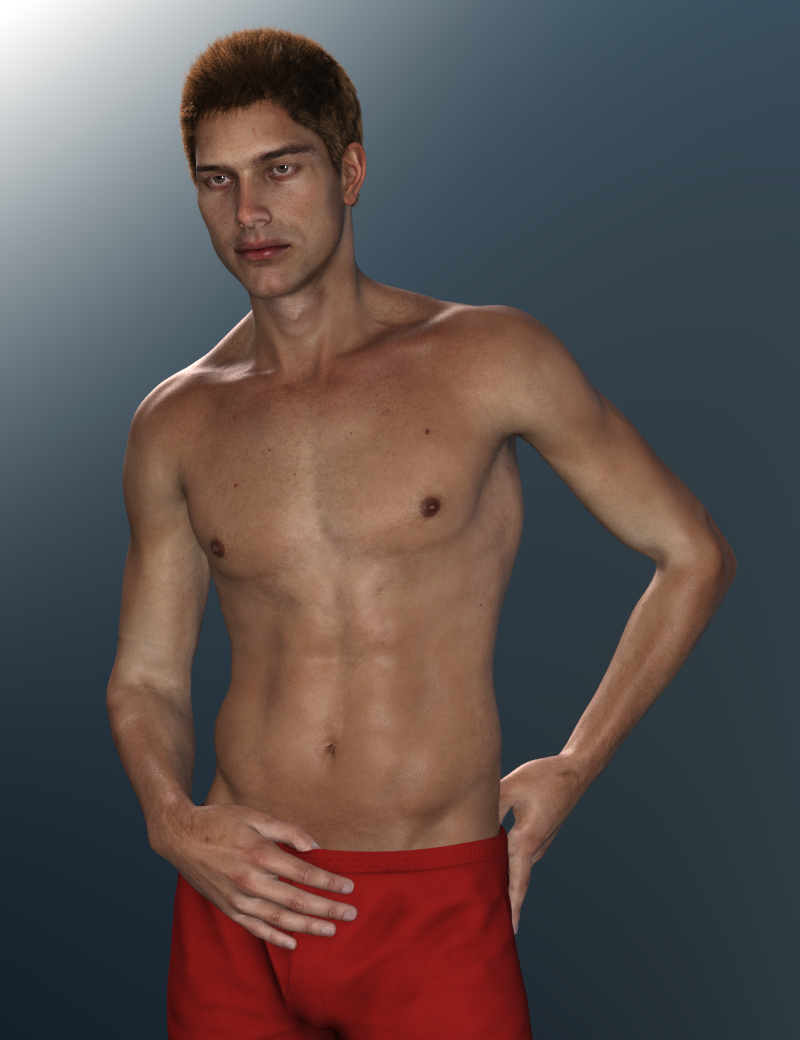
The more I pose him the more I realize he could definitely use the better bends and nice facial rigging (coupled with PowerPose) that comes with G8M. I'll have to look into seeing if I can figure out how to transfer him when I have some extra time. I'd love to have is shape and textures with G8M! :)
Genesis 9 delayed until at least 2020. Will you be buying it?No way I'm expending all that money again unless they free the HD morph plugin creation. Too much inversion for another figure with the same limitations as previous generations.
Help Identifying a G2M Hair [Solved]Probably Michael 6 and this hair https://www.daz3d.com/real-short-hair-for-genesis-2-male-s
Oh thank you! The main promo image for that looks nothing like the hair, so I totally missed that! It looks like the PA that made it hasn't released anything in about a year - hopefully they'll release something new soon so that it will go on sale. :)
You think the character is Michael 6? I thought it might be too, but since I've not really used Michael 6 I wasn't sure. I'll have to check him out. This is the second time I've been kind of "wowed" by a character just to have someone tell me it's Michael 6 - so looks like I need to do some renders with him. heheh
Thanks for the help. :)
Mike 6 is one of the better looking males IMVHO. There is an issue with his chest tho - he has some real man boobs...lol. I still use him a lot tho ;). Also, that outfit is quite awesome if you don't have it. Super detailed for a male outfit and one of my favorites.
Laurie
Apparently, I had purchased him about a 17 months ago but never got around to messing with him much. But after reading this thread I had to dig him out. And WHOA, I found my new favorite guy to render! lol
Here he is with Altern8.
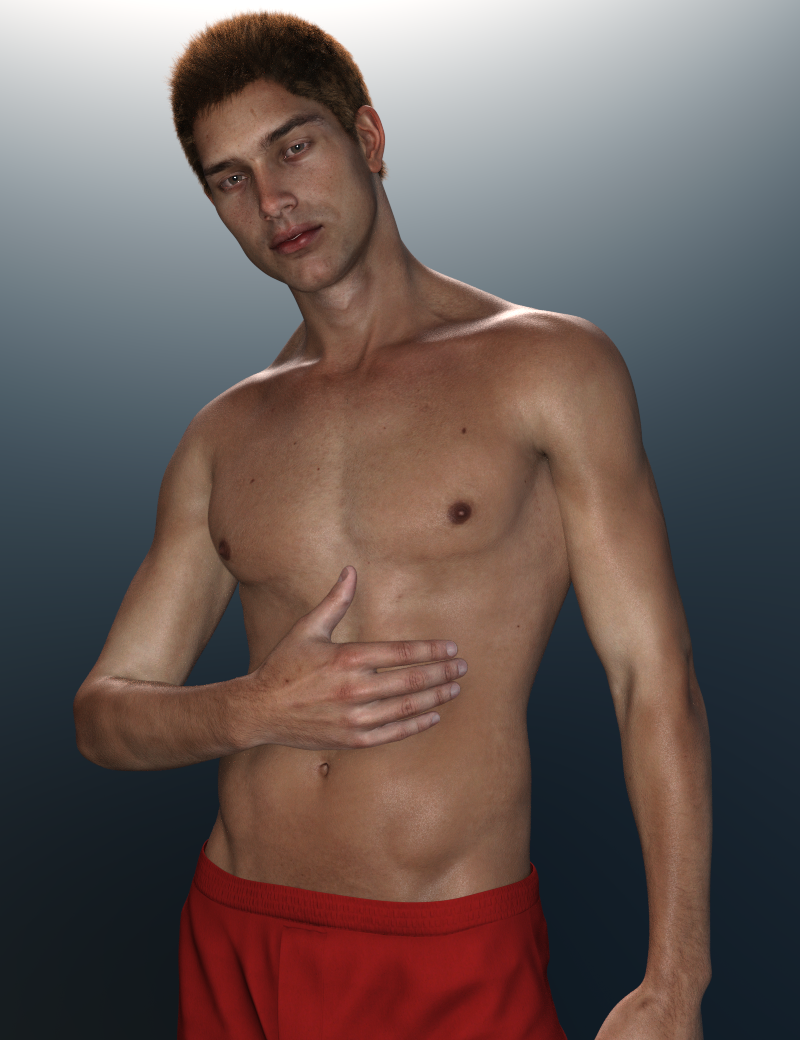
And now I'm ruined! lol Because I have next to nothing for Genesis 2 Males. Dang it... why does he have to be so fine!? How is "Well, he's pretty hot, but he's no Michael 6." not a saying? lol I'm either going to have to invest in G2M or figure out how to transfer him to G8M. Because now that I know he looks this good with Iray and some Altern8 tweaks, I absolutely have to render this guy a LOT more. :)
Genesis 9 delayed until at least 2020. Will you be buying it?I'm sure it will be coming sooner than later.
But I hope it brings more to the table than better bending, which is the only thing I remember about the Gen 8 launch.
A more subtle knee bend is not really worth the hundreds of the dollars to upgrade, convert, and morph everything so you can actually use your library.
I mean... unless you're really into knees... then... more power to you. :)
Even today, Gen 3 is still my #1 figure. Gen 2 and Gen 8 are probably tied at #2. Gen at #3. So in the end? I still use them all. So don't feel so bad about the coming next gen. If it brings more to the table? Then great! Sign me up. If it doesn't, it can share a place with Gen 2 and Gen 8. :)
/ramble off
I wouldn't even go so far as to say that G8 bends better. In some cases, it's worse. I don't remember the G3's having that "twisty" bicep problem when the forearm at 90 degrees and the upper arm is rotated so that it's straight up like the G8's do. I also didn't like that the heel bone was removed in the foot either. Having said all that, I do use ALL the Genesis generations and I'm sure if something new moves me, I'll get it ;).
Laurie
Victoria 4.2 & Morphs ++ Show as not Installed in Studio Via DIM InstallationAre you sure you installed the Poser files, not just the DS files? Please post a screen shot of what you are seeing.
Victoria 4 cannot be nstalled through Connect (from the Smart Content pane) because of the way all the ExP morph expansions have to be in the same location (with connect each product gets its own sub-folder).
Richard, it is even worse than i originally thought as I have 9 screenshots of content all installed via DIM that are showing in Studio with the same error icons... All appear to be based on the series 4 charcters, morphs, and CF Files. Here are some examples,
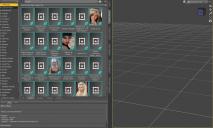
I also attached them to this so you can view them larger... As you can see they all have the same icon and when right clicked on most of the choices do not work including Explore and Browse to folder location... Other choices have to do with Metadata and when Show Product in Content Library it goes there but there is no content shown...
So you asked this question earlier in this thread,
"So you can see the figure in Poser Formats>Folder Installed to>Figures>Daz People in the Content Library pane?"
Here is a screenshot of those files,
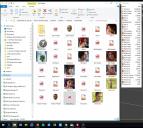
How can this be when DIM shows all of these installed?
Since there are so many of them am I needing to start all over again and start from scratch or should I un-install Studio completely and then reimport all my content???
What would you do at this point?
Thanks again for looking at this.
Genesis 9 delayed until at least 2020. Will you be buying it?I'm sure it will be coming sooner than later.
But I hope it brings more to the table than better bending, which is the only thing I remember about the Gen 8 launch.
A more subtle knee bend is not really worth the hundreds of the dollars to upgrade, convert, and morph everything so you can actually use your library.
I mean... unless you're really into knees... then... more power to you. :)
Even today, Gen 3 is still my #1 figure. Gen 2 and Gen 8 are probably tied at #2. Gen at #3. So in the end? I still use them all. So don't feel so bad about the coming next gen. If it brings more to the table? Then great! Sign me up. If it doesn't, it can share a place with Gen 2 and Gen 8. :)
/ramble off
Mrs. Chow 8LOL, that kimono works only if she has doubled-side tape on those shoulders to prevent equipment malfunctions. Otherwise she's fiddling with the shoulders the entire time she's wearing it. It does look good though it's not a kimono. I will have to get the old one fitted & saved for genesis 8 I guess.
Not to keep selling it, but the shoulder thing is a morph

Basically, its a regular kimono (or at least a big robe) with a few not-strictly-necessary morphs for, you know... artistic purposes.
cool, much better
Mesh Binding (for Cloth Simulation)I assume, from the mention of dForce, that this is in Daz Studio - in which case it might be better to move the thread to the Daz Studio Discussion forum by editing the first post.
I'm not aware of a way to do that, though I suppose if you rigged the proxy, simulated, exported as OBJ, loaded as a morph, and then used the Transfer Utility to rig and copy morphs into the full resolution item it might work at least to an extent.
Hi Richard,
sure thanks, will move it to the DAZ Studio Forum. And yes, a have a couple of workarounds in mind but with this solution you could stay in DAZ Studio and wouldn't have the hassle of exporting and reimporting. And The possibility of binding one mesh to any other is usefull fairly common in other 3D Apps, would be a big benefit to have it in DAZ Studio.
Mrs. Chow 8LOL, that kimono works only if she has doubled-side tape on those shoulders to prevent equipment malfunctions. Otherwise she's fiddling with the shoulders the entire time she's wearing it. It does look good though it's not a kimono. I will have to get the old one fitted & saved for genesis 8 I guess.
Not to keep selling it, but the shoulder thing is a morph
Basically, its a regular kimono (or at least a big robe) with a few not-strictly-necessary morphs for, you know... artistic purposes.
Good to know. It was the only outfit associate with Mrs. Chow that I did not purchase. Like others, I didn't need sexy and the draped off the shoulders isn't a look I will ever use.
Link Genesis8 shaping 'sliders'- Set both to the values you want when the master slider is at 100%, with everything else zeroed
- Right-click on the Parameters pane and check edit Mode, if it isn't.
- Right-click in the group you want to add your slider to and select Create New Property
- Edit the settings - name/label, and probably limits
- Set the slider's value to 1 (or 100% if it'ss et to display as percent)
- Right-click on the new slider and select ERC Freeze
- Check that the right things are listed in Sub Components and click Accept
- Test
- Optionally, File>Save As>Support Assets>Morph Asset and select the new slider - this will make it available to every figure you load based on that version of Genesis.
Victoria 4.2 & Morphs ++ Show as not Installed in Studio Via DIM InstallationAre you sure you installed the Poser files, not just the DS files? Please post a screen shot of what you are seeing.
Victoria 4 cannot be nstalled through Connect (from the Smart Content pane) because of the way all the ExP morph expansions have to be in the same location (with connect each product gets its own sub-folder).
Mesh Binding (for Cloth Simulation)I assume, from the mention of dForce, that this is in Daz Studio - in which case it might be better to move the thread to the Daz Studio Discussion forum by editing the first post.
I'm not aware of a way to do that, though I suppose if you rigged the proxy, simulated, exported as OBJ, loaded as a morph, and then used the Transfer Utility to rig and copy morphs into the full resolution item it might work at least to an extent.
Genesis 8 figures keep loading with some kind of pre-applied morph.... I am losing my mind hereWell that sounds strange and this is with your default genesis figure loaded from the library? To test if the above method with Save Modified Assets is working you have to start a new scene and load the genesis figure again eg. Content Library: People/Genesis 8 Female.
About the Joint Editor you don't have to adjust something to have the expressions working. While we are at the Joint Editor you can try to restore the rigging, right-click the viewport Restore>Restore Figure Rigging to reset everything to default.
Can it be that the expression sliders have a number in brackets at the front? Like showen here with Visible and Selectable in the screenshot:
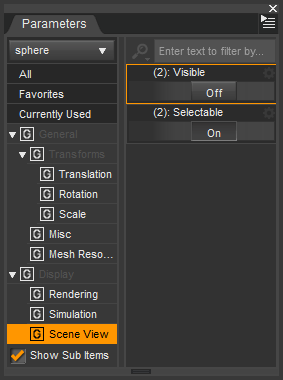
If so you may have somehow installed the expressions twice into your content library(s) and the morph shape will multiply by two.
My advice would be: don't do manual content installs let the [DIM] DazInstallManager do the content installation. With using DIM the chances are good that the content files would end up in the right locations.
Genesis 8 figures keep loading with some kind of pre-applied morph.... I am losing my mind hereThe morphs can also be hidden ones maybe you can't see them.
There is a setting called Show Hidden Properties in the Parameters pane Option Menu (that is the lined button on top of the pane) check if its on to also see hidden morphs (properties).
After Edit>Figure>Zero>Zero Figure the genesis figures should look default again. Zero Shape will only affect shapes but we can't be shure the author of the false morphs was smart enougth to set the morph type to Modifier/Shape in the Parameter Settings dialog. I have seen a few morphs without any type set, only zero figure will reset them I guess.
Then also use Edit>Figure>Memorize>Memorize Figure this will set all zeroed morphs (properties) to be zero by default.
If you didn't do anything else than the two things above with the figures you can also try:
File>Save As>Support Asset(s)>Save Modified Assets to save the morph changes to zero and default zero to the affected morphs in the library.
The Save Modified Assets will show a dialog and lists every morph and asset in the scene that has been modified and gets updated by confirming. If possible you could make a screenshot of this dialog that could help others to identify those troublesome morphs.
Thank you so much, this helps a lot!!!
You both have been really great with these tips. I spent all evening on this. Now I won't have to waste another night like this again.
Remember, you are part of a family now; feel free to ask questions....
Genesis 8 figures keep loading with some kind of pre-applied morph.... I am losing my mind hereThe morphs can also be hidden ones maybe you can't see them.
There is a setting called Show Hidden Properties in the Parameters pane Option Menu (that is the lined button on top of the pane) check if its on to also see hidden morphs (properties).
After Edit>Figure>Zero>Zero Figure the genesis figures should look default again. Zero Shape will only affect shapes but we can't be shure the author of the false morphs was smart enougth to set the morph type to Modifier/Shape in the Parameter Settings dialog. I have seen a few morphs without any type set, only zero figure will reset them I guess.
Then also use Edit>Figure>Memorize>Memorize Figure this will set all zeroed morphs (properties) to be zero by default.
If you didn't do anything else than the two things above with the figures you can also try:
File>Save As>Support Asset(s)>Save Modified Assets to save the morph changes to zero and default zero to the affected morphs in the library.
The Save Modified Assets will show a dialog and lists every morph and asset in the scene that has been modified and gets updated by confirming. If possible you could make a screenshot of this dialog that could help others to identify those troublesome morphs.
Thank you so much, this helps a lot!!!
You both have been really great with these tips. I spent all evening on this. Now I won't have to waste another night like this again.
Genesis 8 figures keep loading with some kind of pre-applied morph.... I am losing my mind hereThe morphs can also be hidden ones maybe you can't see them.
There is a setting called Show Hidden Properties in the Parameters pane Option Menu (that is the lined button on top of the pane) check if its on to also see hidden morphs (properties).
After Edit>Figure>Zero>Zero Figure the genesis figures should look default again. Zero Shape will only affect shapes but we can't be shure the author of the false morphs was smart enougth to set the morph type to Modifier/Shape in the Parameter Settings dialog. I have seen a few morphs without any type set, only zero figure will reset them I guess.
Then also use Edit>Figure>Memorize>Memorize Figure this will set all zeroed morphs (properties) to be zero by default.
If you didn't do anything else than the two things above with the figures you can also try:
File>Save As>Support Asset(s)>Save Modified Assets to save the morph changes to zero and default zero to the affected morphs in the library.
The Save Modified Assets will show a dialog and lists every morph and asset in the scene that has been modified and gets updated by confirming. If possible you could make a screenshot of this dialog that could help others to identify those troublesome morphs.
Genesis 8 figures keep loading with some kind of pre-applied morph.... I am losing my mind hereI am losing my mind!!!!!!
I installed a lot of content (manually) and I guess somewhere my installation went wrong because my Basic Genesis 8 M and F figures kept loading as grey cubes. So I deleted and redownloaded a fresh version of Genesis 8 starter essentials. Because I use an alternate directory for my base directory, I had to take what I downloaded into the regular My DAZ3D Library and drag the files into my base directory.
I have no idea what is going on because now both M and F load up with pre-applied morphs. The G8M even has a completely different skin! The G8F has some expression and is looking sideways. I have checked the currently used dials and all that's used are the eyelash dials. For both G8M and G8F. I even tried loading the G8F and G8M from the My DAZ3D Library - same result.....
They are morphs I own but I didn't purposely apply them. If I try to apply another morph, it just loads on top of these broken ones, doesn't replace it, so it's not the same as using the normal G8 figure.
And same thing happens with G3F and G3M!!!
This is driving me crazy. How can I get the regular figures back??? I'd love to use DAZ for a commission I have to do but it is not really possible at the moment!
Thanks!
Examples attachedMay I have you perform an experiment? Load your figure, selct the figure, and in the Parameter Tab >Currently Used, and look at the morphs used. Are there any? Those will be the improperly installed morphs. Wiith the figure selected, go to Edit>Figure>Zero>Zero shape. Does the Currently Used show any non zero morphs? Manually zero those and save the figure the name Temp. Quit Daz studio, reopen it and load the new Temp figure. Does the figure stil have the unwanted morphs?
Holy crap, you are a lifesaver! Thank you so much. Under currently used it did not show anything until I pressed Zero Shape, and then it showed the dial that was causing the problem. And after trying with saving and reopening, it has no unwanted morphs anymore. Thank you again!
Genesis 8 figures keep loading with some kind of pre-applied morph.... I am losing my mind hereI am losing my mind!!!!!!
I installed a lot of content (manually) and I guess somewhere my installation went wrong because my Basic Genesis 8 M and F figures kept loading as grey cubes. So I deleted and redownloaded a fresh version of Genesis 8 starter essentials. Because I use an alternate directory for my base directory, I had to take what I downloaded into the regular My DAZ3D Library and drag the files into my base directory.
I have no idea what is going on because now both M and F load up with pre-applied morphs. The G8M even has a completely different skin! The G8F has some expression and is looking sideways. I have checked the currently used dials and all that's used are the eyelash dials. For both G8M and G8F. I even tried loading the G8F and G8M from the My DAZ3D Library - same result.....
They are morphs I own but I didn't purposely apply them. If I try to apply another morph, it just loads on top of these broken ones, doesn't replace it, so it's not the same as using the normal G8 figure.
And same thing happens with G3F and G3M!!!
This is driving me crazy. How can I get the regular figures back??? I'd love to use DAZ for a commission I have to do but it is not really possible at the moment!
Thanks!
Examples attachedMay I have you perform an experiment? Load your figure, selct the figure, and in the Parameter Tab >Currently Used, and look at the morphs used. Are there any? Those will be the improperly installed morphs. Wiith the figure selected, go to Edit>Figure>Zero>Zero shape. Does the Currently Used show any non zero morphs? Manually zero those and save the figure the name Temp. Quit Daz studio, reopen it and load the new Temp figure. Does the figure stil have the unwanted morphs?
Mrs. Chow 8LOL, that kimono works only if she has doubled-side tape on those shoulders to prevent equipment malfunctions. Otherwise she's fiddling with the shoulders the entire time she's wearing it. It does look good though it's not a kimono. I will have to get the old one fitted & saved for genesis 8 I guess.
Not to keep selling it, but the shoulder thing is a morph
Basically, its a regular kimono (or at least a big robe) with a few not-strictly-necessary morphs for, you know... artistic purposes.
Better scalp for hair (Geograft or geoshell)Yeah this is the shaved hair GeoShell from bluejaunte that I showed in the screenshots. Unlike the viewport preview once rendered you don't see the difference in resolution between the Face and the Torso map.
Like written in the description to compensate the difference in resolution the opacity maps for the torso have 8k resolution and the face maps have 2k. You can use the shaved hair as a scalp there are no material presets but you can set the desired hair color in the surfaces pane to match it as a scalp for other hairs.
But using the default genesis UVs with the seams and two texture maps is not that practical that is what I wanted to show.
Actualy I think most hair items would work without a scalp. It's just there to avoid seeing any bald scalp depending on the densety and opacity of the hair strands.
The hair I've lent the scalp UV from is Brady Hair for Genesis 3 Female(s) from goldtassel. But by looking at other hair products from goldtassel in my library I can see the scalp UV seems to be the same on all of them. This will allow me to use my UV set on the Genesis 3 Female for to replace all of goldtassels hair scalps with GeoShell ones. I just have to save the original shader once and apply it to the GeoShell to have all shader settings and textures like in the original.
GeoShell poke throughs?
About the Offset Distance (cm) slider under General>Mesh Offset: 1mm is not much it's 0,03937 inch and I don't know how far a completly white pixel on the displacement map would elevate the surface with the default shader settings Displacment Strength 100% maybe it would never reach 1mm in height. It was just my guess that even GeoShells can show poke-throughs maybe this is not the case since technicaly it could also be that the displacement map is first applied to the figure and after that the GeoShell is cloned as a layer and will even adapt to the displacement. This is something to be tested or to ask someone at Daz.
Smoothing Modifier
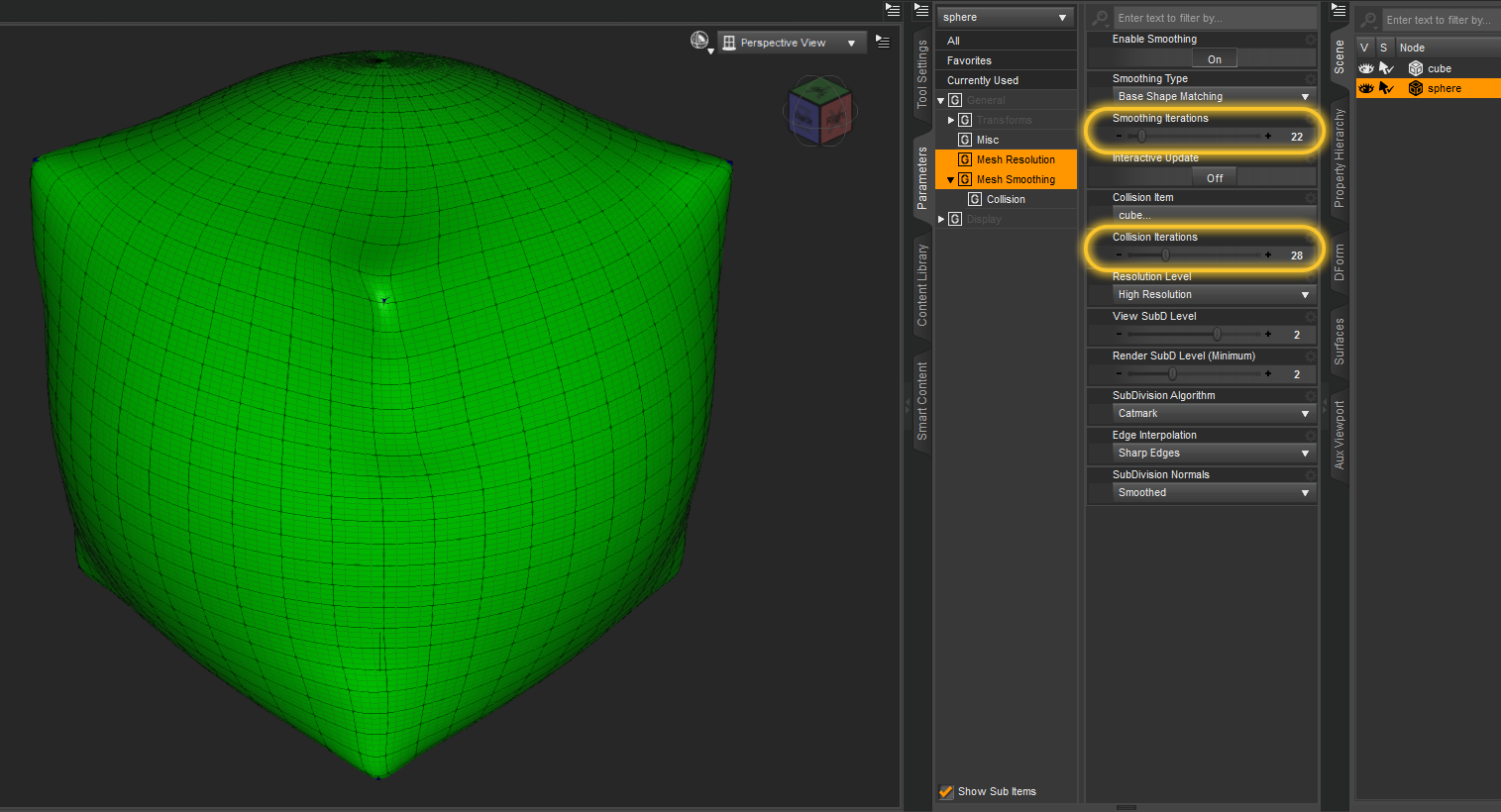
I've used the Smoothing Modifier before on hair not just to make it fit better but also in combination with DFormers to reshape it some. One trick to shrink the hair to get it closer to the head is to create a DFromer, scale the influence field until all hair is red, then scale down the DFormer. That works far better than to scale down the hairs head node because you can still move the DFormer Base around to define the origin for the scaling. While doing this the Smoothing Modifier will prevent any intersections of the hair with the figure while deforming the hair at least if you raise up the Collision Iterations. You can also "bake" the resulting shape of the collision to a morph by exporting an OBJ and importing it back with Morph Loader Pro and the Attenuate options thats what I did in the past to have better fitting hair on my character shapes.
Maybe this is an idea for another tutorial but I guess this will be better showen in a video.
PS: The Smoothing Modifier can help alot to fit everything over everything you eventualy just have to set the Collison Target manualy and turn up the Iterations at first I was surprised what it can do. It will collide with subdivided mesh set as Collison Target but will ignore the mesh resolution set by the SubD modifier in the fitted geometry (I guess for better performance). My fist experiment a while back was fitting a shpere over a cube. Or just for fun how about to force the Force Hair to fit over a sphere lol that is looking strange but shows its possible.
Daz 3D is part of

Connect
DAZ Productions, Inc.
7533 S Center View Ct #4664
West Jordan, UT 84084Licensing Agreement | Terms of Service | Privacy Policy | EULA
© 2026 Daz Productions Inc. All Rights Reserved.