-
Using Daz3d characters to make NFTs legal
There are a few exceptions - the old Anne Marie Goddard Digitial Clone for Victoria 3 and cotnent from Flipped Normals come to mind, they should all have a note on the product page - but generally your 2D renders of 3D content are yours to use as you wish, including for commercial purposes.
Did I miss the memo? Daz+ Discount on new releases now only 20%?I think part of the problem is the target market for DAZ seems to have changed on their end. At one point, they really were targeting hobbyists and people wanting to get into 3D art. Overtime, this model seems to have shifted. I don’t know many hobbiests who could keep up purchasing at these prices. I used to wake up in the middle of the night to see what was new (and more often than not buy something). I have 16,600+ pieces in my install manager. Honestly, I have enough content to play with till the cows come home (hell, I have a DAZ cow). But I’ve watched as my buying power at DAZ has dwindled. The prices have gone up and amount of content one gets has simply dwindled. I used to flock to the new pro releases. Now, I rarely purchase a new DAZ figure because they’re outlandishly priced with hardly any supporting content. DAZ also does not seem to appreciate its customers any more. Maybe I was just lucky to start DAZ when I did, but they’ve changed, and not for the better, in the last few years. I will miss the company that sent me a free 3D printed Victoria in the mail for being a good customer. I can’t imagine this new DAZ doing something like that.
Celebrity Look-a-Likes for 3D figures part 3@Miss_Yami I was going to suggest starting with Margot for Victoria 8's head morph and using Zelara 8's skin because it has the same skin and lip colouring. You'll have to dial with your morph packs from there. Caprice Hair or Claudia Hair might morph into something similar to the photos. (Claudia will have to be set at -100 for X Scale in order to flip the part to the opposite side).
Looking for high quality PBR skin with a large mole on upper breastI am looking for a high quality PBR skin, like Victoria 8.1 quality, with a large mole on top of the breast. This story involves no nudity so this mole should be visible with a low cut dress. Agma comes close to what I am looking for, if only the skin was of Victoria 8.1 quality.
https://www.daz3d.com/agma-hd-for-genesis-8-and-81-female
Genesis 8.1 - Power Pose dots for face are missingBut it's not clear from your answer if...
...if it's intentional?
.. it's a bug / mistake by the developers?
.. I made something wrong?
The promo page for Victoria 8.1 says "Enhanced Power Pose Panel for Face". Quote from: https://www.daz3d.com/genesis-8-1#facial
But from what I see, this is everything but enhanced. Power Pose is totally unusable for Genesis 8.1
What's going on?
Thanks!
Outfit identification (Liulan main promo image)Looks like this one: https://www.renderosity.com/rr/mod/bcs/dforce-school-uniform-for-victoria-8/129387
What is the difference between an INJ, Shape and Morph? And how do you convert M4 INJ to G8M?The terms are, unfortunately, used somewhat losely.
A morph is a ne shape, created by direct manipulation of the mesh and stored as the differences between the base shape and the morphed shape (the deltas). Morphs have their own "channels", slots in the figure or node specification which have the name, label, links to other properties and - for a morph - the deltas.
An Inj is, proeprly, a pose to load deltas and other properties into an existing channel. It may either do so to provide the morph data for user-configuration (e.g. the Victoria 4 morph sets) or to lod oen or morph morphs and set their values (character Inj poses). An Inj pose cannot actually create a new channel, however, so adding new morph sets to existing figures used to require (mutually incopatible) new figure loaders. However, not every Inj pose is in fact injecting anything - the label was applied to poses that simply set existing property values, and was also used for figures that do not use an injection system at all
Not mentioned in your post, but the fourth generation Daz figures introuduced the ExP (Extensible Property) system which allowed a new morph pack to add itself to a collection of files that was read on loading the figure, and those could create new channels for new morph sets into which morphs could be injected. Daz Studio can use PowerLoader to handle these figures, which both reads in the channel set up and loads the morphs ready for use.
The Genesis figures have a super-exP system - no need for configuration files, they scan a specified sub-folder in the Data folder and load the channels for all properties found there, then load the deltas when the proeprty gets a non-zero value. Unfortunately as figures get more and more properties there is a notable slow-down and loading and, to an extent, using the figure - an issue that has becoem very apparent with Genesis 8 Female in particular. Whethere Daz Studio 5 and/or Genesis 9 will find a way to refine the process further to adderss this issue while retaining the desired flexibility remains to be seen.
A preset is just a file for aplying certain values. A shaping preset aplies values to shaping properties.
--------------------
GenX will get you to Genesis 3 - sadly its author died and so it was never updated for Genesis 8, nor is it likely to be updated for Daz Studio 5. XTransfer can handle the last step, however https://www.daz3d.com/xtransfer--genesis-3-to-genesis-8-converter
VIctoria 4 Anatomy to Genesis 8Amazingly this worked, just the thumb bones are sticking out. When you open the jaws, the skeleton's teeth still are "glued together" and stretch like rubber. Do a geometry edit (ALT+SHIFT+G), look under Surfaces in Tool Settings and hide / delete the "lower teeth" and "upper teeth" polygons. The G8 head got working teeth already.
Thanks for your post, I wasted already 2 days on figuring this out! A shame the author of this fine kit doesn't update it to G8! The inner organs (apart from the breast, which needs some mesh editing) already work fine.
1. Add V4 Skeleton, G1 and G8 to the scene.
2. Autofit V4 Skeleton to Genesis.
Figure Design dropdown: Victoria 4
Item Type: None
3. Autofit V4 Skeleton to Genesis 8.
Figure Design dropdown: Genesis
Item Type: None or Full body, doesn't seem to matter.Change Skin Color like Changing Clothing TexturesFor the last few months, I have become pretty good and mixing and matching textures across different products, and also in using the 'Shader' packs. It's nice. Very nice. Being able to take any cloth and make it work with any other Shader. Gives me endless variety.
I even end up using these large collection of Iray Shaders on Hair, and get unique effects. It works beautifully.
Now, I am thinking, is there a way to change the Skin Appearance, in a similar fashion? Like, take the Skin from one figure and apply to another figure? Or, are there 'Skin Packs', like how we have a 'Shader Packs'?
For example, I would love to take the Skin Texture of Rosa Maria and apply it to, say, Ana Lucia. Or, Ana Lucia skin to Victoria. That would awesome.Am I The Only One Frustrated?kj_54e8eded70 said:
I've been a devoted Daz user and customer for over 15 years, and don't expect that will change - but it's slowing down like their Iray renderer - and that's the main reason.
Daz has a real penchant for fixing things that aren't broken. I don't know what was wrong with the original Genesis figure, and now they're up to Genesis 8 with very limited backward compatibility - and there is almost no support or new products for Genesis 2 or earlier (though a lot of people still seem to like Victoria 4, cumbersome and limited as she seems now).
And that's part of the problem.
The other thing is Iray. Was this really an improvement over 3Delight? It certainly takes longer (I have a fairly powerful machine, and an Iray render can take hours - if it renders at all). I understood nearly all of the 3Delight settings, but the Iray ones are incomprehensible to anybody but a professional Hollywood lighting director. And the biggest frustration is there are certain props and figures (mainly hair) that I cannot use at all in 3Delight!
Here is an example: This is a prop (the Mobile Home) with Iray textures and settings. The scene has a photo backdrop (see unrendered scene). Yet, observe what happens when I attempt to render the scene! I tried playing with the "Cutout opacity"( How is that different from just plain "opacity"?), but I could not get the background to show. Even when I hid windows in the Scene window.
The only workaround I can think of is to render the scene twice, once with and once without the building, the FIIP it.
It would be nice not to have to do that, however. Is there any way to change the textures? Reduce their resolution? Most of my renders wind up as the basis of cartoons anyway, so detail is not that much of a concern.
On the positive side, I like the slight reflection in the glass - something I've never achieved successfully with 3Delight.Was the backdrop on a bit of geometry - e.g. a skydome? Iray doesn't - in Photoreal mode - have an option to turn off shadow casting the way 3Delight does. Another possibility to check is the Thin Walled setting for the glass in the Surfaces pane.
Cutout Opacity is intended fro just that - making a cutout on a surface. it isn't intended for making items present but see-through, the expectation is that other properties (translucence) will be used for that.
Am I The Only One Frustrated?I don't know what was wrong with the original Genesis figure
The unified base figure, while great in theory, made creating content for Genesis very complex.
there is almost no support or new products for Genesis 2 or earlier
That's always the case after a while when a new figure is released: most customers have moved to the new figure and don't buy content for previous figures anymore, so product for them don't sell much anymore, so vendors stop making new ones because they need to make products which actually bring them money and enable them to pay for their rent and food.
There are converters which enable you to use content made for newer figures on the older ones though.
(though a lot of people still seem to like Victoria 4, cumbersome and limited as she seems now).
Victoria 4 is the last figure natively compatible with Poser that Daz released, and for a long time there wasn't any real alternative for Poser users, so they kept using her and buying new content created for her.
ISO: Capsces Morphset for M4Morphia was Capsces' morphs for the Base V4, basically the counterpart of Morphus as Victoria and Michael are seen as counterparts.
For the Generations the extra characters morphs were made there was
Boris (M2) and Roxanne (V2)
Brom (M3) and Rayne(V3)
Morphus (M4) and Morphia (V4)
Though there were also a few more during the Generation 3 Days
Boopsie (The Girl), Kioki (Aiko 3), Hitoro (Hiro) Chublies (Millenium Baby 3)
And then there were sets for the Poser extra figures like Terai Yuki 2, Miki 2, Mavka, Kiki, Krystal, Ichiro, Kit, Sadie, etc
As to why they were pulled I believe a lot of the Morph sets ended up being bought out by Daz and subsequently Vaulted as their base figure got too old, or were removed after the base figure was vaulted. (After all it doesn't make a lot of sense keeping, as an example, Rayne on sale if Daz no longer sells Victoria 3)
Am I The Only One Frustrated?I've been a devoted Daz user and customer for over 15 years, and don't expect that will change - but it's slowing down like their Iray renderer - and that's the main reason.
Daz has a real penchant for fixing things that aren't broken. I don't know what was wrong with the original Genesis figure, and now they're up to Genesis 8 with very limited backward compatibility - and there is almost no support or new products for Genesis 2 or earlier (though a lot of people still seem to like Victoria 4, cumbersome and limited as she seems now).
And that's part of the problem.
The other thing is Iray. Was this really an improvement over 3Delight? It certainly takes longer (I have a fairly powerful machine, and an Iray render can take hours - if it renders at all). I understood nearly all of the 3Delight settings, but the Iray ones are incomprehensible to anybody but a professional Hollywood lighting director. And the biggest frustration is there are certain props and figures (mainly hair) that I cannot use at all in 3Delight!
Here is an example: This is a prop (the Mobile Home) with Iray textures and settings. The scene has a photo backdrop (see unrendered scene). Yet, observe what happens when I attempt to render the scene! I tried playing with the "Cutout opacity"( How is that different from just plain "opacity"?), but I could not get the background to show. Even when I hid windows in the Scene window.
The only workaround I can think of is to render the scene twice, once with and once without the building, the FIIP it.
It would be nice not to have to do that, however. Is there any way to change the textures? Reduce their resolution? Most of my renders wind up as the basis of cartoons anyway, so detail is not that much of a concern.
On the positive side, I like the slight reflection in the glass - something I've never achieved successfully with 3Delight.
How does RSSY Clothing Converter from Victoria 4 to Genesis 8 Female do with converting dynamic clotMelanieL said:
I had no luck with the RSSY Clothing Converter and Optitex dynamics when I tried (shortly after the RSSY product was released). That was in DS4.11 - I never tried it again.
The Optitex stuff can be converted, as you can see in my post above, but there are some additional steps you have to make to get it to work, so unfortunately the RSSY scripts will not work out of the box as it does with normal V4 items. The upside is the Optitex stuff do work well with dForce, since they were designed to be dynamic items. That means they are relatively low poly (normally less then 20K) and they will not fall apart during simulation the way some non-dynamic items will.
How does RSSY Clothing Converter from Victoria 4 to Genesis 8 Female do with converting dynamic clotI had no luck with the RSSY Clothing Converter and Optitex dynamics when I tried (shortly after the RSSY product was released). That was in DS4.11 - I never tried it again.
Genesis 8.1 does not match Genesis 8What do you mean? I just tried to make a copy as I wrote + I just added Victoria 8.1 today to remove her shapes and added my figure (head and torso) fapes. But it didn't give me any new results.
AsymmetryI copied the Genesis 8 character shapes to Victoria 8.1. I see that Victoria has an asymmetrical face, which really spoils the look. Is there any way I can get a symmetrical face back?
Can you ID this girl?I agree with Mimic Molly and Matt_Castle. It looks very much like base G8.1F with Victoria 8.1's materials.
Can you ID this girl?Victoria 8.1 for sure it is not:
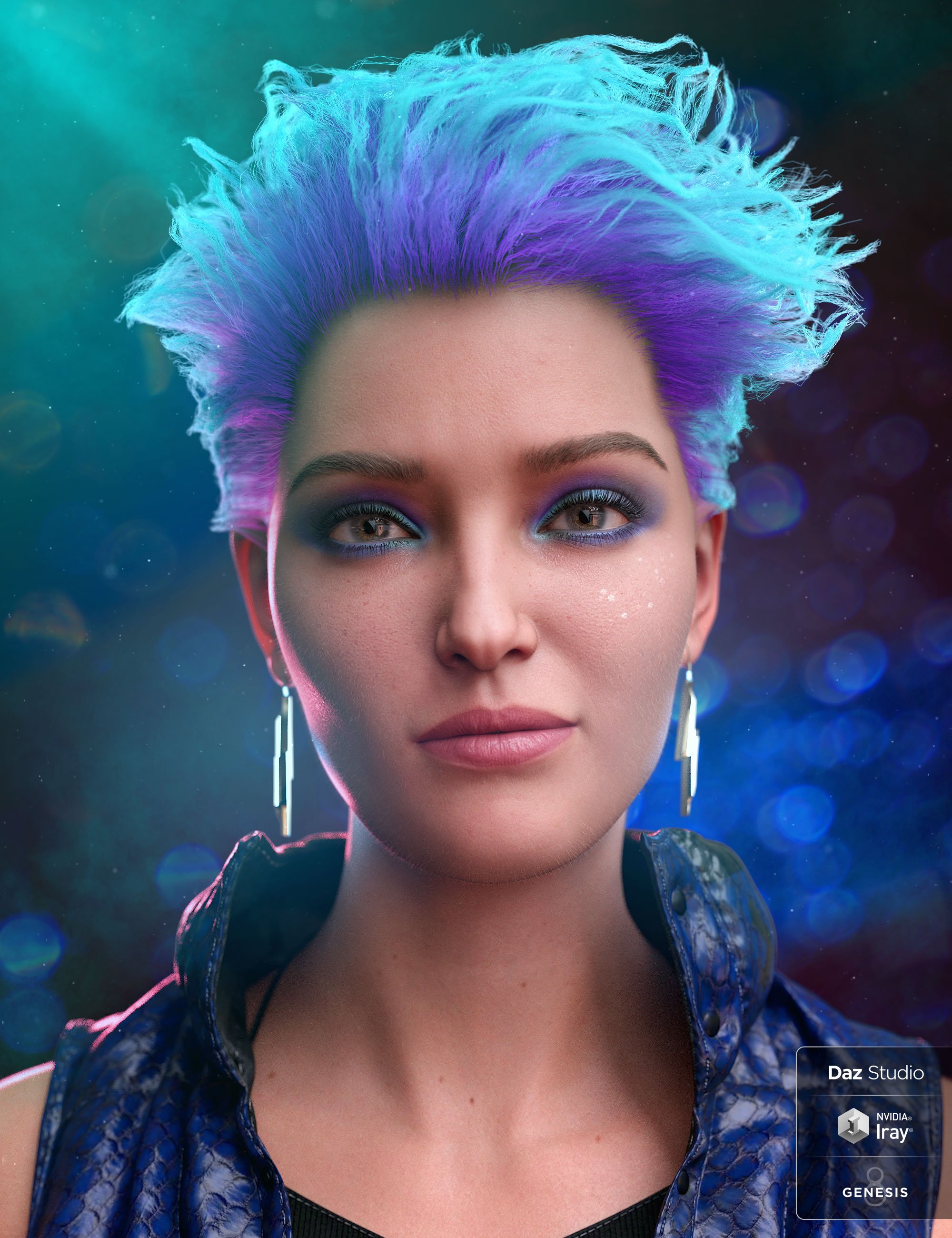 Can you ID this girl?I thought it was Victoria 8.1, but not dialed all the way, because she looks like the base G8 too. https://www.daz3d.com/victoria-8-1
Daz 3D is part of

Connect
DAZ Productions, Inc.
7533 S Center View Ct #4664
West Jordan, UT 84084Licensing Agreement | Terms of Service | Privacy Policy | EULA
© 2026 Daz Productions Inc. All Rights Reserved.