-
3D Art Freebie Challenge-February 2019-"Strange Love" -Main Thread Only
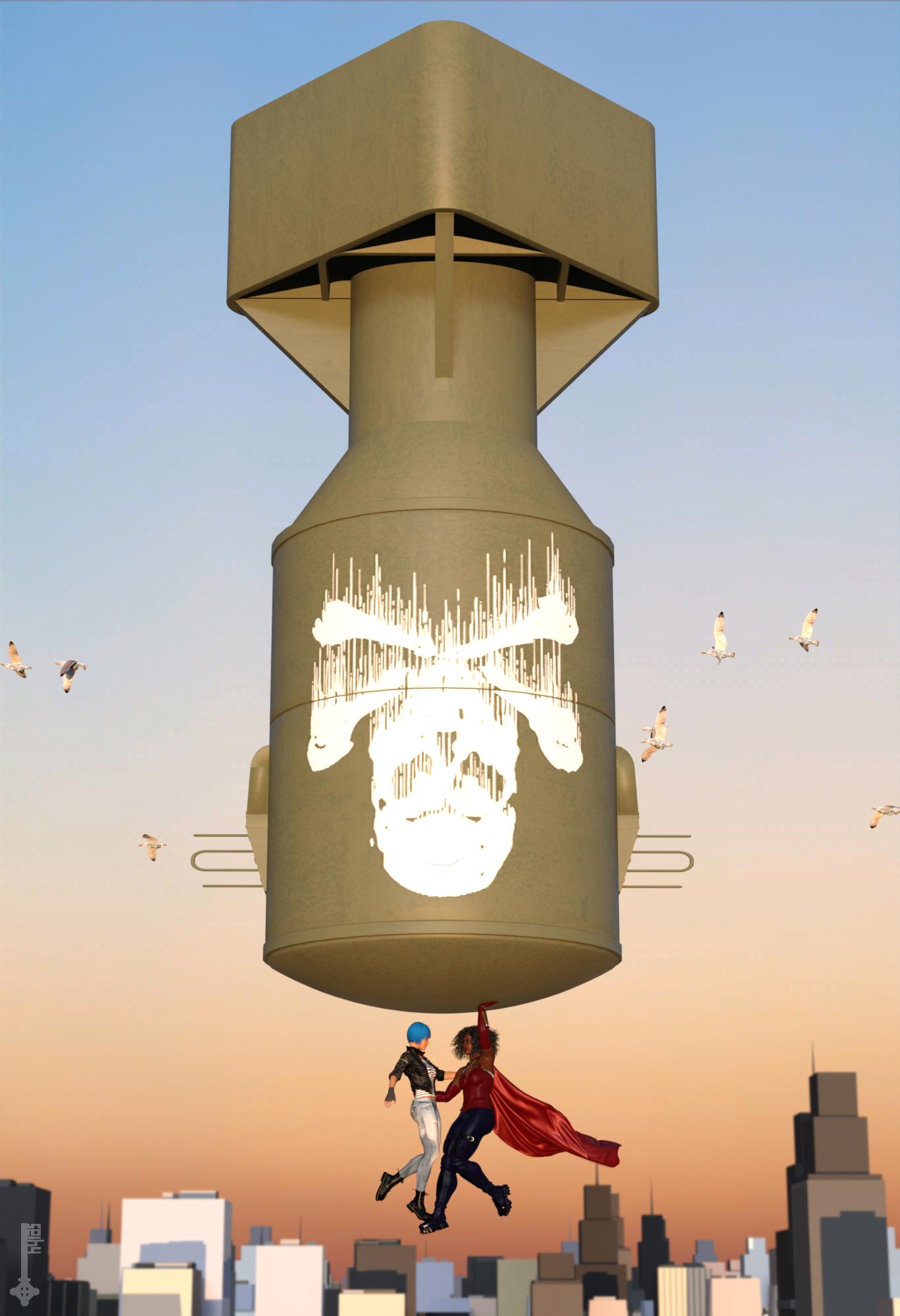
Title: Sorry Dr. Strangelove, the Apocalypse is cancelled...
... or: how I learned to stop worrying and love my Superhero girlfriend.DAZ Studio & Photoshop.
Not sure how I ended up with basically the exact same composition like my entry last month... I seem to be going through a phase.
Had to figure out dForce Wind Nodes to make the cape billow like that. Yay for learning new things!
Freebies:
1) Bomb by roachmiester: http://www.sharecg.com/v/80764/browse/5/3D-Model/Little-Boy
2) Face morph by RenderGuyNY: http://www.sharecg.com/v/90309/gallery/21/DAZ-Studio/Genesis-8-Female-Faces
3) Body morph by squarepeg3d: https://www.renderosity.com/mod/freestuff/fantasy-amazon-bundle-for-g8f---100-free/79046
4) Circlet by squarepeg3d: https://www.renderosity.com/mod/freestuff/fantasy-amazon-bundle-for-g8f---100-free/79046
5) Cape by Hilmarion: https://www.renderosity.com/mod/freestuff/dforce-oval-cape/80321
6) Pants by Wilmap: https://www.wilmapsdigitalcreations.co.uk/view_product.php?id=437
7) Lipstick (granted, not really visible) by April's Vanity: http://shop.aprilsvanity.com/flo-makeup-for-genesis-8-females.html
8) Leather Jacket by squarepeg3d: https://www.renderosity.com/mod/freestuff/the-major-for-g8f---100-free/79495
9) Fingerless Gloves by Wilmap: https://www.wilmapsdigitalcreations.co.uk/view_product.php?id=89
10) Jeans by scheusal242: https://www.renderosity.com/mod/freestuff/hipjeans-for-genesis-8-female/77555
11) Combat boots by Headkase & Varsel: http://www.sharecg.com/v/56443/browse/11/Poser/Bossy-Boots-2.0-for-GENESIS
12) Cityscape by alicansaygin: https://free3d.com/3d-model/city-environment-46245.html
Bi-weekly DAZ freebies:
13) Bustier: XDress
14) Sci-Fi Gloves & Boots: ArtemisX
15) Hair: Pure Hair: Bubblegum
16) TShirt: Foxy Stripe Shirt
Purchased:
- Sacrosanct Poses and Expressions
- 200+ Head and Face Morphs for Genesis 8 Female
- Fit Control for Genesis 8 Female
No Counts:
- Genesis 8 Female Head Morphs
- Genesis 8 Female Body Morphs
 Bundle suggestion, would like to hear why or why not
There is one reason I'll never buy a pro bundle except at a very large discount. They never include the HD version. If I'm going to pay anything close to full price I need to get the HD version as well since I'll have to get it as well for the character to be of any use to me.
As to complicated to implement? They do build your own bundles all the time. They could certainly do them for the release of these characters.
Not true, Edward, Maple, Floyd, Ollie and Edie all came bundled with the HD morph and it's the main reason I did buy them over other bundles. I wonder why they stopped doing that, maybe we are in the minority of needing the HD morph.
People complained about the HD morph that they didn't want being forced on them.
Like with the Dog 8 release, DAZ can't win. If the products are all in one theme, people complain that they don't like the theme and don't want any of it. If the products have more variety, people complain there isn't a theme. If there are buy one of these, one of those, to get one of these for less, etc., people say it's too complicated. If there aren't stacking discounts to get things for 80+% off, the sale isn't good enough.
As a few other people mentioned, my decision of whether or not to get the pro bundles comes from putting the items from the bundle I want in the cart. If the total is more than the bundle, I get the bundle and get extra stuff for free.
Exactly this IMVHO. Daz can't possibly hope to please all of the customers all the time ;). At least the way they do it now, if I don't like the majority of the stuff I buy either the Starter, the Base or I go a la carte. Either way, it's up to me. Besides, I've noticed that at the beginning of a Genesis cycle, I tend to buy more Pro bundles, but buy less of them over time as I build that version's hair and wardrobe. Chances are, no matter what is in the bundle (unless I'm floored, which hasn't happened much, to be honest), I'll continue that pattern of buying, no matter if it's themed or I can build my own.
Laurie
Bundle suggestion, would like to hear why or why notThere is one reason I'll never buy a pro bundle except at a very large discount. They never include the HD version. If I'm going to pay anything close to full price I need to get the HD version as well since I'll have to get it as well for the character to be of any use to me.
As to complicated to implement? They do build your own bundles all the time. They could certainly do them for the release of these characters.
Not true, Edward, Maple, Floyd, Ollie and Edie all came bundled with the HD morph and it's the main reason I did buy them over other bundles. I wonder why they stopped doing that, maybe we are in the minority of needing the HD morph.
People complained about the HD morph that they didn't want being forced on them.
Like with the Dog 8 release, DAZ can't win. If the products are all in one theme, people complain that they don't like the theme and don't want any of it. If the products have more variety, people complain there isn't a theme. If there are buy one of these, one of those, to get one of these for less, etc., people say it's too complicated. If there aren't stacking discounts to get things for 80+% off, the sale isn't good enough.
As a few other people mentioned, my decision of whether or not to get the pro bundles comes from putting the items from the bundle I want in the cart. If the total is more than the bundle, I get the bundle and get extra stuff for free.
The Things Which Could Be Worse Need Cats To Make Them Better Complaint ThreadNon-complaint: I bundled up against the cold and rain (yes, it had warmed up a little) and chiped the ice from my porch, steps, and car. Loaded my two bags of ripening garbage into the trunk (boot) and headed for the garbage transfer station for my usual Tuesday uptown chores. But my windshield wipers were behaving particularly insane today and failed to keep my windshield free of rain enough to safely drive. So, within the first mile I came to a country intersection and started to slow down to turn around. My anti-lock brakes chattered as I started to skid into the ditch but I got stopped in the intersection and did get turned around headed back into my town. I drove straight to the car mechanic and left my car for its repairs. On my way walking home I was passed by a car (probably not going any faster than 30 MPH) and watched it skid off the road ahead of me, narrowly missing a tree, running over a mailbox, beheading it and coming to a stop in a beautiful (in the summer) circular lawn garden surrounded by rocks and populated by garden gnomes. No ambulance was called for the car driver or the gnomes but the garden and a wide swath of the soft mud of the lawn are in critical condition. I'm not complaining because I had the wisdom to abort my 20 mile drive in this weather and the good luck to not have walked just a teensy bit faster and ended up under a car, and bespiked by a gnome.

I hope the car mechanic enjoys the two bags of ripening garbage in my trunk.
 Morphs from G3 to G8
I'm not in Seattle, though I kinda wish I was, As it stands, there's okay shelter here. I've only had minor stuff stolen (excluding my eyeglasses which weren't minor). I'm dealing with it. Trying to correct the root problem through the power of therapy.
So, I've done a lot work this morning, and far more tests than I thought possible (probably because the changes were small and the test subjects easy to transfer). My conclusion from these tests is that Genesis and Genesis 2 support just isn't going to work any time soon. The method gets close, but not quite right. and the closer it gets with some extreme morphs, the more the ones from 3DUniverse break down. For the rest of the week, I'll be testing the method on G3 to G8 and vice versa (because it is a better method, and avoids some of the more annoying issues that slowed the script down). If it works, then great. If not, I'll go back to the old method.Changing skin colormaybe this thread 4 posts down can help you https://www.daz3d.com/forums/discussion/307896/i-believe-in-diversity-but-um
Watch out for the grouchy people in that thread though, um, I mean, grouchy person.
I took a peek there, saw the grouchy interaction there, but came away with some i Dr a of what to do. I played around with those three color settings and got quite close.to what I wanted but the skin was too dark. I tried to back but things went wrong. I tried to go back to the original base color and when I remove tthe clothing on my character, her toes were like..ripped off! Not cut off, but the tip.sections were gone! That was in my base for the character too. Woo with the skin not right and the problem with the toes, she was basically ruined. Luckily I was ablee to save her morph settings and wardrobe settings an d then I loaded up a new instance of the base character and load the saved presets and finally i had my alien female back! So I kept that one as a base, made a copy and instead of fiddling with the Surface settings, I just did what I should have done i n the first place...use Skin Builder. Not only did I get.the color and lightness setting the first try, but I was able to add skin variations (discoloration) and also a hint of some freckles. The result is 5 times more realistic looking. Also, I did her makeup in Skin Builder as well. The program does take its time with certain things, but it does show in the results!
Overall, I don't know what happened the first time around. something went seriously wrong. So even though I killed my whole evening redoing my character...She did come out a lot better using the Skin Builder.
I do want to learn the Surface settings though as I know that way would have been faster had i known what I was doing. But, I think for.more critical characters, I will stick with the Skin Builder.
Thanks
The Classroom Rebuild - Free UpdateThanks, Toonces! I really appreciate the comments.
I try to include everything I can without being utterly ridiculous about it, but often when I'm doing the promos, I think of something extra that wouldn't take much effort to do, so I add it in. That's what happened with the rubber band morph. I wanted to show the band without moving the paper, so I added a morph. Hey... why not?
Also, I've always aimed at long-term sales for products over many years, so updating them makes commercial sense by giving them a new lease of life.
The Classroom Rebuild - Free UpdateDude you put so much work into your products. It's insane.
I LOVE the morphs. They really set your products apart. With some sets, I'm lucky if I can get a door to open. With yours, everything I could possibly want to morph is morphable (and more). I mean, I'd probably never move the rubber band on the rolled up paper in this set, but the attention to detail -- the fact such a detailed morph exists -- makes me want to buy more and more of your stuff.
And then there's the icing on the cake: udpating such an old set to Iray for free. Who does that?! Haha, I love it! Thanks so much!
[Released] RSSY Clothing Converter from Victoria 4 to Genesis 8 Female [Commercial]Force converting did work, thank you, though the fit was very loose. Here's the log.
Could you please show the render, to see this loose fit.
I have noticed, that if the cloth has many different morphs, one can improve fit a lot by applying such morphs.
Do not forget, that this converter is an automatic solution,
so it will not miraculously fix all fit problems.
@Dracorn, as @Artini says, the first thing you do is tighten up the conversion using the Tighten All morph. We made the conformers slightly big to make sure they covered everything but we expect you to use the morphs to get the perfect fit.
Genesis 8 missing morphs?Do you have any of the morph packs? As with most Daz figures, the base includes little beyond the expression controls (the original Genesis was an exception as it was released with the beta DS 4 before any commercial add-ons, including the head/body morph sets, were made available).
Standard License Agreement?EULA is the Standard licensing agreement
If your short film or web series is only using 2d images then you only need the standard EULA.
This is the important part to understand
-
Terms of Use. Two Dimensional Works. Subject to the terms and conditions of this Agreement, User may (i) access, use, copy and modify the Content in the creation and presentation of two-dimensional animations and renderings, (ii) incorporate two dimensional images (including two dimensional images that simulate motion of three dimensional objects) derived by User from the Content in User’s other works, and (iii) publish, market, distribute, transfer, sell or sublicense User’s two-dimensional animations, renderings and other works; provided that User may not in any case publish, market, distribute, transfer, sell or sublicense any renderings, animations, software applications, data or any other product from which any Content, or any part thereof, or any substantially similar version of the Content can be separately exported, extracted or de-compiled into any re-distributable form or format.
Update Custom morphs?Hi Guys,
ISSUE: Update of custom morphs appears to have failed, with the original morphs all that is showing through on a fresh load.
A search of the forums did not seem to find anything directly relevant.
I'm working on some custom morphs for a particular scenario. They are both fairly extreme distortions of the base mesh and "cascading" in that, to achieve a sequence of "action", first one morph is applied, then a second and then a third. All good - and I was happy with iteration one, but then I had to change the object which the morphs were trying to fit around. All good again and I came up with my three revised morphs. The new morphs were created with slightly different names. When I was happy, I deleted the old morphs (edit mode / delete property) and renamed the new morphs to the old names. I saved the scene .duf and I saved the three morphs using save as / support asset / morph asset. As it happened, I can see after the event that I used a slighly different product name for the new set so in ... data / .../ <model> / morphs / <me> / , there are now two product directories with my three morphs, with the same names.
But when I reload the .duf, or put the model into a new blank scene, what I get appears to be my 6 Feb version of the morphs, not my 12 Feb version of the morphs.
I have tried renaming the 6 Feb morphs in their product file to different names - same problem. I have tried copying the 12 Feb .dsf files into the 6 Feb product directory - same problem.
Any suggestions on both how to make my 12 Feb morphs ascendent now; and what workflow to follow in the future to not end up in this bind.
Thanks, Lx
is rigidity in armor possible?This is one reason for re-rigging figures in Blender. But, depending on how the armor is designed, there may be workarounds in DS. For example adding extra bones may help.
Also, if the armor is simple, it may be done as props parented to a bone. Then, in this case, scaling the pieces may be enough to fit different character sizes and proportions.
But in general having rigid pieces trying to adapt to any possible character morph is of course troublesome.
I imagine Unreal can use those Blender set-ups as well, right? Before I re-discovered DAZ, I was thinking unreal was probably the best tool to do the animation I wanted to do, and it seems I mostly see material about rigging those bones in either Maya or Blender. (Which isn't to say I don't think that now - I just... My brain wants to make it work in Studio. ;)
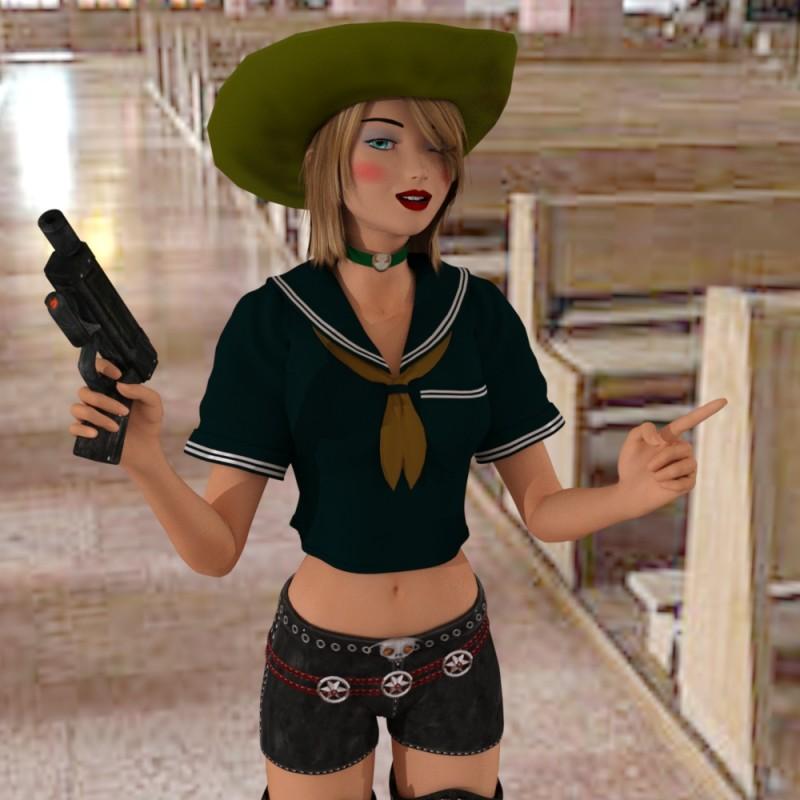
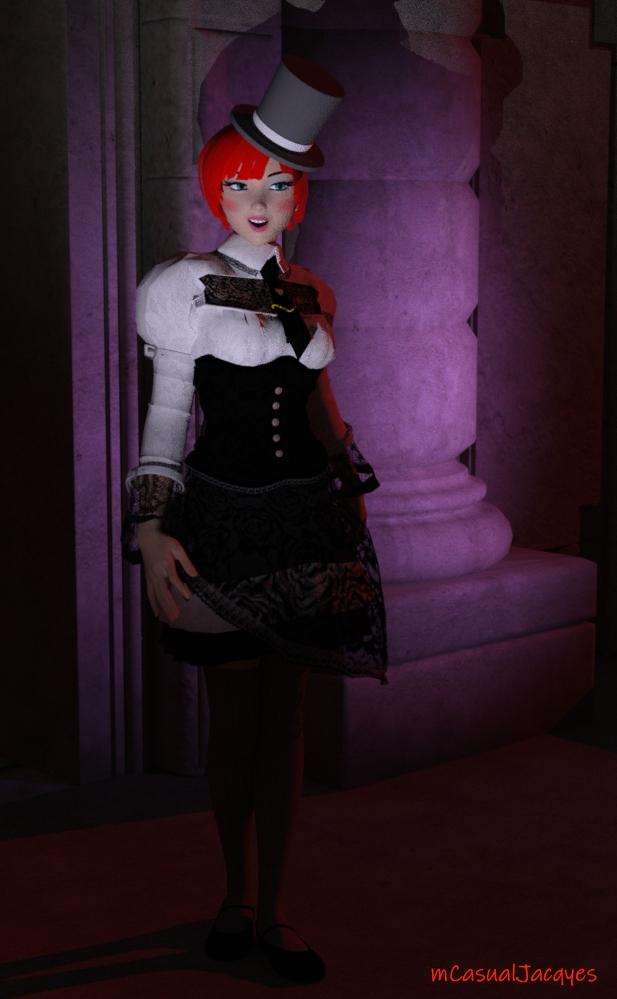
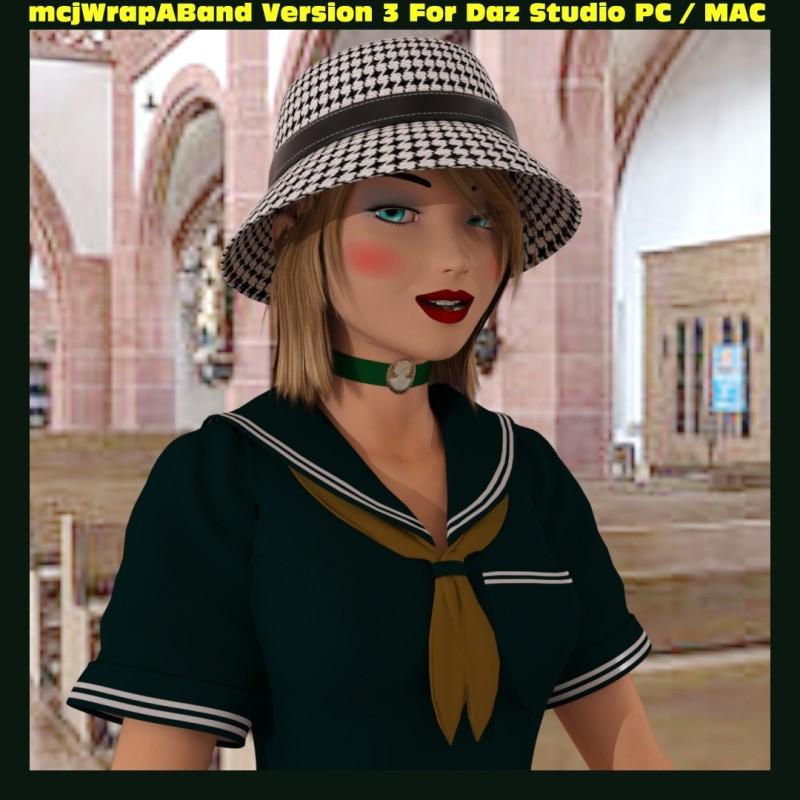
Get Version 4 ! mcjHatsAreTheFashionOfTheDay : Fit Any Hair in Hats Pc/Macmcjhatsarethefashionoftheday is online
https://sites.google.com/site/mcasualsdazscripts9/mcjhatsarethefashionofthedayversion 4 adds 2 help buttons and a vew option that lets the hair float above the ears
with the help of the mcjCollider plugin
this script will pull a figure's hair above the hat-line onto the skull
a bit like wearing a bathing cap under the hat
New Genesis 3/8 compatible versions of mcjCollider are now online - PC 32bit PC 64bit and MAC 64bit
https://sites.google.com/site/mcasualsdazscripts2/mcjcolliderds45
No But Really, You Should Get Version 2
Get version 2 because : version 1 if your hair prop was subdivided and you created the hat-fit morph
the scene file could become un-openable !!! so you do want version 2
which makes sure to put the hair prop in non-subdivided state before computing the hat fit morph
then everybody ilives happily forever after

 How far modification/morph can be made to Genesis characters via GoZ in Zbrush
Do you always have to start morphing from genesis base models?
No you can use a morphed character shape as base for your own ZBrush sculpt.
I would skip using the GoZ plugin and instead export the character as OBJ. Once you'e done your sculpt in ZBrush export another OBJ from there and import it into DazStudio with the Morph Loader Pro where you have the Reverse Deformation setting. With Reverse Deformation the morphed character shape of the figure in the scene gets removed from the OBJ shape you load with Morph Loader Pro. You end up with a morph slider that containes only the deformations you've sculpted on top of the character morph. Keep in mind that while using Morph Loader Pro with Reverse Deformation the character morphs on the figure currently in the scene have to be set the same as you have exported them otherwise Reverse Deformation can't work properly. Its best to save a Shape Preset or a Scene file of the Character morph in Daz Studio if you plan to continue your work in ZBrush another day and you need exactly the exported character shape again in DazStudio with Morph Loader Pro.
Are we 'ONLY" allowed to use moved brush in zbrush, and dials in daz studio to make morphs?
In general you can use all brushes that moves the mesh around. But don't use brushes that alter the mesh topology the vertex count has to be the same. I guess in your example with "delete parts of nose or mouth" you meant to use the smoothing brush until the nose and mouth is flat and use it as a base to start sculpting. Thats OK also using brushes like claybuildup and damstandard, actualy there are only a few brushes that will change the mesh like the dynatopo ones. If you are not shure press Shift+F Draw Polyframe and see if the brush does change the mesh there is also a polycount info in the top titlebar.
WOW... just wow!. you summed it all up in one post. I thank you deeply from my heart,@syrus_Dante for taking the time and making this concrete explanation for me and others. I have tried a bit as you said the deleting part and resculpt a bit here and there the nose and mouth area, i can reimport them back via goz to daz flawlessly, however the textures and the model has shifted places a bit...maybe because extended polygons out of range of the uv texture. Hope to learn texturing or retexturing one day...
About the morph loader part, im really not experienced in using it...i m justing using GoZ and end up with 4-5 different morphs....i guess i have to dial them all up to see the difference. i didnt select to replace the morph but create new one.About the morph loader part youre saying, i think i have to reread and understand it more once i get the chance.
Thanks again!
mcjCollider plugin Pc/Mac - Get the New Genesis 3 / 8 crashproof versionsecond script to use the now-MAC-compatible plugin
mcjHatsAreTheFashionOfTheDay tonight or tomorrow
version 1 may or may not work only for T-Posed figures
though once the hair morph is created you can (re)pose the figure as you want
Link Will be Here :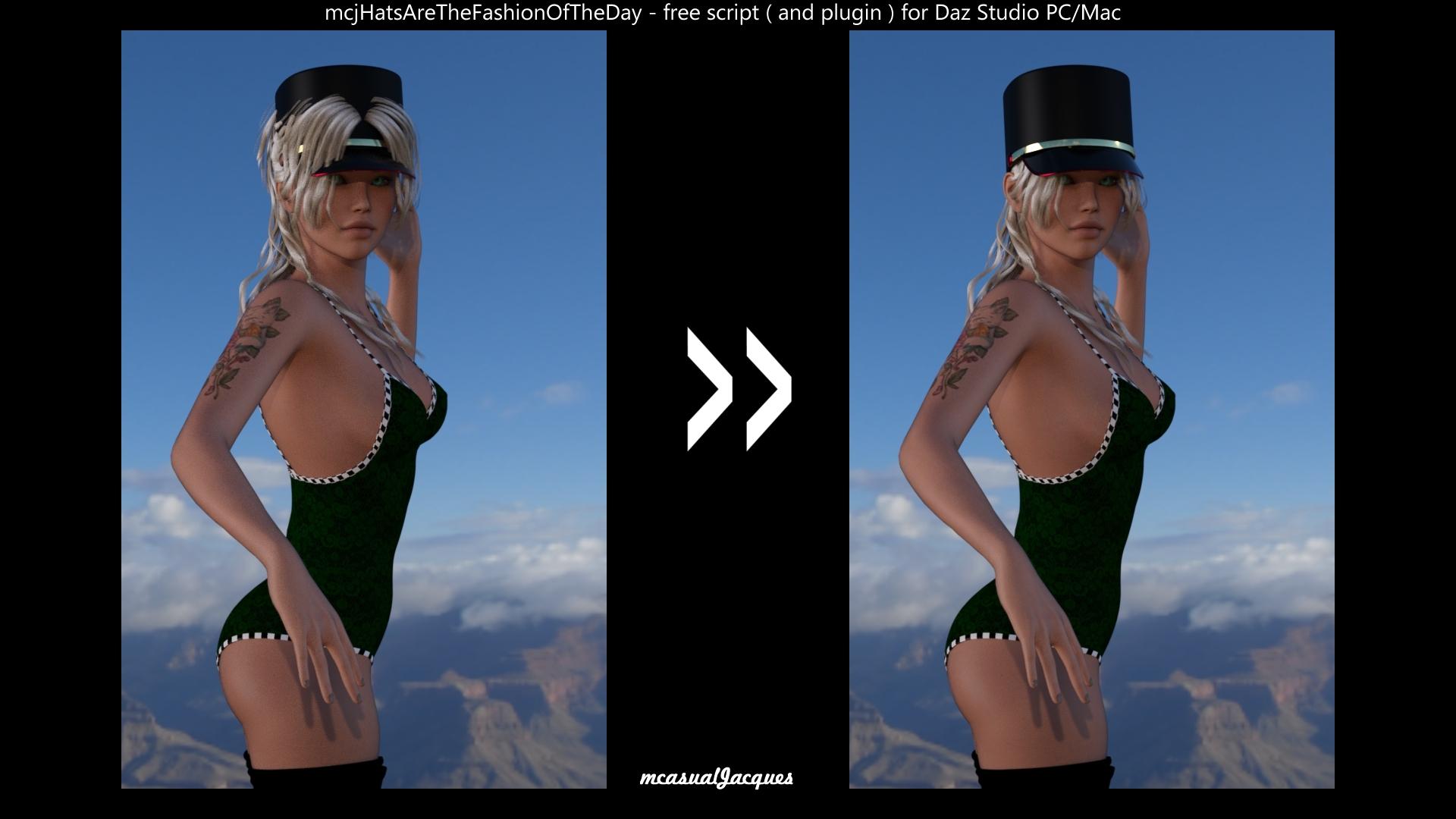 Morphs from G3 to G8
I'm back!
The computer you generaously bought me runs like a dream. A dream that weights 2 pounds more than the old one, but dream none the less. Beleive me, that extra weight is no complaint compared to no working computer at all.
I was able to conduct the tests I was working toward when I busted the other computer. I determend two things. One, I had made a small change to fix a small error in the script, and it had effectively disabled the code that makes the new method go. Two, for reasons I can't figure out, the second test morph I had thrown at the new method just doesn't work properly. So I did a whole lot of tests and found that nearly everything I tried worked just fine. Everything that fialed, save one morph, came from the same vendor.
My guess is that the majority of morphs aren't extreme enough to show the problem, but some of the morphs that worked fine were rather quite extreme. I tried to test using the most radical morphs I had. I'll have to try to come back at the problem tomorrow. But I am super, totally, massively happy to be able to look at the problem, at all. Thank you.
I know I owe a couple of PM replies, too. I've just been kinda emotionally drained, and then busy getting the computer working. (It involed a lot of backing up and a whole lot of installing drivers). I will get back to you this week.Finding the assets with missing materials filesGlad it helped. The reference you're showing looks like the "Material' definition section of the duf. You'll need to finds the 'Nodes' section. If you search for the 'Geometry' name, geometry-102 in your example,you should find a URL for Data in the search results. Double click that line in the results box, it should take you to that data reference. Above that reference, depending on item complexity, you should have a reference section offset to the left, there will be a 'Label' in that upper section that is what the object is named in the scene. Thus is one of the weird things in studio where names in files don't equal names in scene. You'll find it in almost everything, morph dials are the most fun. I'll swing back by later to see if that helped[Released] Glutes Utilities for Genesis 8 Female(s) [Commercial]Hi!
I´m happy to announce the companion to Breast Utilities, my best selling product ever: Glutes Utilities.
Very similar to Breast Utilities, this set includes a big set of options to customize your character´s glutes.
Details
A huge set of options to enhance Genesis 8 Female(s) glutes.
This set includes:
SHAPES:
36 full glutes shapes, from flat to big sized, from firm to gravity, from realistic to idealized... Combine them and create your own looks.
ADJUSTMENTS:
Detailed morphs to enhance specific details.
HD CELLULITE MORPH:
HD shape for detail and realism.
RANDOMIZER SCRIPT:
Script to randomize shapes and details in many ways: Select small shapes, big shapes, details, or all at once. And as a bonus, the Cellulite HD morph to add that final touch when needed. All randomizer options come with a control dial to adjust the desired strength, allowing you to go from very subtle, to extreme shapes.
STRETCH MARKS:
Diffuse Overlay stretch marks to enhance your character textures.
MERCHANT RESOURCE:
The set is also a Merchant Resource; you can use the included morphs to enhance your own Genesis 8 Female characters. Please, mix and match between them and blend them with your final character shape, but don´t include them in their original form and/or in a way that competes with this product.
 .OBJ or .FBX or some other format?
So my questions is - is there any popular format which will preserve the items separated if I import the whole house to DS?
The 3D industry is not yet mature enough to have established a reliable data transfer standard.
An example of a reliable data transfer standard would be something like a PNG file. You can create a PNG file in any image program, and it is then viewable by anybody on any platform using any image app or browser.
Daz 3D is part of

Connect
DAZ Productions, Inc.
7533 S Center View Ct #4664
West Jordan, UT 84084Licensing Agreement | Terms of Service | Privacy Policy | EULA
© 2026 Daz Productions Inc. All Rights Reserved.