-
[Released] RSSY Clothing Converter from Michael 4 to Genesis 8 Male [Commercial]
How does tthis deal with necks, for example most of Xurges scifi suits have a high neck/Godet which never work well when autofitted and the figures head/neck is moved will this solve that problem?
Thanks
I've heard Xurges suits are really difficult to convert any which way you do it - plus all the problems with armour anyway. I've got several, this is my first attempt with the ATACS suit on M4 and G8 BUT I've not tried using the converter morphs or RiverSoftArts' suggestion of trying other conformers yet. Looking closely at the suit before transfer it has its issues - including a few bits of poke through even though I've used the base M4.
Be gentle with me, I've never posted an image here before! And sorry they're a bit dull, the materials are still the original PS versions.
Welcome! Thanks for posting the images. They look good though I do see the difference in the neck.
[Released] RSSY Clothing Converter from Michael 4 to Genesis 8 Male [Commercial]How does tthis deal with necks, for example most of Xurges scifi suits have a high neck/Godet which never work well when autofitted and the figures head/neck is moved will this solve that problem?
Thanks
I've heard Xurges suits are really difficult to convert any which way you do it - plus all the problems with armour anyway. I've got several, this is my first attempt with the ATACS suit on M4 and G8 BUT I've not tried using the converter morphs or RiverSoftArts' suggestion of trying other conformers yet. Looking closely at the suit before transfer it has its issues - including a few bits of poke through even though I've used the base M4.
Be gentle with me, I've never posted an image here before! And sorry they're a bit dull, the materials are still the original PS versions.
How to make pores in skin?Ditto to everything before. Turn off the limits on the bump and normal maps and crank them to 3 or 4 and 5 or 6, respectively. Test render and reduce/increase as needed. Look at the facial close-ups on the HD Add-on Core figures and find the map with the pores you like (preferably with minimal eye baggage, because you may need to defeat the limits and turn the Head HD up to 150). Unfortunately, nasolabial folds and nostril creases sometimes make this untenable. So, right now, the trade-off is aging the character but having pores or not aging the character and having less noticeable pores.
My G3 favourites: Ophelia 7, Rune 7, Elijah 7, Lucian 7, & Michael 7 (top to bottom)


My G8F favourites: Tasha 8, Zelara 8, Gia 8, (Latonya & Stephanie also have decent pores but must be cranked past the limits, which maxes Latonya's eyebags [they can be moved up out of sight by plus 250 on Eyelid Lower Height morph from DO Head Morphs.


Owen 8 is my go-to for G8M, as the others either add aging details or add very little detail at all. Sadly, Landon's head HD is almost identical to non-HD (i.e., featureless) other than the veins.
please can someone help with md and daz studioyes i used the transfer utility no i am using genesis 3 female
and alll the folds and the stitches arent showing up from the jacket i dont understand
How to make pores in skin?From my own haphazard experience with this (accidentally getting the effect you are after), I would say that you are on the right lines with the HD morphs.
To get that sort of detail in iray, I'd say it's a combination of the texture on the model, the HD morph on the model, the lighting, the resolution of your render and the pixel filtering in the render settings. Try using a HD figure and render at a fairly large size, such as 1920x1080 so that you can zoom in on the picture and crop to show detail. Set the Render SubD level to 4 and in the Render Settings > Filtering set the Pixel Filter Radius to 0.9.
I'm not overly familiar with 3Delight, but setting the Pixel Filter to Gaussian and the X and Y widths to a low value seems to help (I went for 1, but this might be too harsh for the rest of the image). Experiment with using a camera with a focal length of 120 and zooming in on the face (this will allow you to use a lower render resolution whilst experimenting) then try different lighting, or altering the angle of the light (full-on light is more likely to wash out the detail, so light from an angle).
Above all, try out different HD models and lighting that you already have before buying anything new, as there is a good chance that you already have models that can show this effect.
please can someone help with md and daz studioAlso, if you're working with Genesis 8, the figure should be in A Pose, not T Pose.
What were your steps after you imported the jacket? Did you use the transfer utility?
Can a morph be linked to a rigged motion? (Solved)I’ve never rigged a model before. So I have a question.
I plan to rig a car such that when the wheels pivot to steer, the fender walls morph to create clearance for the wheels.
Can the fender wall morph be connected to the wheel pivoting such that when the user pivots the wheels in steering, the fender walls automatically morph accordingly?
Custom Prop Morph Loader Pro IssueThat sounds as if the model is being rotated by the morph, something that won't work - a morph moves each vertex along the straight line connecting its start position to its end position, so if it's flipped the lines will all cross at 50% and the model will collapse. If you want to option to rotate you will have to set it up as a figure with bones, and use the bone to handle the rotation.
Custom Prop Morph Loader Pro IssueHello,
I am currently working on a product of mine and have encoutered the following issue. I am in the stage of creating morphs for my product. As I move the dial from 0.00 to 100% half way to 100% the objects shrink but as they reach 100% the return to the original size.
So say I wanted to provide my customers with the option of using the adjustments inbetween 0 - 100% they can't because the mesh size becomes altered after 0 up until 99%.
Please help. Thank you.
Smart content problemI upgraded my Windows to Windows 10 and reinstalled Daz. I moved the Smart Content folder to The F drive where I have Daz. How do I point the Smart Content database to this folder? I don’t want all that on my C drive: there isn’t room. I also don’t want to have to redownload all that stuff.
Thanks!
Damsel
I'm bumping this topic because I'm also interested in seeing a solution, I want to transfer all my content from HDD to SSD. Is that possible without reinstalling Daz and all content? I know that DAZ uses some kind of PostgreSQL database. Maybye there is an option to re-build the database after moving the files?
Finally getting new PC Dell XPS 8930 whaddya think?Alienware used to be good. Now its just a nameplate on Dell systems.
A properly specced system would have put in a PSU with a significantly higher rated PSU. I'd never build that system with less than a 550 and would prefer at least a 700W. PSU's are most efficient at 50% of their rated capacity so this system was built to be very inefficient. At nearly a 75% rated maximum it's wasting a lot of its draw as heat and shortening the PSU's lifespan considerably.
Well, we'll find out--someday. You may have all the knowledge but I'm the one who has had 6 Dell Dimensions and I have no regrets.
You asked why you'd had the problem, you even said you had to go to the high performance power plan, and I pointed out the most obvious issue. If you didn't want to know why did you ask?
Are you serious? I think you don't understand how Windows Power Management works. It has nothing to do with the power supply. It shuts down certain subsystms to lower your electric bill and 'save the planet' (tm). USB ports have constant "traffic" whether legitimate or garbage because they're part of the raid system so they're supposedly a good system to target. Unfortunately the system doesn't see that real data is being transferred by the user. I told the system not to let Power Management (there's a tab in properties of the USB hubs specifically for this pupose) affect the USB ports and the problem seems to be solved. Voila.
I have lots of data to transfer around since I'm still setting up multiple runtimes on this new machine. But at the point where my USB use will become more sporadic I plan to change it back or fiddle it somehow b/c now the lights on the HDDs in the USB ports are constantly on.
I think you misunderstand it more than I do. Performance does many things that could be affecting the USB ports beyond that and it is highly unlikely that Win10 would be resetting a USB that was actively transferring data. Windows can quite easily tell an active USB from an inactive one. As I told you before your base system is specced at roughly 75% of the PSU's rated draw. if those external drives are USB 3 then they are drawing power from the system as well. Considering the amount of wattage you have to play with it wouldn't take much to push you from 75% to 90% and I've seen systems do exactly what you describe at 90% load. Setting Windows to performance power management basically is telling the system to just suffer in silence.
MorphsIs it an HD morph? Those can't be split.
Quick question about MCM'sHi,
I discovered my Gino head morph needs an Eye Closed supplement MCM to fix a gap on either eye.
Now my question is.... do I create a fix for both Left and Right and then when I hook them up will those two fix morphs kick in when the Eyes Closed dial is activated?
Thank you!
Finally getting new PC Dell XPS 8930 whaddya think?Alienware used to be good. Now its just a nameplate on Dell systems.
A properly specced system would have put in a PSU with a significantly higher rated PSU. I'd never build that system with less than a 550 and would prefer at least a 700W. PSU's are most efficient at 50% of their rated capacity so this system was built to be very inefficient. At nearly a 75% rated maximum it's wasting a lot of its draw as heat and shortening the PSU's lifespan considerably.
Well, we'll find out--someday. You may have all the knowledge but I'm the one who has had 6 Dell Dimensions and I have no regrets.
You asked why you'd had the problem, you even said you had to go to the high performance power plan, and I pointed out the most obvious issue. If you didn't want to know why did you ask?
Are you serious? I think you don't understand how Windows Power Management works. It has nothing to do with the power supply. It shuts down certain subsystms to lower your electric bill and 'save the planet' (tm). USB ports have constant "traffic" whether legitimate or garbage because they're part of the raid system so they're supposedly a good system to target. Unfortunately the system doesn't see that real data is being transferred by the user. I told the system not to let Power Management (there's a tab in properties of the USB hubs specifically for this pupose) affect the USB ports and the problem seems to be solved. Voila.
I have lots of data to transfer around since I'm still setting up multiple runtimes on this new machine. But at the point where my USB use will become more sporadic I plan to change it back or fiddle it somehow b/c now the lights on the HDDs in the USB ports are constantly on.
Corrupted File? Saved out assets have messed up morphs and poses.I have a file that has a bunch of characters with customizations in it that I made. Somehow it appears that something in this file got corrupted, as anything I save out as scene subsets or wearables gets all the morphs and poses created for that asset dialed up to 100%. For example, I save the character as a scene subset, in a tpose, with 1 custom FBM dialed on. However when I merge it into a new scene, the character is in a random pose that it was posed in a month ago and every morph I've ever adjusted on the character is toggled on to that previously set value. Same thing happens when saving out clothing etc as wearables, every morph I've ever dialed on the character is turned on even though I've turned them all off before exporting. Anyone have any insight on how to I cleanse this file and save out the assets?
MorphsThere are a couple of ways to split morphs, one easy bu leaving a sharp join, the other a little fiddly (especially if there are a lot of joint adjustments or JCMs) but allowing a smoother transition.
The quick method is to use the Geometry Editor.
- Click the heart icon on the slider, to make it a Favourite, and make sure that not other morphs (that you don't want to adjust) are in Facourites.
- Switch to the Geometry Editor tool and select the head mesh (you can do this most easily using the groups and surfaces lists in the Tool Settings pane)
- Right-click in the Viewport>Selection Type>Vertex Selection
- Right-click in the Viewport>Morph Editing>Remove Selected Deltas from Favourites
- That's made a change to the main morph, not you want to change its name and label so click the gear icon on the slider>Parameter Settings and chnage those
- If you want this in other scenes, and if you want AutoFollow to pick the morph up, File>Save As>Support Assets>Morph Asset making sure you save only the newly split body morph, under its new name.
The other method involves exporting the morphed figure, with no attachments of any kind and at base resolution, as OBJ, doing the same for any corrective morphs that will be affected by the split, then making a dForm and giving it a weight map that is zero wheer you don't want the morph, 1 where you want it fully applied, and has a smooth transition between. Then you use Morph Loader pro to bring the morphs in, and under Attenuate by you select the dForm. Then you have to reconnect the JCMs, and redo any joint centre adjustments (hopefully mostly just a case of copying from the full morph, but still a pain).
Thank you for your answer, Richard but where can I find this Geometry Editor tool?
MorphsThere are a couple of ways to split morphs, one easy bu leaving a sharp join, the other a little fiddly (especially if there are a lot of joint adjustments or JCMs) but allowing a smoother transition.
The quick method is to use the Geometry Editor.
- Click the heart icon on the slider, to make it a Favourite, and make sure that not other morphs (that you don't want to adjust) are in Facourites.
- Switch to the Geometry Editor tool and select the head mesh (you can do this most easily using the groups and surfaces lists in the Tool Settings pane)
- Right-click in the Viewport>Selection Type>Vertex Selection
- Right-click in the Viewport>Morph Editing>Remove Selected Deltas from Favourites
- That's made a change to the main morph, not you want to change its name and label so click the gear icon on the slider>Parameter Settings and chnage those
- If you want this in other scenes, and if you want AutoFollow to pick the morph up, File>Save As>Support Assets>Morph Asset making sure you save only the newly split body morph, under its new name.
The other method involves exporting the morphed figure, with no attachments of any kind and at base resolution, as OBJ, doing the same for any corrective morphs that will be affected by the split, then making a dForm and giving it a weight map that is zero wheer you don't want the morph, 1 where you want it fully applied, and has a smooth transition between. Then you use Morph Loader pro to bring the morphs in, and under Attenuate by you select the dForm. Then you have to reconnect the JCMs, and redo any joint centre adjustments (hopefully mostly just a case of copying from the full morph, but still a pain).
DzMorphLoader Script helpI'm working on a scirpt to create a morph via script. I came accross this http://docs.daz3d.com/doku.php/public/software/dazstudio/4/referenceguide/scripting/api_reference/object_index/morphloader_dz and the sample of this http://docs.daz3d.com/doku.php/public/software/dazstudio/4/referenceguide/scripting/api_reference/samples/file_io/import_obj_morph_loader_silent/start I wanted to make a morph without saving the obj, and thought the
String createMorph ( vertexmesh_dz mesh, DzNode node, Boolean onlyErrorsOrWarnings=true, Boolean plainText=true ) function would work, but it seems to be calling the file overload of the function
String createMorph ( DzFileIOSettings settings, DzNode node, Boolean onlyErrorsOrWarnings=true, Boolean plainText=true ) as it says it cannot load the file (.) (null) because I didn't pass a filename. I tried to force the overloaded version for DzVertexMeshPtr with oMorphLoader['createMorph(DzVertexMeshPtr, DzNode*, bool, bool)'] but it still seems to want a file, but I want to create a morph from a given vertex mesh.
Am I missunderstanding this overload of the createMorph function?
Thanks.
MorphsHi
I have a full body morph for a genesis 3 figure and I would like to know if there a way to save only the body morph without the head morph?
My Renders, Now I can go to bedthought I try out Genesis 8 female again, had something that also happens with G3F, once it happens can't remove it, but I can hide it, doesn't happen all the tine, and I figured how to avoid it with G3F, just need some practice with Genesis8, and should have that taken care of. I used another free morph and did some scaling to get the desired look.
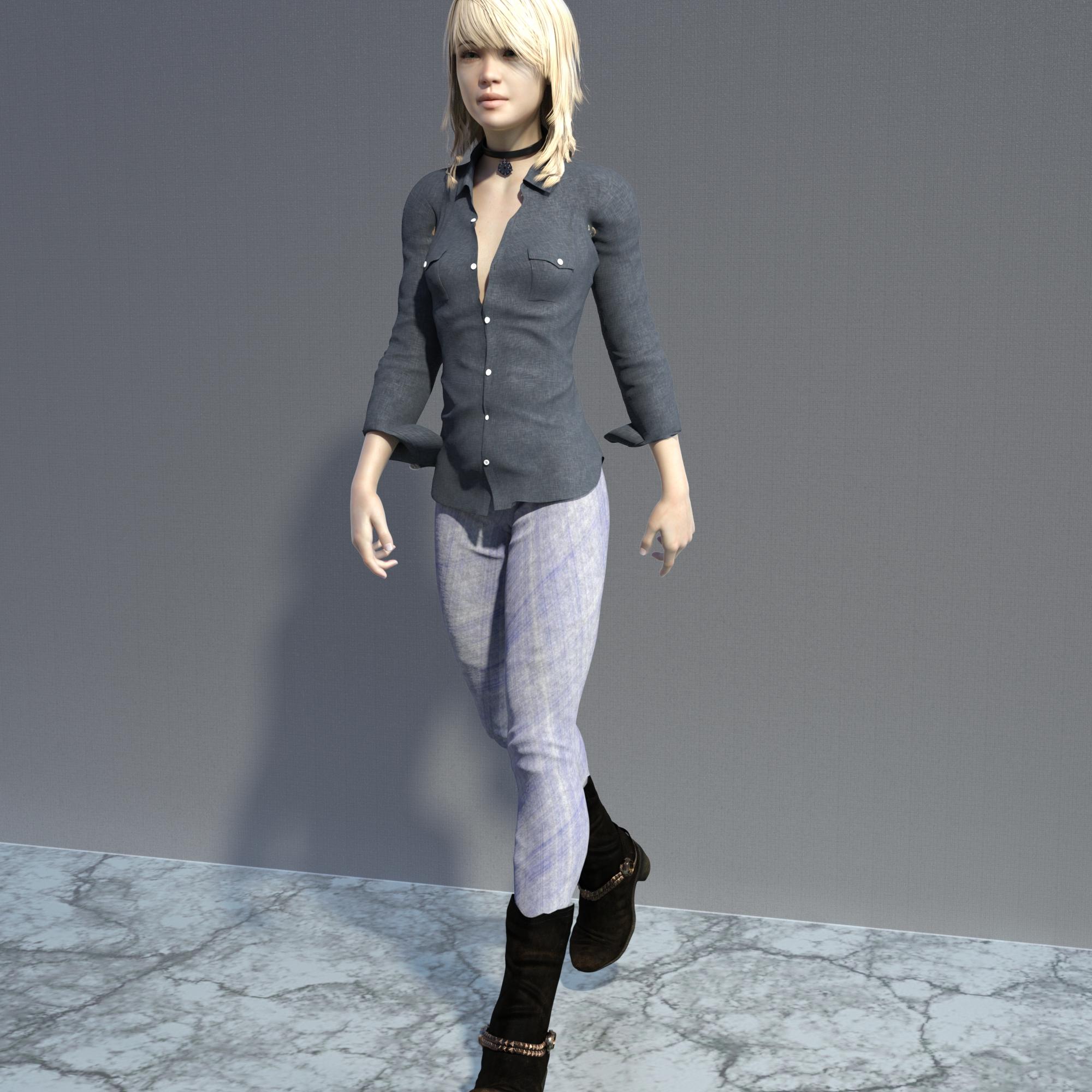
don't know measuements
Daz 3D is part of

Connect
DAZ Productions, Inc.
7533 S Center View Ct #4664
West Jordan, UT 84084Licensing Agreement | Terms of Service | Privacy Policy | EULA
© 2026 Daz Productions Inc. All Rights Reserved.