-
Children Characters for Daz Studio
As crosswind mentioned, items parented to a character generally follow the character's scale, but some adjustments may be necessary.
Here's an example:
In this example, three props are parented to Victoria 8.
The robot helmet and star-shaped sunglasses are parented to Victoria 8's Head bone, and the gun is parented to the Right Hand bone.
These are just props, not follower nodes.In this case, these props follow the position and size of the bone they are parented to, but they do not follow the character's shape.
The ratio of the hand bone size to the shape size does not change much before and after applying the Growing Up morph, so the gun follows relatively naturally.
Since the size of the shape relative to the Head bone increases after applying the Growing Up morph, the helmet and sunglasses sink into the head.In this case, the size and position of the helmet and sunglasses need to be adjusted individually.
Abdominal distortion G8FRandom said:
Ah, that's what I did Crosswind. Thanks since I was thinking of disabling just the two troublesome morphs alone. Actually, I tried to uninstall the whole Body Diversity with Daz Install Manager but it didn't work and BD reappeared after closing down Studio and reopening.
So, the true culprits might not be Body Diversity.... Anyway, you can simply check in Turbo Loader, scroll down the list to see if there's any "Check Mark" in white color... which means you partially disable some morphs within a Product. (screenshot 1)
Then you try completely Enable or Disable alll the morphs under the Product(s). (Save a Morph List beforehand !) Then close Turbo Loader, go to : Edit > Preferences..., Clear DSON Cache File...
Reload G8F to see if it works or not...
Edit: A default and clean G8F with Abdomen Upper and Abdomen Lower bones Bend poses should be like one in (screenshot 2) with just two corrective morphs triggered.... All the other corrective morphs auto dialed are wrong ! So if there's still any such morphs, you can easily find the culprits as well in the hidden properties. This is the commonly-used way to identify the culprits...
shape of toes is weirdSome more information would have been helpful. Is that the default figure, or did you do something to it? do you have a morph loaded which is causing the distortion. Does that issue happen at rest or only in certain poses?
When loading the default figure, if the distortion is present, check the Currently Used filter under the Paramaters tab. (Ensure show HIdden Properties is selected). Look through the currently active morphs to find the culprit.Fit problem...csuky13031977 said:
not a G2 to G8.... I want a morpf grom G8 to G2
Yes, that's right ~ So, you just should rig G2's OBJ onto G8 as a "Suit" with Transfer Utility, then dial the morph you want on G8, export G2 Suit to OBJ file. Finally, import OBJ file onto G2 with Morph Loader Pro ~~
That's the "Fit Suit" method ...
Children Characters for Daz StudioHere's a sample of Growing Up Morph applied to Victoria 8.
The character on the left is the normal Victoria 8. She is wearing G8F clothes and hair.
The character on the right is the same Victoria 8 with the "AGE 9-10" preset from "Growing Up for Genesis 8 Female(s)" applied.
The clothes and hair automatically follow the character's morphs.
The rig also follows correctly, so poses can be applied as is.In addition to presets, you can also fine-tune the body shape using each morph slider.
Even in that case, clothes, hair, and rigs will follow the morph correctly.Genesis 9 to Genesis 8 costume conversion issueYou need to smooth out the weight maps on the thigh bones, so that there isn't ab abrupt trasnition from moving with the left leg to moving with the right - though using a dress or skrt template in Transfer Utility/AutoFit should help..
Abdominal distortion G8FSuggest also check the morphs Enabled / Disabled status of other products in Turbo Loader... With Turbo Loader, in principle, you should completely disable or enable all the morphs under a certain product, especially the character products / morph packages in which there're custom corrective morphs linking to different controllers....
For instance, if you partially disable some morphs under a character product, the ERC links of the corrective morphs will be broken. It's a commonly-seen issue with TL ~~
Abdominal distortion G8FBack at my main computer. Thanks to Richard's suggestion of checking out the controlers tab and doing process of elimination it's Zev0's Body Diversity which is causing the abdomen problem, and specifically it looks like it's the 'voluptuous' morph which is doing it. When I disabled those morphs with Riversoftart's Turbo loader, everything was fine. When I enabled them, the problem reocurred. Tried both situations with Aaliya which was my original test and with the generic G8F. I'm going to just uninstall them now and do some more checking.
Used Turboloader to enable all morphs, tried Aaliya again and the abdomen was messed up but differently. It seems like Zev0's Shapeshift pregnacy morph was the culprit this time. So I disabled those morphs too.
Wardrobe Helper (Commercial)Enve said:
crosswind said:
Enve said:
I plan make better save function for props(sword, knife, smartphones props etc) in an upcoming update for this script. Meanwhile, experimental "Find items method" to search for all elements with props inside character bones does work not correctly while load to character.
Well, Smart Props are not only limited to weapons, consumer electronics...., hats, caps, glasses, collars, jewellery (earrings, bracelets, piercings, etc.), yada, yada... are all commonly-seen wearable accessories. When saving wearable presets, most of the time we need them all.
Thanks!
Anything the script finds without the “Find items method” option enabled - all, will work at moment, but in a future update I plan to improve this option to transfer items correctly, it takes more time to fine tune it.
Okay, great !
Fit problem...If so, with Fit Suit method, you exported G2 to OBJ, imported and rigged it on G8 (on which you dialed G2 Clone) with Transfer Utility, then it failed with a freeze and crash ?
does " Kioki " work in Daz StudioIt has always worked in Daz Studio, as do most older Poser products (with the exception of those .pmd files, which this product does not have). You just need to first inject all the morphs before using any of the body or head shapes. There are annoying errors in the syntax of each morph injection, but thankfully that happens after the data is loaded (mismatched parentheses at a top level) and does not interfere with the functionality.
Wardrobe Helper (Commercial)crosswind said:
Enve said:
I plan make better save function for props(sword, knife, smartphones props etc) in an upcoming update for this script. Meanwhile, experimental "Find items method" to search for all elements with props inside character bones does work not correctly while load to character.
Well, Smart Props are not only limited to weapons, consumer electronics...., hats, caps, glasses, collars, jewellery (earrings, bracelets, piercings, etc.), yada, yada... are all commonly-seen wearable accessories. When saving wearable presets, most of the time we need them all.
Thanks!
Anything the script finds without the “Find items method” option enabled - all, will work at moment, but in a future update I plan to improve this option to transfer items correctly, it takes more time to fine tune it.
There's Always Another Sale Thread -- Discussions Only Pt 3Elor said:
MelanieL said:
Ah, but on one set of trousers the drawstring is tied in a bow, while the other dangles untied. (Tries to keeps a straight face!
 )
)It looks like one series of promo renders was using a tied morph and the other an untied morphs, because they are pictures with the list of morphs available for that part and they look very similar.
Main difference (outside of the jacket being open or not), if the textures are compatible between the open and closed version of the jacked is that each products has its own set of two textures sets so when you get both, you may end with 4 textures sets.
I'm not saying it's enough difference for the budget, but the pants are different fits too, look at them side by side. I kind of prefer the baggier fit of the pants but get more milage out of the closed top. Not sure if morphs on the pants change the fit as much as is seen in the promos.
Fit problem...I'm talking about basic characters... I've done this many times... i want a make a morph from g8 to g2 with Transfer utility
There's Always Another Sale Thread -- Discussions Only Pt 3MelanieL said:
Ah, but on one set of trousers the drawstring is tied in a bow, while the other dangles untied. (Tries to keeps a straight face!
)It looks like one series of promo renders was using a tied morph and the other an untied morphs, because they are pictures with the list of morphs available for that part and they look very similar.
Main difference (outside of the jacket being open or not), if the textures are compatible between the open and closed version of the jacked is that each products has its own set of two textures sets so when you get both, you may end with 4 textures sets.
How do I make this defective skimpwear conform to G9 shapes?You coul;d presumably remove the rigidity maps, but then it would distort pretty nastily (which would be why rigidity is, I assume, being used to stop morph projection).
Wardrobe Helper (Commercial)Hi everyone! This script helps you create your favorite outfit sets from your library and easily transfer them to other saved scenes. If you find a bug please let me know. Thank you
[Released] Bone Minion for Millennium Horse Poses [Commercial]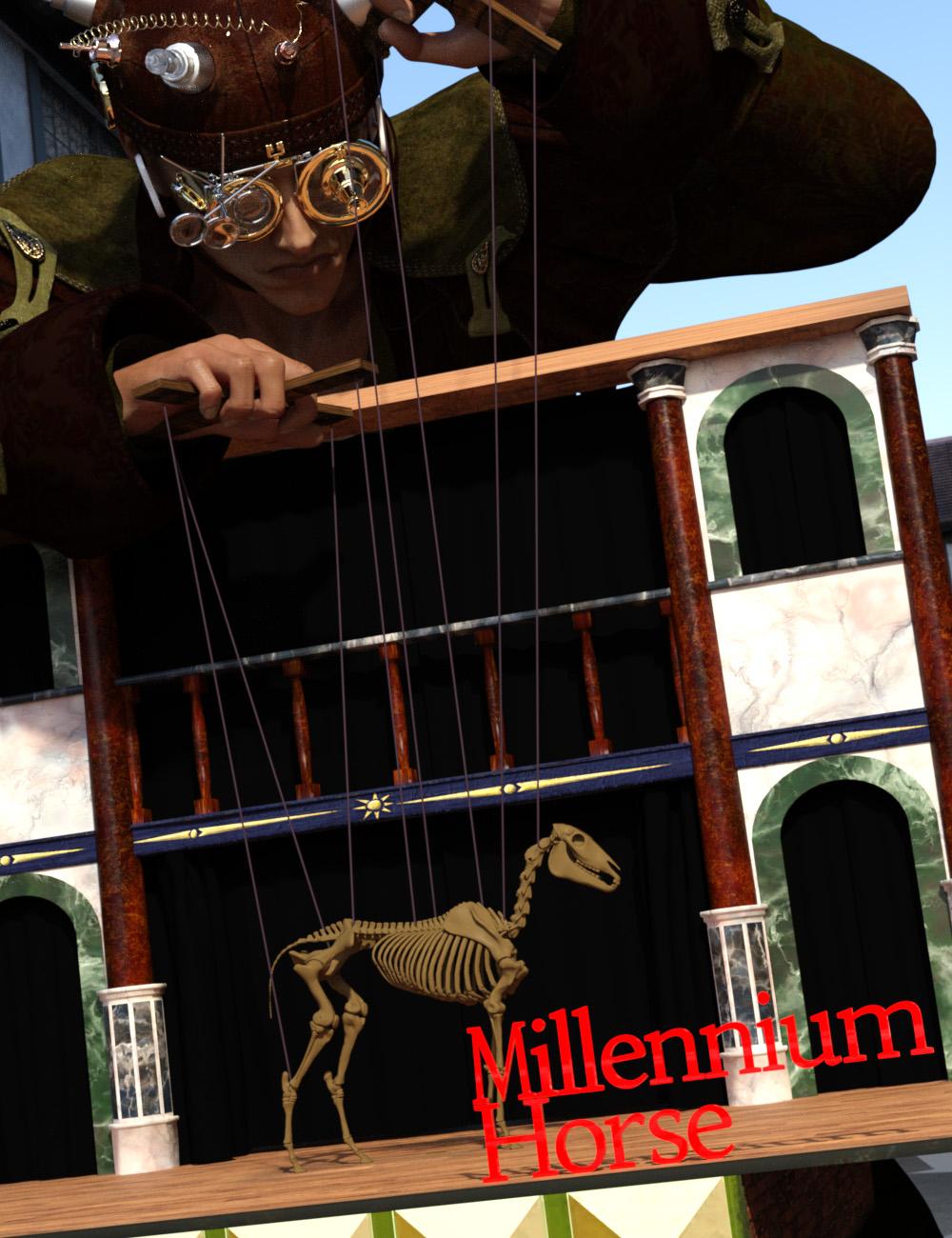 Quickly expand your library of poses for DAZ Horse 2, DAZ Horse 3, HiveWire Horse and LoREZ Horse 2! With Bone Minion, you can directly use poses for Millennium Horse for other Horse figures. Your Bone Minion will do the hard work for you by acting as a bone "catcher" for a pose and then transferring (and converting if necessary) the pose to its parent DAZ Horse 2, DAZ Horse 3, HiveWire Horse or LoREZ Horse 2.* Simply load the Bone Minion on your DAZ Horse 2, DAZ Horse 3, HiveWire Horse, or LoREZ Horse 2, select the Bone Minion, and start applying poses!
- On the fly conversion of Millennium Horse poses to DAZ Horse 2
- On the fly conversion of Millennium Horse poses to DAZ Horse 3
- On the fly conversion of Millennium Horse poses to HiveWire Horse
- On the fly conversion of Millennium Horse poses to LoREZ Horse 2
- Works with Millennium Horse full poses, partial poses*, hierarchical poses**, Horse and Rider hierarchical poses***, and even AniBlocks!
- Automatically applies full poses when they are loaded*
- Supports pose properties (using the Create Heavyweight Bone Minion script)
Note that converted poses (and especially props if they are hierarchical poses) may not be perfect and may require tweaking. Facial Bones (i.e., expressions) except for the eyes are not transferred.
* Any pose that sets the hip of the Bone Minion will be automatically converted on the fly and applied to the target figure. The Apply Changes script can be used to transfer any pose (including partial poses) on the Bone Minion to its target figure.
** Hierarchical poses with props require the props loaded on both the Bone Minion and the target figure. The prop will be properly rotated for the pose but may need to be manually translated to the correct location. Millennium Horse has different bone names than other Horse figures. You will need to manually move the prop to the correct bone on the Target Figure.
*** For Horse and Rider Poses, you must have the correct figure Bone Minion product installed (i.e., if the hierarchical pose is for Millennium Horse and Genesis 2 Female, you must have the Millennium Horse Bone Minion and the Genesis 2 Female Bone Minion), the bone minions must set up as the hierarchical pose expects (e.g., if the Genesis 2 Female is supposed to be on the Pelvis bone of the Millennium Horse, the Genesis 2 Female Bone Minion must be on the Pelvis bone of the Millennium Horse Bone Minion), and the Target Figure of the Figure Bone Minion must be set to your Target Figure.
Horse Skeleton Model in Main Promo is by Diego Luján García (Creative Commons Attribution) and is available at Horse Skeleton. No changes were made.
How do I make this defective skimpwear conform to G9 shapes?Yea, but I'm afraid rigging it with tight bodysuit template doesn't really work in this case... but you may give it a try.
1) Zero character's pose beforehand. Select the chain, set Resolution Level to Base, set Fit to Mode to Auto Follow Transforms, tweak its Y Axis to a proper positon. Then export / import OBJ. Delete original chain figure.
2) Rig the chain prop to G9 by using Transfer Utility with the settings in SS1.Traditional way is to fix its FBM, I use Victoria 9 as the example:
1) Zero V9 pose. Select the chain, set Resolution Level to Base. In hidden property, you may find FBM's name, copy it. (SS2)
2) Ctrl + Select V9 + Chain, export them to OBJ file with the settings in SS3.
3) Import OBJ into Blender or other modeling software, tweak the chain to well fit on the body by using Draw + Grab brushes with Symmetry turned on. Then export the chain to OBJ with the above copied FBM Name (SS4)
4) Import OBJ file onto the chain in DS by using Morph Loader Pro with the settings in SS5.Done. (SS6). (If your character is a fully customized one rather than by using any character product, you can just create a Fix morph in Step 4).. instead of updating hidden property of FBM)
But be noted that Step 4) takes pretty long time because this chain is really heavy in terms of Base geometry (870K faces...). I think that was why the vendor didn't fix FBMs on it.... too time-consuming.

Edit: You can also fix it in DS by using Mesh Grabber / Geometry Sculptor if you own them and then create morphs on the chain... but that process will be cumbersome. Geometry Sculptor has Symmetry option but it has bug with undo even may bring you DS crash.... Good luck !
How do I make this defective skimpwear conform to G9 shapes?You can try exporting it as an obj at base level, import it and use the transfer utility with the tight bodysuit template - it could get you a bit further than what you have there.
Daz 3D is part of

Connect
DAZ Productions, Inc.
7533 S Center View Ct #4664
West Jordan, UT 84084Licensing Agreement | Terms of Service | Privacy Policy | EULA
© 2026 Daz Productions Inc. All Rights Reserved.