-
Character skin seams.
Oh hey, this is great! Thanks guys for checking.

Don't have Latonya nor Millawa.
So below are some of the other G8F characters.
I did update/merge menus and opened and closed several sessions. Just in case need to activate something in backend. Doubt it. But just to be safe. That said I still don't get the auto addition of Filament Draw Properties. So I added again via Create sumbmenu. When mipmaps is toggled, it redraws the filement preview every time. So it is recognizing it.Interestingly, Victoria 8 is pretty much without seams. Very hard to see. Freja & Josephine are the worst and very visible. Babina head is perfect without a seam, but arms have slight seams. I did disable skin normals maps for all, and standardized Skin Bump to 2.0 for all. And all these screenshots is with MipMaps off.
The stark difference in visibility of seams between these Das Originals would lead me to believe they likely have different UV padding values when they were baked. Did not look because, I have so much other stuff to do. But with you guys being here and testing stuff, I put my stuff aside so I could at least test too.
Any chance either of you have Freja or Josephine? And could test sometime?
New DS Filament Render Engineit's funny since filament is out there is a series of animation on sale and where it's funny is that the promotion of these animations is made with iray ...
filament is of course a solution for small configurations... although daz released it too early I think, they could have waited to be able to convert the shaders cleanly from iray to filament...
the renderings made by kindred arts are very beautiful for sure but I would like to see a close-up of a face to see ...
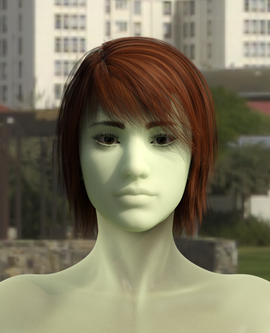
New DS Filament Render EngineSo I decided to get a few of those products sold for Filament. And one of them was SF Beautiful Skin Filament. I was under the impression it was meant to make the skin textures look better in the preview window when the filament engine was used for the preview. I started out with the texture shaded preview like this:
Then I changed the preview mode to Filament and it looked like this:
Then after selecting the character and applying one of the presets it looked like this:
And after choosing to "Undo" the texture preset, it made the preview window look again like it did in the second picture, but if I do an IRAY render after applying and undoing the material preset, it renders a character with the skin texture as a semi-transparent green color. It looks kind of nice, but this doesn't seem like it should be the result. It seems like it should return to a normal IRAY render. What's going on?
It comes with a PDF tutorial that you should read. There's another step after applying one of the presets - you have to also apply one of the SSS Emulator Shells.
Daz Studio 4.14 Pro, General Release!Filament is certainly something DAZ has been needing for quite sometime! I've always said one thing that would push DAZ into the stratosphere is having a decent game render engine that doesnt need to bring most systems to a halt when rendering like Iray does. Iray has it's place but is certainly causing a lot of people to skip DAZ because they don't use Nvidia cards or don't have beefy systems to render with Iray. One reason SFM is still being used quite a lot today even though it has not had an update and out of support for almost a decade is because it has a great game rendering engine that allows you to see and tweak stuff in real time and works with both Nvidia and AMD cards regardless of how old they are.
If DAZ could implement some real time system friendly game render engine that works on graphic cards in general and not just nvidia products, im sure the DAZ user base will grow immensly. Filament certainly seems to be something in that direction.
That being said, it does need some work. Any hair for any figure so far does not seem to work properly in Filament view. They appear like some glass goo, and some hair just don't show at all in Filament view. Not sure if this is just a setting somewhere I am missing, but have to either use Texture Shaded (3Dlight) or Iray to see whats going on with the hair. Would be great if Filament could work well with Hair. Doesn't need to be perfect but certainly more usable with hair than it currently is.
Secondly, the default settings for filament doesnt work well out of the box. Figures are immensly washed out by brightness. Now for someone like me that has been using DAZ for years, I could easily locate where the render settings are and bring the brightness down so I could see the figure as it was intended to be viewed. But for a new comer to DAZ that would be a brick wall. Would suggest for the default settings to be a bit more tweaked for first time load friendly settings. Again might just be something I am missing.
Otherwise, great work on Filament, it is going to require a bit more work to be more usable than it is now, but it is a great step in the right direction for DAZ imo.
I have updated to latest nvidia drivers before installing the latest version of DAZ
Unfortunately... Seems can still only have one instance of DAZ Studio open in this latest version. This severly restricts some of my workflows for creating characters, morphs and clothes. Still not sure why it was removed.. at all... But is there any plans what so ever to bring it back? Or at least have a Advance Setting in Preferances to enable it again? It's totally fine if a setting like that is default off because that is the developer's vision for DAZ but completely disabling it does not seem to be the correct way to do this. Asking because I still need to use a older version of DAZ to perform content creation because that older version can have multiple instances. Would love to be able to use the latest version of DAZ for content creation but it will need to allow mulitple instances as to not degrade and disrupt workflows... Which the current version are doing by only allowing 1 instance to be open.
Here is a description of how to run multiple instances of Daz Studio:
https://www.daz3d.com/forums/discussion/comment/5112696/#Comment_5112696
New DS Filament Render EngineAlso, I've noticed that some things really don't work well with Filament. Some Iray settings, as well as things like UltraScenery - Realistic Landscape System. Here's hoping that issues like this get squared away soon.
New DS Filament Render EngineI think those Filament skins are if you intend to use Filament and just Filament. I would imagine if you want to use Iray, you would go back to an Iray skin. You might need to reapply the Iray skin if you wanna go back.
The preset also doesn't look right in the Filament preview.
That's because you need to apply the subsurface scattering shell
New DS Filament Render EngineI think those Filament skins are if you intend to use Filament and just Filament. I would imagine if you want to use Iray, you would go back to an Iray skin. You might need to reapply the Iray skin if you wanna go back.
The preset also doesn't look right in the Filament preview.
New DS Filament Render EngineI think those Filament skins are if you intend to use Filament and just Filament. I would imagine if you want to use Iray, you would go back to an Iray skin. You might need to reapply the Iray skin if you wanna go back.
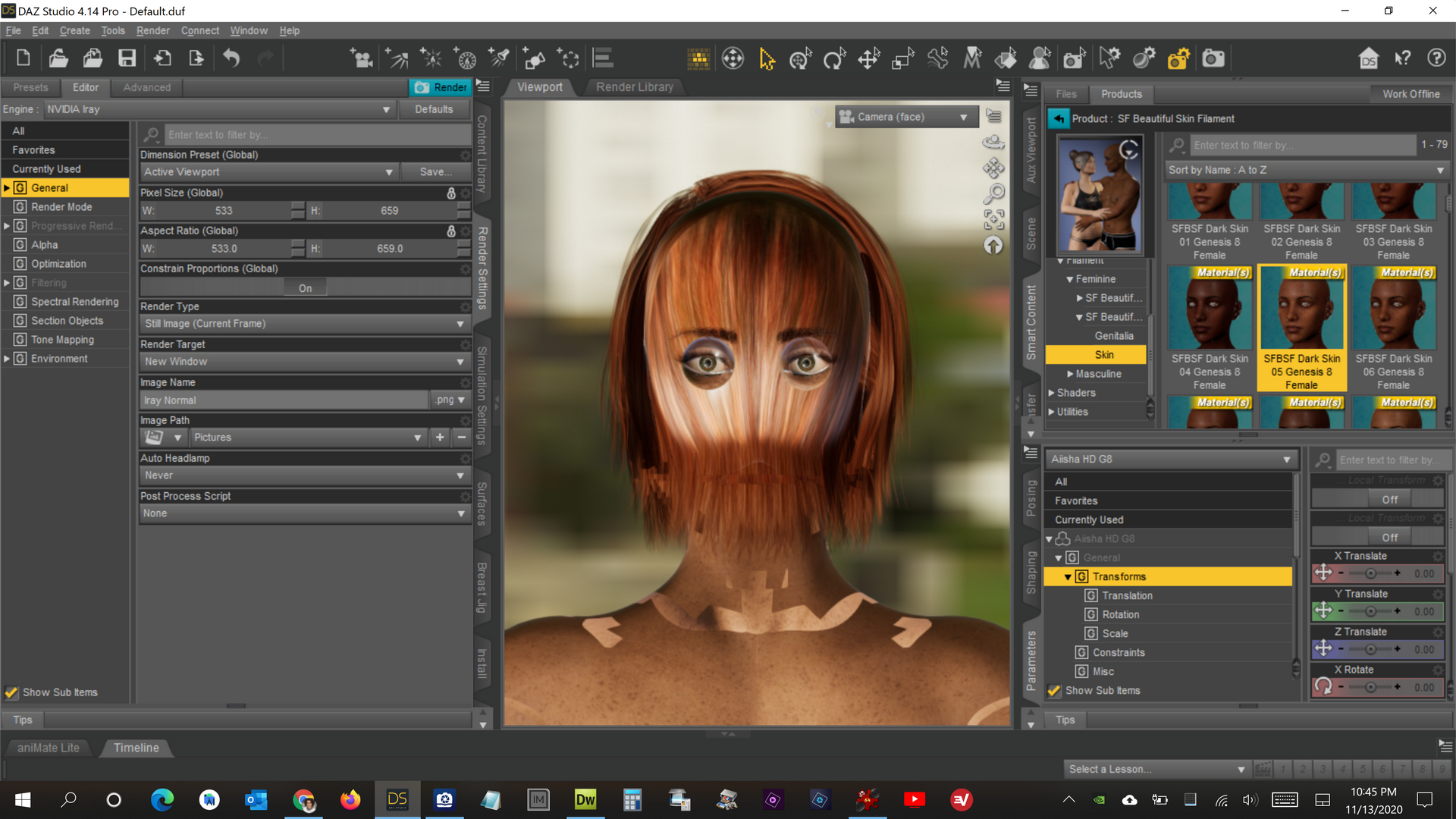
New DS Filament Render EngineSo I decided to get a few of those products sold for Filament. And one of them was SF Beautiful Skin Filament. I was under the impression it was meant to make the skin textures look better in the preview window when the filament engine was used for the preview. I started out with the texture shaded preview like this:
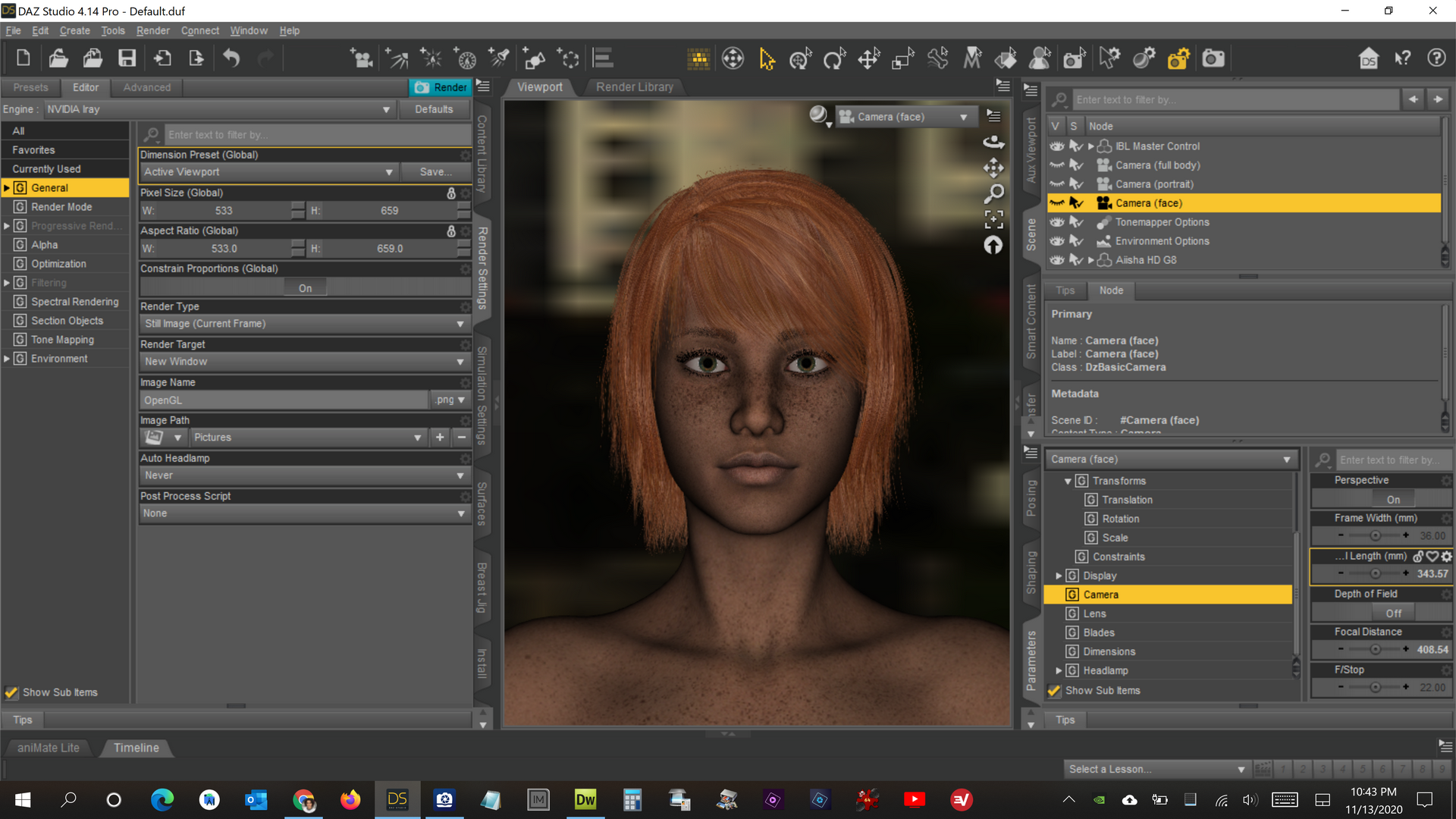
Then I changed the preview mode to Filament and it looked like this:
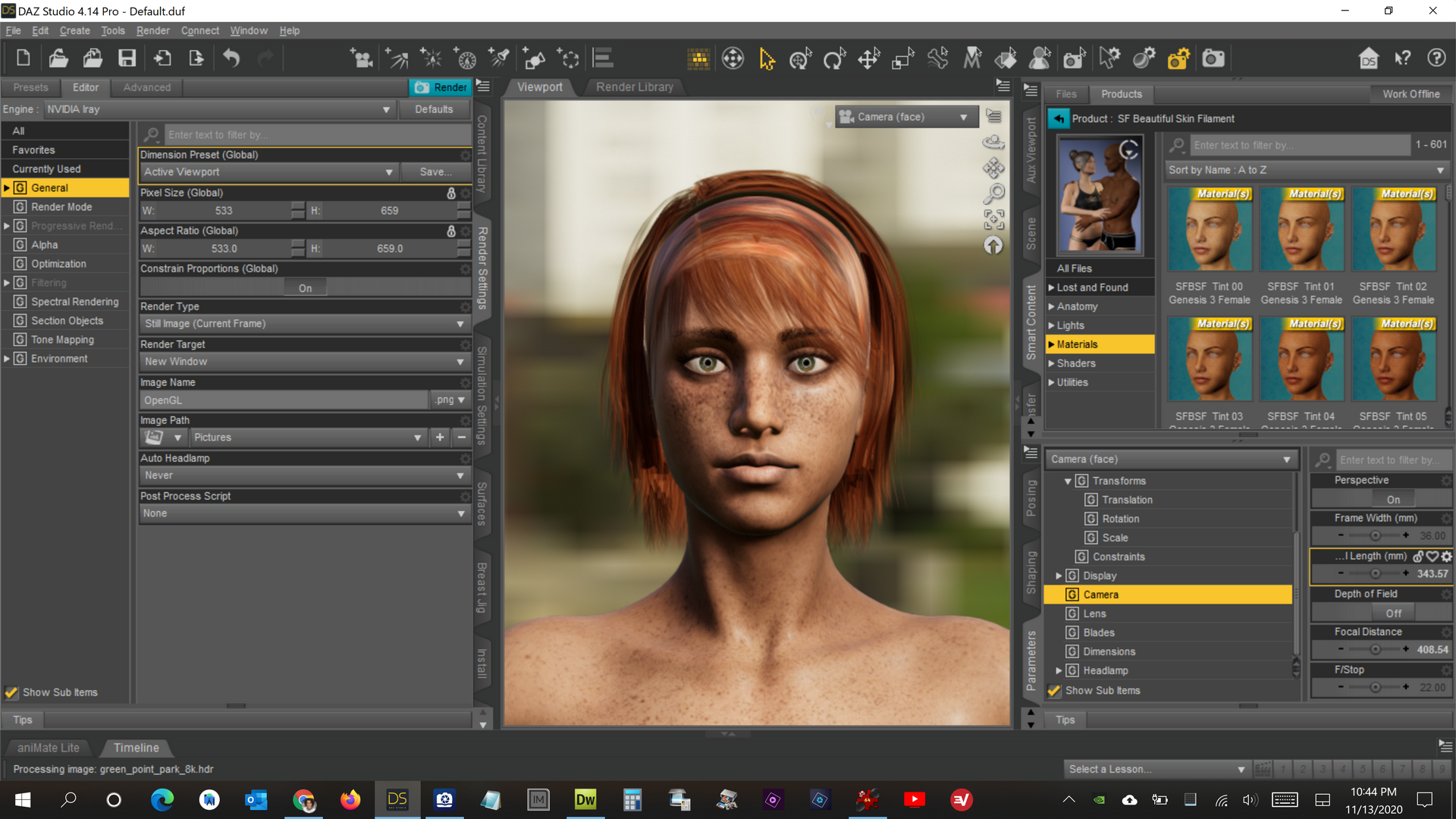
Then after selecting the character and applying one of the presets it looked like this:
And after choosing to "Undo" the texture preset, it made the preview window look again like it did in the second picture, but if I do an IRAY render after applying and undoing the material preset, it renders a character with the skin texture as a semi-transparent green color. It looks kind of nice, but this doesn't seem like it should be the result. It seems like it should return to a normal IRAY render. What's going on?
 New DS Filament Render Engine
Just curious. Is DAZ adding features to Filament and contributing to the open source project?
"There's Always Another Sale™" Sales thread: Report Issues HereTODAY"S DEAL not working?
I put 2 DEBs https://www.daz3d.com/magic-spell-caster-animations-for-genesis-8 ; & https://www.daz3d.com/super-hero-animations-for-genesis-8- ; into my cart which contained a STILL NR: https://www.daz3d.com/interior-light-pro-for-filament-and-iray ; as well as some PCFADs and the SPOTLIGHT Item for today. NOTHING DISCOUNTED. The 2 DEBbies stayed at the base intro price shown on promo page and the STILLNR stayed also at the base intro price ($8.46, 8.46 & 11.88). I read the exclusions (FastGrabs, BYOBs & PCFADs) and the DEBS used to trigger and STILL NRs are NOT excluded) SO WHY DID THE DEBbies & STILLNR NOT DISCOUNT? I met the triggers and the only 3 items that should have discounted did not change. Can this be fixed before DazDay dies at DazMidnight?
The top of today's promo page clearly says under "TODAY'S DEALS":
Buy any 2+ Debut New Releases to get 20% OFF¥ your cart
New DS Filament Render Engine
This is another quick animation experiment with the new DS Filament Render Engine in DAZ Studio. This time I played with the lighting and materials. It rendered in 30 minutes for 300 frames in 1920 X 1080. I added a little pixel motion blur in After Effects and some stock music.
Cool!

I'm loving all the renders and animations! Nice work you guys!
Daz Studio 4.14 Pro, General Release!Filament is certainly something DAZ has been needing for quite sometime! I've always said one thing that would push DAZ into the stratosphere is having a decent game render engine that doesnt need to bring most systems to a halt when rendering like Iray does. Iray has it's place but is certainly causing a lot of people to skip DAZ because they don't use Nvidia cards or don't have beefy systems to render with Iray. One reason SFM is still being used quite a lot today even though it has not had an update and out of support for almost a decade is because it has a great game rendering engine that allows you to see and tweak stuff in real time and works with both Nvidia and AMD cards regardless of how old they are.
If DAZ could implement some real time system friendly game render engine that works on graphic cards in general and not just nvidia products, im sure the DAZ user base will grow immensly. Filament certainly seems to be something in that direction.
That being said, it does need some work. Any hair for any figure so far does not seem to work properly in Filament view. They appear like some glass goo, and some hair just don't show at all in Filament view. Not sure if this is just a setting somewhere I am missing, but have to either use Texture Shaded (3Dlight) or Iray to see whats going on with the hair. Would be great if Filament could work well with Hair. Doesn't need to be perfect but certainly more usable with hair than it currently is.
Secondly, the default settings for filament doesnt work well out of the box. Figures are immensly washed out by brightness. Now for someone like me that has been using DAZ for years, I could easily locate where the render settings are and bring the brightness down so I could see the figure as it was intended to be viewed. But for a new comer to DAZ that would be a brick wall. Would suggest for the default settings to be a bit more tweaked for first time load friendly settings. Again might just be something I am missing.
Otherwise, great work on Filament, it is going to require a bit more work to be more usable than it is now, but it is a great step in the right direction for DAZ imo.
I have updated to latest nvidia drivers before installing the latest version of DAZ
Unfortunately... Seems can still only have one instance of DAZ Studio open in this latest version. This severly restricts some of my workflows for creating characters, morphs and clothes. Still not sure why it was removed.. at all... But is there any plans what so ever to bring it back? Or at least have a Advance Setting in Preferances to enable it again? It's totally fine if a setting like that is default off because that is the developer's vision for DAZ but completely disabling it does not seem to be the correct way to do this. Asking because I still need to use a older version of DAZ to perform content creation because that older version can have multiple instances. Would love to be able to use the latest version of DAZ for content creation but it will need to allow mulitple instances as to not degrade and disrupt workflows... Which the current version are doing by only allowing 1 instance to be open.
New DS Filament Render Engine.
In the examples of daz's filament work, you can see videos of electric lights and light props being reproduced, but how are they made?
Probably point lights and spotlights.
New DS Filament Render EngineIn the examples of daz's filament work, you can see videos of electric lights and light props being reproduced, but how are they made?
New DS Filament Render EngineFirst of all, this is all my personal opinion, no facts or anything, and I hope nobody gets offended. When I saw the new render engine, I was quite excited, and decided that first I'll check google to see what it can do. To my surprise all I could find was couple of random basic material screenshots, so that really got me thinking if Filament is even used anywhere except here in Daz studio. Also I have no idea if there's any community to learn from, because I couldn't find any filament forums in first couple google pages either. Maybe it was just me being too hasty, but it does not look that great when new render engine has very little support outside of Daz forums.
Next I tried with a little testing. I tried to keep open mind, but after playing a little, my biggest problem is I'm not really sure what Filament is supposed to be used for. Obviously it's not a replacement for Iray in quality, but I can't understand how it would even help previewing Iray rendering either, since the lighting does not match Iray's. In Daz studio texture shaded mode still works better for posing, and if I want super fast render times for animation, there's Eevee and of course both big game engines, which all have far superior quality in my opinion. Actually, I'm not even sure if I even can render images or animations with Filament, since I couldn't find a setting to change render engine to filament for final rendering, but that is probably just me.
That being said, I'm sure there's some users who probably still benefit from this new option, but I would have liked something better that could be used by bigger part of Daz customerbase, rather than wasting resouces for this. As far as I can see it, I think Daz snapped this one too early. It's still several years behind Eevee and current generation game engines in quality. UE5 is already pretty close to release, and it will increase the bar even higher. I don't know if Google or Daz is developing Filament, but if there isn't any major backers for this project, I just fail to see some non-existing community to improve it much further when it competes against giants like Epic. I hope I'm wrong, and Filament will evolve and get better, but in it's current state I have say it is kind of a disappoinment.
It's an open-source program https://github.com/google/filament
New DS Filament Render EngineWhat I'd like to ask is how to build a material or shader to enable emissive in filament.
Filament cannot currently do emissions. As I understand, they are working on it.
Laurie
well Filament can, DAZ studio implimentation cannot yet
I read some of the documentation for it before we got it and it has it
New DS Filament Render EngineWhat I'd like to ask is how to build a material or shader to enable emissive in filament.
Filament cannot currently do emissions. As I understand, they are working on it.
Laurie
New DS Filament Render EngineWhat I'd like to ask is how to build a material or shader to enable emissive in filament.
Filament tutorials/shaders/lights?Is there a tutorial somewhere about baking AO maps to a Daz character? I've never heard of this before.
Plus, what's an alpha map?
Sorry for the questions. But I've got some big scenes that I can't render in Iray, so I'm trying to convert them to Filament. I'd like to try and get the best out of them.
Daz 3D is part of

Connect
DAZ Productions, Inc.
7533 S Center View Ct #4664
West Jordan, UT 84084Licensing Agreement | Terms of Service | Privacy Policy | EULA
© 2026 Daz Productions Inc. All Rights Reserved.