-
Cow!!!!
Marguerite has also a Length legs morph.
Tika 8 - thoughts@Jardine thanks! Yes, I knew I could try fun things on her... And because so many complained about too many White girls, here I just used the highest translucency skin setting and just tweaked the translucency color a bit, and tada, not a White girl! Used Suki’s eyes and brows and added in some LaTonya morph. I also have an Asian version but I’m posting too much already lol. They are more artistic than totally realistic but it shows you can do more with a “Thorn doll” than just fairies...

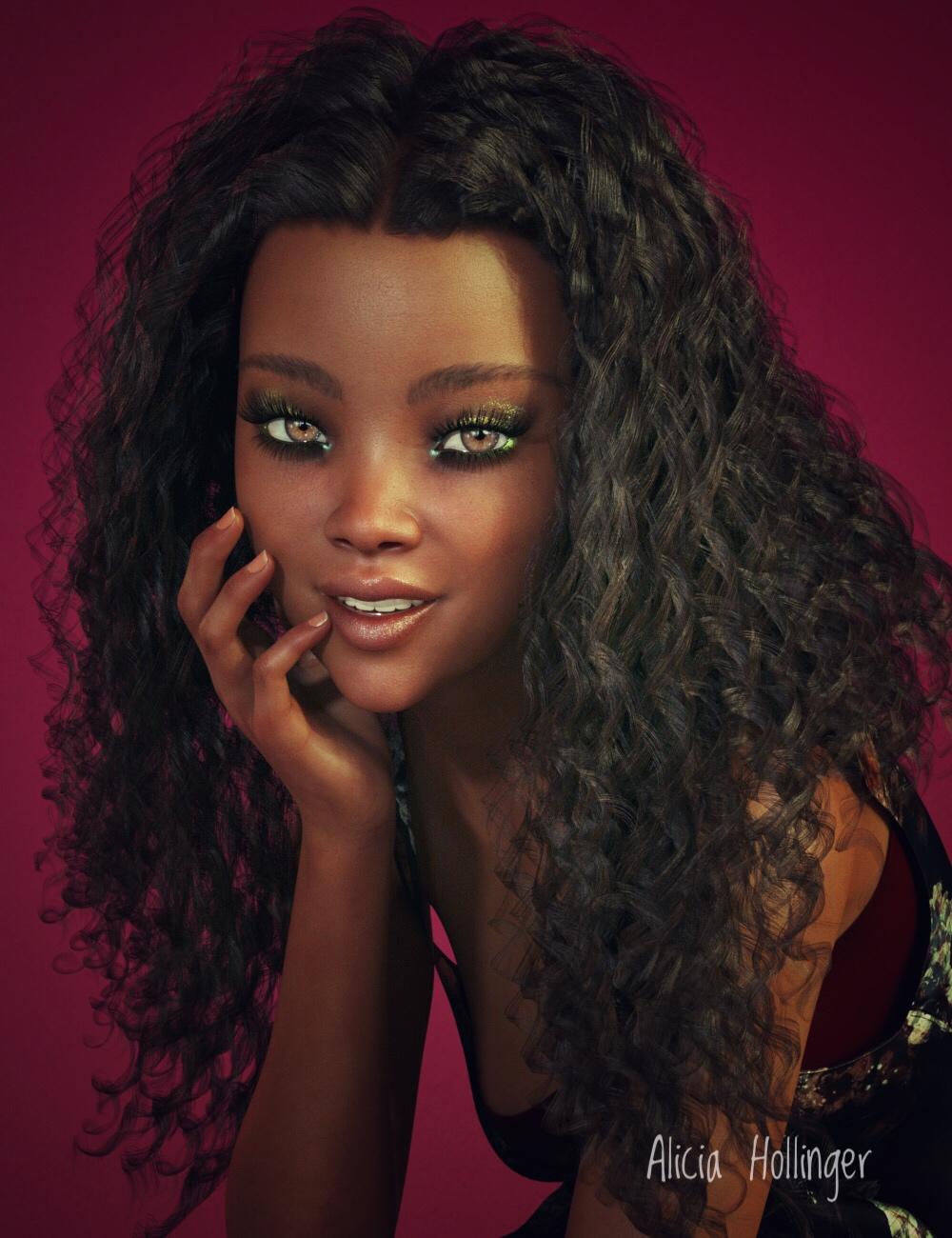
Very nice and also very believable.
... And they are all (the characters) dolls. They are there to be manipulated, posed and dressed up, then placed in stories. That sounds to be the purpose that dolls (including anction man) were for.
Calling any charcter a doll, whilst excluding others from the monica seems to me to be disrespectful.
 This comment isn't aimed at you btw.How to get sharp edges on straps
There's also an option in the transfer tool to apply the smoothing modifier
Genesis 8 Male Pectoral/chest bending issuesThanks for the reply - This happened on all poses with any torso bend.
Looks like I found a resolution.
Howver, I just de-installed everything G8M related (morphs, characters, starter pack) and reinstalled them 1 by 1 - lengthy process but the issue seems resolved.
So I assume 1 of the character of morph pack was installed improperly or messed up with the base G8M.
I was expected to find one culprit but everything installed and it's working fine. Would have been nice to find a cause but happy it's fixed.
Tika 8 - thoughts@Jardine thanks! Yes, I knew I could try fun things on her... And because so many complained about too many White girls, here I just used the highest translucency skin setting and just tweaked the translucency color a bit, and tada, not a White girl! Used Suki’s eyes and brows and added in some LaTonya morph. I also have an Asian version but I’m posting too much already lol. They are more artistic than totally realistic but it shows you can do more with a “Thorn doll” than just fairies...
Getting rid of the timelineL'Adair you are the absolute best. That worked beautifully. There were two steps I hadn't been using earlier: clearing simulation data and selecting Yes for Reverse Deformations.
Do I need to do ERC freeze? Or just leave the morph as is?
Thank you so much. Many hours of frustration saved and I learned something new which is a win.
I've never used ERC Freeze on these morphs.
Cow!!!!Somehow, the mind boggles at taking a horse and turning it into... a cow! It's not another human figure, so it's got to count as different, right? ;-)
If you think that is strange you need to see how Harry the Horse came into existence...Agreed. Looking at the Hivewire forum, Chris has made the Harry the horse mesh turn into every kind of 4 legged animal under the sun
While this looks like a great release and something that was really needed, it's not for me as the cow looks like a breed I never really see here in TX. based on the shape and horns, especially the horns it looks more European, like a French Abondance breed. I am used to seeing Angus, Brahman, Hereford and Holstein which this one is the closest to resembling IMO. Wonder if we'll see more morphs on this cow base, that would be cool since there are a ton of cattle breeds. I'd love to see a good longhorn morph, I drive by a small herd of them daily and they are majestic creatures.
Cow!!!!Thank you Deepsea. This is certainly a pleasant surprise. I am in need of bovines and was torn between buying the older models or waiting for HW3D's morph for their horse. Any plans for a bull and various breeds in the future? On a slightly sadder note, between these cows and HW3Ds new deer morphs, my bank account will be crying this weekend.How do I pose a character imported from Zbrush?If you chnaged the mesh (inceased the resolution by dividing it, or by sending it across at current resolution instead of base) or added or removed any geometry then it's now a static object. You could rig it using the Transfer Utility, with the new object as the target and the original figure as the source, but if you've chnaged the pose that would not work well. It would be better to work with the base figure. I don't know what version of MD you have, but the A pose is a more common starting point for clothing than the T - which is why it was changed in Genesis 8, and I'm not sure that adding a morph is the best way to go to the T pose anyway - reversing it out might produce unwanted results.
Transfer utility worked like a charm!! Thank you so much! I used the Genesis 8 as parent, posed it, and then simply removed the genesis 8 model.
Cow!!!!So after searching deepse’s store for the deer morph I couldn’t find it anywhere, until I unchecked hide purchased items lol...I’m glad I have it but feel bad I don’t remember it being released or buying it :/
Cow!!!!Yes! Hopefully, someone makes a goat or a sheep out of the DAZ Horse 2 too. >w<Or from the dog, since that's more their size.
I actually really like these characters, mini cowgirl and all! It would be cool to see even more shapes and new breeds for the horse, too. Rural scenes rule!
It's not about size, but for the hooves and the teeth. Besides, like the human figures, there can always be a separate scaling morph.
I'll checkout later, since that's my experience with new releases lately.
Add multiple dents on a figure?1. Zero all morphs and poses on your character (you might need to hide the eye lashes depending on the character)
2. Create the dent you want to make from one of the cones.
3. Export your figure as a .obj file (at base resolution)
4. Import new .obj file as a morph target (edit - figure - morph loader pro) and name it whatever you want.
5. Apply morph to see effect.6. Repeat steps 1-5 as needed for more dents.
Thanks, I will try. But is there any way if anyone can explain this post by RGcincy properly? https://www.daz3d.com/forums/discussion/comment/4523521/#Comment_4523521 cuz it looks like a better method. But it's just that I can't even figure step 1. How does one apply a dynamic modifier and a dForce weight node to it? Which option do I have to choose to apply dynamic modifier? pls see the attach file below.
Thanks a lot.
Cow!!!!Good Day
First of all thank you for your comments and support my products
I just wanted to give you some details about Cow Creation.
The textures were made with the Foundry Mary software from personal shooting that I made on cows.
To answer a few comments on the anatomy of the animal, Marguerite has a Natural Shape Legs morph to make it legs realistic.Denver has not a fliiped texture of Marguerite but it's own Texture.
Each product has it's own JCMs and MCMs for the skinning.
Thanks
Add multiple dents on a figure?1. Zero all morphs and poses on your character (you might need to hide the eye lashes depending on the character)
2. Create the dent you want to make from one of the cones.
3. Export your figure as a .obj file (at base resolution)
4. Import new .obj file as a morph target (edit - figure - morph loader pro) and name it whatever you want.
5. Apply morph to see effect.6. Repeat steps 1-5 as needed for more dents.
Getting rid of the timelineL'Adair you are the absolute best. That worked beautifully. There were two steps I hadn't been using earlier: clearing simulation data and selecting Yes for Reverse Deformations.
Do I need to do ERC freeze? Or just leave the morph as is?
Thank you so much. Many hours of frustration saved and I learned something new which is a win.
Cow!!!!Every piece in this bundle looks great. Making a cow/calf morph for Horse 2 is a brillant idea, the stable looks also excellent, and the girl is really cute!
Question about "Character Animation in the Unreal Engine"The cheapest method ( Zero $$USD), to get Mixamo animation
Data retargeted to G3 is
to upload the reliable "old" Genesis one to Mixamo first.Once genesis one is animated, to your liking, in Daz studio
,transfer the G1 animation data to G3 with a few mouse clicks
as described in this threadCow!!!!Does it come with a morph to turn Bessie into Bob?
no bull
Wendy you are in form today Lol ;)
And she didn't steer you wrong, did she?
Getting rid of the timeline@Comets, Here is a step-by-step how-to, with screenshots, for creating a morph from a simulation: Turning Your Perfect Simulation Into A Morph
(These steps are based on information I got from Richard.)
Cow!!!!Does it come with a morph to turn Bessie into Bob?
no bull
Wendy you are in form today Lol ;)
Daz 3D is part of

Connect
DAZ Productions, Inc.
7533 S Center View Ct #4664
West Jordan, UT 84084Licensing Agreement | Terms of Service | Privacy Policy | EULA
© 2026 Daz Productions Inc. All Rights Reserved.