-
HeadShop 13 with LoveChild
I have purchased HeadShop 13 with LoveChild on 21 June. As yet I am still unable to use it due to the fact that the purchased product does not show up in DIM, and only one of two files are listed in the Manual Download section. Daz Central is a no-go for me after being burned with that abomination last week. From reading the documentation that came as part of the first file, I am missing something called 'Morpher'.
I have had a support ticket open with DAZ for a couple days now, with no replies or any sign of activity. I know they're busy but still a pretty poor show when your customer has spent almost $60 and is unable to make use of the product they purchased!
I'm keen to see what results I can achieve with HeadShop 13, and as soon as I have this situation resolved I might even find out!
(* edited because I managed to mis-spell 'DAZ' of all things! )
1. Please realize that HeadShop is manual install, not DIM (see enclosed). There is also a README in the same folder to guide installation.
2. There is a folder "morpher" inside the zip file (look again).
3. Consider that we in California are 16 hrs behind Japan. A message sent at 12:41 am California time is answered now, 6 hrs later at 6:39 am local time. That is not slow.
Thank you for the response. However if you re-read my message you will see that I was saying that DAZ support was being slow, not you. Incidentally, that support ticket is STILL unanswered.
There is NO folder called Morpher inside the zip file. there are 2 files - HS13full.exe and README.pdf (see attached screen capture)
*EDIT: Your screenshot does indeed show 'Manual Install' - however it says right next to that 'DAZ Central' which is the supposed replacement for DIM, so it's rather a moot point.
HeadShop 13 with LoveChildMaybe check your account again, John Alexander Hopper. After reading your post, I went and checked My Account and I had two files to download under the manual install. The second one was the Morpher.
One question from me though. Since this was an upgrade (for me), I assume I was suppose to let it install to the same folder as version 12 and then allow the morpher folder to overwright what was already there. Correct?
Thanks.
I have purchased HeadShop 13 with LoveChild on 21 June. As yet I am still unable to use it due to the fact that the purchased product does not show up in DIM, and only one of two files are listed in the Manual Download section. Daz Central is a no-go for me after being burned with that abomination last week. From reading the documentation that came as part of the first file, I am missing something called 'Morpher'.
I have had a support ticket open with DAZ for a couple days now, with no replies or any sign of activity. I know they're busy but still a pretty poor show when your customer has spent almost $60 and is unable to make use of the product they purchased!
I'm keen to see what results I can achieve with HeadShop 13, and as soon as I have this situation resolved I might even find out!
(* edited because I managed to mis-spell 'DAZ' of all things! )
HeadShop 13 with LoveChildI have purchased HeadShop 13 with LoveChild on 21 June. As yet I am still unable to use it due to the fact that the purchased product does not show up in DIM, and only one of two files are listed in the Manual Download section. Daz Central is a no-go for me after being burned with that abomination last week. From reading the documentation that came as part of the first file, I am missing something called 'Morpher'.
I have had a support ticket open with DAZ for a couple days now, with no replies or any sign of activity. I know they're busy but still a pretty poor show when your customer has spent almost $60 and is unable to make use of the product they purchased!
I'm keen to see what results I can achieve with HeadShop 13, and as soon as I have this situation resolved I might even find out!
(* edited because I managed to mis-spell 'DAZ' of all things! )
1. Please realize that HeadShop is manual install, not DIM (see enclosed). There is also a README in the same folder to guide installation.
2. There is a folder "morpher" inside the zip file (look again).
3. Consider that we in California are 16 hrs behind Japan. A message sent at 12:41 am California time is answered now, 6 hrs later at 6:39 am local time. That is not slow.
HeadShop 13 with LoveChildI have purchased HeadShop 13 with LoveChild on 21 June. As yet I am still unable to use it due to the fact that the purchased product does not show up in DIM, and only one of two files are listed in the Manual Download section. Daz Central is a no-go for me after being burned with that abomination last week. From reading the documentation that came as part of the first file, I am missing something called 'Morpher'.
I have had a support ticket open with DAZ for a couple days now, with no replies or any sign of activity. I know they're busy but still a pretty poor show when your customer has spent almost $60 and is unable to make use of the product they purchased!
I'm keen to see what results I can achieve with HeadShop 13, and as soon as I have this situation resolved I might even find out!
(* edited because I managed to mis-spell 'DAZ' of all things! )
HeadShop 13 with LoveChildI find it best to first delete G8's eyelashes, then run HeadShop 13. After the morph is returned to D/S, on the Parameters Panel right-click on the morph dial and go into Edit Mode. Then on the dial for the morph [wheel cog] go into the Parameter Settings where one can see the option for auto-following, put a check-mark in that box ;-) Then load a fresh pair of eyelashes and apply to it a mat for the eyelashes. [If a mat doesn't exist, you'll have to make one].
And remember everybody, if you like the morph(s) being made, Save Them! {File > Save as > Support Asset > Morph Assets ...}
Worlds Edge's Trials And ErrorsToo true @Saphirewild
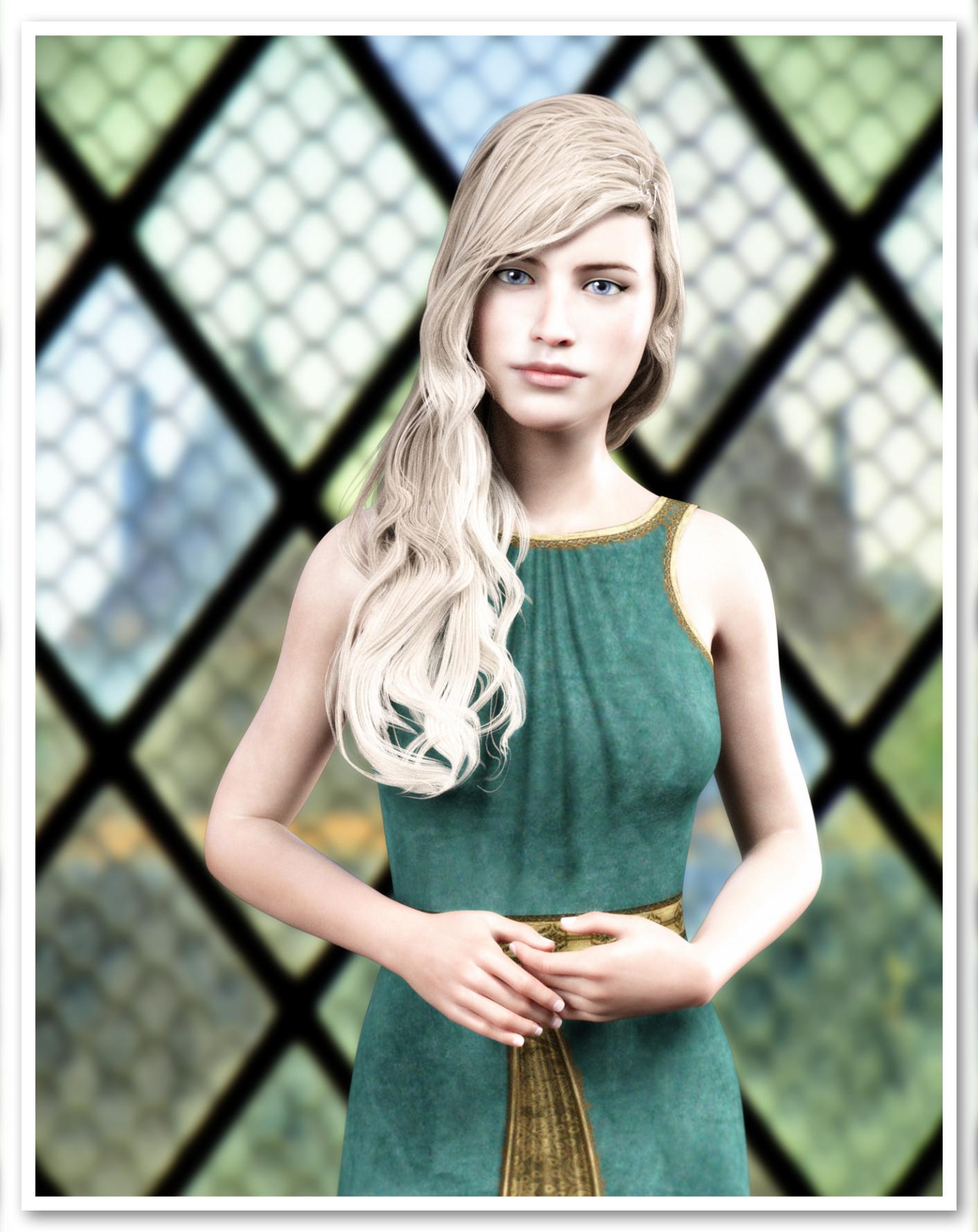
It feels like forever since I last rendered and posted anything. I tested out Headshop 13 today, and my discussion about it is here on page 2. Using the product and other products (particularly the materials from another product, I came up with the following character. A less photoshopped version is in the gallery here, and lists the products used.
 HeadShop 13 with LoveChild
I tried out headshop 13 two times. My first effort was a failed Barbara Eden, but the source picture was not great and I wasn’t expecting it to work.
This is my second effort using an image off the internet (I don’t know the model). I found that in headshop, the model comes out ok/close, especially the eyes. However, when transferred to Daz Studio, the eye shape became more generic. The iris, however, was quite accurate.
One frustration I had is that I could not load any nice eyelashes onto the model. The lashes kept getting applied to the middle of the eyes. I don’t know what the problem might be – it could be user error. I did give up.
Attached, in order, are:
The original model I tried to create using headshop.
The model when in headshop.
The model as transferred to Daz Studio.
The model’s skin edited using Altern8 no maps Charlotte.
The model using Albany Hd materials.
Finally, the model using Albany materials, make up and posed.
Conclusions - I did not achieve a good likeness of the original model (although I have done so in headshop 12). The process is hit and miss, just like all of the other similar tools (face gen, face transfer). Sometimes using several of the tools gets you closer to the original. All that said, using another character’s materials, I think I got a pretty nice new model.
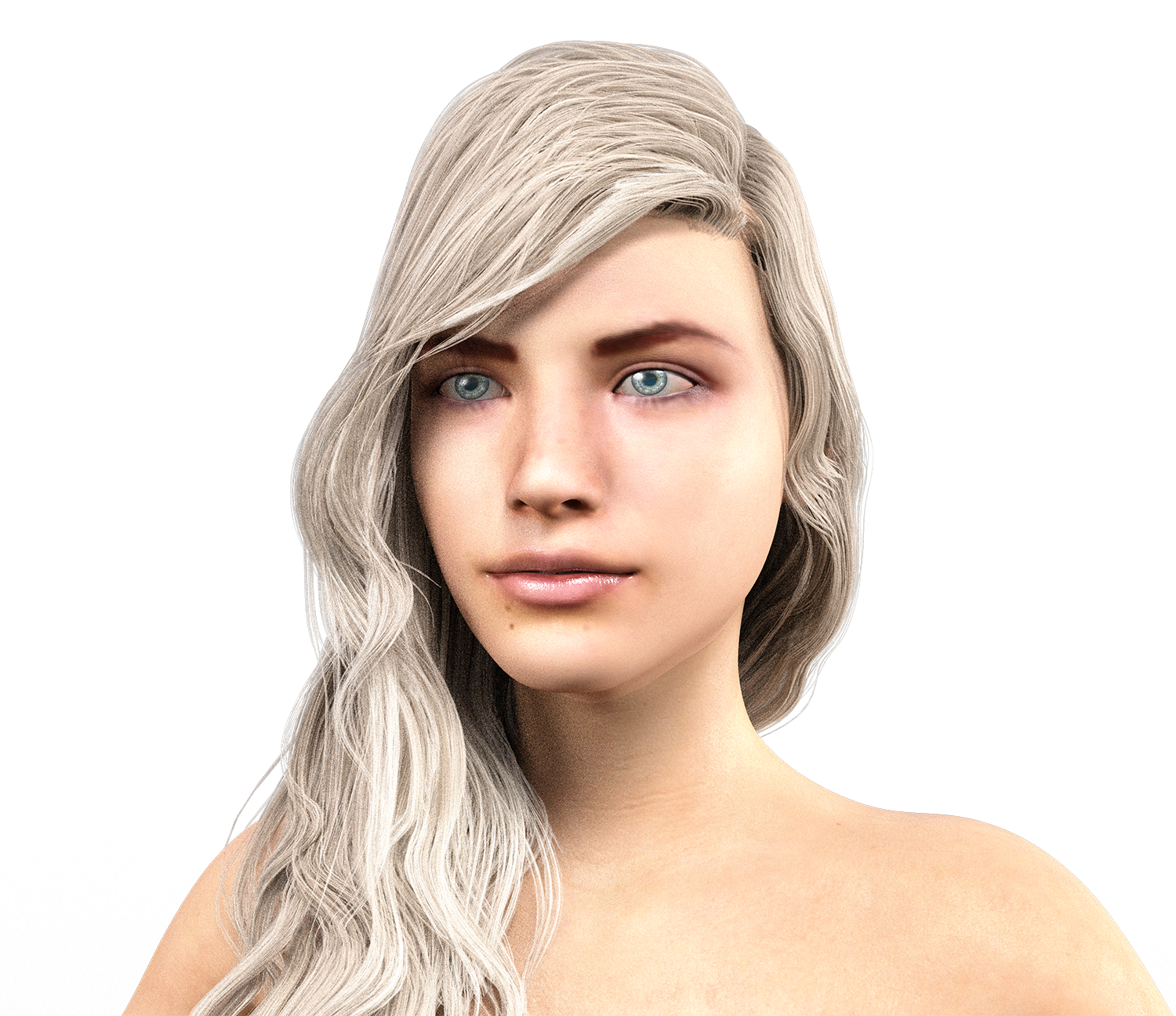
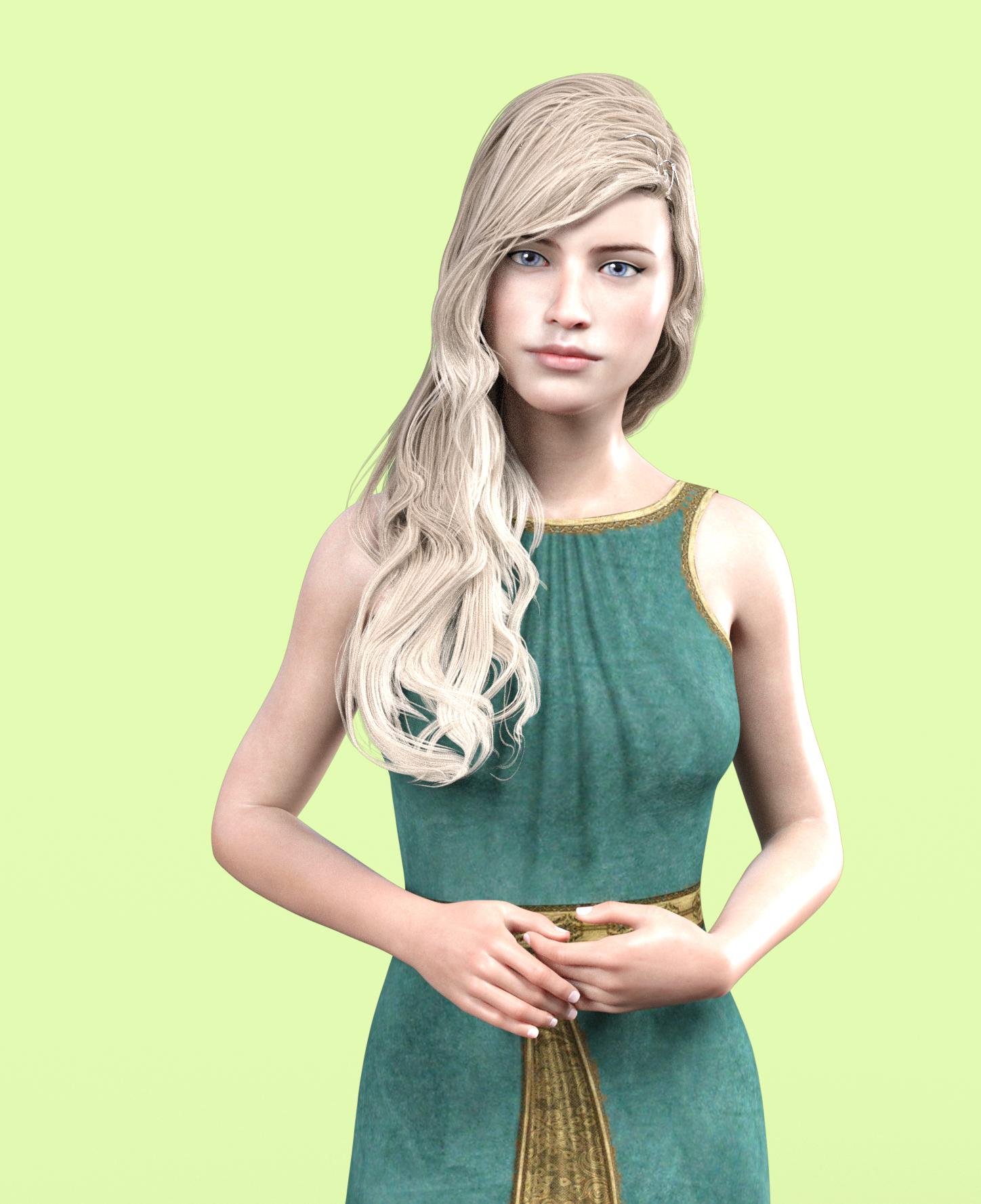
Within the post, I am showing the model rendered (not fully) in Daz Studio, after transfer from Headshop. The second image is the same character/final character but with materials changed.
 HeadShop 13 with LoveChild
To be honest I can't imagine ever paying even the sale price for what it appears to offer, considering there are already other apps that seem to work better.
In every single one of their promo images you can see misaligned nostrils and areas of hair that didn't blend out properly and one very odd instance of an african face projected onto a white texture map (do they not offer different skin tones?).

It's really bad when the makers of the product can't even reach acceptable results.
Having never used any previous version of HeadShop, am I missing something? I'm geniunely wondering because this seems like it should be a $20 plug-in at full price at best.
what are the better working apps? I need to check them out. thanks
Facegen and face transfer both look better to me, and they both provide demos so I actually know what kind of results I can get
HeadShop 13 with LoveChildTo be honest I can't imagine ever paying even the sale price for what it appears to offer, considering there are already other apps that seem to work better.
In every single one of their promo images you can see misaligned nostrils and areas of hair that didn't blend out properly and one very odd instance of an african face projected onto a white texture map (do they not offer different skin tones?).
It's really bad when the makers of the product can't even reach acceptable results.
Having never used any previous version of HeadShop, am I missing something? I'm geniunely wondering because this seems like it should be a $20 plug-in at full price at best.
I think the misunderstanding is that these images are NOT rendered but RAW screen captures (notice the DAZ grid behind the promo image). We decided to capture promotional images raw, as they are handed from HeadShop to Studio BEFORE RENDERING. We did this for two reason: because this represents a starting point after which artists would add lights, set up skins and other things that are outside the scope of what we deliver - and because as software developers we don't posses the rending skills that many DAZ artists have.
I mean, it's quite obvious these aren't rendered. That isn't the issue. You can see multiple instanced where the texture and the morph do not line up. You weren't able to capture a-single transfer where the nostrils (both inside and the outer crevice) are lined up to the texture, and there are some shots that show hair artifacts that haven't blended out. In a promo you typically want to show off the full capabilities of your software. I'm not trying to be rude, this is just the truth. And considering the price point here, you should be able to afford to hire an artist who can show off the capabilities in a way that will be interesting for the end user, even if they are still just viewport screenshots you clearly need someone with a more artistic eye. That said, you've obviously been at this for a while, so you probably know your market better than I do, but for me personally this is not an appealing product based on the presentation.
edit: I just want to quickly add as a piece of advice, you really should hire an artist to work on your advertising for you. I can guarantee that if this is a product that artists can make good work with, the amount of additional revenue you'll make from sales will far exceed the cost of hiring an artist.
HeadShop 13 with LoveChildI know there is a lot of discussion on the textures, have the morphs that are generated been improved over previous versions of HeadShop or the morph quality is the same?
HeadShop 13 with LoveChildI can't find any instructions on installation or use. Can someone point me to them. It's been a while since I manually installed anything or used the earlier version of Headshop. Thanks.
Please read README. Has detailed installation instructions (also included in the downloaded zip). .
Thanks a bunch. Please note that the link to the read me is broken. I mean in the store/product page. I was able to grab your attachment above.
HeadShop 13 with LoveChildTo be honest I can't imagine ever paying even the sale price for what it appears to offer, considering there are already other apps that seem to work better.
In every single one of their promo images you can see misaligned nostrils and areas of hair that didn't blend out properly and one very odd instance of an african face projected onto a white texture map (do they not offer different skin tones?).
It's really bad when the makers of the product can't even reach acceptable results.
Having never used any previous version of HeadShop, am I missing something? I'm geniunely wondering because this seems like it should be a $20 plug-in at full price at best.
I think the misunderstanding is that these images are NOT rendered but RAW screen captures (notice the DAZ grid behind the promo image). We decided to capture promotional images raw, as they are handed from HeadShop to Studio BEFORE RENDERING. We did this for two reason: because this represents a starting point after which artists would add lights, set up skins and other things that are outside the scope of what we deliver - and because as software developers we don't posses the rending skills that many DAZ artists have.
HeadShop 13 with LoveChildI went ahead and bought the upgrade version of HS 13 and found may be a small bug. When I use it to load an obj that I created with HS 13 in a previous session of DS it displays an error message that says I am attempting to load an object not created in HeadShop. If I load the morph anyway it does seem to work OK; BUT the message is a bit disconcerting
HeadShop 13 with LoveChildI can't find any instructions on installation or use. Can someone point me to them. It's been a while since I manually installed anything or used the earlier version of Headshop. Thanks.
Please read README. Has detailed installation instructions (also included in the downloaded zip). .
HeadShop 13 with LoveChildSure, there's a preliminary manual and video link in his commercial thread.
HeadShop 13 with LoveChildI can't find any instructions on installation or use. Can someone point me to them. It's been a while since I manually installed anything or used the earlier version of Headshop. Thanks.
HeadShop 13 submitted to DAZ (Commercial)Since I already owned HS12, I bought and installed the upgrade version of HS 13. There may be a small bug. When I use it to load an obj that I created with HS 13 in a previous session of DS it displays an error message that says I am attempting to load an object not created in HeadShop. If I load the morph anyway it does seem to work OK; BUT the message is a bit disconcerting
HeadShop 13 with LoveChildi've been interested in this is curious if they'll do an upgrade to the broken up headshop 12, i have the headshop 12 for genesis 8 but not the full version
Yes. ALL HeadShops since HeadShop 9.
HeadShop 13 submitted to DAZ (Commercial)looks great in cart debating on buying...will there be an upgrade coming for "headshop for genesis 8" or would it be better to just buy the full version?
HeadShop 13 with LoveChildi've been interested in this is curious if they'll do an upgrade to the broken up headshop 12, i have the headshop 12 for genesis 8 but not the full version
Daz 3D is part of

Connect
DAZ Productions, Inc.
7533 S Center View Ct #4664
West Jordan, UT 84084Licensing Agreement | Terms of Service | Privacy Policy | EULA
© 2026 Daz Productions Inc. All Rights Reserved.