-
Genesis 9 delayed until at least 2020. Will you be buying it?
The thing is, unless there is a big jump in the underlying tech or the kind of backwards compatibility that we got with Genesis 8, There is no compelling reason for myself to “go all in” when Genesis 9 releases. It’s definitely not a financially sound decision to move into Genesis 9 if it means that my previous content cannot transfer to the new figures. Of course I will play around with the starter essentials that we may be given for free based on previous release history but depending on the compatibility issue, it’s looking very likely that I will stay with just the “starter essentials” or maybe just get the Michael 9 and Victoria 9 characters and stop there until I start seeing the utilities, tutorials, morph packages and whatnot I would need to transfer things forward and backward. It’s just the most financially responsible way I can see at this point. None of us really knows what G9 is going to bring to the table at this point after all.
Help Identifying a G2M Hair [Solved]Probably Michael 6 and this hair https://www.daz3d.com/real-short-hair-for-genesis-2-male-s
Oh thank you! The main promo image for that looks nothing like the hair, so I totally missed that! It looks like the PA that made it hasn't released anything in about a year - hopefully they'll release something new soon so that it will go on sale. :)
You think the character is Michael 6? I thought it might be too, but since I've not really used Michael 6 I wasn't sure. I'll have to check him out. This is the second time I've been kind of "wowed" by a character just to have someone tell me it's Michael 6 - so looks like I need to do some renders with him. heheh
Thanks for the help. :)
Mike 6 is one of the better looking males IMVHO. There is an issue with his chest tho - he has some real man boobs...lol. I still use him a lot tho ;). Also, that outfit is quite awesome if you don't have it. Super detailed for a male outfit and one of my favorites.
Laurie
Apparently, I had purchased him about a 17 months ago but never got around to messing with him much. But after reading this thread I had to dig him out. And WHOA, I found my new favorite guy to render! lol
Here he is with Altern8.
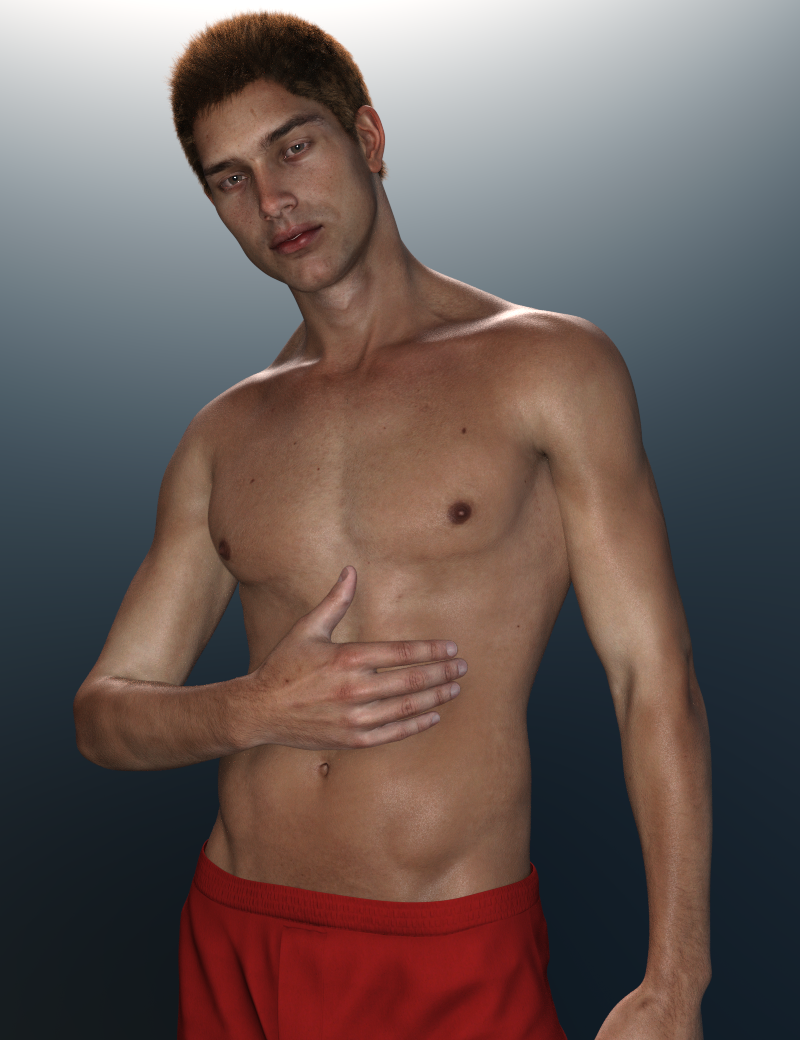
And now I'm ruined! lol Because I have next to nothing for Genesis 2 Males. Dang it... why does he have to be so fine!? How is "Well, he's pretty hot, but he's no Michael 6." not a saying? lol I'm either going to have to invest in G2M or figure out how to transfer him to G8M. Because now that I know he looks this good with Iray and some Altern8 tweaks, I absolutely have to render this guy a LOT more. :)
I feel that way about David 5 also. LMAO
Hey, nothing keeping you from using him (not even clothes...wink....lol).
FWIW, there is a G3M clone for G2M in the store that lets you put G3M (and G8M clothes if you've converted them to G3M) on Mike 6, and it works rather well. This outfit is for G3M and that's Mike 6 :)
Oh!...and Ildanach just did this a couple weeks ago. How gorgeous is that?! :)
Laurie
Whoa! That IS gorgeous! I love that render! I hope I can make awesome renders like that someday. :) I need to practice more and start working on learning to do more "artsy" type renders.
I'm definitely happy that I took a few minutes to give Michael 6 some skin settings tweaks. I feel like I have a brand new figure and he was sitting in my runtime these past months just waiting. lol
Funny enough I have that G3M clone for G2M and forgot I had it (I had bought it when I discovered how great Lee 6 is). Thank you for the reminder about it! :D That helps a lot as I have much more G3M stuff than G2M.
Mesh not binding to Bone after Bone SplitJust checking in- updating etc. And man have I wasted a ton of time on both that more nuanced model and then a very simple model where the same issue occurred from the get-go (mesh not properly attaching but without any bone splits or re-parentling) and I was trying to figure ways around the issue. It appears Weight Node Brush Map / Weight Editing / Fill by Bone Selection Groups gets grumpy about different, unconnected bits of geometry that are physically close to each other (the model was a hinge of sorts, so there were different parts almost overlapping).
The upshot of it all ...
- I could not find what broke the association in the first place - when I made a simple model rigged it and then split or re-parented bones nothing appeared to break - obviously some reassignment is needed for the split bone but before that reassignment the geometry remained attached to the first of the split bones.
- For the nuanced and advanced model, Transfer Utility transfered all the badness in the associations BUT I could then Weight Node Brush Map / Weight Editing / Fill by Bone Selection Groups afresh and that re-established correct associations and I could then copy and paste the XYZ-Rots and Scales from the damaged model to the rectified model. So through that, I got my model back to undamanged and with all my weight paint work preserved without too much trouble.
- I then diverted to the simple model (build geometry from scratch and rig a unique skeleton from scratch) and found the gumpy problem. BUT I finally found an easy solution. In Geometry Editor select all the surfaces relevant to the bone (one click of the "+" for that bone face group). Then in Weight Node Brush Map / Weight Editing use Fill Selected on the general map (add it if its not there, and use 1.00 weights) and the geometry attachment gets fixed.
So at this point, I appear able to make progress again at last. And FWIW, I'm still only working in the embedded scene, not a saved asset. Cheers, Lx
Terrains?This is Terradome 3 using A Zone, Water, Canal Terrain Morph, Stormy Sky HDRI and various plants from a few other sets.
Gentle Stream
2019-03-24 07:24:29.926 Total Rendering Time: 21 hours 34 minutes 38.7 seconds

Click on image for full size.
DIM Issue in Migration to New PC with Different LIbrary Path. (Solved)I copied my library over to my new PC, at a different path.
I then installed DIM and DS.
I changed the library in DS and the installation directory for DIM to that different path.
But DIM still thinks I have thousands of models to download (over again). I suppose this is because the new PC does not have the models in it's dowload archive. Those models are only archived on the old PC.
So, is there a way to fix this? Some log file of archived downloads to transfer?
Full cleavage morphWanting a morph that will create a full cleavage on genesis 3 female without squishing the breasts or clothes together. At the moment I have to digitally paint the cleavage on (the example on the right). I know there's a stack of breast morphs out there, but can any of them achieve this look?
Daz Studio Category MigrationI changed the installation directory for DIM.
But DIM still thinks I have thousands of models to download (over again). I suppose this is because the new PC does not have the models in it's dowload archive. Those models are only archived on the old PC.
So, is there a way to fix this? Some log file of archived downloads to transfer?
Help Identifying a G2M Hair [Solved]Probably Michael 6 and this hair https://www.daz3d.com/real-short-hair-for-genesis-2-male-s
Oh thank you! The main promo image for that looks nothing like the hair, so I totally missed that! It looks like the PA that made it hasn't released anything in about a year - hopefully they'll release something new soon so that it will go on sale. :)
You think the character is Michael 6? I thought it might be too, but since I've not really used Michael 6 I wasn't sure. I'll have to check him out. This is the second time I've been kind of "wowed" by a character just to have someone tell me it's Michael 6 - so looks like I need to do some renders with him. heheh
Thanks for the help. :)
Mike 6 is one of the better looking males IMVHO. There is an issue with his chest tho - he has some real man boobs...lol. I still use him a lot tho ;). Also, that outfit is quite awesome if you don't have it. Super detailed for a male outfit and one of my favorites.
Laurie
Apparently, I had purchased him about a 17 months ago but never got around to messing with him much. But after reading this thread I had to dig him out. And WHOA, I found my new favorite guy to render! lol
Here he is with Altern8.
And now I'm ruined! lol Because I have next to nothing for Genesis 2 Males. Dang it... why does he have to be so fine!? How is "Well, he's pretty hot, but he's no Michael 6." not a saying? lol I'm either going to have to invest in G2M or figure out how to transfer him to G8M. Because now that I know he looks this good with Iray and some Altern8 tweaks, I absolutely have to render this guy a LOT more. :)
I feel that way about David 5 also. LMAO
Hey, nothing keeping you from using him (not even clothes...wink....lol).
FWIW, there is a G3M clone for G2M in the store that lets you put G3M (and G8M clothes if you've converted them to G3M) on Mike 6, and it works rather well. This outfit is for G3M and that's Mike 6 :)
Oh!...and Ildanach just did this a couple weeks ago. How gorgeous is that?! :)
Laurie
Help Identifying a G2M Hair [Solved]Ok, last one for a while, as I have to get back to work. :)
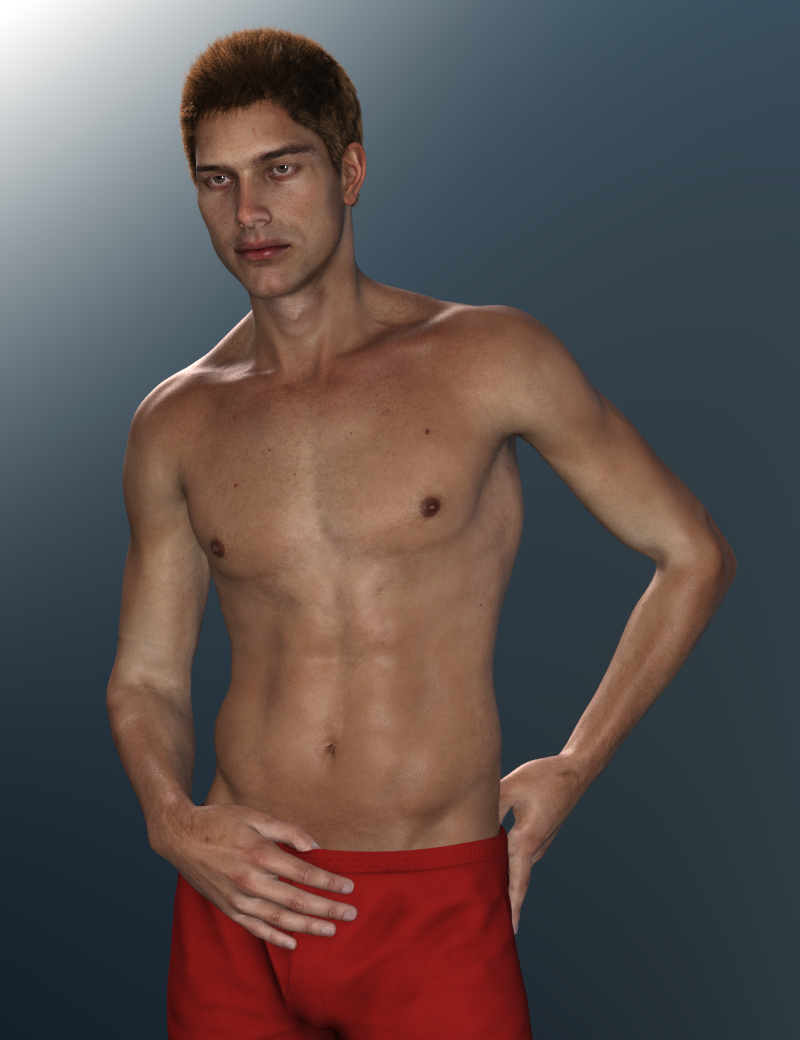
The more I pose him the more I realize he could definitely use the better bends and nice facial rigging (coupled with PowerPose) that comes with G8M. I'll have to look into seeing if I can figure out how to transfer him when I have some extra time. I'd love to have is shape and textures with G8M! :)
Genesis 9 delayed until at least 2020. Will you be buying it?No way I'm expending all that money again unless they free the HD morph plugin creation. Too much inversion for another figure with the same limitations as previous generations.
Help Identifying a G2M Hair [Solved]Probably Michael 6 and this hair https://www.daz3d.com/real-short-hair-for-genesis-2-male-s
Oh thank you! The main promo image for that looks nothing like the hair, so I totally missed that! It looks like the PA that made it hasn't released anything in about a year - hopefully they'll release something new soon so that it will go on sale. :)
You think the character is Michael 6? I thought it might be too, but since I've not really used Michael 6 I wasn't sure. I'll have to check him out. This is the second time I've been kind of "wowed" by a character just to have someone tell me it's Michael 6 - so looks like I need to do some renders with him. heheh
Thanks for the help. :)
Mike 6 is one of the better looking males IMVHO. There is an issue with his chest tho - he has some real man boobs...lol. I still use him a lot tho ;). Also, that outfit is quite awesome if you don't have it. Super detailed for a male outfit and one of my favorites.
Laurie
Apparently, I had purchased him about a 17 months ago but never got around to messing with him much. But after reading this thread I had to dig him out. And WHOA, I found my new favorite guy to render! lol
Here he is with Altern8.
And now I'm ruined! lol Because I have next to nothing for Genesis 2 Males. Dang it... why does he have to be so fine!? How is "Well, he's pretty hot, but he's no Michael 6." not a saying? lol I'm either going to have to invest in G2M or figure out how to transfer him to G8M. Because now that I know he looks this good with Iray and some Altern8 tweaks, I absolutely have to render this guy a LOT more. :)
Genesis 9 delayed until at least 2020. Will you be buying it?I'm sure it will be coming sooner than later.
But I hope it brings more to the table than better bending, which is the only thing I remember about the Gen 8 launch.
A more subtle knee bend is not really worth the hundreds of the dollars to upgrade, convert, and morph everything so you can actually use your library.
I mean... unless you're really into knees... then... more power to you. :)
Even today, Gen 3 is still my #1 figure. Gen 2 and Gen 8 are probably tied at #2. Gen at #3. So in the end? I still use them all. So don't feel so bad about the coming next gen. If it brings more to the table? Then great! Sign me up. If it doesn't, it can share a place with Gen 2 and Gen 8. :)
/ramble off
I wouldn't even go so far as to say that G8 bends better. In some cases, it's worse. I don't remember the G3's having that "twisty" bicep problem when the forearm at 90 degrees and the upper arm is rotated so that it's straight up like the G8's do. I also didn't like that the heel bone was removed in the foot either. Having said all that, I do use ALL the Genesis generations and I'm sure if something new moves me, I'll get it ;).
Laurie
Victoria 4.2 & Morphs ++ Show as not Installed in Studio Via DIM InstallationAre you sure you installed the Poser files, not just the DS files? Please post a screen shot of what you are seeing.
Victoria 4 cannot be nstalled through Connect (from the Smart Content pane) because of the way all the ExP morph expansions have to be in the same location (with connect each product gets its own sub-folder).
Richard, it is even worse than i originally thought as I have 9 screenshots of content all installed via DIM that are showing in Studio with the same error icons... All appear to be based on the series 4 charcters, morphs, and CF Files. Here are some examples,
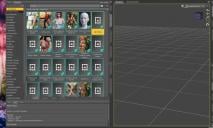
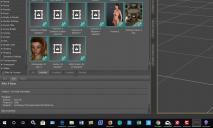
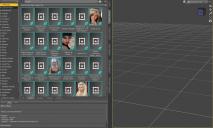
I also attached them to this so you can view them larger... As you can see they all have the same icon and when right clicked on most of the choices do not work including Explore and Browse to folder location... Other choices have to do with Metadata and when Show Product in Content Library it goes there but there is no content shown...
So you asked this question earlier in this thread,
"So you can see the figure in Poser Formats>Folder Installed to>Figures>Daz People in the Content Library pane?"
Here is a screenshot of those files,
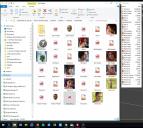
How can this be when DIM shows all of these installed?
Since there are so many of them am I needing to start all over again and start from scratch or should I un-install Studio completely and then reimport all my content???
What would you do at this point?
Thanks again for looking at this.
Genesis 9 delayed until at least 2020. Will you be buying it?I'm sure it will be coming sooner than later.
But I hope it brings more to the table than better bending, which is the only thing I remember about the Gen 8 launch.
A more subtle knee bend is not really worth the hundreds of the dollars to upgrade, convert, and morph everything so you can actually use your library.
I mean... unless you're really into knees... then... more power to you. :)
Even today, Gen 3 is still my #1 figure. Gen 2 and Gen 8 are probably tied at #2. Gen at #3. So in the end? I still use them all. So don't feel so bad about the coming next gen. If it brings more to the table? Then great! Sign me up. If it doesn't, it can share a place with Gen 2 and Gen 8. :)
/ramble off
Mrs. Chow 8LOL, that kimono works only if she has doubled-side tape on those shoulders to prevent equipment malfunctions. Otherwise she's fiddling with the shoulders the entire time she's wearing it. It does look good though it's not a kimono. I will have to get the old one fitted & saved for genesis 8 I guess.
Not to keep selling it, but the shoulder thing is a morph

Basically, its a regular kimono (or at least a big robe) with a few not-strictly-necessary morphs for, you know... artistic purposes.
cool, much better
Mesh Binding (for Cloth Simulation)I assume, from the mention of dForce, that this is in Daz Studio - in which case it might be better to move the thread to the Daz Studio Discussion forum by editing the first post.
I'm not aware of a way to do that, though I suppose if you rigged the proxy, simulated, exported as OBJ, loaded as a morph, and then used the Transfer Utility to rig and copy morphs into the full resolution item it might work at least to an extent.
Hi Richard,
sure thanks, will move it to the DAZ Studio Forum. And yes, a have a couple of workarounds in mind but with this solution you could stay in DAZ Studio and wouldn't have the hassle of exporting and reimporting. And The possibility of binding one mesh to any other is usefull fairly common in other 3D Apps, would be a big benefit to have it in DAZ Studio.
Mrs. Chow 8LOL, that kimono works only if she has doubled-side tape on those shoulders to prevent equipment malfunctions. Otherwise she's fiddling with the shoulders the entire time she's wearing it. It does look good though it's not a kimono. I will have to get the old one fitted & saved for genesis 8 I guess.
Not to keep selling it, but the shoulder thing is a morph
Basically, its a regular kimono (or at least a big robe) with a few not-strictly-necessary morphs for, you know... artistic purposes.
Good to know. It was the only outfit associate with Mrs. Chow that I did not purchase. Like others, I didn't need sexy and the draped off the shoulders isn't a look I will ever use.
Link Genesis8 shaping 'sliders'- Set both to the values you want when the master slider is at 100%, with everything else zeroed
- Right-click on the Parameters pane and check edit Mode, if it isn't.
- Right-click in the group you want to add your slider to and select Create New Property
- Edit the settings - name/label, and probably limits
- Set the slider's value to 1 (or 100% if it'ss et to display as percent)
- Right-click on the new slider and select ERC Freeze
- Check that the right things are listed in Sub Components and click Accept
- Test
- Optionally, File>Save As>Support Assets>Morph Asset and select the new slider - this will make it available to every figure you load based on that version of Genesis.
Victoria 4.2 & Morphs ++ Show as not Installed in Studio Via DIM InstallationAre you sure you installed the Poser files, not just the DS files? Please post a screen shot of what you are seeing.
Victoria 4 cannot be nstalled through Connect (from the Smart Content pane) because of the way all the ExP morph expansions have to be in the same location (with connect each product gets its own sub-folder).
Mesh Binding (for Cloth Simulation)I assume, from the mention of dForce, that this is in Daz Studio - in which case it might be better to move the thread to the Daz Studio Discussion forum by editing the first post.
I'm not aware of a way to do that, though I suppose if you rigged the proxy, simulated, exported as OBJ, loaded as a morph, and then used the Transfer Utility to rig and copy morphs into the full resolution item it might work at least to an extent.
Daz 3D is part of

Connect
DAZ Productions, Inc.
7533 S Center View Ct #4664
West Jordan, UT 84084Licensing Agreement | Terms of Service | Privacy Policy | EULA
© 2026 Daz Productions Inc. All Rights Reserved.