-
Daz rollbacks
well I should have known better! I should have waited a couple of days to see what the forum comments were like. Yes Filament looks like a reasonable preview mode but at the cost of iray crashing maybe 50% of the time. You never know which hdri sets will cause everything to implode. It even seems a times as though the first iray render happens but as soon as you try a second iray render instant bug crash to desktop.
So please for all the people who havent the patience of saints can Daz put an easy to find link up for the last stable version before 4.1.4. I ve been trying to wade through forums the last hour and am none the wiser as to where I can find previous versions of Daz Studio or even which one to reinstall (think I may have been using 4.12.0.86 but not sure if this is the "best"
Environment and tonemapper options in scene tab.AFAIK not - as I understand they are there so that you can access them also when selecting Filament or other render engines than Iray in which case you won't see them on the Render Settings tab. Instead, select them to see them on the Parameters tab.
Render Settings Default Button@supernoob " and brand new blank scenes where I've manually added the two new nodes (so basically every scene)"
I'm not understanding your problem. The settings will be default when you add the nodes. If you have rendered in Iray once, the nodes will appear with default settings, unless you have laoded a Render Preset or have set your preferences to save render settings.
If you don't see changes when you hit click the Default button, it means your settings are the default.
When I change the environment / tone mapping settings from their defaults, I cannot get them back to their defaults because the 'default' button does not reset them.
I've also noticed this, sometime it works, but most of the time it doesn't. I'm also using a Mac.
It works on all the other tabs in 'render settings' for me, just not 'envoronment' or 'tone mapping'.
I wonder if there's a way to turn this whole thing off, so it's like it was before the update, seeing as we can't even use the new filament thing anyway.
Filament did not stop working when I switch back to Iray.Have you tried restarting DS? If so, it might be worth a system restart. Filament uses soem memory on the GPU, so it's possible there wasn't enough left for an Iray render - and once memory has run out it is usually necessary to restart DS.
There's also an issue with Section Planes sometimes causing Iray to fail for GPU rendering, again restarting DS should resolve it.
Filament did not stop working when I switch back to Iray.So I tried out Filament and Liked the speed of it's rendering. Went back to Iray and all my textures are white or load as if Filament is still turned on. My scene is in a continuous state of preparing, even when on objects are not in it. Checked my setting(Tonemapping,Enviroment, ect), tweeking and even resetting to default, and it dose not help. I do not know if this is a bug in Filament or there is an option I am overlooking. At this point I am thinking of uninstalling and reinstall DAZ. Has anyone else ran into this issue?
can't add to wishlist wont accept being logged intried that since its the usual wont work and just retried tonight all filament products REFUSE to add to wishlist anything else works. so its connected to specific products not the account
UltraScenery [Commercial]Only the proxies show in the viewport, because Visible in Viewport is turned OFF for all of the instances. I set Visible in Viewport to ON for a few and they showed up in the Filament viewport. So, I got over confident and turned them all on at once. CRASH!!!
I tried again with only a few instances visible in viewport. I turned the proxies to not visible with the eye icon.
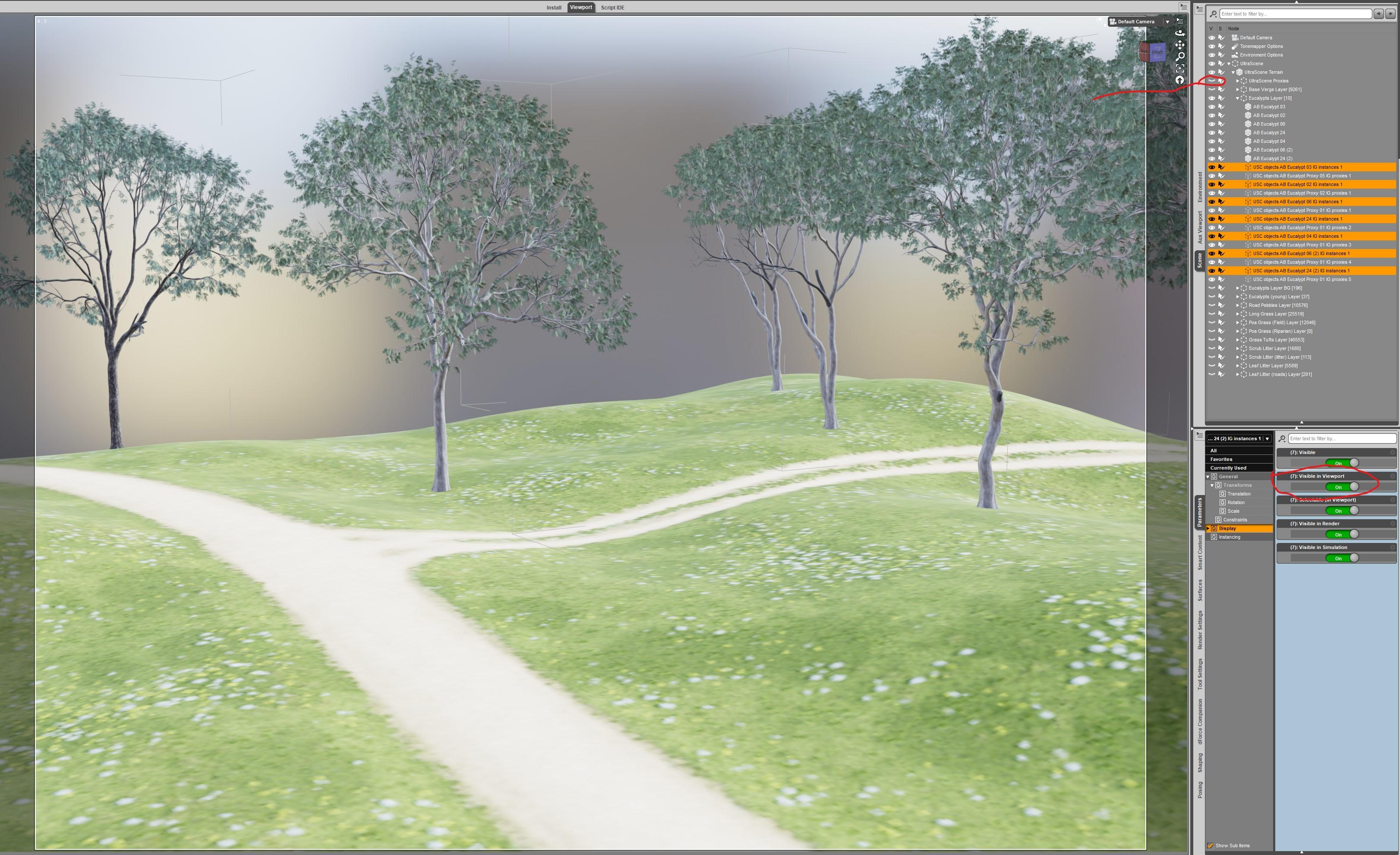
Great information, @Barbult!
- Greg
New DS Filament Render EngineI like the way this Filament render of Red Crow Inn turned out.
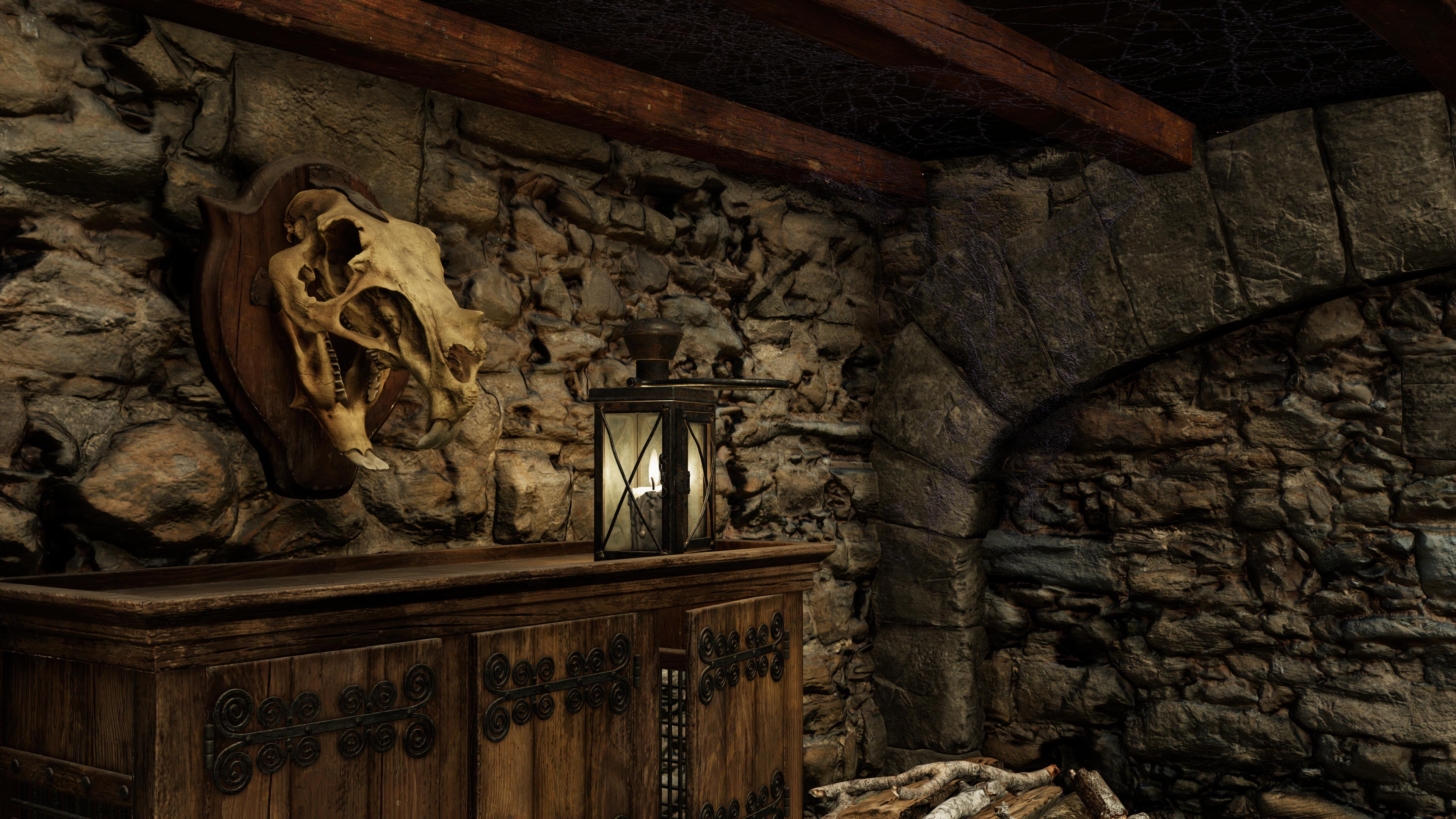
Here is another one.
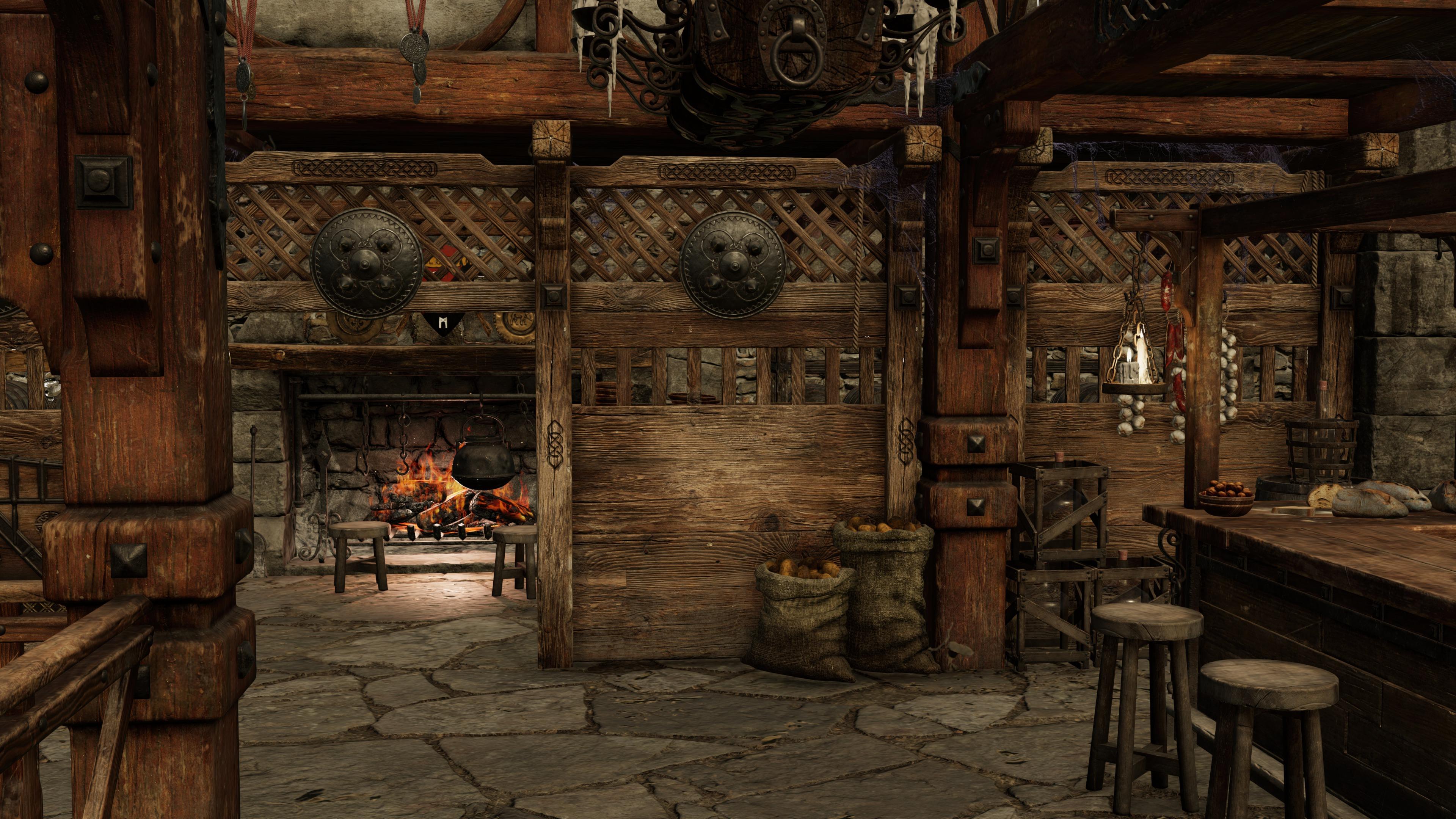
Wow! That looks great! Just for curiosity's sake, how long did they take to render? I've not tried rendering a large geometry heavy scene like that with Filament yet.
I didn't time it, but I think it was less than 5 seconds. It wasn't instntaneous like some renders, but it was FAST. I would never be able to play like this with Iray. Of course it isn't as "good" as Iray, but it is more fun.
Have you tried UltraScenery?
- Greg
Yes, it doesn't work for me. Maybe someone with a better graphics card would have more success. First of all, since Filament is a viewport renderer, you have to change the Visible in Viewport parameter of he instances to be visible and turn the Visible in Viewport of the proxies off. My card couldn't handle very many of the instances that way. I posted about it in the UltraScenery thread, with examples, if you want more details.
Oh thanks - not sure how I missed that (thought I had that thread bookmarked).
- Greg
UltraScenery [Commercial]So I stumbled across this over in the Filament thread, and thought it might be of interest to USC fans. The new Viewport render option renders out a lot more than you see in the texture-shaded viewport. Y'all may know about this already, but it was a revelation to me.
Iray Render

Texture-shaded Viewport

Viewport render - Texture-shaded

Filament Viewport Render - Garbage, but anyway

Viewport renders are instant, so I thought it might be a nice way to preview general placement without having to switch to Iray.
New DS Filament Render EngineDForce animation test with Filament. :)
https://player.vimeo.com/video/479476578
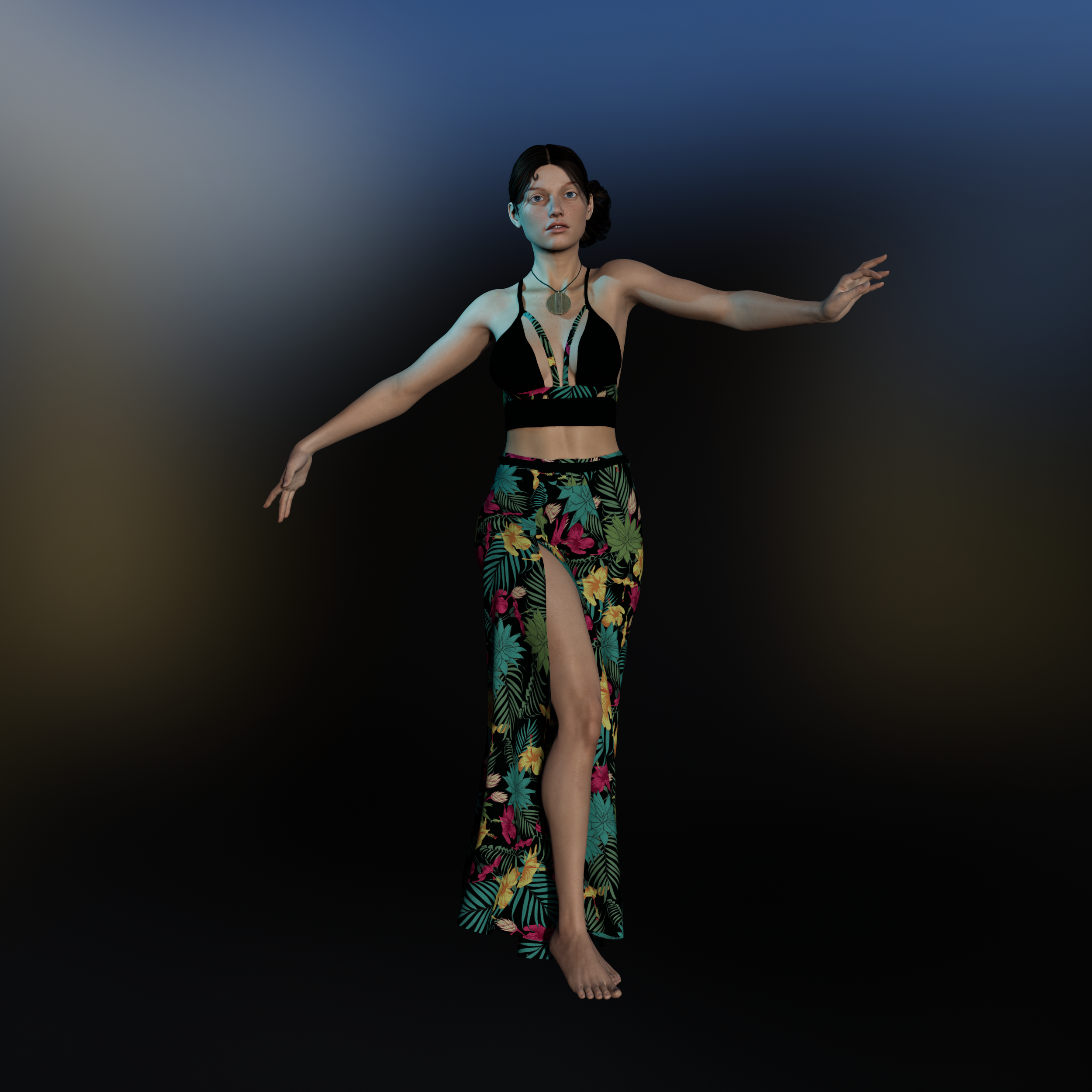
This was done with one of my favorite characters, Bellerose. The hair is Salsa Hair and the clothing is the Bali Babe Outfit.
Here's one of the frames (before Vimeo butchered it and lowered the quality):
EDIT - I got tired of Vimeo butchering the quality of the videos. I'm going to start using Youtube, I think. Here's the video uploaded to Youtube. The quality appears to be quite a bit better with Youtube. It's still not as crisp as the version I rendered out but it's at least higher quality than the Vimeo version.
 New DS Filament Render Engine
I like the way this Filament render of Red Crow Inn turned out.
Here is another one.
Wow! That looks great! Just for curiosity's sake, how long did they take to render? I've not tried rendering a large geometry heavy scene like that with Filament yet.
I didn't time it, but I think it was less than 5 seconds. It wasn't instntaneous like some renders, but it was FAST. I would never be able to play like this with Iray. Of course it isn't as "good" as Iray, but it is more fun.
Very nice!
And I agree, Filament is a lot of fun! It's so cool to be able to do fast animation rendering. That's my favorite part so far!
!! Store Issues - Known Problems - Please Read !!Anyone know why there are Tonemapper Options and Environment Options in my Scene pane?
These are part of the adjustments to working in Iray or Filament with the new DS 4.14. I cannot explain it exactly yet myself as I have barely explored the new update, so I guess you can read the forum comments on 4.14.
New DS Filament Render EngineTried again for science! Same simple grass scene, no change to settings. The ground texture at the top is from an HDRI.
Iray Render

Texture-shaded Viewport render

Filament Viewport Render

I'm not surprised that the Filament render looks so bad, but that you actually see anything in the Texture-Shaded viewport render, when what you see in the DS viewport is

This new viewport render might be a good way to do quick texture-shaded previews of USC scenes.
New DS Filament Render EngineI like the way this Filament render of Red Crow Inn turned out.
Here is another one.
Wow! That looks great! Just for curiosity's sake, how long did they take to render? I've not tried rendering a large geometry heavy scene like that with Filament yet.
I didn't time it, but I think it was less than 5 seconds. It wasn't instntaneous like some renders, but it was FAST. I would never be able to play like this with Iray. Of course it isn't as "good" as Iray, but it is more fun.
Have you tried UltraScenery?
- Greg
Yes, it doesn't work for me. Maybe someone with a better graphics card would have more success. First of all, since Filament is a viewport renderer, you have to change the Visible in Viewport parameter of he instances to be visible and turn the Visible in Viewport of the proxies off. My card couldn't handle very many of the instances that way. I posted about it in the UltraScenery thread, with examples, if you want more details.
New DS Filament Render EngineI like the way this Filament render of Red Crow Inn turned out.
Here is another one.
Wow! That looks great! Just for curiosity's sake, how long did they take to render? I've not tried rendering a large geometry heavy scene like that with Filament yet.
I didn't time it, but I think it was less than 5 seconds. It wasn't instntaneous like some renders, but it was FAST. I would never be able to play like this with Iray. Of course it isn't as "good" as Iray, but it is more fun.
Have you tried UltraScenery?
- Greg
I tried switching an UltraScenery scene to Filament and DS crashed.
New DS Filament Render EngineI like the way this Filament render of Red Crow Inn turned out.
Here is another one.
Wow! That looks great! Just for curiosity's sake, how long did they take to render? I've not tried rendering a large geometry heavy scene like that with Filament yet.
I didn't time it, but I think it was less than 5 seconds. It wasn't instntaneous like some renders, but it was FAST. I would never be able to play like this with Iray. Of course it isn't as "good" as Iray, but it is more fun.
Have you tried UltraScenery?
- Greg
New DS Filament Render EngineI like the way this Filament render of Red Crow Inn turned out.
Here is another one.
Wow! That looks great! Just for curiosity's sake, how long did they take to render? I've not tried rendering a large geometry heavy scene like that with Filament yet.
I didn't time it, but I think it was less than 5 seconds. It wasn't instntaneous like some renders, but it was FAST. I would never be able to play like this with Iray. Of course it isn't as "good" as Iray, but it is more fun.
New DS Filament Render EngineSo many great renders and information in this thread. Thank you for sharing the knowledge.

This is another quick animation experiment with the new DS Filament Render Engine in DAZ Studio. This time I played with dForce Strand Based Hair settings as well as using multiple figures and cameras. It rendered in 28 minutes for 330 frames in 1920 X 1080. I also added a little pixel motion blur in After Effects. The stock music is from https://www.free-stock-music.com/alexander-nakarada-off-to-war.html
New DS Filament Render EngineI like the way this Filament render of Red Crow Inn turned out.
Here is another one.
Wow! That looks great! Just for curiosity's sake, how long did they take to render? I've not tried rendering a large geometry heavy scene like that with Filament yet.
New DS Filament Render Engine@3Diva - thank you for taking the time to share those settings. I'm going to give them a try later today.
I hope you post the renders! I'd love to see what you do with Filament. I'm enjoying all the renders and animations everyone is posting!
Daz 3D is part of

Connect
DAZ Productions, Inc.
7533 S Center View Ct #4664
West Jordan, UT 84084Licensing Agreement | Terms of Service | Privacy Policy | EULA
© 2026 Daz Productions Inc. All Rights Reserved.