-
M3D Hero Returns for Michael 8! [Commercial]
This is just what G8M needed. Can I convince you to label the promos with which morph and skin texture was used?
Unfortunately I can't put text on the promos and have it pass QA. (Note I've seen some PAs get away with it, but I always get knocked for those things in my promos)
That said, the order of the head morphs match the promo order I have on the page.
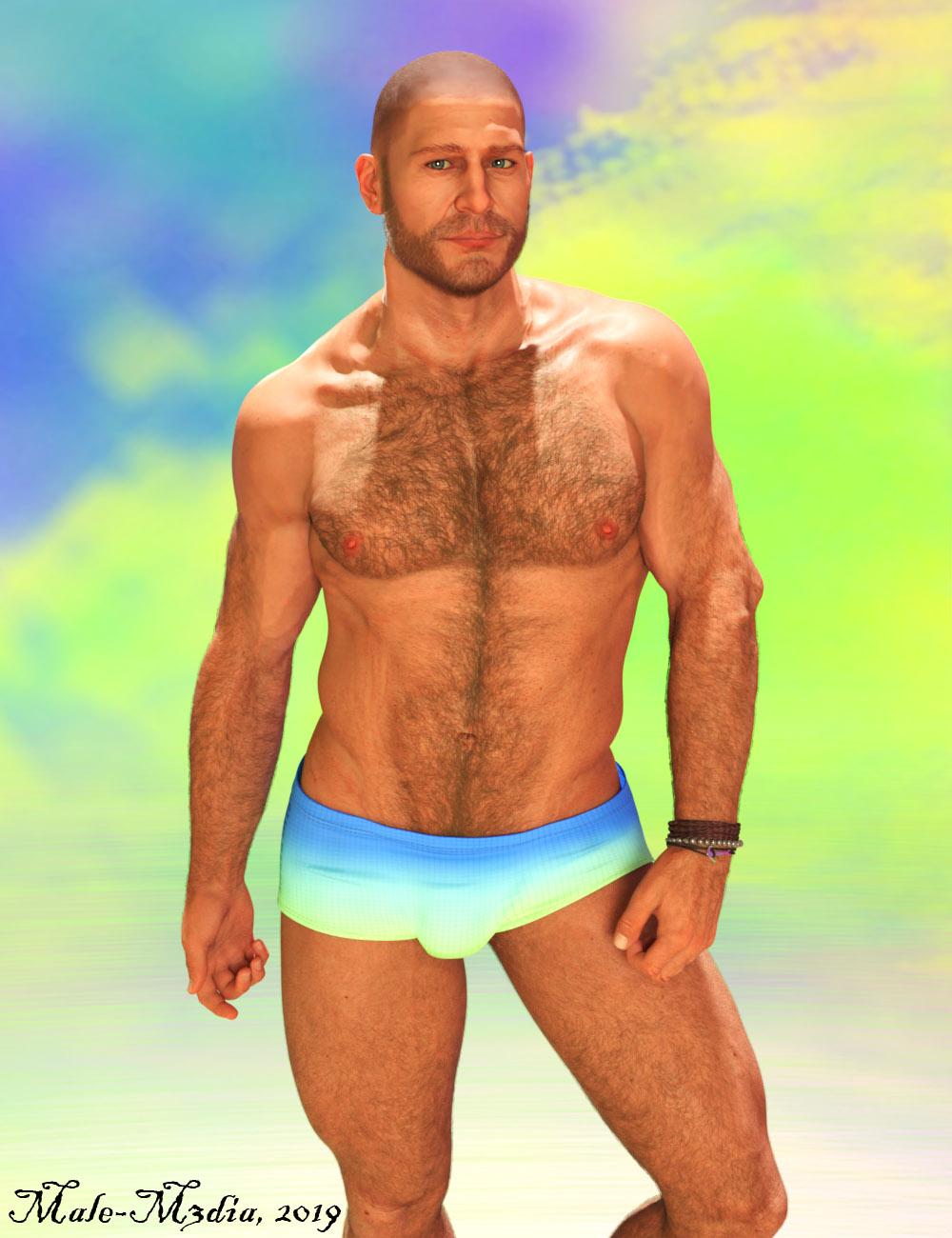
This is head 8 and uses Anderson (without brows), and I just tried the Bold Brows product that released in March. It uses Jepe's body hair (blond) and I dialed in a most of the Brawler additive morph (which makes M8 a lot bigger than the default).
Also the Hero shape is a little taller than M8 if you use the character preset or the morph dial in 'People'.. if you just dial in the body shape in the it will stay the same size as M8. Also most of these head morphs should dial in with my other M8 product so if you don't want an overly muscular shape, the head morphs will work with that; and you can experiment with just dialing in just a little bit of the shape.
 Bra Morph..?
@L'Adair I totally agree with you that this could be an issue with elder females shapes with "baked in" breast morph, but the TO talked about younger females, and these body shapes are normally "gravity defying".
Foo Dog and a new Chinese Dragon?There are a few on sketchfab too if looking for statues
Nope. Would rather have non-statue ones. Maybe as a morph to Dog 8 with some wardrobe add ons.
Oooh, that would be fantastic! And then it could use Dog 8 poses and such.
Bra Morph..?Another solution could be to dial the FBM out of the clothing under hidden and then just use a loosen morph if it has one and hide the figures pectorals
Ponytail hair weird anglesYeah the hair is meant for g8f. is there any solution besides autofit ? I don't wanna manually fit it everytime i change the pose...
This ^^^ confused me. I thought you were trying to fit G8F hair to another generation. (Obviously, I didn't catch the context of the previous posts.)
If the character is G8F and the hair is for G8F, the distortion you are seeing is most likely caused by the shaping morph of the character not being specifically supported by the artist. If you dialed out the character shape, I'd expect to see the distortion go away. (While not helpful to this situation, it's good information to know. Hair is not the only conforming asset that distorts with the character's shape.)
Parenting the hair as Scorpio suggested is a good work-around. Just be sure to parent the hair to the head, so it will move with the head when you pose the character.. This is a a technique that will come in handy time and again. I've even used it to fit an M4 hair to a G3 male.
Bra Morph..?I have Zevo's Breast Control, too. It's mostly what I ended up using to fix the problem. It took a lot of experimentation to get a decent shape. For those who don't understand what the big problem is, my project involves creating teenage characters in real world settings. No high schooler in her right mind would go to class without a bra. Maybe it would help to imagine a male character with a similar problem - clothes only emphasize the shape of parts he would prefer to keep more modestly covered.
I have Zev0's breast contol utilties for G2 through G8. I love his utilities, but they can only do so much. I remember wasting a lot of time, trying to get a decent shape to the breasts on Sydney, and I couldn't do it.
The simplest solution is usually the easiest. I'll just have to stop buying females that I feel need a custom breast morph to use. (And I can spend my time creating my own morphs in Hexagon for the females I already own, like Sydney and Mrs. Chow, rather than fiddling with 3rd party morphs that try to work for all characters,).
For teens I satnd by my original answer - they are, at least the Daz ones, (intended to be) shaped as if wearing a bra by default.
Where are the highly detailed, muscular HD-Addons for Genesis 8 female? Like Ophelia 7's HD-Addon?Coming back on that second point, for those with slightly more advanced 3D modelling knowledge, this is a G8F with Ophelia's HD (body) details (converted to a G8F compatible displacement map using Blender) and Ophelia 7's materials, because why not.
The results aren't absolutely perfect, given that the HD details are designed to work with Ophelia's SD morph (and I haven't converted that... yet. The SD morph here is just the G8F "Bodybuilder Details" dialled up high), and displacement maps are a slightly less sophisticated technology, but it does show that it is possible to transfer sub-polygon detail between Genesis 3 and 8 if necessary.
Unfortunately, it's still impractical for me to render very many images, but it should give a general idea of the result.


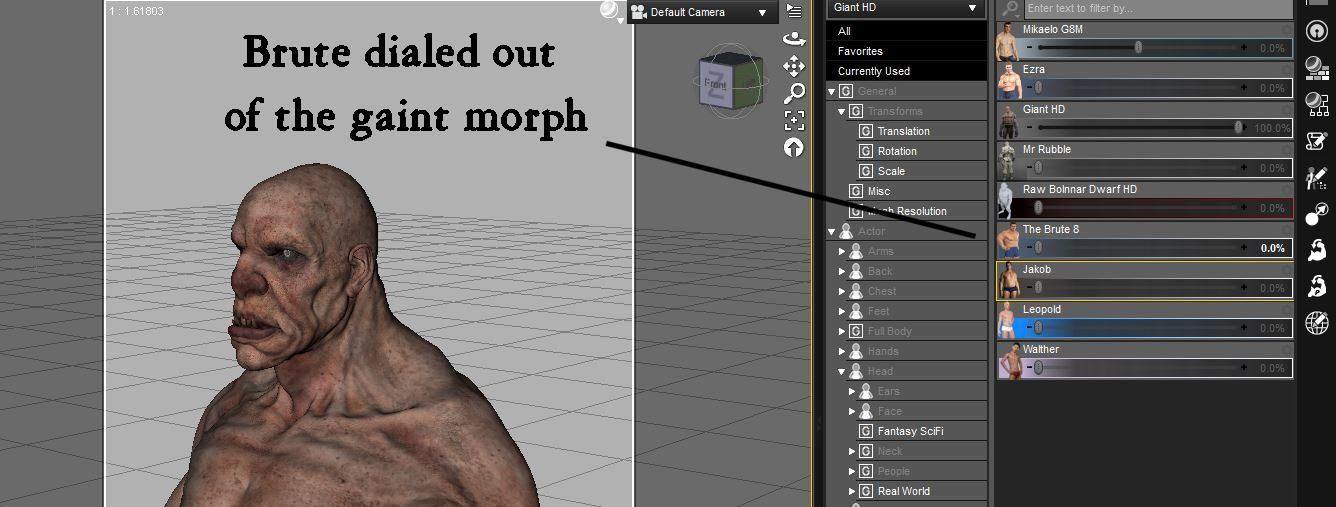
 Quick question about the Giant HD
You could use him without brute . you just would have to resize the body and to make up for the brute morph. but the head pretty much stays the same with the brute dialed out
I have this set . I put up a couple of screen shots of the dails settings for you
1
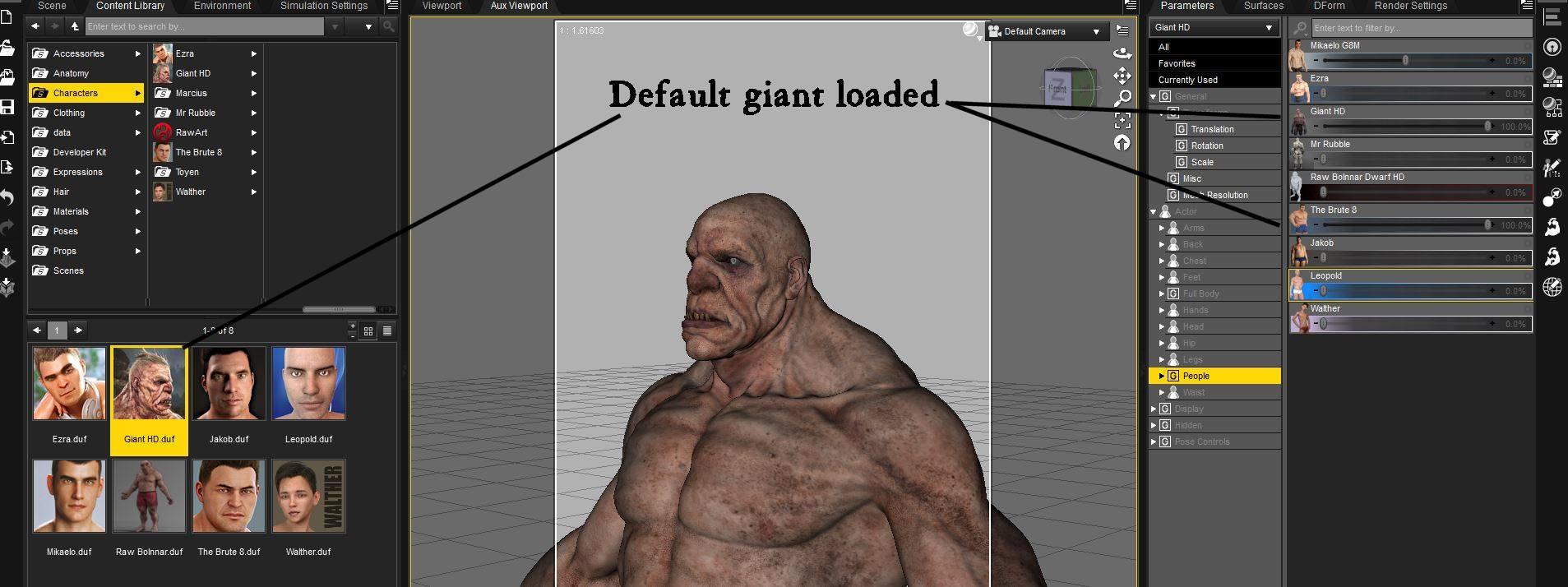
2
 Bra Morph..?
I have Zevo's Breast Control, too. It's mostly what I ended up using to fix the problem. It took a lot of experimentation to get a decent shape. For those who don't understand what the big problem is, my project involves creating teenage characters in real world settings. No high schooler in her right mind would go to class without a bra. Maybe it would help to imagine a male character with a similar problem - clothes only emphasize the shape of parts he would prefer to keep more modestly covered.
I have Zev0's breast contol utilties for G2 through G8. I love his utilities, but they can only do so much. I remember wasting a lot of time, trying to get a decent shape to the breasts on Sydney, and I couldn't do it.
The simplest solution is usually the easiest. I'll just have to stop buying females that I feel need a custom breast morph to use. (And I can spend my time creating my own morphs in Hexagon for the females I already own, like Sydney and Mrs. Chow, rather than fiddling with 3rd party morphs that try to work for all characters,).
Is DSON still needed?I've been migrating Daz to a new system and, using DIM, when I come to the DSON Importer for Poser(Win 64-bit) though, it won't. I've only installed Poser Pro 11.1 and not Poser Poser 2014. I own & could install 2014 but seems mostly redundant having 11.1. Many Daz products have Ps items & they show up (with bit of hunting) in Daz but not in Poser's UI of course. I'm really not needing to transfer between the two these days and considering just uninstalling all the Ps versions for now.
Might there be some lurking reason NOT to do this?
Bra Morph..?Thank you so much, L'Adair for stepping in with the perfect defense of my request!
Sorry, but I'm not quite understanding the issue.
Yeah, I am not following this either. What exactly are you trying to do? What look are you trying to achieve?
It's an issue that's probably more obvious to women, most of whom wouldn't be caught dead going braless in public once their "melons" start to shift downwards. Take Mrs. Chow for example. If she were a real woman, her breasts might look like that under her bathrobe or nightgown, or while bathing/showering, but when she dresses up in her classy Daytime Noir outfit—I guarantee you—she's not going braless!
What Melissa wants, along with numerous other women in this hobby, is a morph to snug those babies up into a more realistic, corralled shape. As the artists for these characters create a wide variety of shapes and sizes of breasts, we'd dearly love for those artists to include a custom morph with each of the character/figures that emulates what the breast would look like if the character was wearing a bra. If Daz would do that for all the named figures, too, artists could rely on that morph for their characters based on any given female figure.
I mean, seriously, would you really want to see your mother, (or grandmother,) walking around braless all of the time? Regardless of what she's wearing, or where she's wearing it?
Any Corrective Morphs for Extreme Arm Poses?Whenever I pose a character with very twisted and/or lifted above the head arm poses, they don't look natural to me.There are a couple of morph packs to give better leg/hip joint deformation in extreme poses, but I don't think I've seen any for the arms (at least for G8). Do they exist anywhere? If not, anybody with better sculpting skills than me up to the task?
Genesis 9 delayed until at least 2020. Will you be buying it?I wouldn't call the skipping of G9 in 2019 'good news' per se, rather, info that everyone will have to wait longer.
Totally agree!
Like L'Adair said, why just cycle through the same content repeatedly and not really do anything exciting or create character bases that the buyers might be looking for.I agree to a point. I would love to see a Gen 9 this year (not going to happen) if we see significant improvements such as much better facial expressions. See below:

To me this is mandatory in the next figure. Keep in mind that Snappers Systems in not a huge company like Disney, and the rigging was done in Maya. I love their blue dot manipulaton system directly over the mesh (not off to the side on a seperate representation of the figure) It was rendered in Unreal Engine 4.
Other things such as advanced and completely accurate HD morphs to the body based upon something like being done at https://texturing.xyz is crucial for those of us desiring realism. The HD morphs I have purchased look pretty good to me so this might already be being done in all fairness, and can be done for Gen 8 without the need for a new figure. I would love to see a bit more rigging for the toes, and a re-work of the balls of the feet. Because of increased tessellation for the toes there is a transition from bigger quads to smaller ones which means splitting tri's to make quads. In SubD this causes unrealistic ripples in the balls of the feet because the quads are so close together. All I can do is go into Zbrush and try to spread the geometry a bit to relax those ripples.
I have almost 80 figures now for Gen 8 female and probably 10 for Gen 8 male plus all the content I need for these figures, I'm kind of done buying for a bit unless something really grabs me.
Things such as more realistic hair, better soft body dynamics, better more efficient collision detection with multiple objects, much faster DForce (Marvelous Designer comes to mind) that is greatly expanded in capabilities, and applying a brush to control the amount of HD morph in certain body areas vs HD morph for only the whole body are some improvements that come to mind. This is more applicable to the application (DAZ Studio) versus a new figure so I think DAZ is on the right course for delaying a new figure release and concentrating on Studio updates this year.
I am super excited and can't wait to see a new Gen 9 male and female figure line, but as long as it is a big leap forward.
Foo Dog and a new Chinese Dragon?There are a few on sketchfab too if looking for statues
Nope. Would rather have non-statue ones. Maybe as a morph to Dog 8 with some wardrobe add ons.
Thanks Fisty & Darc! Amazing Morphing Pumps & Boots G8F - more footwear like this please!I just wanted to thank Fisty & Darc for the Amazing Morphing Pumps!
https://www.daz3d.com/amazing-morphing-pumps-for-genesis-8-females
Here's my custom Aiko G8F quintuplets showing them off:
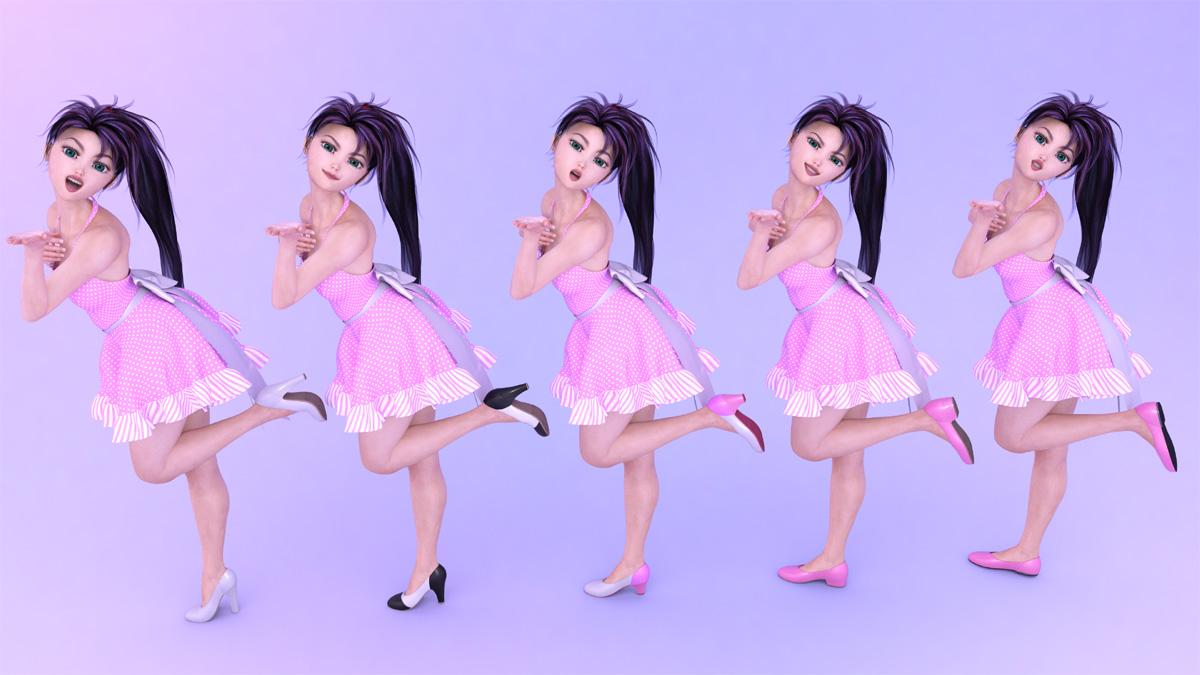
Obviously, I love how we can adjust the heel height and even the heel shape with these, using either the presets or the morph dials for the various parts of the shoes. The material zones you have set up lend themselves quite nicely to customizing as well.
One thing that would make these even better would be if the toe section of the shoe was a separate zone as well (like it is in the texture you provided with the black/white/black scheme), but that's just a minor nitpick, though - I can use the geometry editor in Daz to set up a separate zone, or just edit the texture in photoshop, so no biggie.
I love how these are simple, no frills shoes as well. If you are so inclined, I'd love to see more footwear along these lines, specifically a boot, and also a Genesis 3 version of said footwear as well, since the autofit from Genesis 8 to 3 gets a bit wonky.
I just tried them on a G3F, the 'default' didn't look too horribly bad, but the toe bending was a bit warped when I extended the heels and bent the toes to match the angle, plus they were a loose fit on G3F.
Anyways, I'm probably going to use these amazing pumps a lot! Thank you for making them!!!
More morphing shoes/boots like this please!

Edit: Now there are boots as well - YAY!!!
https://www.daz3d.com/amazing-morphing-boots-for-genesis-8-females
Cartoons - how are you doing?DP Bestie for The Girl 8 and Rarestone's Face Morph Collection for The Girl 8 I haven't done a fun render in a while and this turned into a bit of kitbashing session
The full list is on my gallery page - well, as my items as I can remember! Fine tuned using Topaz Studio.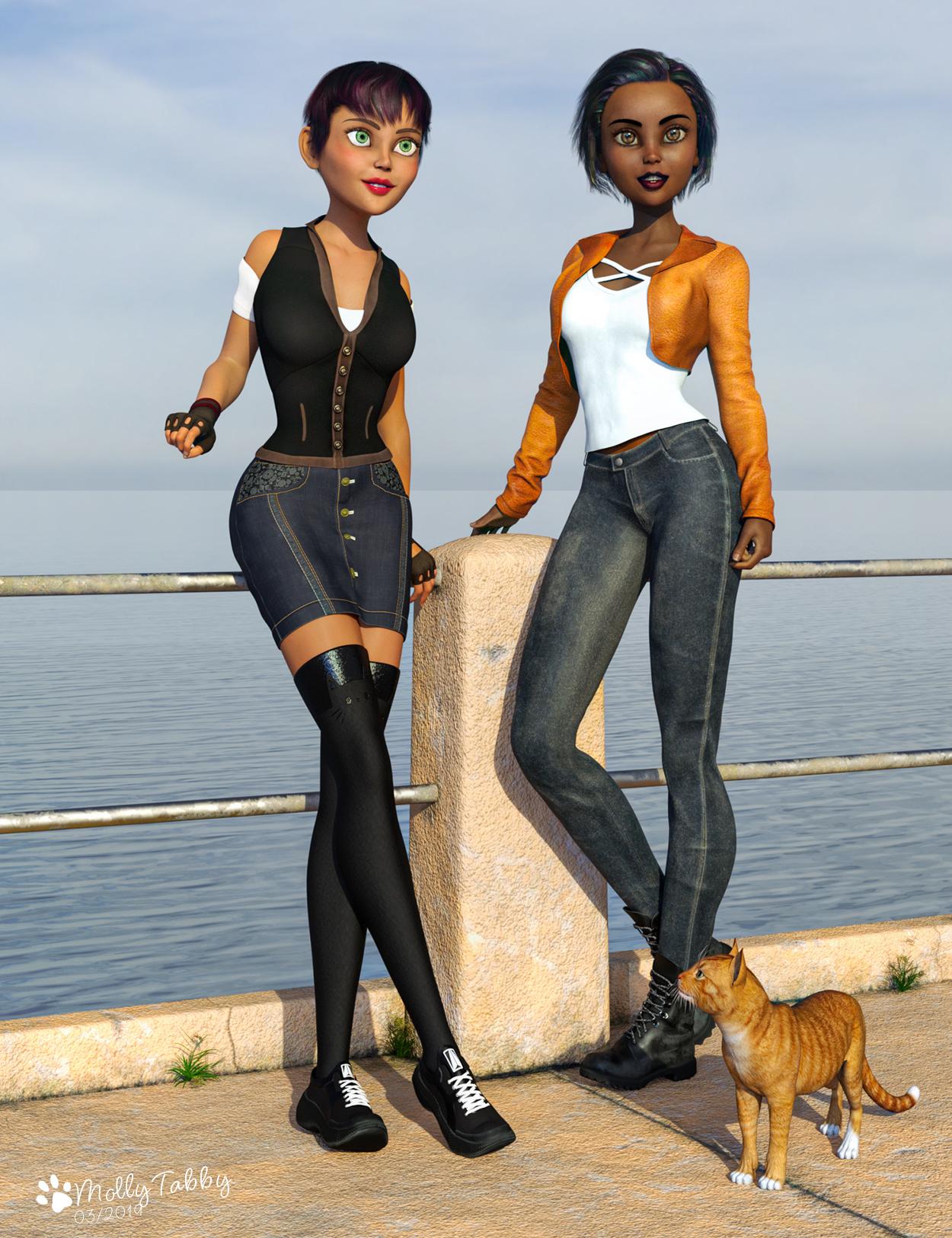 Mollytabby's Art Workshop
Haven't posted anything in a while and felt the need to do something creative and fun. I used DP Bestie for The Girl 8 and RareStone's Face Morph Collection for The Girl 8 as the starting point.
Setting up the render turned into something of a kitbashing session and the full list (or as much as I can remember!) is on my gallery page. The concrete deck and railings is the wonderful freebie Concrete Deck and Railing Prop by the3dwizard.
The render was fined tuned using Topaz Studio.
 Quick question about the Giant HD
It looks like the Brute morph does a pretty significant reshaping of the head, especially the jaw. Body example added.
Where are the highly detailed, muscular HD-Addons for Genesis 8 female? Like Ophelia 7's HD-Addon?It's not very practical for me to do multiple renders, as with this level of geometry, my mediocre graphics card drops back to CPU on anything but the first render after loading, so it means I have to keep restarting Daz and waiting for everything to load back into RAM off a not particularly fast hard disk.
(Also, I'm now currently messing around in Blender for the sake of proving it's possible to convert G3 HD morphs - the few I have, anyway - to G8 displacement maps, and trying to juggle heavy Blender files at the same time as Daz on my hardware just isn't possible).
There's no real secret to that image other than that morphs (including HD morphs) can have their limits turned off and be pushed beyond 100% - if a slightly muscular morph is too subtle, it can become a more muscular morph if it's set to 200%. I started with Gia 8's HD morph, as the most muscular of the core characters, and an SD muscle definition morph, then span dials past their normal limits until I was happy with the result.Aqua from Kingdom HeartsIf you don't mind making some adjustments - it comes with a ton of movement morphs and lots of bones for movement and positioning. You might be able to get the look you're after with some of the movement morphs and bones.
I wasn't able to spend much time on it, but here's after a couple of minutes of moving the bones and adjusting it with the movement morph sliders. You could probably get closer if you spend a bit more time tweaking it than I did.
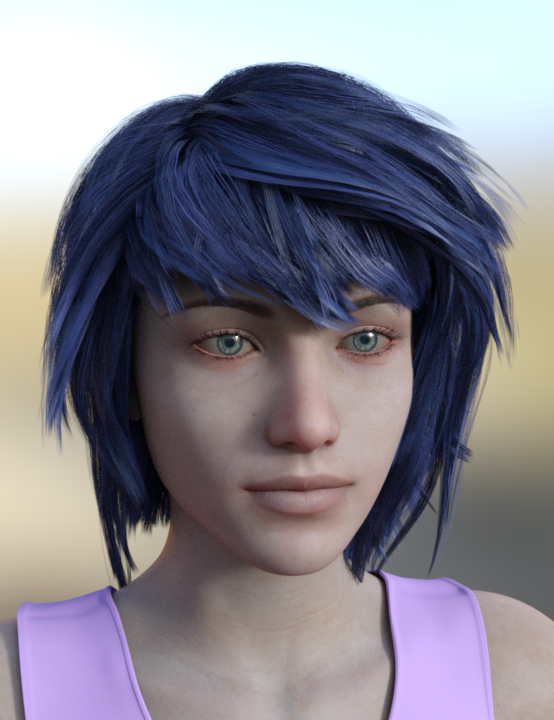
Cutout opacity set to 3, X Scale (in the Parameters tab) set to -100%.
Daz 3D is part of

Connect
DAZ Productions, Inc.
7533 S Center View Ct #4664
West Jordan, UT 84084Licensing Agreement | Terms of Service | Privacy Policy | EULA
© 2026 Daz Productions Inc. All Rights Reserved.