-
How Do You Move DAZ Studio and DAZ Central to a new computer?
The good news: I got a new computer for Christmas. The bad news: Alhough I can install DAZ Central on my new machine, I cannot get DAZ Studio installed. I have tried doing this many times and always get the same error message: "Load library failed with error 87. The parameters are incorrect."
I would very much appreciate any assistance that might be able to walk me through this puzzle. I did send a request for help to DAZ technical support and received a answer that it might take 4 to 6 weeks for any reply.
Happy New Year to my fellow DAZ artists friends. --- Vic
The Chronicles of Damon FinnIt’s 05.00 and the city is slowly waking up. Oovo checks the holonet and there is news about a theft where an unknown number of thieves has burgled the museum and stolen valuables. Cloud City is in lockdown while the Bespin Wing Guards search for the thieves.
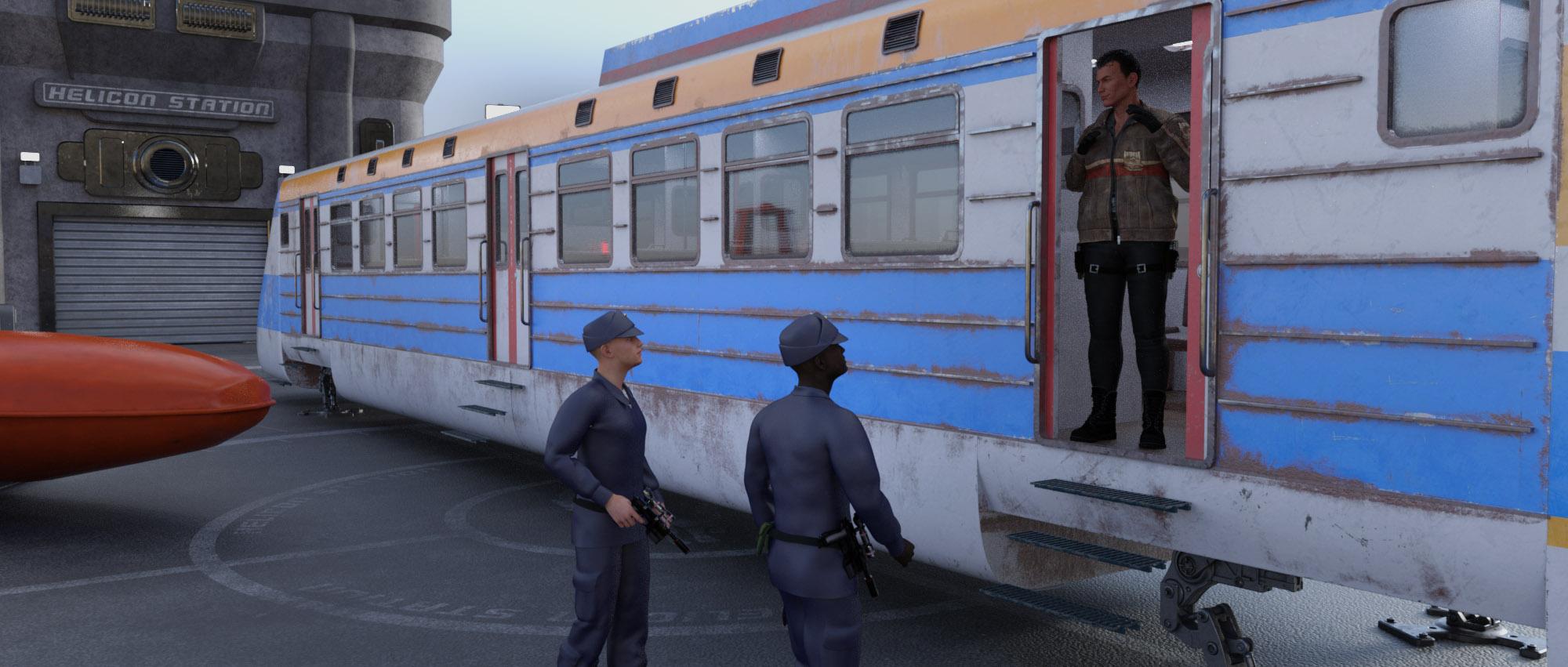
Finally the droid controlled speeder bus arrives at the hangar, it’s a large speeder bus with space for lots of people, usually used for public transportation. Just as the speeder bus has opened the doors and the group is boarding, Doctor Mandar Tyhm arrives, with a briefcase in his hand. There is a logo on the briefcase saying Outer Rim Exploratory Mining Corporation. Baaros asks: -”Mandar, where have you been?”, Doctor Tyhm replies: -”Excuse me, it’s Doctor Mandar, and I’ve been tying up some loose ends”. When all are onboard and the speeder bus takes off, Baaros gets a feeling that the right repulser lift is not sounding right. Baaros quickly removes some inner panels. When someone asks what he is doing he replies:- “It seems to be a problem with the central rotor.” Baaros makes his way into the belly of the speeder bus and finds a bomb, counting very fast down on a small display, it’s an IDE, a homemade device.
Baaros shouts: - “I don’t think Arend likes us, he is also tying up some loose ends. We either need to jump soon, if I fail to disarm this one.” Damon jumps over to the driver’s seat and tosses away the pilot droid who loudly protests, and quickly takes the speeder down over a roof. Baaros cuts the blue wire, and the timer stops at 002. Oovo asks the droid if he was on the way to the given address, and he was, and Arin says that a huge amount of energy is needed to make a lightsaber, so the jewel would survive a crash. Damon lands on the roof he was aiming for.
The group quickly discusses what to do with this new situation, they still want the money for the job. Oovo says we should deliver the bomb to Arend in the box where he thinks the jewel is, then she goes onto the holonet to see what properties and locations Arend might be at. He has an office close to the museum, a residence in the Plaza area, and a building down in PortTown, and his yacht, parked at a landing pad in the Plaza area. Oovo then just checks with the apartment renting agency, or their computer, if Arend really rented the rendezvous location, and he did. Baaros says: - “We know Arend planned to leave as soon as he got what he wanted. He even offered us a ride with his yacht, so he is probably at the yacht, let’s head there.”
Damon takes over the pilot seat again and tries to navigate the unseen traffic flow rules, but being a newbie to the rush hour traffic in Cloud City, Damon breaks a few traffic rules by cutting ahead of a line and not yielding at an intersection. A wing guard cloud car comes up behind and over the radio and from the speaker on the cloud car a voice is heard: – “This is the Bespin Wing Guards, pull over and land at the nearest landing pad.” Quickly Damon puts the pilot droid back into the driver’s seat again and tells the droid to land, pointing at a landing pad. The droid objects saying that will cost extra, so Damon just says the droid should add that to the tab. Baaros puts the bomb and the jewel box back where he found the bomb.
The speeder bus and the cloud car land and two Bespin Wing Guards walk over to the speeder and say: – “Explain yourself!”. Damon says: – “Excuse us officers, do you recognize me? I’m Damon Finn, winner of the Cloud City Grand Prix, and me and my team were summoned to the team manager, Arend Shen, a known businessman here in Cloud City.” The wings guards recognize Damon and says: – “We do not know who this Mr Shend is, and there has been a theft at the Museum tonight, valuables have been stolen. Where were you last night? And why were you moving away from the driver’s seat?”. Damon says: –”We were at the Museum, the gala party, and I think we left close to midnight.” Baaros jumps in: – “I think we ended up at 124 ½, but I’m not sure, I got a splitting headache and we were woken up by the boss and I had my shoes on, I must be allergic to leather or something.” Damon continues: – “And no, I did not trade places with the driver, I was just leaning over to grab a bottle of mineral water, I’m so thirsty this morning, I don't understand why, I did drink a lot yesterday. But I do confess that I did argue with the pilot droid and challenged him to drive a little more offensive, you cannot let the boss wait you know.” The Wing Guards accept the explanations and say: – “Ok, drive carefully, have a nice day.”
 Daz Studio 4.14 Pro, General Release!
RainbowArtist said:
@Dartanbeck, Be calm, dear. This morph corruption to a base figure has happened before to other folks The fix is pretty easy.
By uninstalling the Genesis 8 Female Starter Essentials and then reinstalling it, you can get G8F back to normal.If you used DIM for downloading it, then go to the installed tab, select Genesis 8 Female Starter Essentials and cliick on the Uninstall button. After it finishes uninstalling, go to the Ready to Install tab, select the Genesis 8 Female Starter Essentials check box and then click the Start Queue button. After it finishes reinstalling it, that should get G8F back to normal.
If you didn't use DIM, then do the same basic uninstall/reinstall process manually or with DAZ Central.
Also, in the remote case that your G8FSE zip file got messed up somehow, you can just download a new copy of it from DAZ.Hope that helps get you back to having 3D fun with DS.
BTW, thanks for all the help you have given previously in the forums.
Thanks! I did calm down, re-saved G8F Base as described above and overwriting, then arduously rebuilt a new version of my character. Not the same, but darned close.
The first time this problem happened, I uninstalled Genesis 8 Male and Female Essentials as well as Daz Studio and all purchades shapes and such for Genesis 8. Yep, I use (and Love) DIM.
Upon reinstalling everything, the problem persisted. I had to open the Base figure and comb through every dial that I have.
Like I say in the above post, since these changed values are set as the 'default' value for the given dial, they are at their initial greyed-out appearance, so I can't just fly through looking for bold white values. Argh!
Still - in my new state of calm, I will try uninstalling/reinstalling again. This time also checking my AppData, database files, whatever I can to try and fix this.
The problem is that I don't just store things incorrectly - that I'm aware of. I have no clue how this happens in the first place. Is saving something under Scene Subset bad? Could that be the issue? That's the only other thing that I can think of.
Anyway, Thanks for your help everyone.
And Happy New Year!!!!
Daz Studio 4.14 Pro, General Release!@Dartanbeck, Be calm, dear. This morph corruption to a base figure has happened before to other folks The fix is pretty easy.
By uninstalling the Genesis 8 Female Starter Essentials and then reinstalling it, you can get G8F back to normal.If you used DIM for downloading it, then go to the installed tab, select Genesis 8 Female Starter Essentials and cliick on the Uninstall button. After it finishes uninstalling, go to the Ready to Install tab, select the Genesis 8 Female Starter Essentials check box and then click the Start Queue button. After it finishes reinstalling it, that should get G8F back to normal.
If you didn't use DIM, then do the same basic uninstall/reinstall process manually or with DAZ Central.
Also, in the remote case that your G8FSE zip file got messed up somehow, you can just download a new copy of it from DAZ.Hope that helps get you back to having 3D fun with DS.
BTW, thanks for all the help you have given previously in the forums.
!! Store Issues - Known Problems - Please Read !!lorraineopua said:
Catherine3678ab said:
lorraineopua said:
No manual download available for Studio 4 Pro in product library, nothing on page except description.
Yes, click on Description and scroll all the way down. Should all be there.
And so it is...the only one where it's in the description and not underneath the description and what's included...how to confuse a girl! Thanks for that, Catherine, I was ready to throw a brick through the screen.
Well, the conspiration theory is that they want people to install Daz Central ... the reality probably is that they borked it during the store change and don't know how to get it correctly.
'Show Asset In' Functionality Not WorkingThe first two options presume the presence of metadata, either from the product, automatically generated (more on that later) or manually added. All DAZ3D products from the last few years have it, but not all. Some earlier DAZ/Poser products might have it. The metadata defines the Product and the content type of all included items, among other things. This allows Studio to trace back to the Smart Content views when selecting an item in some folder or category. Without metadata, you'll probably get those messages, since there is info missing. Does not compute.
The fourth option is basically the same as the Smart Content > Products, except that it goes to the Content Library > Products > alphanumeric list. It also presumes the existence of said Product as determined by the metadata. The Mapped folder is nothing more than the folder in the Content Library. If you are in a Content Library folder, you are already in the mapped folder, so that option won't be available anyway. If you are in a category folder (default or your own custom categories), or search results, it will bring you to the Content Library folder, which is basically a file explorer that filters out any files not recognized by Studio.
Metadata is added when installing with one of the three automated processes: DIM, DAZ Central, or DAZ Connect. I only use DIM, so I will stick to that method. If the product has a metadata file, it is automatically added to the CMS database when the product is installed, and that's all there is to it. If a product does not have a metadata file, a default minimalist version is generated to define the necessary info, like the Product and all its items. There are no content types nor any compatibilities defined, so it has limited functionality, and definitely no Smart Content (just the basic Product and its contents). (DAZ Central is supposed to work the same as DIM. DAZ Connect is an entirely different system for installing content from within Studio)
Manually installing content (i.e., unzip into a folder) will not get you any of the data needed to identify the Product or what it includes. You can define the Product and include the necessary files by selecting the "Make Product from..." option. There is a whole manual process of adding metadata if you really want it.
The easiest way to get a free landscape heightmap outside the USA?Martirilla said:
Thanks. Terrain Party knows nothing about even very central parts of the UK apparently. "No heightmap data was available."
Yeah, bummer, I got excited already
 . Forgot that North America is considered the center of the known Universe:))The easiest way to get a free landscape heightmap outside the USA?
Thanks. Terrain Party knows nothing about even very central parts of the UK apparently. "No heightmap data was available."
Your suggestion of OSM 2 World was a good one, thanks, and led me to the live demo at http://maps.osm2world.org/. At first sight the default location looks great, in terms of its default tiled isometric view. But the demo gives "Timeout" errors whenever a search for any different location is made. It's also incredibly slow, if one moves away from the default location or zooms out. As such it appears to be un-usable until its speed/availabilty improves.
OSM 2 World does also have the standalone OSM 2 World Java utility you linked to, that links into Open Street View and seems to do the same thing as the demo. But it's command-line and Java - neither of which is ideal. I'm also uncertain if it's just a viewer, or could actually save out a heightmap as a PNG. A little search confirms my doubts. From an OSM forum in 2019: "As OSM itself does not contain any height data, the terrain contour lines you're seeing on some OSM maps are generally produced from third-party datasets".
Surprise with original AikoBejaymac said:
Something to be aware of if you own both Aiko(anime) and Stephanie, the Stephanie CR2 that comes with Aiko is from 2002, the one that comes with Stephanie is from 2004 and has had small changes made to the ERC code.
If you install with DIM/Central/Connect then you get the older version that comes with Aiko, rather than the "updated" version.
From a quick glance, the only change seems to be the character number changed from 7 to 1. Which, if I remember correctly, was to fix issues with clothes fitting to the wrong figure if you had multiple of the same base figure in a scene in Poser and never actually affected D|S.
Surprise with original AikoSomething to be aware of if you own both Aiko(anime) and Stephanie, the Stephanie CR2 that comes with Aiko is from 2002, the one that comes with Stephanie is from 2004 and has had small changes made to the ERC code.
If you install with DIM/Central/Connect then you get the older version that comes with Aiko, rather than the "updated" version.
Octane RenderGordig said:
Octane itself is not installed through Central or DIM, but rather an external installer.
It is the Octane Render Kit that keeps showing in the content library and scenes tab that is installed through DIM or Daz Central
[Released] RSSY Clothing Converter from Michael 4 to Genesis 8 Male [Commercial]Hello. I'm a HUGE fan of your products and have found them indespensible. Recently I purchased your M4 to G8 conversion specifically so I could convert some M4 military uniforms. The utility works astonishingly well and I couldn't be happier except for the fact that there are a couple items that won't convert. Specifically, although the pants and boots convert beautifully, the uniform shirt/tunics do not convert. I've tried several times using both "forced" conversion and regular and I can see the clothing item load in the viewport but after a short period of time the utility finishes and says the execution completed on "0" clothing items. Checking the log file I see it aborted because "multiple items" were loaded:
16:48:56 GMT-0600 (Central Standard Time): Converting clothing from C:/Users/foren/Downloads/Renderosity_German_Uniforms_ETC/German_Infantry_Expansion_04_176359/Runtime/Libraries/Character/Tannenbaum/German_Infantry/Gerinf_Camo_Smock_Heer.cr2 to C:/Users/Public/Documents/My DAZ 3D Library/GermanUniformsAndAccessories/Tannenbaum/German_Infantry/Gerinf_Camo_Smock_Heer.duf
16:48:57 GMT-0600 (Central Standard Time): Preset loaded multiple objects. Aborting conversion for C:/Users/foren/Downloads/Renderosity_German_Uniforms_ETC/German_Infantry_Expansion_04_176359/Runtime/Libraries/Character/Tannenbaum/German_Infantry/Gerinf_Camo_Smock_Heer.cr2
16:48:58 GMT-0600 (Central Standard Time): Execution Complete.
Indeed, when I load the same item to Genesis using autofit I see that the collar and pockets are created as separate items from the shirt itself. Is there a way to handle this situation?
Daz Central Broke Daz StudioUPDATE: Ok. I didn't realize the missing file is the apple renamed library issue and this is a known issue. I should have read before updating. Hopefully, Daz will get this fixed soon.
I opened Daz Studio this morning and it worked without issue. I installed Daz Central and now the only thing that opens when I click on Daz Studio in Central or the icon and all I get is the error posted below. I don't understand what is going on. Anyone else on Mac and Big Sur run into this?
I've uninstalled and reinstalled Central and Studio. I have tried to manually reinstall and it doesn't work and of course, the Install Manager is now broken, too.
Thank you for any help.
Process: DAZStudio [1870]
Path: /Applications/DAZ 3D/*/DAZStudio.app/Contents/MacOS/DAZStudio
Identifier: com.DAZ.DAZStudio
Version: 4.14.0.10 (4.14.0.10)
Code Type: X86-64 (Native)
Parent Process: ??? [1]
Responsible: DAZStudio [1870]
User ID: 501Date/Time: 2020-12-30 14:03:08.398 -0600
OS Version: macOS 11.1 (20C69)
Report Version: 12
Bridge OS Version: 3.0 (14Y908)
Anonymous UUID: 5F46CAEC-463A-048F-EF11-EA7ED6E815A4
Time Awake Since Boot: 2300 secondsSystem Integrity Protection: enabled
Crashed Thread: 0
Exception Type: EXC_CRASH (SIGABRT)
Exception Codes: 0x0000000000000000, 0x0000000000000000
Exception Note: EXC_CORPSE_NOTIFYTermination Reason: DYLD, [0x1] Library missing
Application Specific Information:
dyld: launch, loading dependent librariesDyld Error Message:
dyld: No shared cache present
Library not loaded: /usr/lib/libstdc++.6.dylib
Referenced from: /Applications/DAZ 3D/*/DAZStudio.app/Contents/MacOS/DAZStudio
Reason: image not foundBinary Images:
0x100000000 - 0x100002fff +com.DAZ.DAZStudio (4.14.0.10 - 4.14.0.10) <1B01D0F7-E12E-6372-B1E2-3526BB15C912> /Applications/DAZ 3D/*/DAZStudio.app/Contents/MacOS/DAZStudio
0x100006000 - 0x1028c6fff +libdzcore.dylib (1) <0984042F-7E52-6E4B-57ED-E5C6CD9C259E> /Applications/DAZ 3D/*/libdzcore.dylib
0x102f8b000 - 0x10323bfff +QtCore (4.8.7) <4CA3C606-A089-F187-979B-7B48C41EC059> /Applications/DAZ 3D/*/QtCore.framework/Versions/4/QtCore
0x1032cf000 - 0x103c99fff +QtGui (4.8.7) <83428699-BE40-1D52-E6DE-D119AFD0A1B1> /Applications/DAZ 3D/*/QtGui.framework/Versions/4/QtGui
0x7fff67be6000 - 0x7fff67c81fff dyld (832.7.1) <DEA51514-B4E8-3368-979B-89D0F8397ABC> /usr/lib/dyldModel: MacBookPro13,3, BootROM 429.60.3.0.0, 4 processors, Quad-Core Intel Core i7, 2.9 GHz, 16 GB, SMC 2.38f11
Graphics: kHW_IntelHDGraphics530Item, Intel HD Graphics 530, spdisplays_builtin
Graphics: kHW_AMDRadeonPro460Item, AMD Radeon Pro 460, spdisplays_pcie_device, 4 GB
Memory Module: BANK 0/DIMM0, 8 GB, LPDDR3, 2133 MHz, 0x802C, 0x4D5435324C31473332443450472D30393320
Memory Module: BANK 1/DIMM0, 8 GB, LPDDR3, 2133 MHz, 0x802C, 0x4D5435324C31473332443450472D30393320
AirPort: spairport_wireless_card_type_airport_extreme (0x14E4, 0x15A), Broadcom BCM43xx 1.0 (7.77.111.1 AirPortDriverBrcmNIC-1675.1)
Bluetooth: Version 8.0.2f9, 3 services, 27 devices, 1 incoming serial ports
Network Service: Wi-Fi, AirPort, en0
USB Device: USB 3.0 Bus
USB Device: Apple T1 Controller
Thunderbolt Bus: MacBook Pro, Apple Inc., 41.2
Thunderbolt Bus: MacBook Pro, Apple Inc., 41.2Octane RenderOctane itself is not installed through Central or DIM, but rather an external installer.
Octane RenderHelp! How the hell do i get rid of this rubbish Octane Render, i've tried everything but it just keeps cropping up. How can i get rid of it in Daz Central and DIM, Dim it just hides Daz Central doesn't appear to have a delete function. Please help
thanks
pete
DAZ Central Isn't Working CorrectlyFor the vast majority of users,Ddaz Central has NEVER worked correctly.
It is withaout a doubt the biggest flop they've ever rolled out.
Mimic Live not workingI'm not sure what the issue is in Daz, but here it goes:
I bought Mimic Live on the 17th. It worked the first time I used it (input serial numbers in the help-->plugins tab) however, it hasn't worked since.
I've tried uninstalling and reinstalling both Daz and the plugin, still no dice.
I've tried installing the plugin through both DIM and Daz Central. What can I do to fix this?
Restore Install Manager dataLissa_xyz said:
If this is for DIM and not Daz Central, click the upper right cogwheel > advanced settings. Change the package archive, thumbnails and manifests locations in the downloads and installation tabs to reflect those of the ones you were using previously.
Thanks, the Manifest was what I was looking for.
Restore Install Manager dataIf this is for DIM and not Daz Central, click the upper right cogwheel > advanced settings. Change the package archive, thumbnails and manifests locations in the downloads and installation tabs to reflect those of the ones you were using previously.
so,content was a mess...I uninstalled every thing ...Go to the Daz3d site and either download DIM or DAZ Central and Daz Studio (https://www.daz3d.com/technology/ ) (i recommend DIM for the ability to customize); DIM should be part of the DAZ Studio installation. Install Daz Studio and DIM (Daz Installation Manager). Point everything where you want it i.e. Daz Studio and Dim where you keep applications, the Drives where you want downloads and content to live. Download CMS from DIM. Start downloading the content you want. Double-check everything is where you want it. Update your video drivers if you haven't. Install third party content if you have it. Render.
Daz 3D is part of

Connect
DAZ Productions, Inc.
7533 S Center View Ct #4664
West Jordan, UT 84084Licensing Agreement | Terms of Service | Privacy Policy | EULA
© 2026 Daz Productions Inc. All Rights Reserved.