-
Filament tutorials/shaders/lights?
Just because someone uses a high-end graphic card does not make them right to clogs the shaders with useless maps and settings , as that mostly delays the rendering , including also half empty scenes when not using Environment maps. Using denoiser at the end of iterations in place of the beginning .
Conserving the energy in PBR rendering is the path way for faster rendering whatever you use , CPU or Graphic Card
This includes shaders and scenes in general, it is like you trying to heat up your room in winter but you keep open your windows .. The energy escapes and it takes a long time to warm up or not enough power to do that.
Same with the light in Iray and scenes that don't use actual HDRI , the light escapes the scene resulting in slow rendering and noisy result.
Physically Based Rendering is not only about rendering realistic photo like scenes , it is based on theory that everything in real world is shiny and reflecting the light from each others surfaces, having the proper settings of the shaders that the engine use for calculations will speed up the rendering and any cheating on the setting and not proper values will result in longer calculation slowing the rendering time and we talking about simple metal and not metal materials.
Volumetric materials take a little longer time to render since we dealing with absorption of light and not just reflectance like for example human skin or any skin or materials that use this function, and it is little heavy for CPU to process quickly , however having proper reflectance can speed up the rendering process no matter the light conditions , or it is just a spot light or environment map
In iray not the light sources make the render but the light that reflects from the objects surfaces materials and bounce around from each other finishing the job, and any interruptions of it ( bad reflectance settings) slow it down.
but going back to Filament as that is our hot topic here
Filament is not iray or an game engine , but if the DAZ's programmer want, they can build something great around it to support more functions or even turns it into very own DAZ3D Game Engine ( if they want) compared to what we have at this moment in Daz Studio. Long time ago Iray started the same way as Filament , simple PBR render engine rendering reflections from IBL maps.
Filament at this moment in D|S render 100% accurate PBR materials Metals/Nonmetals , there is no doubt about it and if they add more shaders support for the skin and translucency for other materials it is gonna be a hit and very cool alternative , and of course shadow catcher function is a must have for Environment maps. But it all needs a time , so until then would be nice if people start to learn the simple basics and not butcher another render engine before it get finished with nonsenses and magic tricks while sinking the ship beyond the return at the same time, but I guess that's the human nature to make things more difficult as it really is.
I think it is time to make some very simple cards explaining the basic so it is going to be less frustrated later for many and since Filament run by the same basic principles as Iray.... even better for the newbies
New DS Filament Render EngineI have a character with iray decal wounds on him but they don't show up in Filament, only in Iray.
I was wondering if there is some setting I have to change or it really is not possible to use Iray decals with Filament.
Any special Iray features won't work in other render/draw engines - decals, section planes, or the advanced Iray node properties such as Matte.
New DS Filament Render EngineI have a character with iray decal wounds on him but they don't show up in Filament, only in Iray.
I was wondering if there is some setting I have to change or it really is not possible to use Iray decals with Filament.
HDRI bleed through [solved]Don't worry, I remembered when I wasn't tyring to.
https://www.daz3d.com/interior-light-pro-for-filament-and-iray
"Filament already allows HDRI light to penetrate your interior scene, but to allow these HDRIs to light interior Iray scenes, a special “culling” camera is provided"
Dartanbeck's Journey - CG FilmmakingYes I have. I'm learning a lot about Daz Studio right now - trying to learn how to do the things that have always kept me from using it before, like editing key frames and such.
It's still nowhere near as friendly in that regard as Carrara, where I can easily manipulate any key for any aspect of the animation very easily, and being very easily found, etc., but I'm getting acquainted.
I don't particularly like using Filament yet for actually rendering. I imagine gaming avatars and rops would excel in this, but if I can't render the Cornea and eye fluid... I'm lost! LOL So I use Filament as my working environment until I'm ready to render, which is when I switch the amazingly incredible Iray! Yikes is that a great engine!
Last night I did a somewhat successful simulation of Branwen Hair on a Rosie 7 prototype WIP using VWD. I'm really excited about that idea!
New DS Filament Render EngineStill playing, sometimes is needed to reduce textures near the Graphic Ram limits or is slow to move the viewport with Filament active.
I have only 6Gb video ram, scene is 5.975 got use Scene Optimizer Script and reduced textures to 2048px and resulting in 2.3Gb


 New DS Filament Render Engine
If anybody bought https://www.daz3d.com/spring-dynamics-for-daz-studio
could you please share your filament rendering animations.
I would like to know if it looks ok, or shall I still use only Unity for rendering animations.
Thanks in advance.
New DS Filament Render EngineI use Daz 14.4 for mac.
I was very interested in Filament rendering , So I updated to 14.4.
But I cannot find filament rendering setting in the viewport.
Is It available to mac now ?
No, it's not available for mac right now.
New DS Filament Render EngineI use Daz 14.4 for mac.
I was very interested in Filament rendering , So I updated to 14.4.
But I cannot find filament rendering setting in the viewport.
Is It available to mac now ?
Daz 4.14 Crash when using Iray [Solved]Hey all,
I was wondering if anyone has come across a solution to the crash when using the Iray renderer in viewport after updating to Daz 4.14.08 Pro.
Just to get this out of the way:- Windows 10 64-bit
- i9-10900k
- GTX 1080
- Driver Version: 457.30
- 32GB RAM
- (Windows/Drivers fully updated)
- GPU Memory Usage doesn't get above 1GB (my 1080 has 8GB) before Daz crashes
- CPU and RAM usage are both below 25% usage (haven't even spun up) before Daz Crashes
- Rendering with just CPU crashes
- Rendering with just the GPU crashes
- Also have attempted a full Daz Studio 4.14 Re-install
This started for me once I updated to the newest version of Daz Studio 4.14.08
If I open older scenes that previously rendered fine in the viewport with the older versions, they are now crash when using Nvidia Iray preview.Stand alone (popout render) version seems ok most of the time.
If I bring down the number of assets in the scene, it seems to render fine in the Viewport window.
Error Message:
DAZStudio.exe caused ACCESS_VIOLATION in module "E:\Applications\64-bit\DAZ 3D\DAZStudio4\libs\iray\libneuray.dll" at 0033:000000007A604526, mi_neuray_factory_deprecated()+6818566 byte(s)The libneuray.dll file is on the older side from (10/1/2020) but I have no idea if it was supposed to be updated with 4.14 so I wont pretend that has anything do to with it, just an observation.
Any tips would be greatly appriciated.
Having to render in the pop out version is ok, but slows the workflow down, and Filament isn't good enough to replace the Iray Render since it's not really made for that I don't think.
Filament is pretty cool for HDR lighting previews though.Thanks
New DS Filament Render EngineSo I think I am doing something wrong here, I am using the new Filament Skin shader shell and some base daz material, using workflows listed in this OP. But if you notice in the example below, I am getting a seam at the body part lines, even the arms and not just the legs. Also Gens mats seem to ignore the Geoshell sometimes leaving a very bumpy stock iray appearance. I am unsure as I think I had one character without any of these issues.. Maybe it is the material I am using is not very compatable? I've tried 3 or 4 different DS Original Mats for IRAY and still no luck on this so maybe it's the model? Either way has anyone run into this as well and found a workaround?
 New DS Filament Render Engine
So many great renders and information in this thread. Thank you for sharing the knowledge.

This is another quick animation experiment with the new DS Filament Render Engine in DAZ Studio. This time I played with dForce Strand Based Hair settings as well as using multiple figures and cameras. It rendered in 28 minutes for 330 frames in 1920 X 1080. I also added a little pixel motion blur in After Effects. The stock music is from https://www.free-stock-music.com/alexander-nakarada-off-to-war.html
This is awesome!
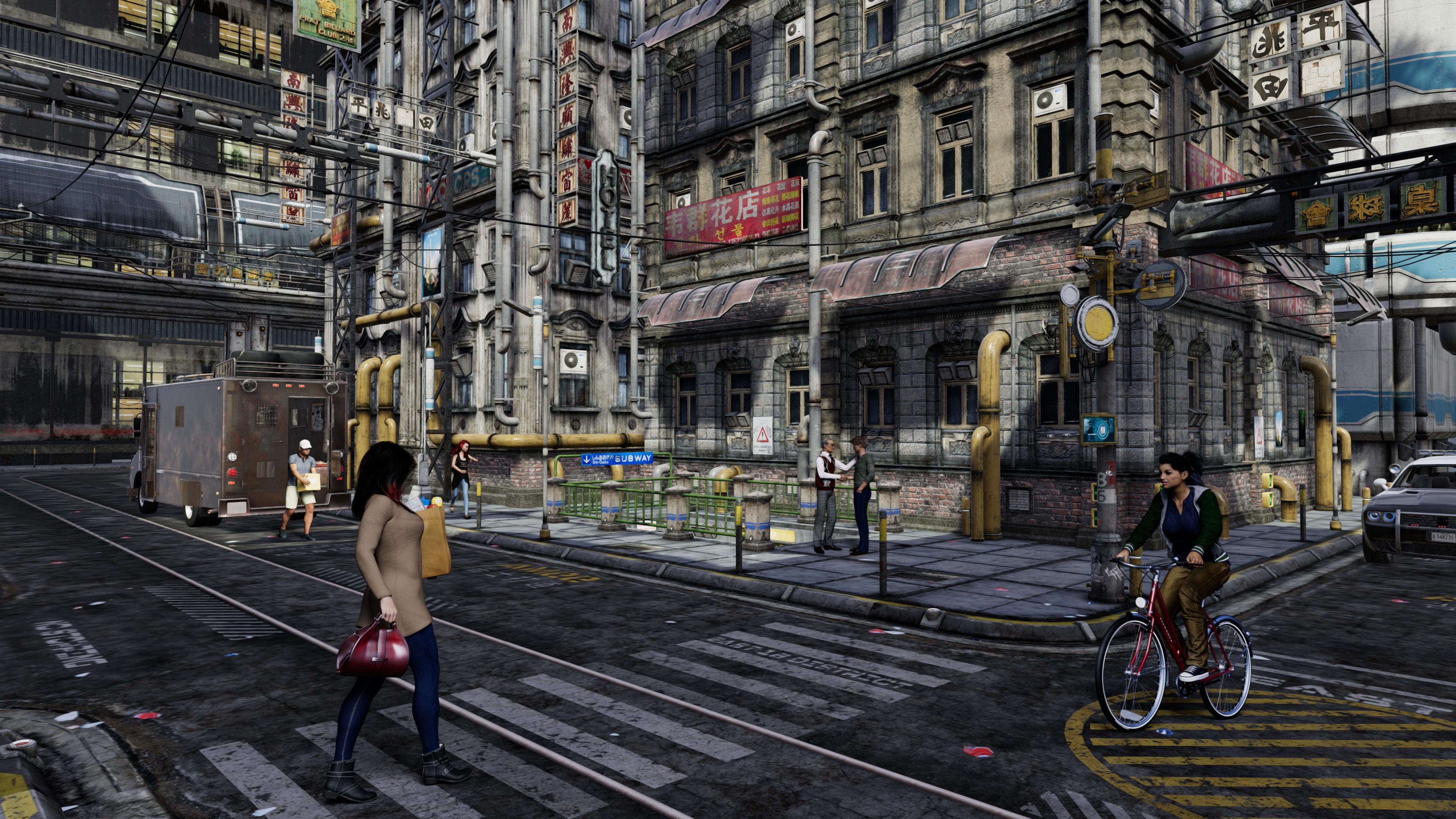
Well done sir, well done.New DS Filament Render EngineNew DS Filament Render EngineNow Crowd billboards work well in Filament as long as they don't overlap. Overlapping caused some visual problems for some reason.
 New DS Filament Render EngineSkin looks very nice under the lighting conditions.Thanks for sharing.
Glad is helpul for someone, much appreciated!

@Zilvergrafix thanks for the skin settings. Here is a quick test with Filament.
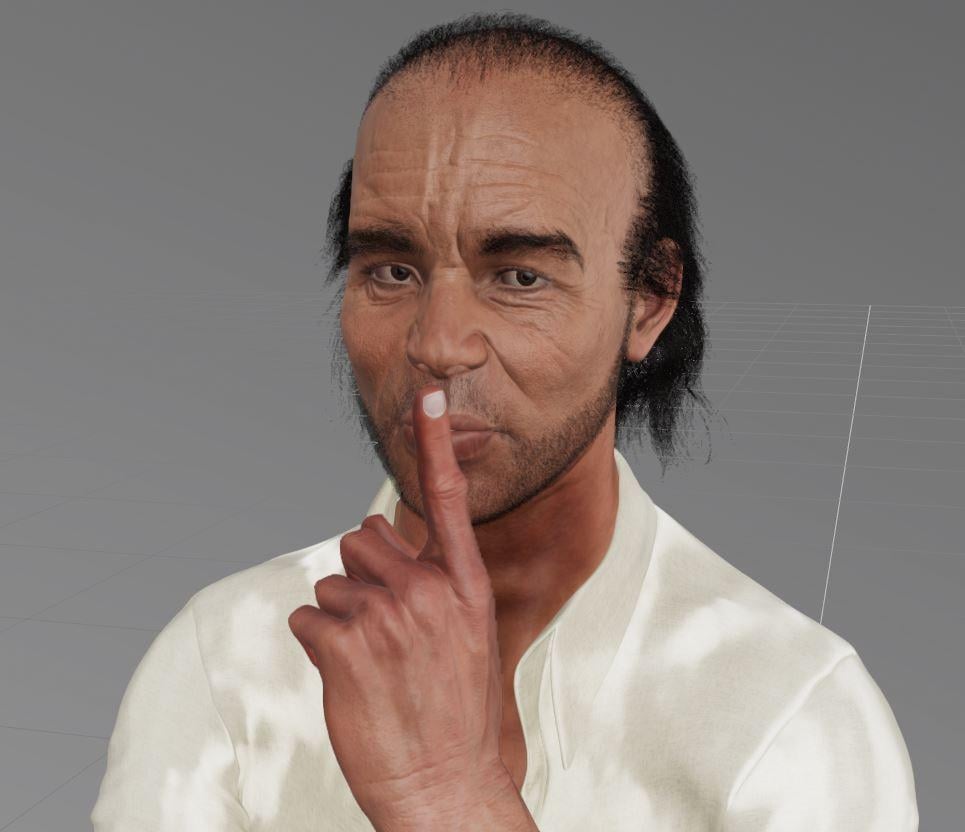
 welcome!, is he Trevor from GTAV?
Custom character from photograph
New DS Filament Render Engine@Zilvergrafix thanks for the skin settings. Here is a quick test with Filament.
If you render the image the floor grid won't show up. :) The renders with Filament only take a couple of seconds too, so there's not really a reason to do a screen capture vs rendering as far as I can tell. :)
The rendered images are 2Mb the screen grabs are only a few Kb. Switching the engine to iRay and then Octane to see how the skin would hold up. He is totally baked in iRay.

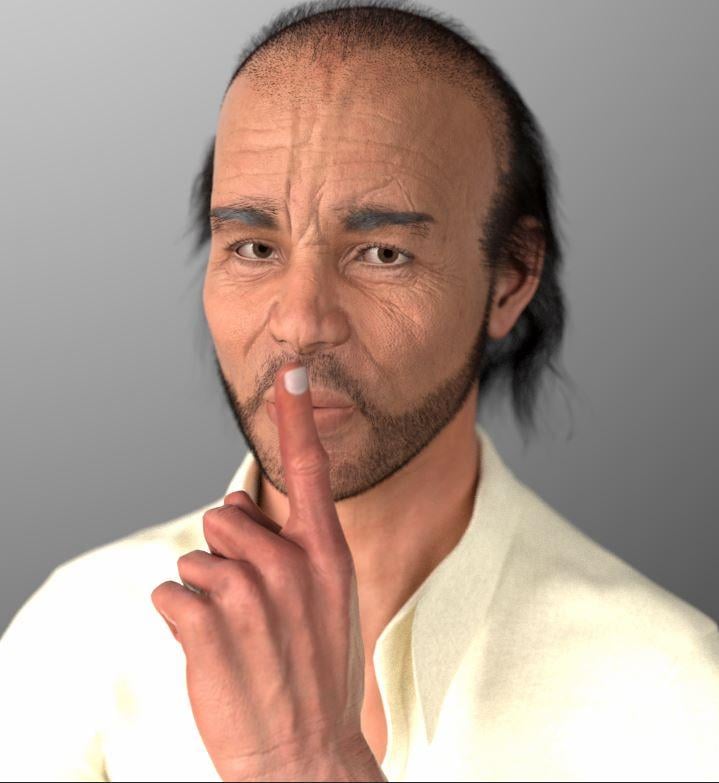 New DS Filament Render EngineSkin looks very nice under the lighting conditions.Thanks for sharing.
Glad is helpul for someone, much appreciated!
@Zilvergrafix thanks for the skin settings. Here is a quick test with Filament.
welcome!, is he Trevor from GTAV?New DS Filament Render Engine@Zilvergrafix thanks for the skin settings. Here is a quick test with Filament.
If you render the image the floor grid won't show up. :) The renders with Filament only take a couple of seconds too, so there's not really a reason to do a screen capture vs rendering as far as I can tell. :)
New DS Filament Render Engine@Zilvergrafix thanks for the skin settings. Here is a quick test with Filament.
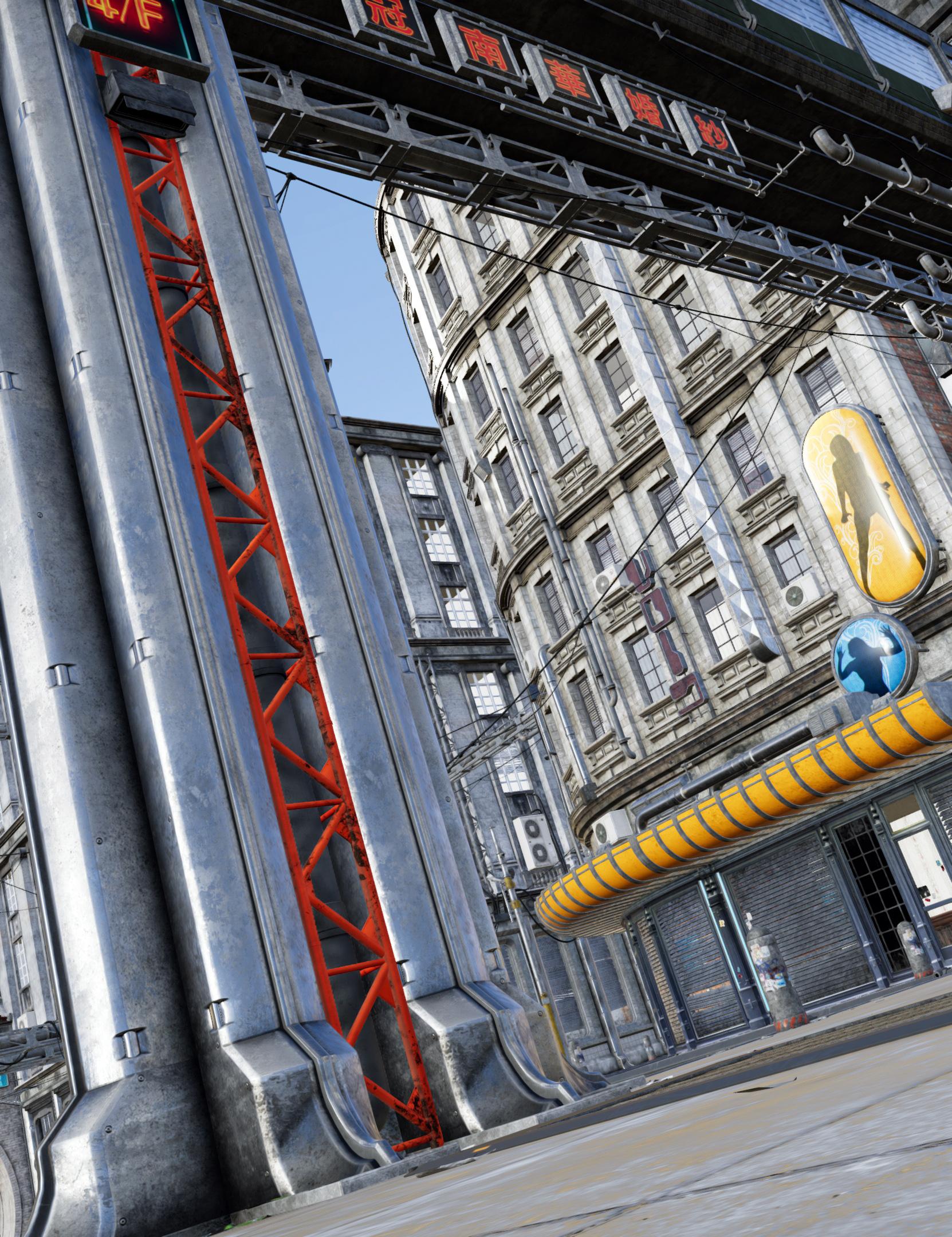
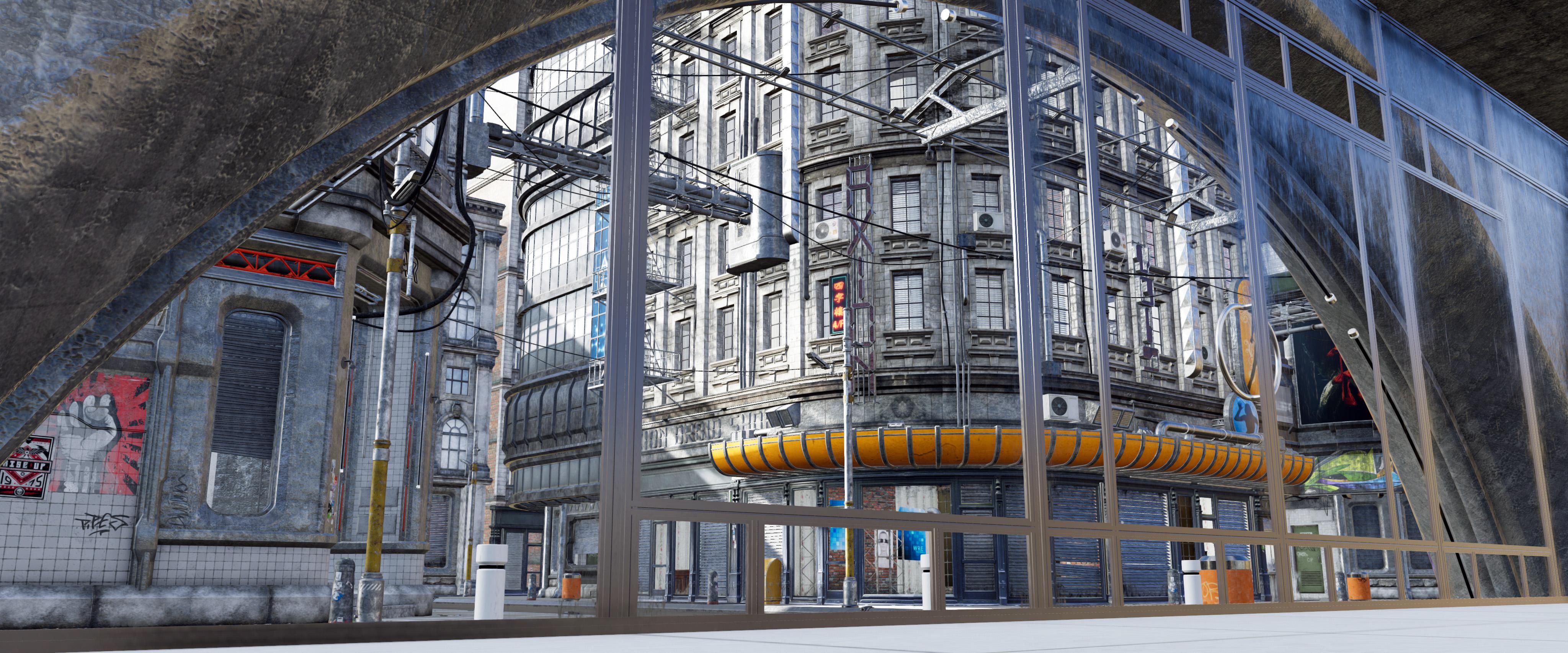
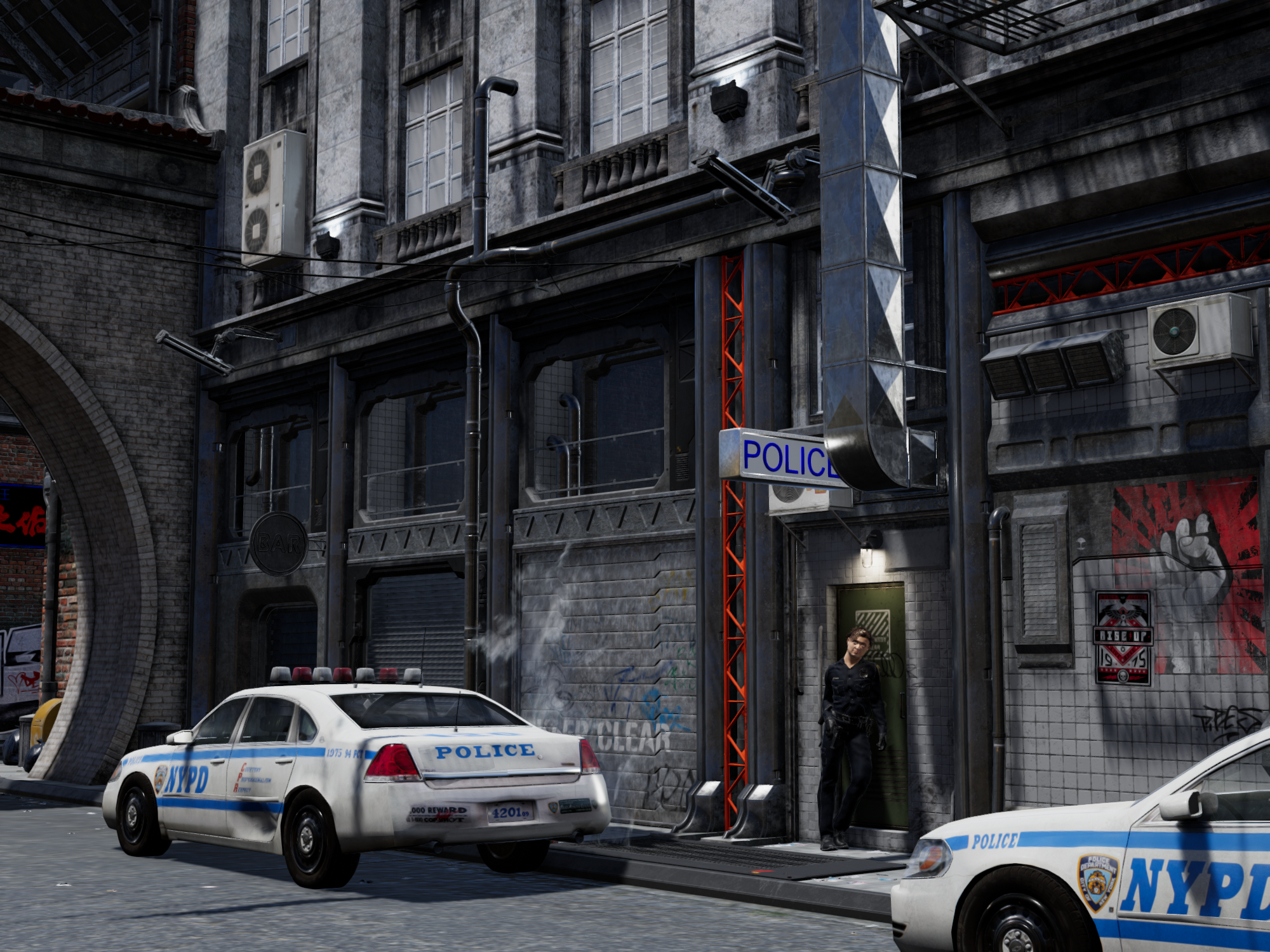
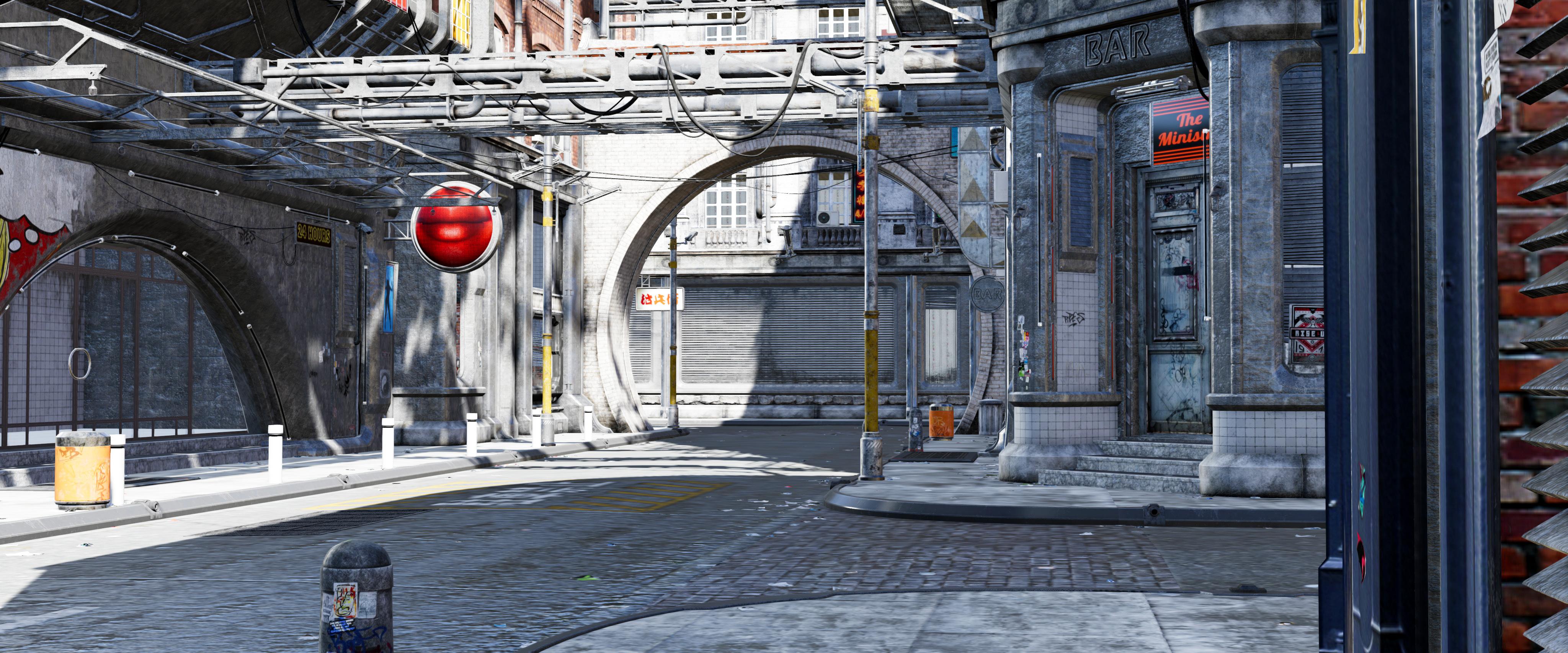
New DS Filament Render EngineI did some Urban Future 5 scenes last night. I adjusted the contrast and saturation of a couple in Photoshop, but no drastic edits. Some elements of Urban Future 5 wouldn't render for me and I couldn't figure out what trickery was causing the trouble. (I don't mean emissive lighting, I know Filament doesn't do that now. I mean things like a door that should have an image on it just didn't seem to be there.)
Daz 3D is part of

Connect
DAZ Productions, Inc.
7533 S Center View Ct #4664
West Jordan, UT 84084Licensing Agreement | Terms of Service | Privacy Policy | EULA
© 2026 Daz Productions Inc. All Rights Reserved.