-
Misadventures with Adventurer Knight [Pretty much SOLVED]
Oh hey.... I know this outfit ;)
ok first off - button construction method. All the bajillion buttons on this thing are using the Rigid Follow Node method. As Richard said, this is a kind of magic glue that attaches a parented props to a specific set of polys on the mesh. What it means is I can make a button (buckle, flower, whatever) and glue it on and as the underlying mesh moves via morph, bending or cloth sim, the button follows along and does not get distorted or fall off. There are the chest buttons, shoulder buttons and L & R cuff buttons. I think around 20 in total? a lot.
What you as a user will see in the scene tab is the usual list of boyparts plus the Rigid Follow Node (which I usually give a name like Button 1) and then the prop Button1 If you delete the prop, it should not effect any of the other RFN on the clothing item. I say _should_ DS however sometime gets confused. Now since I have used the same button.duf to load in over and over when I set this up, I have seen some weirdness here and there when switching from base to high resolution. And yes, tucked away in the data folder for this outfit is a lonely little button prop.
In theory if you find a fancier sexier button you like more, you should be able to align them to the RFN, delete mine, and glue yours on instead.
Fitting over other items - Does this not have an expand all morph? I usually try to include them in outfits. I will go and have a look at the set, if it doesnt have an expansion morph I will see if I can add one in. You are right in that I didn't anticipate anyone needing to slide another shirt under there. In the meantime you might be able to get by with changing the smoothing collision to the new undershirt.
Selection -. Um. That one I can't tell you. Usually when an item is unselectable it means that the bones arent attached to face groups, which is frankly odd and somehting QA usually notices. I'll have a look at that as well.
Bumpy skirt - holy hannah! well it didn't do _that_ in testing! Can you tell me what character morphs you ahve going on there? As you can see I clamped down the sinmulaiton so its only hitting mainly on the skirt of the coat. It's possible that its specific to this character setup, but I'll give it a poke on a few shapes and see if I can replicate the issue. Once I make it break the same way then I can see what can be done to make it less groovy.
Cutting off sleeves - as I'm sure you noticed I made separate material groups for sleeves and cuffs. You should be able to turn them off with an ivisible material, or in geometry. I try to do that with all my outfits where possible. I've found being able to select sections makes it easier to make the various masks for dforcesimulation, as well as making items easier to adjust for kitbashing. On this one the skirt of the coat is also set as its own thing, to leave a very dashing jacket :)
OK I'm off to check the selection thing, the skirt simulation and the expansion morph
LM
Misadventures with Adventurer Knight [Pretty much SOLVED]I hate to keep bumping this thread, but I still haven't been able to come up with a solution to the to the bumpy skirt problem. But at least I've figured out the cause: it's the fact that 'Scale' is changing during the simulation. I don't know the technical going-ons within the dForce engine, but it appears to be doing a calculation based on whatever scale is set to on any given frame, and vertices positioned based on a previous frame's scale don't know what to do when a subsequent calculation is made with a different scale. It probably has a larger impact on parts that are more noticeably affected by gravity, and it wouldn't surprise me if this were happening on a much smaller scale for the upper regions of the coat.
The only solution I could see working, would be to morph the undershirt into the body, rather than trying to pull the coat out. So instead of using a dForce modifier on the shirt, my best bet would be Fit Control.
On a side note, does anyone know why AK Coat can't be selected using the Node Selection tool? Sometimes I have that problem when loading, deleting, and reloading the same hair files, but that tends to be sporadic. AK Coat is consistently unselectable outside of the Scene panel.
[Released] RSSY Hair Converter from Victoria 4 to Genesis 8 Female [Commercial]Apparently with 4.11 anytime I try to save a morph or anything it now fails, is there a way without reinstalling poser to transfer the fit morph for v4 to the converted hair?
Edit : Figured it out :)
What was the issue?
Somehow the authorship information in preferences for changes to a bunch of wacky symbols so once I went and changed that it let me save stuff again, how it happened I have no clue though lol
Huh. Another upgrade issue I guess.
[Released] RSSY Hair Converter from Victoria 4 to Genesis 8 Female [Commercial]Apparently with 4.11 anytime I try to save a morph or anything it now fails, is there a way without reinstalling poser to transfer the fit morph for v4 to the converted hair?
Edit : Figured it out :)
What was the issue?
Somehow the authorship information in preferences for changes to a bunch of wacky symbols so once I went and changed that it let me save stuff again, how it happened I have no clue though lol
Morphs from G3 to G8Good news--with the change it looks like the script is doing what it's supposed to do, even closing the scene when complete (that definitely wasn't happening before the edit). A body morph I was having trouble with is actually a working morph seen by Daz where previously the file was written out but nothing was showing in Daz.
Bad news--it may be on my end, but the arms are fudged up, similar to the Ivan 7 someone posted a little while back.
It appears the forearms are morphing in the opposite direction--even though the body is morphed to 1.00, the forearms are morphing to the -1.00 shape. If I morph the body to -1.00 the forearms morph to how they should look at 1.00.
Attachments should be body at 1.00 and body at -1.00.
Body morph is GDU Erastus, but I'm seeing something similar with Ivan 7. But in checking Ivan, I can't duplicate the 1.00/-1.00 issue that Erastus is exhibiting, Ivan's arms just look misplaced. Third image is Ivan 7 at 100%. Unfortunately dialing the Ivan 7 body to -100% just gives a thinner figure.
Anyway, the previous script didn't do this, but like in the Erastus case it wouldn't convert the head morph into a workable file. This script does convert the head morph, but at the expense of the body morph.
[Released] RSSY Hair Converter from Victoria 4 to Genesis 8 Female [Commercial]Apparently with 4.11 anytime I try to save a morph or anything it now fails, is there a way without reinstalling poser to transfer the fit morph for v4 to the converted hair?
Edit : Figured it out :)
What was the issue?
Z Expecting - Pregnancy Preset and Poses for Genesis 3 and 8Hello Everyone,
So I purchased the above package from the shop and the package states it has a pregnancy morph but I cannot locate it anywhere. I cannot find the morph using the search function in parameters or by going through each option individually. Does anyone know how I can incorporate this morph?
[Released] RSSY Hair Converter from Victoria 4 to Genesis 8 Female [Commercial]Apparently with 4.11 anytime I try to save a morph or anything it now fails, is there a way without reinstalling poser to transfer the fit morph for v4 to the converted hair?
Edit : Figured it out :)
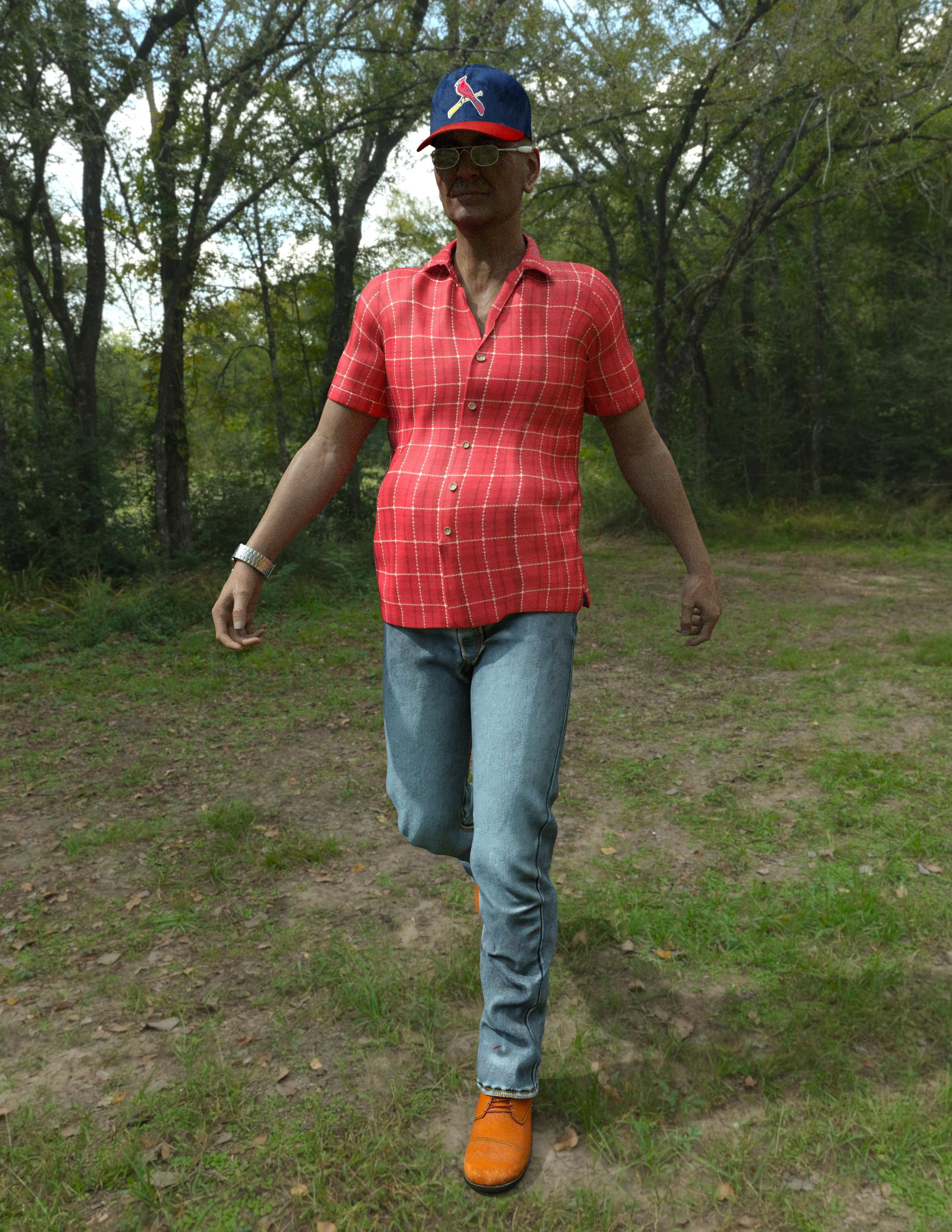
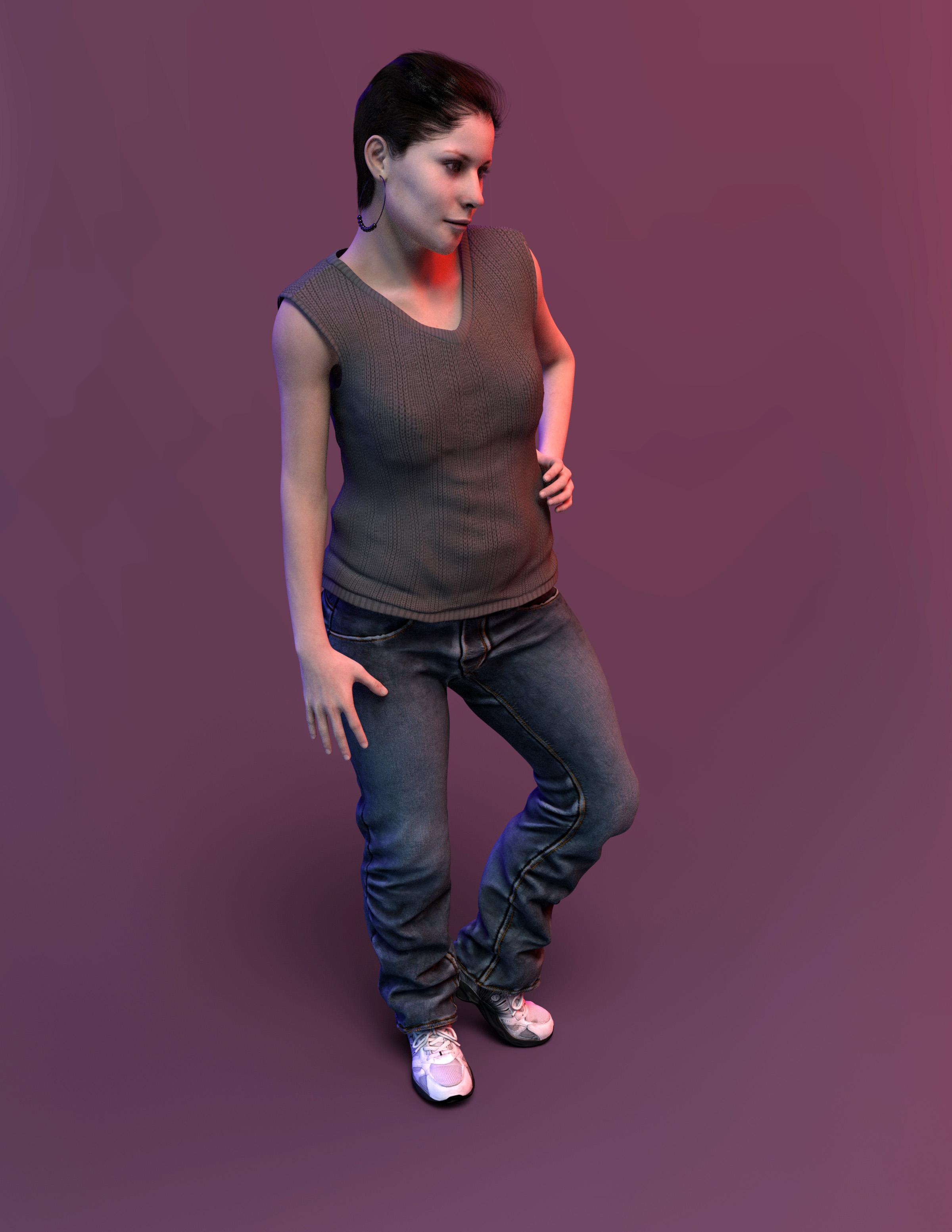
My Projects in 3D Digital RenderingSome character experiments.. average people.
I wonder if there is a short sleeve shirt with a tucked in morph?
Denny
Brenda
 Basic Silly Newbcakes Daz Studio Question
there are some very basic morphs included in the basic package that comes with DS, expressions you can find under pose controls, there are some few presets but you can use a lot of the facial movements (in pose control) to create exprssions yourself.
No idea about Unreal engine from me
Thanks...I would like to get just a couple characters and assumed I would need the morph sets for them to work. I should just browse and see whats available these days. maybe theres something that will allow me to create my own characters.....
the DAZ Flagship figures like Victoria /Michael etc don't need the morph packs but lots of other artists figures need the morph packs ( plus they are very usefull to create your own characters) haven an eye open for sales on them, they have been in a lot of sales lately
Thanks again. i used M4 and V4 quite abit back in the day but never really moved on from there. I like the realistic look to some of the G8 figures. ..so wanted to see what I could do, as well as play with the lighting.
Darwins' Schtuff Pt DeuxApologies if this is an awkward question, but do you know/can you say what happened with Dh'morra? When I saw this, I thought I'd missed his release, but your commercial thread for him hasn't been updated either. I thought maybe I'd bought him and forgotten -- I definitely intended to buy him -- but that doesn't seem to be the case.
Regarding the images you posted, I like the look of Jacov. Does seem to be a bit Vladimir-adjacent (this is not at all a bad thing); maybe adding some of that shape will help the look you're aiming for? (And where on earth did you find younger images of Chaim Topol? As far as I can tell from Google Images, he appears to have been born as a middle aged man, making him perfect for "Fiddler on the Roof".)
Thanks everyone!
Ah, no- Dh'morra has not been released yet- but his release is coming up soon. ;)
Well, there was only one pre Flash of him that I could find, so I took artistic license on reverse aging him a bit. XD I don't want to add other shapes into the morphs for this pack since it's a set of five custom morph sets I'm making for head/body/total character morphs. Though it's an intriguing idea to try to see what he'd look like!
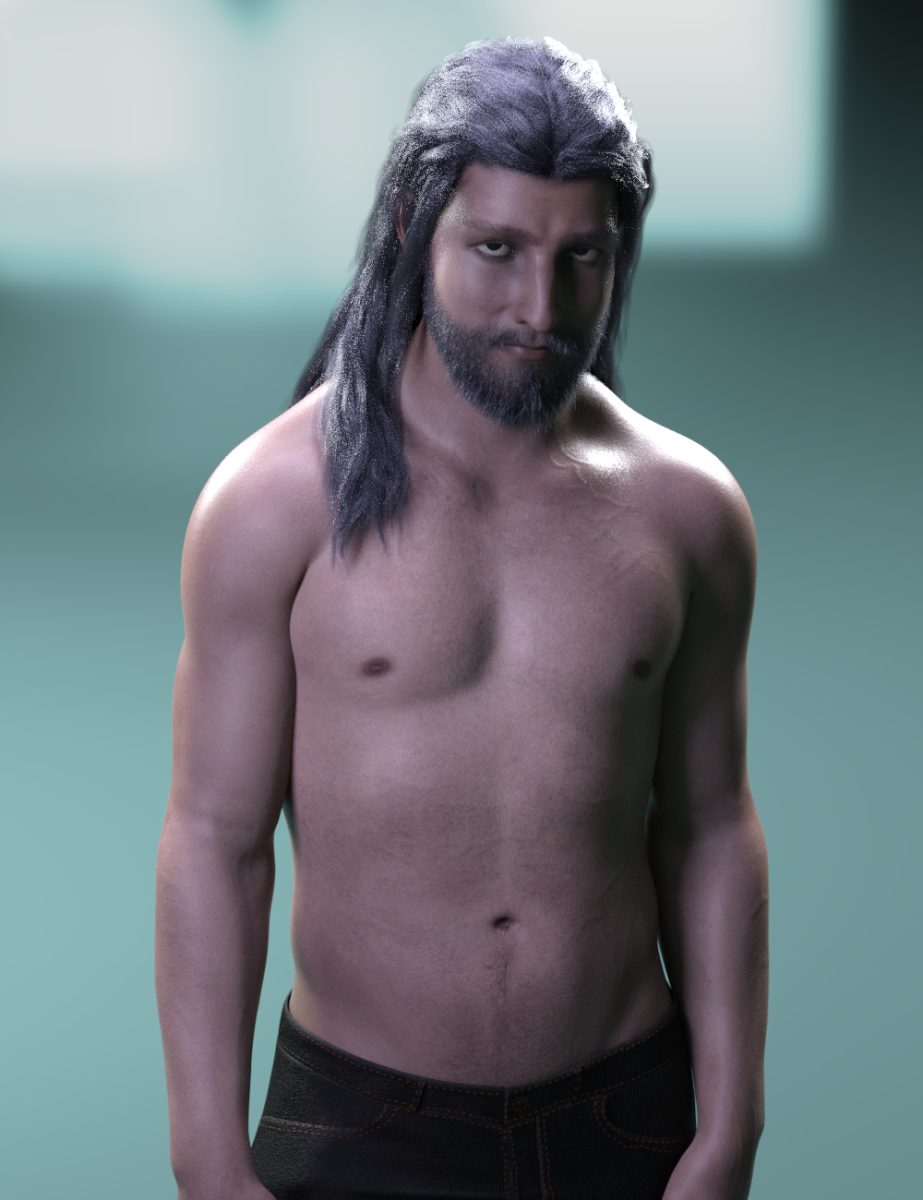
With a beard and the updated upper torso tweaking. Mainly his chest, shoulder and upper back areas were worked on a bit more to get rid of that flatness I didn't like in the first round.
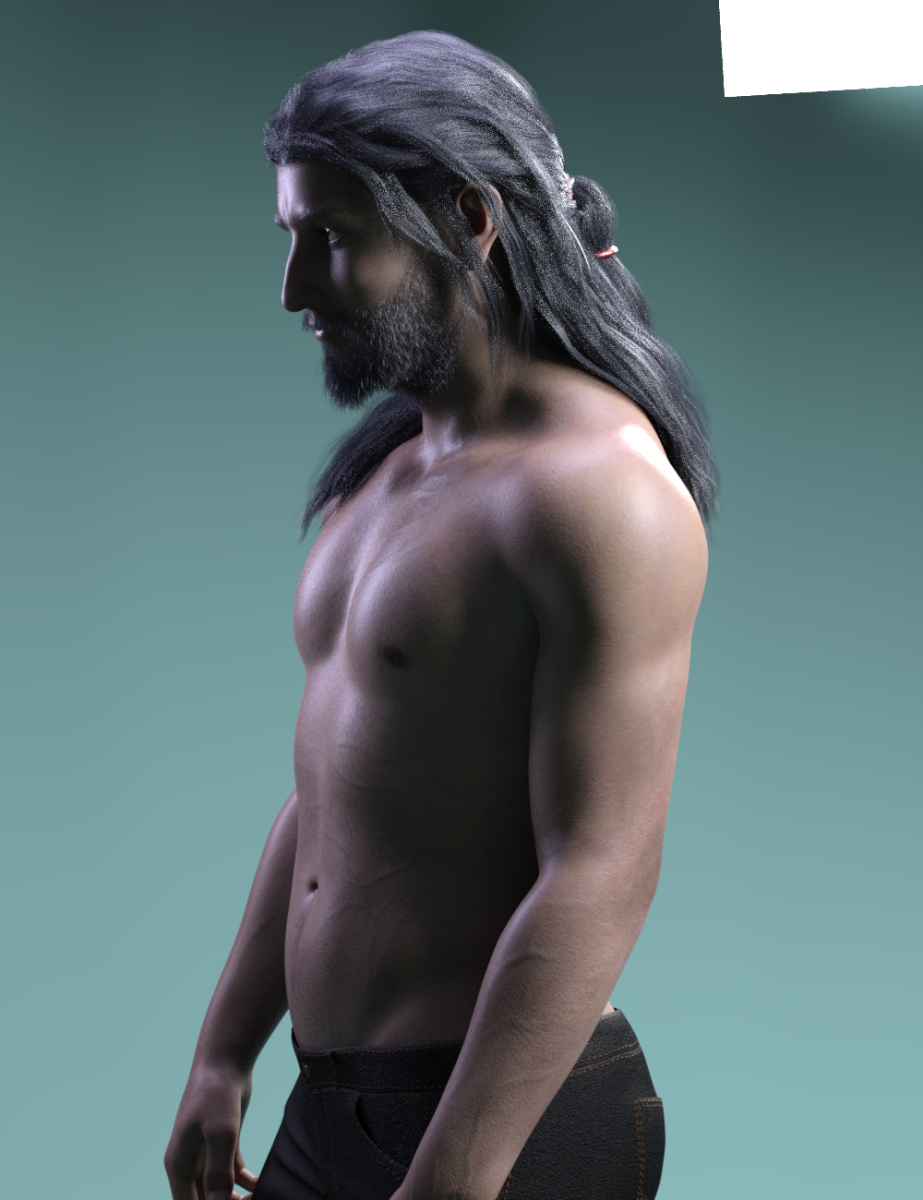
 dForce Hair (as well as strand based hair and the strand based hair editor) in public beta
The down side is that I don't think its possible to tell a dforce sim to start from a previous simulations end state, so any posing etc will have to come afterwards in the timeline and I'll need to sim the whole thing each time.
Sure there is - we call them morphs around here! Export the hair as .obj and run Morph Loader Pro before clearing and running the 2nd sim. The other approach is to set the timeline itself to start at the end of the ponytail sim (you won't have to re-sim the ponytail).
- Greg
ETA: Very cool, BTW.
Basic Silly Newbcakes Daz Studio Questionthere are some very basic morphs included in the basic package that comes with DS, expressions you can find under pose controls, there are some few presets but you can use a lot of the facial movements (in pose control) to create exprssions yourself.
No idea about Unreal engine from me
Thanks...I would like to get just a couple characters and assumed I would need the morph sets for them to work. I should just browse and see whats available these days. maybe theres something that will allow me to create my own characters.....
the DAZ Flagship figures like Victoria /Michael etc don't need the morph packs but lots of other artists figures need the morph packs ( plus they are very usefull to create your own characters) haven an eye open for sales on them, they have been in a lot of sales lately
Basic Silly Newbcakes Daz Studio Questionthere are some very basic morphs included in the basic package that comes with DS, expressions you can find under pose controls, there are some few presets but you can use a lot of the facial movements (in pose control) to create exprssions yourself.
No idea about Unreal engine from me
Thanks...I would like to get just a couple characters and assumed I would need the morph sets for them to work. I should just browse and see whats available these days. maybe theres something that will allow me to create my own characters.....
Morphs from G3 to G8The bad news is, still not branch or update. The good news is, I have completed getting the stuff installed (Running these in parallel is probably not worth the head ache, but ...) and the script checks out on studio 4.11. The scource fo the inconsistent results is at least partially tied to the fact that the script is trying to use a clone that no longer exists in certain cases. You can fix that part yourself.
No, really.
Open the script in your favorite text editor.
Copy nthe following wordGNXALTARC
In your text editor, open the find and replace function. Paste the copied word into the find box.
Copy the following wordNuGNXarc
In your text editor, paste the copied word into the replace box.
Last check, you should have FIND: GNXALTARC Replace with: NuGNXarc (case matters, so just copy and paste)Hit Replace All. Save. You are done.
But I don't want to break things cuz the scared!!!!
Honestly I understand that, but just copy the file first. If you do manage to break it, use the copy (You don't even have worry about the file name. The script doesn't care what it's called right now. You could name it "Bob.dsa: and it would still run). If all else fails, just download the dsa file again.
GNXALTARC was a file meant to make sure figures with eyelashes were not distorted by projection from G8 (which has no lashes, and the script does nothing with the lashes except remove them from a list to prevent them being shown as an option. That list only exists while the script is running and is only used by the script). Basically, GNXALTARC allowed the lash-bearing figure to get projection the same way the G8 Lash figures do. (It's a clever solution, and I've found it quite useful in things I've made. If you don't know how it's done, see if you can figure it out.) Because GNXALTARC is not actually present, the script gets hung up either because it's not happy it can't find the morph, or ecause the shapes don't match up leading to ... issues. Cutting it out should stablize most of the issues. Others, not so much. But I'll get there.I Forgot What My Complaint Was - Complaint Threadwhen i haz trouble fitting to the genesisisess
i up the iterations. smoothing, and there was collision iterations.
i remember setting the iterations to 99 when i sat the figure down. to make the skirt cover her legs.
when the iterations calcs are done. save it as a morph asset to the outfit, for next time.
What "qualify" as your own character?I'm still unclear about how it works, and what can be used. What about the basic elements that comes with DS?
For intance, let's say that I want to make a sword freebie. Can I use the basic metal shaders that comes with DS or must I make from scratch my own metal shader (or use a merchant ressource)?
I'm not sure, if you mean the specific material presets. Do they still work if you uninstall teh Default Resources package?
Similalrly, if I'm making a character, can I use the basic morphs and basic skins that come with DS when you download it, or are they off limits too?
No, the basic skins and moprhs cannot be distributed and nor can derivatives created from them. You could have a preset that called them (which wouldn't work if the files were not installed).
Let assume that the only peculiarity of my character is that he has a big red nose, so he's big red nosed G8. What can I use exactly to give him a big red nose?
You could use a Layered Image to add the red to the base colour and any other maps that needed it, and use a shaping preset to apply a combination of stock moprhs or create your own morph in a modeller or with dFormers. However, if that's all you are doing I would not hold out any hopes of being able to sell the result.
OK, if I understand correctly (let me know if I don't), you can't distribute anything included in DS (or is there anything you can use?) but you can make presets that call any of these assets? For instance if I make a pose that includes an expression, I can model the expression myself, but I also can use a preset that will require the basic expressions morphs included in DS (that everybody should have)? Similarly, I can use any character for my red nosed guy, as long as it's not actually included in the files. For instance I can make a "red nosed for G8M" or a "red nosed for Michael 8", or for that matter a "red paint for accent table" (a DAZ Original asset). As long as the person downloading it is required to have the asset it's based on, it's fair game, is that correct?
For instance, let's assume that I intend to distribute a "Michael 8 sat on a table painted red" asset, that uses solely existing assets (so, the michael 8 character without change, a table which is a DAZ Original asset, a red paint that is a basic DAZ shader, and a pose which is taken directly from the basic pose library), it would be acceptable to distribute it, even though I didn't do anything myself, as long as the asset requires all files to be installed on the person's computer?
Using an existing pose which is not a merchant resource would be a problem as the scene file doesn't make a reference to the pose file, it saves the pose in the scene. For other kind of assets it would be ok.
But on the other hand, if I want to to distribute "My original character sat in a new way on an interesting table painted in a peculiar tone of red, all files included" I cannot use any of the elements that come with DAZ Studio, not even the basic shaders, skins, expressions, etc....? Is that correct?
That's correct, if you want to include all files in your download then they must all be your own work or made from merchant resources specifically allowing that kind of use.
What "qualify" as your own character?I'm still unclear about how it works, and what can be used. What about the basic elements that comes with DS?
For intance, let's say that I want to make a sword freebie. Can I use the basic metal shaders that comes with DS or must I make from scratch my own metal shader (or use a merchant ressource)?
I'm not sure, if you mean the specific material presets. Do they still work if you uninstall teh Default Resources package?
Similalrly, if I'm making a character, can I use the basic morphs and basic skins that come with DS when you download it, or are they off limits too?
No, the basic skins and moprhs cannot be distributed and nor can derivatives created from them. You could have a preset that called them (which wouldn't work if the files were not installed).
Let assume that the only peculiarity of my character is that he has a big red nose, so he's big red nosed G8. What can I use exactly to give him a big red nose?
You could use a Layered Image to add the red to the base colour and any other maps that needed it, and use a shaping preset to apply a combination of stock moprhs or create your own morph in a modeller or with dFormers. However, if that's all you are doing I would not hold out any hopes of being able to sell the result.
OK, if I understand correctly (let me know if I don't), you can't distribute anything included in DS (or is there anything you can use?) but you can make presets that call any of these assets? For instance if I make a pose that includes an expression, I can model the expression myself, but I also can use a preset that will require the basic expressions morphs included in DS (that everybody should have)? Similarly, I can use any character for my red nosed guy, as long as it's not actually included in the files. For instance I can make a "red nosed for G8M" or a "red nosed for Michael 8", or for that matter a "red paint for accent table" (a DAZ Original asset). As long as the person downloading it is required to have the asset it's based on, it's fair game, is that correct?
For instance, let's assume that I intend to distribute a "Michael 8 sat on a table painted red" asset, that uses solely existing assets (so, the michael 8 character without change, a table which is a DAZ Original asset, a red paint that is a basic DAZ shader, and a pose which is taken directly from the basic pose library), it would be acceptable to distribute it, even though I didn't do anything myself, as long as the asset requires all files to be installed on the person's computer?
But on the other hand, if I want to to distribute "My original character sat in a new way on an interesting table painted in a peculiar tone of red, all files included" I cannot use any of the elements that come with DAZ Studio, not even the basic shaders, skins, expressions, etc....? Is that correct?
transfer utility problems, Help!You might want to load your original shape as a morph, if it's a sinlge morph you are using - otherwise you may find you need to create several cusom morphs for the clothing to match the tricky ones used in the abse figure. One thing to try first is applying a smoothing modifier (Edit>Figure>Geometry>Apply Smoothing Modifier) and settings its type, in the Parameters pane, to Generic instead of Base Shape Matching.
How to make a single dial from a mixture of morphs, which then available as an asset?Are you shure you had selected the genesis figure root node and not the head bone while creating the new property?
If you can't find your new property in the parameters pane on a fresh loaded original genesis figure I can't tell whats gone wrong.
The only thing I guess you can do now is search the morph file on disk in some of your Content Directories with a file browser. Whichever was selected on top of the Morph Asset Save dialog while saving.
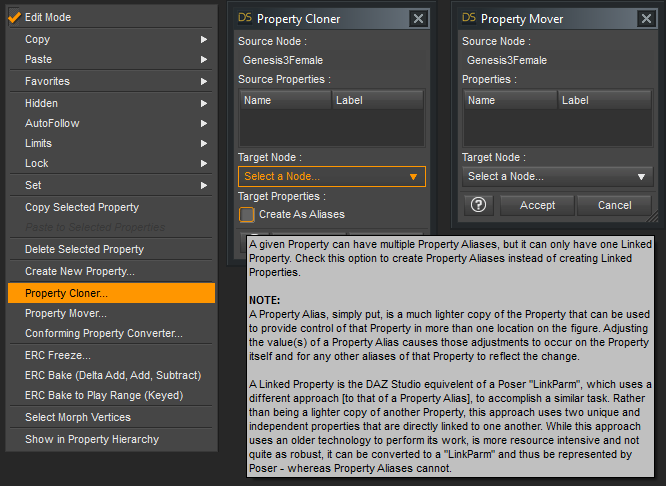
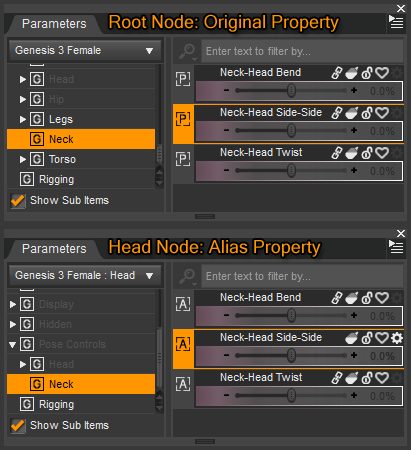
more references I found regarding creating aliases for expressions on the head node and saving control properties to another figure node / bone than the root node:
How to change morphs location?
How To Create A Shortcut To Expressions
I've written more on that Property Cloner / Mover but I can't find in which thread I posted these screenshots anymore.
Daz 3D is part of

Connect
DAZ Productions, Inc.
7533 S Center View Ct #4664
West Jordan, UT 84084Licensing Agreement | Terms of Service | Privacy Policy | EULA
© 2026 Daz Productions Inc. All Rights Reserved.