-
Question about items going to the Vault
nemesis10 said:
I am going to have to push back at this a little. When I worked in a laboratory, for over twenty-five years,I maintained the digital history of the lab. I had a constellation of computers, drives, software, and disks, floppy and not, zip and not etc. It is a pain with very little reward. It is true that digital assets don't take up shelf space but they make up for that by requiring a lot of work and ancillaries. For example, a garment for Victoria 1 requires reqular inventory to make sure the files still exists, still works, hopefully doesn't require any support, needs a version of Poser and Daz studio that support it, requires a computer that supports those software versions, requires backups of the computers and the storage, and still is taxed like any other inventory even if you sell just two copies every five years. That is a whole lot of infrastructure and work for a niche product. My sister worked as an executive for two major museums; she introduced me to the term, deaccessioning, which every musuem or library employee is aware of. If you cling to the past, you must give up the future.
The thing is that Daz still provides the products to people who own them. So they still have to keep the files up on a server somewhere. Thus removing an item from the store does not allow them to just delete the item from their server. They are not clearing data space.
All they can really do is maybe move the items to a smaller or less used server that doesn't require as much maintainence. But doesn't Daz use a 3rd party company for their servers anyway? It isn't something that Daz needs to be all that worried about, that's the server company's job.
The primary argument I recall seeing for removal is some PAs wish items to be removed to keep their stores less cluttered. That does make sense, there are 25,000+ items in the store, and most of them are in fact quite old. But I addressed this in my post, as Daz could place these items in a separate section of the store. This still declutters the store, and allows the items to be purchased in a legal manner by those who might want them. Obviously they will not sell like hot cakes, but I would believe that the collective sales of a Classic Daz product section would at least help pay the server bills to keep them going. If the products are removed from the store, they make exactly zero money to pay server costs...which again Daz needs to pay regardless.
How many child characters are in DAZ?I pulled up my chart of characters I have purchased at the Daz Store and coded as a child or young teen and listed them below. I excluded those that are absolutely toons or anime/manga. Some of the products offer an adult/teen/child/small child option. I didn't include morph packages either, although they are available. I highly recomment any Growing Up products by Zev0 and Dogz – many older or toonish characters age down into lovely children. An excellent resource for teen morphs is Male-M3dia. Another PA to look at is 3DUniverse, although they are slightly more stylized, but their characters will often come with clothing, accessories, and hair appropriate for a child or young teen.
https://www.daz3d.com/bd-willow-for-genesis-8-female
https://www.daz3d.com/brynn-character-hair-and-expressions-for-genesis-8-females
https://www.daz3d.com/caryn-hd-for-genesis-8-female
https://www.daz3d.com/ella-for-caryn-8
https://www.daz3d.com/tobyn-hd-for-genesis-8-male
https://www.daz3d.com/chase-for-genesis-3-male
https://www.daz3d.com/dayana--karina-bloom-hd-for-genesis-8-female
https://www.daz3d.com/emma-character-hair-clothing-and-accessories-for-genesis-8-females
https://www.daz3d.com/esme-for-genesis-8-female
https://www.daz3d.com/fawne-character-for-genesis-8-females
https://www.daz3d.com/indiana-character-for-genesis-8-females
https://www.daz3d.com/kariway-for-genesis-8-female
https://www.daz3d.com/khoeli-for-genesis-8-female
https://www.daz3d.com/lincoln-and-london-bundle-for-genesis-8-males-and-genesis-8-females
https://www.daz3d.com/mia-hd-for-genesis-8-and-81-female
https://www.daz3d.com/p3d-janet-and-dforce-dress-for-genesis-8-female
https://www.daz3d.com/p3d-libby-for-genesis-8-female
https://www.daz3d.com/qx-little-chooli-for-genesis-8-female
https://www.daz3d.com/young-minto-and-dforce-minto-outfit-for-genesis-8-females
https://www.daz3d.com/vyk-chloe-for-genesis-8-female-and-victoria-8
https://www.daz3d.com/yui-character-and-hair-for-genesis-8-female
Kento 8.1Apart from the obligatory Michael and Victoria, I wouldn't expect any other G8 base figures to be replicated in 8.1, so I wouldn't think of Kento as an updated Lee.
Do you mix figures from various generations in your renders or do you avoid it?Do you mix figures from various generations in your renders or do you avoid it?
The only way I can temporarily halt my excessive spending at the DAZ3D shop is taking stock of the items that I already bought and taking them for a spin (and a render). After thinking I absolutely wasted my money on one of my earliest (impulsive/uninformed) purchases in 2021 of “Victoria 4 3D Model Pro Suite” given the sophistication of the Gen 8/8.1 generation, I have now reached the conclusion that there is some incredible beauty to be discovered in the V4 series. In the Gen 3 and Gen 2 series I similarly found some delightful specimen of figures. Since I am still not more than a DAZ enthusiast, I was wondering is it at all wise to invest in what was developed before Gen 8/8.1 like V4 etc.? I ask this because the “older stuff” can be surprisngly alluring but they also tend to look (sometimes more than) a tad bit different from the Gen 8/8.1 figures (texture/details/skin/hair/wardrobe etc.).
Do you mix all the figure types (like V4, Gen2, Gen3, Gen8) in your ‘compositions’ (renders) or do you find it tricky to avoid disparity/incongruity in (let’s call it) aesthetics?
Question about items going to the Vaultkyoto kid said:
outrider42 said:
The section where items marked for the vault clearly states: "Vaulted Items are only accessible to those who already have them in their product library and may not be available for purchase in the future."
But I noticed that several of these vault items are a part of bundles, some not so long ago, FWSA Frida is a part of the Karen 7 Pro Bundle. So what does this mean when Frida goes into the vault? Will the product still be a available as part of this bundle or is the product going to be removed from the bundle, too? That would be pretty terrible, IMO, as that would devalue the Pro bundle unless it gets a price change to compensate. There are other products marked for the vault that are part of Starter and Pro bundles, so I want to know what the situation is here.
Secondly, I am not a fan of the vault in any form. Removing content, no matter how old, is just not cool in my book. I get the idea is to declutter the store. Fine. But this can be resolved by creating a secondary store within Daz. A store that functions somewhat like GOG (Good Old Games) was founded on. The promise of GOG is to keep old games alive and legally available for modern operating systems. It is a niche market...but it is a market. Daz could do the same thing here. You can have a sub section of the store that works as if it is a different store, and the old items that would be vaulted do not come up in normal searches when using the main store (unless the customer specifically selects a search setting). This would both declutter the main Daz store and also keep the old products alive and legally available to purchase for people interested in them. As it stands, you still have to keep vault items on your servers so that customers who did purchase them can download them. So why not make use of that server space bu spinning it into a separate store? The secondary store would be, well, secondary, so it would be as updated as the main store.
I cannot be the only one who thinks that vaulting Genesis 3 products is a bit crazy? Frida was released in August of 2015. That might be old by industry standards, but given that modern Genesis 8 and 8.1 can use Genesis 3 skin textures right out of the box, this product is not truly outdated. There are also pose packs, which are trivial to convert thanks to multiple and even free pose converters, as well as other props and items that can all be easily plugged into any modern Genesis 8 scene without much effort.
...yeah it's not like it's taking up space in a warehouse or car lot. Also many of those older products (particularly the installers) are relatively small in memory size compared to today.
As to the highlighted statement, I am among that group as I pretty much stopped at G3. Bad enough nobody is making new content for it but to pare down what is available is disappointing to say he least. A lot of G8 clothing doesn't often transfer well without needing some form of conversion tool or meticulous manual refitting. Then there's the matter of hierarchal presets that have biome more prevalent with G8/8.1 which are also a bother to deal with when retrofitting to G3.
To fully retool for G8 (which is now being superseded by 8.1) and make it as useful as G3 is for my purposes is out of my budget.
Kainjy said:
Also I think that permanently remove a product isn't a good move.
The major problem is the changed render engine... G3 was for 3DeLight as default but now, all products are Iray compatible. So if you buy a new dress/environment and you want to use it with old products, you must convert materials and many times results are not soo good as expected.
Also DAZ and many other stores don't want to support 3DeLight any more, so if you suggest a product for this engine, they reject it...another reason as well as I do use 3DL as well as Carrara.
I am going to have to push back at this a little. When I worked in a laboratory, for over twenty-five years,I maintained the digital history of the lab. I had a constellation of computers, drives, software, and disks, floppy and not, zip and not etc. It is a pain with very little reward. It is true that digital assets don't take up shelf space but they make up for that by requiring a lot of work and ancillaries. For example, a garment for Victoria 1 requires reqular inventory to make sure the files still exists, still works, hopefully doesn't require any support, needs a version of Poser and Daz studio that support it, requires a computer that supports those software versions, requires backups of the computers and the storage, and still is taxed like any other inventory even if you sell just two copies every five years. That is a whole lot of infrastructure and work for a niche product. My sister worked as an executive for two major museums; she introduced me to the term, deaccessioning, which every musuem or library employee is aware of. If you cling to the past, you must give up the future.
April 2022 - Daz 3D New User Challenge - Open Render Challenge@PedroFurtadoArts I think I wrote a guide under how to transform Iray to PBR skin (unless you are trying to convert the textures too).
Basically, after you have applied the Iray skin of your choice,
1) load any 8.1 skin (I usually go for Victoria 8.1, but you can choose any other 8.1 Pro character) but instead of double clicking, you need to CTRL + ALT + Double click on the PBR skin to load. This will open a pop-up window (Material Preset Option), and choose Images > Ignore (to not replace textures).
2) Then, in the surfaces you need to type UV and change it back to Base Famale. Done! [You might need to adjust for the skin tone]
3) NOTE: For rendering, PBR skin best works with Spectral Rendering (Natural, 1964).
Figure used for Shiloh Hair for Genesis 3 and 8 Female?Hi,
I have contacted the artist SWAM to ask her what model she used. She was super helpful. Here is what she wrote me:
Hi,
it took me a while but I found the Shilo Hair Promo Scene and found out what I used. Its the Coco Character by Rhiannon from Renderositys marketplace.
30% Coco
70% Victoria 8
SkinI used is Riza by P3Design from DAZ
Hope that helps :-) have fun
I think that should be helpful for anybody wanting to recreate the breathtaking 3d model from her Promo picture for Shiloh Hair.
I just want to add that SWAMs hair styles are the best in my humble opinion. So please support her work her on DAZ and other stores!
Cheers!
Bundles - no more free goodies?As someone who was new to DAZ, those early Genesis 8 bundle sales were awesome. You buy a G8 pro bundle, you get 3 previous pro bundles (eg. Victoria 8 Pro give you V5,V6 and V7 pro bundles) and a high discount for new stuff. I don't know how marketing would make these new pro bundles more enticing.
Downgraded to Genesis 3 from Genesis 8
The trouble IMO is that the compression often used is way too high. In Photoshop the compression scale is 1-12, with 1 being the most compressed. It's like they're using 4 or 5. The compression artifacts are awful. Speaking of the movies, I picked up the AI upscaling from Topaz Labs for both still images and video. Doing lots of stare and compare recently with the videos I noticed that you get away with a lot more with video compared to a still image. I've known this and you probably knew it as well, it's just taken for granted and forgotten. Video is typically at 24 fps with significantcompression, so small variations in the noise get filtered out over the course of a number of frames. Long story short a single frame typically looks meh compared to the video.Cybersox said:Gator said:
One thing that has irked me for a while is that most of the skin textures for characters here use JPGs, and use overly aggressive compression at that. I've bought a few Genesis 8 figures when sales have been good, but also with a closer eye towards ones with good textures like Babina 8 whom the forum sold me on.It's hard to get around the fact that DS is really just an off shoot of Poser, and, IIRC, at one point jpeg was really the only practical solution, so it remains the default standard and, as the original post here made clear, may often be the best compromise for what is actually viable for the average user on the average system. To be honest, I can't really say that I like the look I've seen for many of the newest PBR skins either, though I admit that's based completely on what I've seen in the promo images and from other users since I've found it surprisingly easy to just say "no" to 8.1. And, in the end, no matter how good the image textures are, the truth is that it never, ever, going to look 100% perfectly real until the base figures actually duplicate ever single bit of every real object perfectly, and the rendering software perfectly duplicates the actual composition of light and the way it affects the human body and other objects, which not even the state of the art in CG tech has yet come close to achieving, let alone any of the systems that are openly available for purchase on the market. Food for thought - For all their massive budgets and ridiculously large box office grosses, the effects work for Marvel Studios is still rendered at a "lowly" 2K (uprezzed, not re-rendered, to 4k for Imax and UHD,) and everything else is done with smoke and mirrors, so that image that you're seeing on the screen at the local multi-plex is lower in resolution than the image maps for the individual surfaces of DAZ figures back in the days of Victoria 4.
Downgraded to Genesis 3 from Genesis 8Gator said:
One thing that has irked me for a while is that most of the skin textures for characters here use JPGs, and use overly aggressive compression at that. I've bought a few Genesis 8 figures when sales have been good, but also with a closer eye towards ones with good textures like Babina 8 whom the forum sold me on.It's hard to get around the fact that DS is really just an off shoot of Poser, and, IIRC, at one point jpeg was really the only practical solution, so it remains the default standard and, as the original post here made clear, may often be the best compromise for what is actually viable for the average user on the average system. To be honest, I can't really say that I like the look I've seen for many of the newest PBR skins either, though I admit that's based completely on what I've seen in the promo images and from other users since I've found it surprisingly easy to just say "no" to 8.1. And, in the end, no matter how good the image textures are, the truth is that it never, ever, going to look 100% perfectly real until the base figures actually duplicate ever single bit of every real object perfectly, and the rendering software perfectly duplicates the actual composition of light and the way it affects the human body and other objects, which not even the state of the art in CG tech has yet come close to achieving, let alone any of the systems that are openly available for purchase on the market. Food for thought - For all their massive budgets and ridiculously large box office grosses, the effects work for Marvel Studios is still rendered at a "lowly" 2K (uprezzed, not re-rendered, to 4k for Imax and UHD,) and everything else is done with smoke and mirrors, so that image that you're seeing on the screen at the local multi-plex is lower in resolution than the image maps for the individual surfaces of DAZ figures back in the days of Victoria 4.
Leanne 8.1Victoria 7 Pro Bundle:
12 products
$134.95 without discounts
Avarage price per product: $11.25Leanne 8.1 Mega Bundle:
17 products
$300.95 without discounts
Avarage price per product: $17.70That's an increase of 123% for bundle pricing, and a 57% increase in price per bundled product.
Maybe not a problem to professional organisations, but it's a huge increase for hobbyists.
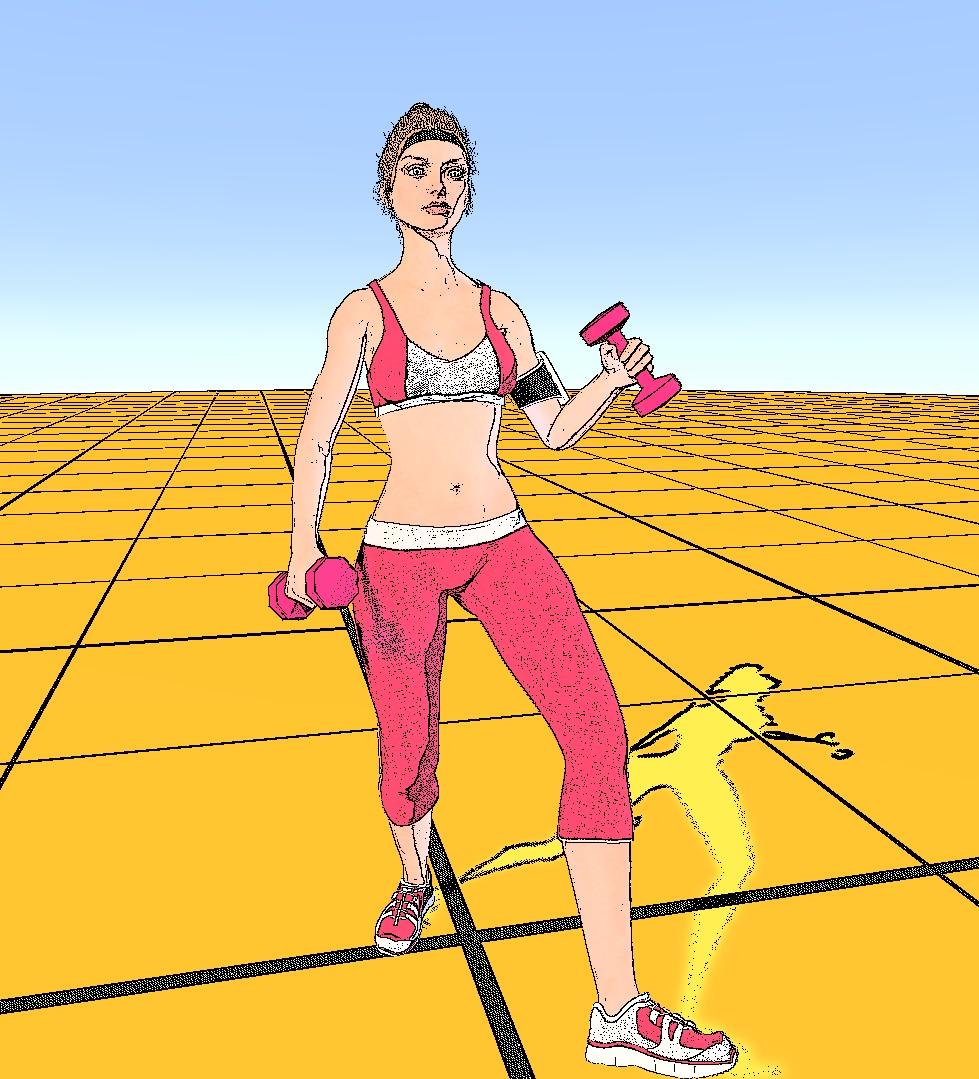
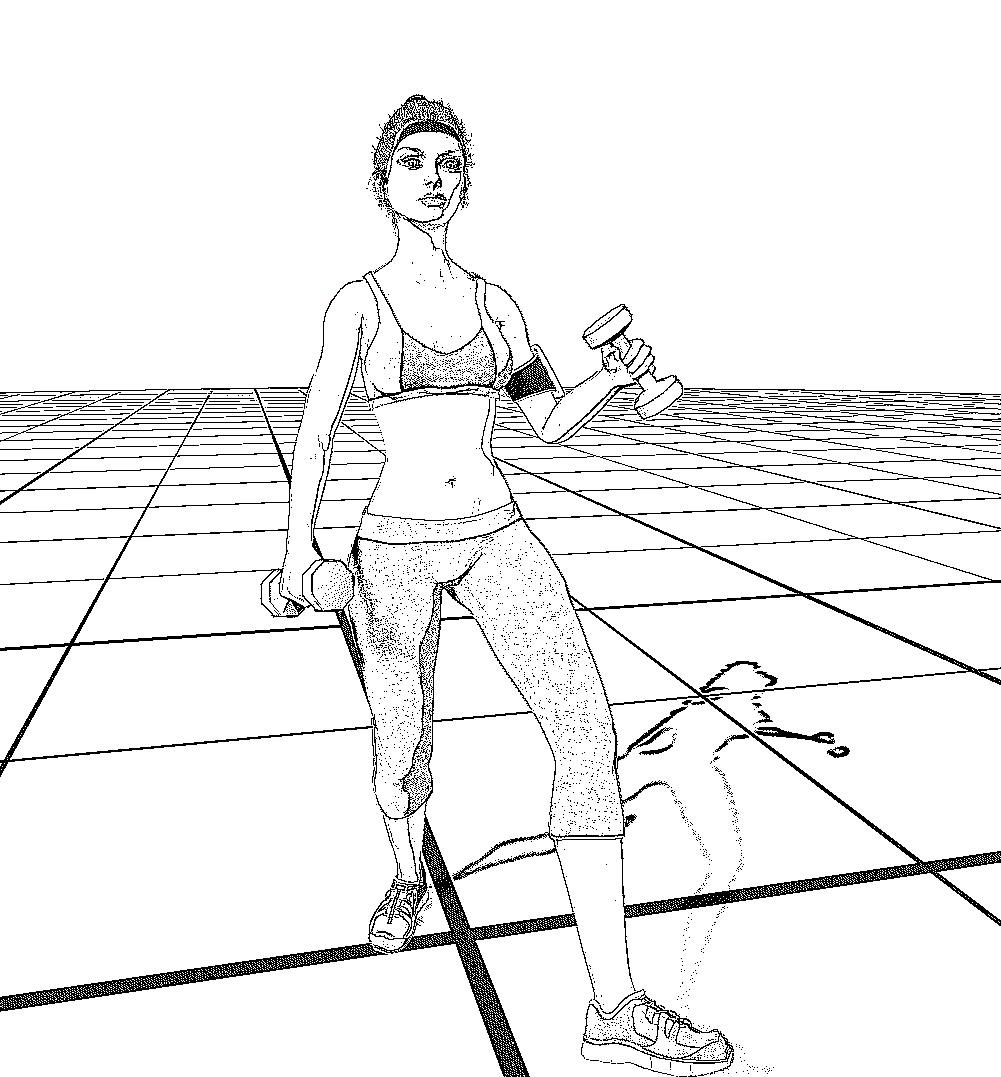
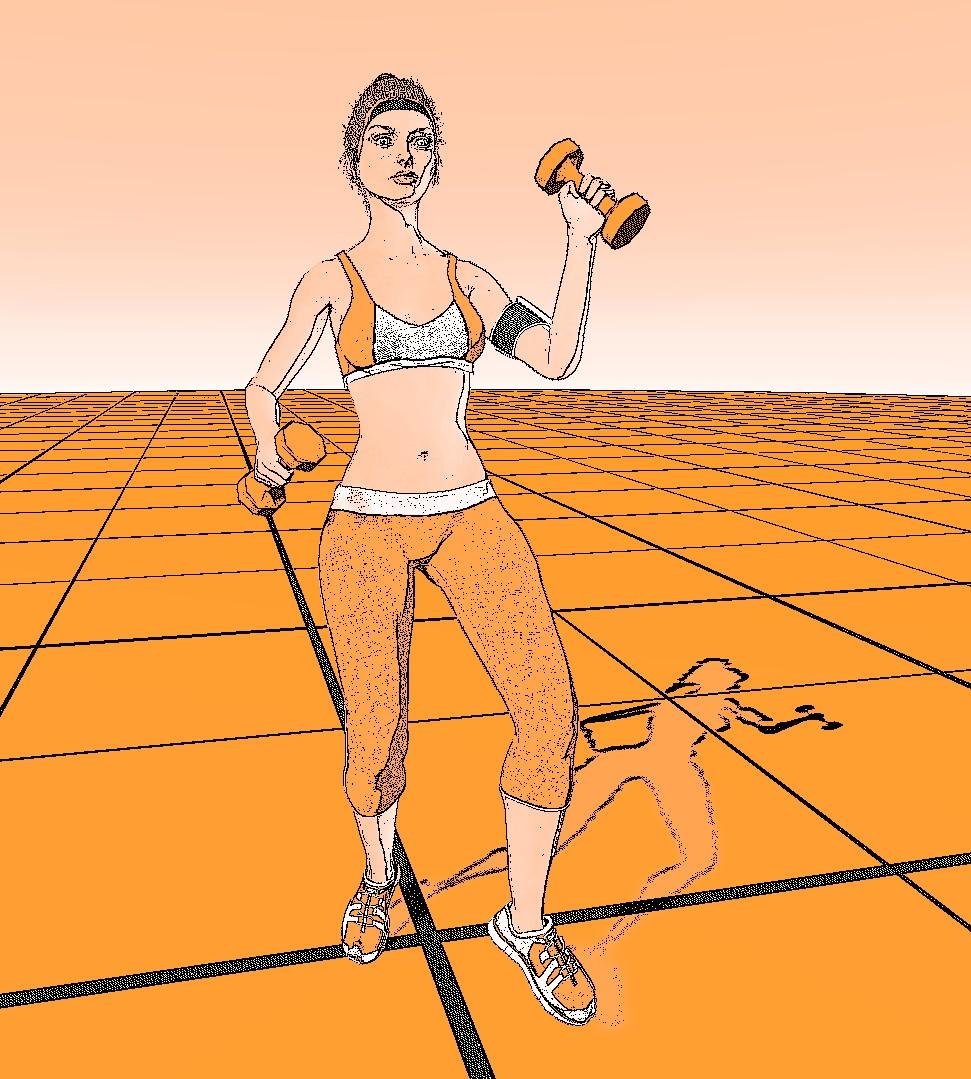
Sure, I could go for only the Retaliation bundle or only the Undercover Assassin bundle, but the two are both all over the place in content, meaning I actually have interest in only half of each. An interest in just about half the bundle used to be the breaking point for the old pro bundles for me, and yes, I did make it a habit back then to figure out where the price would end up buying seperate components or buying the bundle, taking additional discounts and freebees triggered by the bundles into consideration. And the results of these equations don't look good for bundles anymore.More Non-photorealistic Renders (NPR III)Nice.
Below are some of the experiments from Unity with different settings.
Used:
https://www.daz3d.com/bd-cleo-for-victoria-7-hd
https://www.daz3d.com/audrey-hair-for-genesis-3-female-s
https://www.daz3d.com/cardio-gear-for-genesis-3-female-s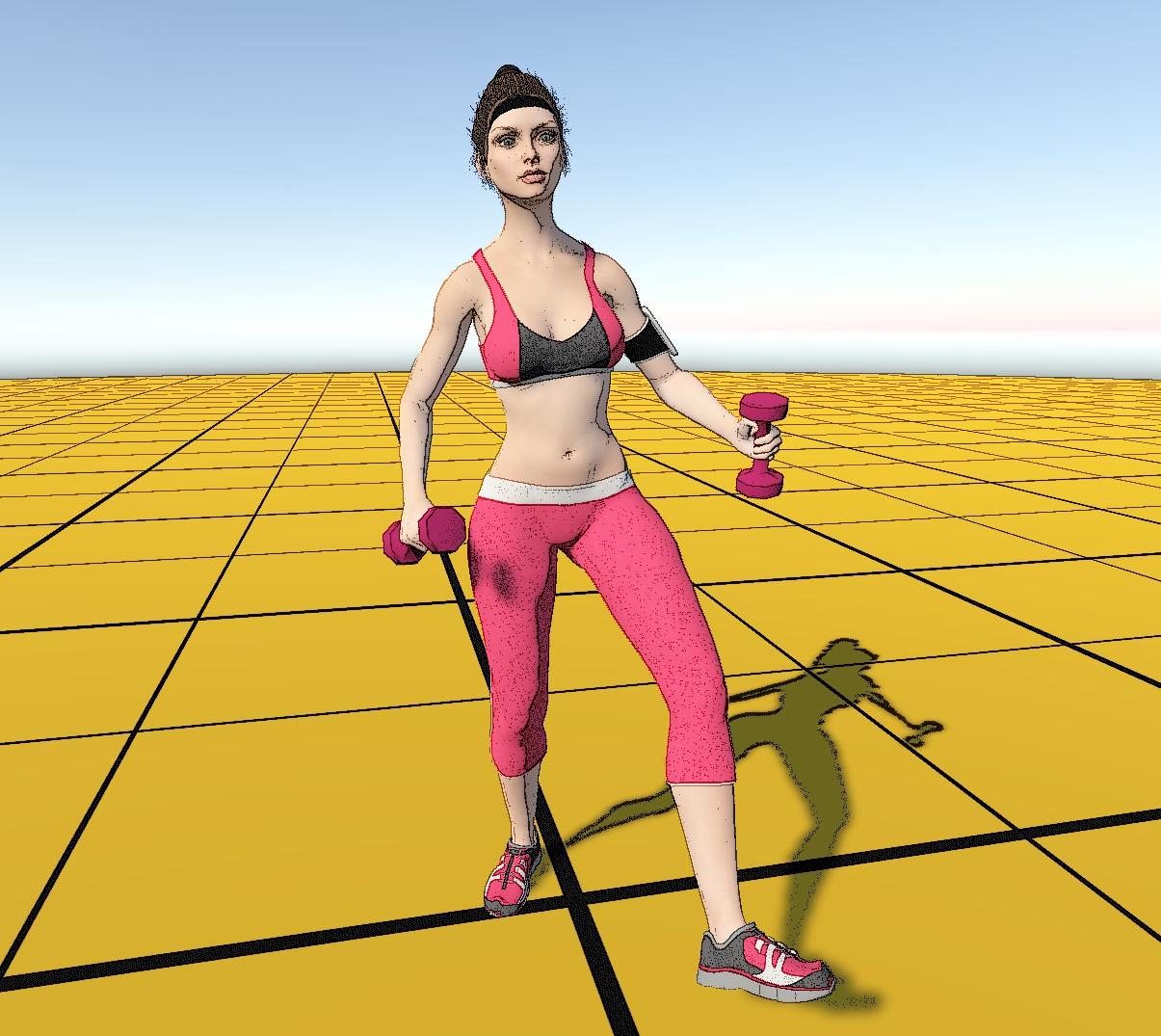
 Downgraded to Genesis 3 from Genesis 8
I'd say, Daz Genesis 3 figures are fine (instead of g8 or g8.1). For one thing, Daz works faster with g3 than g8.
If you focus on obtaining Genesis 3 -compatible poses, clothing, etc. well, those assets will often be cheaper, especially when you hunt through sales deals. And, a lot can even be found for free. Because they're older / legacy.
Genesis 3 is 3dDelight-compatible, but I would consider standardising on IRay, to be forward compatible.
Genesis 3 is more retro-looking, and, I think, that retro, stylised look is cute-looking / 3D-cartoon looking.
A side note on historical versioning...
Victoria-6 is equivalent to Genesis-2.
Victoria-7 is equivalent to Genesis-3.
There are various other xxx-7 character assets too, which will be g3 equivalent.
Daz then jumped from Genesis-3 to Genesis-8 to unify the versioning with Victoria et al.
Talking of the even-older Genesis 2 (g2) figures - they're clunky to pose, etc. but are low-resource, and you can populate a scene with g2 figures without much rendering overhead. I use that trick myself, sometimes, with some distant figures in the background sometimes being g2s.
I have started to flirt with incorporating some g3 characters into some of my art, inspired by that retro-look I love.
However, I'm mostly sticking with g8, though, and g8.1, as such figures are, in most ways, higher-quality, have betting posing, expressions, and other capabilities.Victoria 8.1 Clothes ShownI'm not sure about the clothes, but the hair in your second picture is Matilda Hair, which was listed in one of the Victoria 8.1 bundles. It may be the hair used in the first picture as well, but I'm not certain. Out of Touch has a couple of really nice hairs that are in a similar style and might do as subsitutes: 2022-03 Hair, 2021-16 hair.
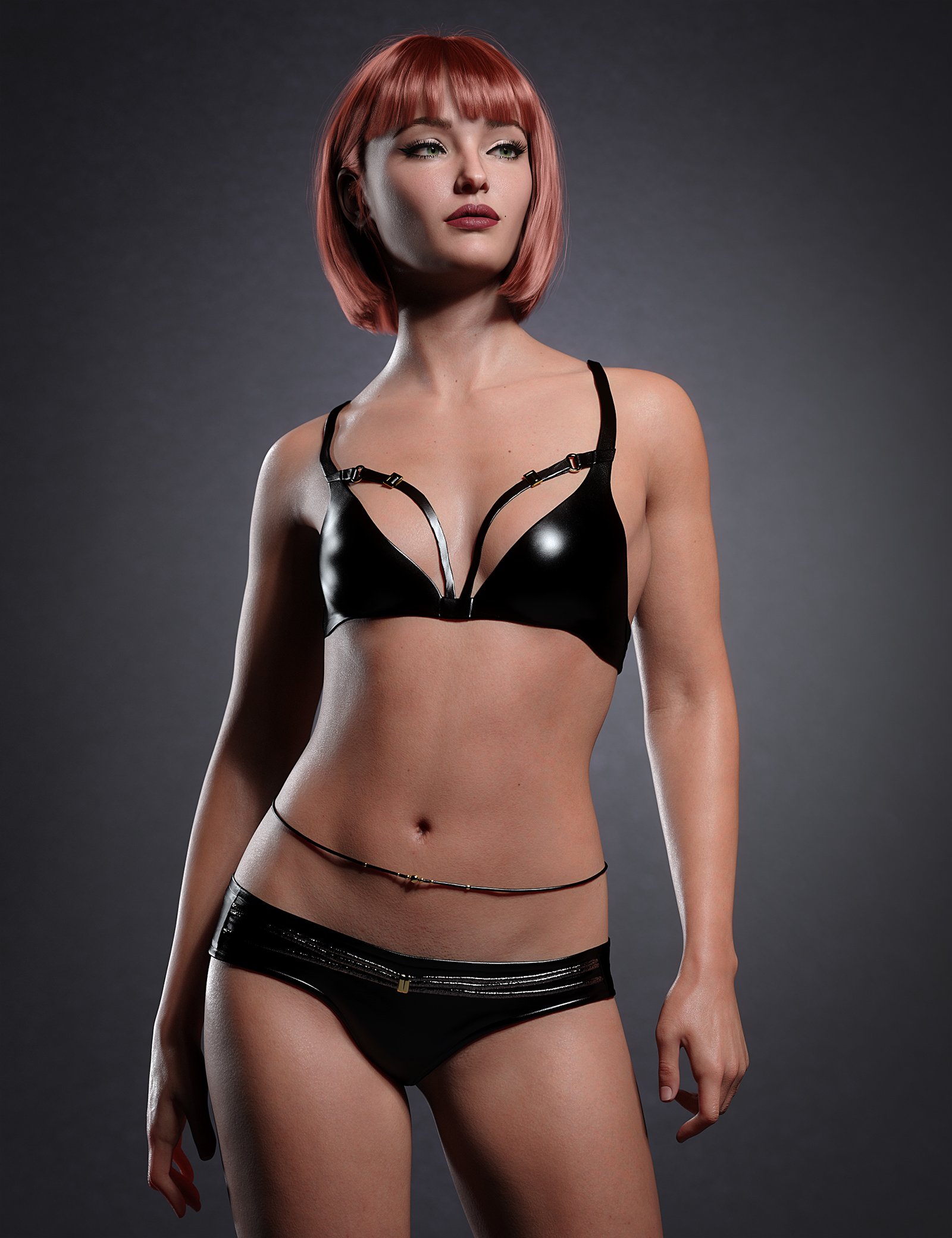
Victoria 8.1 Clothes ShownI'm interested in purchasing Victoria 8.1 but ham wondering where some of the clothes shown on the product page can be purchased. Specifically, the small leather top and bottom shown in the popups.
It would be super helpful to have a "Products Shown" section in the description somewhere. Does anyone have an idea who makes that top and bottom so I can purchase those as well?
 Need Help with body shape
Hello,
I have seen the model in pictures below(attached) and I was trying to get to its proportions using custom morphs or any Daz tools, but without any success.
The initial model is a Victoria 4 with custom morphs as the owner is stating in his store.
I am very interested in the proportions of this model, especially the small foot, long wide and strong calf muscle on a relatively short tibia. Strong ankles, strong upper legs.
Small waist and huge butt I believe because of a very wide pelvis, but not sure.
for me it looks almost imposible to get to these proportions with the morphs and tools probided by Daz.
I tried to contact the author but without success because the store won't let me contact it directly.
Any help identifying how to recreate this body shape/proportions on a Genesis 3 or 8 or even on Victoria 4 is very welcomed. I appeciate a lot even pointing me to a specific tool or an existing character in Daz store.
Notes:
I have censored the images to not break any Daz rules
The author of this model and images is Merovingian.
Missing TexturesHi, I'm new to daz3d and running into some issues that have gotten me a bit bummed out. I bought some packs to start with, and I'm having some problems. When I try to import Victoria 8, I get a message that files or textures are missing. However, when I go to the runtime folder, the textures and files that do not load are there. The program simply does not see them. Am I doing something wrong? It happens to me with other models, such as a bedroom, the textures in the runtime folder always give me an error.
Victoria 8.1 from Victoria 4.2If can be usefull I released a freebie at Renderosity https://www.renderosity.com/freestuff/items/91460/victoria-4-skin-for-g8fVictoria 8.1 from Victoria 4.2First, Victoria 8.1 is a character for Genesis 8.1 Female rather than a base figure like Victoria 4.
Genesis 8.1 can convert clothing (and other fitted items) from older versions of Genesis and the original Genesis can convert Victoria 4 fitted items, so you have a free route to get those trasnfered (although not perfectly - custom bones, such as skirt handles or taisl on hair, get lost and things that project away from the figure, such as high heels, can come a cropper).
There are routes for morphs and textures but theya re not free and can be fiddly.
Victoria 8.1 from Victoria 4.2Hello. I'm an old school user of Poser as well as Daz 3D. I've been using Victoria 4.2 Starter Bundle for sometime now. I'm interested in upgrading to Victoria 8.1. My concern is the accesories and clothing and morphs I've bought for V4.2. Will things that conform to V4.2 also conform to V8.1? Such as shoes and clothing and morph++? If they won't, then I'll just stay with Victoria 4.2 because it would be a waste of money and time to buy Victoria8.1. Thanks.
Daz 3D is part of

Connect
DAZ Productions, Inc.
7533 S Center View Ct #4664
West Jordan, UT 84084Licensing Agreement | Terms of Service | Privacy Policy | EULA
© 2026 Daz Productions Inc. All Rights Reserved.