-
[Released] RSSY Hair Converter from Victoria 4 to Genesis 8 Female [Commercial]
Apparently with 4.11 anytime I try to save a morph or anything it now fails, is there a way without reinstalling poser to transfer the fit morph for v4 to the converted hair?
Edit : Figured it out :)
What was the issue?
Z Expecting - Pregnancy Preset and Poses for Genesis 3 and 8Hello Everyone,
So I purchased the above package from the shop and the package states it has a pregnancy morph but I cannot locate it anywhere. I cannot find the morph using the search function in parameters or by going through each option individually. Does anyone know how I can incorporate this morph?
[Released] RSSY Hair Converter from Victoria 4 to Genesis 8 Female [Commercial]Apparently with 4.11 anytime I try to save a morph or anything it now fails, is there a way without reinstalling poser to transfer the fit morph for v4 to the converted hair?
Edit : Figured it out :)
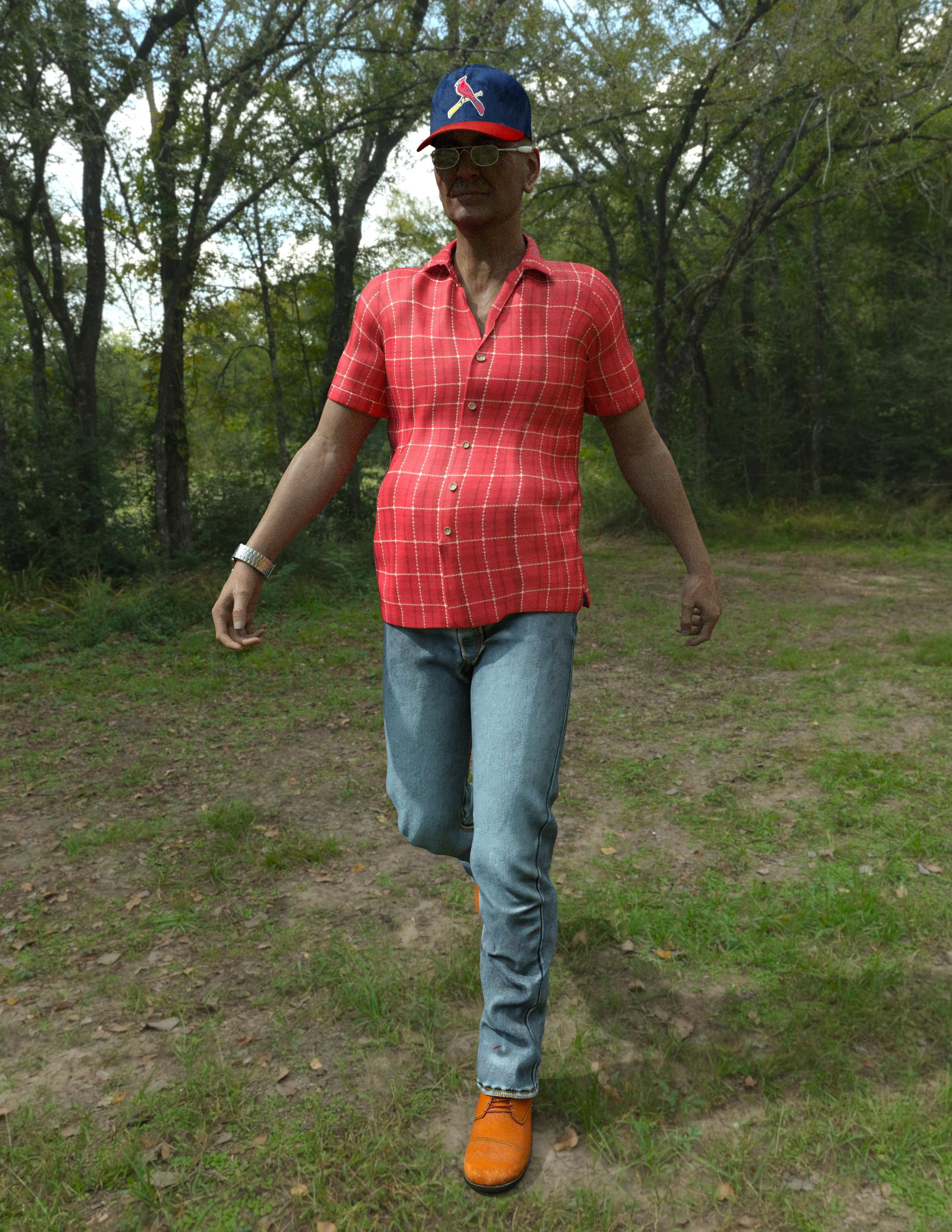
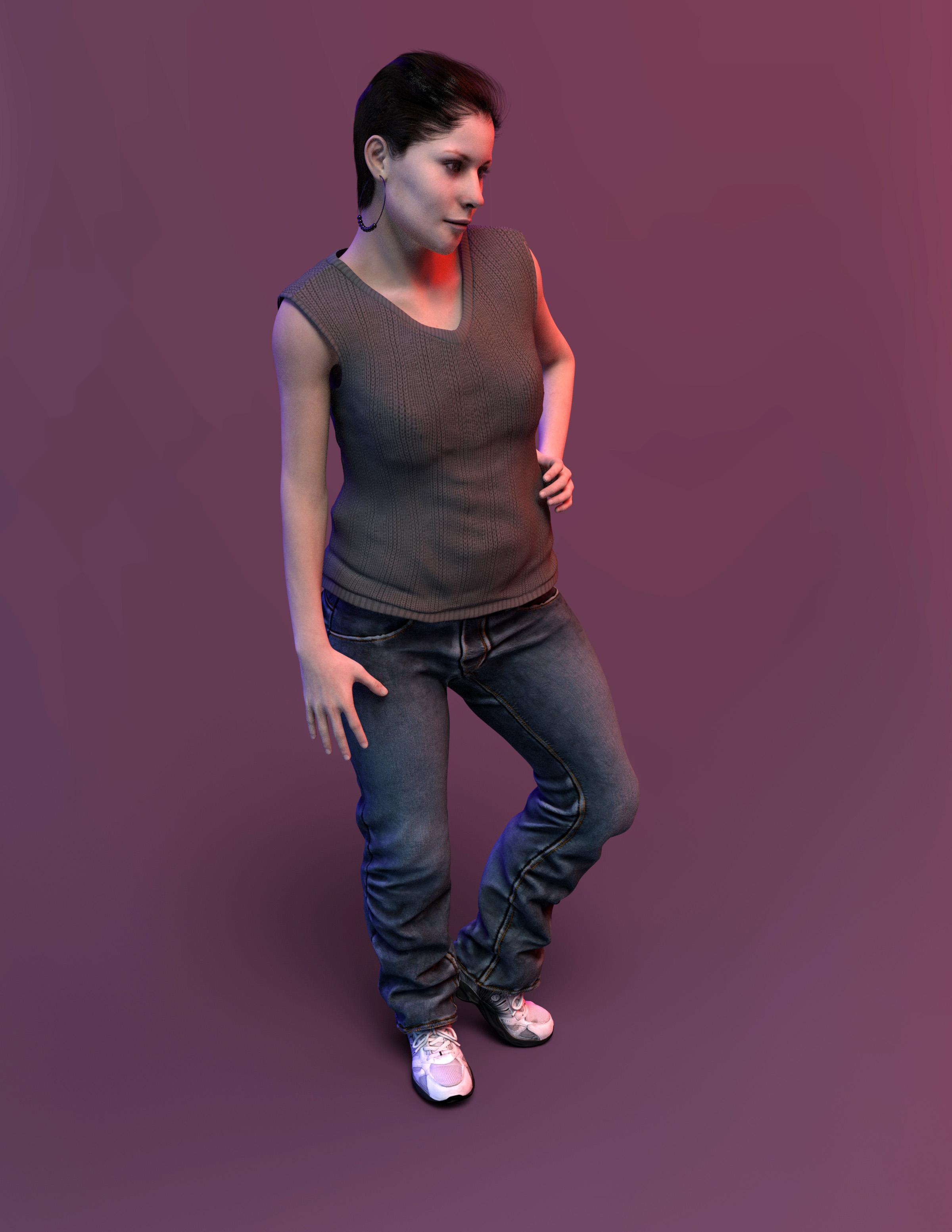
My Projects in 3D Digital RenderingSome character experiments.. average people.
I wonder if there is a short sleeve shirt with a tucked in morph?
Denny
Brenda
 Basic Silly Newbcakes Daz Studio Question
there are some very basic morphs included in the basic package that comes with DS, expressions you can find under pose controls, there are some few presets but you can use a lot of the facial movements (in pose control) to create exprssions yourself.
No idea about Unreal engine from me
Thanks...I would like to get just a couple characters and assumed I would need the morph sets for them to work. I should just browse and see whats available these days. maybe theres something that will allow me to create my own characters.....
the DAZ Flagship figures like Victoria /Michael etc don't need the morph packs but lots of other artists figures need the morph packs ( plus they are very usefull to create your own characters) haven an eye open for sales on them, they have been in a lot of sales lately
Thanks again. i used M4 and V4 quite abit back in the day but never really moved on from there. I like the realistic look to some of the G8 figures. ..so wanted to see what I could do, as well as play with the lighting.
Darwins' Schtuff Pt DeuxApologies if this is an awkward question, but do you know/can you say what happened with Dh'morra? When I saw this, I thought I'd missed his release, but your commercial thread for him hasn't been updated either. I thought maybe I'd bought him and forgotten -- I definitely intended to buy him -- but that doesn't seem to be the case.
Regarding the images you posted, I like the look of Jacov. Does seem to be a bit Vladimir-adjacent (this is not at all a bad thing); maybe adding some of that shape will help the look you're aiming for? (And where on earth did you find younger images of Chaim Topol? As far as I can tell from Google Images, he appears to have been born as a middle aged man, making him perfect for "Fiddler on the Roof".)
Thanks everyone!
Ah, no- Dh'morra has not been released yet- but his release is coming up soon. ;)
Well, there was only one pre Flash of him that I could find, so I took artistic license on reverse aging him a bit. XD I don't want to add other shapes into the morphs for this pack since it's a set of five custom morph sets I'm making for head/body/total character morphs. Though it's an intriguing idea to try to see what he'd look like!
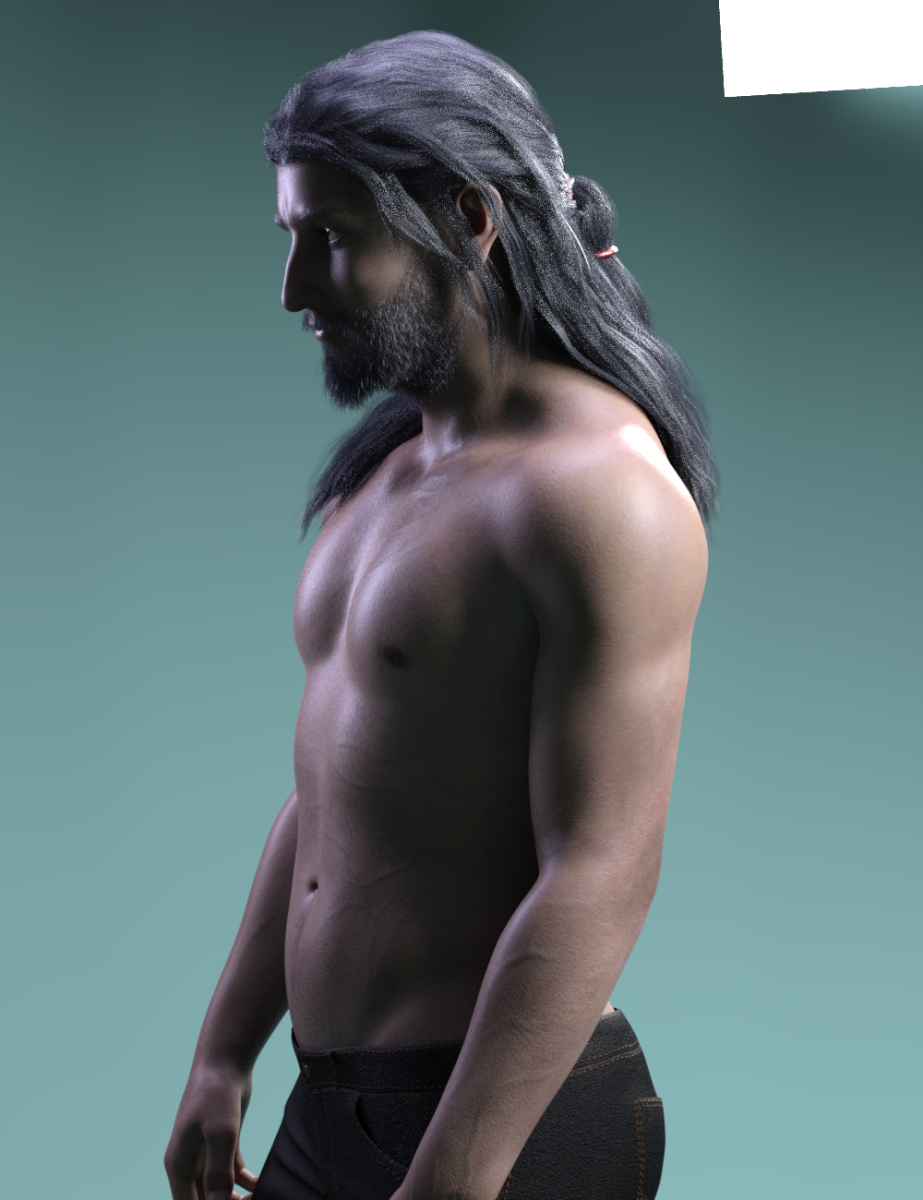
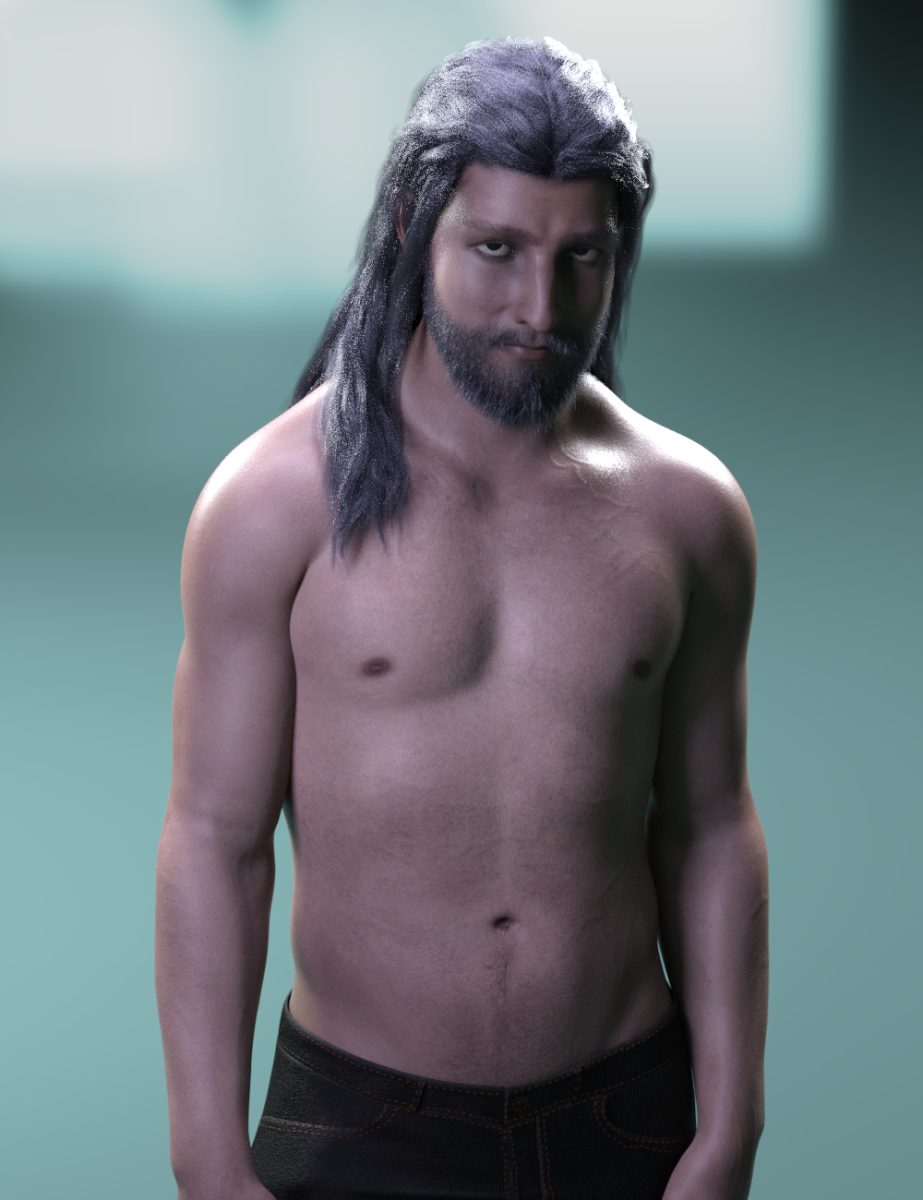
With a beard and the updated upper torso tweaking. Mainly his chest, shoulder and upper back areas were worked on a bit more to get rid of that flatness I didn't like in the first round.
 dForce Hair (as well as strand based hair and the strand based hair editor) in public beta
The down side is that I don't think its possible to tell a dforce sim to start from a previous simulations end state, so any posing etc will have to come afterwards in the timeline and I'll need to sim the whole thing each time.
Sure there is - we call them morphs around here! Export the hair as .obj and run Morph Loader Pro before clearing and running the 2nd sim. The other approach is to set the timeline itself to start at the end of the ponytail sim (you won't have to re-sim the ponytail).
- Greg
ETA: Very cool, BTW.
Basic Silly Newbcakes Daz Studio Questionthere are some very basic morphs included in the basic package that comes with DS, expressions you can find under pose controls, there are some few presets but you can use a lot of the facial movements (in pose control) to create exprssions yourself.
No idea about Unreal engine from me
Thanks...I would like to get just a couple characters and assumed I would need the morph sets for them to work. I should just browse and see whats available these days. maybe theres something that will allow me to create my own characters.....
the DAZ Flagship figures like Victoria /Michael etc don't need the morph packs but lots of other artists figures need the morph packs ( plus they are very usefull to create your own characters) haven an eye open for sales on them, they have been in a lot of sales lately
Basic Silly Newbcakes Daz Studio Questionthere are some very basic morphs included in the basic package that comes with DS, expressions you can find under pose controls, there are some few presets but you can use a lot of the facial movements (in pose control) to create exprssions yourself.
No idea about Unreal engine from me
Thanks...I would like to get just a couple characters and assumed I would need the morph sets for them to work. I should just browse and see whats available these days. maybe theres something that will allow me to create my own characters.....
Morphs from G3 to G8The bad news is, still not branch or update. The good news is, I have completed getting the stuff installed (Running these in parallel is probably not worth the head ache, but ...) and the script checks out on studio 4.11. The scource fo the inconsistent results is at least partially tied to the fact that the script is trying to use a clone that no longer exists in certain cases. You can fix that part yourself.
No, really.
Open the script in your favorite text editor.
Copy nthe following wordGNXALTARC
In your text editor, open the find and replace function. Paste the copied word into the find box.
Copy the following wordNuGNXarc
In your text editor, paste the copied word into the replace box.
Last check, you should have FIND: GNXALTARC Replace with: NuGNXarc (case matters, so just copy and paste)Hit Replace All. Save. You are done.
But I don't want to break things cuz the scared!!!!
Honestly I understand that, but just copy the file first. If you do manage to break it, use the copy (You don't even have worry about the file name. The script doesn't care what it's called right now. You could name it "Bob.dsa: and it would still run). If all else fails, just download the dsa file again.
GNXALTARC was a file meant to make sure figures with eyelashes were not distorted by projection from G8 (which has no lashes, and the script does nothing with the lashes except remove them from a list to prevent them being shown as an option. That list only exists while the script is running and is only used by the script). Basically, GNXALTARC allowed the lash-bearing figure to get projection the same way the G8 Lash figures do. (It's a clever solution, and I've found it quite useful in things I've made. If you don't know how it's done, see if you can figure it out.) Because GNXALTARC is not actually present, the script gets hung up either because it's not happy it can't find the morph, or ecause the shapes don't match up leading to ... issues. Cutting it out should stablize most of the issues. Others, not so much. But I'll get there.I Forgot What My Complaint Was - Complaint Threadwhen i haz trouble fitting to the genesisisess
i up the iterations. smoothing, and there was collision iterations.
i remember setting the iterations to 99 when i sat the figure down. to make the skirt cover her legs.
when the iterations calcs are done. save it as a morph asset to the outfit, for next time.
What "qualify" as your own character?I'm still unclear about how it works, and what can be used. What about the basic elements that comes with DS?
For intance, let's say that I want to make a sword freebie. Can I use the basic metal shaders that comes with DS or must I make from scratch my own metal shader (or use a merchant ressource)?
I'm not sure, if you mean the specific material presets. Do they still work if you uninstall teh Default Resources package?
Similalrly, if I'm making a character, can I use the basic morphs and basic skins that come with DS when you download it, or are they off limits too?
No, the basic skins and moprhs cannot be distributed and nor can derivatives created from them. You could have a preset that called them (which wouldn't work if the files were not installed).
Let assume that the only peculiarity of my character is that he has a big red nose, so he's big red nosed G8. What can I use exactly to give him a big red nose?
You could use a Layered Image to add the red to the base colour and any other maps that needed it, and use a shaping preset to apply a combination of stock moprhs or create your own morph in a modeller or with dFormers. However, if that's all you are doing I would not hold out any hopes of being able to sell the result.
OK, if I understand correctly (let me know if I don't), you can't distribute anything included in DS (or is there anything you can use?) but you can make presets that call any of these assets? For instance if I make a pose that includes an expression, I can model the expression myself, but I also can use a preset that will require the basic expressions morphs included in DS (that everybody should have)? Similarly, I can use any character for my red nosed guy, as long as it's not actually included in the files. For instance I can make a "red nosed for G8M" or a "red nosed for Michael 8", or for that matter a "red paint for accent table" (a DAZ Original asset). As long as the person downloading it is required to have the asset it's based on, it's fair game, is that correct?
For instance, let's assume that I intend to distribute a "Michael 8 sat on a table painted red" asset, that uses solely existing assets (so, the michael 8 character without change, a table which is a DAZ Original asset, a red paint that is a basic DAZ shader, and a pose which is taken directly from the basic pose library), it would be acceptable to distribute it, even though I didn't do anything myself, as long as the asset requires all files to be installed on the person's computer?
Using an existing pose which is not a merchant resource would be a problem as the scene file doesn't make a reference to the pose file, it saves the pose in the scene. For other kind of assets it would be ok.
But on the other hand, if I want to to distribute "My original character sat in a new way on an interesting table painted in a peculiar tone of red, all files included" I cannot use any of the elements that come with DAZ Studio, not even the basic shaders, skins, expressions, etc....? Is that correct?
That's correct, if you want to include all files in your download then they must all be your own work or made from merchant resources specifically allowing that kind of use.
What "qualify" as your own character?I'm still unclear about how it works, and what can be used. What about the basic elements that comes with DS?
For intance, let's say that I want to make a sword freebie. Can I use the basic metal shaders that comes with DS or must I make from scratch my own metal shader (or use a merchant ressource)?
I'm not sure, if you mean the specific material presets. Do they still work if you uninstall teh Default Resources package?
Similalrly, if I'm making a character, can I use the basic morphs and basic skins that come with DS when you download it, or are they off limits too?
No, the basic skins and moprhs cannot be distributed and nor can derivatives created from them. You could have a preset that called them (which wouldn't work if the files were not installed).
Let assume that the only peculiarity of my character is that he has a big red nose, so he's big red nosed G8. What can I use exactly to give him a big red nose?
You could use a Layered Image to add the red to the base colour and any other maps that needed it, and use a shaping preset to apply a combination of stock moprhs or create your own morph in a modeller or with dFormers. However, if that's all you are doing I would not hold out any hopes of being able to sell the result.
OK, if I understand correctly (let me know if I don't), you can't distribute anything included in DS (or is there anything you can use?) but you can make presets that call any of these assets? For instance if I make a pose that includes an expression, I can model the expression myself, but I also can use a preset that will require the basic expressions morphs included in DS (that everybody should have)? Similarly, I can use any character for my red nosed guy, as long as it's not actually included in the files. For instance I can make a "red nosed for G8M" or a "red nosed for Michael 8", or for that matter a "red paint for accent table" (a DAZ Original asset). As long as the person downloading it is required to have the asset it's based on, it's fair game, is that correct?
For instance, let's assume that I intend to distribute a "Michael 8 sat on a table painted red" asset, that uses solely existing assets (so, the michael 8 character without change, a table which is a DAZ Original asset, a red paint that is a basic DAZ shader, and a pose which is taken directly from the basic pose library), it would be acceptable to distribute it, even though I didn't do anything myself, as long as the asset requires all files to be installed on the person's computer?
But on the other hand, if I want to to distribute "My original character sat in a new way on an interesting table painted in a peculiar tone of red, all files included" I cannot use any of the elements that come with DAZ Studio, not even the basic shaders, skins, expressions, etc....? Is that correct?
transfer utility problems, Help!You might want to load your original shape as a morph, if it's a sinlge morph you are using - otherwise you may find you need to create several cusom morphs for the clothing to match the tricky ones used in the abse figure. One thing to try first is applying a smoothing modifier (Edit>Figure>Geometry>Apply Smoothing Modifier) and settings its type, in the Parameters pane, to Generic instead of Base Shape Matching.
How to make a single dial from a mixture of morphs, which then available as an asset?Are you shure you had selected the genesis figure root node and not the head bone while creating the new property?
If you can't find your new property in the parameters pane on a fresh loaded original genesis figure I can't tell whats gone wrong.
The only thing I guess you can do now is search the morph file on disk in some of your Content Directories with a file browser. Whichever was selected on top of the Morph Asset Save dialog while saving.
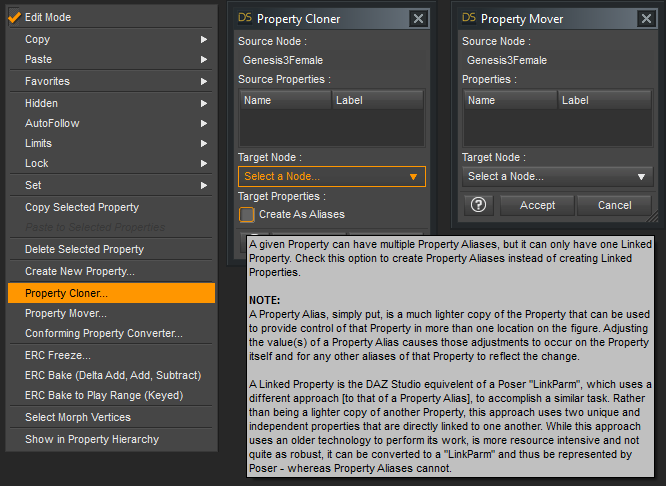
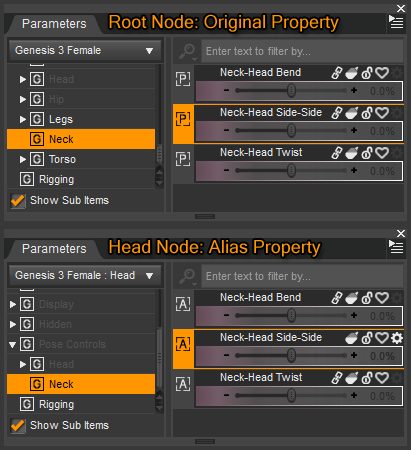
more references I found regarding creating aliases for expressions on the head node and saving control properties to another figure node / bone than the root node:
How to change morphs location?
How To Create A Shortcut To Expressions
I've written more on that Property Cloner / Mover but I can't find in which thread I posted these screenshots anymore.
 I Forgot What My Complaint Was - Complaint Thread
in the old days the clothes needed a support morph fit. thought these days is all auto transferred.
if you talking old V4, there used to be magnet sets to add support morps. check lyrra store
TUTORIAL: Import FBX animation to DAZ studio Pro & copy it to the G3 characterThank you so much for this script! Just discovered it and it works perfectly!!
Now I'm able to transfer animations between Unreal and Daz :)
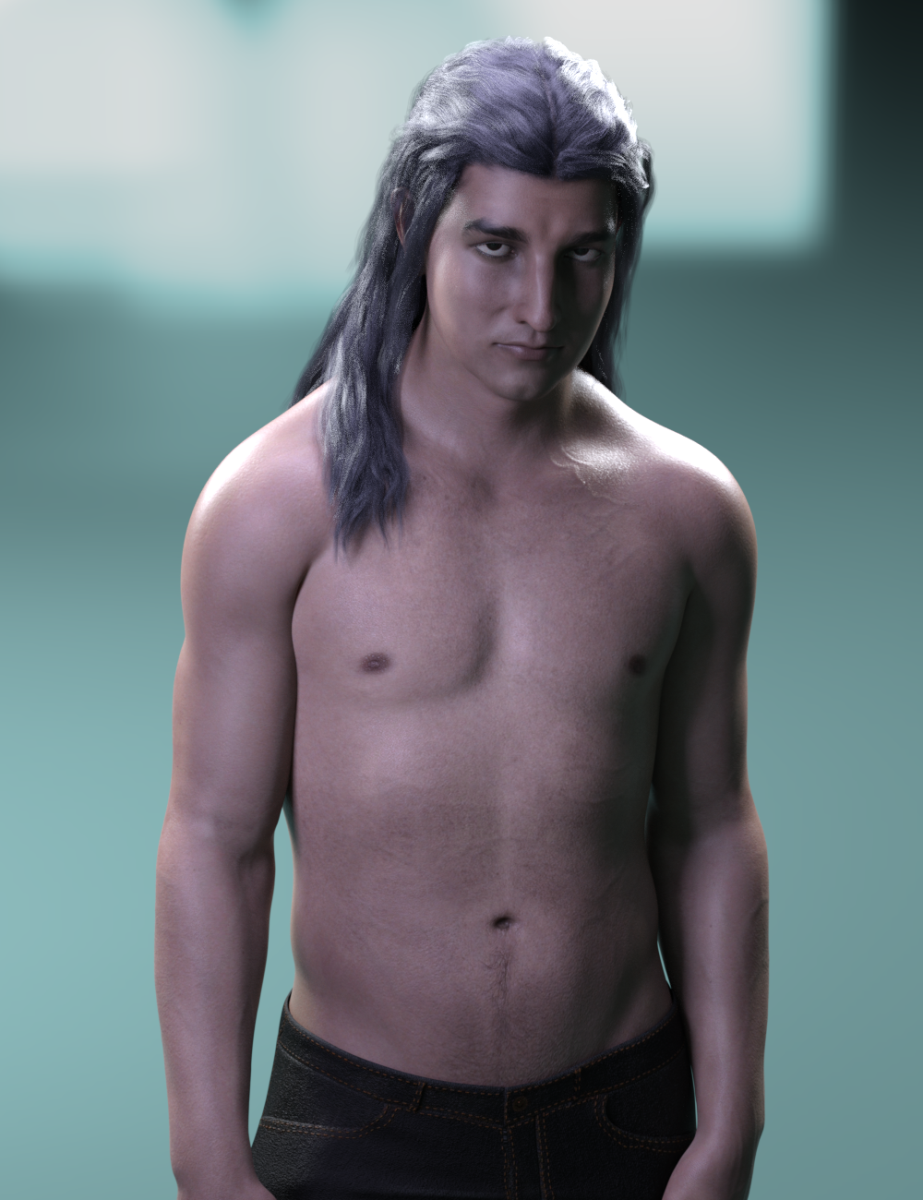
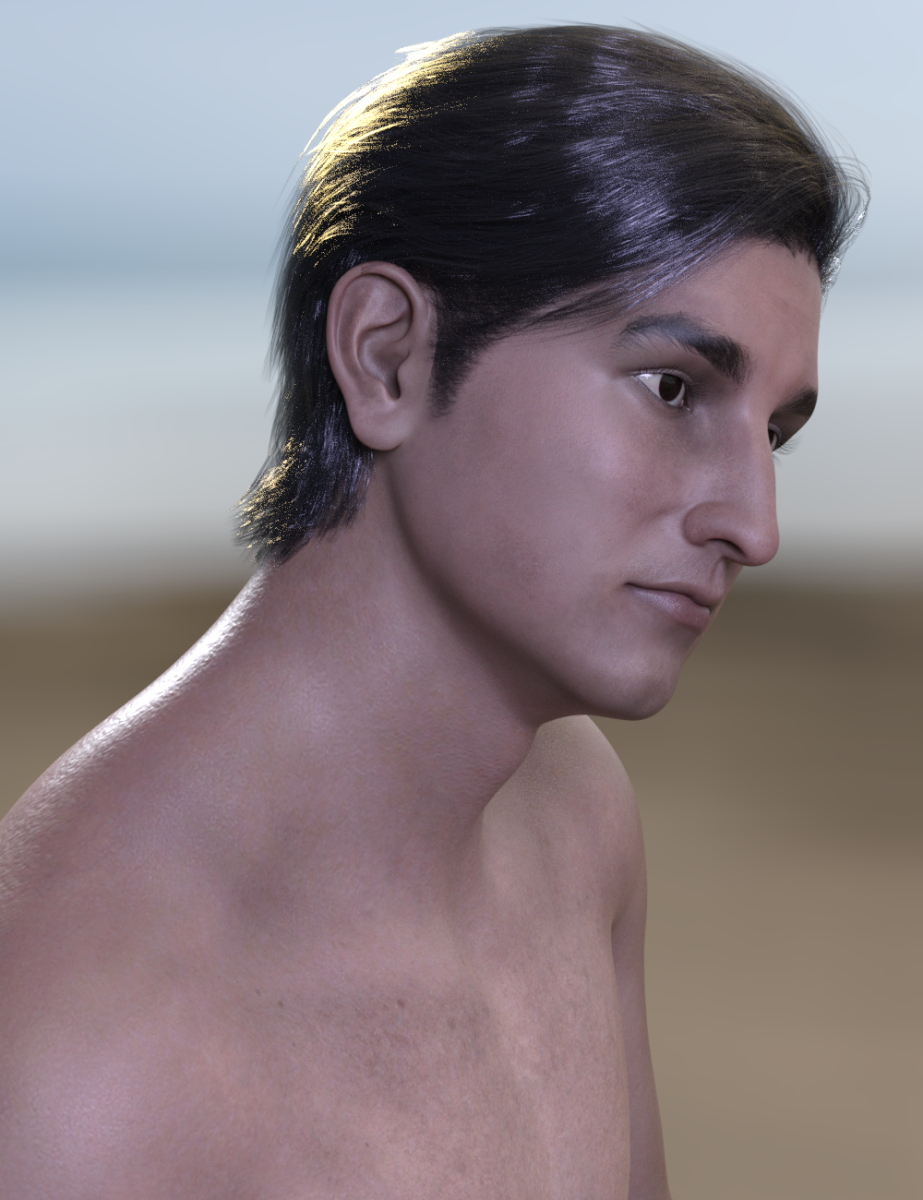
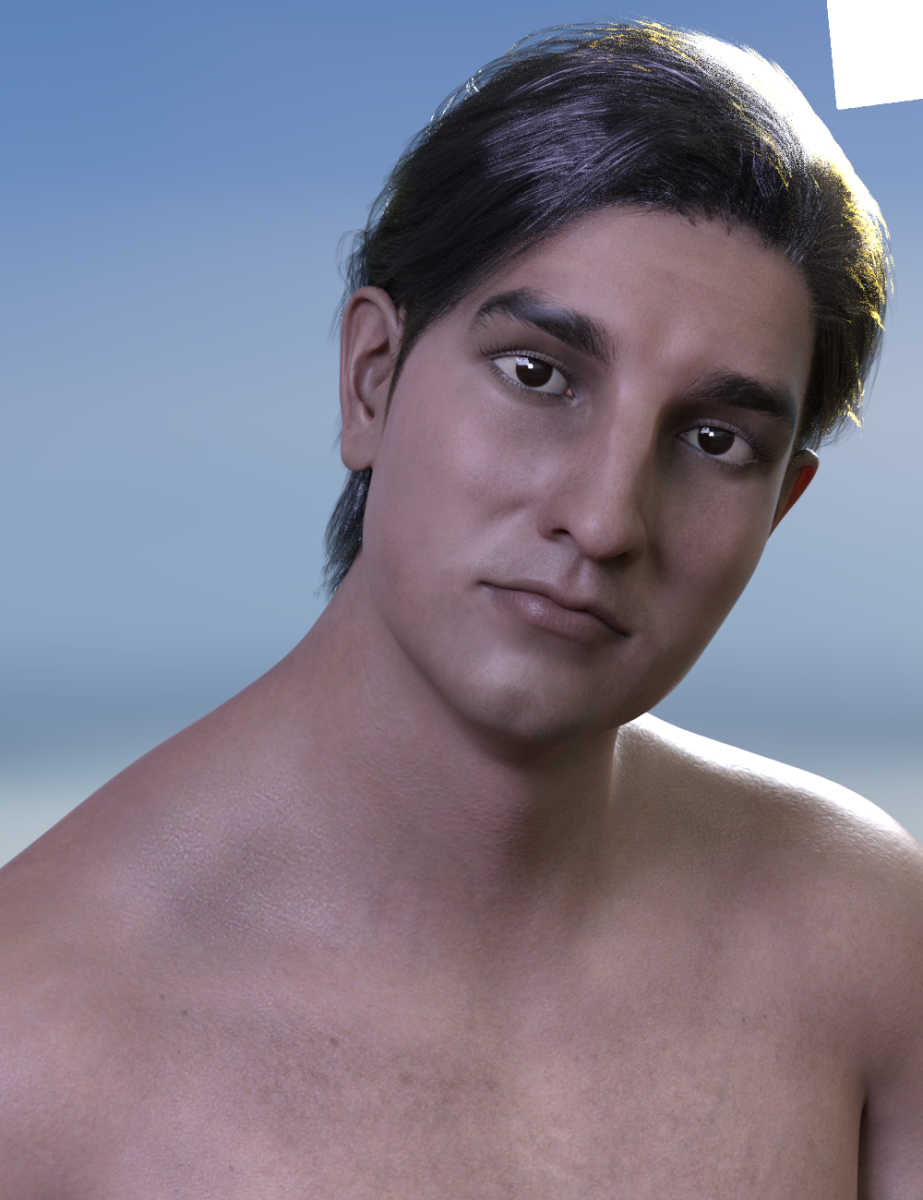
Darwins' Schtuff Pt DeuxSo- this is Jacov (Yah-Kohv), based off of Chaim Topol's younger photos that I could find. I am going to take the body morph into zbrush or hexagon again to work on his chest more so it suits the body type I've used (Going for a natural, strong body rather than sculpted 'pretty' body type). I'll also render him with a beard to see how he looks with that. He's wearing my Dh'morra's base skin with medium translucency settings for these renders.
 AIUTO...CHI CONOSCE L’ITALIANO? PARTE DODICI
Non capisco perchè ti fissi sul Autofollow che con DForce non serve a nulla.

Segui le isctruzioni dello Zio Imago che ne sa e ne ha fatte!

Dunque, con quella posa, per avere un risultato eccellente ci sono da fare un paio di passaggi.
Prima di tutto nascondi nella scena tutto tranne i vestiti del vegliardo. Ora esporta come OBJ mantenendo tutti i gruppi e le UV Map, seleziona "Collect maps", ti permette di mantenere le textures inalterate. Se poi usi dei materiali IRay specifici li dovrai riapplicare, ma è meglio farlo dopo.
Elimina i vestiti del nonno e il nonno stesso.
Ora importa gli abiti OBJ (appariranno nella stessa posizione iniziale) e la pupattola e mettila nella stessa identica posa della cariatide e cerca di posizionarla nel mezzo dei vestiti, in modo che abbia spazio intorno al corpo. Vedo che non ci sono parti accavallate, è più semplice in questo caso.
Adesso applica "Dynamic Surface" agli abiti.
Siccome le braccia e le gambe dei vestiti saranno di sicuro più lunghe degli arti della pulzella, dovrai agire sulle lunghezza di gambe e braccia e forse anche del busto. Dovrebbero esserci dei morph "Arm Length", "Torso Lenght" e "Legs Length", fai in modo che piedi e mani spuntino abbastanza. Non oltreppassare le spalle del maglione o il fondo dei pantaloni.Ora la parte divertente!
 Dovrai fare una animazione!
Per far cadere correttamente gli abiti dovrai rivisualizzare il divano e posizionarlo più in basso dei vestiti, non troppo, basta che non li sfiori. Potrebbe essere necessario fare la stessa cosa ol pavimento. Dopodiche vai nel tab Surfaces dei vestiti OBJ e porta a 0.30 il Collision Offset. Ricordati di questo parametro se ci sono troppi poke.
Abbiamo il setup completo. Ora, sulla Timeline, imposta 45 fotogrammi totali e poi vai al fotogramma 30 e azzera i morph della lunghezza di corpo, gambe e braccia, riportandole alla loro lunghezza normale. Poi riposiziona il divano esattamente dove era. Usa il puppetteer per la precisone massima. Se hai spostato anche il pavimento, riposizionalo.
A questo punto vai alla impostazioni del DForce e imposta "Initialization time" a 0.50 e disattiva "Start from memorized pose". Metti "Animated use timeline range" nel parametro Frames to simulate. Regola il resto come preferisci per una maggiore precisione o velocità ma dovrebbe funzionare correttamente con i default.
Per finire pigia sul tasto "Simulate" e goditi lo spettacolo.

Se tutto è stato impostato correttemente, i vestiti dovrebbero cadere sulla ragazza fin ad adattarsi a lei, poi il divano salirà pian piano e le pupattola tornerà alla sua forma naturale e gli abiti si riposizioneranno seguendola.
A scriverlo è più lungo che farlo, te lo assicuro.
Facci sapere se ti funge!

Ma sei un (i)mago! :D (Scusa la battuta xD)
Innanzitutto grazie mille per avermi dedicato del tempo, sei molto gentile!
Vedo che ho diverse cose da imparare per farlo, ma dato che non ci sono altre soluzioni, pur di fare il salto di qualità mi sembra un buon investimento di tempo!
Quindi più tardi proverò di sicuro (ora devo studiare), grazie ancora! :D
AIUTO...CHI CONOSCE L’ITALIANO? PARTE DODICINon capisco perchè ti fissi sul Autofollow che con DForce non serve a nulla.
Segui le isctruzioni dello Zio Imago che ne sa e ne ha fatte!
Dunque, con quella posa, per avere un risultato eccellente ci sono da fare un paio di passaggi.
Prima di tutto nascondi nella scena tutto tranne i vestiti del vegliardo. Ora esporta come OBJ mantenendo tutti i gruppi e le UV Map, seleziona "Collect maps", ti permette di mantenere le textures inalterate. Se poi usi dei materiali IRay specifici li dovrai riapplicare, ma è meglio farlo dopo.
Elimina i vestiti del nonno e il nonno stesso.
Ora importa gli abiti OBJ (appariranno nella stessa posizione iniziale) e la pupattola e mettila nella stessa identica posa della cariatide e cerca di posizionarla nel mezzo dei vestiti, in modo che abbia spazio intorno al corpo. Vedo che non ci sono parti accavallate, è più semplice in questo caso.
Adesso applica "Dynamic Surface" agli abiti.
Siccome le braccia e le gambe dei vestiti saranno di sicuro più lunghe degli arti della pulzella, dovrai agire sulle lunghezza di gambe e braccia e forse anche del busto. Dovrebbero esserci dei morph "Arm Length", "Torso Lenght" e "Legs Length", fai in modo che piedi e mani spuntino abbastanza. Non oltreppassare le spalle del maglione o il fondo dei pantaloni.Ora la parte divertente!
Dovrai fare una animazione!Per far cadere correttamente gli abiti dovrai rivisualizzare il divano e posizionarlo più in basso dei vestiti, non troppo, basta che non li sfiori. Potrebbe essere necessario fare la stessa cosa ol pavimento. Dopodiche vai nel tab Surfaces dei vestiti OBJ e porta a 0.30 il Collision Offset. Ricordati di questo parametro se ci sono troppi poke.
Abbiamo il setup completo. Ora, sulla Timeline, imposta 45 fotogrammi totali e poi vai al fotogramma 30 e azzera i morph della lunghezza di corpo, gambe e braccia, riportandole alla loro lunghezza normale. Poi riposiziona il divano esattamente dove era. Usa il puppetteer per la precisone massima. Se hai spostato anche il pavimento, riposizionalo.
A questo punto vai alla impostazioni del DForce e imposta "Initialization time" a 0.50 e disattiva "Start from memorized pose". Metti "Animated use timeline range" nel parametro Frames to simulate. Regola il resto come preferisci per una maggiore precisione o velocità ma dovrebbe funzionare correttamente con i default.
Per finire pigia sul tasto "Simulate" e goditi lo spettacolo.
Se tutto è stato impostato correttemente, i vestiti dovrebbero cadere sulla ragazza fin ad adattarsi a lei, poi il divano salirà pian piano e le pupattola tornerà alla sua forma naturale e gli abiti si riposizioneranno seguendola.
A scriverlo è più lungo che farlo, te lo assicuro.
Facci sapere se ti funge!
Daz 3D is part of

Connect
DAZ Productions, Inc.
7533 S Center View Ct #4664
West Jordan, UT 84084Licensing Agreement | Terms of Service | Privacy Policy | EULA
© 2026 Daz Productions Inc. All Rights Reserved.